Audio unit menus
230
L
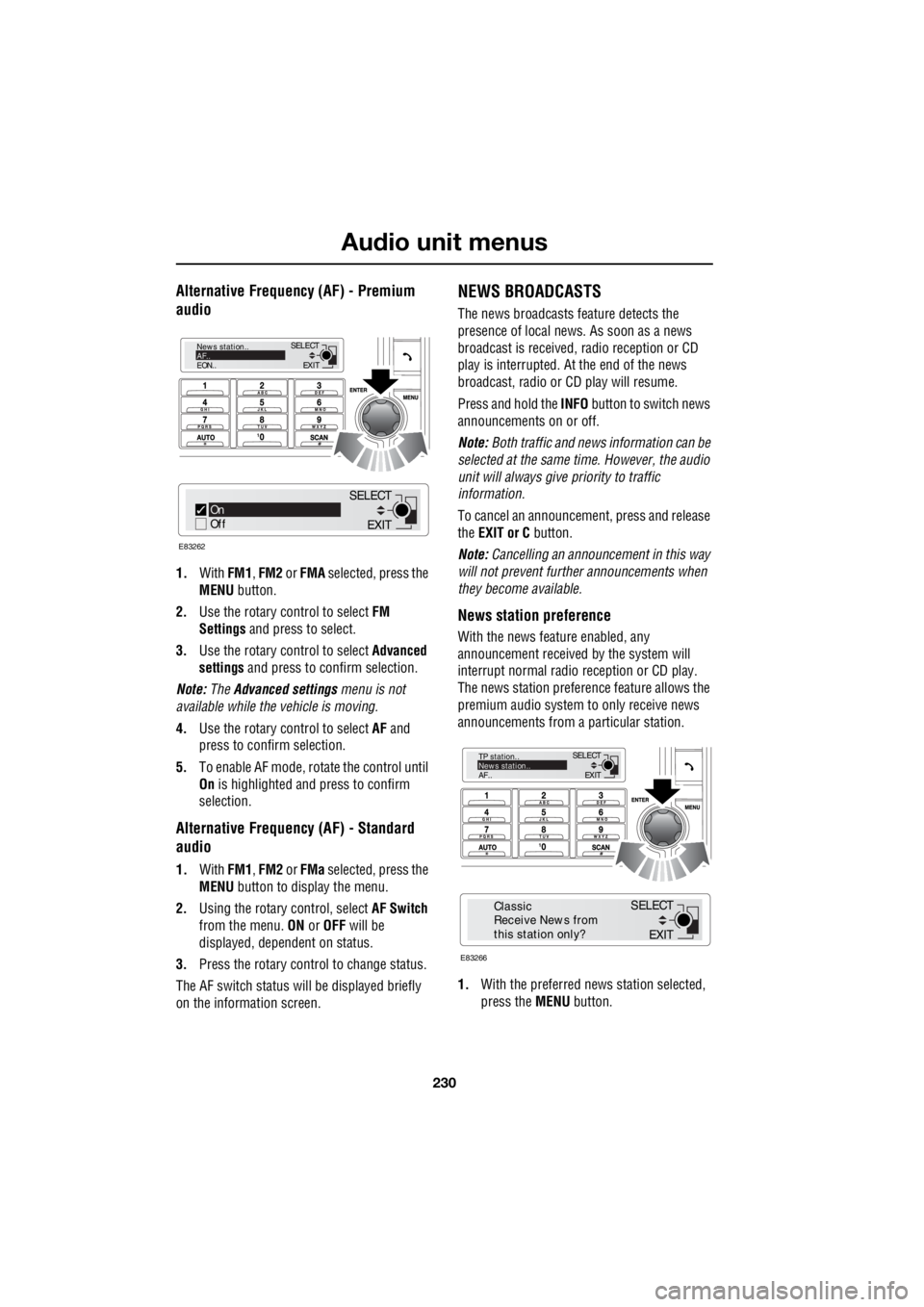
Alternative Frequency (AF) - Premium
audio
1. With FM1, FM2 or FMA selected, press the
MENU button.
2. Use the rotary c ontrol to select FM
Settings and press to select.
3. Use the rotary c ontrol to select Advanced
settings and press to c onfirm selection.
Note: The Advanced settings menu is not
available while the vehicle is moving.
4. Use the rotary c ontrol to select AF and
press to confirm selection.
5. To e nable AF mode , r o tate the control until
On is highlighted and press to confirm
selection.
Alternative Frequency (AF) - Standard
audio
1. With FM1, FM2 or FMa selected, press the
MENU button to display the menu.
2. Using the rotary control, select AF Switch
from the menu. ON or OFF will be
displayed, dependent on status.
3. Press the rotary control to change status.
The AF switch status w ill be displayed briefly
on the information screen.
NEWS BROADCASTS
The news broadcasts feature detects the
presence of local news. As soon as a news
broadcast is received, radio reception or CD
play is interrupted. At the end of the news
broadcast, radio or CD play will resume.
Press and hold the INFO button to switch news
announcements on or off.
Note: Both traffic and news information can be
selected at the same time. However, the audio
unit will always give priority to traffic
information.
To cancel an announcemen t, press and release
the EXIT or C button.
Note: Cancelling an announcement in this way
will not prevent further announcements when
they become available.
News station preference
With the news feature enabled, any
announcement received by the system will
interrupt normal radio reception or CD play.
The news station preferen ce feature allows the
premium audio system to only receive news
announcements from a particular station.
1. With the preferred news station selected,
press the MENU button.
EXIT
SELECT
News station..
AF..
EON..
On
Off
E83262
EXIT
SELECT
EXIT
SELECT
TP station..
News station..
AF..
E83266
EXIT
SELECT
Classic
Receive News from
this station only?