Page 203 of 2453
ET-18
Woofer
ENTERTAINMENT
13.Woofer
A: REMOVAL
1) Disconnect the ground cable from battery.
2) Remove the quarter trim.
MOVAL, Rear Quarter Trim.>
3) Remove the woofer bracket mounting screws.
4) Disconnect the harness connector and detach
the woofers.
B: INSTALLATION
Install in the reverse order of removal.
ET-00179
Page 205 of 2453
ET-20
Antenna Amplifier
ENTERTAINMENT
15.Antenna Amplifier
A: REMOVAL
1) Disconnect the ground cable from battery.
2) Remove the rear gate trim.
MOVAL, Rear Gate Trim.>
3) Disconnect the harness connectors and termi-
nals.
4) Remove the screws and detach the antenna am-
plifier.
B: INSTALLATION
Install in the reverse order of removal.
C: INSPECTION
Measure the resistance of antenna amplifier.
Te r m i n a l N o . S t a n d a r d
(1) and amplifier body 10 kΩ or more
(2)-b and Amplifier body 10 kΩ or more
(3)-a and Amplifier body 10 kΩ or more
ET-00180
ET-00181
(2),(3)
(1)
(3)-a
(2)-b
Page 206 of 2453
ET-21
Noise Surpressor
ENTERTAINMENT
16.Noise Surpressor
A: REMOVAL
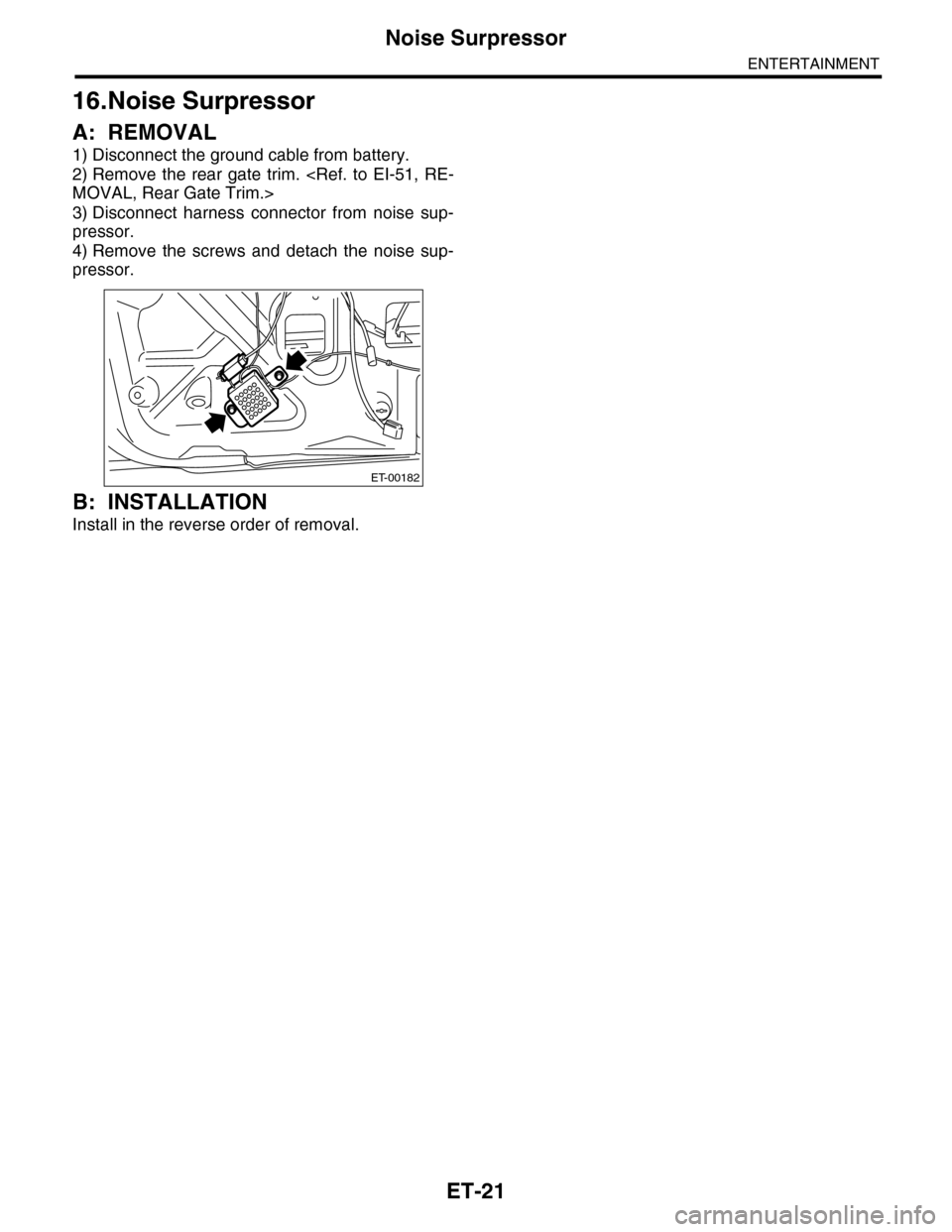
1) Disconnect the ground cable from battery.
2) Remove the rear gate trim.
MOVAL, Rear Gate Trim.>
3) Disconnect harness connector from noise sup-
pressor.
4) Remove the screws and detach the noise sup-
pressor.
B: INSTALLATION
Install in the reverse order of removal.
ET-00182
Page 207 of 2453
ET-22
Navigation Display
ENTERTAINMENT
17.Navigation Display
A: REMOVAL
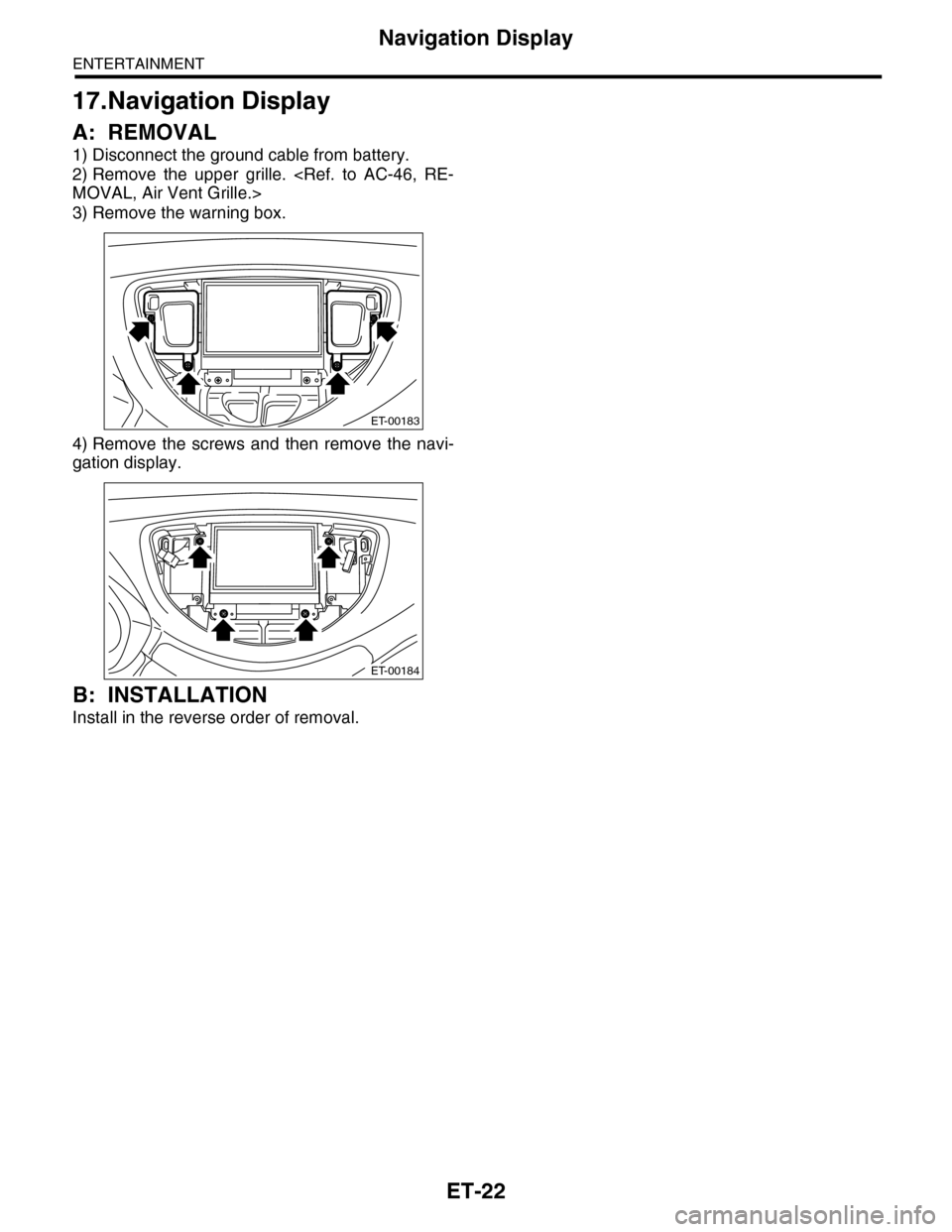
1) Disconnect the ground cable from battery.
2) Remove the upper grille.
MOVAL, Air Vent Grille.>
3) Remove the warning box.
4) Remove the screws and then remove the navi-
gation display.
B: INSTALLATION
Install in the reverse order of removal.
ET-00183
ET-00184
Page 208 of 2453
ET-23
Navigation Body
ENTERTAINMENT
18.Navigation Body
A: REMOVAL
1) Disconnect the ground cable from battery.
2) Remove the driver’s seat.
MOVAL, Front Seat.>
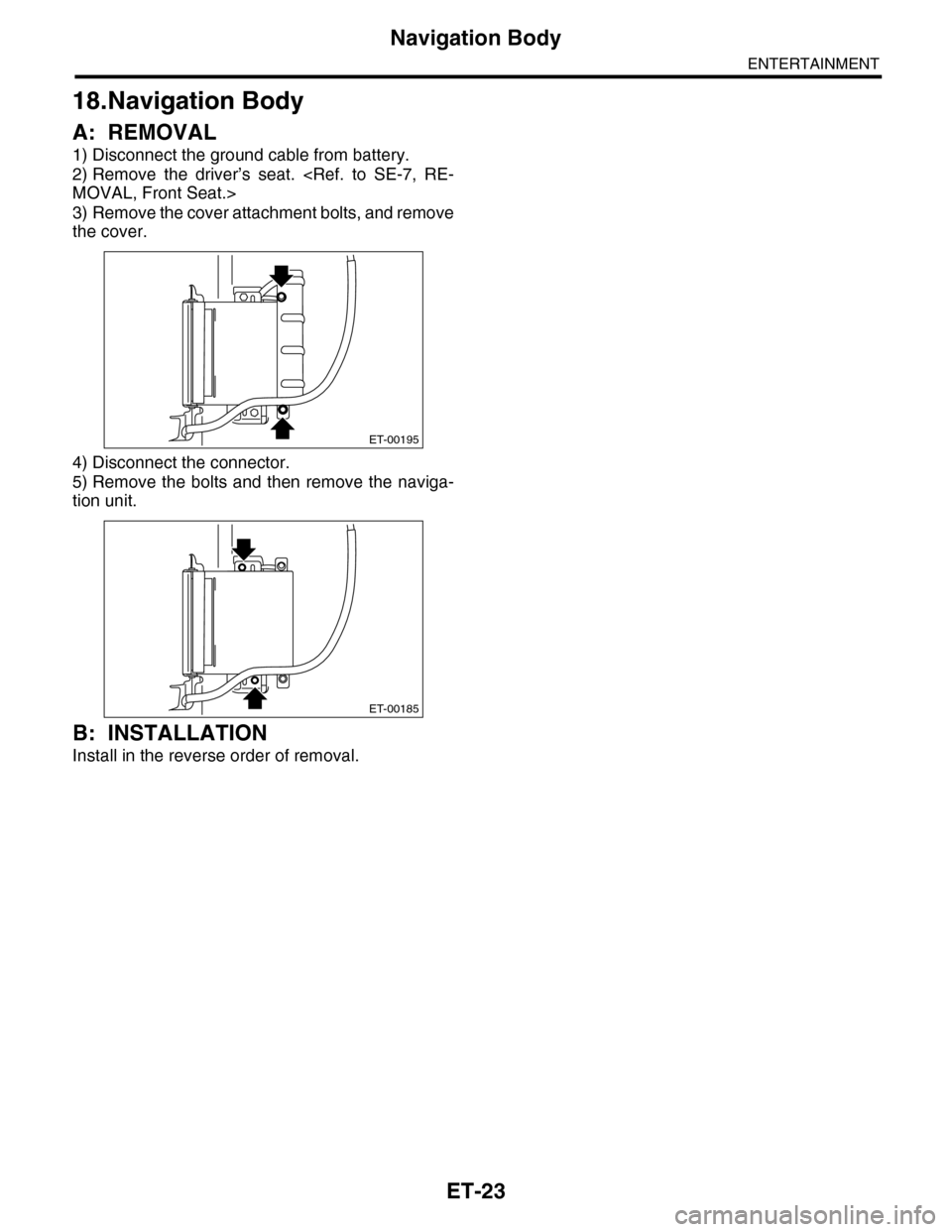
3) Remove the cover attachment bolts, and remove
the cover.
4) Disconnect the connector.
5) Remove the bolts and then remove the naviga-
tion unit.
B: INSTALLATION
Install in the reverse order of removal.
ET-00195
ET-00185
Page 209 of 2453
ET-24
Navigation Switch
ENTERTAINMENT
19.Navigation Switch
A: REMOVAL
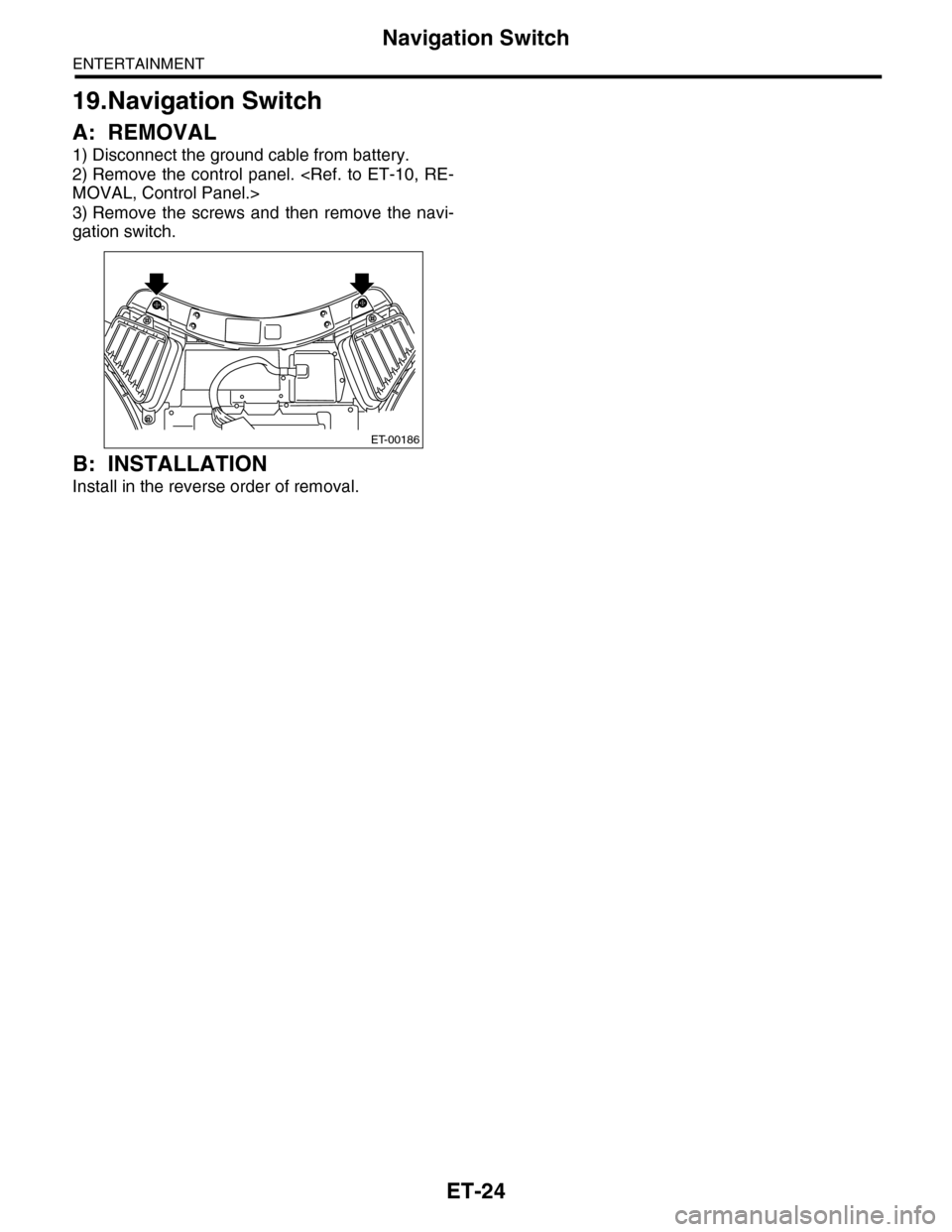
1) Disconnect the ground cable from battery.
2) Remove the control panel.
MOVAL, Control Panel.>
3) Remove the screws and then remove the navi-
gation switch.
B: INSTALLATION
Install in the reverse order of removal.
ET-00186
Page 210 of 2453
ET-25
GPS Antenna
ENTERTAINMENT
20.GPS Antenna
A: REMOVAL
1) Disconnect the ground cable from battery.
2) Remove the combination meter.
REMOVAL, Combination Meter.>
3) Remove the audio.
Audio.>
4) Remove the navigation display.
REMOVAL, Navigation Display.>
5) Remove the screw to remove the GPS bracket.
6) Remove the GPS antenna cord connector from
the steering support beam stay (on the driver’s
side).
B: INSTALLATION
Install in the reverse order of removal.
ET-00187
Page 213 of 2453

ET-28
Rear Entertainment
ENTERTAINMENT
23.Rear Entertainment
A: REMOVAL
1) Disconnect the ground cable from battery.
2) Insert a flat tip screw driver in the section, and
remove the room lamp lens.
3) Remove the bolts, and then remove the monitor
cover.
4) Remove the 4 mounting bolts.
5) Remove the temporary screws and remove the
monitor body.
NOTE:
Always support with one hand to prevent the unit
from falling.
6) Remove the temporary clips from the roof brace.
B: INSTALLATION
1) Attach the temporary clip and temporary screw
to the rear entertainment system body.
NOTE:
When installing a new rear entertainment system, a
clip is supplied on the unit, and this step can be
omitted.
2) Place the hook of the rear entertainment unit on
the roof brace section.
3) Affix the temporary fixture clips on the roof
brace.
4) Tighten the 4 attachment bolts, and connect the
connector.
5) Connect the room lamp connector, attach the
cover and affix with the bolts.
6) Attach the room lamp lens from the outside of
the vehicle and snap into place.
Install in the reverse order of removal.
(A) Cutout
(A) Clip
ET-00188
(A)
ET-00189
(A)
ET-00199
ET-00190