Page 305 of 2453
GW-10
Front Regulator and Motor Assembly
GLASS/WINDOWS/MIRRORS
5. Front Regulator and Motor
Assembly
A: REMOVAL
1) Remove the door glass.
MOVAL, Front Door Glass.>
2) Disconnect the motor connector.
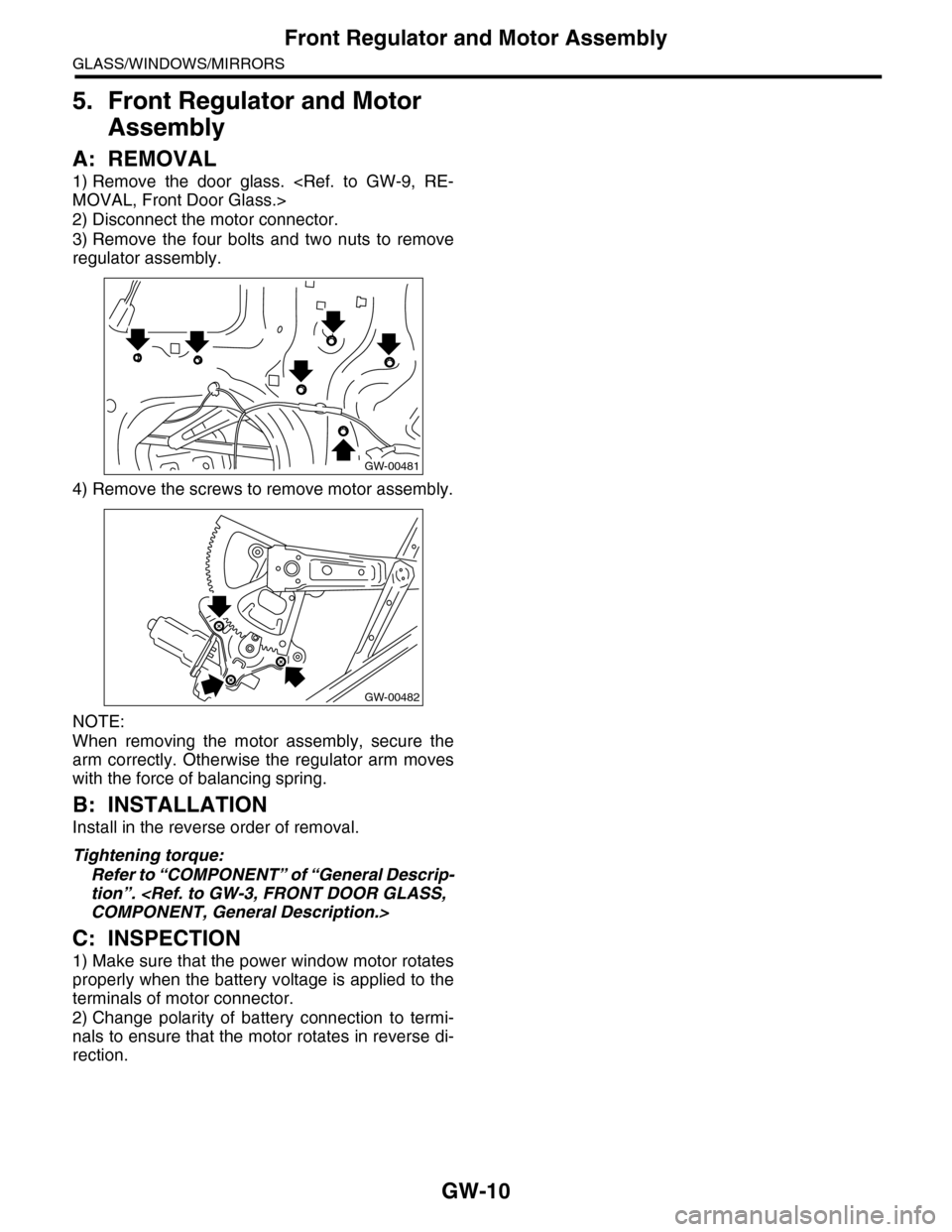
3) Remove the four bolts and two nuts to remove
regulator assembly.
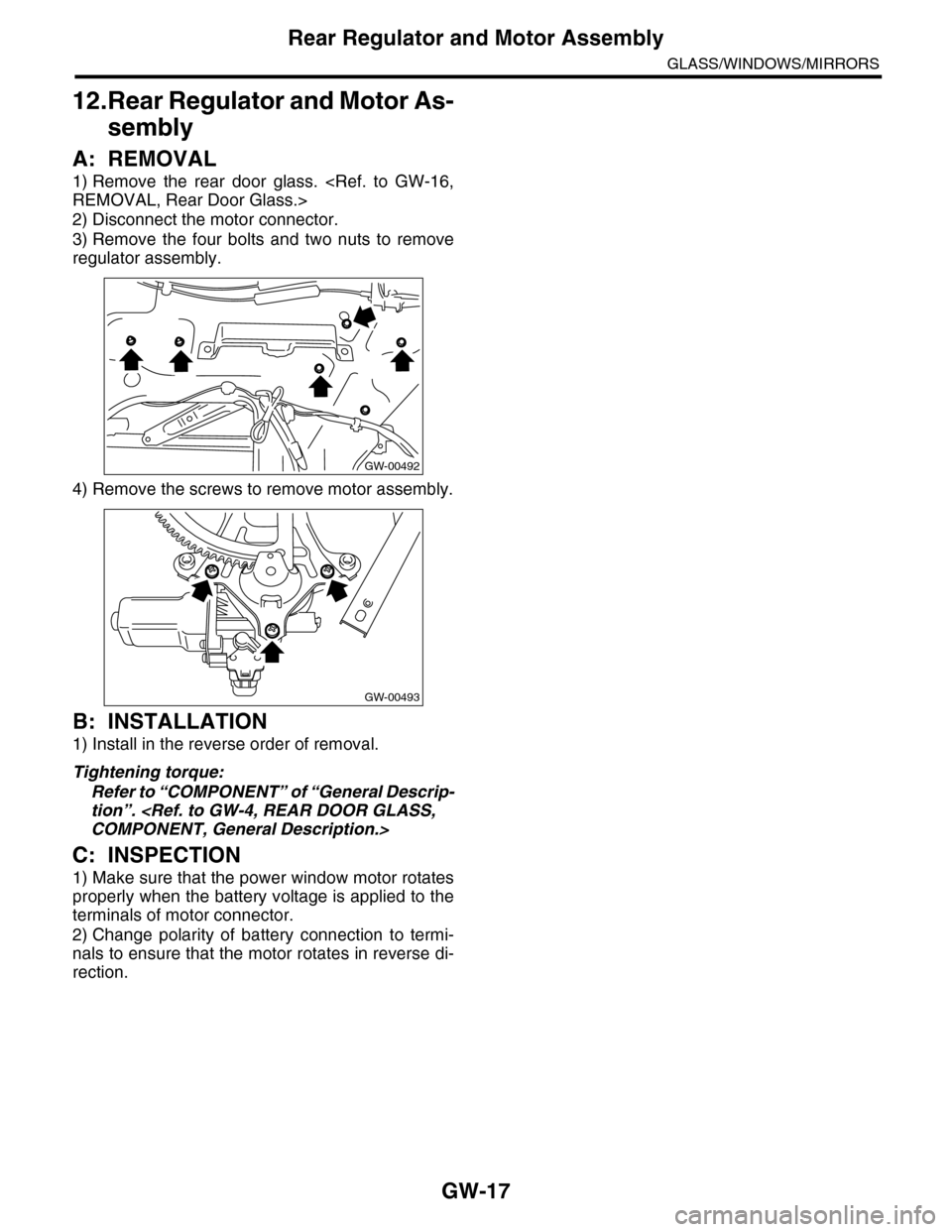
4) Remove the screws to remove motor assembly.
NOTE:
When removing the motor assembly, secure the
arm correctly. Otherwise the regulator arm moves
with the force of balancing spring.
B: INSTALLATION
Install in the reverse order of removal.
Tightening torque:
Refer to “COMPONENT” of “General Descrip-
tion”.
COMPONENT, General Description.>
C: INSPECTION
1) Make sure that the power window motor rotates
properly when the battery voltage is applied to the
terminals of motor connector.
2) Change polarity of battery connection to termi-
nals to ensure that the motor rotates in reverse di-
rection.
GW-00481
GW-00482
Page 308 of 2453
GW-13
Outer Mirror Assembly
GLASS/WINDOWS/MIRRORS
8. Outer Mirror Assembly
A: REMOVAL
1) Remove the mirror gusset cover.
2) Remove the door trim.
AL, Door Trim.>
3) Disconnect the mirror connector.
4) Remove the screws to remove outer mirror as-
sembly.
B: INSTALLATION
Install in the reverse order of removal.
C: INSPECTION
Check that the rearview mirror moves properly
when the battery voltage is applied to terminals.
Replace the outer mirror assembly if defective.
(1) Clip
(2) Hook
GW-00484
(2)
(1)
GW-00483
Mirror movement Terminal No.
OFF —
UP 5 (+) and 6 (–)
DOWN 6 (+) or 5 (–)
LEFT 8 (+) and 7 (–)
RIGHT 7 (+) or 8 (–)
Page 312 of 2453
GW-17
Rear Regulator and Motor Assembly
GLASS/WINDOWS/MIRRORS
12.Rear Regulator and Motor As-
sembly
A: REMOVAL
1) Remove the rear door glass.
REMOVAL, Rear Door Glass.>
2) Disconnect the motor connector.
3) Remove the four bolts and two nuts to remove
regulator assembly.
4) Remove the screws to remove motor assembly.
B: INSTALLATION
1) Install in the reverse order of removal.
Tightening torque:
Refer to “COMPONENT” of “General Descrip-
tion”.
COMPONENT, General Description.>
C: INSPECTION
1) Make sure that the power window motor rotates
properly when the battery voltage is applied to the
terminals of motor connector.
2) Change polarity of battery connection to termi-
nals to ensure that the motor rotates in reverse di-
rection.
GW-00492
GW-00493
Page 352 of 2453
AC-26
Blower Motor Unit Assembly
HVAC SYSTEM (HEATER, VENTILATOR AND A/C)
7. Blower Motor Unit Assembly
A: REMOVAL
1) Disconnect the ground cable from battery.
2) Remove the glove box.
AL, Glove Box.>
3) Disconnect the connectors of the A/C control
module, intake door actuator, blower motor, power
transistor and blower resistor.
4) Lift the floor mat.
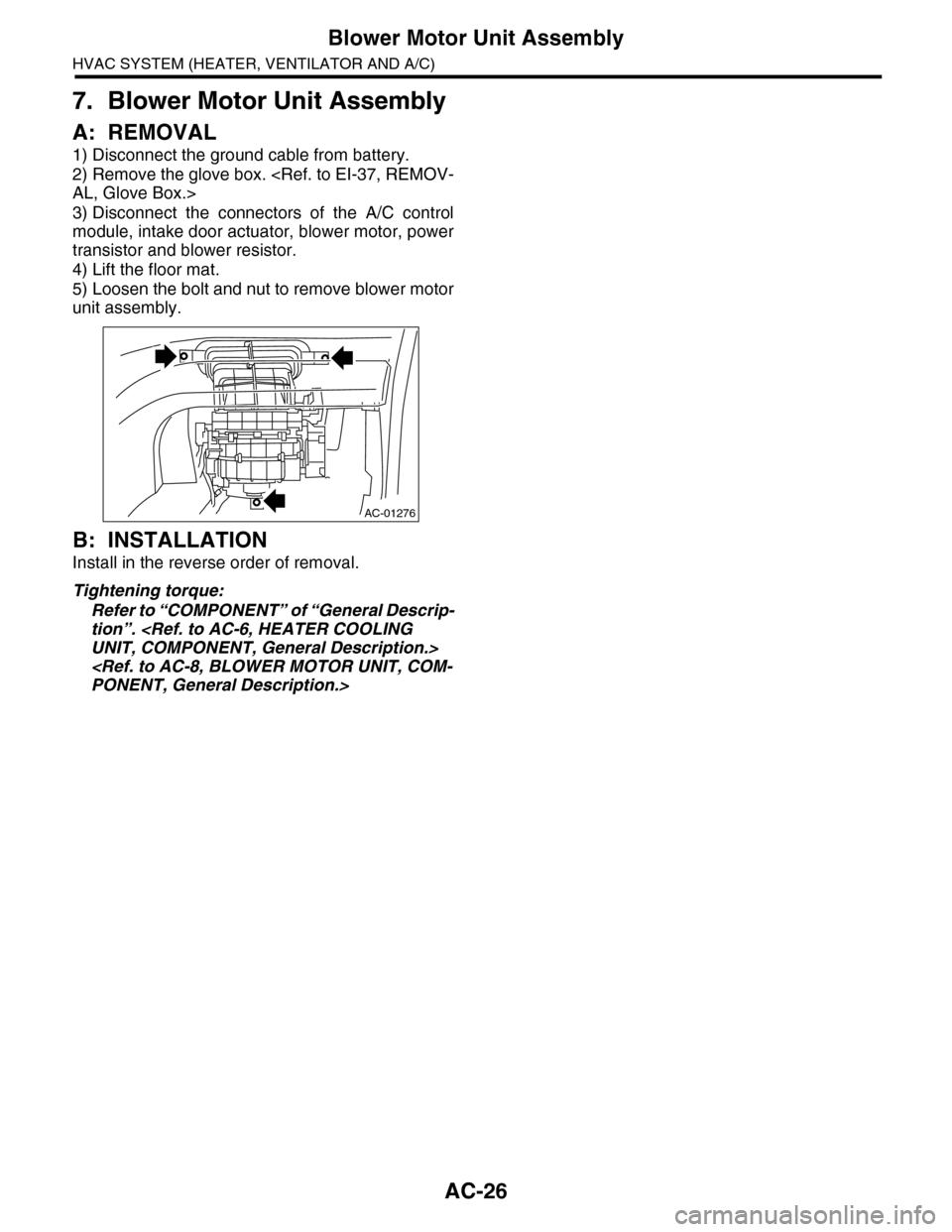
5) Loosen the bolt and nut to remove blower motor
unit assembly.
B: INSTALLATION
Install in the reverse order of removal.
Tightening torque:
Refer to “COMPONENT” of “General Descrip-
tion”.
UNIT, COMPONENT, General Description.>
PONENT, General Description.>
AC-01276
Page 353 of 2453
AC-27
Blower Motor
HVAC SYSTEM (HEATER, VENTILATOR AND A/C)
8. Blower Motor
A: REMOVAL
1) Disconnect the ground cable from battery.
2) Remove the glove box lower cover.
37, REMOVAL, Glove Box.>
3) Disconnect the connector of the blower motor.
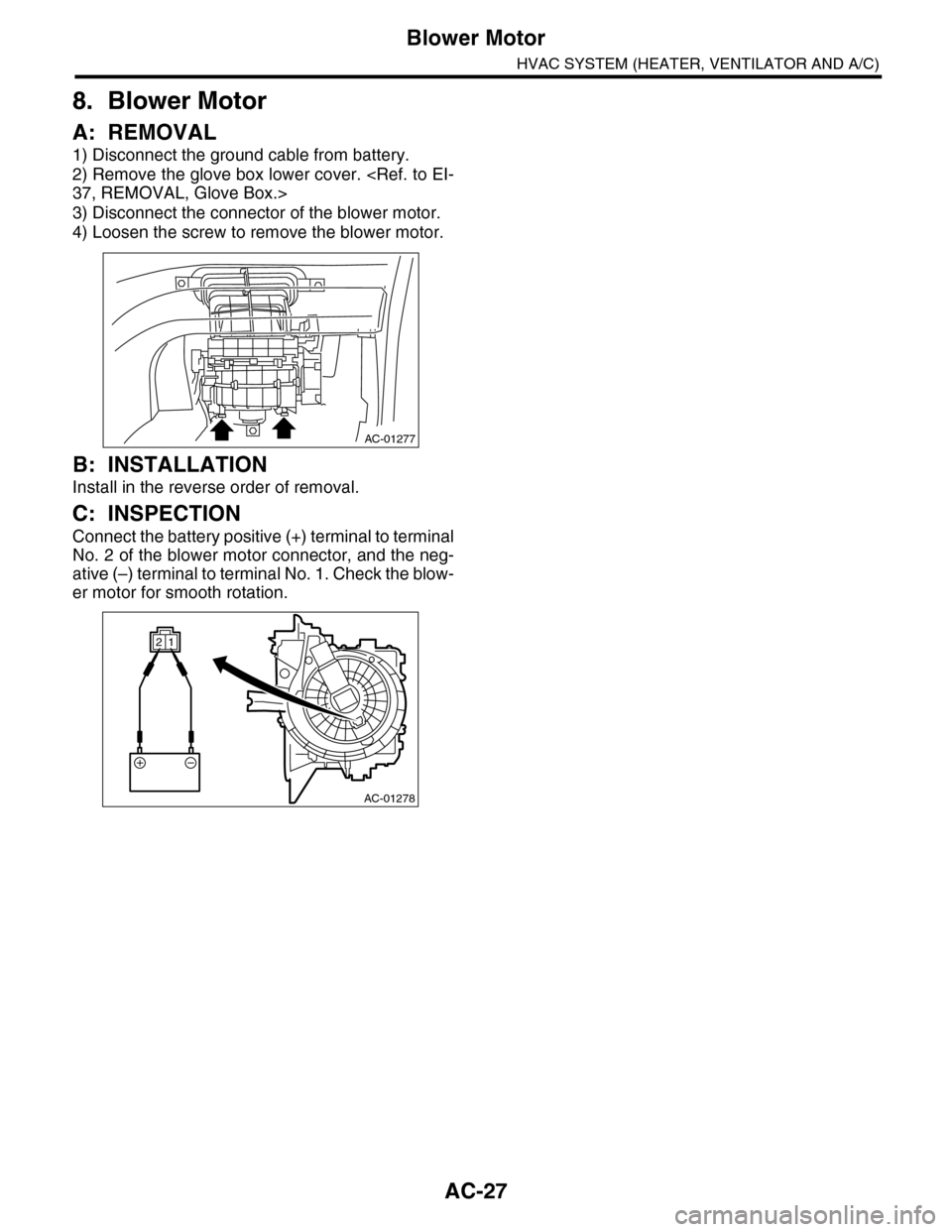
4) Loosen the screw to remove the blower motor.
B: INSTALLATION
Install in the reverse order of removal.
C: INSPECTION
Connect the battery positive (+) terminal to terminal
No. 2 of the blower motor connector, and the neg-
ative (–) terminal to terminal No. 1. Check the blow-
er motor for smooth rotation.
AC-01277
AC-01278
12
Page 356 of 2453
AC-30
Heater Core
HVAC SYSTEM (HEATER, VENTILATOR AND A/C)
11.Heater Core
A: REMOVAL
1) Disconnect the ground cable from battery.
2) Draw out the refrigerant with the refrigerant re-
covery unit
erant Recovery Procedure.>
3) Remove the heater and cooling unit.
AC-35, REMOVAL, Heater and Cooling Unit.>
4) Remove the screws and remove the heater core
cover and pipe clamp.
5) Remove the heater core (A).
B: INSTALLATION
Install in the reverse order of removal.
AC-01133
AC-01134(A)
Page 357 of 2453
AC-31
Control Panel
HVAC SYSTEM (HEATER, VENTILATOR AND A/C)
12.Control Panel
A: REMOVAL
1. FRONT
1) Disconnect the ground cable from battery.
2) Remove the front console panel.
REMOVAL, Audio.>
3) Remove the instrument panel ornament and the
drivers side and passengers side inner panels.
4) Remove the screws, and pull out the control
panel.
5) Disconnect the harness connectors and remove
the front control panel.
2. REAR
1) Disconnect the ground cable from battery.
2) Pull out the storage box from underneath the
rear control panel.
3) Push out the panel from the back side.
4) Detach the connectors and remove the rear con-
trol panel.
B: INSTALLATION
Install in the reverse order of removal.
ET-00174
ET-00172
Page 358 of 2453
AC-32
Control Unit (Auto A/C Model)
HVAC SYSTEM (HEATER, VENTILATOR AND A/C)
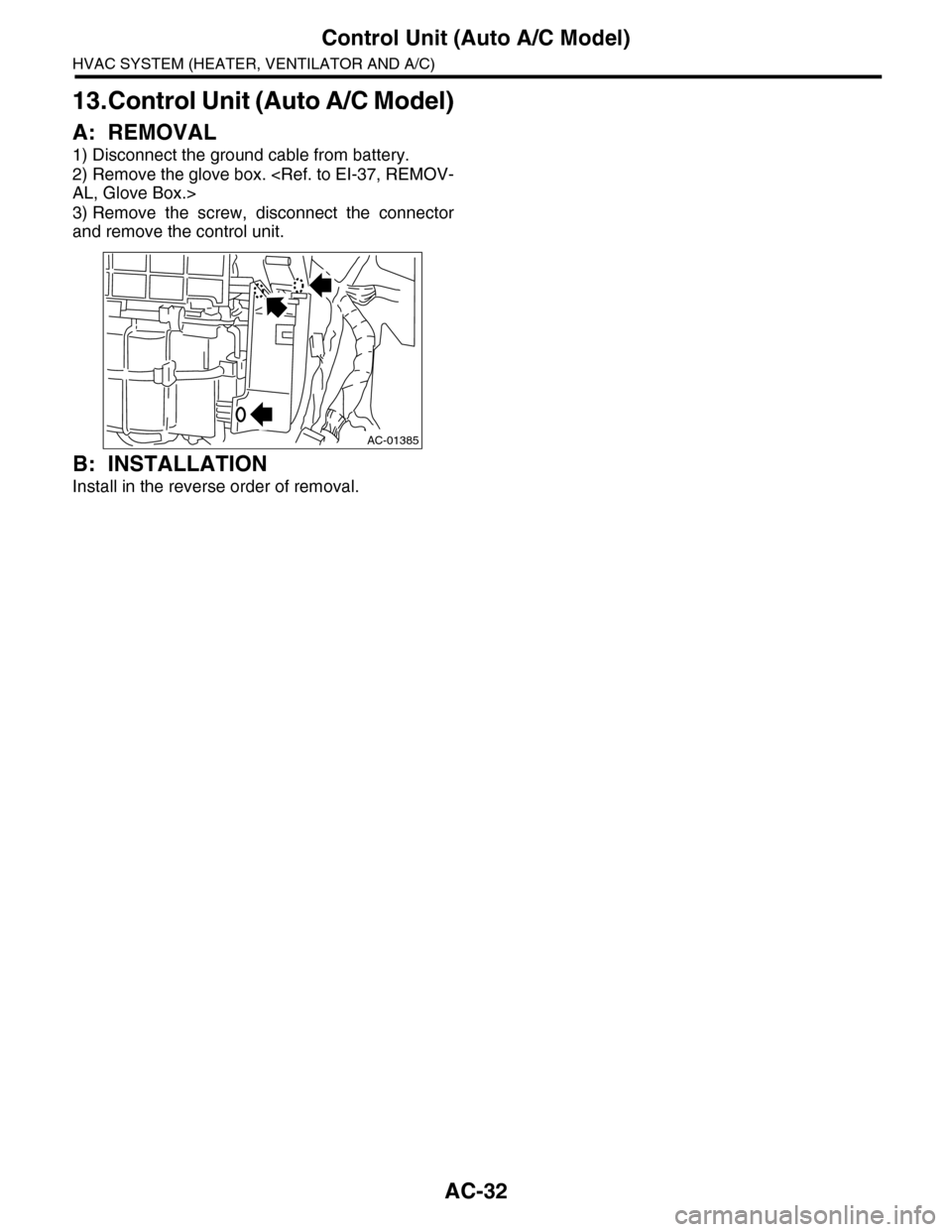
13.Control Unit (Auto A/C Model)
A: REMOVAL
1) Disconnect the ground cable from battery.
2) Remove the glove box.
AL, Glove Box.>
3) Remove the screw, disconnect the connector
and remove the control unit.
B: INSTALLATION
Install in the reverse order of removal.
AC-01385