2016 BMW M4 lock
[x] Cancel search: lockPage 37 of 228

In some equipment versions, doors are also
unlocked if appropriate
To prevent the remote control from being
locked in, do not place the remote control in
the boot.
If the doors were not unlocked, the boot lid is
locked again as soon as it is closed.
Malfunction
Detection of the remote control by the vehicle
may be disrupted by the following circumstan‐
ces, amongst others:▷The battery of the remote control is dis‐
charged. Replacing the battery, see
page 33.▷Disruption of the radio link by transmission
masts or other equipment transmitting
powerful signals.▷Shielding of the remote control by metallic
objects.▷Disruption of the radio link by mobile tele‐
phones or other electronic devices in the
immediate vicinity.
Do not transport the remote control together
with metallic objects or electronic devices.
If there is a malfunction, the vehicle can also be
unlocked and locked from the outside without
remote control, see page 37.
Without remote control
From outside WARNING
If the vehicle is locked from the outside, it
cannot be unlocked from the inside in some
country versions.
If persons must remain in the vehicle for an ex‐ tended period of time and are exposed to ex‐
treme heat or cold, there is a risk of injury or
life. Do not lock the vehicle from the outside
when there is someone inside it.◀
ATTENTION
The door lock is firmly connected to the
door. The door handle can be moved. Pulling
the door handle when the integrated key is in‐
serted can damage the paint or the key. Dan‐
ger of damage to property. Pull out the
integrated key before pulling on the outer door
handle.◀
Unlock or lock the driver's door using the
integrated key, see page 32, in the door lock.
The other doors must be unlocked or locked
from the inside.
Alarm system
The alarm system is not armed if the vehicle is
locked with the integrated key.
Alarm system is triggered if the vehicle has
been unlocked using the door lock.
To end this alarm, unlock the vehicle with the
remote control or turn on the ignition, with
special ID of the remote control, see page 33,
as necessary.
Seite 37Opening and closingControls37
Online Edition for Part no. 01 40 2 964 013 - VI/15
Page 38 of 228
From inside
Unlocking and locking
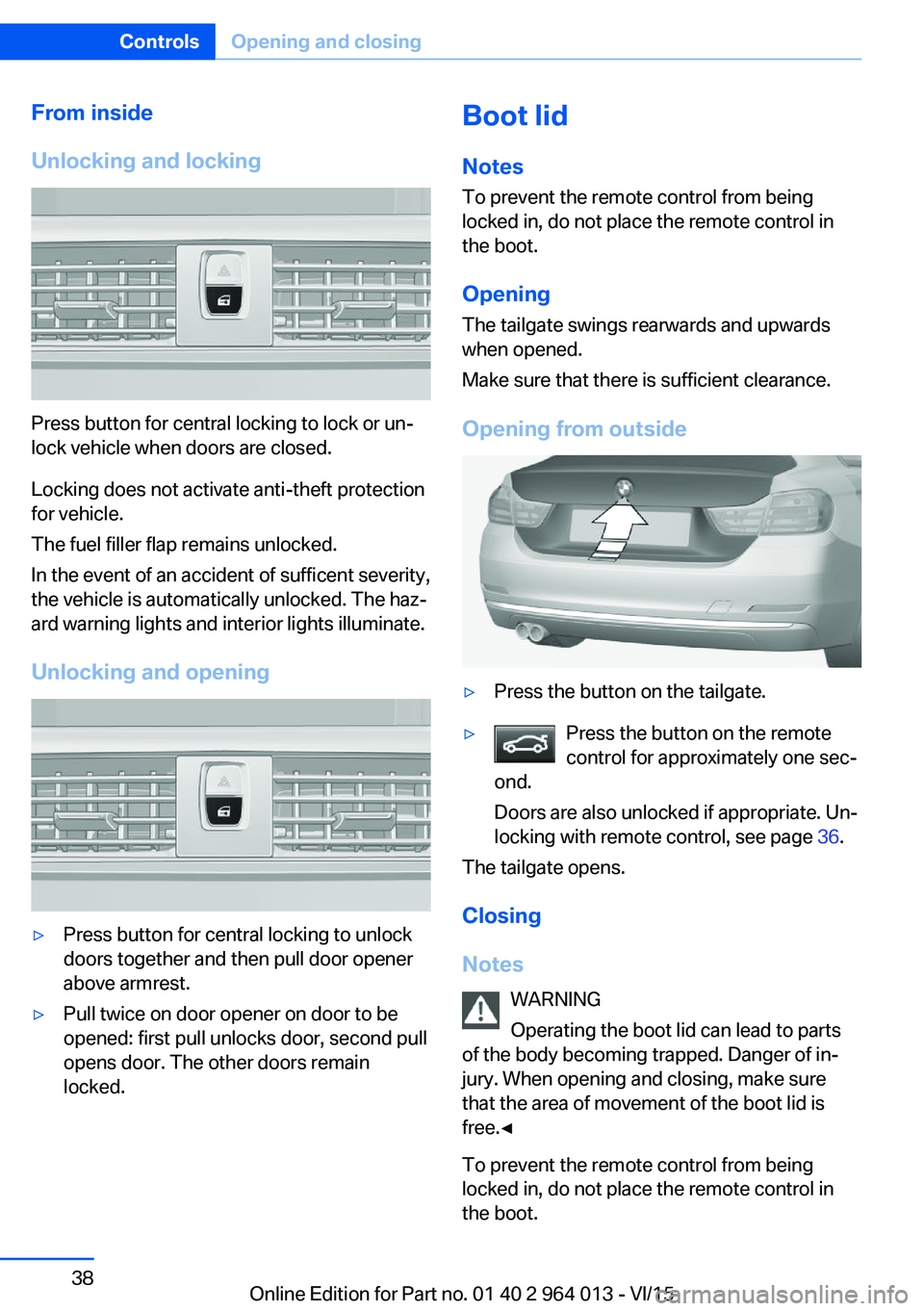
Press button for central locking to lock or un‐
lock vehicle when doors are closed.
Locking does not activate anti-theft protection
for vehicle.
The fuel filler flap remains unlocked.
In the event of an accident of sufficent severity,
the vehicle is automatically unlocked. The haz‐
ard warning lights and interior lights illuminate.
Unlocking and opening
▷Press button for central locking to unlock
doors together and then pull door opener
above armrest.▷Pull twice on door opener on door to be
opened: first pull unlocks door, second pull
opens door. The other doors remain
locked.Boot lid
Notes
To prevent the remote control from being locked in, do not place the remote control in
the boot.
Opening
The tailgate swings rearwards and upwards
when opened.
Make sure that there is sufficient clearance.
Opening from outside▷Press the button on the tailgate.▷Press the button on the remote
control for approximately one sec‐
ond.
Doors are also unlocked if appropriate. Un‐
locking with remote control, see page 36.
The tailgate opens.
Closing
Notes WARNING
Operating the boot lid can lead to parts
of the body becoming trapped. Danger of in‐
jury. When opening and closing, make sure
that the area of movement of the boot lid is
free.◀
To prevent the remote control from being
locked in, do not place the remote control in
the boot.
Seite 38ControlsOpening and closing38
Online Edition for Part no. 01 40 2 964 013 - VI/15
Page 39 of 228

Closing
The recessed handles in the boot lid lining
make it easier to pull the boot lid down.
Emergency release
Pull the handle in the boot.
This will unlock the boot lid.
Comfort Access
Principle Access to the vehicle is possible without acti‐
vating the remote control.
It is sufficient to have the remote control with
you, for example in a trouser pocket.
The vehicle automatically recognises the re‐
mote control when it is in the immediate vicin‐
ity or the interior of the vehicle.
Comfort Access supports the following func‐
tions:
▷Unlocking/locking the vehicle.▷Comfort closing.▷Opening the boot lid separately.▷Open boot lid contactlessly.▷Start the engine.
Notes
To prevent the remote control from being locked in, do not place the remote control in
the boot.
Functional requirements
▷No external sources of interference in the
vicinity.▷To lock, the remote control must be loca‐
ted outside the vehicle in the area of the
doors.▷Approximately 2 seconds need to elapse
before the vehicle can be unlocked and
locked again.▷An engine start is only possible if the re‐
mote control is in the vehicle.
Unlocking
Firmly grab the handle on the driver's or front
passenger's door, arrow.
This corresponds to pressing the
button
on the remote control.
Seite 39Opening and closingControls39
Online Edition for Part no. 01 40 2 964 013 - VI/15
Page 40 of 228

Locking
Use your finger to touch area on door handle of
driver's or front passenger's door for approxi‐
mately 1 second, without gripping door handle.
This corresponds to pressing the
button
on the remote control.
To reduce the burden on the vehicle battery,
make sure that the ignition and all electrical
consumers are switched off prior to locking.
Comfort closing WARNING
Body parts can be trapped during com‐
fort closing. Danger of injury. During comfort
closing, make sure that the area of movement
is free.◀
Use your finger to touch area on door handle of
driver's or front passenger's door and keep
your finger there without gripping door handle.
This corresponds to pressing and holding
button of remote control.
In addition to locking, windows and Glass Roof
are closed and exterior mirrors are folded in.
Opening boot lid individually
Press the button on the outside of the boot lid.
This corresponds to pressing
button on
remote control.
Status of doors does not change.
Contactless opening of the boot lid
General The boot lid can be opened contactlessly if
you carry the remote control. Two sensors de‐
tect a foot movement forwards in the rear area
and the boot lid opens.
Foot movement to be undertaken WARNING
During operation without contact, there
is a risk of touching vehicle parts, for example the hot exhaust system. Danger of injury. Makesure you are standing securely when you per‐
form the foot movement, and do not touch the
vehicle.◀
1.Stand in the centre behind the vehicle, ap‐
proximately an arm's length away from the
rear of the vehicle.2.A foot must move as far as possible under
the vehicle in the direction of travel and be
withdrawn again immediately. In this move‐
ment, the leg must pass through the range
of both sensors.
Opening
Perform the foot movement described previ‐
ously.
Seite 40ControlsOpening and closing40
Online Edition for Part no. 01 40 2 964 013 - VI/15
Page 41 of 228
The boot lid opens, regardless of whether it
was locked or unlocked.
The hazard warning lights flash before open‐
ing.
If the remote control is within the sensor range,
the boot lid can be accidentally opened by an
unintentional or supposedly recognized foot
movement.
The sensor range extends to approx. 1.50 m,
5 ft behind the rear area.
WARNING
Operating the boot lid can lead to parts
of the body becoming trapped. Danger of in‐
jury. When opening and closing, make sure
that the area of movement of the boot lid is
free.◀
ATTENTION
The boot lids swings rearwards and up‐
wards when opened. Danger of damage to
property. When opening and closing, make
sure that the area of movement of the boot lid
is free.◀
Malfunction
Detection of the remote control by the vehicle
may be disrupted by the following circumstan‐
ces, amongst others:▷The battery of the remote control is dis‐
charged. Replacing the battery, see
page 33.▷Disruption of the radio link by transmission
masts or other equipment transmitting
powerful signals.▷Shielding of the remote control by metallic
objects.▷Disruption of the radio link by mobile tele‐
phones or other electronic devices in the
immediate vicinity.
Do not transport the remote control together
with metallic objects or electronic devices.
In case of a fault, unlock and lock the vehicle
with the buttons on the remote control or with
the integrated key, see page 37.
Settings UnlockingSettings are saved in active profile, see
page 33.
Doors1."Settings"2."Doors/key"3. Select the symbol.4.Select the desired function:▷"Driver's door only"
Only the driver's door and fuel filler flap
are unlocked. Pressing again unlocks
the entire vehicle.▷"All doors"
The entire vehicle is unlocked.▷"Comfort entry"
The entire vehicle is unlocked.
Pressing the button on the remote
control twice in direct succession cau‐
ses the window to be lowered further
when the door is subsequently opened.
Boot lid
Depending on the equipment and country ver‐
sion, these settings are not provided.
1."Settings"2."Doors/key"3. Select the symbol.4.Select the desired function:▷"Tailgate"
Boot lid is opened.▷"Tailgate + door(s)"Seite 41Opening and closingControls41
Online Edition for Part no. 01 40 2 964 013 - VI/15
Page 42 of 228
Boot lid is opened and doors are un‐
locked.
Acknowledgement signal of the
vehicle
Settings are saved in active profile, see
page 33.
1."Settings"2."Doors/key"3."Turn signals for lock/unl."
Automatic locking
Settings are saved in active profile, seepage 33.
1."Settings"2."Doors/key"3.Select the desired function:▷"Automatic relock"
The vehicle is locked automatically af‐
ter a short while if no door is opened.▷"Lock after driving away"
On driving off, the vehicle is locked au‐
tomatically.
Calling up seat, mirror setting
The last adjusted driver's seat and exterior mir‐
ror position is saved for the currently used re‐
mote control.
When the vehicle is unlocked, this position is
called up automatically if the function has been
enabled.
WARNING
Danger of trapping when moving the
seats. Danger of injury or damage to property.
Before making the setting, make sure that the
movement area of the seat is clear.◀
Adjustment procedure is interrupted:
▷By operating the switch or the seat adjust‐
ment.▷By touching a button of the seat and mirror
memory.
Enabling setting
1."Settings"2."Doors/key"3."Last seat position autom."
Alarm system
PrincipleThe alarm system is triggered when the vehi‐cle is locked if:
▷A door, the bonnet or the the boot lid is
opened.▷Movements in the interior.▷The vehicle's incline changes, for instance
if an attempt is made to jack it up and steal
the wheels or to raise it prior to towing
away.▷There is an interruption in the power sup‐
ply from the battery.
The alarm system will respond briefly to unau‐
thorised attempts to access the vehicle as fol‐
lows:
▷Acoustic alarm.▷Switching on the hazard warning lights.
Arming and disarming
At the same time as unlocking and locking the
vehicle by remote control or Comfort Access
the alarm system is also disarmed or armed.
Door lock with alarm system armed Alarm system is deactivated if the vehicle is
unlocked using the door lock.
Boot lid with alarm system armed The boot lid can be opened even with the
alarm system armed.
Seite 42ControlsOpening and closing42
Online Edition for Part no. 01 40 2 964 013 - VI/15
Page 43 of 228

On closing the boot lid, it is locked again and
monitored, as long as the doors are locked.
The hazard warning system flashes once.
Indicator light on the rear-view mirror▷Indicator light flashes every 2 seconds:
The alarm system is armed.▷Indicator light flashes after locking:
Doors, bonnet or boot lid are not closed
correctly. Correctly closed access points
are secured.
After ten seconds, the indicator light
flashes continuously. Interior protection
and tilt alarm sensor are not active.
If the access that is still open is closed then
the interior protection and tilt alarm sensor
are switched on.▷The indicator light no longer illuminates af‐
ter the vehicle has been unlocked:
No attempt has been made to tamper with
the vehicle.▷The indicator light flashes after unlocking
until the ignition is switched on, but for no
longer than approximately five minutes:
The alarm has been triggered.
Tilt alarm sensor The incline of the vehicle is monitored.
Alarm system responds, for example, when
there is an attempt to steal a wheel or when
towing away.
Interior movement detector
To ensure perfect functioning, the windows
and Glass Roof must be closed.
Avoiding false alarms
The tilt alarm sensor and interior movement detector can be switched off together, for ex‐
ample in the following situations:▷In car washes.▷In two-level garages.▷During transport via motorail, car ferry or
trailer.▷When there are animals in the vehicle.
Switching off the tilt alarm sensor and
interior movement detector
Press the button on the remote control
again within 10 seconds, as soon as the
vehicle is locked.
The indicator light illuminates for approxi‐
mately 2 seconds and then flashes again.
The tilt alarm sensor and the interior move‐
ment detector are switched off until the next
time the car is locked.
Switching off the alarm
▷Unlock the vehicle with the remote control
or switch on the ignition, if necessary using
special ID of remote control, see page 33.▷For Comfort Access: completely grasp ei‐
ther front door handle when carrying re‐
mote control.
Power windows
Note WARNING
Unsupervised children or animals in the
vehicle can set the vehicle in motion and en‐
danger themselves or other road users, for ex‐
ample by the following actions:
Seite 43Opening and closingControls43
Online Edition for Part no. 01 40 2 964 013 - VI/15
Page 44 of 228

▷Pressing the start/stop button.▷Releasing the parking brake.▷Opening and closing doors or windows.▷Setting the selector lever to neutral.▷Operating vehicle equipment.
Risk of accident or injury. Do not leave children
or animals unsupervised in the vehicle. When
leaving the vehicle, take the remote control
with you and lock it.◀
Overview
Opening
▷ Push the switch as far as the resist‐
ance point.
The window opens as long as the switch is
held.▷ Push the switch past the resistance
point.
The window opens automatically. The
movement is stopped by pressing the
switch again.
See also: Comfort opening, see page 36, by
remote control.
Closing WARNING
Operating the windows can lead to parts
of the body or objects becoming trapped. Dan‐
ger of injury or damage to property. When
opening and closing, make sure that the area
of movement of the windows is free.◀▷ Pull the switch as far as the resist‐
ance point.
The window closes as long as the switch is
held.▷ Pull the switch past the resistance
point.
The window closes automatically. Pulling
the switch again stops the movement.
See also: Comfort closing, see page 36, by re‐
mote control.
See also: closing using Comfort Access, see
page 39.
After switching off the ignition Windows can still be operated:
▷For some time with radio readiness
switched on.▷For approximately one minute with the ig‐
nition switched off.
Anti-trap mechanism
WARNING
Operating the windows can lead to parts
of the body or objects becoming trapped. Dan‐
ger of injury or damage to property. When
opening and closing, make sure that the area
of movement of the windows is free.◀
WARNING
Accessories on the windows, for exam‐
ple aerials, can impair the anti-trap mecha‐
nism. Danger of injury. Do not attach any ac‐
cessories in the area of movement of the
windows.◀
If the closing power exceeds a certain value on
closing a window, the closing operation is in‐
terrupted.
The window opens again slightly.
Seite 44ControlsOpening and closing44
Online Edition for Part no. 01 40 2 964 013 - VI/15