Page 566 of 2453
LI-33
Glove Box Light
LIGHTING SYSTEM
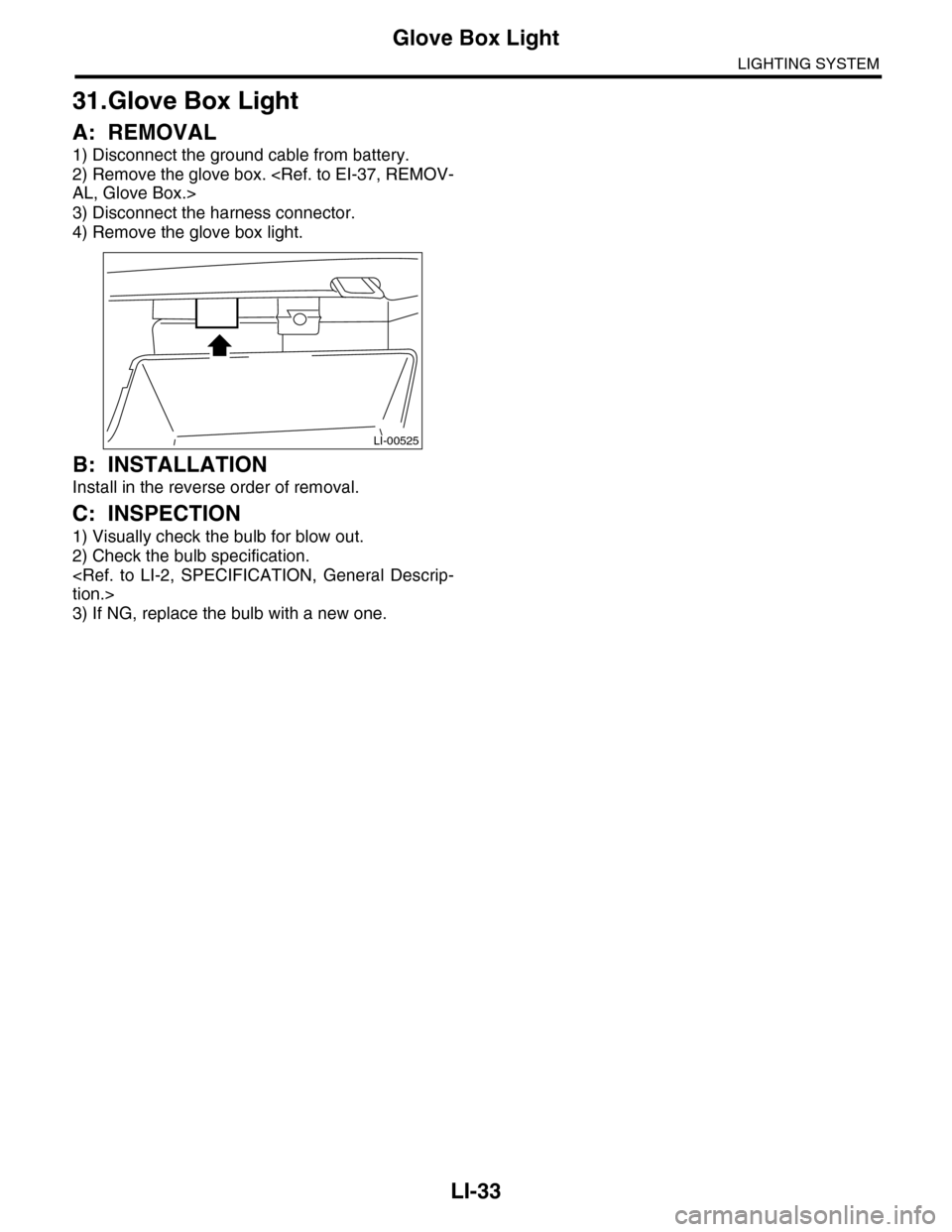
31.Glove Box Light
A: REMOVAL
1) Disconnect the ground cable from battery.
2) Remove the glove box.
AL, Glove Box.>
3) Disconnect the harness connector.
4) Remove the glove box light.
B: INSTALLATION
Install in the reverse order of removal.
C: INSPECTION
1) Visually check the bulb for blow out.
2) Check the bulb specification.
tion.>
3) If NG, replace the bulb with a new one.
LI-00525
Page 679 of 2453
SL-50
Keyless Entry Control Module
SECURITY AND LOCKS
21.Keyless Entry Control Module
A: REMOVAL
1) Disconnect the ground cable from battery.
2) Remove the glove box.
AL, Glove Box.>
3) Remove the nut, then disconnect the connector
to remove the keyless entry control module.
B: INSTALLATION
Install in the reverse order of removal.
SL-00456
Page 765 of 2453
![SUBARU TRIBECA 2009 1.G Service Workshop Manual BVC(diag)-10
Subaru Select Monitor
BRAKE VACUUM CONTROL (BVC) (DIAGNOSTICS)
2. READ CURRENT DATA
1) On the «Main Menu» display screen, select the {Each System Check} and press the [YES] key.
2) On t](/manual-img/17/7322/w960_7322-764.png "SUBARU TRIBECA 2009 1.G Service Workshop Manual BVC(diag)-10
Subaru Select Monitor
BRAKE VACUUM CONTROL (BVC) (DIAGNOSTICS)
2. READ CURRENT DATA
1) On the «Main Menu» display screen, select the {Each System Check} and press the [YES] key.
2) On t")
BVC(diag)-10
Subaru Select Monitor
BRAKE VACUUM CONTROL (BVC) (DIAGNOSTICS)
2. READ CURRENT DATA
1) On the «Main Menu» display screen, select the {Each System Check} and press the [YES] key.
2) On the «System Selection Menu» display screen, select the {Brake Negative Pressure Pump System} and
press the [YES] key.
3) Press the [YES] key after the {3.0 DOHC} is displayed.
4) On the «Negative Pressure Diagnosis Menu» display screen, select the {Current Data Display/Save}, and
then press the [YES] key.
5) On the «Data Display Menu» screen, select the {Data Display} and press the [YES] key.
6) Using a scroll key, scroll the display screen up or down until necessary data is shown.
•A list of the support data is shown in the following table.
NOTE:
For details concerning operation procedure, refer to the “SUBARU SELECT MONITOR OPERATION MAN-
UAL”.
3. CLEAR MEMORY MODE
1) On the «Main Menu» display screen, select the
{Each System Check} and press the [YES] key.
2) On the «System Selection Menu» display
screen, select the {Brake Negative Pressure Pump
System} and press the [YES] key.
3) Press the [YES] key after the {3.0 DOHC} is dis-
played.
4) On the «Negative Pressure Pump Diagnosis
Menu» display screen, select the {Clear Memory}
and press the [YES] key.
5) When “Done” and “Turn ignition switch OFF” are
shown on the display screen, turn the Subaru Se-
lect Monitor and ignition switch to OFF.
NOTE:
For details concerning operation procedure, refer
to the “SUBARU SELECT MONITOR OPERATION
MANUAL”.
4. FUNCTION CHECK MODE
1) Connect the test mode connector located under
the glove box.
2) Turn the ignition switch to ON (engine OFF) and
turn the Subaru Select Monitor switch to ON.
3) On the «Main Menu» display screen, select the
{Each System Check} and press the [YES] key.
4) On the «System Selection Menu» display
screen, select the {Brake Negative Pressure Pump
System} and press the [YES] key.
5) Press the [YES] key after the {3.0 DOHC} is dis-
played.
6) On the «Negative Pressure Pump Diagnosis
Menu» display screen, select the {Function Check
Mode} and press the [YES] key.
7) When the “Start Function Check Mode” is shown
on the screen, press the [YES] key.
8) When the “Depress the Brake Pedal 5 Times” is
shown on the screen, depress the brake pedal 5
times, and press the [YES] key while brake pedal is
not depressed.
9) Press the [YES] key after the {OK} is displayed.
Display Contents to be monitored Unit of measure
Atmospheric pressure Atmospheric pressure is displayed. mmHg, kPa or psig
Brake booster pressure Brake booster pressure is displayed. mmHg, kPa or psig
Te s t m o d e t e r m i n a l Te s t m o d e t e r m i n a l c o n n e c t i o n s t a t u s i s d i s p l a y e d . D C h e c k o r U C h e c k
Negative pressure pump motor Negative pressure motor operating status is displayed. ON or OFF
Negative pressure pump motor relay Negative pressure pump motor relay operating status is displayed. ON or OFF
Display Contents to be monitored
Clear Memory? DTC deleting function
(A) Test mode connector
EN-03694
(4)
Page 1198 of 2453
EN(H6DO)(diag)-37
Inspection Mode
ENGINE (DIAGNOSTICS)
1. PREPARATION FOR THE INSPECTION
MODE
1) Check battery voltage is more than 12 V and fuel
remains half [20 to 40 2 (5.3 to 10.6 US gal, 4.4 to
8.8 Imp gal)].
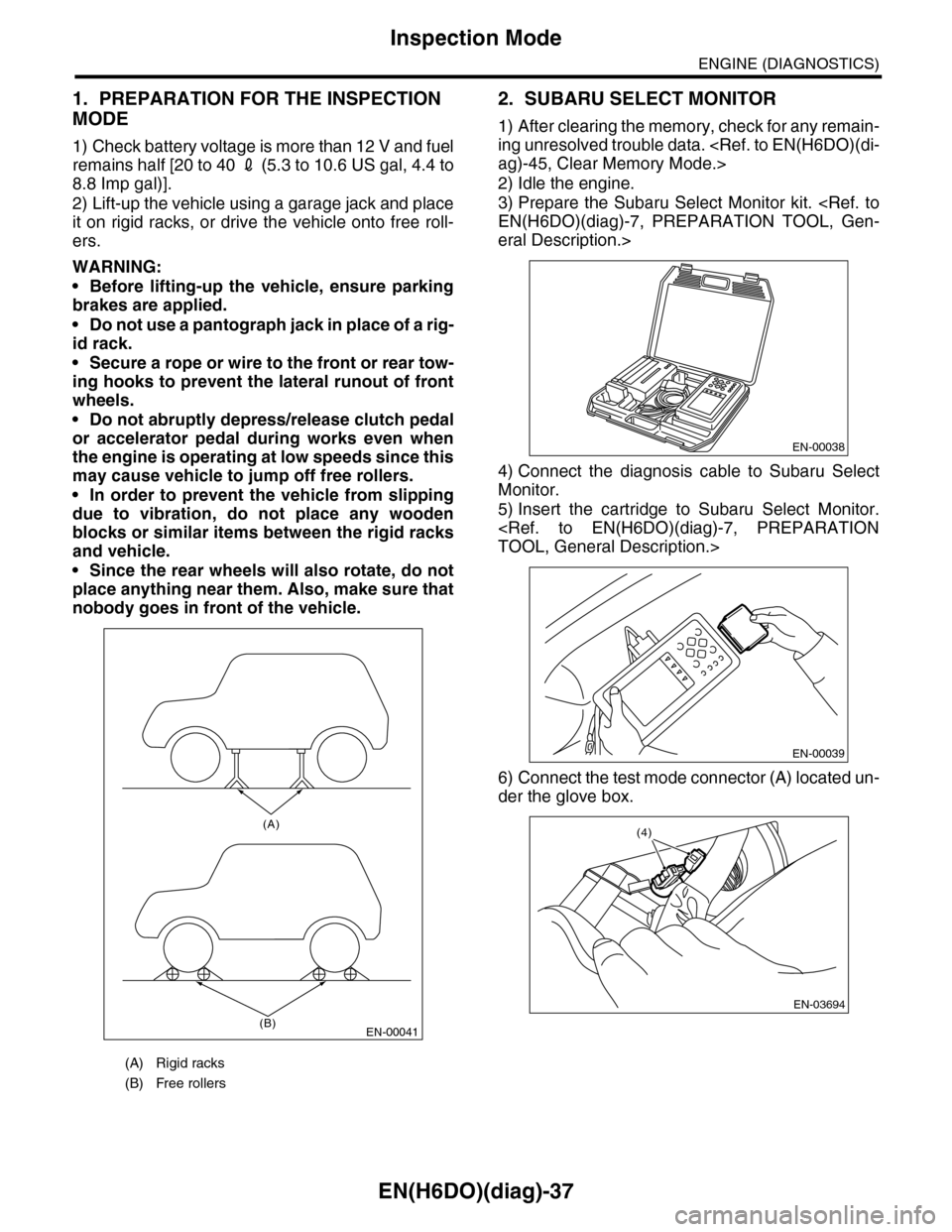
2) Lift-up the vehicle using a garage jack and place
it on rigid racks, or drive the vehicle onto free roll-
ers.
WARNING:
•Before lifting-up the vehicle, ensure parking
brakes are applied.
•Do not use a pantograph jack in place of a rig-
id rack.
•Secure a rope or wire to the front or rear tow-
ing hooks to prevent the lateral runout of front
wheels.
•Do not abruptly depress/release clutch pedal
or accelerator pedal during works even when
the engine is operating at low speeds since this
may cause vehicle to jump off free rollers.
•In order to prevent the vehicle from slipping
due to vibration, do not place any wooden
blocks or similar items between the rigid racks
and vehicle.
•Since the rear wheels will also rotate, do not
place anything near them. Also, make sure that
nobody goes in front of the vehicle.
2. SUBARU SELECT MONITOR
1) After clearing the memory, check for any remain-
ing unresolved trouble data.
ag)-45, Clear Memory Mode.>
2) Idle the engine.
3) Prepare the Subaru Select Monitor kit.
EN(H6DO)(diag)-7, PREPARATION TOOL, Gen-
eral Description.>
4) Connect the diagnosis cable to Subaru Select
Monitor.
5) Insert the cartridge to Subaru Select Monitor.
TOOL, General Description.>
6) Connect the test mode connector (A) located un-
der the glove box.
(A) Rigid racks
(B) Free rollers
EN-00041
(A)
(B)
EN-00038
EN-00039
EN-03694
(4)
Page 1199 of 2453
EN(H6DO)(diag)-38
Inspection Mode
ENGINE (DIAGNOSTICS)
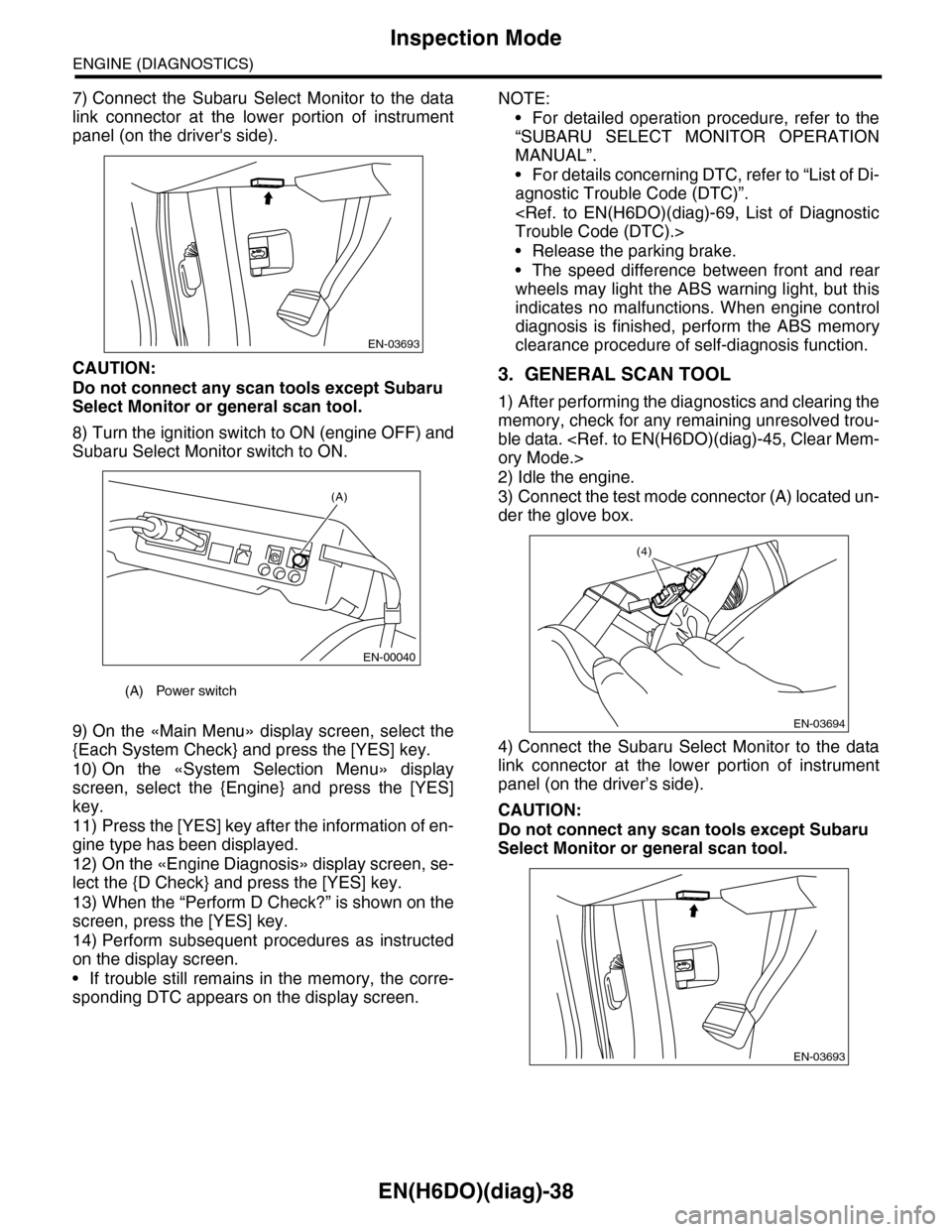
7) Connect the Subaru Select Monitor to the data
link connector at the lower portion of instrument
panel (on the driver's side).
CAUTION:
Do not connect any scan tools except Subaru
Select Monitor or general scan tool.
8) Turn the ignition switch to ON (engine OFF) and
Subaru Select Monitor switch to ON.
9) On the «Main Menu» display screen, select the
{Each System Check} and press the [YES] key.
10) On the «System Selection Menu» display
screen, select the {Engine} and press the [YES]
key.
11) Press the [YES] key after the information of en-
gine type has been displayed.
12) On the «Engine Diagnosis» display screen, se-
lect the {D Check} and press the [YES] key.
13) When the “Perform D Check?” is shown on the
screen, press the [YES] key.
14) Perform subsequent procedures as instructed
on the display screen.
•If trouble still remains in the memory, the corre-
sponding DTC appears on the display screen.
NOTE:
•For detailed operation procedure, refer to the
“SUBARU SELECT MONITOR OPERATION
MANUAL”.
•For details concerning DTC, refer to “List of Di-
agnostic Trouble Code (DTC)”.
Trouble Code (DTC).>
•Release the parking brake.
•The speed difference between front and rear
wheels may light the ABS warning light, but this
indicates no malfunctions. When engine control
diagnosis is finished, perform the ABS memory
clearance procedure of self-diagnosis function.
3. GENERAL SCAN TOOL
1) After performing the diagnostics and clearing the
memory, check for any remaining unresolved trou-
ble data.
ory Mode.>
2) Idle the engine.
3) Connect the test mode connector (A) located un-
der the glove box.
4) Connect the Subaru Select Monitor to the data
link connector at the lower portion of instrument
panel (on the driver’s side).
CAUTION:
Do not connect any scan tools except Subaru
Select Monitor or general scan tool.
(A) Power switch
EN-03693
(A)
EN-00040
EN-03694
(4)
EN-03693
Page 1207 of 2453
EN(H6DO)(diag)-46
Compulsory Valve Operation Check Mode
ENGINE (DIAGNOSTICS)
14.Compulsory Valve Operation
Check Mode
A: OPERATION
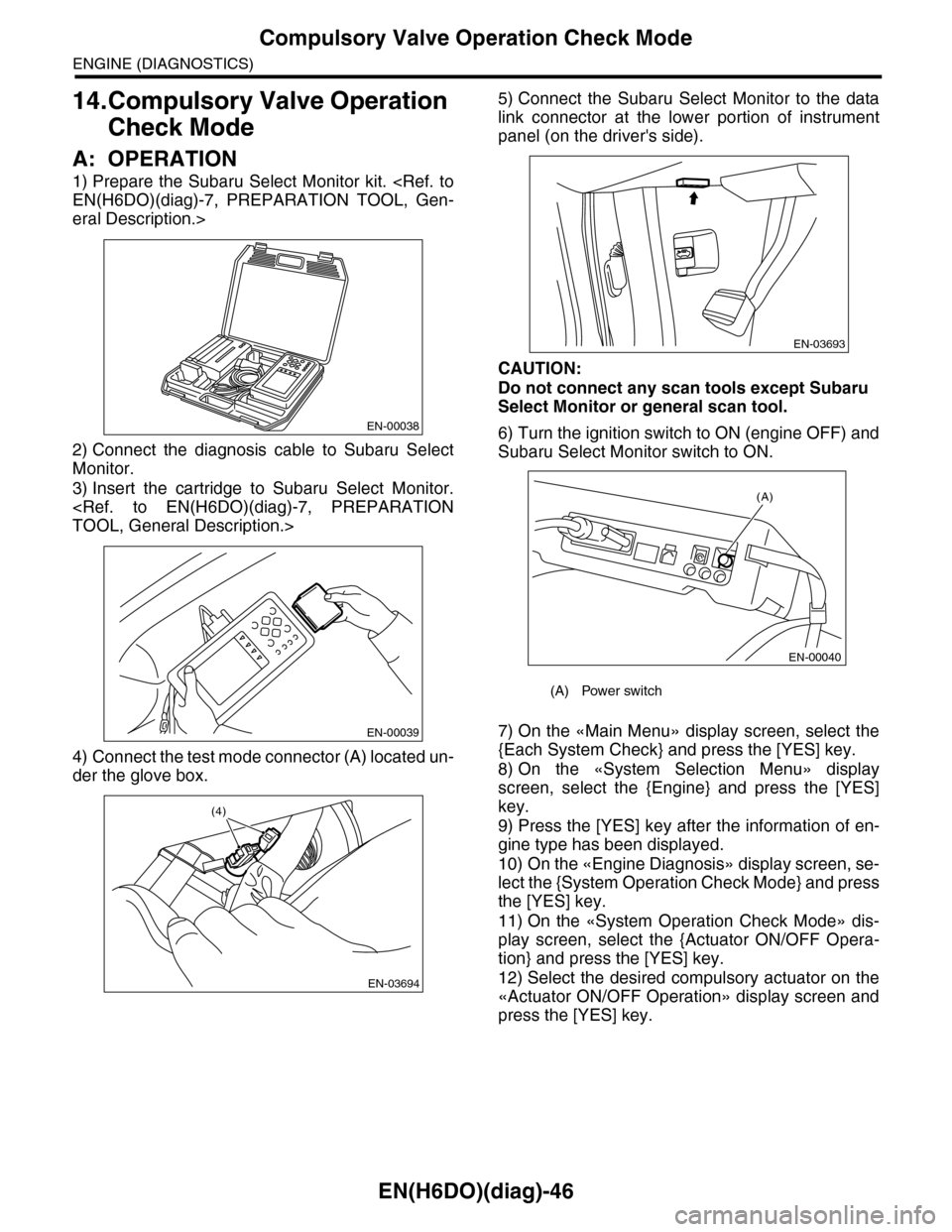
1) Prepare the Subaru Select Monitor kit.
EN(H6DO)(diag)-7, PREPARATION TOOL, Gen-
eral Description.>
2) Connect the diagnosis cable to Subaru Select
Monitor.
3) Insert the cartridge to Subaru Select Monitor.
TOOL, General Description.>
4) Connect the test mode connector (A) located un-
der the glove box.
5) Connect the Subaru Select Monitor to the data
link connector at the lower portion of instrument
panel (on the driver's side).
CAUTION:
Do not connect any scan tools except Subaru
Select Monitor or general scan tool.
6) Turn the ignition switch to ON (engine OFF) and
Subaru Select Monitor switch to ON.
7) On the «Main Menu» display screen, select the
{Each System Check} and press the [YES] key.
8) On the «System Selection Menu» display
screen, select the {Engine} and press the [YES]
key.
9) Press the [YES] key after the information of en-
gine type has been displayed.
10) On the «Engine Diagnosis» display screen, se-
lect the {System Operation Check Mode} and press
the [YES] key.
11) On the «System Operation Check Mode» dis-
play screen, select the {Actuator ON/OFF Opera-
tion} and press the [YES] key.
12) Select the desired compulsory actuator on the
«Actuator ON/OFF Operation» display screen and
press the [YES] key.
EN-00038
EN-00039
EN-03694
(4)
(A) Power switch
EN-03693
(A)
EN-00040
Page 1594 of 2453
FU(H6DO)-33
Main Relay
FUEL INJECTION (FUEL SYSTEMS)
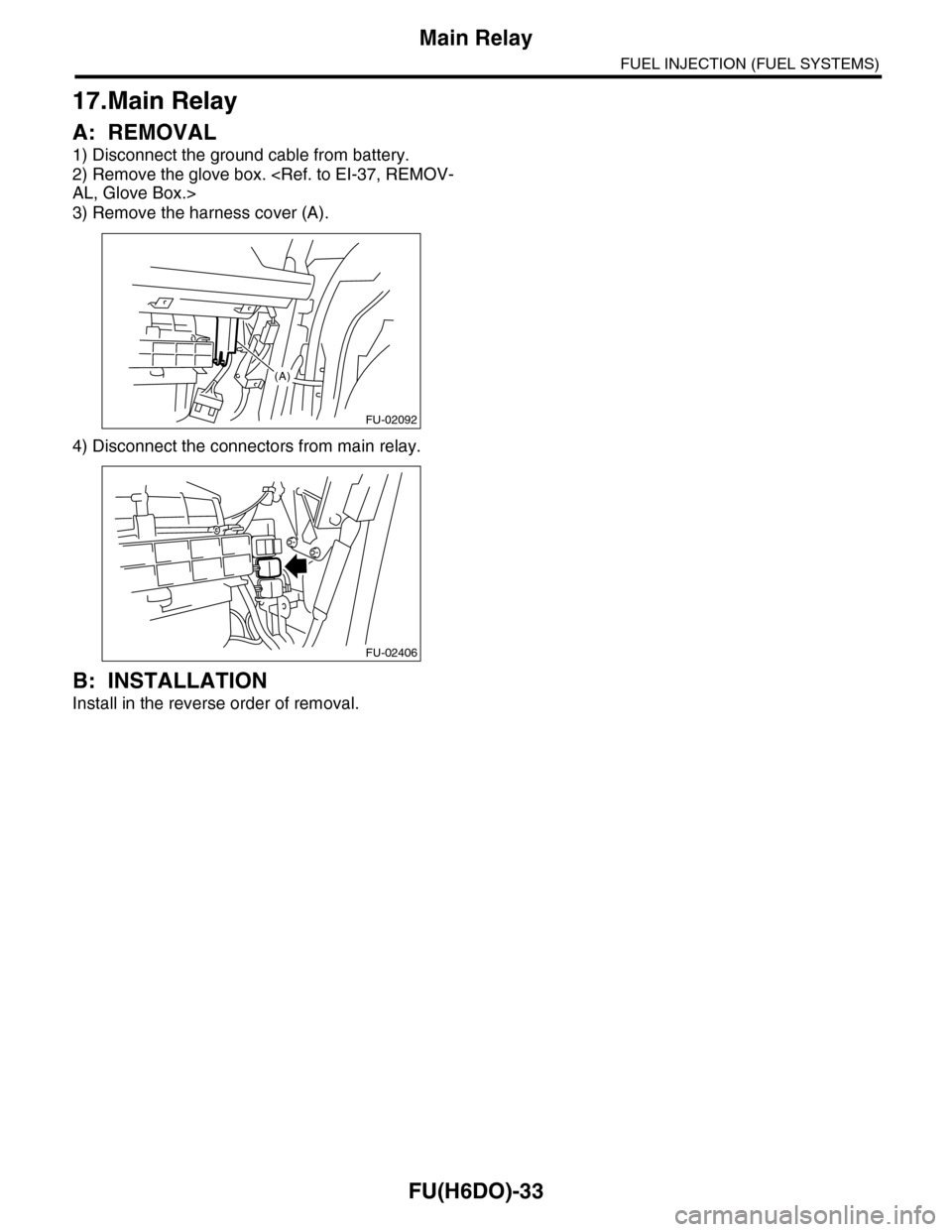
17.Main Relay
A: REMOVAL
1) Disconnect the ground cable from battery.
2) Remove the glove box.
AL, Glove Box.>
3) Remove the harness cover (A).
4) Disconnect the connectors from main relay.
B: INSTALLATION
Install in the reverse order of removal.
FU-02092
(A)
FU-02406
Page 1595 of 2453
FU(H6DO)-34
Fuel Pump Relay
FUEL INJECTION (FUEL SYSTEMS)
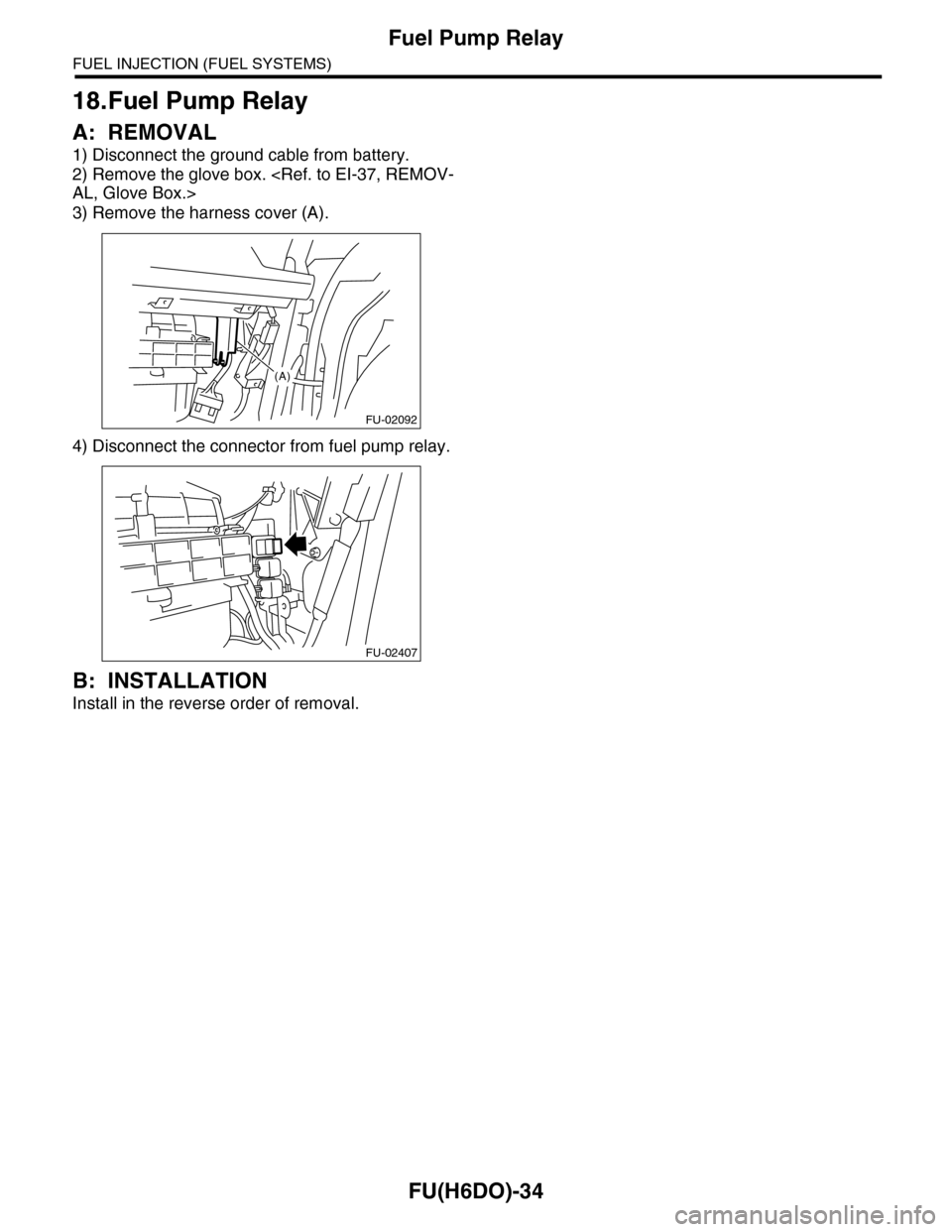
18.Fuel Pump Relay
A: REMOVAL
1) Disconnect the ground cable from battery.
2) Remove the glove box.
AL, Glove Box.>
3) Remove the harness cover (A).
4) Disconnect the connector from fuel pump relay.
B: INSTALLATION
Install in the reverse order of removal.
FU-02092
(A)
FU-02407