Page 1253 of 3171
DTC P1623 INJECTOR ADJUSTMENT VALUE
EC-273
C
D
E
F
G
H
I
J
K
L
MA
EC
DTC P1623 INJECTOR ADJUSTMENT VALUEPFP:23710
DescriptionEBS01KKP
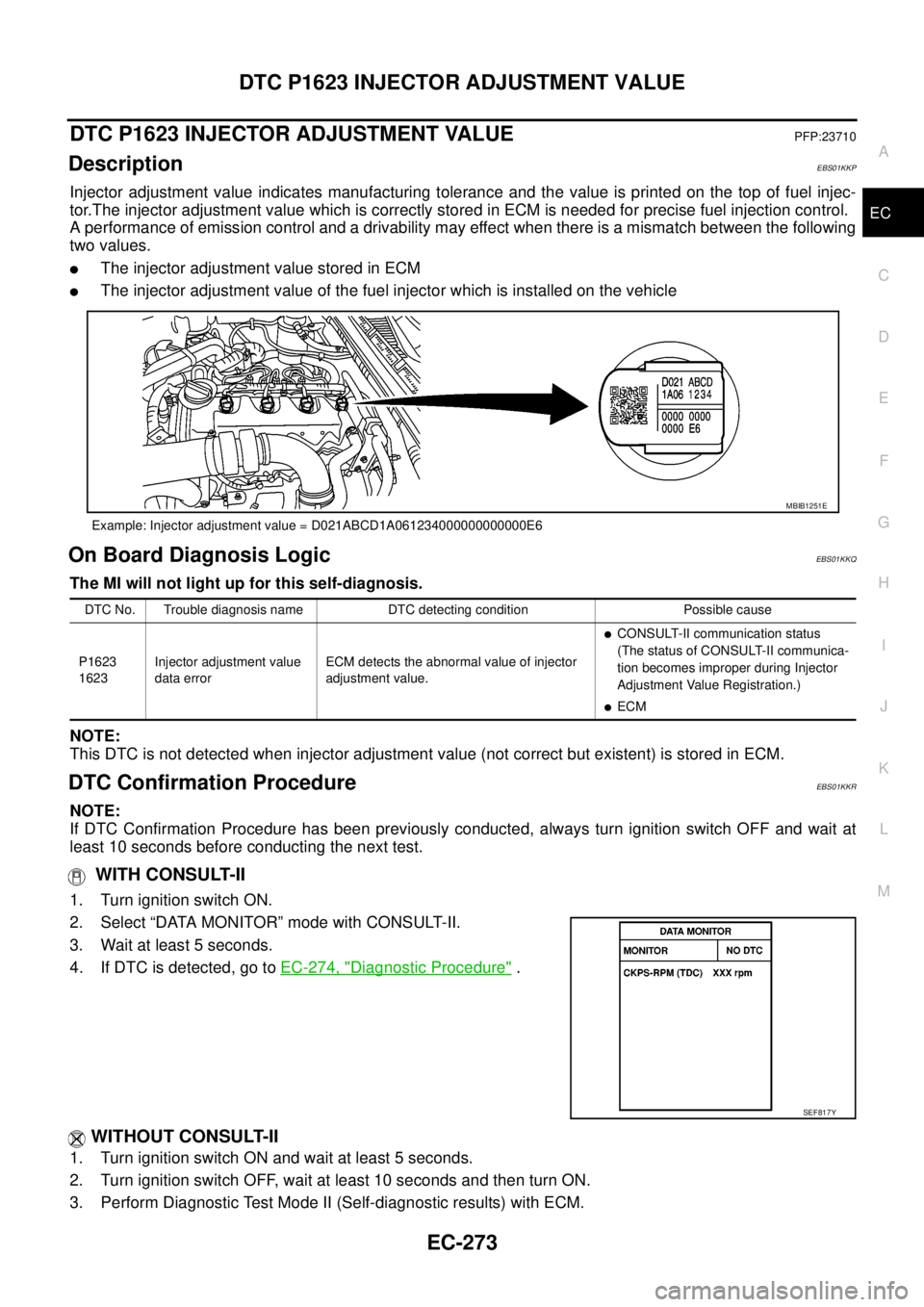
Injector adjustment value indicates manufacturing tolerance and the value is printed on the top of fuel injec-
tor.The injector adjustment value which is correctly stored in ECM is needed for precise fuel injection control.
A performance of emission control and a drivability may effect when there is a mismatch between the following
two values.
lThe injector adjustment value stored in ECM
lThe injector adjustment value of the fuel injector which is installed on the vehicle
On Board Diagnosis LogicEBS01KKQ
The MI will not light up for this self-diagnosis.
NOTE:
This DTC is not detected when injector adjustment value (not correct but existent) is stored in ECM.
DTC Confirmation ProcedureEBS01KKR
NOTE:
If DTC Confirmation Procedure has been previously conducted, always turn ignition switch OFF and wait at
least 10 seconds before conducting the next test.
WITH CONSULT-II
1. Turn ignition switch ON.
2. Select “DATA MONITOR” mode with CONSULT-II.
3. Wait at least 5 seconds.
4. If DTC is detected, go toEC-274, "
Diagnostic Procedure".
WITHOUT CONSULT-II
1. Turn ignition switch ON and wait at least 5 seconds.
2. Turn ignition switch OFF, wait at least 10 seconds and then turn ON.
3. Perform Diagnostic Test Mode II (Self-diagnostic results) with ECM.
Example: Injector adjustment value = D021ABCD1A061234000000000000E6
MBIB1251E
DTC No. Trouble diagnosis name DTC detecting condition Possible cause
P1623
1623Injector adjustment value
data errorECM detects the abnormal value of injector
adjustment value.
lCONSULT-II communication status
(The status of CONSULT-II communica-
tion becomes improper during Injector
Adjustment Value Registration.)
lECM
SEF817Y
Page 1256 of 3171
EC-276
DTC P2135 APP SENSOR
On Board Diagnosis Logic
EBS01KKW
The MI will not light up for this self-diagnosis.
NOTE:
lIf DTC P2135 is displayed with DTC P0642 or P0643, first perform the trouble diagnosis for DTC
P0642 or P0643. Refer toEC-222, "
DTC P0642, P0643 SENSOR POWER SUPPLY".
lIf DTC P2135 is displayed with DTC P0652 or P0653, first perform the trouble diagnosis for DTC
P0652 or P0653. Refer toEC-227, "
DTC P0652, P0653 SENSOR POWER SUPPLY".
DTC Confirmation ProcedureEBS01KKX
NOTE:
If DTC Confirmation Procedure has been previously conducted, always turn ignition switch OFF and wait at
least 10 seconds before conducting the next test.
WITH CONSULT-II
1. Turn ignition switch ON.
2. Select “DATA MONITOR” mode with CONSULT-II.
3. Wait at least 5 seconds.
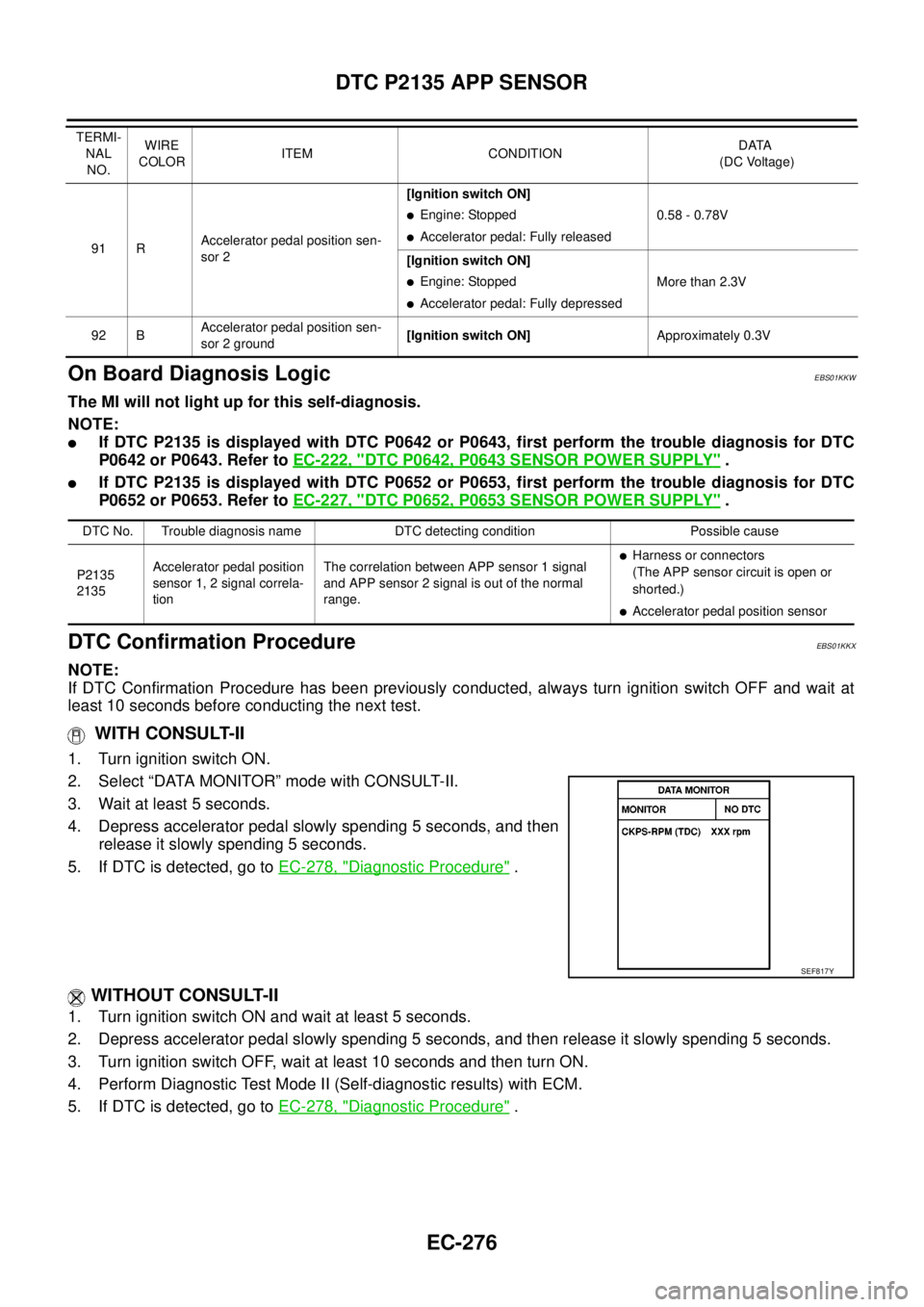
4. Depress accelerator pedal slowly spending 5 seconds, and then
release it slowly spending 5 seconds.
5. If DTC is detected, go toEC-278, "
Diagnostic Procedure".
WITHOUT CONSULT-II
1. Turn ignition switch ON and wait at least 5 seconds.
2. Depress accelerator pedal slowly spending 5 seconds, and then release it slowly spending 5 seconds.
3. Turn ignition switch OFF, wait at least 10 seconds and then turn ON.
4. Perform Diagnostic Test Mode II (Self-diagnostic results) with ECM.
5. If DTC is detected, go toEC-278, "
Diagnostic Procedure".
91 RAccelerator pedal position sen-
sor 2[Ignition switch ON]
lEngine: Stopped
lAccelerator pedal: Fully released0.58 - 0.78V
[Ignition switch ON]
lEngine: Stopped
lAccelerator pedal: Fully depressedMore than 2.3V
92 BAccelerator pedal position sen-
sor 2 ground[Ignition switch ON]Approximately 0.3V TERMI-
NAL
NO.WIRE
COLORITEM CONDITIONDATA
(DC Voltage)
DTC No. Trouble diagnosis name DTC detecting condition Possible cause
P2135
2135Accelerator pedal position
sensor 1, 2 signal correla-
tionThe correlation between APP sensor 1 signal
and APP sensor 2 signal is out of the normal
range.
lHarness or connectors
(The APP sensor circuit is open or
shorted.)
lAccelerator pedal position sensor
SEF817Y
Page 1273 of 3171
DTC P2228, P2229 BARO SENSOR
EC-293
C
D
E
F
G
H
I
J
K
L
MA
EC
DTC P2228, P2229 BARO SENSORPFP:23731
DescriptionEBS01KLI
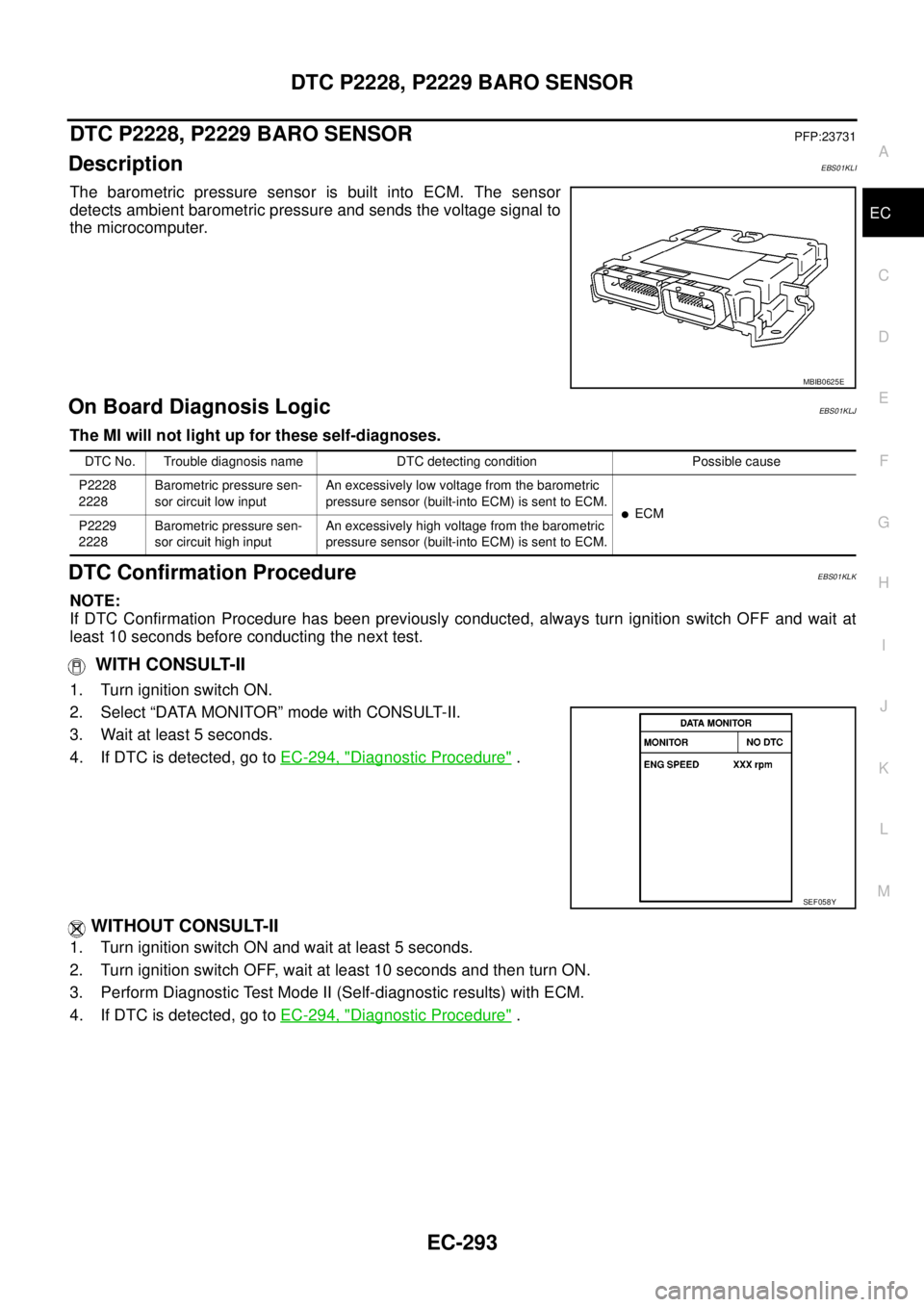
The barometric pressure sensor is built into ECM. The sensor
detects ambient barometric pressure and sends the voltage signal to
the microcomputer.
On Board Diagnosis LogicEBS01KLJ
The MI will not light up for these self-diagnoses.
DTC Confirmation ProcedureEBS01KLK
NOTE:
If DTC Confirmation Procedure has been previously conducted, always turn ignition switch OFF and wait at
least 10 seconds before conducting the next test.
WITH CONSULT-II
1. Turn ignition switch ON.
2. Select “DATA MONITOR” mode with CONSULT-II.
3. Wait at least 5 seconds.
4. If DTC is detected, go toEC-294, "
Diagnostic Procedure".
WITHOUT CONSULT-II
1. Turn ignition switch ON and wait at least 5 seconds.
2. Turn ignition switch OFF, wait at least 10 seconds and then turn ON.
3. Perform Diagnostic Test Mode II (Self-diagnostic results) with ECM.
4. If DTC is detected, go toEC-294, "
Diagnostic Procedure".
MBIB0625E
DTC No. Trouble diagnosis name DTC detecting condition Possible cause
P2228
2228Barometric pressure sen-
sor circuit low inputAn excessively low voltage from the barometric
pressure sensor (built-into ECM) is sent to ECM.
lECM
P2229
2228Barometric pressure sen-
sor circuit high inputAn excessively high voltage from the barometric
pressure sensor (built-into ECM) is sent to ECM.
SEF058Y
Page 1292 of 3171
EC-312
TC BOOST CONTROL SOLENOID VALVE
Diagnostic Procedure
EBS01KM2
1.CHECK OVERALL FUNCTION
1. Start engine and let it idle.
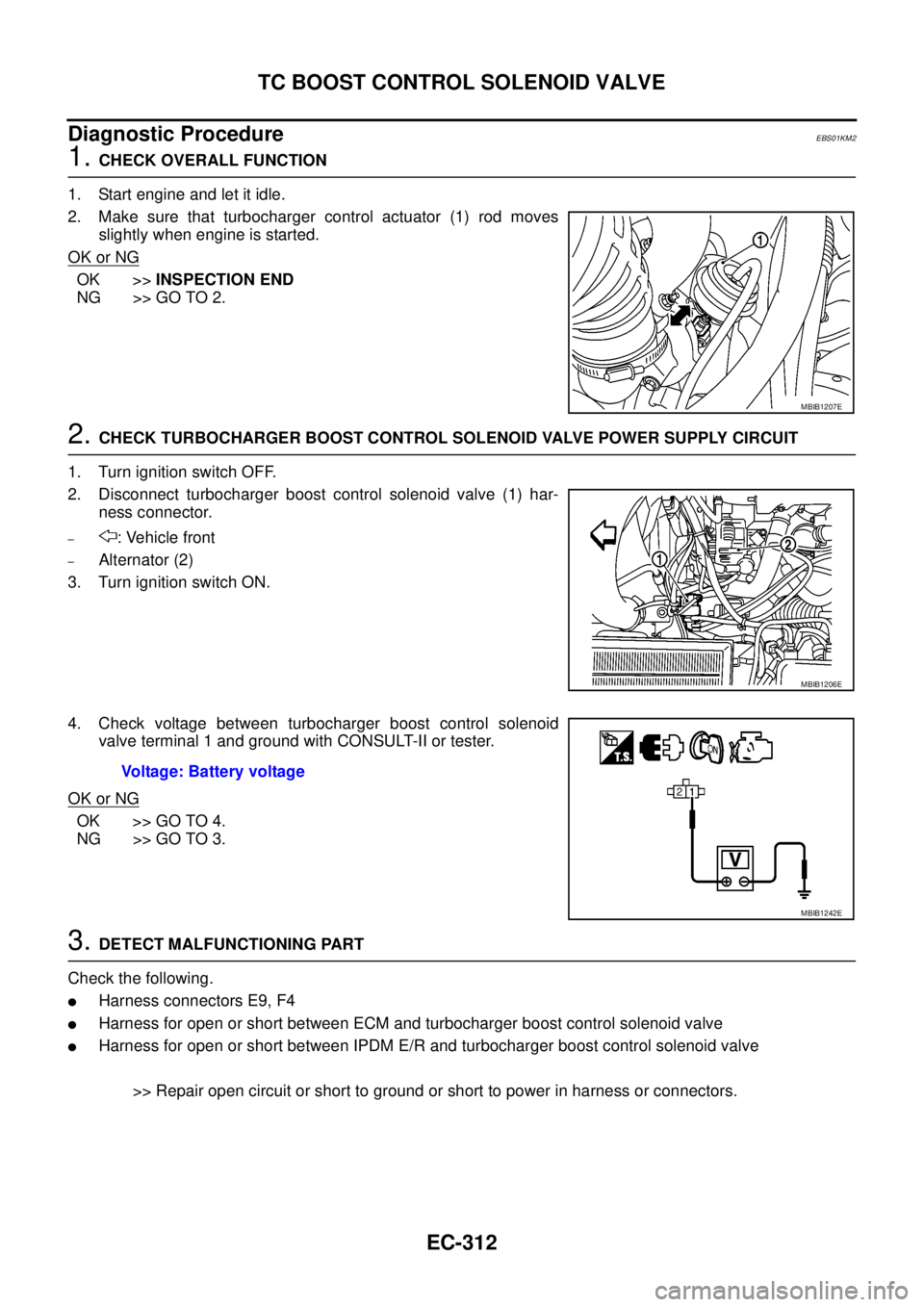
2. Make sure that turbocharger control actuator (1) rod moves
slightly when engine is started.
OK or NG
OK >>INSPECTION END
NG >> GO TO 2.
2.CHECK TURBOCHARGER BOOST CONTROL SOLENOID VALVE POWER SUPPLY CIRCUIT
1. Turn ignition switch OFF.
2. Disconnect turbocharger boost control solenoid valve (1) har-
ness connector.
–: Vehicle front
–Alternator (2)
3. Turn ignition switch ON.
4. Check voltage between turbocharger boost control solenoid
valve terminal 1 and ground with CONSULT-II or tester.
OK or NG
OK >> GO TO 4.
NG >> GO TO 3.
3.DETECT MALFUNCTIONING PART
Check the following.
lHarness connectors E9, F4
lHarness for open or short between ECM and turbocharger boost control solenoid valve
lHarness for open or short between IPDM E/R and turbocharger boost control solenoid valve
>> Repair open circuit or short to ground or short to power in harness or connectors.
MBIB1207E
MBIB1206E
Voltage: Battery voltage
MBIB1242E
Page 1310 of 3171
EC-330
BRAKE SWITCH
BRAKE SWITCH
PFP:25230
DescriptionEBS01KML
STOP LAMP SWITCH
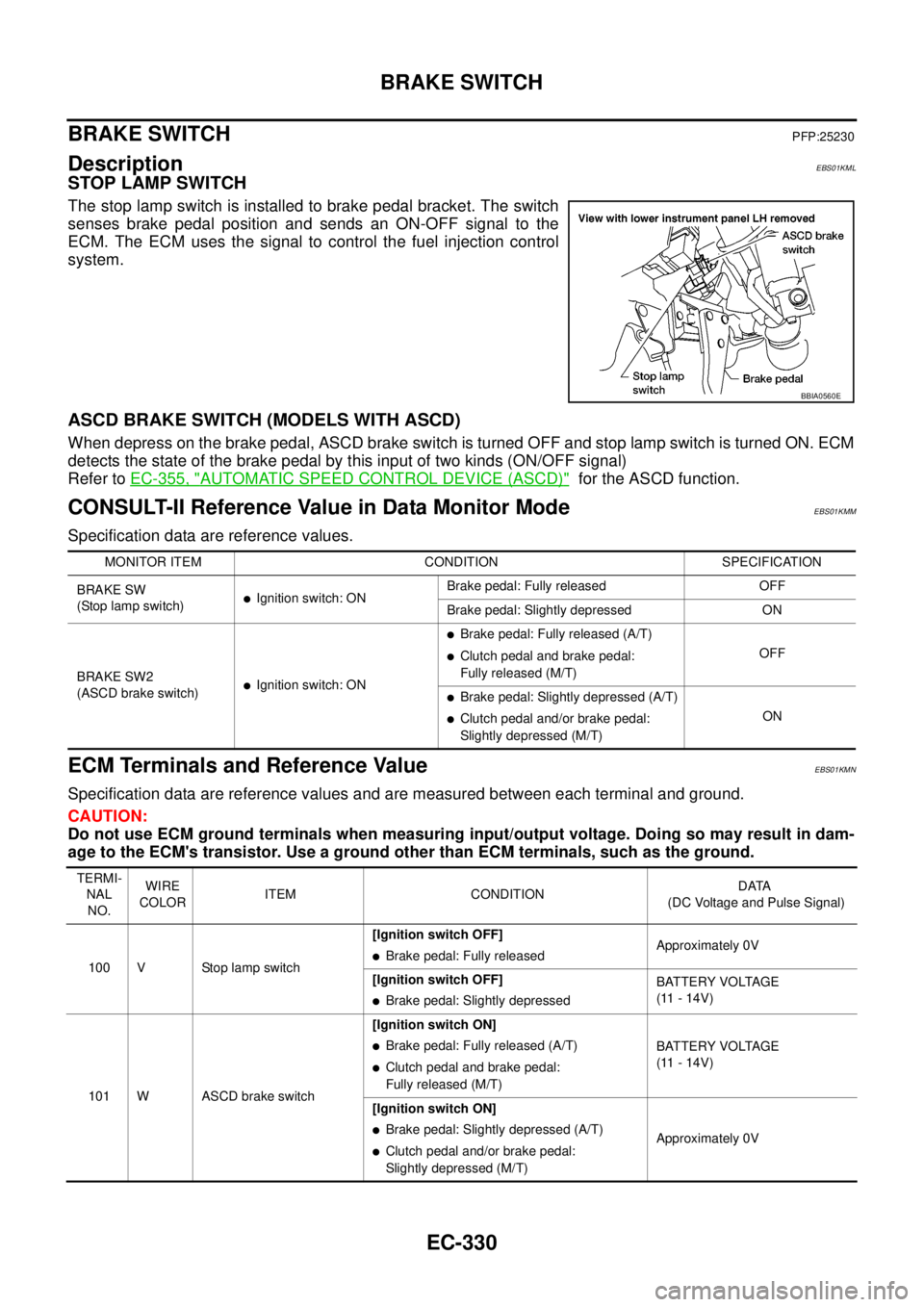
The stop lamp switch is installed to brake pedal bracket. The switch
senses brake pedal position and sends an ON-OFF signal to the
ECM. The ECM uses the signal to control the fuel injection control
system.
ASCD BRAKE SWITCH (MODELS WITH ASCD)
When depress on the brake pedal, ASCD brake switch is turned OFF and stop lamp switch is turned ON. ECM
detects the state of the brake pedal by this input of two kinds (ON/OFF signal)
Refer toEC-355, "
AUTOMATIC SPEED CONTROL DEVICE (ASCD)"for the ASCD function.
CONSULT-II Reference Value in Data Monitor ModeEBS01KMM
Specification data are reference values.
ECM Terminals and Reference ValueEBS01KMN
Specification data are reference values and are measured between each terminal and ground.
CAUTION:
Do not use ECM ground terminals when measuring input/output voltage. Doing so may result in dam-
age to the ECM's transistor. Use a ground other than ECM terminals, such as the ground.
BBIA0560E
MONITOR ITEM CONDITION SPECIFICATION
BRAKE SW
(Stoplampswitch)
lIgnition switch: ONBrake pedal: Fully released OFF
Brake pedal: Slightly depressed ON
BRAKE SW2
(ASCD brake switch)
lIgnition switch: ON
lBrake pedal: Fully released (A/T)
lClutch pedal and brake pedal:
Fully released (M/T)OFF
lBrake pedal: Slightly depressed (A/T)
lClutch pedal and/or brake pedal:
Slightly depressed (M/T)ON
TERMI-
NAL
NO.WIRE
COLORITEM CONDITIONDATA
(DC Voltage and Pulse Signal)
100 V Stop lamp switch[Ignition switch OFF]
lBrake pedal: Fully releasedApproximately 0V
[Ignition switch OFF]
lBrake pedal: Slightly depressedBATTERY VOLTAGE
(11 - 14V)
101 W ASCD brake switch[Ignition switch ON]
lBrake pedal: Fully released (A/T)
lClutch pedal and brake pedal:
Fully released (M/T)BATTERY VOLTAGE
(11 - 14V)
[Ignition switch ON]
lBrake pedal: Slightly depressed (A/T)
lClutch pedal and/or brake pedal:
Slightly depressed (M/T)Approximately 0V
Page 1312 of 3171
EC-332
BRAKE SWITCH
Diagnostic Procedure
EBS01KMP
A/T MODELS
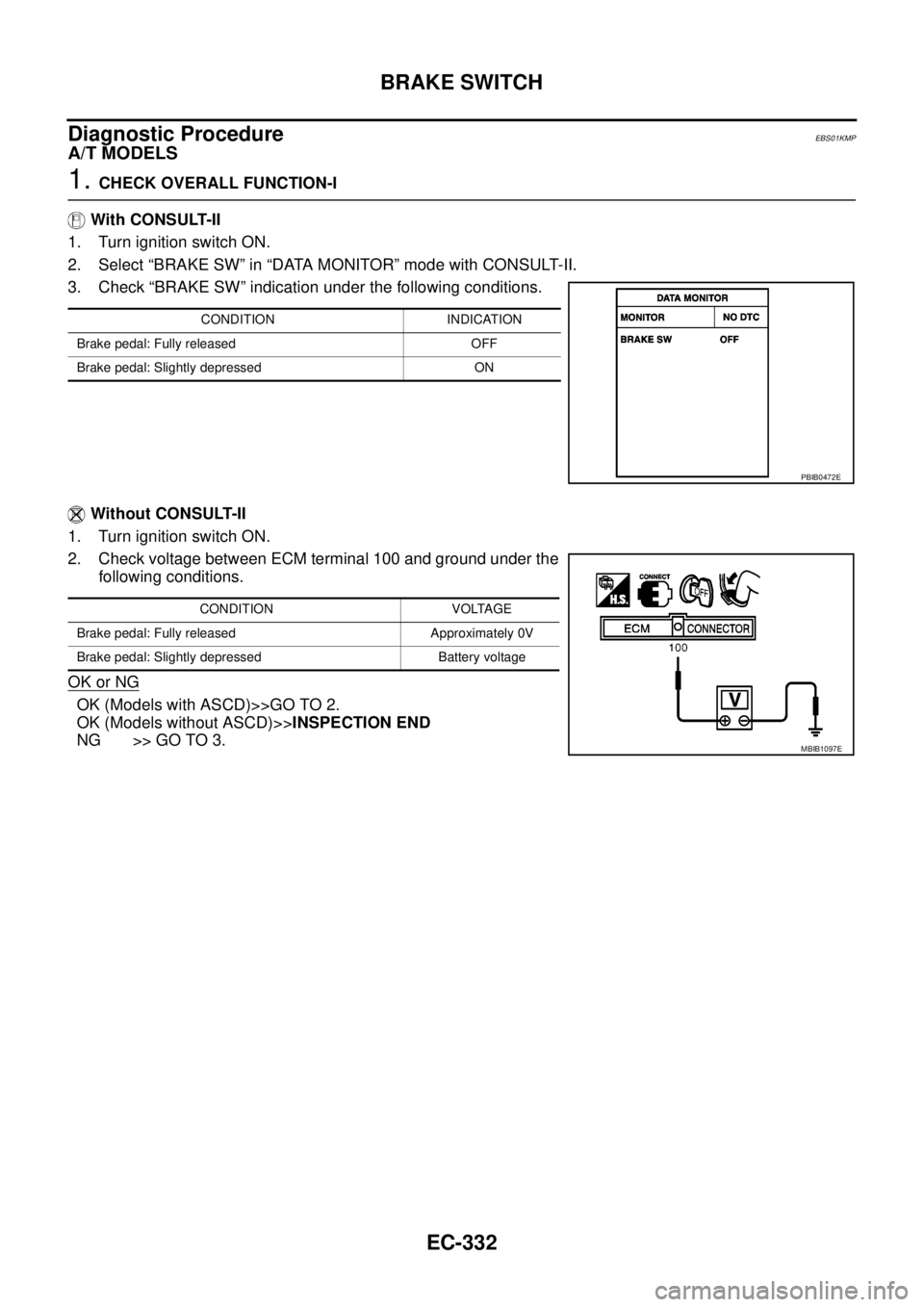
1.CHECK OVERALL FUNCTION-I
With CONSULT-II
1. Turn ignition switch ON.
2. Select “BRAKE SW” in “DATA MONITOR” mode with CONSULT-II.
3. Check “BRAKE SW” indication under the following conditions.
Without CONSULT-II
1. Turn ignition switch ON.
2. Check voltage between ECM terminal 100 and ground under the
following conditions.
OK or NG
OK (Models with ASCD)>>GO TO 2.
OK (Models without ASCD)>>INSPECTION END
NG >> GO TO 3.
CONDITION INDICATION
Brake pedal: Fully released OFF
Brake pedal: Slightly depressed ON
PBIB0472E
CONDITION VOLTAGE
Brake pedal: Fully released Approximately 0V
Brake pedal: Slightly depressed Battery voltage
MBIB1097E
Page 1313 of 3171
BRAKE SWITCH
EC-333
C
D
E
F
G
H
I
J
K
L
MA
EC
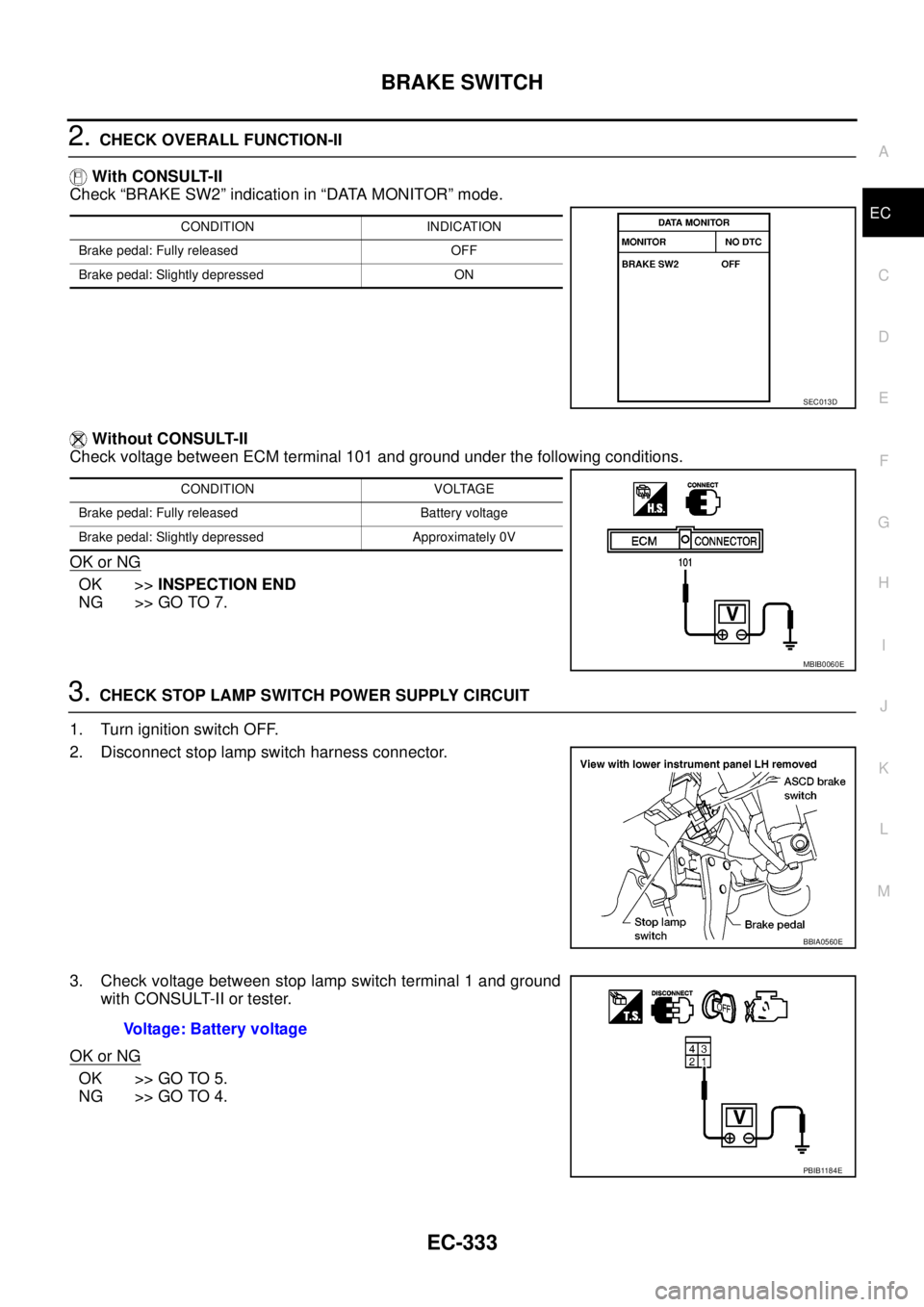
2.CHECK OVERALL FUNCTION-II
With CONSULT-II
Check “BRAKE SW2” indication in “DATA MONITOR” mode.
Without CONSULT-II
Check voltage between ECM terminal 101 and ground under the following conditions.
OK or NG
OK >>INSPECTION END
NG >> GO TO 7.
3.CHECK STOP LAMP SWITCH POWER SUPPLY CIRCUIT
1. Turn ignition switch OFF.
2. Disconnect stop lamp switch harness connector.
3. Check voltage between stop lamp switch terminal 1 and ground
with CONSULT-II or tester.
OK or NG
OK >> GO TO 5.
NG >> GO TO 4.
CONDITION INDICATION
Brake pedal: Fully released OFF
Brake pedal: Slightly depressed ON
SEC013D
CONDITION VOLTAGE
Brake pedal: Fully released Battery voltage
Brake pedal: Slightly depressed Approximately 0V
MBIB0060E
BBIA0560E
Voltage: Battery voltage
PBIB1184E
Page 1316 of 3171
EC-336
BRAKE SWITCH
M/T MODELS
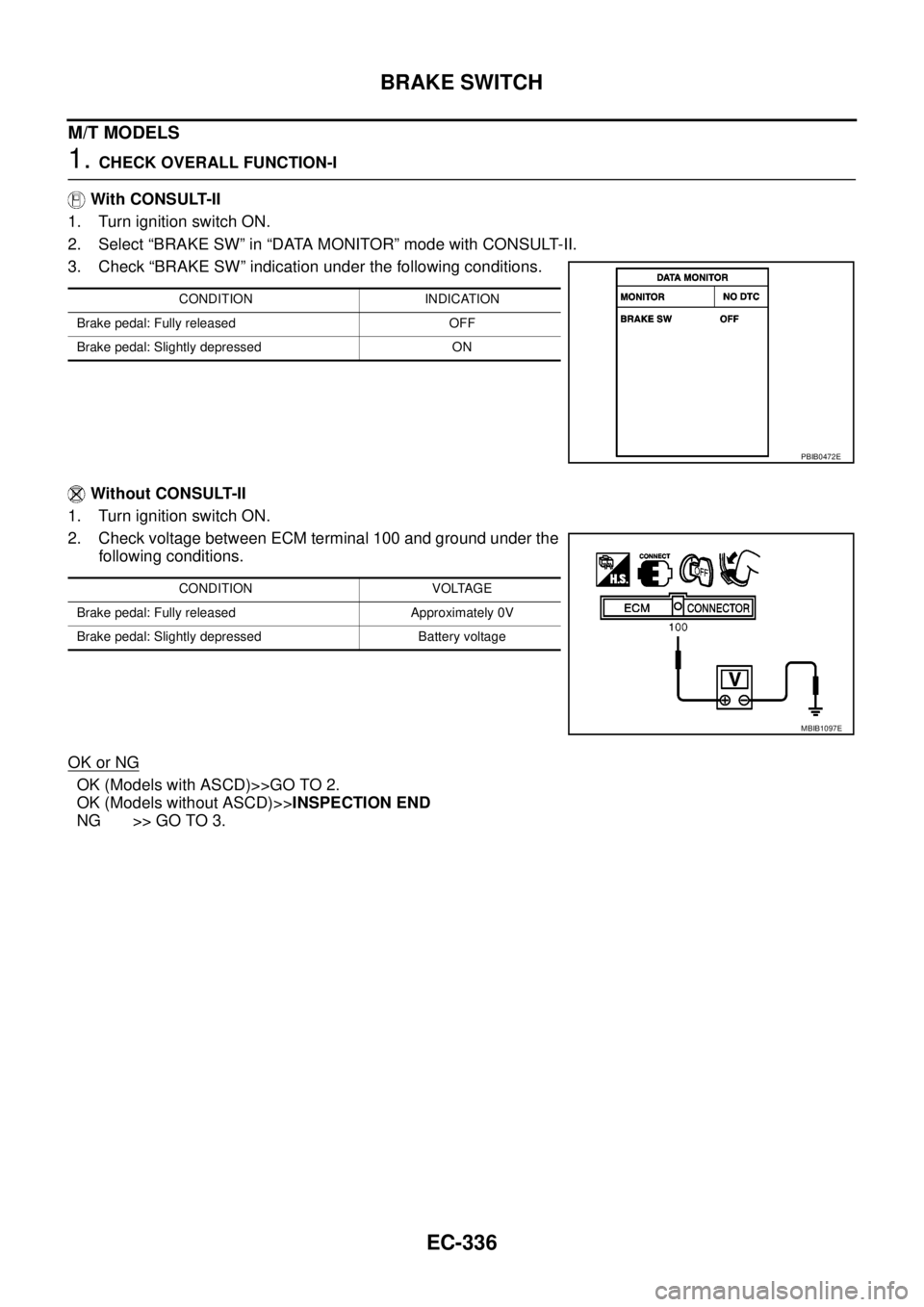
1.CHECK OVERALL FUNCTION-I
With CONSULT-II
1. Turn ignition switch ON.
2. Select “BRAKE SW” in “DATA MONITOR” mode with CONSULT-II.
3. Check “BRAKE SW” indication under the following conditions.
Without CONSULT-II
1. Turn ignition switch ON.
2. Check voltage between ECM terminal 100 and ground under the
following conditions.
OK or NG
OK (Models with ASCD)>>GO TO 2.
OK (Models without ASCD)>>INSPECTION END
NG >> GO TO 3.
CONDITION INDICATION
Brake pedal: Fully released OFF
Brake pedal: Slightly depressed ON
PBIB0472E
CONDITION VOLTAGE
Brake pedal: Fully released Approximately 0V
Brake pedal: Slightly depressed Battery voltage
MBIB1097E