Page 3863 of 4323
05_SEQUOIA_U (L/O 0408)
4
2005 SEQUOIA from Aug. '04 Prod. (OM34424U)
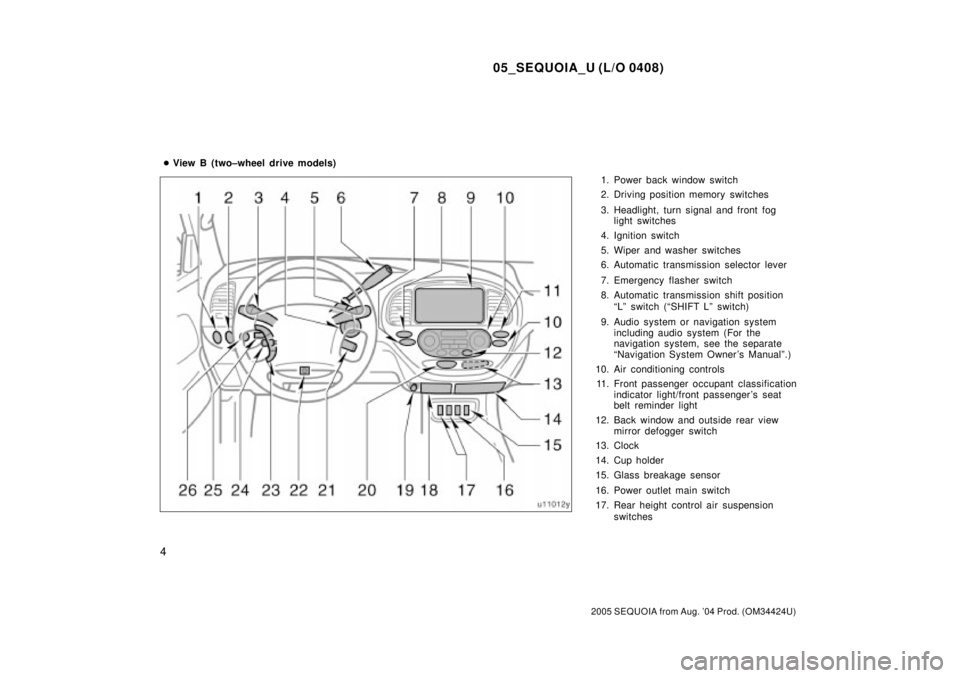
1. Power back window switch
2. Driving position memory switches
3. Headlight, turn signal and front fog
light switches
4. Ignition switch
5. Wiper and washer switches
6. Automatic transmission selector lever
7. Emergency flasher switch
8. Automatic transmission shift position
ªLº switch (ªSHIFT Lº switch)
9. Audio system or navigation system
including audio system (For the
navigation system, see the separate
ªNavigation System Owner 's Manualº.)
10. Air conditioning controls
11. Front passenger occupant classification
indicator light/front passenger 's seat
belt reminder light
12. Back window and outside rear view
mirror defogger switch
13. Clock
14. Cup holder
15. Glass breakage sensor
16. Power outlet main switch
17. Rear height control air suspension
switches �View B (two±wheel drive models)
Page 3865 of 4323
05_SEQUOIA_U (L/O 0408)
6
2005 SEQUOIA from Aug. '04 Prod. (OM34424U)
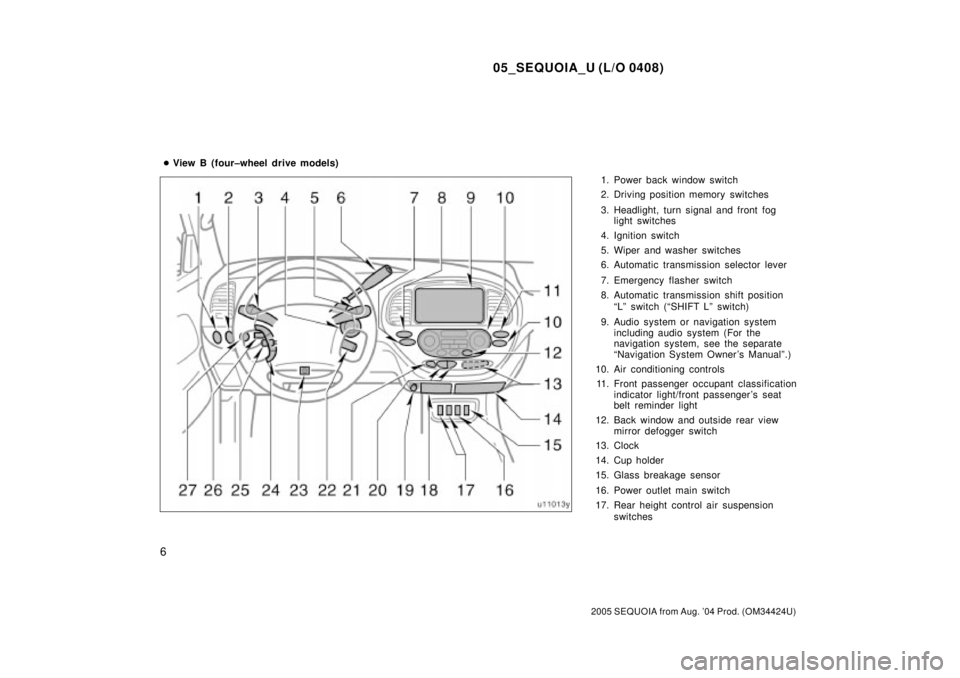
1. Power back window switch
2. Driving position memory switches
3. Headlight, turn signal and front fog
light switches
4. Ignition switch
5. Wiper and washer switches
6. Automatic transmission selector lever
7. Emergency flasher switch
8. Automatic transmission shift position
ªLº switch (ªSHIFT Lº switch)
9. Audio system or navigation system
including audio system (For the
navigation system, see the separate
ªNavigation System Owner 's Manualº.)
10. Air conditioning controls
11. Front passenger occupant classification
indicator light/front passenger 's seat
belt reminder light
12. Back window and outside rear view
mirror defogger switch
13. Clock
14. Cup holder
15. Glass breakage sensor
16. Power outlet main switch
17. Rear height control air suspension
switches �View B (four±wheel drive models)
Page 3881 of 4323
05_SEQUOIA_U (L/O 0408)
22
2005 SEQUOIA from Aug. '04 Prod. (OM34424U)
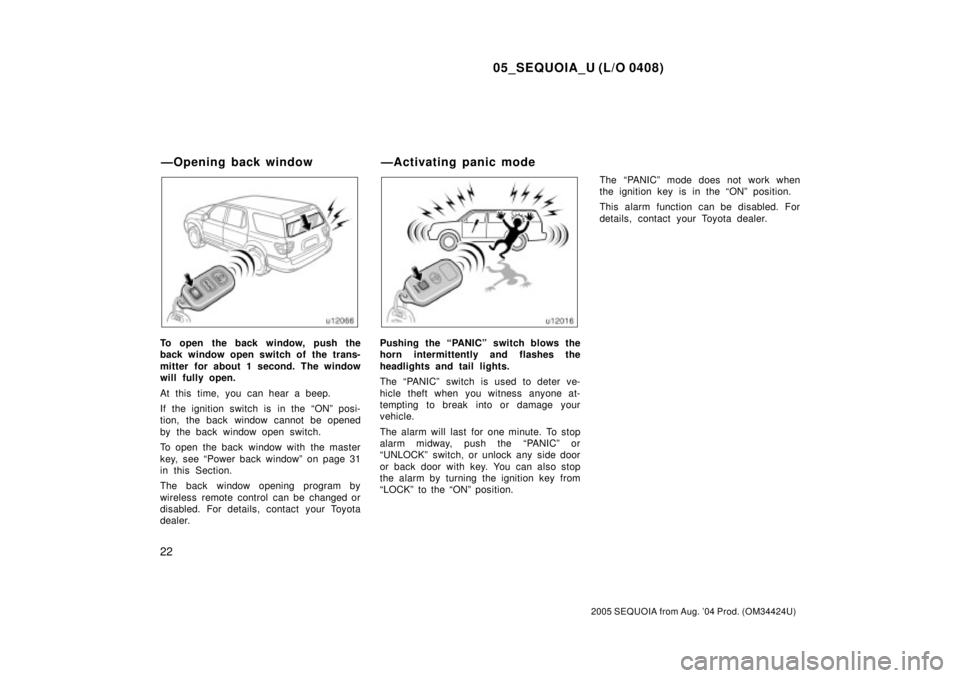
To open the back window, push the
back window open switch of the trans-
mitter for about 1 second. The window
will fully open.
At this time, you can hear a beep.
If the ignition switch is in the ªONº posi-
tion, the back window cannot be opened
by the back window open switch.
To open the back window with the master
key, see ªPower back windowº on page 31
in this Section.
The back window opening program by
wireless remote control can be changed or
disabled. For details, contact your Toyota
dealer.Pushing the ªPANICº switch blows the
horn intermittently and flashes the
headlights and tail lights.
The ªPANICº switch is used to deter ve-
hicle theft when you witness anyone at-
tempting to break into or damage your
vehicle.
The alarm will last for one minute. To stop
alarm midway, push the ªPANICº or
ªUNLOCKº switch, or unlock any side door
or back door with key. You can also stop
the alarm by turning the ignition key from
ªLOCKº to the ªONº position.The ªPANICº mode does not work when
the ignition key is in the ªONº position.
This alarm function can be disabled. For
details, contact your Toyota dealer.
ÐOpening back window ÐActivating panic mode
Page 3884 of 4323
05_SEQUOIA_U (L/O 0408)
25
2005 SEQUOIA from Aug. '04 Prod. (OM34424U)
This double key turning operation to un-
lock all the side doors and back door can
be changed to a single key turning opera-
tion. For details, contact your Toyota deal-
er.
When all the side doors and back door
are unlocked simultaneously using a key,
the interior light, luggage compartment
light and ignition switch light will come on
and remain on for about 15 seconds be-
fore fading out. (For details, see ªCenter
interior and personal lightsº on page 150,
ªCenter interior lightº on page 151, ªLug-
gage compartment lightº on page 152 and
ªIgnition switch lightº on page 152 in Sec-
tion 1±5.)
The windows and electric moon roof can
be opened or closed with the key opera-
tion in the driver 's door keyhole. (For de-
tails, see ªPower windowsº on page 28
and ªElectric moon roofº on page 40 in
this Section.)
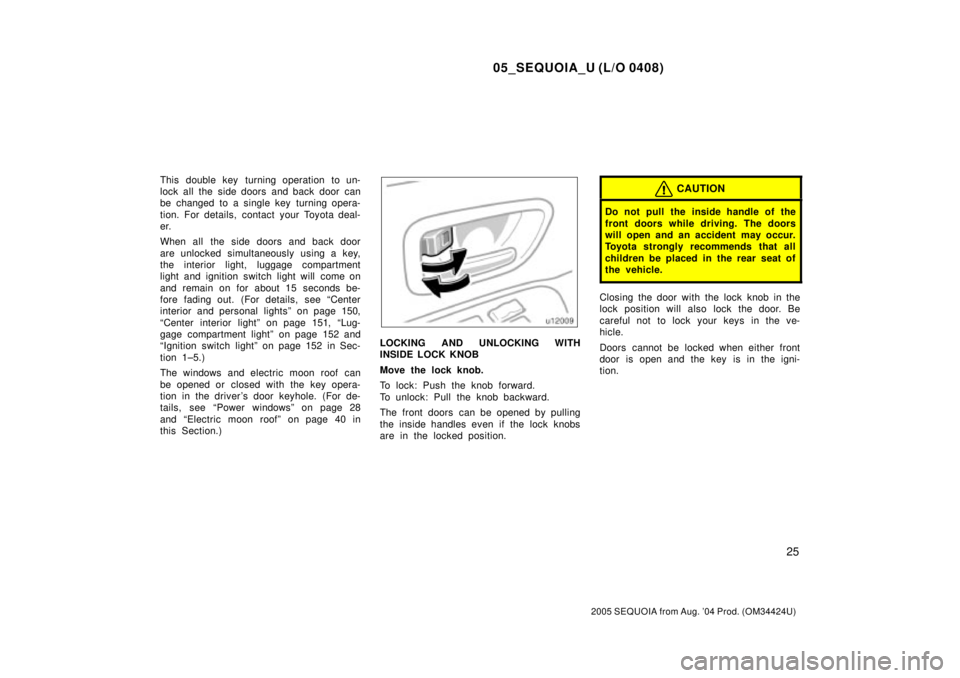
LOCKING AND UNLOCKING WITH
INSIDE LOCK KNOB
Move the lock knob.
To lock: Push the knob forward.
To unlock: Pull the knob backward.
The front doors can be opened by pulling
the inside handles even if the lock knobs
are in the locked position.
CAUTION
Do not pull the inside handle of the
front doors while driving. The doors
will open and an accident may occur.
Toyota strongly recommends that all
children be placed in the rear seat of
the vehicle.
Closing the door with the lock knob in the
lock position will also lock the door. Be
careful not to lock your keys in the ve-
hicle.
Doors cannot be locked when either front
door is open and the key is in the igni-
tion.
Page 3885 of 4323
05_SEQUOIA_U (L/O 0408)
26
2005 SEQUOIA from Aug. '04 Prod. (OM34424U)
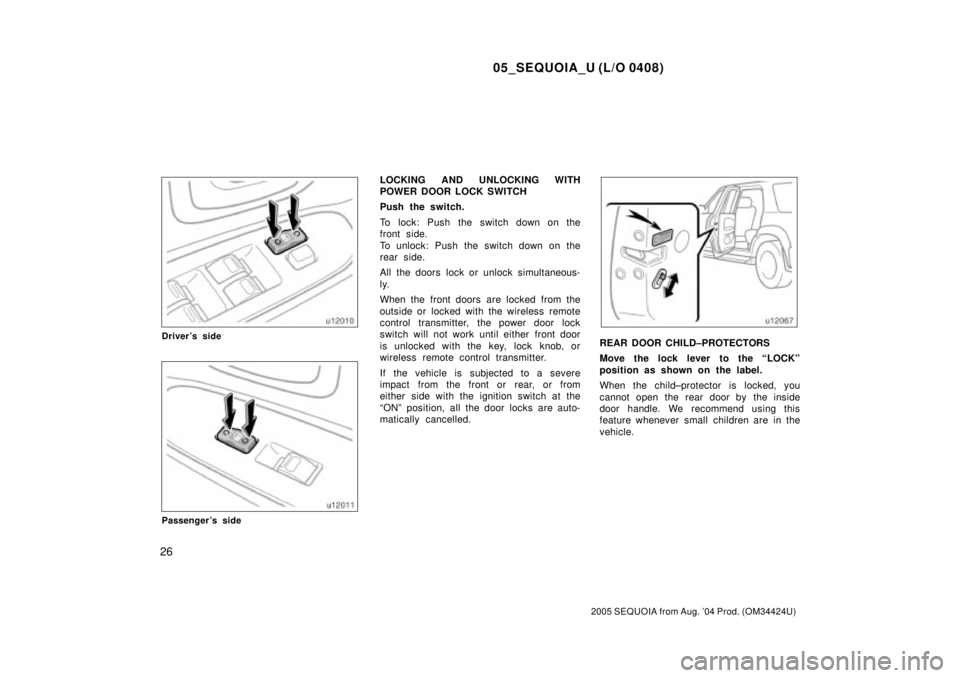
Driver's side
Passenger's side
LOCKING AND UNLOCKING WITH
POWER DOOR LOCK SWITCH
Push the switch.
To lock: Push the switch down on the
front side.
To unlock: Push the switch down on the
rear side.
All the doors lock or unlock simultaneous-
ly.
When the front doors are locked from the
outside or locked with the wireless remote
control transmitter, the power door lock
switch will not work until either front door
is unlocked with the key, lock knob, or
wireless remote control transmitter.
If the vehicle is subjected to a severe
impact from the front or rear, or from
either side with the ignition switch at the
ªONº position, all the door locks are auto-
matically cancelled.
REAR DOOR CHILD±PROTECTORS
Move the lock lever to the ªLOCKº
position as shown on the label.
When the child±protector is locked, you
cannot open the rear door by the inside
door handle. We recommend using this
feature whenever small children are in the
vehicle.
Page 3886 of 4323
05_SEQUOIA_U (L/O 0408)
27
2005 SEQUOIA from Aug. '04 Prod. (OM34424U)
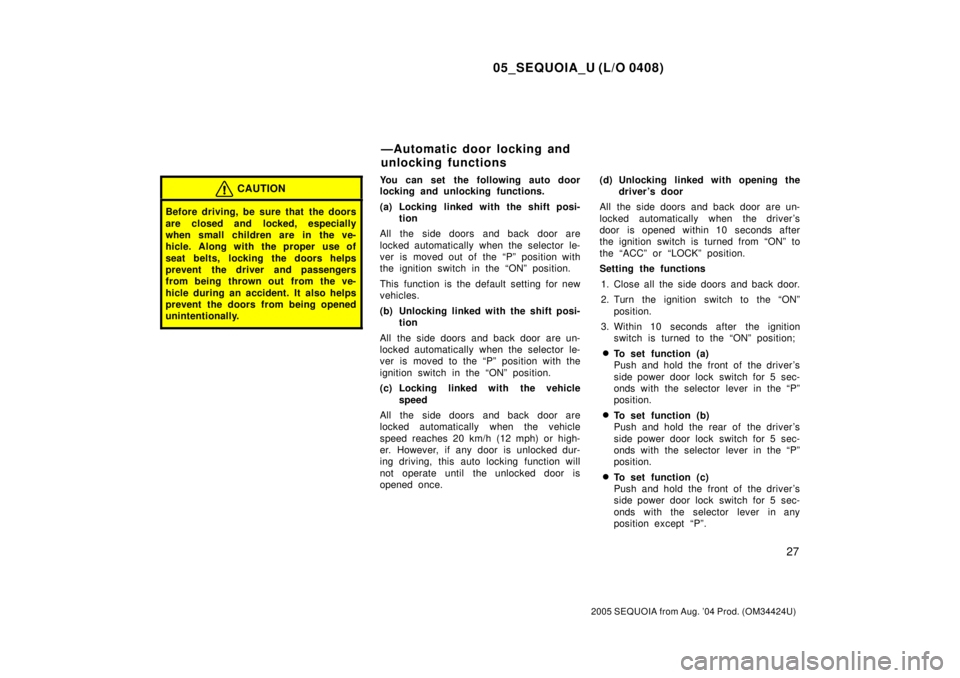
CAUTION
Before driving, be sure that the doors
are closed and locked, especially
when small children are in the ve-
hicle. Along with the proper use of
seat belts, locking the doors helps
prevent the driver and passengers
from being thrown out from the ve-
hicle during an accident. It also helps
prevent the doors from being opened
unintentionally.
You can set the following auto door
locking and unlocking functions.
(a) Locking linked with the shift posi-
tion
All the side doors and back door are
locked automatically when the selector le-
ver is moved out of the ªPº position with
the ignition switch in the ªONº position.
This function is the default setting for new
vehicles.
(b) Unlocking linked with the shift posi-
tion
All the side doors and back door are un-
locked automatically when the selector le-
ver is moved to the ªPº position with the
ignition switch in the ªONº position.
(c) Locking linked with the vehicle
speed
All the side doors and back door are
locked automatically when the vehicle
speed reaches 20 km/h (12 mph) or high-
er. However, if any door is unlocked dur-
ing driving, this auto locking function will
not operate until the unlocked door is
opened once.(d) Unlocking linked with opening the
driver 's door
All the side doors and back door are un-
locked automatically when the driver's
door is opened within 10 seconds after
the ignition switch is turned from ªONº to
the ªACCº or ªLOCKº position.
Setting the functions
1. Close all the side doors and back door.
2. Turn the ignition switch to the ªONº
position.
3. Within 10 seconds after the ignition
switch is turned to the ªONº position;
�To set function (a)
Push and hold the front of the driver's
side power door lock switch for 5 sec-
onds with the selector lever in the ªPº
position.
�To set function (b)
Push and hold the rear of the driver's
side power door lock switch for 5 sec-
onds with the selector lever in the ªPº
position.
�To set function (c)
Push and hold the front of the driver's
side power door lock switch for 5 sec-
onds with the selector lever in any
position except ªPº.
ÐAutomatic door locking and
unlocking functions
Page 3887 of 4323
05_SEQUOIA_U (L/O 0408)
28
2005 SEQUOIA from Aug. '04 Prod. (OM34424U)
�To set function (d)
Push and hold the rear of the driver's
side power door lock switch for 5 sec-
onds with the selector lever in any
position except ªPº.
All the side doors and back door automati-
cally lock and unlock when you release
the power door lock switch. This indicates
that the function is set. If all the doors do
not lock and unlock, the time the switch
was held may have been too short or too
long. Perform the procedure over again
starting from step 1.
If you want to cancel a function, repeat
the procedure. Each time you perform the
procedure, the function is set or can-
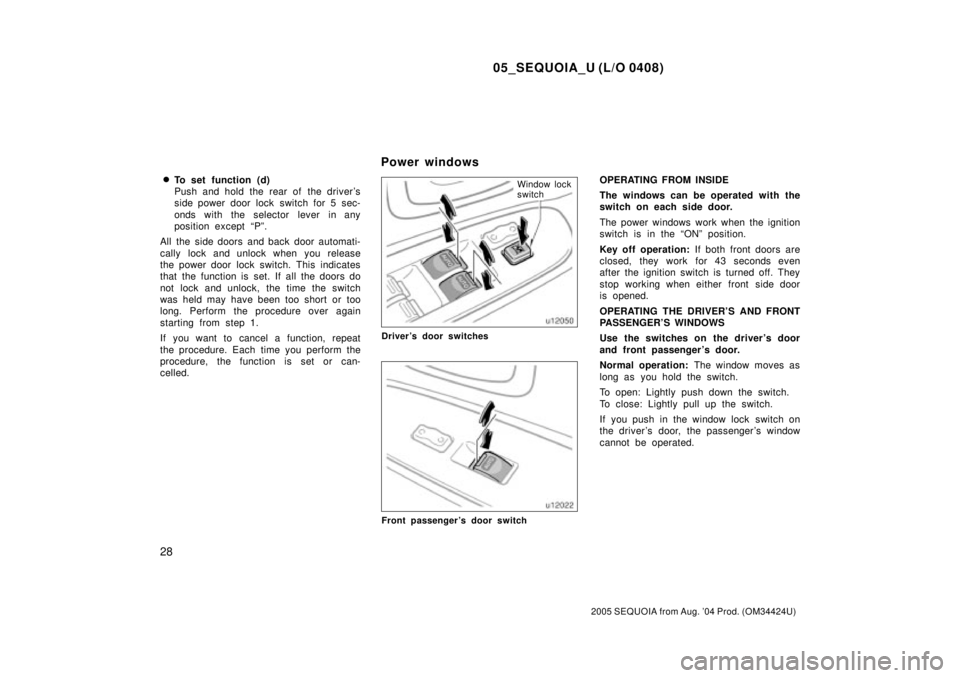
celled.Window lock
switch
Driver's door switches
Front passenger's door switch
OPERATING FROM INSIDE
The windows can be operated with the
switch on each side door.
The power windows work when the ignition
switch is in the ªONº position.
Key off operation: If both front doors are
closed, they work for 43 seconds even
after the ignition switch is turned off. They
stop working when either front side door
is opened.
OPERATING THE DRIVER'S AND FRONT
PASSENGER'S WINDOWS
Use the switches on the driver's door
and front passenger 's door.
Normal operation: The window moves as
long as you hold the switch.
To open: Lightly push down the switch.
To close: Lightly pull up the switch.
If you push in the window lock switch on
the driver 's door, the passenger 's window
cannot be operated.
Power windows
Page 3890 of 4323
05_SEQUOIA_U (L/O 0408)
31
2005 SEQUOIA from Aug. '04 Prod. (OM34424U)
CAUTION
To avoid serious personal injury, you
must do the following.
�Before you close the power win-
dows, always make sure there is
nobody around the power windows.
You must also make sure the
heads, hands and other parts of the
bodies of all occupants are kept
completely inside the vehicle. If
someone's neck, head or hands get
caught in a closing window, it
could result in a serious injury.
When anyone closes the power win-
dows, make sure he or she oper-
ates the windows safely.
�When small children are in the ve-
hicle, never let them use the power
window switches without supervi-
sion. Use the window lock switch to
prevent them from making unex-
pected use of the switches.
�Be sure to remove the ignition key
when you leave your vehicle.
�Never leave anyone (particularly a
small child) alone in your vehicle,
especially with the ignition key still
inserted. Otherwise, he/she could
use the power window switches and
get trapped in a window. Unat-
tended person (particularly a small
child) can be involved in a serious
accident.
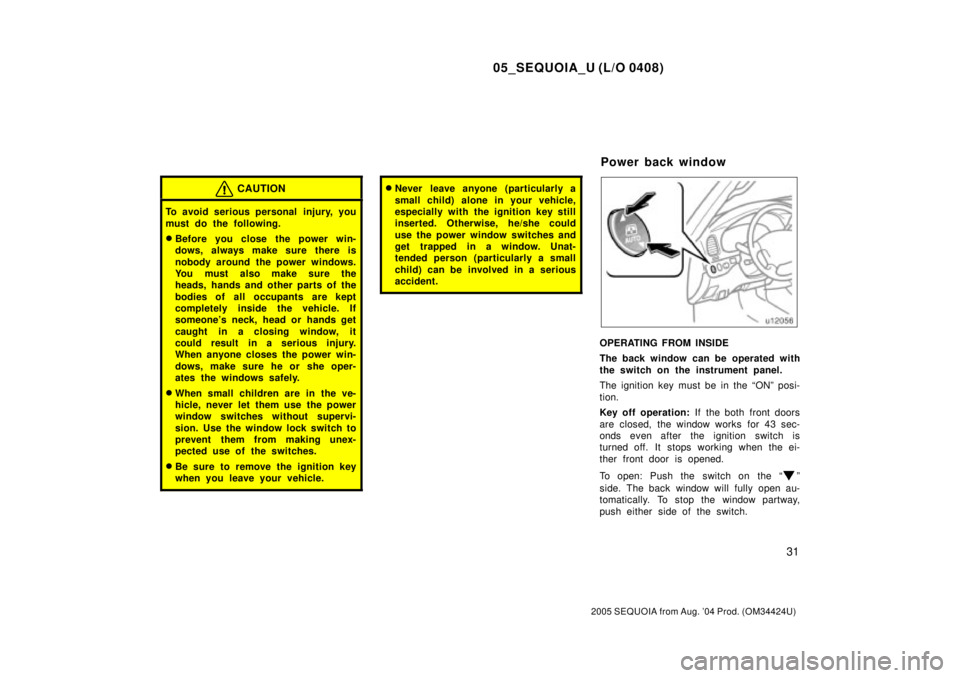
OPERATING FROM INSIDE
The back window can be operated with
the switch on the instrument panel.
The ignition key must be in the ªONº posi-
tion.
Key off operation: If the both front doors
are closed, the window works for 43 sec-
onds even after the ignition switch is
turned off. It stops working when the ei-
ther front door is opened.
To open: Push the switch on the ª
º
side. The back window will fully open au-
tomatically. To stop the window partway,
push either side of the switch.
Power back window