Page 448 of 1306
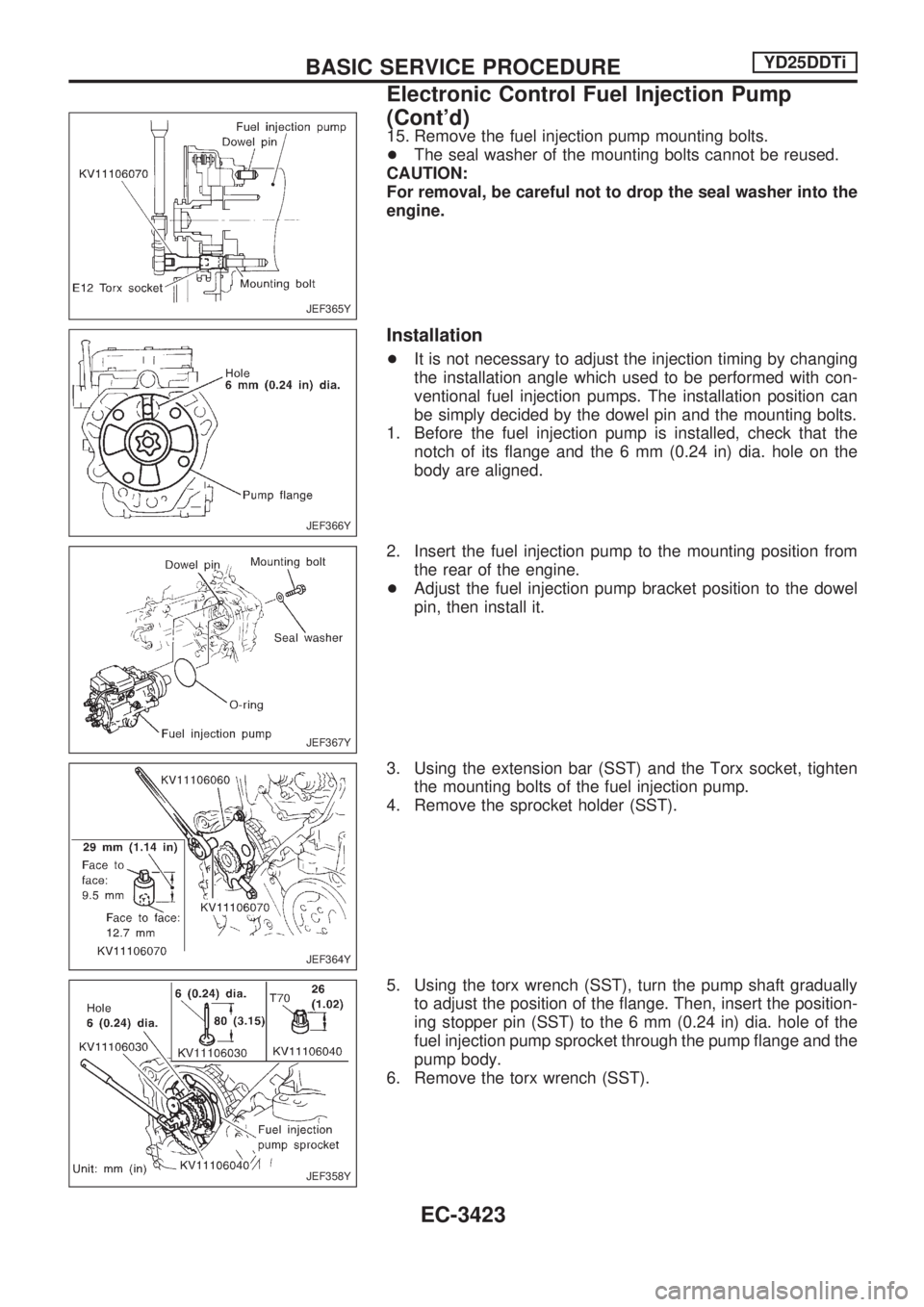
15. Remove the fuel injection pump mounting bolts.
+The seal washer of the mounting bolts cannot be reused.
CAUTION:
For removal, be careful not to drop the seal washer into the
engine.
Installation
+It is not necessary to adjust the injection timing by changing
the installation angle which used to be performed with con-
ventional fuel injection pumps. The installation position can
be simply decided by the dowel pin and the mounting bolts.
1. Before the fuel injection pump is installed, check that the
notch of its flange and the 6 mm (0.24 in) dia. hole on the
body are aligned.
2. Insert the fuel injection pump to the mounting position from
the rear of the engine.
+Adjust the fuel injection pump bracket position to the dowel
pin, then install it.
3. Using the extension bar (SST) and the Torx socket, tighten
the mounting bolts of the fuel injection pump.
4. Remove the sprocket holder (SST).
5. Using the torx wrench (SST), turn the pump shaft gradually
to adjust the position of the flange. Then, insert the position-
ing stopper pin (SST) to the 6 mm (0.24 in) dia. hole of the
fuel injection pump sprocket through the pump flange and the
pump body.
6. Remove the torx wrench (SST).
JEF365Y
JEF366Y
JEF367Y
JEF364Y
JEF358Y
BASIC SERVICE PROCEDUREYD25DDTi
Electronic Control Fuel Injection Pump
(Cont'd)
EC-3423
Page 449 of 1306
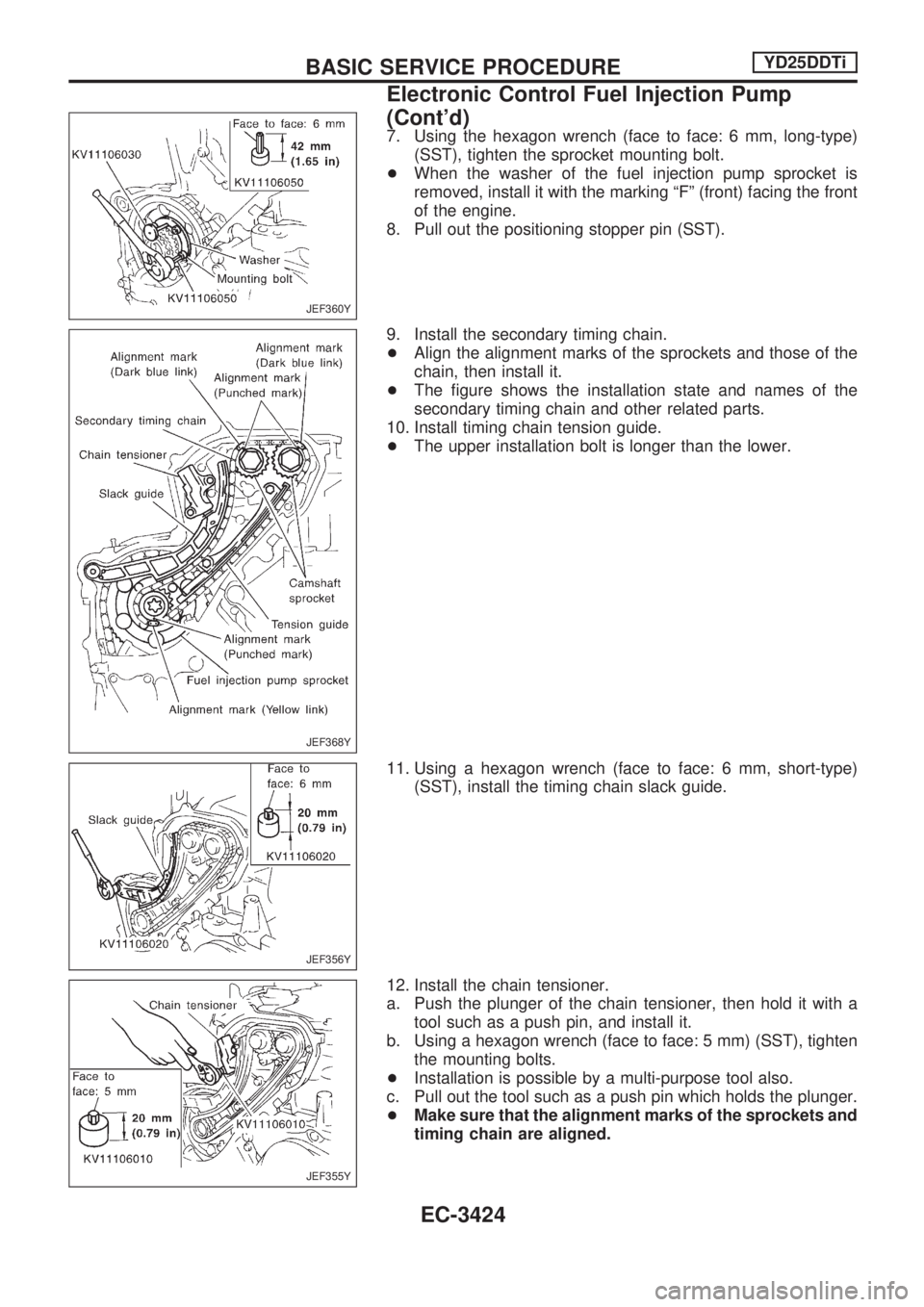
7. Using the hexagon wrench (face to face: 6 mm, long-type)
(SST), tighten the sprocket mounting bolt.
+When the washer of the fuel injection pump sprocket is
removed, install it with the marking ªFº (front) facing the front
of the engine.
8. Pull out the positioning stopper pin (SST).
9. Install the secondary timing chain.
+Align the alignment marks of the sprockets and those of the
chain, then install it.
+The figure shows the installation state and names of the
secondary timing chain and other related parts.
10. Install timing chain tension guide.
+The upper installation bolt is longer than the lower.
11. Using a hexagon wrench (face to face: 6 mm, short-type)
(SST), install the timing chain slack guide.
12. Install the chain tensioner.
a. Push the plunger of the chain tensioner, then hold it with a
tool such as a push pin, and install it.
b. Using a hexagon wrench (face to face: 5 mm) (SST), tighten
the mounting bolts.
+Installation is possible by a multi-purpose tool also.
c. Pull out the tool such as a push pin which holds the plunger.
+Make sure that the alignment marks of the sprockets and
timing chain are aligned.
JEF360Y
JEF368Y
JEF356Y
JEF355Y
BASIC SERVICE PROCEDUREYD25DDTi
Electronic Control Fuel Injection Pump
(Cont'd)
EC-3424
Page 451 of 1306
Air Bleeding
Pump the priming pump to bleed air.
+When air is bled completely, the pumping of the priming
pump suddenly becomes heavy. Stop operation at that
time.
+If it is difficult to bleed air by the pumping of the prim-
ing pump (the pumping of the priming pump does not
become heavy), disconnect the fuel supply hose
between the fuel filter and the injection pump. Then, per-
form the operation described above, and make sure that
fuel comes out. (Use a pan, etc. so as not to spill fuel.
Do not let fuel get on engine and other parts.) After that,
connect the hose, and then bleed air again.
+Start engine and let it idle for at least one minute after
performing air bleeding.
Water Draining
EXCEPT FOR EUROPE
+If the MIL illuminates or blinks during the engine operation,
drain the water as follows.
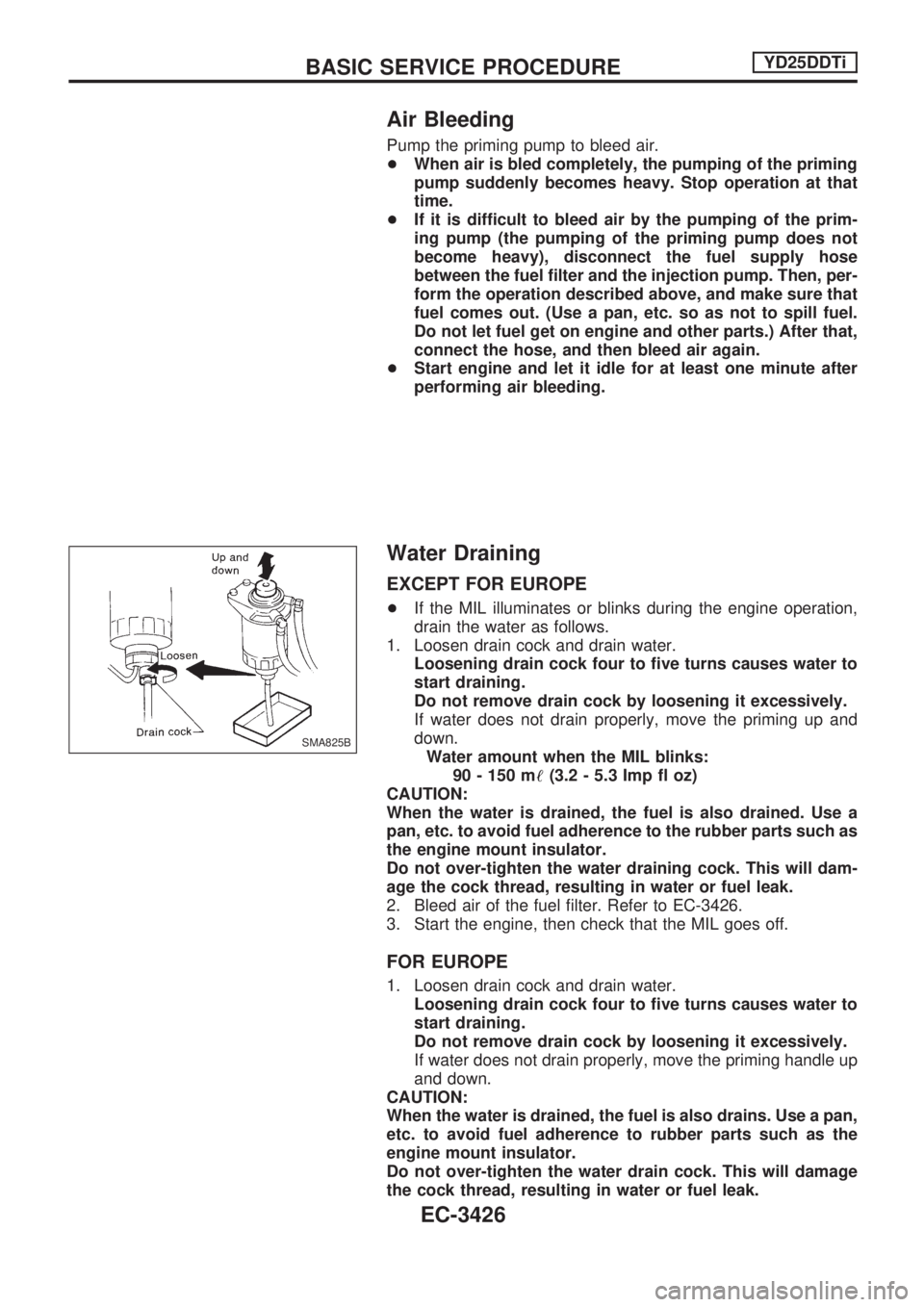
1. Loosen drain cock and drain water.
Loosening drain cock four to five turns causes water to
start draining.
Do not remove drain cock by loosening it excessively.
If water does not drain properly, move the priming up and
down.
Water amount when the MIL blinks:
90 - 150 m!(3.2 - 5.3 Imp fl oz)
CAUTION:
When the water is drained, the fuel is also drained. Use a
pan, etc. to avoid fuel adherence to the rubber parts such as
the engine mount insulator.
Do not over-tighten the water draining cock. This will dam-
age the cock thread, resulting in water or fuel leak.
2. Bleed air of the fuel filter. Refer to EC-3426.
3. Start the engine, then check that the MIL goes off.
FOR EUROPE
1. Loosen drain cock and drain water.
Loosening drain cock four to five turns causes water to
start draining.
Do not remove drain cock by loosening it excessively.
If water does not drain properly, move the priming handle up
and down.
CAUTION:
When the water is drained, the fuel is also drains. Use a pan,
etc. to avoid fuel adherence to rubber parts such as the
engine mount insulator.
Do not over-tighten the water drain cock. This will damage
the cock thread, resulting in water or fuel leak.
SMA825B
BASIC SERVICE PROCEDUREYD25DDTi
EC-3426
Page 452 of 1306
2. Bleed air of the fuel filter. Refer to EC-3426.
Accelerator Position Sensor Idle Position
Learning
DESCRIPTION
ªAccelerator Position Sensor Idle Position Learningº is an opera-
tion to clear the self-learning fully closed accelerator position.
It must be performed each time harness connector of accelera-
tor position sensor or ECM is disconnected.
OPERATION PROCEDURE
With CONSULT-II
1. Turn ignition switch ªONº.
2. Select ªOFF ACCEL PO SIGº in ªACTIVE TESTº mode with
CONSULT-II.
3. Touch ªCLEARº.
Without CONSULT-II
1. Start engine and warm it up to normal operating temperature.
2. Let engine idle for 10 minutes.
BASIC SERVICE PROCEDUREYD25DDTi
EC-3427
Page 453 of 1306
DTC and MIL Detection Logic
When a malfunction is detected, the malfunction (DTC) is stored in the ECM memory.
The MIL will light up each time the ECM detects malfunction. For diagnostic items causing the MIL to light
up, refer to ªTROUBLE DIAGNOSIS Ð INDEXº, EC-3400.
Diagnostic Trouble Code (DTC)
HOW TO READ DTC
The DTC can be read by the following methods.
Without CONSULT-II
ECM displays the DTC by a set of four digit numbers with MIL illumination in the diagnostic test mode II
(Self-diagnostic results). Example: 0407, 1004, etc.
With CONSULT-II
CONSULT-II displays the DTC in ªSELF-DIAG RESULTSº mode. Examples: ªCRANK POS SEN (TDC)º, etc.
HOW TO ERASE DTC
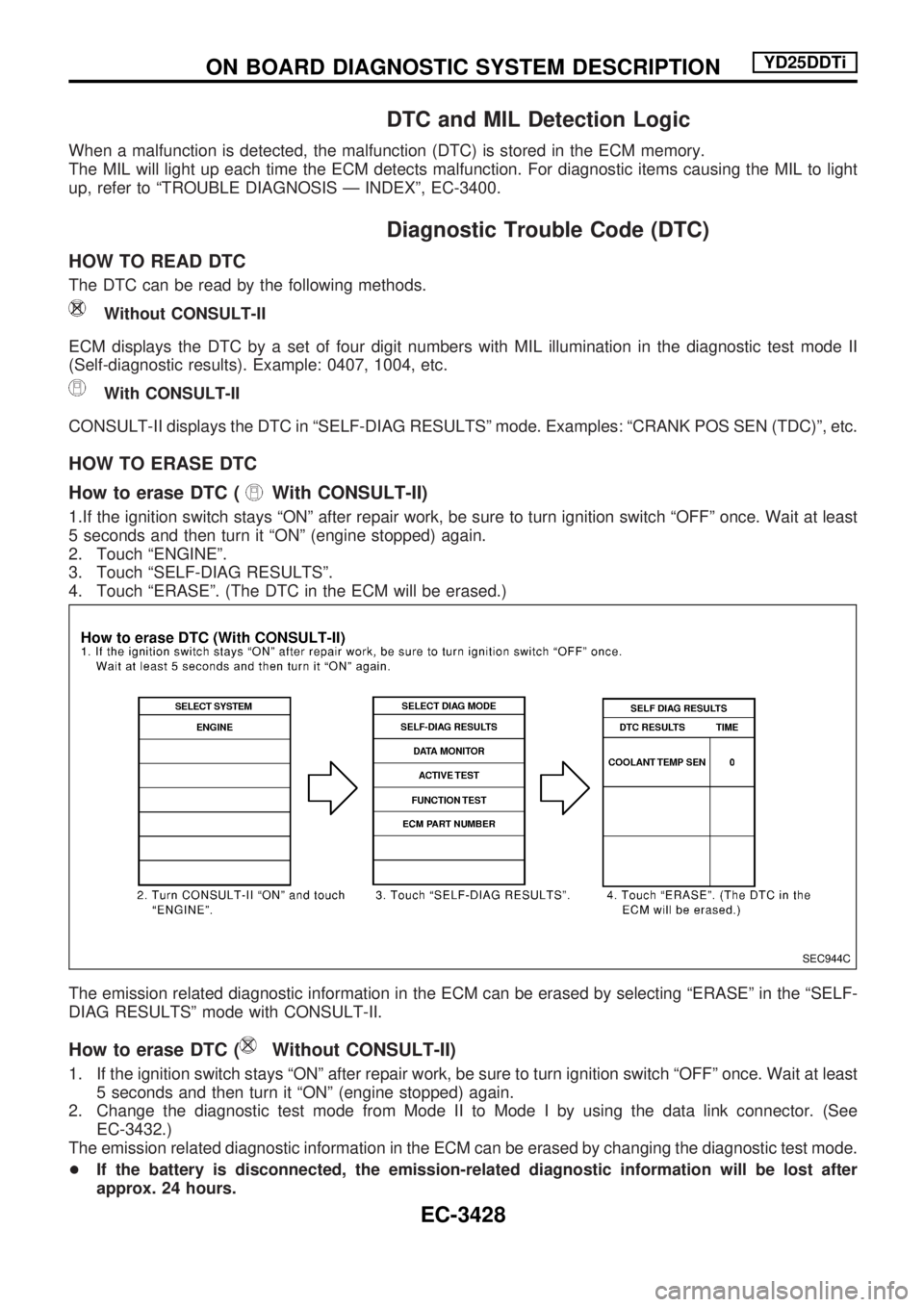
How to erase DTC (
With CONSULT-II)
1.If the ignition switch stays ªONº after repair work, be sure to turn ignition switch ªOFFº once. Wait at least
5 seconds and then turn it ªONº (engine stopped) again.
2. Touch ªENGINEº.
3. Touch ªSELF-DIAG RESULTSº.
4. Touch ªERASEº. (The DTC in the ECM will be erased.)
The emission related diagnostic information in the ECM can be erased by selecting ªERASEº in the ªSELF-
DIAG RESULTSº mode with CONSULT-II.
How to erase DTC (Without CONSULT-II)
1. If the ignition switch stays ªONº after repair work, be sure to turn ignition switch ªOFFº once. Wait at least
5 seconds and then turn it ªONº (engine stopped) again.
2. Change the diagnostic test mode from Mode II to Mode I by using the data link connector. (See
EC-3432.)
The emission related diagnostic information in the ECM can be erased by changing the diagnostic test mode.
+If the battery is disconnected, the emission-related diagnostic information will be lost after
approx. 24 hours.
SEC944C
ON BOARD DIAGNOSTIC SYSTEM DESCRIPTIONYD25DDTi
EC-3428
Page 454 of 1306
+Erasing the emission-related diagnostic information using CONSULT-II is easier and quicker than
switching the diagnostic test mode using the data link connector.
NATS (Nissan Anti-Theft System)
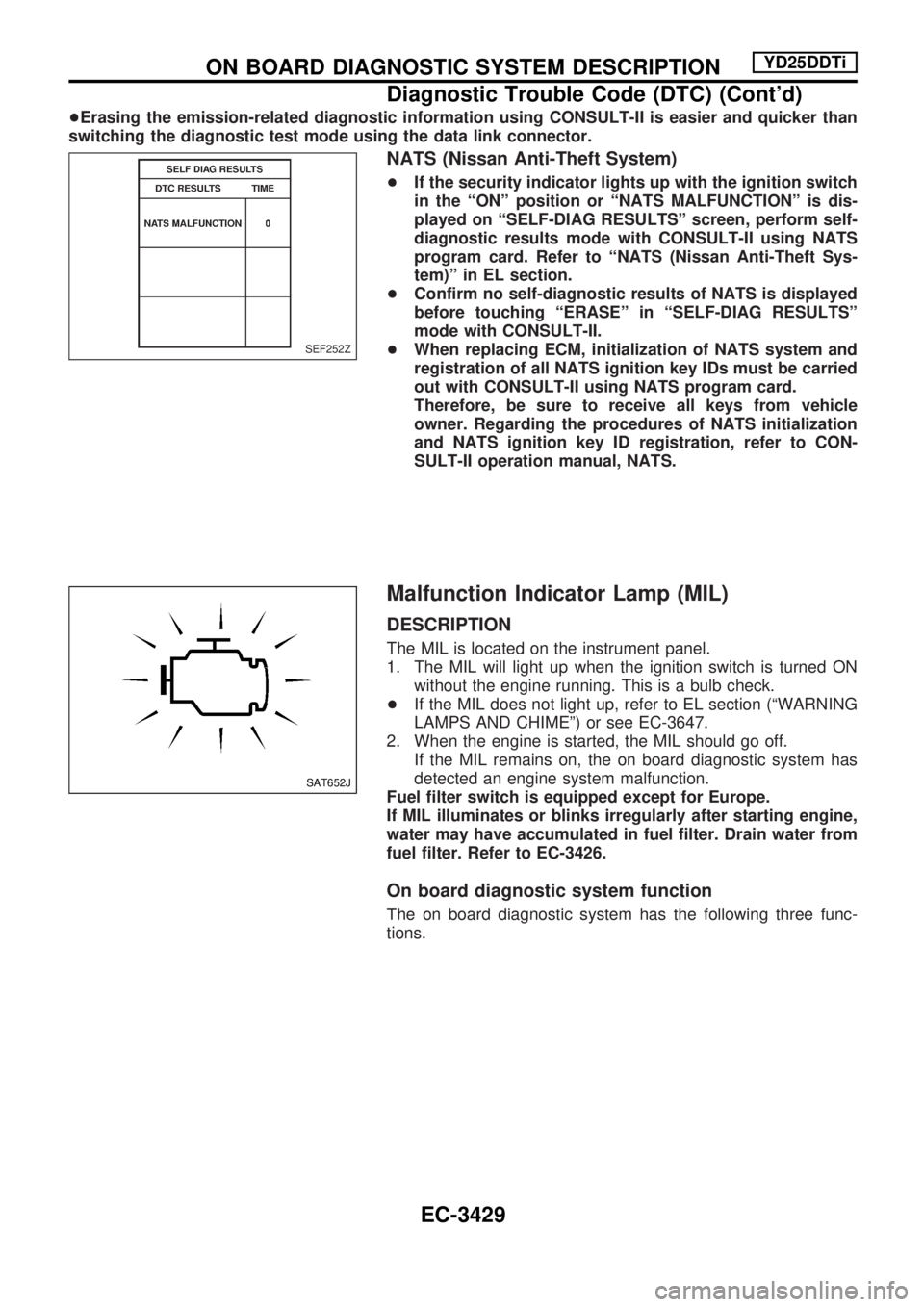
+If the security indicator lights up with the ignition switch
in the ªONº position or ªNATS MALFUNCTIONº is dis-
played on ªSELF-DIAG RESULTSº screen, perform self-
diagnostic results mode with CONSULT-II using NATS
program card. Refer to ªNATS (Nissan Anti-Theft Sys-
tem)º in EL section.
+Confirm no self-diagnostic results of NATS is displayed
before touching ªERASEº in ªSELF-DIAG RESULTSº
mode with CONSULT-II.
+When replacing ECM, initialization of NATS system and
registration of all NATS ignition key IDs must be carried
out with CONSULT-II using NATS program card.
Therefore, be sure to receive all keys from vehicle
owner. Regarding the procedures of NATS initialization
and NATS ignition key ID registration, refer to CON-
SULT-II operation manual, NATS.
Malfunction Indicator Lamp (MIL)
DESCRIPTION
The MIL is located on the instrument panel.
1. The MIL will light up when the ignition switch is turned ON
without the engine running. This is a bulb check.
+If the MIL does not light up, refer to EL section (ªWARNING
LAMPS AND CHIMEº) or see EC-3647.
2. When the engine is started, the MIL should go off.
If the MIL remains on, the on board diagnostic system has
detected an engine system malfunction.
Fuel filter switch is equipped except for Europe.
If MIL illuminates or blinks irregularly after starting engine,
water may have accumulated in fuel filter. Drain water from
fuel filter. Refer to EC-3426.
On board diagnostic system function
The on board diagnostic system has the following three func-
tions.
SEF252Z
SAT652J
ON BOARD DIAGNOSTIC SYSTEM DESCRIPTIONYD25DDTi
Diagnostic Trouble Code (DTC) (Cont'd)
EC-3429
Page 455 of 1306
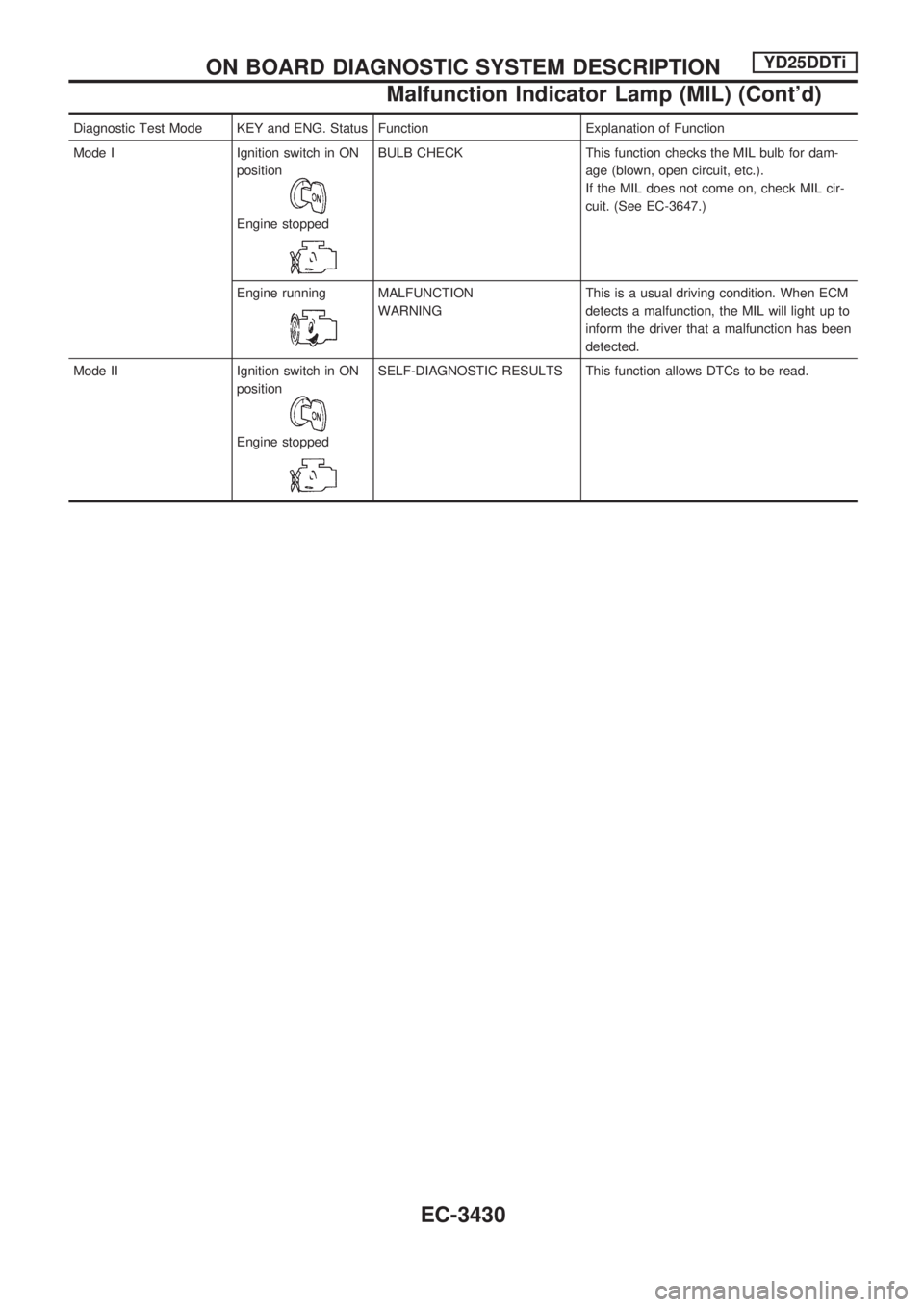
Diagnostic Test Mode KEY and ENG. Status Function Explanation of Function
Mode I Ignition switch in ON
position
Engine stopped
BULB CHECK This function checks the MIL bulb for dam-
age (blown, open circuit, etc.).
If the MIL does not come on, check MIL cir-
cuit. (See EC-3647.)
Engine running
MALFUNCTION
WARNINGThis is a usual driving condition. When ECM
detects a malfunction, the MIL will light up to
inform the driver that a malfunction has been
detected.
Mode II Ignition switch in ON
position
Engine stopped
SELF-DIAGNOSTIC RESULTS This function allows DTCs to be read.
ON BOARD DIAGNOSTIC SYSTEM DESCRIPTIONYD25DDTi
Malfunction Indicator Lamp (MIL) (Cont'd)
EC-3430
Page 459 of 1306
CONSULT-II
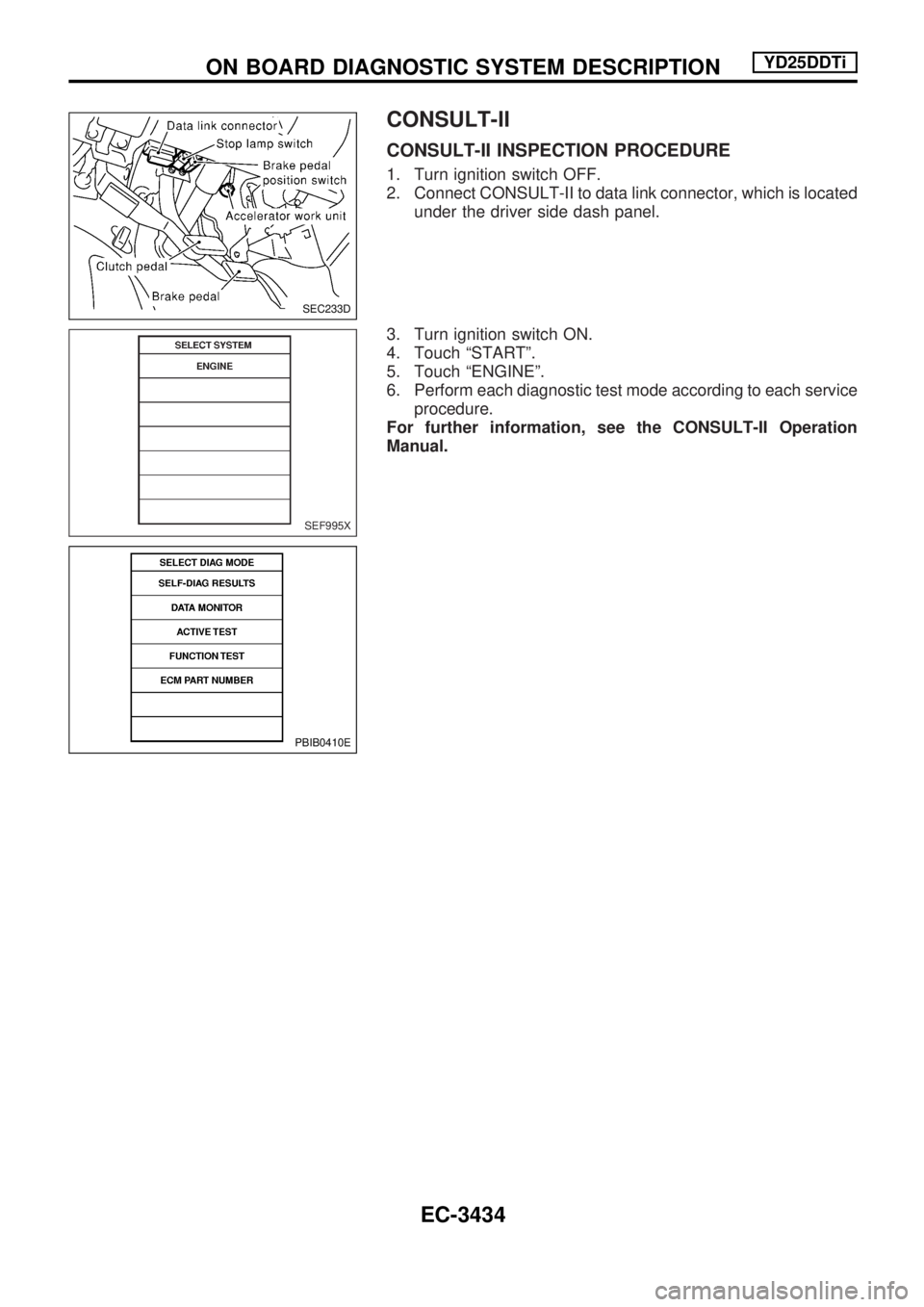
CONSULT-II INSPECTION PROCEDURE
1. Turn ignition switch OFF.
2. Connect CONSULT-II to data link connector, which is located
under the driver side dash panel.
3. Turn ignition switch ON.
4. Touch ªSTARTº.
5. Touch ªENGINEº.
6. Perform each diagnostic test mode according to each service
procedure.
For further information, see the CONSULT-II Operation
Manual.
SEC233D
SEF995X
PBIB0410E
ON BOARD DIAGNOSTIC SYSTEM DESCRIPTIONYD25DDTi
EC-3434