Page 99 of 343

HomeLink Universal Transmitter
3. Press the Training button on the motor/control unit until the
Training light comes on, then release it.
4. Press and release the desired button on the HomeLink
transmitter.
5. Press and release the HomeLink transmitter button again. Thisshould turn off the training light
on the motor/control unit. (Some
systems may require you to press
and release the button three times.)
6. Press the transmitter button again. It should operate the garage door.
Erasing Codes
To erase the codes stored in all three buttons, press and hold the two outside buttons until the red light
begins to flash, then release the
buttons.
You should erase all three codes before selling the vehicle. As required by the FCC:
This device complies with Part 15 of the
FCC rules. Operation is subject to the
following two conditions: (1) This device
may not cause harmful interference, and (2) this device must accept any
interference received, including
interference that may cause undesired
operation.
This device complies with DOC
regulations in Canada.
Changes or modifications not expressly
approved by the party responsible for compliance could void the user's
authority to operate the equipment.
Instruments and ControlsProCarManuals.comMain Menu Table of Contents s t
Page 130 of 343

Comfort and Convenience Features
The heating and air conditioning systems in your Honda provide a
comfortable driving environment in
all weather conditions.
The standard audio system has many features. This section de-scribes those features and how to
use them. (If you selected an optional audio system, refer to the
operating instructions that came
with it.)
On EX model
Your Honda has an anti-theft audio
system that requires a code number
to enable it.
Heating and Cooling...................... 130
What Each Control Does.......... 130How to Use the System............. 133
To Turn Everything Off........... 137
Climate Control System ................138 Fully-automatic Operation........ 140
Semi-automatic Operation........ 141
Sunlight Sensor/Temperature Sensor............. 145
Rear A/C Unit............................ 146
Audio System (LX)........................ 149 AM/FM/Cassette StereoAudio System......................... 149
Operating the Radio.................. 150
Adjusting the Sound.................. 153
Audio System Lighting............. 154
Operating the Cassette Player...................................... 154
Tape Search Functions............. 154 Operating the Optional CD Player/Changer..................... 157
CD Changer Error
Indications.............................. 160
Audio System (EX)........................ 161
AM/FM/CD Audio System..... 161
Operating the Radio.................. 162
Adjusting the Sound.................. 166
Audio System Lighting............. 167 Radio Frequencies..................... 167
Radio Reception......................... 167Operating the CD Player.......... 169
Operating the CD Changer...... 171
Protecting Compact Discs........ 172 CD Player Error Indications..... 173
CD Changer Error
Indications.............................. 174
Operating the Cassette Player...................................... 175
Tape Search Functions............. 176 Caring for the Cassette Player...................................... 178
Remote Audio Controls ............ 179
Theft Protection........................ 180
Comfort and Convenience FeaturesProCarManuals.comMain Menu s t
Page 132 of 343
Heating and Cooling
Mode Buttons
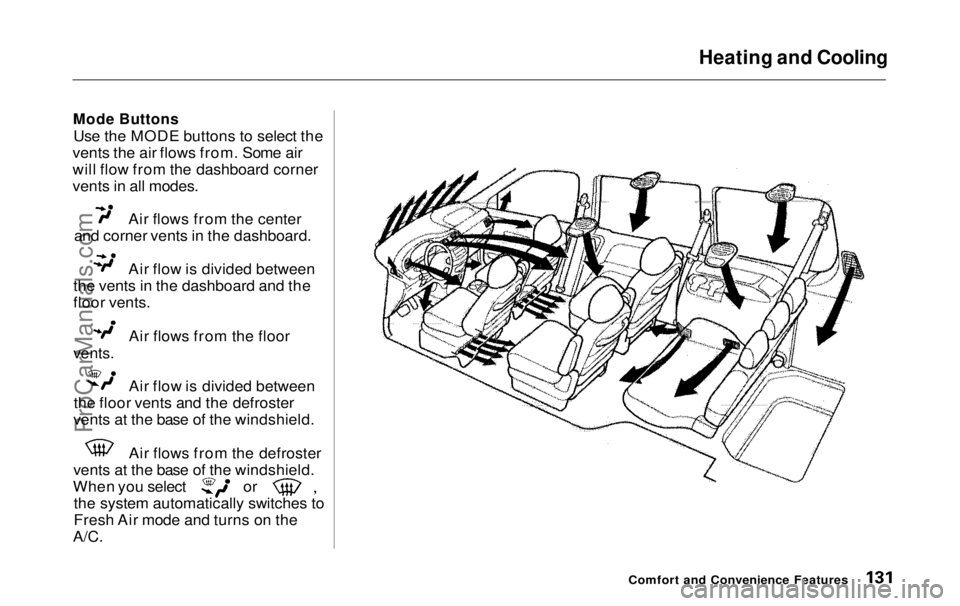
Use the MODE buttons to select the
vents the air flows from. Some air
will flow from the dashboard corner
vents in all modes. Air flows from the center
and corner vents in the dashboard. Air flow is divided between
the vents in the dashboard and the
floor vents. Air flows from the floor
vents.
Air flow is divided between
the floor vents and the defroster
vents at the base of the windshield. Air flows from the defroster
vents at the base of the windshield. When you select or
the system automatically switches to
Fresh Air mode and turns on the
A/C.
Comfort and Convenience FeaturesProCarManuals.comMain Menu Table of Contents s t
Page 136 of 343
Heating and Cooling
To Heat
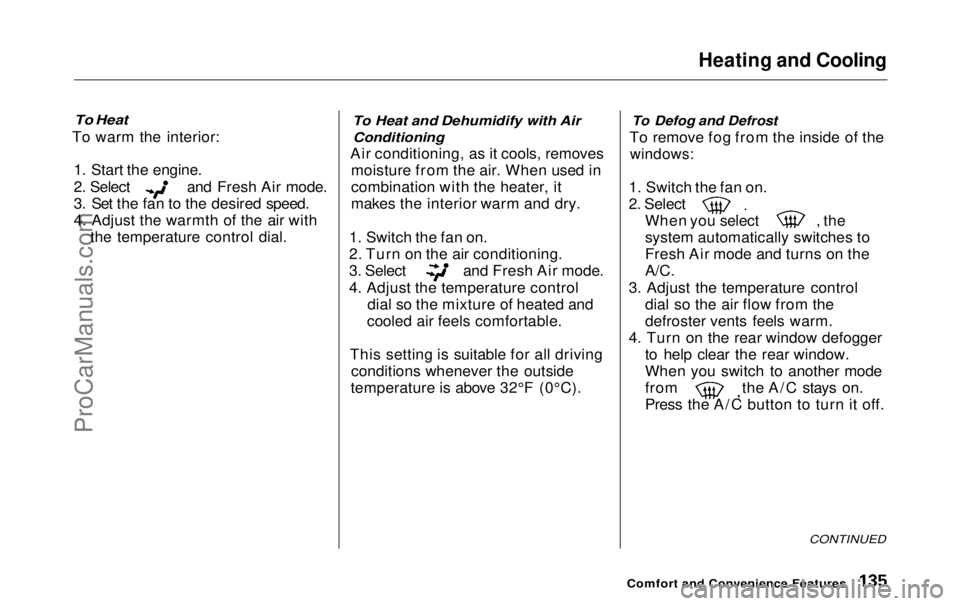
To warm the interior:
1. Start the engine. 2. Select and Fresh Air mode.
3. Set the fan to the desired speed.
4. Adjust the warmth of the air with
the temperature control dial.
To Heat and Dehumidify with Air
Conditioning
Air conditioning, as it cools, removes moisture from the air. When used in
combination with the heater, it
makes the interior warm and dry.
1. Switch the fan on.
2. Turn on the air conditioning. 3. Select and Fresh Air mode.
4. Adjust the temperature control
dial so the mixture of heated and
cooled air feels comfortable.
This setting is suitable for all driving conditions whenever the outside
temperature is above 32°F (0°C).
To Defog and Defrost
To remove fog from the inside of the
windows:
1. Switch the fan on. 2. Select
When you select the
system automatically switches to
Fresh Air mode and turns on the
A/C.
3. Adjust the temperature control dial so the air flow from the
defroster vents feels warm.
4. Turn on the rear window defogger to help clear the rear window.
When you switch to another mode from the A/C stays on.
Press the A/C button to turn it off.
CONTINUED
Comfort and Convenience FeaturesProCarManuals.comMain Menu Table of Contents s t
Page 138 of 343
Heating and Cooling
These settings direct all the air flow to the defroster vents at the base ofthe windshield and the side windowdefroster vents. The air flow will get
warmer and clear the windows faster as the engine warms up. You can
close the corner vents with the dial
beside each vent. This will send
more warm air to the windshield
defroster vents.
For safety, make sure you have a
clear view through all the windows
before driving away. To Turn Everything Off
To shut off the system temporarily,
turn the fan speed and temperaturecontrol dials all the way to the left.
You should shut the system completely off only for the first few
minutes of driving in cold weather,
until the engine coolant warms up
enough to operate the heater. Keep
the fan on at all other times so stale air does not build up in the interior.
Comfort and Convenience FeaturesProCarManuals.comMain Menu Table of Contents s t
Page 139 of 343
Climate Control System
On EX model
The automatic climate control system in your Honda picks the
proper combination of air condi-
tioning, heating, and ventilation to maintain the interior temperature
you select. The system also adjusts the fan speed and air flow levels.
Your vehicle also has a rear A/C unit that allows the rear passengers toadjust the heating, cooling, and air
flow (see page 146).
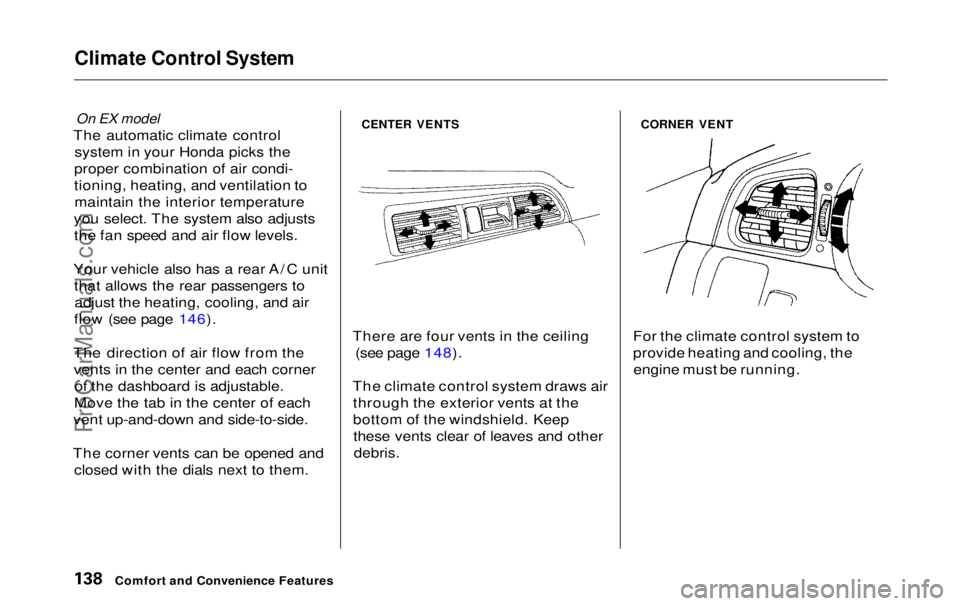
The direction of air flow from the vents in the center and each corner of the dashboard is adjustable.
Move the tab in the center of each
vent up-and-down and side-to-side.
The corner vents can be opened and closed with the dials next to them.
CENTER VENTS
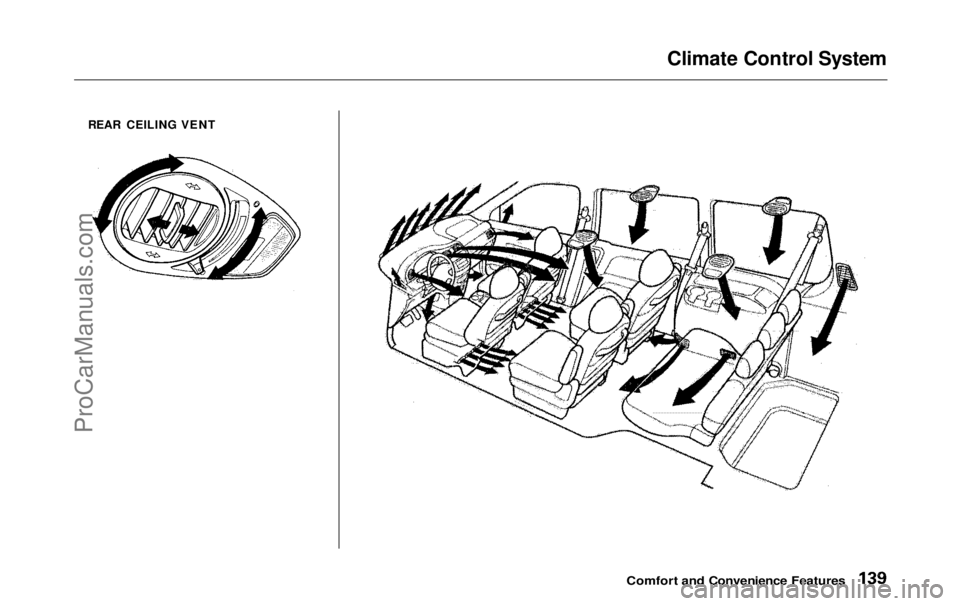
There are four vents in the ceiling (see page 148).
The climate control system draws air through the exterior vents at the
bottom of the windshield. Keepthese vents clear of leaves and other
debris.
CORNER VENT
For the climate control system to
provide heating and cooling, the engine must be running.
Comfort and Convenience FeaturesProCarManuals.comMain Menu Table of Contents s t
Page 140 of 343
Climate Control System
REAR CEILING VENT
Comfort and Convenience FeaturesProCarManuals.comMain Menu Table of Contents s t
Page 144 of 343
Climate Control System
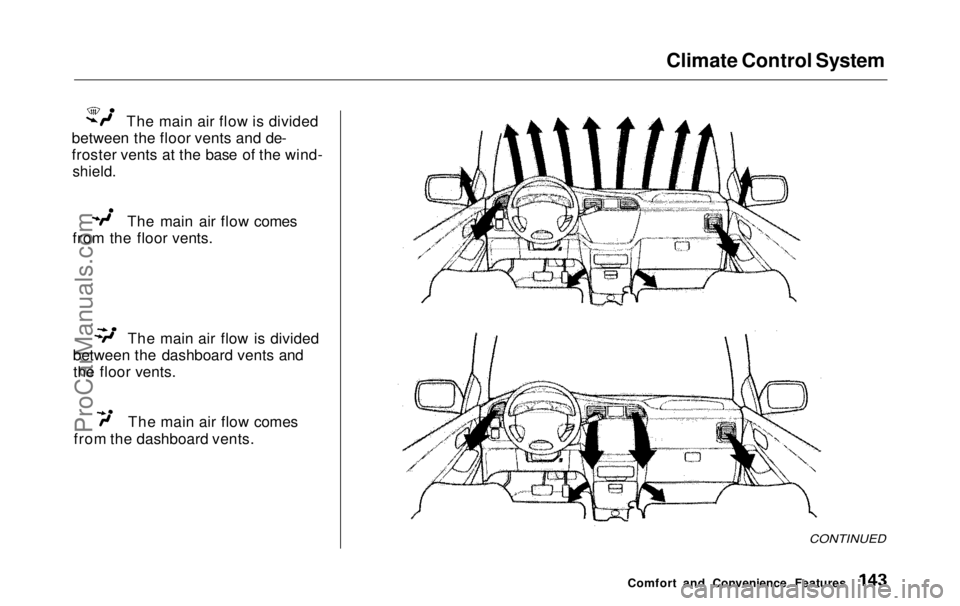
The main air flow is divided
between the floor vents and de-
froster vents at the base of the wind-
shield.
The main air flow comes
from the floor vents. The main air flow is divided
between the dashboard vents and the floor vents. The main air flow comes
from the dashboard vents.
CONTINUED
Comfort and Convenience FeaturesProCarManuals.comMain Menu Table of Contents s t