Page 174 of 343
Audio System
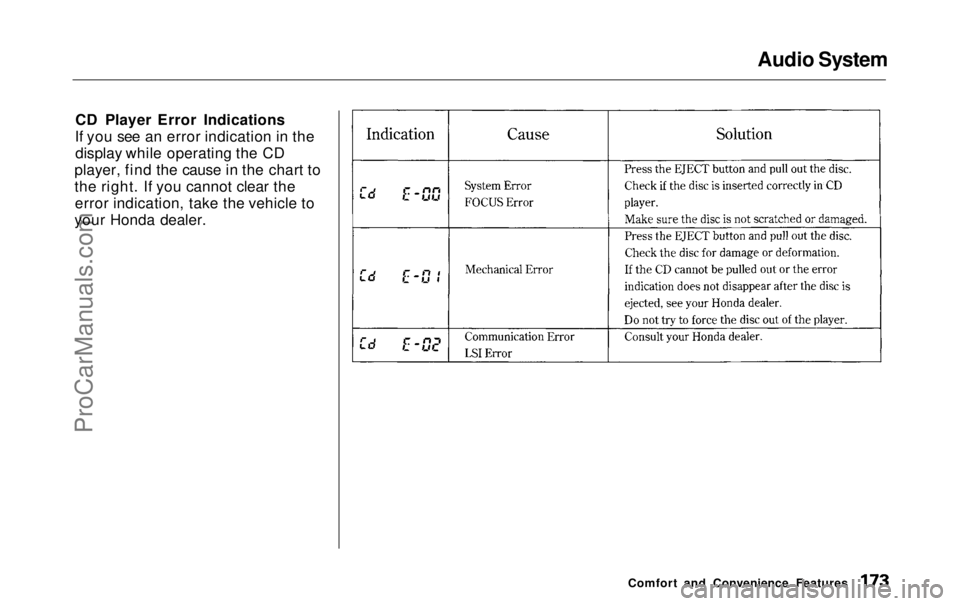
CD Player Error Indications
If you see an error indication in the display while operating the CD
player, find the cause in the chart to
the right. If you cannot clear the error indication, take the vehicle to
your Honda dealer.
Comfort and Convenience FeaturesProCarManuals.comMain Menu Table of Contents s t
Page 175 of 343
Audio System
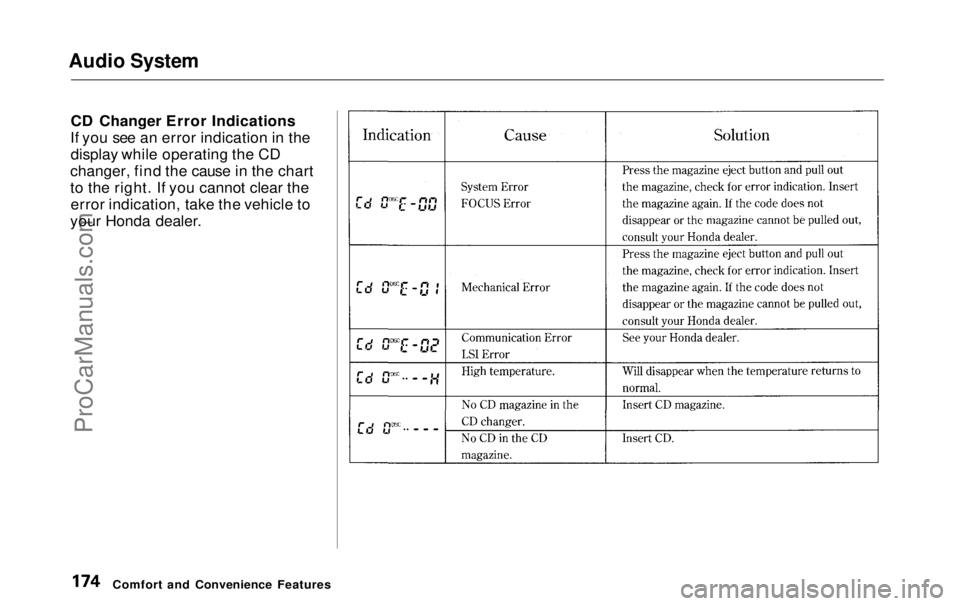
CD Changer Error Indications
If you see an error indication in the display while operating the CD
changer, find the cause in the chart
to the right. If you cannot clear the error indication, take the vehicle to
your Honda dealer.
Comfort and Convenience FeaturesProCarManuals.comMain Menu Table of Contents s t
Page 177 of 343
Audio System
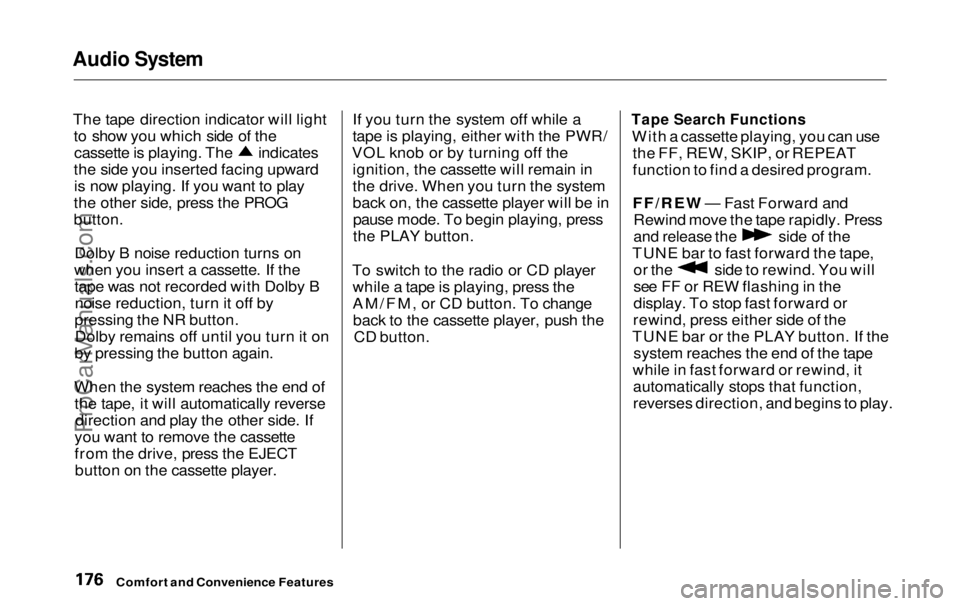
The tape direction indicator will light to show you which side of the cassette is playing. The indicates
the side you inserted facing upward is now playing. If you want to play
the other side, press the PROG
button.
Dolby B noise reduction turns on
when you insert a cassette. If the tape was not recorded with Dolby Bnoise reduction, turn it off by
pressing the NR button. Dolby remains off until you turn it on
by pressing the button again.
When the system reaches the end of the tape, it will automatically reverse direction and play the other side. If
you want to remove the cassette
from the drive, press the EJECT button on the cassette player. If you turn the system off while a
tape is playing, either with the PWR/
VOL knob or by turning off the ignition, the cassette will remain in
the drive. When you turn the system
back on, the cassette player will be inpause mode. To begin playing, press
the PLAY button.
To switch to the radio or CD player while a tape is playing, press the
AM/FM, or CD button. To changeback to the cassette player, push the CD button.
Tape Search Functions
With a cassette playing, you can use the FF, REW, SKIP, or REPEAT
function to find a desired program.
FF/REW — Fast Forward andRewind move the tape rapidly. Press
and release the
side of the
TUNE bar to fast forward the tape, or the side to rewind. You will
see FF or REW flashing in the
display. To stop fast forward or
rewind, press either side of the
TUNE bar or the PLAY button. If the system reaches the end of the tape
while in fast forward or rewind, it
automatically stops that function,
reverses direction, and begins to play.
Comfort and Convenience FeaturesProCarManuals.comMain Menu Table of Contents s t
Page 178 of 343
Audio System
SKIP — The skip function allows
you to find the beginning of a song or passage. To activate SKIP, press
the SEEK/SKIP bar. Press the side to advance to the
beginning of the next song or passage, or the side to return to
the beginning of the current song or
passage. FF or REW will flash in the
display as the tape moves. When the
system reaches the beginning of the
next song or passage (FF), or the
beginning of the current one (REW), it goes back to PLAY mode. REPEAT — The Repeat function
continuously replays the current
song or passage. Press the RPT
button to activate it; you will see RPT displayed as a reminder. When thesystem reaches the end of the song
or passage currently playing, it will
automatically go into rewind. When
it senses the beginning of the same song or passage, the system returns
to PLAY mode. It will continue to repeat this same program until youdeactivate REPEAT by pressing the
button again. The SKIP and REPEAT functions
use silent periods on the tape to find
the end of a song or passage. These
features may not work to yoursatisfaction if there is almost no gap
between selections, a high noise
level between selections, or a silent period in the middle of selection.
Comfort and Convenience FeaturesProCarManuals.comMain Menu Table of Contents s t
Page 179 of 343
Audio System
Caring for the Cassette Player
The cassette player picks up dirt and oxides from the tape. This contami-
nation builds up over time and
causes the sound quality to degrade.
To prevent this, you should clean the player after every 30 hours of use.
Your dealer has a cleaning kit
available.
If you do not clean the cassette
player regularly, it may eventually
become impossible to remove the
contamination with a normal
cleaning kit.
Use 100-minute or shorter cassettes.
Cassettes longer than that use
thinner tape that may break or jam
the drive. Look at the cassette before you
insert it. If the tape is loose, tighten
it by turning a hub with a pencil or
your finger.
If the label is peeling off, remove it
from the cassette or it could cause the cassette to jam in the player.
Never try to insert a warped ordamaged cassette in the player.
When they are not in use, store cassettes in their cases to protect
them from dust and moisture. Never place cassettes where they will be
exposed to direct sunlight, high heat,or high humidity. If a cassette is
exposed to extreme heat or cold, let
it reach a moderate temperature
before inserting it in the player.
Never try to insert foreign objects
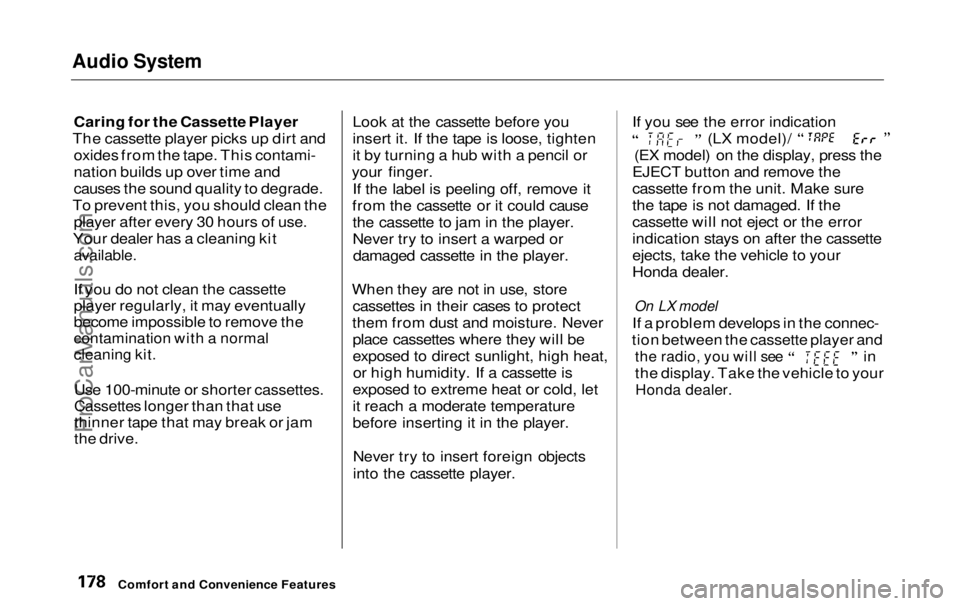
into the cassette player. If you see the error indication (LX model)/
(EX model) on the display, press the
EJECT button and remove the
cassette from the unit. Make sure
the tape is not damaged. If the
cassette will not eject or the error
indication stays on after the cassette
ejects, take the vehicle to your
Honda dealer.
On LX model
If a problem develops in the connec-
tion between the cassette player and
the radio, you will see
in
the display. Take the vehicle to your
Honda dealer.
Comfort and Convenience FeaturesProCarManuals.comMain Menu Table of Contents s t
Page 181 of 343
Audio System
Theft Protection
On EX model
Your vehicle's audio system will disable itself if it is disconnected
from electrical power for any reason.
To make it work again, the user must enter a specific five-digit code
in the Preset buttons. Because there
are hundreds of number
combinations possible from five
digits, making the system work
without knowing the exact code is nearly impossible.
You should have received a card that lists your audio system's codenumber and serial number. It is best
to store this card in a safe place at
home. In addition, you should write
the audio system's serial number in
this Owner's Manual. If you should
happen to lose the card, you must obtain the code number from your
Honda dealer. To do this, you will
need the system's serial number. If your vehicle's battery is discon-
nected or goes dead, or the radio
fuse is removed, the audio system
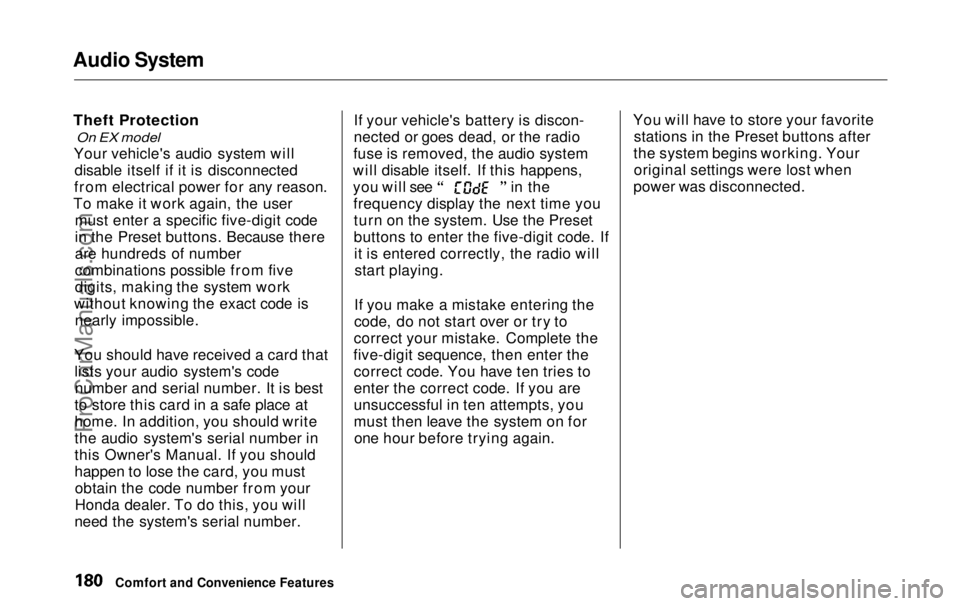
will disable itself. If this happens, you will see in the
frequency display the next time youturn on the system. Use the Preset
buttons to enter the five-digit code. Ifit is entered correctly, the radio willstart playing.
If you make a mistake entering the
code, do not start over or try to
correct your mistake. Complete the
five-digit sequence, then enter the correct code. You have ten tries to
enter the correct code. If you are
unsuccessful in ten attempts, you
must then leave the system on forone hour before trying again. You will have to store your favorite
stations in the Preset buttons after
the system begins working. Your original settings were lost when
power was disconnected.
Comfort and Convenience FeaturesProCarManuals.comMain Menu Table of Contents s t
Page 209 of 343
Traction Control System
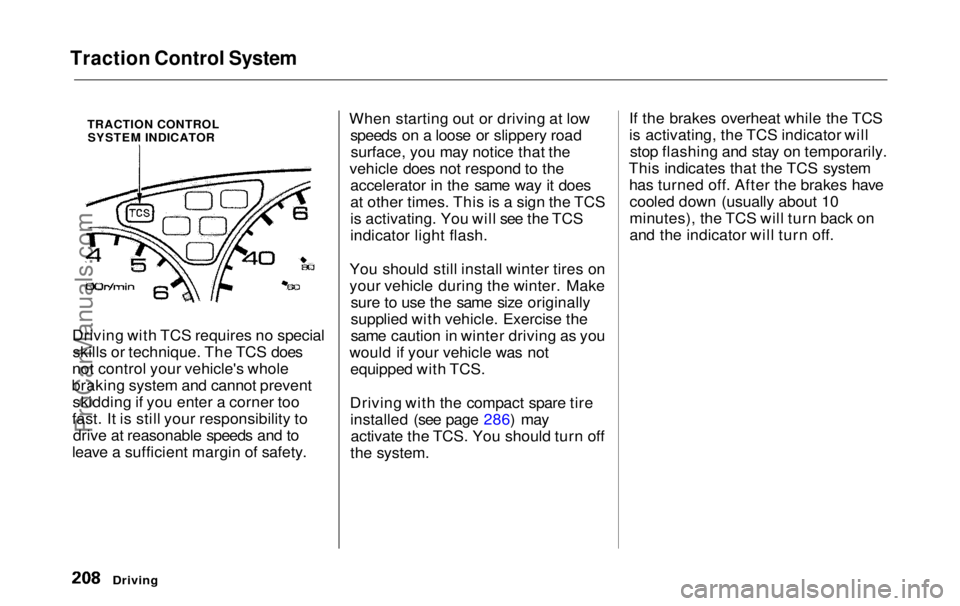
TRACTION CONTROLSYSTEM INDICATOR
Driving with TCS requires no special skills or technique. The TCS does
not control your vehicle's whole
braking system and cannot prevent skidding if you enter a corner too
fast. It is still your responsibility to drive at reasonable speeds and to
leave a sufficient margin of safety. When starting out or driving at low
speeds on a loose or slippery roadsurface, you may notice that the
vehicle does not respond to the accelerator in the same way it does
at other times. This is a sign the TCS
is activating. You will see the TCS
indicator light flash.
You should still install winter tires on
your vehicle during the winter. Make sure to use the same size originally
supplied with vehicle. Exercise the
same caution in winter driving as you
would if your vehicle was not equipped with TCS.
Driving with the compact spare tire installed (see page 286) mayactivate the TCS. You should turn off
the system. If the brakes overheat while the TCS
is activating, the TCS indicator will
stop flashing and stay on temporarily.
This indicates that the TCS system has turned off. After the brakes havecooled down (usually about 10
minutes), the TCS will turn back on
and the indicator will turn off.
DrivingProCarManuals.comMain Menu Table of Contents s t
Page 211 of 343

Driving in Bad Weather
Rain, fog, and snow conditions re-quire a different driving technique
because of reduced traction and
visibility. Keep your vehicle well- maintained and exercise greater
caution when you need to drive in
bad weather. The cruise control should not be used in these condi-
tions.
Driving Technique — Always drive
slower than you would in dry
weather. It takes your vehicle longer to react, even in conditions that mayseem just barely damp. Applysmooth, even pressure to all the
controls. Abrupt steering wheel
movements or sudden, hard appli-
cation of the brakes can cause loss of control in wet weather. Be extra
cautious for the first few miles (kilometers) of driving while you
adjust to the change in driving
conditions. This is especially true in snow. A person can forget some
snow-driving techniques during the
summer months. Practice is needed
to relearn those skills.
Exercise extra caution when driving
in rain after a long dry spell. After
months of dry weather, the first
rains bring oil to the surface of the
roadway, making it slippery. Visibility — Being able to see
clearly in all directions and being
visible to other drivers are important in all weather conditions. This ismore difficult in bad weather. To beseen more clearly during daylight
hours, turn on your headlights.
Inspect your windshield wipers and
washers frequently. Keep the wind- shield washer reservoir full of the
proper fluid. Have the windshield
wiper blades replaced if they start to streak the windshield or leave parts
unwiped. Use the defroster and air conditioning to keep the windows
from fogging up on the inside (see
pages 135 and 144 ).
DrivingProCarManuals.comMain Menu Table of Contents s t