2023 FORD EXPEDITION remote control
[x] Cancel search: remote controlPage 90 of 658
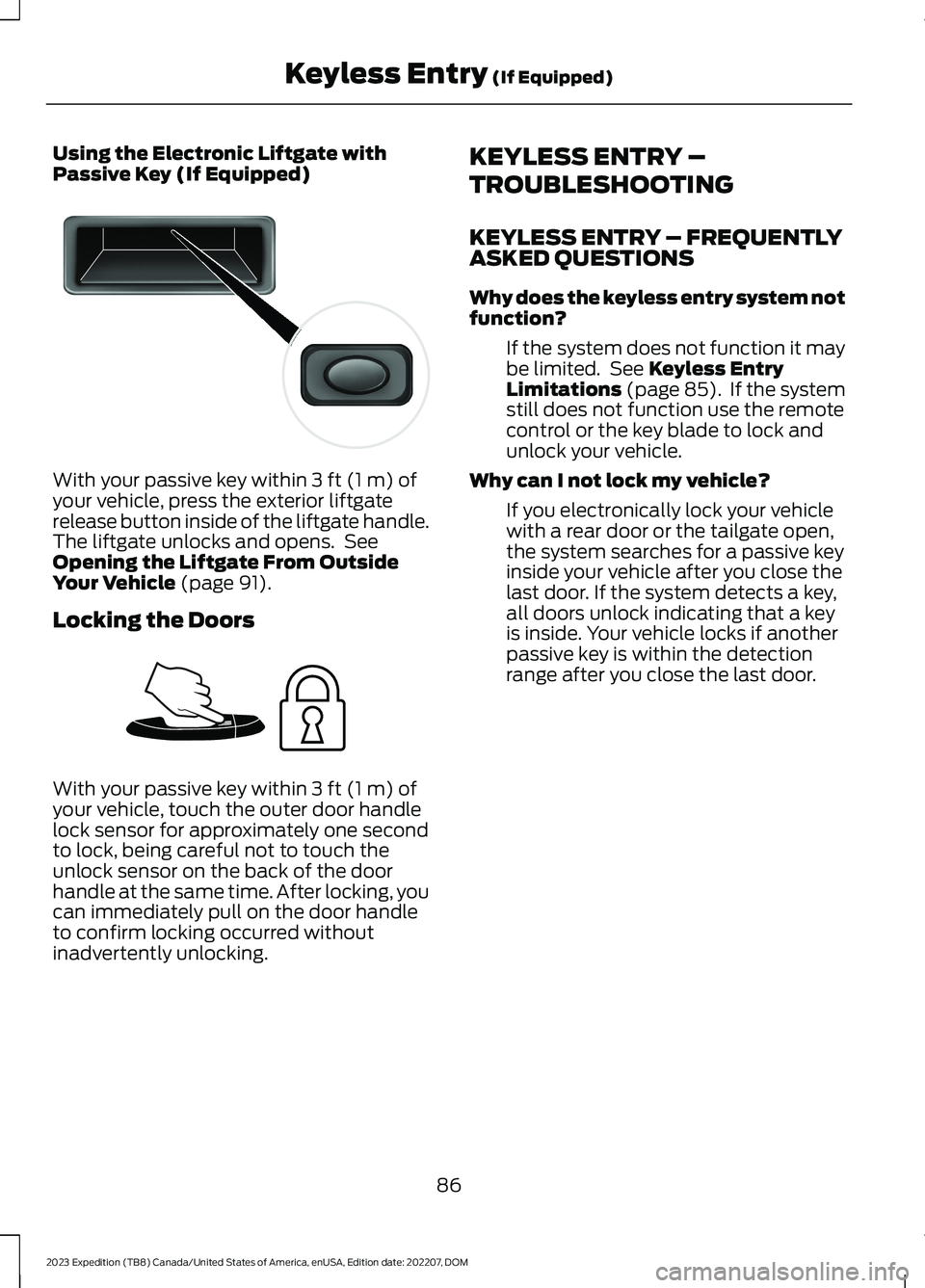
Using the Electronic Liftgate withPassive Key (If Equipped)
With your passive key within 3 ft (1 m) ofyour vehicle, press the exterior liftgaterelease button inside of the liftgate handle.The liftgate unlocks and opens. SeeOpening the Liftgate From OutsideYour Vehicle (page 91).
Locking the Doors
With your passive key within 3 ft (1 m) ofyour vehicle, touch the outer door handlelock sensor for approximately one secondto lock, being careful not to touch theunlock sensor on the back of the doorhandle at the same time. After locking, youcan immediately pull on the door handleto confirm locking occurred withoutinadvertently unlocking.
KEYLESS ENTRY –
TROUBLESHOOTING
KEYLESS ENTRY – FREQUENTLYASKED QUESTIONS
Why does the keyless entry system notfunction?
If the system does not function it maybe limited. See Keyless EntryLimitations (page 85). If the systemstill does not function use the remotecontrol or the key blade to lock andunlock your vehicle.
Why can I not lock my vehicle?
If you electronically lock your vehiclewith a rear door or the tailgate open,the system searches for a passive keyinside your vehicle after you close thelast door. If the system detects a key,all doors unlock indicating that a keyis inside. Your vehicle locks if anotherpassive key is within the detectionrange after you close the last door.
86
2023 Expedition (TB8) Canada/United States of America, enUSA, Edition date: 202207, DOMKeyless Entry (If Equipped)E138632 E248554
Page 92 of 658
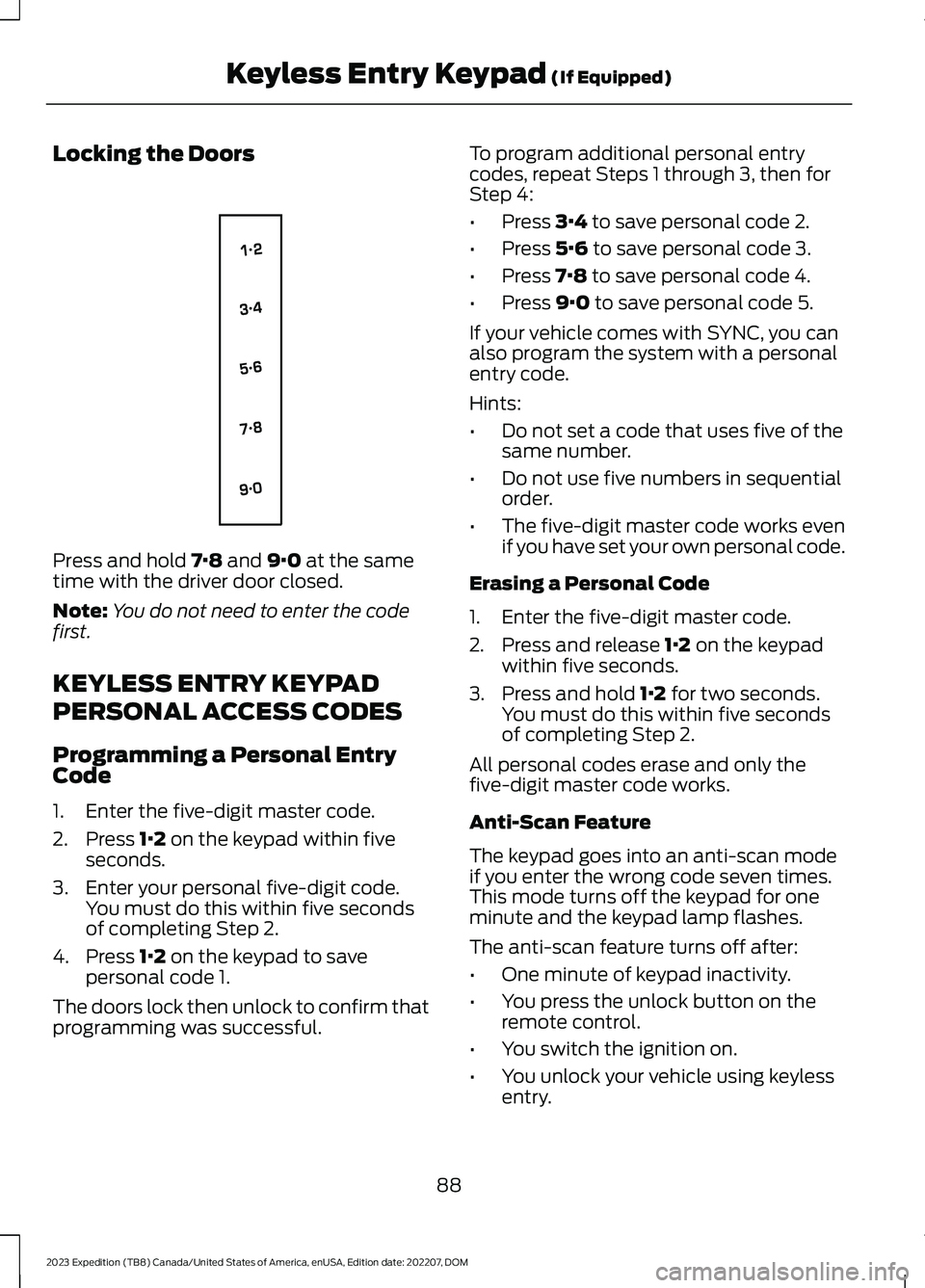
Locking the Doors
Press and hold 7·8 and 9·0 at the sametime with the driver door closed.
Note:You do not need to enter the codefirst.
KEYLESS ENTRY KEYPAD
PERSONAL ACCESS CODES
Programming a Personal EntryCode
1.Enter the five-digit master code.
2.Press 1·2 on the keypad within fiveseconds.
3.Enter your personal five-digit code.You must do this within five secondsof completing Step 2.
4.Press 1·2 on the keypad to savepersonal code 1.
The doors lock then unlock to confirm thatprogramming was successful.
To program additional personal entrycodes, repeat Steps 1 through 3, then forStep 4:
•Press 3·4 to save personal code 2.
•Press 5·6 to save personal code 3.
•Press 7·8 to save personal code 4.
•Press 9·0 to save personal code 5.
If your vehicle comes with SYNC, you canalso program the system with a personalentry code.
Hints:
•Do not set a code that uses five of thesame number.
•Do not use five numbers in sequentialorder.
•The five-digit master code works evenif you have set your own personal code.
Erasing a Personal Code
1.Enter the five-digit master code.
2.Press and release 1·2 on the keypadwithin five seconds.
3.Press and hold 1·2 for two seconds.You must do this within five secondsof completing Step 2.
All personal codes erase and only thefive-digit master code works.
Anti-Scan Feature
The keypad goes into an anti-scan modeif you enter the wrong code seven times.This mode turns off the keypad for oneminute and the keypad lamp flashes.
The anti-scan feature turns off after:
•One minute of keypad inactivity.
•You press the unlock button on theremote control.
•You switch the ignition on.
•You unlock your vehicle using keylessentry.
88
2023 Expedition (TB8) Canada/United States of America, enUSA, Edition date: 202207, DOMKeyless Entry Keypad (If Equipped)E138637
Page 95 of 658
LIFTGATE PRECAUTIONS
WARNING: It is extremelydangerous to ride in a cargo area, insideor outside of a vehicle. In a crash, peopleriding in these areas are more likely to beseriously injured or killed. Do not allowpeople to ride in any area of your vehiclethat is not equipped with seats andseatbelts. Make sure everyone in yourvehicle is in a seat and properly using aseatbelt. Failure to follow this warningcould result in serious personal injury ordeath.
WARNING: Make sure that you fullyclose the liftgate to prevent exhaustfumes from entering your vehicle. If youare unable to fully close the liftgate,open the air vents or the windows toallow fresh air to enter your vehicle.Failure to follow this instruction couldresult in personal injury or death.
WARNING: Keep keys out of reachof children. Do not allow children tooperate or play near an open or movingpower liftgate. You should supervise theoperation of the power liftgate at alltimes.
OPENING THE LIFTGATE
OPENING THE LIFTGATE FROMINSIDE YOUR VEHICLE
With the transmission in park(P), press the button on theinstrument panel.
Note:Be careful when opening or closingthe liftgate in a garage or other enclosedarea to avoid damaging the liftgate.
Note: Do not hang anything, for examplea bike rack, from the glass or liftgate. Thiscould damage the liftgate and itscomponents.
Note: Do not leave the liftgate open whiledriving. This could damage the liftgate andits components.
OPENING THE LIFTGATE FROMOUTSIDE YOUR VEHICLE
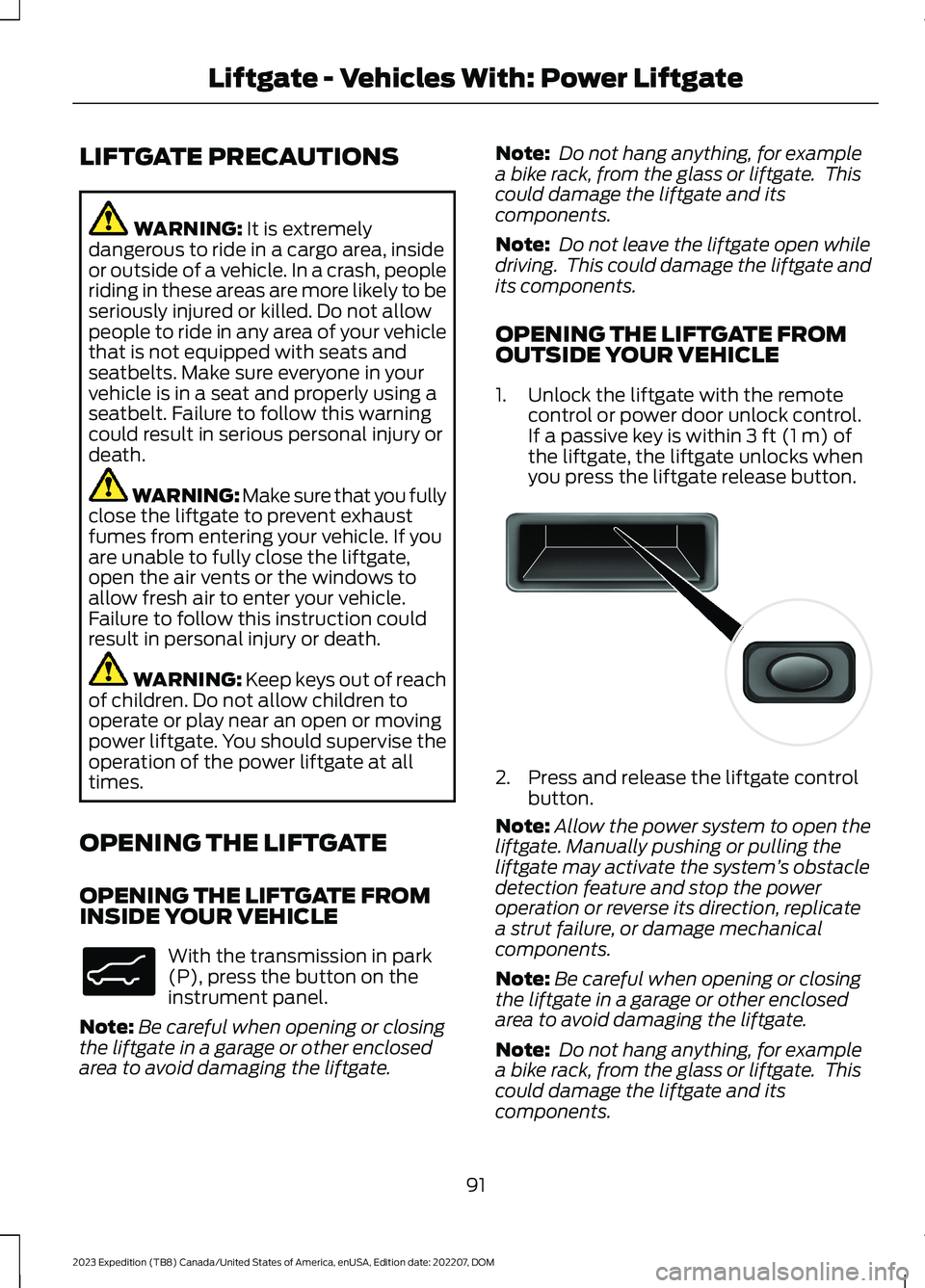
1.Unlock the liftgate with the remotecontrol or power door unlock control.If a passive key is within 3 ft (1 m) ofthe liftgate, the liftgate unlocks whenyou press the liftgate release button.
2.Press and release the liftgate controlbutton.
Note:Allow the power system to open theliftgate. Manually pushing or pulling theliftgate may activate the system’s obstacledetection feature and stop the poweroperation or reverse its direction, replicatea strut failure, or damage mechanicalcomponents.
Note:Be careful when opening or closingthe liftgate in a garage or other enclosedarea to avoid damaging the liftgate.
Note: Do not hang anything, for examplea bike rack, from the glass or liftgate. Thiscould damage the liftgate and itscomponents.
91
2023 Expedition (TB8) Canada/United States of America, enUSA, Edition date: 202207, DOMLiftgate - Vehicles With: Power LiftgateE138633 E138632
Page 96 of 658
Note: Do not leave the liftgate open whiledriving. This could damage the liftgate andits components.
Switching the Power Liftgate Onor Off
You can switch the power liftgate on or offthrough the vehicle settings on yourtouchscreen.
1.Press Settings.
2.Press Vehicle Settings.
3.Press Power Liftgate.
4.Select your option.
When switched off, the liftgate onlyunlatches and will not power open or close.
OPENING THE LIFTGATE USINGTHE REMOTE CONTROL
Press the button twice withinthree seconds.
Note:Be careful when opening or closingthe liftgate in a garage or other enclosedarea to avoid damaging the liftgate.
Note:Do not hang anything, for example abike rack, from the glass or liftgate. Thiscould damage the liftgate and itscomponents.
Note:Do not leave the liftgate open whiledriving. This could damage the liftgate andits components.
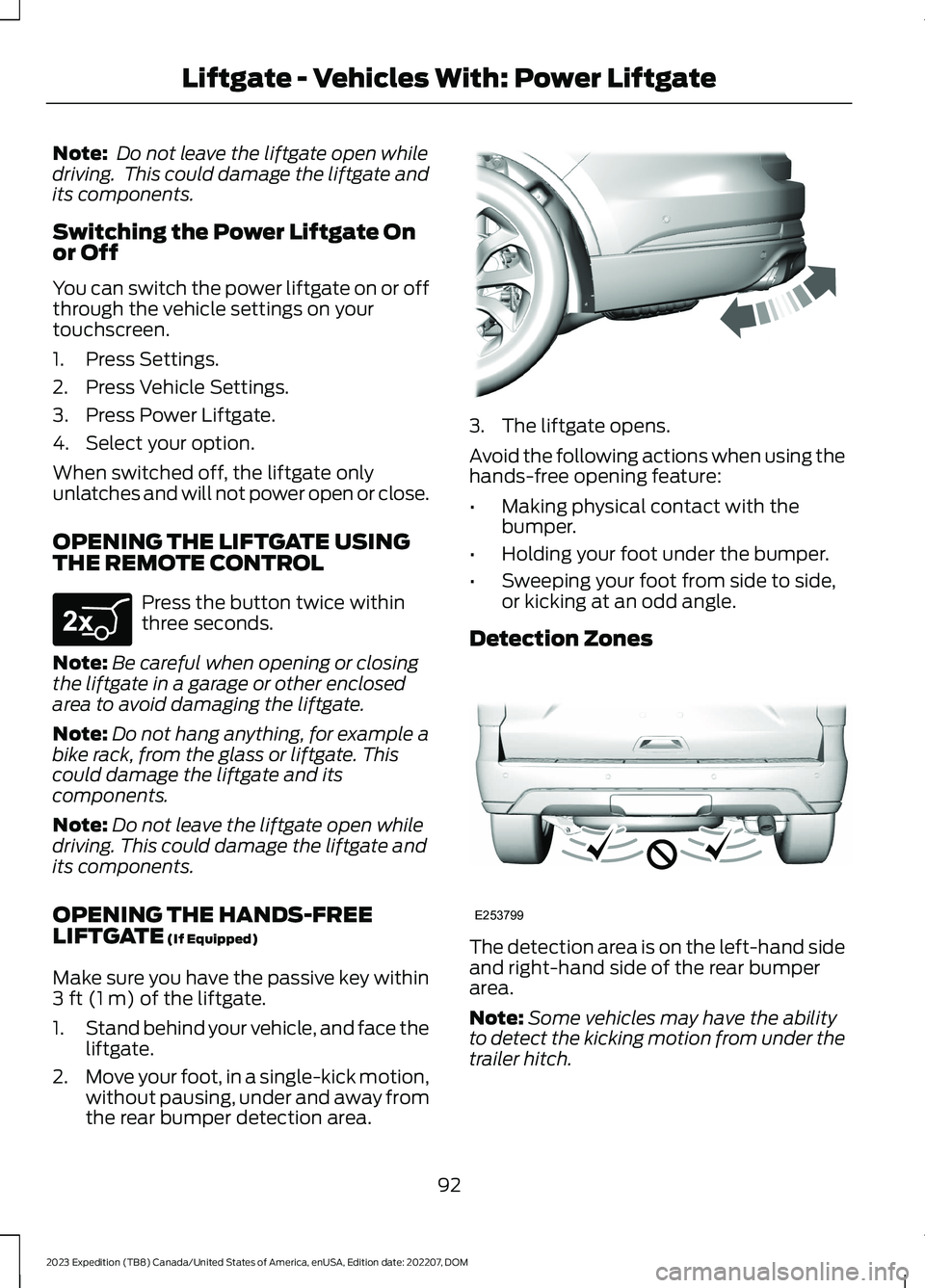
OPENING THE HANDS-FREELIFTGATE (If Equipped)
Make sure you have the passive key within3 ft (1 m) of the liftgate.
1.Stand behind your vehicle, and face theliftgate.
2.Move your foot, in a single-kick motion,without pausing, under and away fromthe rear bumper detection area.
3.The liftgate opens.
Avoid the following actions when using thehands-free opening feature:
•Making physical contact with thebumper.
•Holding your foot under the bumper.
•Sweeping your foot from side to side,or kicking at an odd angle.
Detection Zones
The detection area is on the left-hand sideand right-hand side of the rear bumperarea.
Note:Some vehicles may have the abilityto detect the kicking motion from under thetrailer hitch.
92
2023 Expedition (TB8) Canada/United States of America, enUSA, Edition date: 202207, DOMLiftgate - Vehicles With: Power LiftgateE267940 E300799 E253799
Page 98 of 658
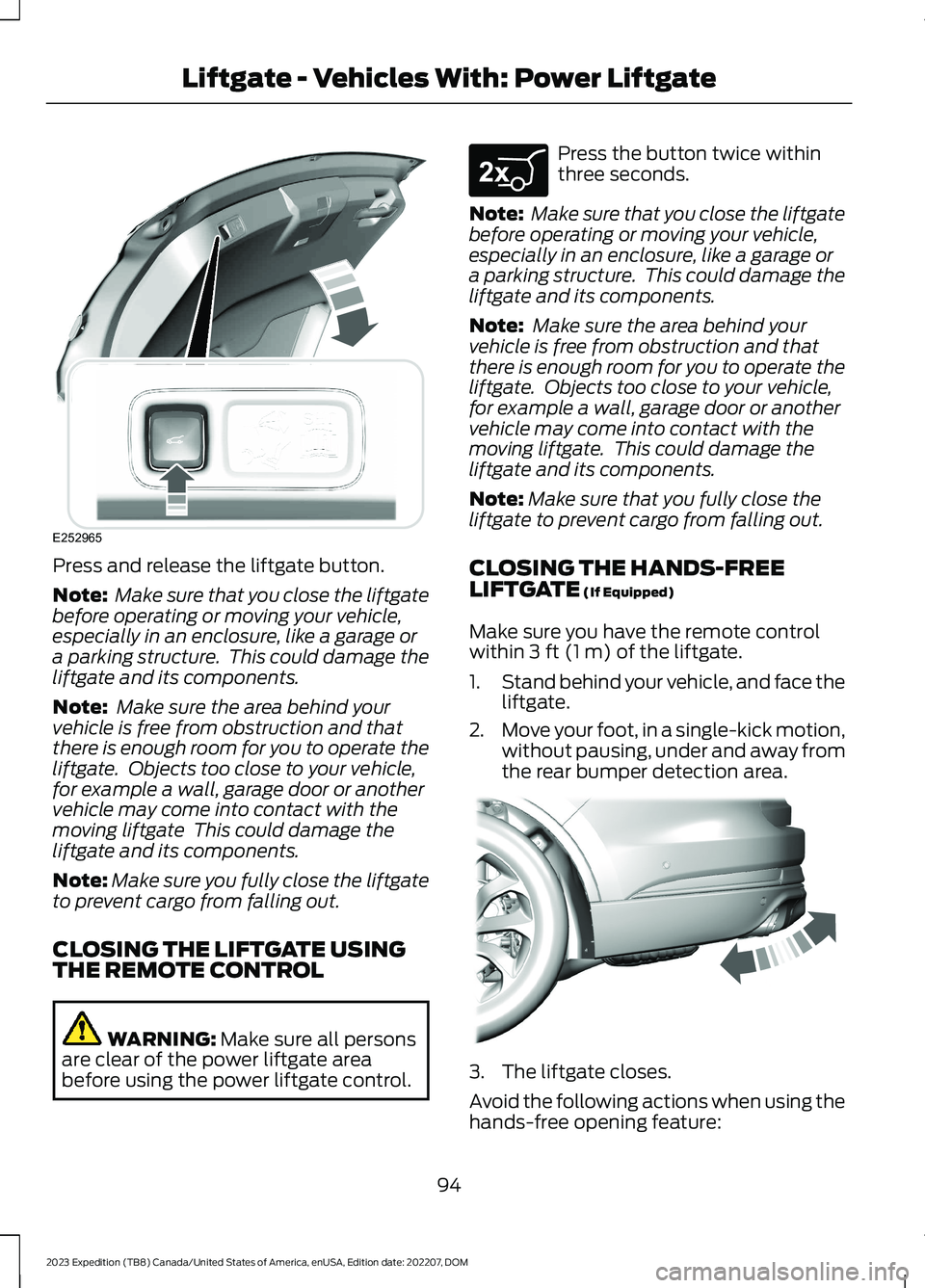
Press and release the liftgate button.
Note: Make sure that you close the liftgatebefore operating or moving your vehicle,especially in an enclosure, like a garage ora parking structure. This could damage theliftgate and its components.
Note: Make sure the area behind yourvehicle is free from obstruction and thatthere is enough room for you to operate theliftgate. Objects too close to your vehicle,for example a wall, garage door or anothervehicle may come into contact with themoving liftgate This could damage theliftgate and its components.
Note:Make sure you fully close the liftgateto prevent cargo from falling out.
CLOSING THE LIFTGATE USINGTHE REMOTE CONTROL
WARNING: Make sure all personsare clear of the power liftgate areabefore using the power liftgate control.
Press the button twice withinthree seconds.
Note: Make sure that you close the liftgatebefore operating or moving your vehicle,especially in an enclosure, like a garage ora parking structure. This could damage theliftgate and its components.
Note: Make sure the area behind yourvehicle is free from obstruction and thatthere is enough room for you to operate theliftgate. Objects too close to your vehicle,for example a wall, garage door or anothervehicle may come into contact with themoving liftgate. This could damage theliftgate and its components.
Note:Make sure that you fully close theliftgate to prevent cargo from falling out.
CLOSING THE HANDS-FREELIFTGATE (If Equipped)
Make sure you have the remote controlwithin 3 ft (1 m) of the liftgate.
1.Stand behind your vehicle, and face theliftgate.
2.Move your foot, in a single-kick motion,without pausing, under and away fromthe rear bumper detection area.
3.The liftgate closes.
Avoid the following actions when using thehands-free opening feature:
94
2023 Expedition (TB8) Canada/United States of America, enUSA, Edition date: 202207, DOMLiftgate - Vehicles With: Power LiftgateE252965 E267940 E300799
Page 99 of 658
•Making physical contact with thebumper.
•Holding your foot under the bumper.
•Sweeping your foot from side to side,or kicking at an odd angle.
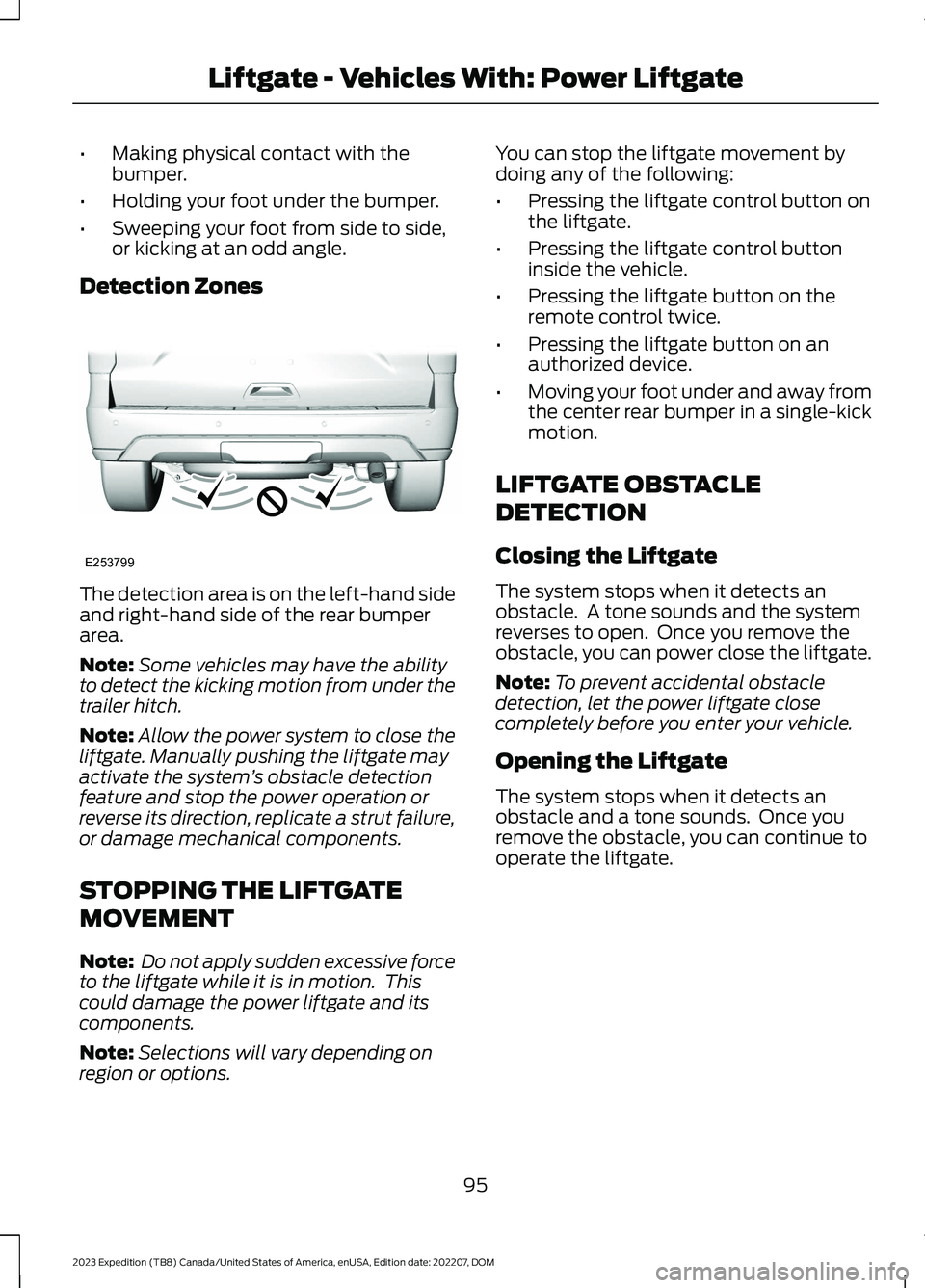
Detection Zones
The detection area is on the left-hand sideand right-hand side of the rear bumperarea.
Note:Some vehicles may have the abilityto detect the kicking motion from under thetrailer hitch.
Note:Allow the power system to close theliftgate. Manually pushing the liftgate mayactivate the system’s obstacle detectionfeature and stop the power operation orreverse its direction, replicate a strut failure,or damage mechanical components.
STOPPING THE LIFTGATE
MOVEMENT
Note: Do not apply sudden excessive forceto the liftgate while it is in motion. Thiscould damage the power liftgate and itscomponents.
Note:Selections will vary depending onregion or options.
You can stop the liftgate movement bydoing any of the following:
•Pressing the liftgate control button onthe liftgate.
•Pressing the liftgate control buttoninside the vehicle.
•Pressing the liftgate button on theremote control twice.
•Pressing the liftgate button on anauthorized device.
•Moving your foot under and away fromthe center rear bumper in a single-kickmotion.
LIFTGATE OBSTACLE
DETECTION
Closing the Liftgate
The system stops when it detects anobstacle. A tone sounds and the systemreverses to open. Once you remove theobstacle, you can power close the liftgate.
Note:To prevent accidental obstacledetection, let the power liftgate closecompletely before you enter your vehicle.
Opening the Liftgate
The system stops when it detects anobstacle and a tone sounds. Once youremove the obstacle, you can continue tooperate the liftgate.
95
2023 Expedition (TB8) Canada/United States of America, enUSA, Edition date: 202207, DOMLiftgate - Vehicles With: Power LiftgateE253799
Page 100 of 658
OPENING AND CLOSING THE
LIFTGATE WINDOW
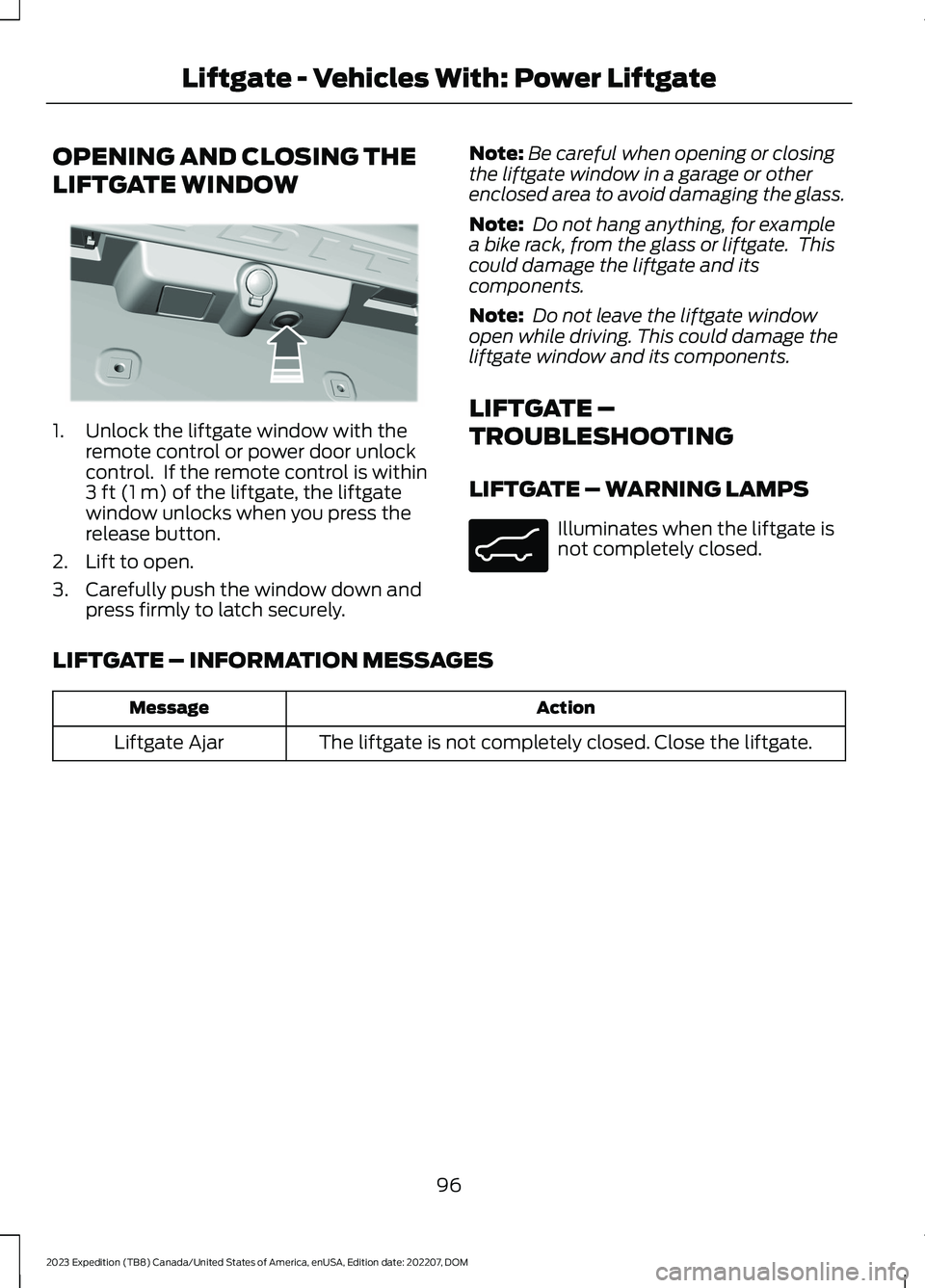
1.Unlock the liftgate window with theremote control or power door unlockcontrol. If the remote control is within3 ft (1 m) of the liftgate, the liftgatewindow unlocks when you press therelease button.
2.Lift to open.
3.Carefully push the window down andpress firmly to latch securely.
Note:Be careful when opening or closingthe liftgate window in a garage or otherenclosed area to avoid damaging the glass.
Note: Do not hang anything, for examplea bike rack, from the glass or liftgate. Thiscould damage the liftgate and itscomponents.
Note: Do not leave the liftgate windowopen while driving. This could damage theliftgate window and its components.
LIFTGATE –
TROUBLESHOOTING
LIFTGATE – WARNING LAMPS
Illuminates when the liftgate isnot completely closed.
LIFTGATE – INFORMATION MESSAGES
ActionMessage
The liftgate is not completely closed. Close the liftgate.Liftgate Ajar
96
2023 Expedition (TB8) Canada/United States of America, enUSA, Edition date: 202207, DOMLiftgate - Vehicles With: Power LiftgateE354249 E162453
Page 102 of 658
OPENING THE LIFTGATE
OPENING THE LIFTGATE FROMOUTSIDE YOUR VEHICLE
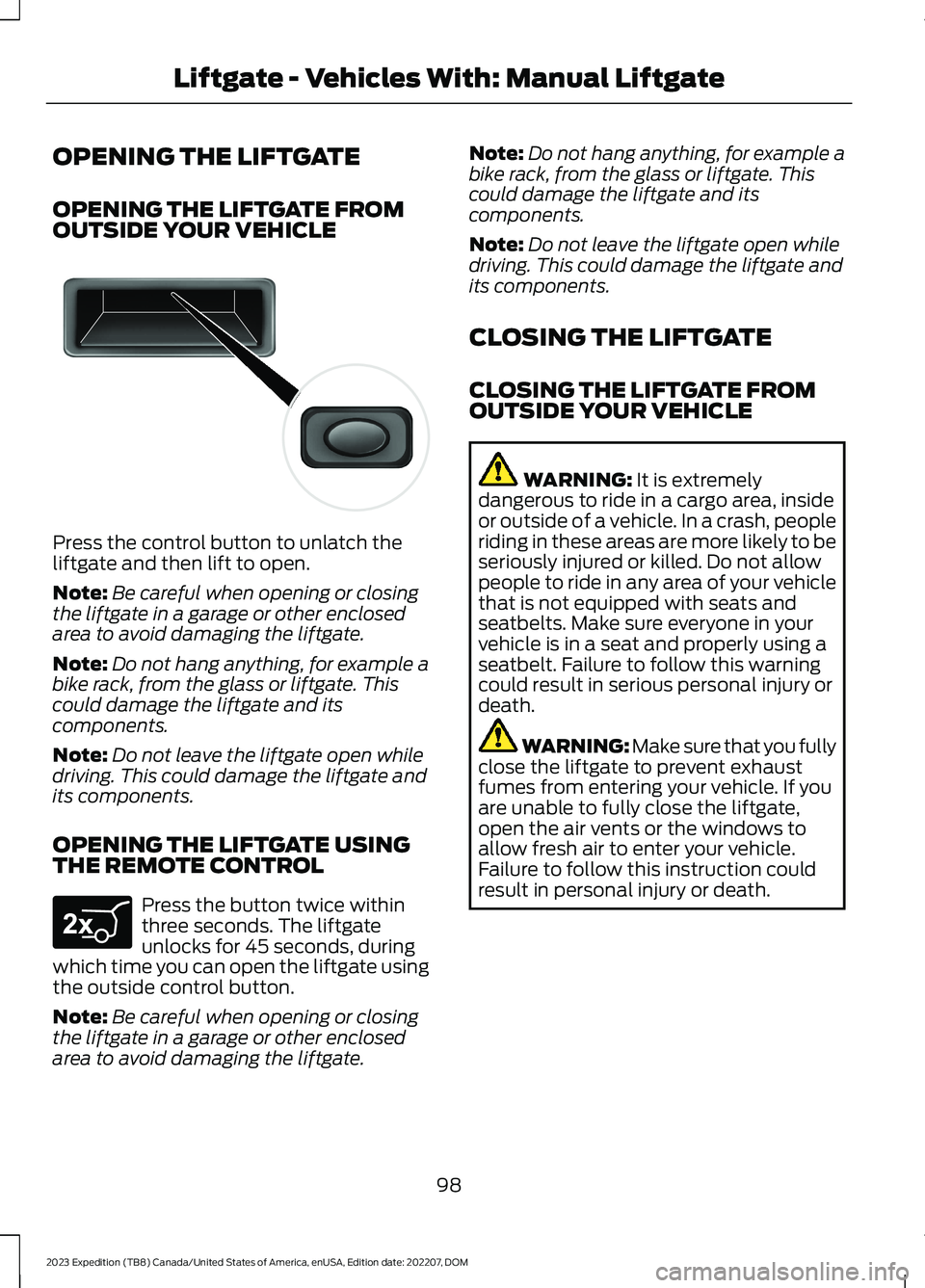
Press the control button to unlatch theliftgate and then lift to open.
Note:Be careful when opening or closingthe liftgate in a garage or other enclosedarea to avoid damaging the liftgate.
Note:Do not hang anything, for example abike rack, from the glass or liftgate. Thiscould damage the liftgate and itscomponents.
Note:Do not leave the liftgate open whiledriving. This could damage the liftgate andits components.
OPENING THE LIFTGATE USINGTHE REMOTE CONTROL
Press the button twice withinthree seconds. The liftgateunlocks for 45 seconds, duringwhich time you can open the liftgate usingthe outside control button.
Note:Be careful when opening or closingthe liftgate in a garage or other enclosedarea to avoid damaging the liftgate.
Note:Do not hang anything, for example abike rack, from the glass or liftgate. Thiscould damage the liftgate and itscomponents.
Note:Do not leave the liftgate open whiledriving. This could damage the liftgate andits components.
CLOSING THE LIFTGATE
CLOSING THE LIFTGATE FROMOUTSIDE YOUR VEHICLE
WARNING: It is extremelydangerous to ride in a cargo area, insideor outside of a vehicle. In a crash, peopleriding in these areas are more likely to beseriously injured or killed. Do not allowpeople to ride in any area of your vehiclethat is not equipped with seats andseatbelts. Make sure everyone in yourvehicle is in a seat and properly using aseatbelt. Failure to follow this warningcould result in serious personal injury ordeath.
WARNING: Make sure that you fullyclose the liftgate to prevent exhaustfumes from entering your vehicle. If youare unable to fully close the liftgate,open the air vents or the windows toallow fresh air to enter your vehicle.Failure to follow this instruction couldresult in personal injury or death.
98
2023 Expedition (TB8) Canada/United States of America, enUSA, Edition date: 202207, DOMLiftgate - Vehicles With: Manual LiftgateE138632 E267940