2022 TOYOTA SUPRA warning
[x] Cancel search: warningPage 221 of 498

219
3
3-1. CONTROLS
CONTROLS
the lane marking is detected, the
steering wheel vibrates in accord-
ance with the steering wheel vibra-
tion setting.
If the turn indicator is switched on in
the corresponding direction before
changing lanes, no warning is
issued.
Depending on the equipment, if a
lane marking is crossed in the
speed range up to 210 km/h,
approx. 130 mph, the system may
intervene not only by vibrating but
also with a brief active steering
intervention. The steering interven-
tion helps to keep the vehicle in
lane. Steering intervention can be
felt at the steering wheel, and can
be overridden manually at any time.
With active steering intervention,
the display flashes in the instru-
ment cluster.
Depending on the equipment, if the
system executes an active steering
intervention multiple times within 3
minutes without the driver touching
the steering wheel, an acoustic
warning is emitted. A short warning
signal sounds on the second steer-
ing intervention. A longer warning
signal sounds from the third steer-
ing intervention onwards.
A vehicle message is also dis-
played.
The warning signal and vehicle
message tell the driver to pay more
attention to the lane.
For example, the warning is can-
celled in the following situations:
Automatically after a few sec-
onds.
On returning to the correct lane.
If the vehicle is braking heavily.
On indicating.
If Vehicle Stability Control VSC
intervenes.
For further information:
• Sensors of the vehicle, see page
50.
The system may have limited func-
Steering intervention
Warning signal
Cancellation of the warning
System limits
Safety note
WA R N I N G
The system may not respond at all, or may respond too late, incorrectly or
without justification due to limits of the
system. There is a danger of acci- dents or damage to property.
Observe the information on the sys-
tem limits and intervene actively if necessary.
System limits of the sensors
Functional limitations
Page 222 of 498

2203-1. CONTROLS
tionality in the following situations,
for example:
When there are missing, worn,
poorly visible, merging/separat-
ing or ambiguous lane markings;
for example, in areas where
there are roadworks.
If lane markings are covered by
snow, ice, dirt or water.
On sharp bends or narrow roads.
If lane markings are not white.
If lane markings are obscured by
objects.
If the vehicle is too close to the
vehicle ahead.
Up to 10 seconds after starting
the engine using the start/stop
button.
A vehicle message may be dis-
played in the event of limited func-
tionality.
*: if equipped
The Blind spot monitor detects
vehicles in the blind spot, or if vehi-
cles are approaching from behind
in the adjacent lane . Different levels
of warning are given in these situa-
tions.
From a minimum speed, two radar
sensors in the rear bumper monitor
the area behind and next to the
vehicle.
The minimum speed is coun-
try-specific and is displayed in the
menu for the Toyota Supra Safety
Systems.
The system indicates when vehi-
cles are in the blind spot, arrow 1,
or are approaching from the rear in
an adjacent lane, arrow 2.
The light in the ex terior mirror illu-
minates at a dimmed level.
Before changing lanes with the turn
indicator switched on, the system
issues a warning in the above situa-
tions.
The light in the exterior mirror
flashes and the steering wheel
vibrates.
Blind spot monitor*
Principle
General
Page 223 of 498

221
3
3-1. CONTROLS
CONTROLS
The system is controlled using the
following sensors:
• Side radar sensors, rear.
For further information:
Sensors of the vehicle, see page
50.
The Blind spot monitor is reacti-
vated automatically at the start of a
journey if the function was switched
on the last time the engine was
stopped.
The menu for the Toyota Supra
Safety Systems is shown.
If all Toyota Supra Safety Systems
were switched off, all systems are
now switched on.
"Customise Settings": depending
on the equipment, the Toyota Supra
Safety Systems can be configured
individually. The custom settings
are activated and saved. As soon
as a setting is changed in the
menu, all settings in the menu are
activated.
Safety notes
WA R N I N G
The system does not relieve you of
your personal responsibility to assess the visibility conditions and traffic situ-
ation correctly. There is a danger of
accidents. Adapt your driving style to the traffic conditions. Observe the
traffic situation and intervene actively
if the situation warrants it.
WA R N I N G
Displays and warnings do not relieve
you of your personal responsibility.
System limitations can mean that warnings or system responses are
not issued or are issued too late,
incorrectly or wit hout justification. There is a danger of accidents. Adapt
your driving style to the traffic condi-
tions. Observe the traffic situation and intervene actively if the situation war-
rants it.
Overview
Button in the vehicle
Toyota Supra Safety
Sensors
Switching on/off
Switching on automatically
Switching on/off manually
Press the button.
Page 224 of 498
2223-1. CONTROLS
The setting switches between the
following:
"ALL ON": all Toyota Supra Safety
Systems are switched on. Basic
settings are activated for the
sub-functions.
"Customise": the Toyota Supra
Safety Systems are switched on
according to the individual settings.
Some Toyota Supra Safety Sys-
tems cannot be switched off individ-
ually.
All Toyota Supra Safety Systems
are switched off.
Via Toyota Supra Command:
1 "My Vehicle"
2 "Vehicle settings"
3 "Toyota Supra Safety"
4 "Blind spot monitor"
5 Select the desired setting.
"Off": no warning is output for this set- ting.
Via Toyota Supra Command:
1 "My Vehicle"
2 "Vehicle settings"
3 "Steering wheel vibration"
4 Select the desired setting.
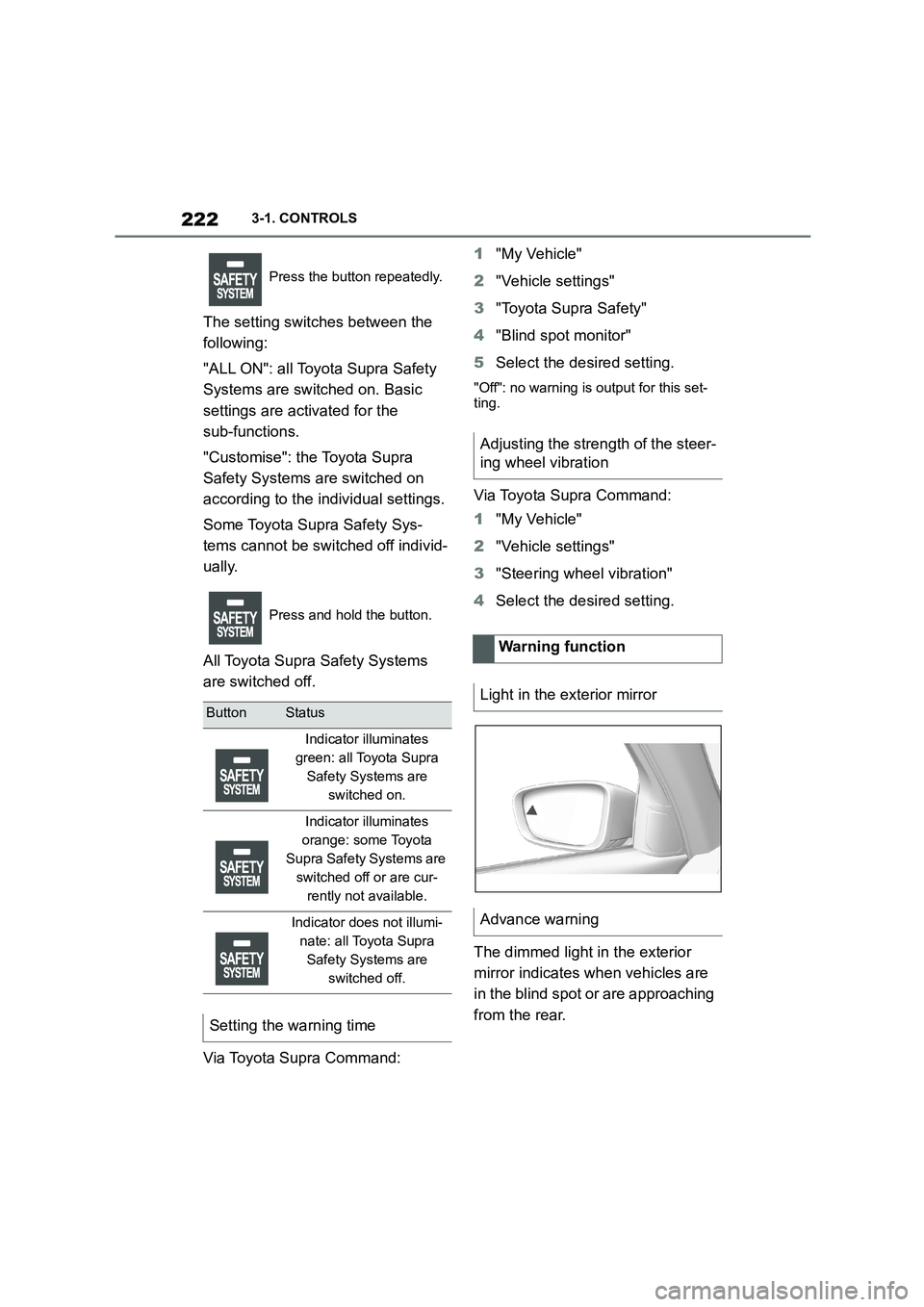
The dimmed light in the exterior
mirror indicates when vehicles are
in the blind spot or are approaching
from the rear.
Press the button repeatedly.
Press and hold the button.
ButtonStatus
Indicator illuminates
green: all Toyota Supra
Safety Systems are
switched on.
Indicator illuminates
orange: some Toyota
Supra Safety Systems are
switched off or are cur-
rently not available.
Indicator does not illumi-
nate: all Toyota Supra
Safety Systems are
switched off.
Setting the warning time
Adjusting the strength of the steer-
ing wheel vibration
Warning function
Light in the exterior mirror
Advance warning
Page 225 of 498

223
3
3-1. CONTROLS
CONTROLS
If the turn indicator is switched on
while a vehicle is in the critical area,
the steering wheel vibrates briefly
and the light in the exterior mirror
flashes brightly.
The warning is terminated when the
turn signal is cancelled or the other
vehicle has left the critical area.
A flashing light when the vehicle is
unlocked indicates that the system
is performing a self-test.
At speeds over approx. 250 km/h,
155 mph, the system is temporarily
disabled.
At speeds below approx. 250 km/h,
155 mph, the system once again
responds according to the setting.
For further information:
• Radar sensors, see page 50.
The system may have limited func-
tionality in the following situations,
for example:
If the speed of the approaching
vehicle is significantly higher
than the driver's own speed.
In thick fog, wet conditions or
snow.
On sharp bends or narrow roads.
If the bumper is dirty, iced up or
covered, for example by stickers.
After work performed incorrectly
on the vehicle paintwork.
When a projecting load is being
transported.
Attaching any objects – stickers or
film, for example – in the beam
area of the radar sensors will also
restrict the function of the radar
sensors and may even cause them
to fail.
A vehicle message is displayed in
the event of limited functionality.
Depending on the selected setting
for warnings, for example the warn-
ing time, it is po ssible for more
warnings to be displayed. As a
result, there may be an increased
Acute warning
Flashing of light
System limits
Safety note
WA R N I N G
The system may not re spond at all, or
may respond too late, incorrectly or
without justification due to limits of the system. There is a danger of acci-
dents or damage to property.
Observe the information on the sys- tem limits and intervene actively if
necessary.
Upper speed limit
System limits of the sensors
Functional limitations
Warning displays
Page 226 of 498

2243-1. CONTROLS
number of premature warnings
about critical situations.
Depending on the equipment and
the nationalmarket version, the
Rear Collision Prevention can
respond to vehicles approaching
from behind.
Radar sensors monitor the area
behind the vehicle.
If a vehicle is approaching from
behind at a relevant speed, the sys-
tem can respond as follows:
The hazard warning lights are
switched on if appropriate.
PreCrash functions are trig-
gered if appropriate.
The system is controlled using the
following sensors:
• Side radar sensors, rear.
For further information:
Sensors of the vehicle, see page
50.
The system is automatically acti-
vated at the start of each journey.
The system is deactivated in the
following situations:
Prevention of rear collision
Principle
General
Safety notes
WA R N I N G
The system does not relieve you of
your personal responsibility to assess the visibility conditions and traffic situ-
ation correctly. There is a danger of
accidents. Adapt your driving style to the traffic conditions. Observe the
traffic situation and intervene actively
if the situation warrants it.
WA R N I N G
Displays and warnings do not relieve
you of your personal responsibility.
System limitations can mean that warnings or system responses are
not issued or are issued too late,
incorrectly or without justification. There is a danger of accidents. Adapt
your driving style to the traffic condi-
tions. Observe the traffic situation and intervene actively if the situation war-
rants it.
Overview
Sensors
Switching on/off
Page 227 of 498

225
3
3-1. CONTROLS
CONTROLS
When reversing.
For further information:
• Radar sensors, see page 50.
The system may ha ve restricted
functionality in the following situa-
tions:
The speed of the approaching
vehicle is much faster than your
own speed.
The approaching vehicle is
approaching slowly.
The brake lights flash to warn road
users behind the vehicle that emer-
gency braking is being performed.
Normal braking: brake lights illu-
minate.
Heavy braking: brake lights flash.
Shortly before the vehicle comes to
a standstill, th e hazard warning
lights are activated.
To switch off the hazard warning
lights:
Accelerate.
Press the hazard warning lights
button.
The system can automatically bring
the vehicle to a standstill in certain
accident situations without the
involvement of the driver. The risk
of a further collision and its conse-
quences can thereby be reduced.
After the vehicle has come to a halt,
the brake is released automatically.
In certain situations, it may be nec-
essary to bring the vehicle to a
standstill more quickly than is pos-
sible with automatic braking.
To do so, brake quickly and firmly.
For a brief period, the braking pres-
sure will be higher than that
System limits
System limits of the sensors
Functional limitations
Emergency brake lights
Principle
General
Autonomous Emergency
Braking
Principle
At a standstill
Harder vehicle braking
Page 229 of 498
227
3
3-1. CONTROLS
CONTROLS
4 Select the desired setting:
“Off”: no break recommendation
is given.
“Standard”: the break recom-
mendation is given with a
defined value.
“Sensitive”: the break recom-
mendation is given earlier.
If the driver shows signs of
decreasing attention or of fatigue, a
message is shown on the Control
Display with the recommendation to
take a break.
The following settings can be
selected during the display:
"Do not ask again"
"Places to stop"
"Remind me later"
The break recommendation is repeated
after 20 minutes.
After a break, another break recom-
mendation cannot be displayed
until after approximately 45 minutes
at the earliest.
The system may have limited func-
tionality in situations such as the
following and an incorrect warning,
or no warning at all, may be output:
If the time is set incorrectly.
When the speed is predomi-
nantly below approx. 70 km/h, 43
mph.
If a sporty driving style is
adopted, for example sharp
acceleration or fast cornering.
In active driving situations, for
example frequent lane changes.
In poor road conditions.
In strong crosswinds.
The system is reset approximately
45 minutes after the vehicle is
stopped, for example when taking a
break during a long motorway jour-
ney.
Display
System limits