2022 TOYOTA SUPRA warning
[x] Cancel search: warningPage 183 of 498
181
3
3-1. CONTROLS
CONTROLS
trol display.
The following info rmation is dis-
played:
Torque.
Power.
Via Toyota Supra Command:
1 "My vehicle"
2 "Sport displays"
The system can be used to set a
speed limit which triggers a warning
when it is exceeded.
The warning is repeated if the vehi-
cle speed exceeds the set speed
limit again, after it has dropped
below 5 km/h/3 mph.
Via Toyota Supra Command:
1 "My Vehicle"
2 "Vehicle settings"
3 "Speed warning"
4 "Warning at:"
5 Turn the Controller until the
desired speed is displayed.
6 Press the Controller.
Via Toyota Supra Command:
1 "My Vehicle"
2 "Vehicle settings"
3 "Speed warning"
4 "Speed warning"
Via Toyota Supra Command:
1 "My Vehicle"
2 "Vehicle settings"
3 "Speed warning"
4 "Select current speed"
It is possible to show the status of
some systems and perform actions
on them.
Via Toyota Supra Command:
1 "My vehicle"
2 "Vehicle status"
Display on the Control Dis-
play
Overview
Displays
Speed warning
Principle
General
Adjusting the speed warning
Activating/deactivating the
speed warning
Setting the current speed as
the speed warning
Vehicle status
General
Calling up the vehicle status
Page 197 of 498
195
3
3-1. CONTROLS
CONTROLS
entirely ruled out.
The noise caused by the deploy-
ment of an airbag may lead to tem-
porary hearing loss in vehicle
occupants sensit ive to noise.
Have the system checked.
The force with which the driver and
front passenger airbag trigger
depends on the position of the
driver and front passenger seat.
In order to maintain the accuracy of
this function perm anently, calibrate
the front seats as soon as a corre-
sponding message is displayed on
the Control Display.
A corresponding message is dis-
played on the Control Display.
1 Press switch and move seat for-
wards until it stops.
2 Press switch forwards again.
Seat moves a bit further for-
wards.
Operational readiness of the
airbag system
Safety notes
WA R N I N G
Individual components of the airbag
system may be hot after airbag deployment. There is a danger of
injury. Do not touch individual compo-
nents.
WA R N I N G
Work carried out incorrectly can lead
to a failure, a malfunction or acciden-
tal deployment of t he airbag system. If there is a malfunction, the airbag sys-
tem might not deploy as intended in
an accident, in spite of the accident being of the appropriate severity.
There is a danger of injury or even
death. Have the airb ag system tested, repaired or removed and disposed of
by any authorized Toyota retailer or
Toyota authorized repairer, or any reli- able repairer.
Display in the instrument cluster
When drive-ready state is
switched on, the warning
lamp in the instrument cluster
briefly illuminates in order to
show the operational readi-
ness of the entire airbag sys-
tem and the belt tensioners.
Malfunction
The warning lamp does not
illuminate after drive-ready
state is switched on.
The warning lamp is per-
manently illuminated.
Force of driver and front pas-
senger airbag
Calibrating the front seats
WA R N I N G
There is a risk of entrapment when
the seats are moved. There is a dan-
ger of injury or damage to property. Before making any adjustment, make
sure that the area of movement of the
seat is clear.
Page 202 of 498
2003-1. CONTROLS
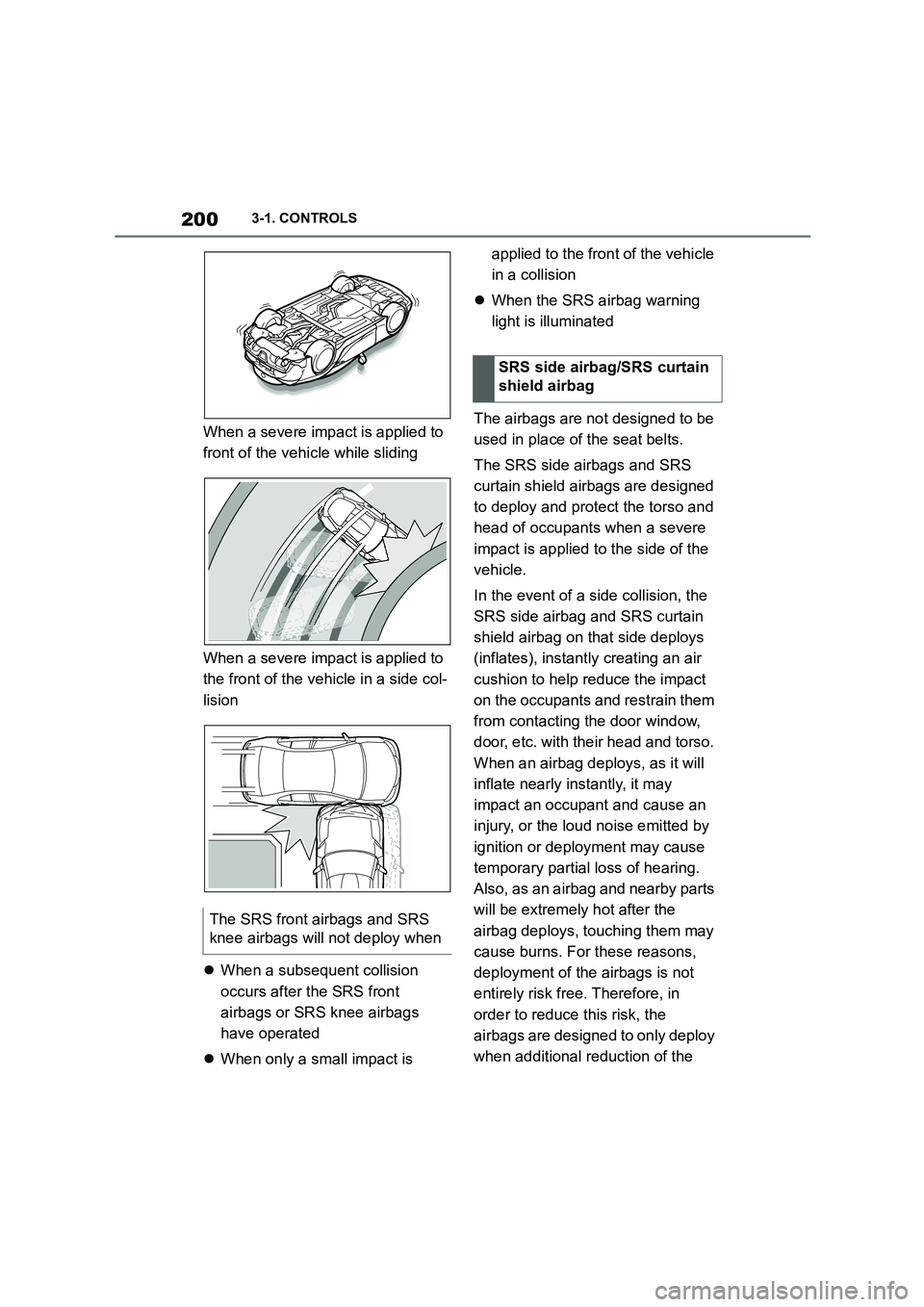
When a severe impact is applied to
front of the vehicle while sliding
When a severe impact is applied to
the front of the vehicle in a side col-
lision
When a subsequent collision
occurs after the SRS front
airbags or SRS knee airbags
have operated
When only a small impact is
applied to the front of the vehicle
in a collision
When the SRS airbag warning
light is illuminated
The airbags are not designed to be
used in place of the seat belts.
The SRS side airbags and SRS
curtain shield airbags are designed
to deploy and protect the torso and
head of occupants when a severe
impact is applied to the side of the
vehicle.
In the event of a side collision, the
SRS side airbag and SRS curtain
shield airbag on that side deploys
(inflates), instantl y creating an air
cushion to help reduce the impact
on the occupants and restrain them
from contacting the door window,
door, etc. with their head and torso.
When an airbag deploys, as it will
inflate nearly instantly, it may
impact an occupant and cause an
injury, or the loud noise emitted by
ignition or deployment may cause
temporary partial loss of hearing.
Also, as an airbag and nearby parts
will be extremely hot after the
airbag deploys, touching them may
cause burns. For these reasons,
deployment of the airbags is not
entirely risk free. Therefore, in
order to reduce this risk, the
airbags are designed to only deploy
when additional reduction of the
The SRS front airbags and SRS
knee airbags w ill not deploy when
SRS side airbag/SRS curtain
shield airbag
Page 204 of 498

2023-1. CONTROLS
When severe impact is applied to a
wheel or tire, or the suspension of
the vehicle
When the vehicle is involved in a
side collision in an area away from
the cabin (engine compartment,
luggage compartment, etc.)
When the vehicle is involved in an
offset angle side collision
When a subsequent collision
occurs after a SRS side airbag or
SRS curtain shield airbag has
operated
When only a small impact is
applied to the side of the vehicle
in a collision
When the SRS airbag warning
light is illuminated
When the majority of the initial
force of an impact is applied only
to a door
When a child restraint system is
used on the front passenger seat,
the front and side airbags on the
front passenger side can be deacti-
vated using the key switch for front
The threshold for the SRS side
airbags and SRS curtain shield
airbags to deploy will increase
considerably when
The SRS side airbags and SRS
curtain shield airbags will not
deploy when
Not for Australia/New Zea-
land: Key switch for front
passenger airbags
Principle
Page 208 of 498
2063-1. CONTROLS
trians and bicycles), see page
212.
Lane Departure Warning, see
page 216.
Blind spot monitor, see page
220.
Some Toyota Supra Safety Sys-
tems are automatically active at the
start of each journey. Some Toyota
Supra Safety Systems are acti-
vated according to the last setting.
Safety notes
WA R N I N G
The system does not relieve you of
your personal responsibility to assess
the visibility conditions and traffic situ- ation correctly. There is a danger of
accidents. Adapt your driving style to
the traffic conditions. Observe the traffic situation and intervene actively
if the situation warrants it.
WA R N I N G
Displays and warnings do not relieve
you of your personal responsibility.
System limitations can mean that
warnings or system responses are not issued or are issued too late,
incorrectly or wit hout justification.
There is a danger of accidents. Adapt your driving style to the traffic condi-
tions. Observe the traffic situation and
intervene actively if the situation war- rants it.
WA R N I N G
Due to system limitations, individual functions may not work properly when
tow-starting/towing with activated
Toyota Supra Safety Systems. There
is a danger of accidents. Switch off all Toyota Supra Safety Systems before
tow-starting/towing.
Overview
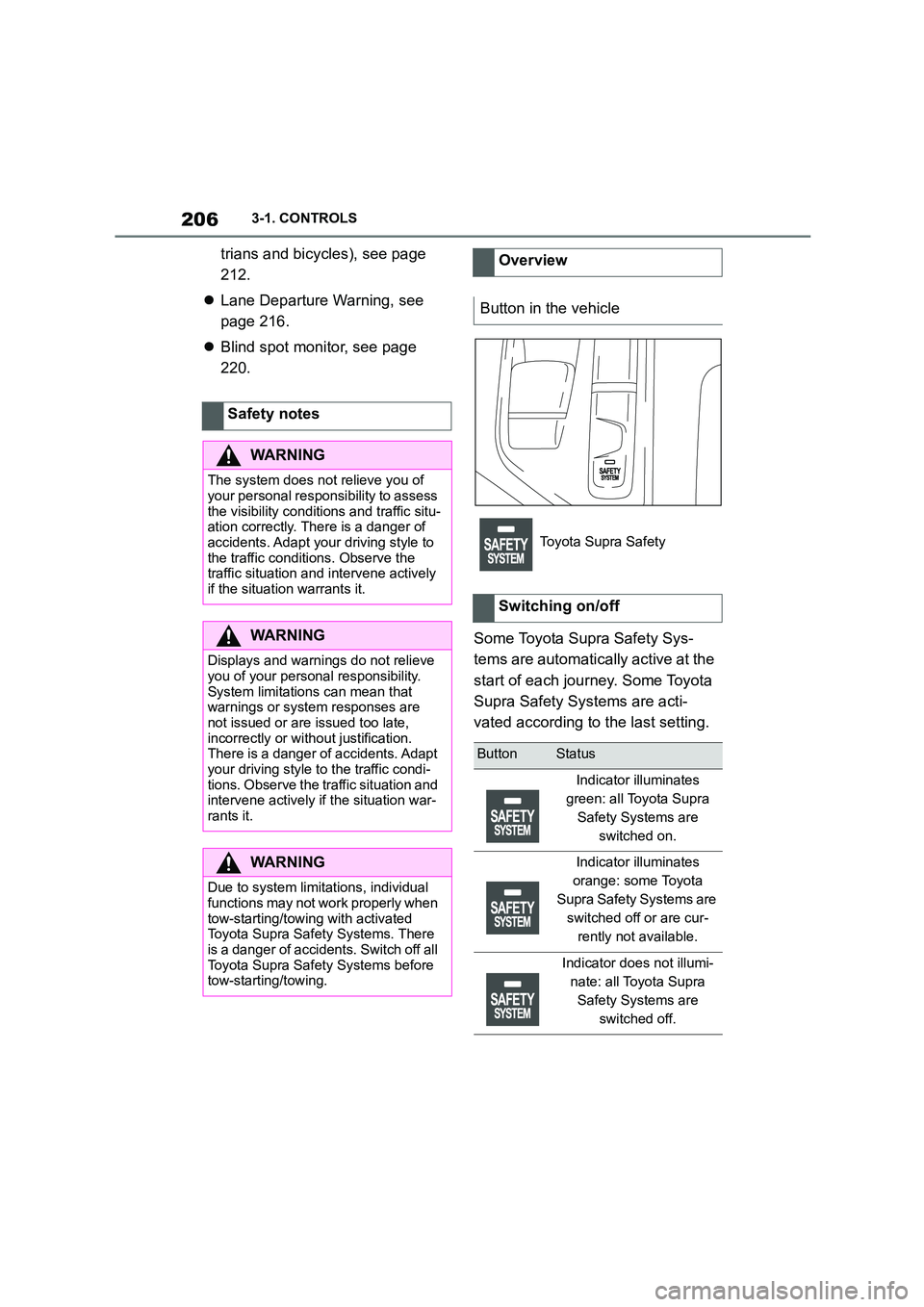
Button in the vehicle
Toyota Supra Safety
Switching on/off
ButtonStatus
Indicator illuminates
green: all Toyota Supra
Safety Systems are
switched on.
Indicator illuminates
orange: some Toyota
Supra Safety Systems are
switched off or are cur-
rently not available.
Indicator does not illumi-
nate: all Toyota Supra
Safety Systems are
switched off.
Page 209 of 498

207
3
3-1. CONTROLS
CONTROLS
The menu for the Toyota Supra
Safety Systems is shown.
If all Toyota Supra Safety Systems
were switched off, all systems are
now switched on.
"Customise Settings": depending
on the equipment, the Toyota Supra
Safety Systems can be configured
individually. The custom settings
are activated and saved. As soon
as a setting is changed in the
menu, all settings in the menu are
activated.
"ALL ON": all Toyota Supra Safety
Systems are switched on. Basic
settings are activated for the
sub-functions, for example the set-
ting for warning time.
"Customise": the Toyota Supra
Safety Systems are switched on
according to the individual settings.
Some Toyota Supra Safety Sys-
tems cannot be switched off individ-
ually.
All Toyota Supra Safety Systems
are switched off.
The system can help avoid acci-
dents. If an accident cannot be
avoided, the system helps to
reduce the co llision speed.
The system warns of the possible
risk of collision and brakes auto-
matically, as necessary.
The system is controlled using the
following sensors, depending on
the equipment:
Camera in the area of the
rear-view mirror.
Radar sensor in front bumper.
The Pre-Collision System is opera-
tional even if Cruise Control is disa-
bled.
When deliberately moving closer to
a vehicle, the front-end collision
warning and braking intervention
are activated later to avoid unjusti-
fied system responses.
From speeds of approximately 5
km/h, 3 mph, the system provides a
two-stage warning of any possible
risk of collision with vehicles. The
timing of these warnings may vary
depending on the current driving
situation.
Press the button:
Press the button repeatedly.
The setting switches between
the following:
Press and hold the button:
Pre-Collision System
Principle
General
Page 210 of 498
2083-1. CONTROLS
The system is automatically acti-
vated at the start of each journey.
The menu for the Toyota Supra
Safety Systems is shown.
If all Toyota Supra Safety Systems
were switched off, all systems are
now switched on.
"Customise Settings": depending
on the equipment, the Toyota Supra
Safety Systems can be configured
individually. The custom settings
are activated and saved. As soon
Safety notes
WA R N I N G
The system does not relieve you of
your personal responsibility to assess the visibility conditions and traffic situ-
ation correctly. There is a danger of
accidents. Adapt your driving style to the traffic conditions. Observe the
traffic situation and intervene actively
if the situation warrants it.
WA R N I N G
Displays and warnings do not relieve
you of your personal responsibility.
System limitations can mean that warnings or system responses are
not issued or are issued too late,
incorrectly or wit hout justification. There is a danger of accidents. Adapt
your driving style to the traffic condi-
tions. Observe the traffic situation and intervene actively if the situation war-
rants it.
WA R N I N G
Due to system limitations, individual functions may not work properly when
tow-starting/towing with activated
Toyota Supra Safety Systems. There is a danger of accidents. Switch off all
Toyota Supra Safety Systems before
tow-starting/towing.
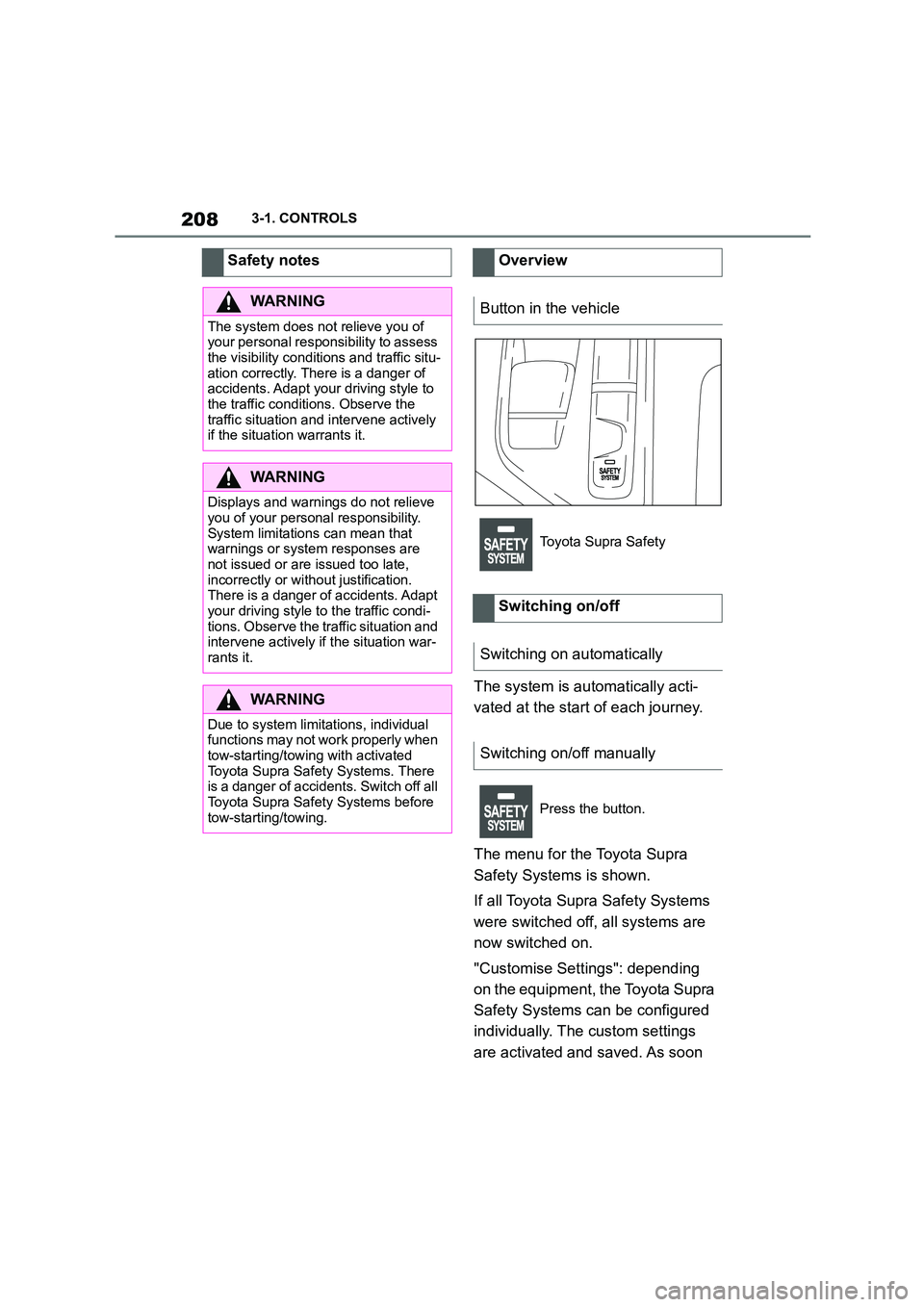
Overview
Button in the vehicle
Toyota Supra Safety
Switching on/off
Switching on automatically
Switching on/off manually
Press the button.
Page 211 of 498
209
3
3-1. CONTROLS
CONTROLS
as a setting is changed in the
menu, all settings in the menu are
activated.
The setting switches between the
following:
"ALL ON": all Toyota Supra Safety
Systems are switched on. Basic
settings are activated for the
sub-functions.
"Customise": the Toyota Supra
Safety Systems are switched on
according to the individual settings.
Some Toyota Supra Safety Sys-
tems cannot be switched off individ-
ually.
All Toyota Supra Safety Systems
are switched off.
Via Toyota Supra Command:
1 "My Vehicle"
2 "Vehicle settings"
3 "Toyota Supra Safety"
4 "Front collision warning"
5 Select the desired setting:
"Early"
"Medium"
"Late": only acute warnings are
displayed.
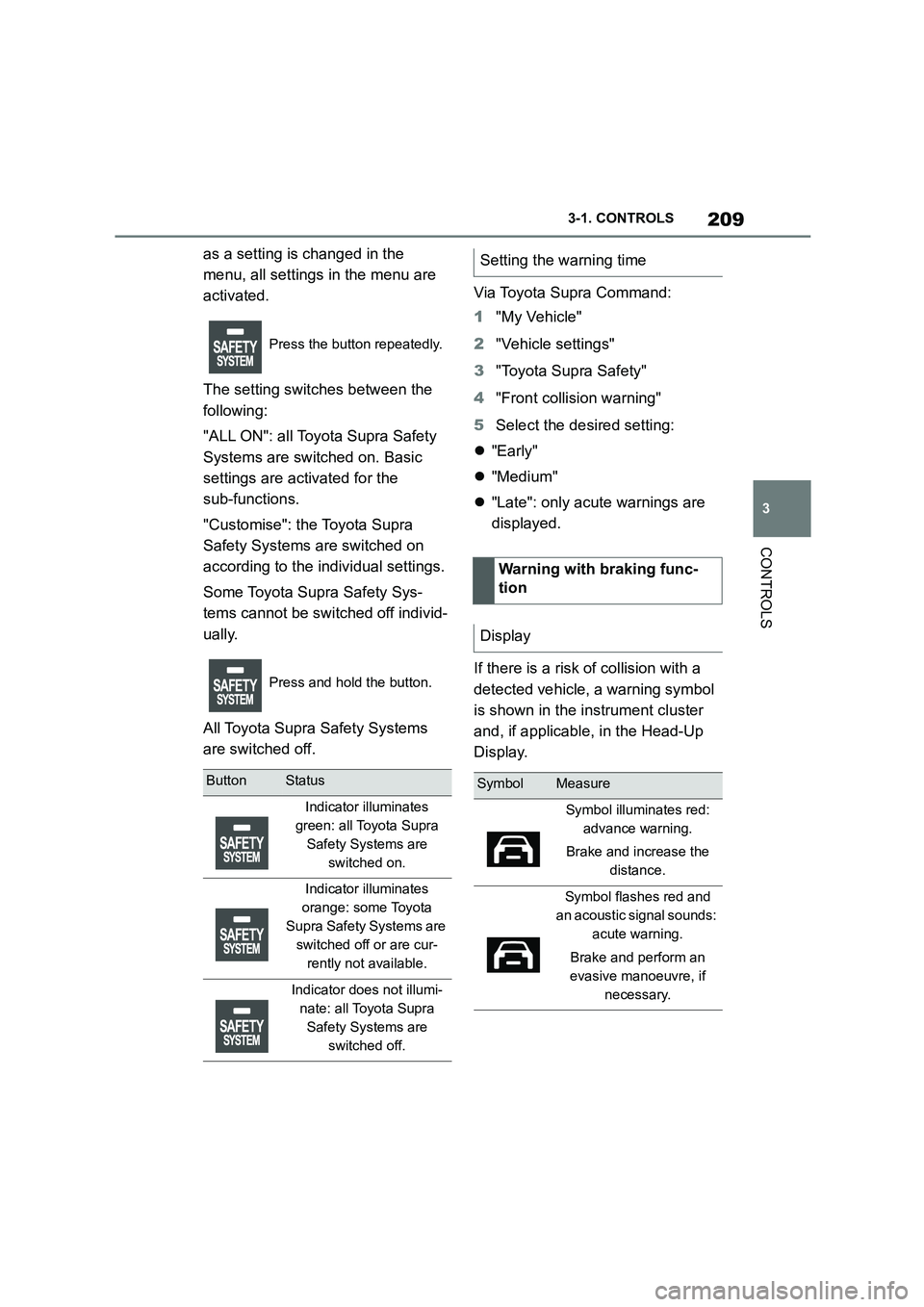
If there is a risk of collision with a
detected vehicle, a warning symbol
is shown in the instrument cluster
and, if applicable, in the Head-Up
Display.
Press the button repeatedly.
Press and hold the button.
ButtonStatus
Indicator illuminates
green: all Toyota Supra
Safety Systems are
switched on.
Indicator illuminates
orange: some Toyota
Supra Safety Systems are
switched off or are cur-
rently not available.
Indicator does not illumi-
nate: all Toyota Supra
Safety Systems are
switched off.
Setting the warning time
Warning with braking func-
tion
Display
SymbolMeasure
Symbol illuminates red:
advance warning.
Brake and increase the
distance.
Symbol flashes red and
an acoustic signal sounds:
acute warning.
Brake and perform an
evasive manoeuvre, if
necessary.