2022 TOYOTA SUPRA ESP
[x] Cancel search: ESPPage 28 of 498
262-1. QUICK REFERENCE
2-1.QUICK REFERENCE
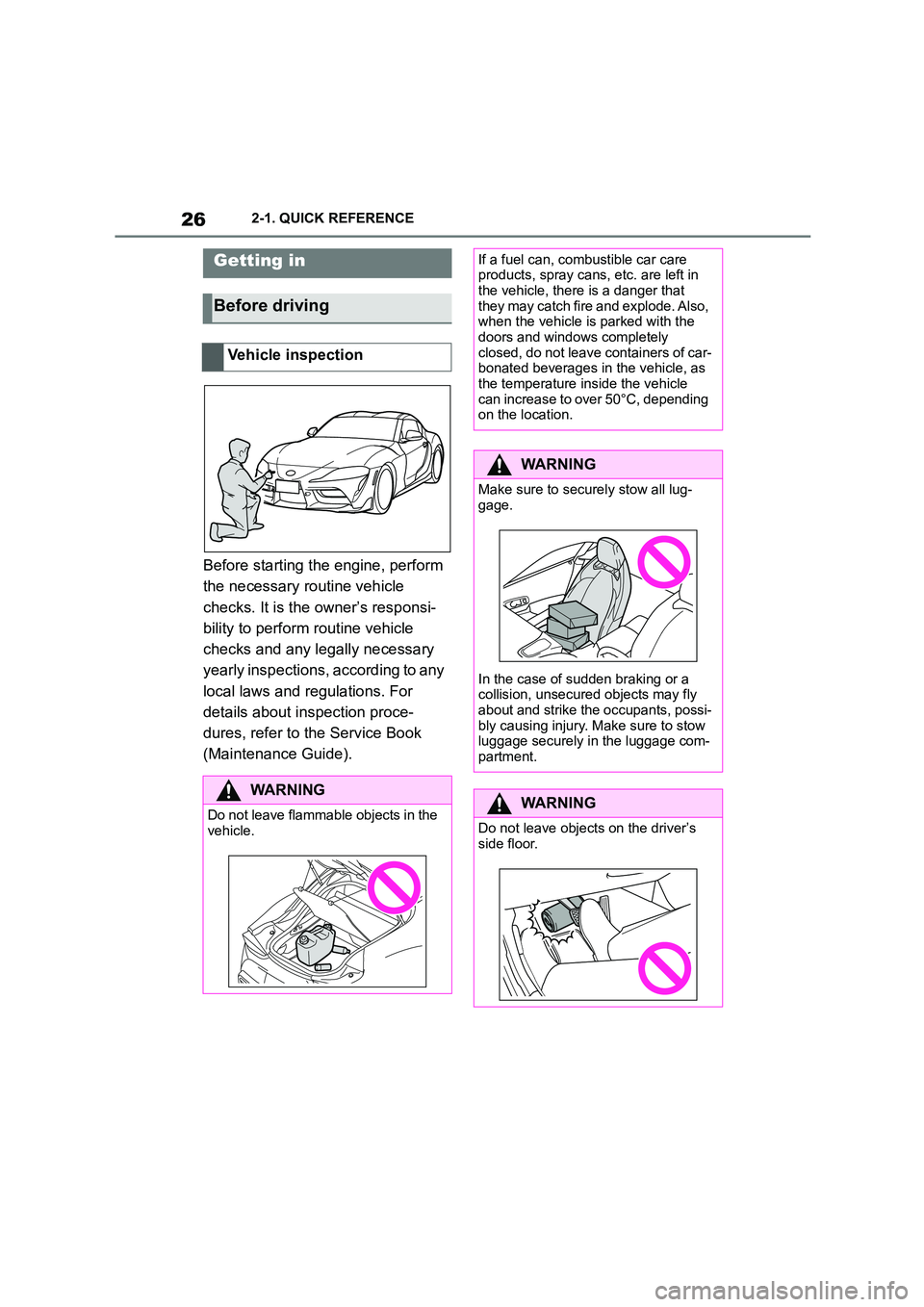
Before starting the engine, perform
the necessary routine vehicle
checks. It is the owner’s responsi-
bility to perform routine vehicle
checks and any legally necessary
yearly inspections, according to any
local laws and regulations. For
details about inspection proce-
dures, refer to the Service Book
(Maintenance Guide).
Getting in
Before driving
Vehicle inspection
WA R N I N G
Do not leave flammable objects in the vehicle.
If a fuel can, combustible car care products, spray cans, etc. are left in
the vehicle, there is a danger that
they may catch fire and explode. Also, when the vehicle is parked with the
doors and windows completely
closed, do not leave containers of car- bonated beverages in the vehicle, as
the temperature inside the vehicle
can increase to over 50°C, depending on the location.
WA R N I N G
Make sure to secu rely stow all lug-
gage.
In the case of sudden braking or a
collision, unsecure d objects may fly
about and strike the occupants, possi- bly causing injury. Ma ke sure to stow
luggage securely in the luggage com-
partment.
WA R N I N G
Do not leave objects on the driver’s
side floor.
Page 37 of 498
35
2
2-1. QUICK REFERENCE
QUICK REFERENCE
phone assigned to the tele-
phone function.
To establish the connection via the
additional telephone:
1 Press the button.
2 "Call via"
*: if equipped
CarPlay makes it possible to oper-
ate certain functions of a compati-
ble Apple iPhone by Siri voice
operation and using Toyota Supra
Command.
• Compatible iPhone, iPhone 5 or
later with iOS 7.1 or later.
• Corresponding mobile radio con-
tract.
• Bluetooth, Wi-Fi and Siri voice
operation are activated on the
iPhone.
Via Toyota Supra Command:
1 "My Vehicle"
2 "System settings"
3 "Mobile devices"
4 "Settings"
5 Select the following settings:
"Bluetooth"
"Apple CarPlay"
Register iPhone via Bluetooth on
the vehicle.
Select CarPlay as the function:
"Apple CarPlay"
The iPhone is connected to the
vehicle and displayed in the device
list.
Apple CarPlay preparation*
Principle
Operating requirements
Switching on Bluetooth and
CarPlay
Registering iPhone with CarPlay
Page 48 of 498
463-1. CONTROLS
3-1.CONTROLS
This chapter describes all standard, country-specific and special equipment
available for the model series. It may therefore describe equipment and
functions which are not installed in your vehicle, for example on account of
the special equipment selected or t he country specification. This also
applies to safety-relevant functions and systems. Please comply with the
relevant laws and regulations when using the corresponding functions and
systems.
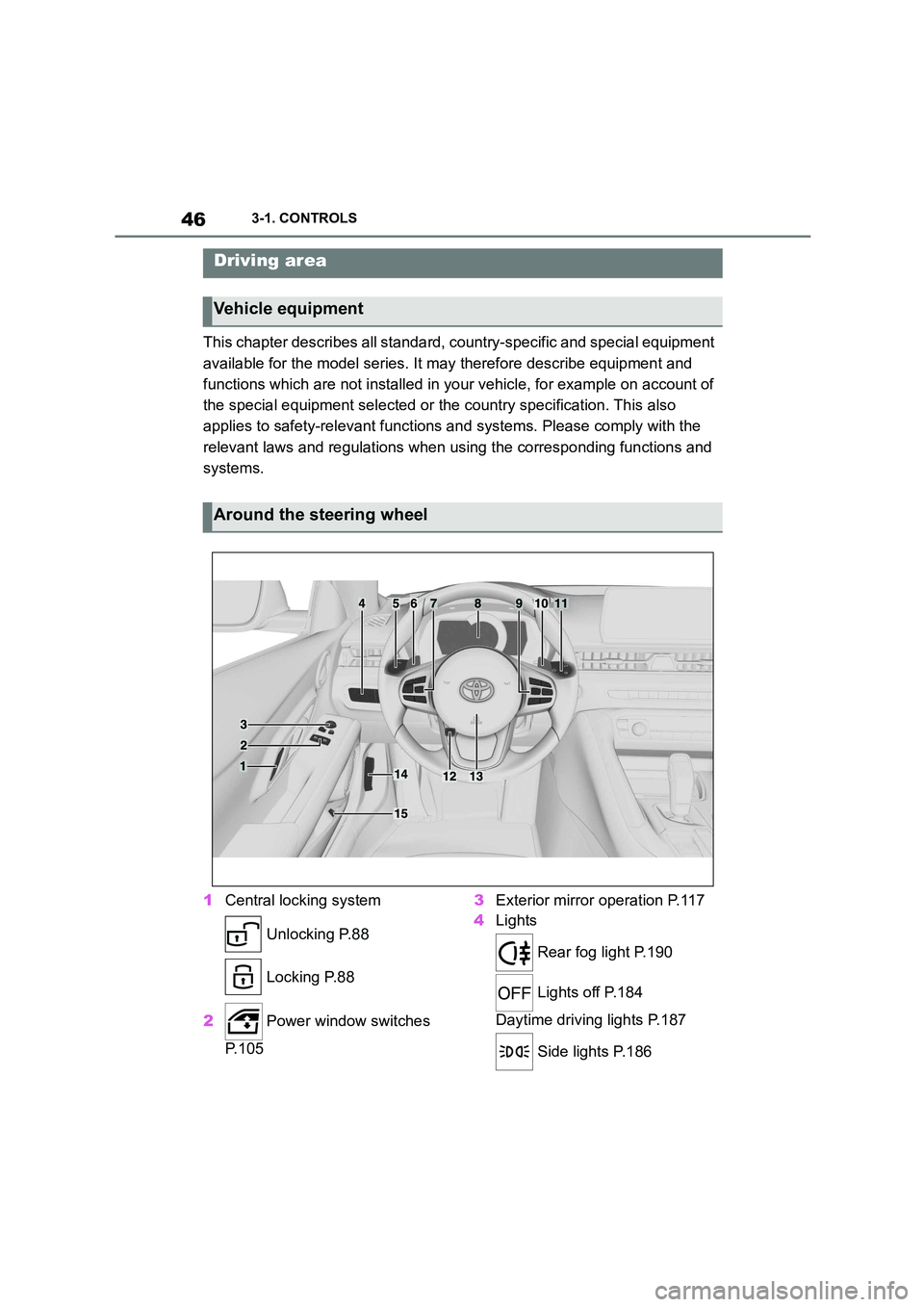
1 Central locking system
Unlocking P.88
Locking P.88
2 Power window switches
P. 1 0 5
3 Exterior mirror operation P.117
4 Lights
Rear fog light P.190
Lights off P.184
Daytime driving lights P.187
Side lights P.186
Driving area
Vehicle equipment
Around the steering wheel
Page 52 of 498

503-1. CONTROLS
This chapter describes all standard,
country-specific and special equip-
ment available for the model series.
It may therefore describe equip-
ment and functions which are not
installed in your vehicle, for exam-
ple on account of the special equip-
ment selected or the country
specification. This also applies to
safety-relevant functions and sys-
tems. Please comply with the rele-
vant laws and regulations when
using the corresponding functions
and systems.
Depending on the equipment, the
following cameras and sensors are
installed in the vehicle:
• Cameras behind the windscreen.
• Rear-view camera.
• Front radar sensor.
• Side radar sensors, rear.
• Ultrasonic sensors in the bump-
ers.
Keep the vehicle clean and unob-
structed in the area of the cameras
and sensors.
*: if equipped
The cameras are located near the
interior mirror.
The camera is located in the handle
strip of the tailgate.
The camera may have limited func-
tionality or incorrect information
may be displayed in the following
situations, for example:
• In thick fog, wet conditions or
snow.
Sensors of the vehicle
Vehicle equipment
Overview
Cameras
Cameras behind the wind-
screen*
Rear-view camera
System limits of the cameras
Page 55 of 498
53
3
3-1. CONTROLS
CONTROLS
This chapter describes all standard,
country-specific and special equip-
ment available for the model series.
It may therefore describe equip-
ment and functions which are not
installed in your vehicle, for exam-
ple on account of the special equip-
ment selected or the country
specification. This also applies to
safety-relevant functions and sys-
tems. Please comply with the rele-
vant laws and regulations when
using the corresponding functions
and systems.
Depending on the situation, the
vehicle is in one of the three states:
• Idle state.
• Standby state.
• Drive-ready state.
If the vehicle is in rest state, it is
switched off.
The vehicle is in idle state before
you open it from outside and once
you have left the vehicle and locked
it.Vehicle operating state
Vehicle equipment
General
Idle state
Principle
General
Safety notes
WA R N I N G
An unsecured vehicle can start mov-
ing and rolling away. There is a dan- ger of accidents. Before leaving the
vehicle, secure it to prevent it from
rolling away.
Observe the following to ensure that
the vehicle is secured against rolling
away:
• Apply the parking brake.
• Turn the front wheels towards the
kerb on upward or downward gradi-
ents.
• Additionally secure the vehicle on
upward or downward gradients, for example with a chock.
WA R N I N G
Unsupervised children or pets in the
vehicle can set the vehicle in motion and endanger themselves or other
road users, for example by the follow-
ing actions:
• Pressing the start/stop button.
• Releasing the parking brake.
• Opening and closing doors or win- dows.
• Engaging selector lever position N.
• Operating vehicle equipment.
There is a risk of accidents or injury.
Do not leave children or pets unsu-
pervised in the vehicle. When leaving the vehicle, take the remote control
with you and lock the vehicle.
Page 57 of 498
55
3
3-1. CONTROLS
CONTROLS
Switching on drive-ready state cor-
responds to starting the engine.
Some functions, for example Vehi-
cle Stability Control VSC, can only
be operated when drive-ready state
is switched on.
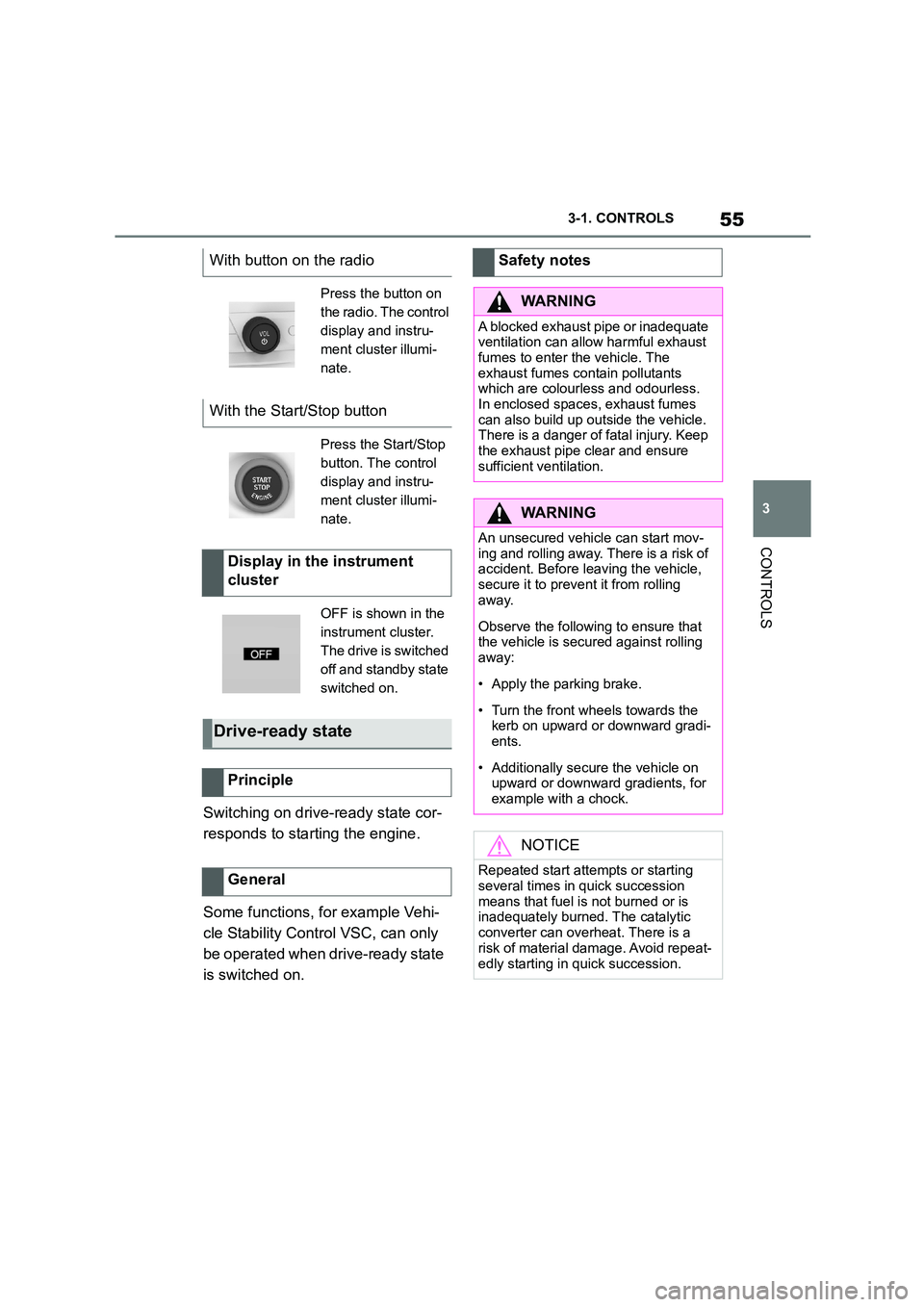
With button on the radio
Press the button on
the radio. The control
display and instru-
ment cluster illumi-
nate.
With the Start/Stop button
Press the Start/Stop
button. The control
display and instru-
ment cluster illumi-
nate.
Display in the instrument
cluster
OFF is shown in the
instrument cluster.
The drive is switched
off and standby state
switched on.
Drive-ready state
Principle
General
Safety notes
WA R N I N G
A blocked exhaust pipe or inadequate
ventilation can allow harmful exhaust fumes to enter the vehicle. The
exhaust fumes contain pollutants
which are colourless and odourless. In enclosed spaces, exhaust fumes
can also build up outside the vehicle.
There is a danger of fatal injury. Keep
the exhaust pipe clear and ensure sufficient ventilation.
WA R N I N G
An unsecured vehicle can start mov-ing and rolling away. There is a risk of
accident. Before leaving the vehicle,
secure it to prevent it from rolling away.
Observe the following to ensure that the vehicle is secured against rolling
away:
• Apply the parking brake.
• Turn the front wheels towards the
kerb on upward or downward gradi- ents.
• Additionally secure the vehicle on upward or downward gradients, for
example with a chock.
NOTICE
Repeated start attempts or starting
several times in quick succession
means that fuel is not burned or is inadequately burned. The catalytic
converter can overheat. There is a
risk of material damage. Avoid repeat-
edly starting in quick succession.
Page 59 of 498
57
3
3-1. CONTROLS
CONTROLS
This chapter describes all standard,
country-specific and special equip-
ment available for the model series.
It may therefore describe equip-
ment which is not installed in your
vehicle, for exampl e on account of
the special equipment selected or
the country specific ation. This also
applies to safety-relevant functions
and systems. Please comply with
the relevant laws and regulations
when using the corresponding func-
tions and systems.
The Toyota Supra Command com-
bines the functions of many
switches.
These functions can be operated
as follows:
Via the Controller.
Via the touchscreen.
Via the voice activation system.
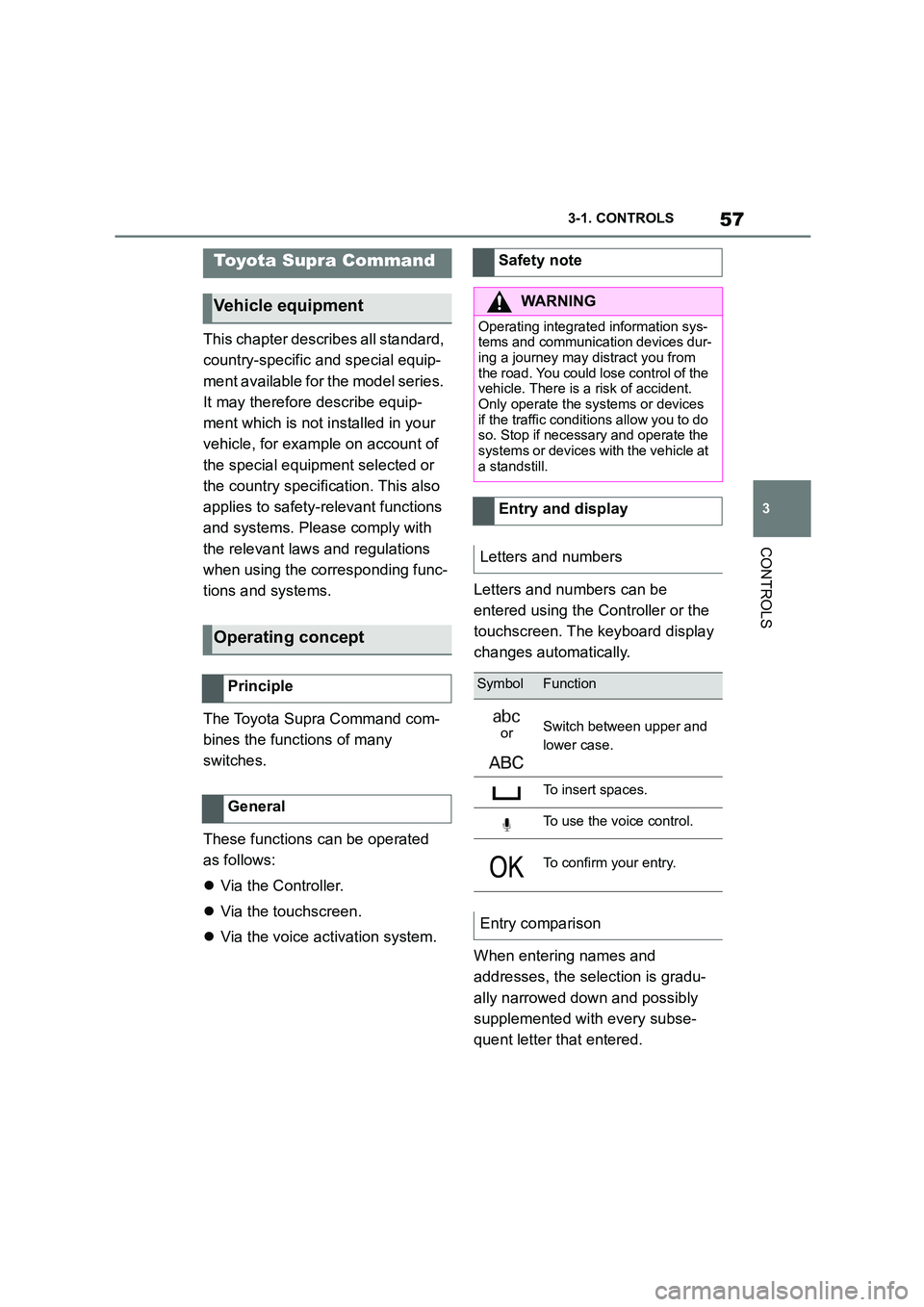
Letters and numbers can be
entered using the Controller or the
touchscreen. The keyboard display
changes automatically.
When entering names and
addresses, the selection is gradu-
ally narrowed down and possibly
supplemented with every subse-
quent letter that entered.
Toyota Supra Command
Vehicle equipment
Operating concept
Principle
General
Safety note
WA R N I N G
Operating integrated information sys-
tems and communication devices dur- ing a journey may distract you from
the road. You could lose control of the
vehicle. There is a risk of accident. Only operate the systems or devices
if the traffic conditions allow you to do
so. Stop if necessary and operate the
systems or devices wi th the vehicle at a standstill.
Entry and display
Letters and numbers
SymbolFunction
orSwitch between upper and
lower case.
To insert spaces.
To use the voice control.
To confirm your entry.
Entry comparison
Page 73 of 498
71
3
3-1. CONTROLS
CONTROLS
even if you change the volume of
other audio sources.
• Certain noises may be detected
and could result in problems.
Keep doors and windows closed.
• Noise from passengers or the
rear bench may interfere with the
system. Avoid background noise
in the vehicle while you are
speaking.
• Strong dialects may prevent
voice recognitio n from working
properly. Speak loudly and
clearly.
This chapter describes all standard,
country-specific and special equip-
ment available for the model series.
It may therefore describe equip-
ment which is not installed in your
vehicle, for example on account of
the special equipment selected or
the country specific ation. This also
applies to safety-relevant functions
and systems. Please comply with
the relevant laws and regulations
when using the corresponding func-
tions and systems.
Via Toyota Supra Command:
1 "My Vehicle"
2 "System settings"
3 If applicable, "Language"
4 "Language:"
5 Select the desired setting.
Speech dialogue for the voice con-
trol system, see page 70.
System limits
General settings
Vehicle equipment
Language
Selecting the language
Setting the speech dialogue