2019 TOYOTA SUPRA display
[x] Cancel search: displayPage 166 of 456
166
Supra Owner's Manual3-1. CONTROLS
patibility of your driving style.
■General
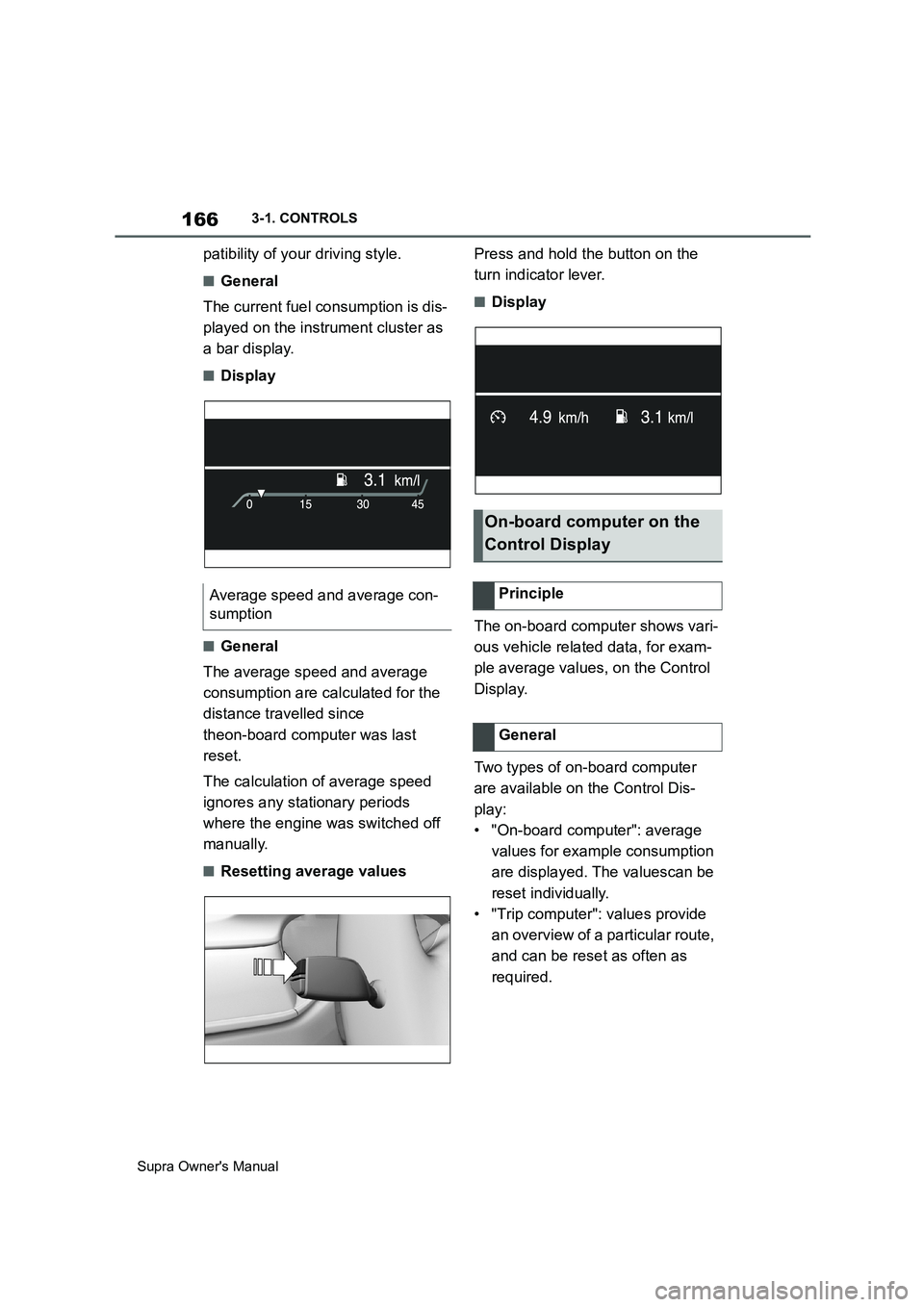
The current fuel consumption is dis-
played on the instrument cluster as
a bar display.
■Display
■General
The average speed and average
consumption are calculated for the
distance travelled since
theon-board computer was last
reset.
The calculation of average speed
ignores any stationary periods
where the engine was switched off
manually.
■Resetting average valuesPress and hold the button on the
turn indicator lever.
■Display
The on-board computer shows vari-
ous vehicle related data, for exam-
ple average values, on the Control
Display.
Two types of on-board computer
are available on the Control Dis-
play:
• "On-board computer": average
values for example consumption
are displayed. The valuescan be
reset individually.
• "Trip computer": values provide
an overview of a particular route,
and can be reset as often as
required. Average speed and average con-
sumption
On-board computer on the
Control Display
Principle
General
Page 167 of 456
167
3
Supra Owner's Manual3-1. CONTROLS
CONTROLS
Via Toyota Supra Command:
1"My Vehicle"
2"Driving information"
3"On-board computer" or "Trip
computer"
Via Toyota Supra Command:
1"My Vehicle"
2"Driving information"
3"On-board computer"
4"Consumption" or "Speed"
5"OK"
Via Toyota Supra Command:
1"My Vehicle"
2"Driving information"
3"Trip computer"
4If necessary, tilt the Controller to
the left.
• "Reset": all values are reset.
• "Reset automatically": all val-
ues are reset if the vehicle is at a
stand still for approximately 4
hours.
5If necessary, "OK"Depending on the vehicle specifica-
tions, the current power output and
torque can be displayed on the con-
trol display.
The following information is dis-
played:
To r q u e .
Power.
Via Toyota Supra Command:
1"My vehicle"
2"Sport displays"
A speed limit can be set which trig-
gers a warning when it is reached.
The warning is repeated if the vehi-
cle speed exceeds the set speed
limit again, after it has dropped
below 5 km/h/3 mph. Calling up the on-board com-
puter or trip computer
Resetting the on-board com-
puter
Resetting the trip computer
Sport displays
Principle
Display on the Control Dis-
play
Overview
Displays
Speed warning
Principle
General
Page 168 of 456
168
Supra Owner's Manual3-1. CONTROLS
Via Toyota Supra Command:
1"My Vehicle"
2"Vehicle settings"
3"Speed warning"
4"Warning at:"
5Turn the Controller until the
desired speed is displayed.
6Press the Controller.
Via Toyota Supra Command:
1"My Vehicle"
2"Vehicle settings"
3"Speed warning"
4"Speed warning"
Via Toyota Supra Command:
1"My Vehicle"
2"Vehicle settings"
3"Speed warning"
4"Select current speed"
The status can be displayed or
actions performed for some sys-
tems.Via Toyota Supra Command:
1"My vehicle"
2"Vehicle status"
• "Tyre Pressure Monitor": Sta-
tus of the Tyre Pressure Monitor,
see page 290
• "Engine oil level": Electronic
oil measurement, see page 309.
• "Vehicle messages": Vehicle
messages are stored in the
background and can be shown
on the Control Display. Display-
ing of saved vehicle messages,
see page 152.
• "Service requirements": dis-
play of the service requirements,
see page 159.
• "Remote maintenance call":
Remote maintenance call.
The system projects important
information, for example the speed,
into the driver's field of vision.
The driver can register this informa-
tion without having to divert atten-
tion from the road. Adjusting the speed warning
Activating/deactivating the
speed warning
Setting the current speed as
the speed warning
Vehicle status
General
Calling up the vehicle status
Overview of the information
Head-Up Display (vehicles
with head-up display)
Principle
Page 169 of 456
169
3
Supra Owner's Manual3-1. CONTROLS
CONTROLS
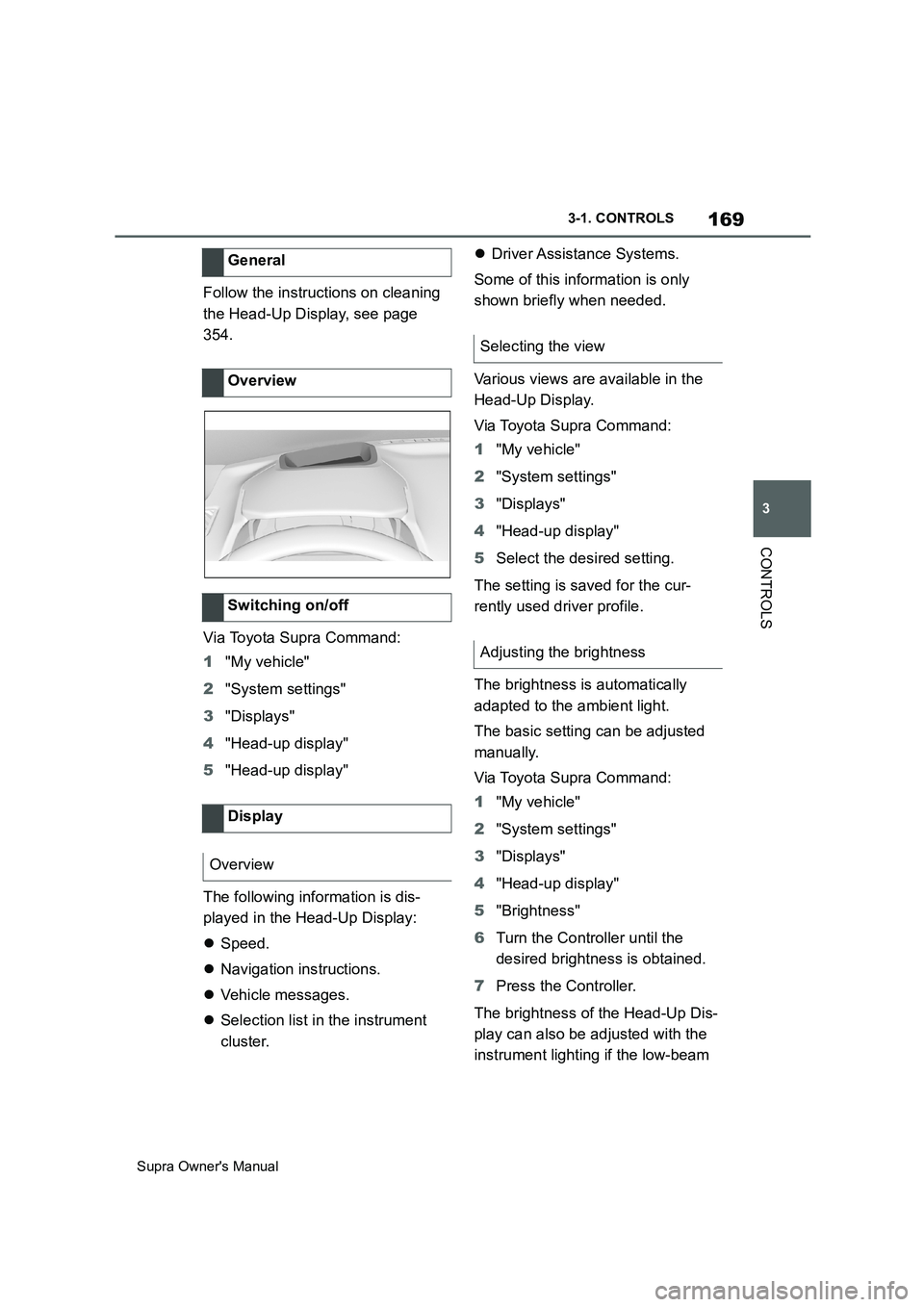
Follow the instructions on cleaning
the Head-Up Display, see page
354.
Via Toyota Supra Command:
1"My vehicle"
2"System settings"
3"Displays"
4"Head-up display"
5"Head-up display"
The following information is dis-
played in the Head-Up Display:
Speed.
Navigation instructions.
Vehicle messages.
Selection list in the instrument
cluster.Driver Assistance Systems.
Some of this information is only
shown briefly when needed.
Various views are available in the
Head-Up Display.
Via Toyota Supra Command:
1"My vehicle"
2"System settings"
3"Displays"
4"Head-up display"
5Select the desired setting.
The setting is saved for the cur-
rently used driver profile.
The brightness is automatically
adapted to the ambient light.
The basic setting can be adjusted
manually.
Via Toyota Supra Command:
1"My vehicle"
2"System settings"
3"Displays"
4"Head-up display"
5"Brightness"
6Turn the Controller until the
desired brightness is obtained.
7Press the Controller.
The brightness of the Head-Up Dis-
play can also be adjusted with the
instrument lighting if the low-beam General
Overview
Switching on/off
Display
Overview
Selecting the view
Adjusting the brightness
Page 170 of 456
170
Supra Owner's Manual3-1. CONTROLS
headlights are switched on.
Via Toyota Supra Command:
1"My vehicle"
2"Toyota Supra Commnad set-
tings"
3"Displays"
4"Head-up display"
5"Height"
6Turn the Controller until the
desired height is obtained.
7Press the Controller.
The setting is saved for the cur-
rently used driver profile.
The height of the Head-Up Display
can also be saved with the memory
function, see page 106.
The Head-Up Display view can be
rotated.
Via Toyota Supra Command:
1"My vehicle"
2"System settings"
3"Displays"
4"Head-up display"
5"Rotation"
6Turn the Controller until the
desired setting is reached.
7Press the Controller.The visibility of the display on the
Head-Up Display can be affected
by the following:
Seat position.
Objects placed on the Head-Up
Display cover.
Sunglasses with certain polarisa-
tion filters.
Wet road.
Unfavourable lighting conditions.
If the picture is distorted, have the
basic settings checked by any
authorized Toyota retailer or Toyota
authorized repairer, or any reliable
repairer.
The windscreen constitutes part of
the system.
The shape of the windscreen ena-
bles a sharp image to be projected.
A film in the windscreen prevents
double images occurring.
For this reason, it is highly recom-
mended for the special windscreen
to be renewed by any authorized
Toyota retailer or Toyota authorized
repairer, or any reliable repairer if
required. Adjusting the height
Adjusting the rotationVisibility of the display
Special windscreen
Page 181 of 456

181
3
Supra Owner's Manual3-1. CONTROLS
CONTROLS
example coats or jackets over
the backrests.
Do not modify individual compo-
nents of the system or its wiring
in any way. This also applies to
the covers of the steering wheel,
the dashboard and seats.
Do not dismantle the airbag sys-
tem.
Even if all this information is
observed, depending on the cir-
cumstances in which an accident
occurs, certain injuries as a result
of contact with the airbag cannot be
entirely ruled out.
The noise caused by the deploy-
ment of an airbag may lead to tem-
porary hearing loss for vehicle
occupants sensitive to noise.
Have the system checked.
The airbags are not designed to be
used in place of the seat belts.
The SRS front airbags and SRS
knee airbags are designed to sup-
plement the seat belts, not be used
in place of them, to increase their Operational readiness of the
airbag system
Safety notes
WARNING
Individual components of the airbag
system may be hot after airbag
deployment. There is a danger of
injury. Do not touch individual compo-
nents.
WARNING
Work carried out incorrectly can lead
to a failure, a malfunction or acciden-
tal deployment of the airbag system. If
there is a malfunction, the airbag sys-
tem might not deploy as intended in
an accident, in spite of the accident
being of the appropriate severity.
There is a danger of injury or even
death. Have the airbag system tested,
repaired or removed and disposed of
by any authorized Toyota retailer or
Toyota authorized repairer, or any reli-
able repairer.
Display in the instrument cluster
When drive-ready state is
switched on, the warning
lamp in the instrument cluster
briefly illuminates in order to
show the operational readi-
ness of the entire airbag sys-
tem and the belt tensioners.
Malfunction
The warning lamp does not
illuminate after drive-ready
state is switched on.
The warning lamp is per-
manently illuminated.
SRS front airbag/SRS knee
airbag
Page 189 of 456

189
3
Supra Owner's Manual3-1. CONTROLS
CONTROLS
The front and side airbags for the
front passenger can be deacti-
vated and reactivated using the
integrated key from the remote con-
trol.
The key switch for front passenger
airbags is located on the outside of the
dashboard.
1Insert the key and press inwards
where necessary.
2While the key is pressed
inwards, turn it to the OFF posi-
tion as far as it will go. Once the stop position has been reached,
remove the key.
3Make sure that the key switch is
in the end position so that the
airbags are deactivated.
The front passenger airbags are
deactivated. The driver's airbags
remain active.
If a child restraint system is no
longer fitted in the front passenger
seat, reactivate the front passenger
airbags so that they are triggered
as intended in the event of an acci-
dent.
The airbag status is displayed on
the indicator lamp on the roof lining,
see page 190.
1Insert the key and press inwards
where necessary.
2While the key is pressed
inwards, turn it to the ON posi-
tion as far as it will go. Once the
stop position has been reached,
remove the key. General
Overview
Deactivating the front pas-
senger airbags
Activating the front passen-
ger airbags
Page 190 of 456
190
Supra Owner's Manual3-1. CONTROLS
3Make sure that the key switch is
in the end position so that the
airbags are activated.
The front passenger airbags are
reactivated and can deploy cor-
rectly if the need arises.
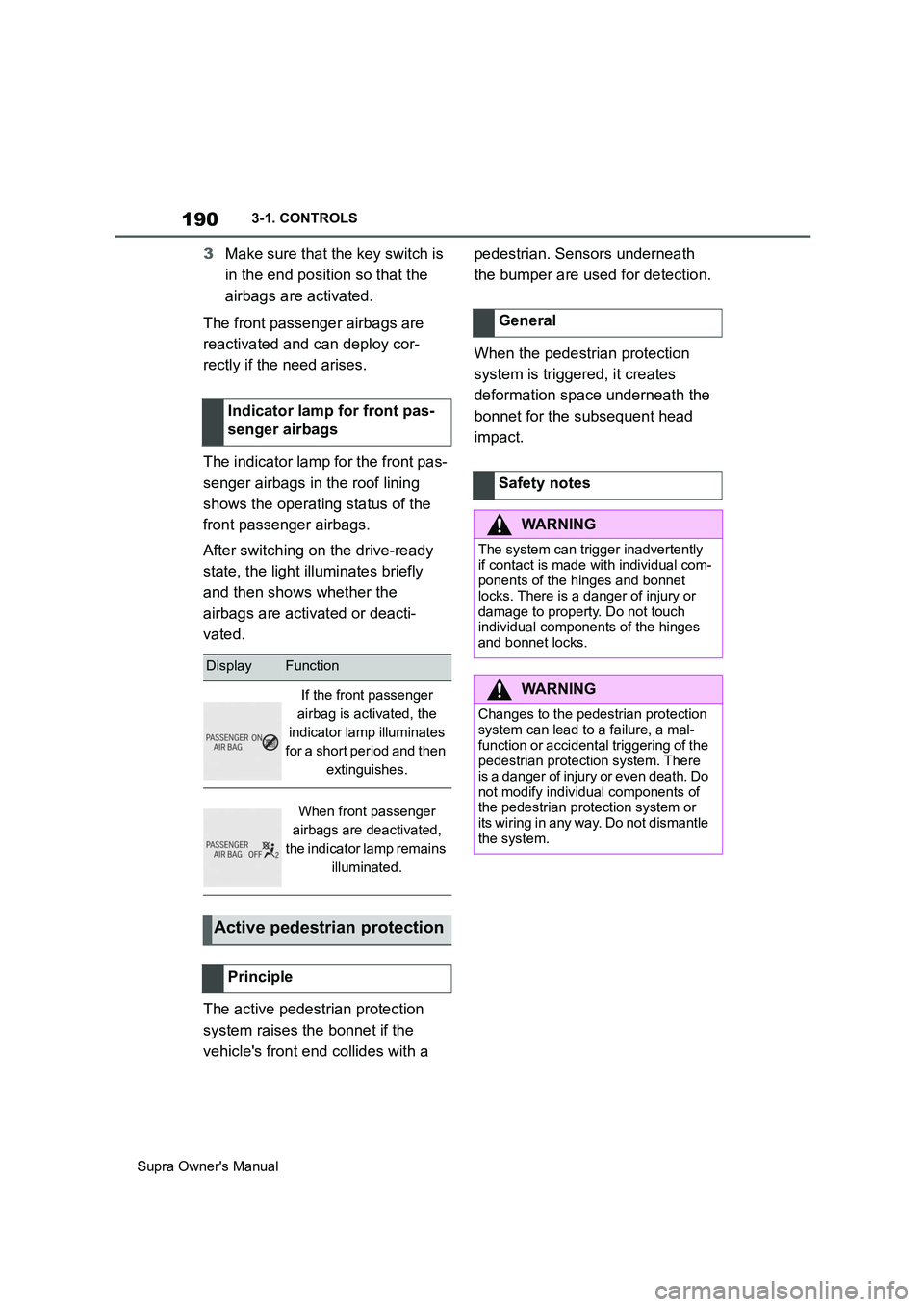
The indicator lamp for the front pas-
senger airbags in the roof lining
shows the operating status of the
front passenger airbags.
After switching on the drive-ready
state, the light illuminates briefly
and then shows whether the
airbags are activated or deacti-
vated.
The active pedestrian protection
system raises the bonnet if the
vehicle's front end collides with a pedestrian. Sensors underneath
the bumper are used for detection.
When the pedestrian protection
system is triggered, it creates
deformation space underneath the
bonnet for the subsequent head
impact. Indicator lamp for front pas-
senger airbags
DisplayFunction
If the front passenger
airbag is activated, the
indicator lamp illuminates
for a short period and then
extinguishes.
When front passenger
airbags are deactivated,
the indicator lamp remains
illuminated.
Active pedestrian protection
Principle
General
Safety notes
WARNING
The system can trigger inadvertently
if contact is made with individual com-
ponents of the hinges and bonnet
locks. There is a danger of injury or
damage to property. Do not touch
individual components of the hinges
and bonnet locks.
WARNING
Changes to the pedestrian protection
system can lead to a failure, a mal-
function or accidental triggering of the
pedestrian protection system. There
is a danger of injury or even death. Do
not modify individual components of
the pedestrian protection system or
its wiring in any way. Do not dismantle
the system.