2019 TOYOTA SUPRA display
[x] Cancel search: displayPage 69 of 456
69
3
Supra Owner's Manual3-1. CONTROLS
CONTROLS
device.
Connect the mobile telephone with the
telephone or additional telephone func-
tion.
Why are no phone book entries, not
all entries or incomplete entries dis-
played?
• The transfer of the phone book
entries is not yet completed.
• Under certain circumstances
only the phone book entries
saved in the mobile telephone or
on the SIM card are transferred.
• It is possible that phone book
entries with special characters
cannot be displayed.
• It may not be possible to transfer
contacts from social networks.
• The number of telephone book
entries to be saved is too high.
• The data volume of the contact is
too large, for example due to
saved information such as
memos.
Reduce the data volume of the contact.
• A mobile telephone can only be
connected as an audio source or
as a telephone.
Configure the mobile telephone and
connect it with the telephone or addi-
tional telephone function.
How can the telephone connection
quality be improved?
• Adjust the strength of the
Bluetooth signal on the mobile
telephone; the procedure varies
from mobile telephone to mobile
telephone.
• Adjust the volume of the micro-phone and speaker separately in
the sound settings.
If all the points on the list have been
reviewed and the desired function
cannot be performed, contact the
customer support, an any author-
ized Toyota retailer or Toyota
authorized repairer, or any reliable
repairer.
Mobile devices with a USB port are
connected to the USB interface.
• Audio devices, for example MP3
players.
• USB storage devices.
Common file systems are supported.
Formats FAT32 and exFAT are recom-
mended.
A connected USB device is sup-
plied with charging current via the
USB interface if the device sup-
ports this. Note the maximum
charging current of the USB inter-
face.
The following can be done at USB
interfaces compatible with data
transfer:
• Exporting and importing of driver
profiles, see page 86.
• Playback of music files via USB
audio.
• Playback of video films via USB
video.
• Importing trips.USB connection
General
Page 70 of 456
70
Supra Owner's Manual3-1. CONTROLS
When connecting, bear the follow-
ing in mind:
• Do not use force when inserting
the plug into the USB interface.
• Use a flexible adapter cable.
• Protect the USB device from
mechanical damage.
• Due to the large variety of USB
devices available on the market,
operation via the vehicle cannot
be ensured for every device.
• Do not expose the USB devices
to extreme environmental condi-
tions, for example very high tem-
peratures, see the operating
instructions of the device.
• Due to the large variety of differ-
ent compression techniques,
correct playback of the media
stored on the USB device cannot
be guaranteed in every case.
• To ensure correct transfer of the
stored data, do not charge a
USB device from the socket in
the vehicle when the device is
also connected to the USB inter-
face.
• Depending on how the USB
device is being used, it may be
necessary to perform settings on
the USB device, see the operat-
ing instructions of the device.
Unsuitable USB devices:
• USB hard drives.
• USB hubs.
• USB memory card reader with
several inserts.
• HFS-formatted USB devices.
• Devices such as fans or lamps.Compatible device with USB inter-
face.
Connect the USB device to a USB
interface, see page 259, using a
suitable adapter cable.
The USB device is displayed in the
device list, see page 72.
CarPlay makes it possible to oper-
ate certain functions of a compati-
ble Apple iPhone by Siri voice
operation and using Toyota Supra
Command.
• Compatible iPhone.
iPhone 5 or later with iOS 7.1 or later.
• Corresponding mobile radio con-
tract.
• Bluetooth, WLAN and Siri voice
operation are activated on the
iPhone.
• Booking of the Toyota Supra
Connect service: Apple CarPlay
preparation.
Via Toyota Supra Command:Operating requirements
Connecting a device
Apple CarPlay preparation
Principle
Operating requirements
Switching on Bluetooth and Car-
Play
Page 71 of 456
71
3
Supra Owner's Manual3-1. CONTROLS
CONTROLS
1"My Vehicle"
2"System settings"
3"Mobile devices"
4"Settings"
5Select the following settings:
• "Bluetooth"
• "Apple CarPlay"
Register iPhone via Bluetooth on
the vehicle, see page 67.
Select CarPlay as the function:
"Apple CarPlay"
The iPhone is connected to the
vehicle and displayed in the device
list, see page 72.
For further information, see the
Owner's Manual for Navigation,
Entertainment and Communication.
There may be instances where the
mobile device does not function as
expected, even though all precondi-
tions have been met and all the
necessary steps have been carried
out in the correct order. Neverthe-
less, the mobile device does not
function as expected.
In such cases, the following expla-
nations may provide assistance:
The iPhone has already been
paired with Apple CarPlay. When a new connection is established, Car-
Play can no longer be selected.
• Delete the iPhone concerned
from the device list.
• On the iPhone, delete the vehicle
concerned from the list of saved
connections under Bluetooth and
under WLAN.
• Pair the iPhone as a new device.
If the steps listed have been carried
out and the desired function still
cannot be run: contact the cus-
tomer support, an any authorized
Toyota retailer or Toyota authorized
repairer, or any reliable repairer.
Screen Mirroring enables you to
display your smartphone screen on
the Control Display.
• Compatible smartphone with
Screen Mirroring interface.
• Screen Mirroring is switched on
in the smartphone.
• WLAN is switched on in the vehi-
cle.
Via Toyota Supra Command:
1"My Vehicle"
2"System settings"
3"Mobile devices" Registering iPhone with CarPlay
Operation
Frequently Asked Questions
Screen Mirroring
General
Operating requirements
Switching on WLAN
Page 72 of 456
72
Supra Owner's Manual3-1. CONTROLS
4"Settings"
5"Vehicle WiFi"
Via Toyota Supra Command:
1"My Vehicle"
2"System settings"
3"Mobile devices"
4"Connect new device"
5 "Screen Mirroring"
The WLAN name of the vehicle is dis-
played in the Control Display.
6On the smartphone, search for
WLAN devices in the vicinity.
The WLAN name of the vehicle is
shown on the display of the device.
Select WLAN name of the vehicle.
7Confirm the connection via
Toyota Supra Command.
The device is connected and dis-
played in the device list, see page
72.
• Following one-off registration,
the devices are automatically
detected and connected again
when the standby state is
switched on.
• The data saved on the SIM card
or in the mobile telephone is
transferred to the vehicle follow-
ing detection.• Some devices may require par-
ticular settings, for example
authorisation; see the user man-
ual of the device.
All devices registered or connected
to the vehicle are displayed in the
device list.
Via Toyota Supra Command:
1"My Vehicle"
2"System settings"
3"Mobile devices"
A symbol indicates which function a
device is used for.
Functions can be activated or deac-
tivated on a registered or con-
nected device.
Via Toyota Supra Command:
1"My Vehicle"
2"System settings"
3"Mobile devices"
4Select the required device. Registering the smartphone with
Screen Mirroring
Managing mobile devices
General
Displaying the device list
SymbolFunction
"Telephone"
"Additional telephone"
"Bluetooth audio"
"Apps"
"Apple CarPlay"
"Screen Mirroring"
Configuring the device
Page 79 of 456
79
3
Supra Owner's Manual3-1. CONTROLS
CONTROLS
vicinity of the remote control.
Do not transport the remote control
together with electronic devices.
• Interference with radio transmis-
sion caused by the charging of
mobile devices, for example a
mobile phone.
• The remote control is located in
the immediate vicinity of the
wireless charging dock. Place
the remote control somewhere
else.
If there is a malfunction, the vehicle
can be unlocked and locked from
the outside with the integrated key,
see page 79.
The drive-ready state cannot be
switched on if the remote control
has not been detected.
If this happens, proceed as follows:
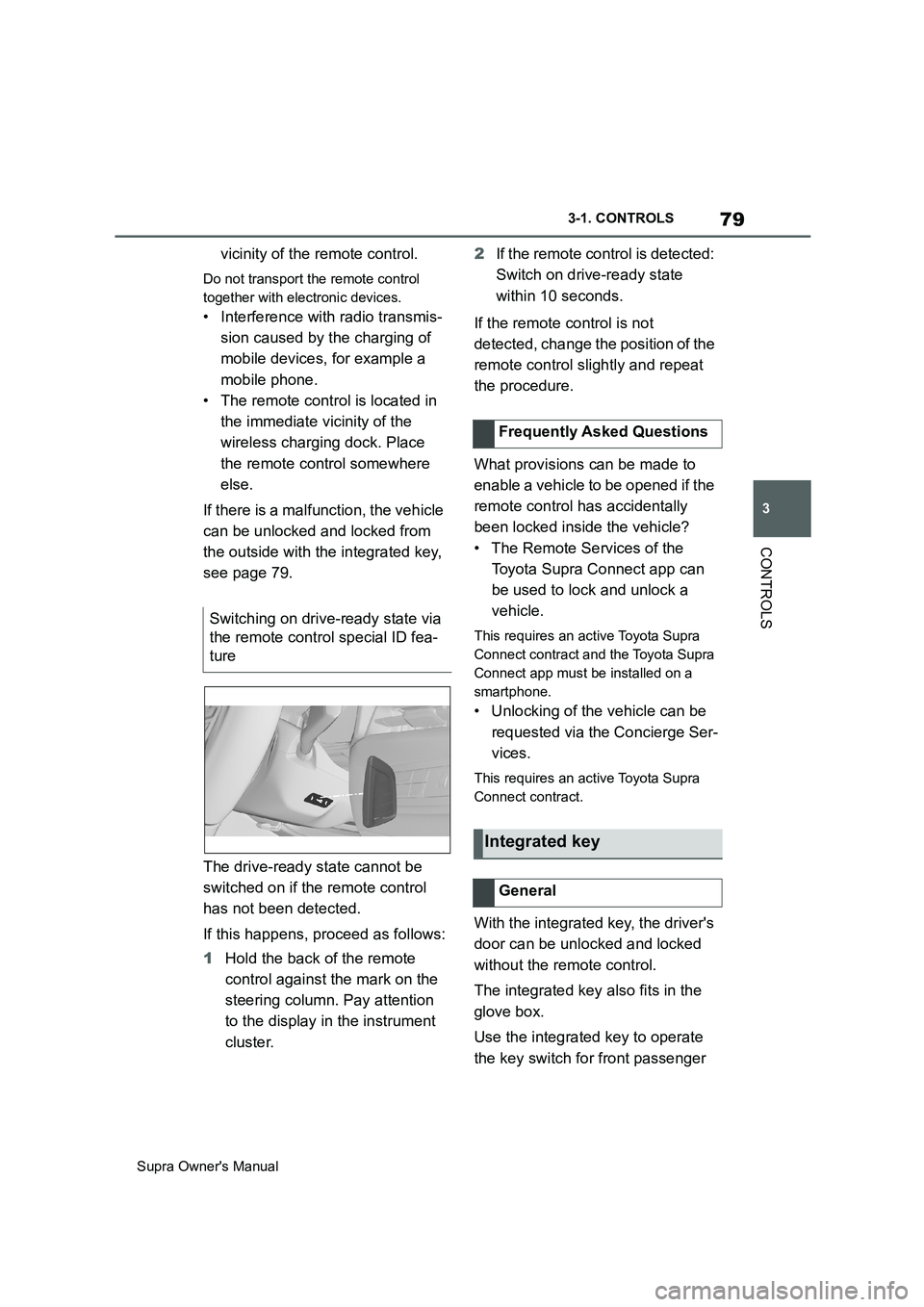
1Hold the back of the remote
control against the mark on the
steering column. Pay attention
to the display in the instrument
cluster.2If the remote control is detected:
Switch on drive-ready state
within 10 seconds.
If the remote control is not
detected, change the position of the
remote control slightly and repeat
the procedure.
What provisions can be made to
enable a vehicle to be opened if the
remote control has accidentally
been locked inside the vehicle?
• The Remote Services of the
Toyota Supra Connect app can
be used to lock and unlock a
vehicle.
This requires an active Toyota Supra
Connect contract and the Toyota Supra
Connect app must be installed on a
smartphone.
• Unlocking of the vehicle can be
requested via the Concierge Ser-
vices.
This requires an active Toyota Supra
Connect contract.
With the integrated key, the driver's
door can be unlocked and locked
without the remote control.
The integrated key also fits in the
glove box.
Use the integrated key to operate
the key switch for front passenger Switching on drive-ready state via
the remote control special ID fea-
ture
Frequently Asked Questions
Integrated key
General
Page 87 of 456
87
3
Supra Owner's Manual3-1. CONTROLS
CONTROLS
are also restored if the vehicle is
used in the intervening period by
someone with a different remote
control.
Changes to settings are saved
automatically in the currently used
driver profile.
If a different driver profile is
selected via Toyota Supra Com-
mand, the settings saved there are
automatically applied. The new
driver profile is allocated to the
remote control currently used.
A guest profile is also available
which is not allocated to any remote
control. It can be used to perform
settings on the vehicle without
changing the personal driver pro-
files.
To ensure that the correct driver
profile can be set, the system must
be able to allocate the detected
remote control uniquely to the
driver.
This is ensured if the following con-
ditions are met:
• The driver is only carrying their
own remote control.
• The driver unlocks the vehicle.
• The driver enters the vehicle
through the driver's door.
The name of the currently used
driver profile is displayed when the Control Display is switched on.
Select a driver profile, see page 88.
As soon as the engine is started or
any button pressed, the display
selected last is shown on the Con-
trol Display.
To cancel the welcome screen via
Toyota Supra Command: "OK"
Settings for the following systems
and functions are saved in the cur-
rently used driver profile. Which
settings can be saved depends on
the country and equipment.
• Unlocking and locking.
•Lights.
• Air conditioning.
• Radio.
• Instrument cluster.
• Favourites buttons.
• Volumes, sound.
• Control Display.
• Navigation.
• Parking Sensors.
• Rear-view camera.
• Head-Up Display.
•Sport mode switch.
• Seat position, exterior mirror
position
The positions set via the seat memory
and the last position set are saved.
• Cruise Control.
• Toyota Supra Safety. Operating requirements
Currently used driver profile
Settings
Page 103 of 456
103
3
Supra Owner's Manual3-1. CONTROLS
CONTROLS
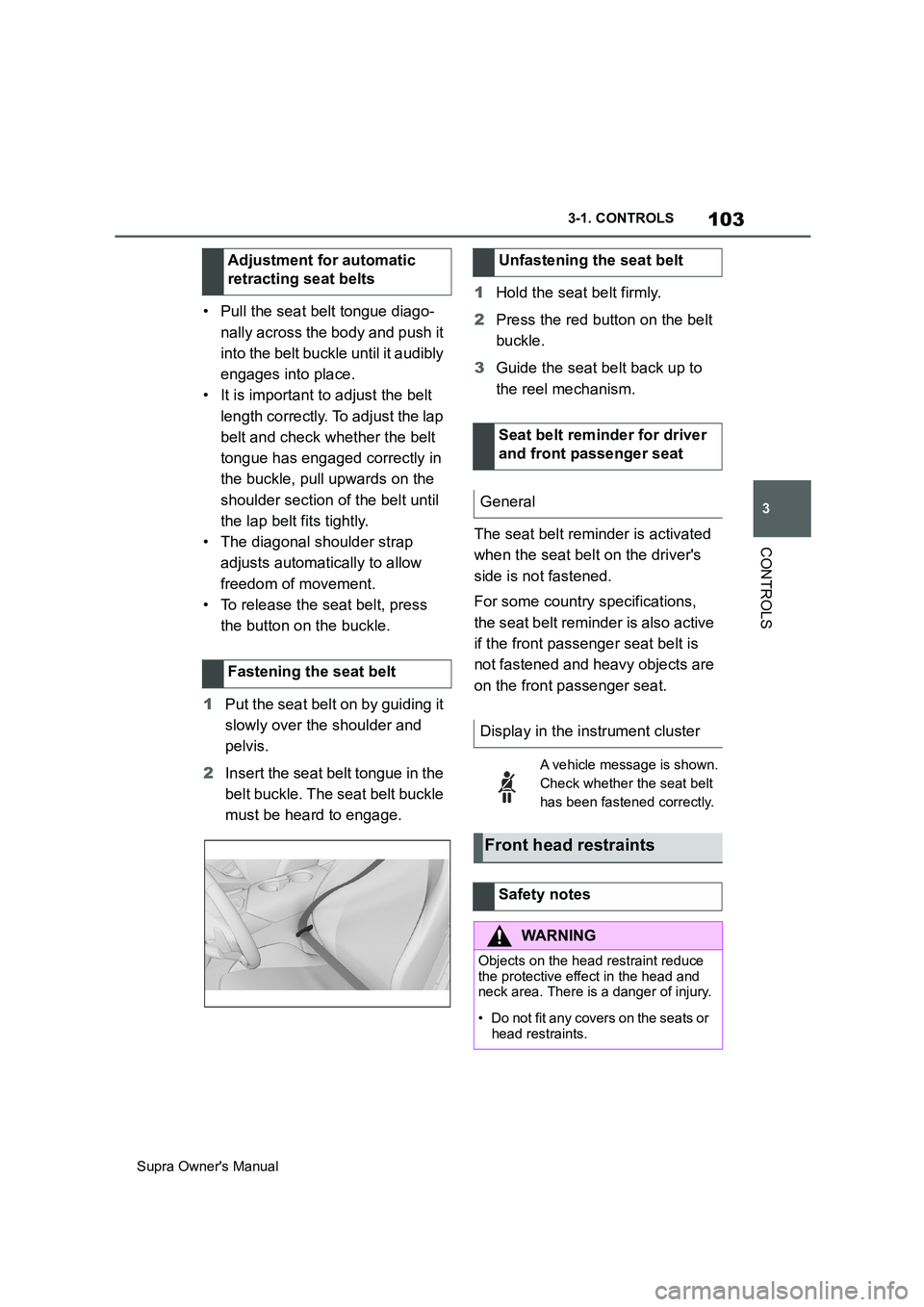
• Pull the seat belt tongue diago-
nally across the body and push it
into the belt buckle until it audibly
engages into place.
• It is important to adjust the belt
length correctly. To adjust the lap
belt and check whether the belt
tongue has engaged correctly in
the buckle, pull upwards on the
shoulder section of the belt until
the lap belt fits tightly.
• The diagonal shoulder strap
adjusts automatically to allow
freedom of movement.
• To release the seat belt, press
the button on the buckle.
1Put the seat belt on by guiding it
slowly over the shoulder and
pelvis.
2Insert the seat belt tongue in the
belt buckle. The seat belt buckle
must be heard to engage.1Hold the seat belt firmly.
2Press the red button on the belt
buckle.
3Guide the seat belt back up to
the reel mechanism.
The seat belt reminder is activated
when the seat belt on the driver's
side is not fastened.
For some country specifications,
the seat belt reminder is also active
if the front passenger seat belt is
not fastened and heavy objects are
on the front passenger seat. Adjustment for automatic
retracting seat belts
Fastening the seat belt
Unfastening the seat belt
Seat belt reminder for driver
and front passenger seat
General
Display in the instrument cluster
A vehicle message is shown.
Check whether the seat belt
has been fastened correctly.
Front head restraints
Safety notes
WARNING
Objects on the head restraint reduce
the protective effect in the head and
neck area. There is a danger of injury.
• Do not fit any covers on the seats or
head restraints.
Page 106 of 456
106
Supra Owner's Manual3-1. CONTROLS
• Keep the photocells clean.
• Do not obstruct the zone
between the rear-view mirror and
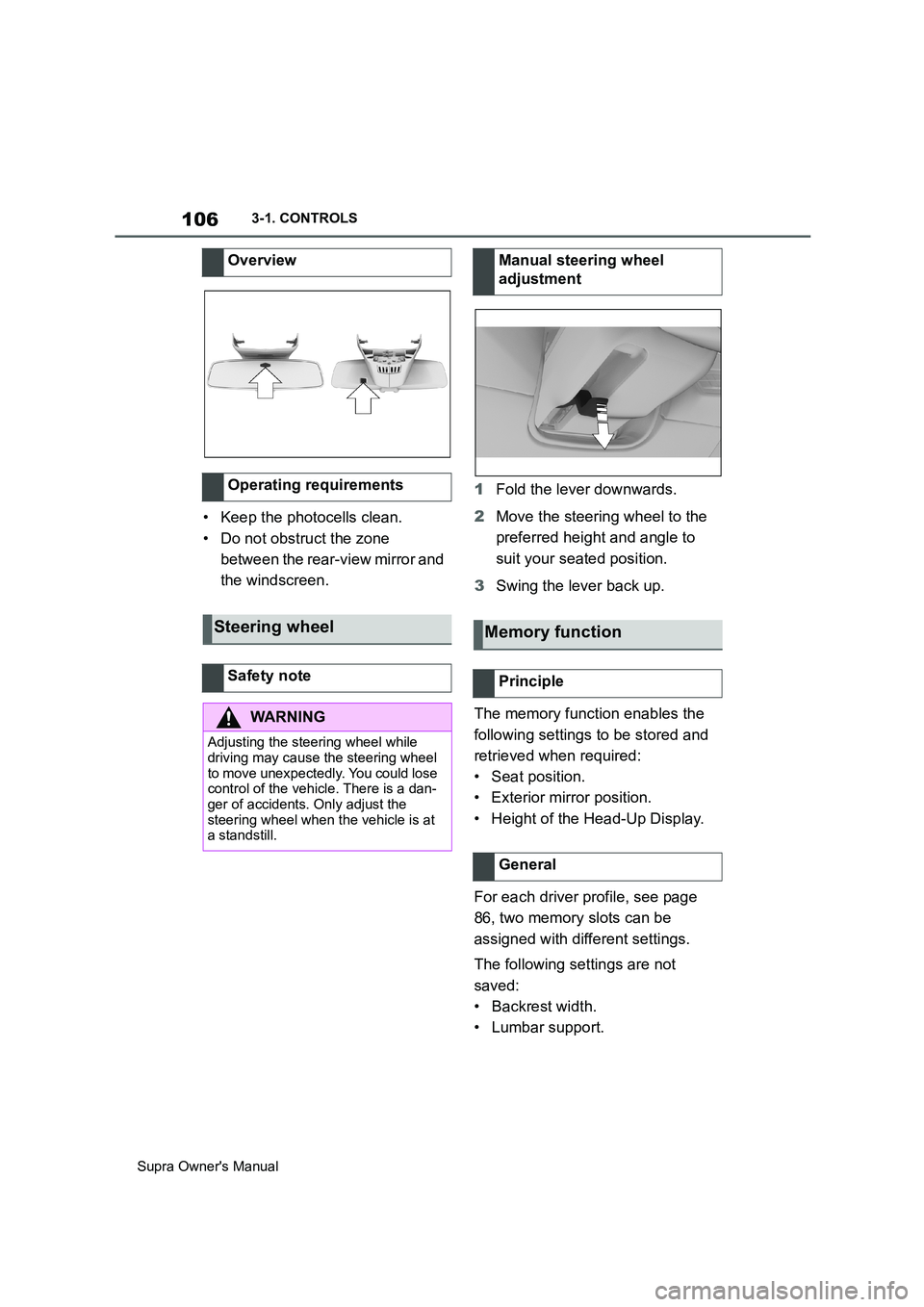
the windscreen.1Fold the lever downwards.
2Move the steering wheel to the
preferred height and angle to
suit your seated position.
3Swing the lever back up.
The memory function enables the
following settings to be stored and
retrieved when required:
• Seat position.
• Exterior mirror position.
• Height of the Head-Up Display.
For each driver profile, see page
86, two memory slots can be
assigned with different settings.
The following settings are not
saved:
• Backrest width.
• Lumbar support. Overview
Operating requirements
Steering wheel
Safety note
WARNING
Adjusting the steering wheel while
driving may cause the steering wheel
to move unexpectedly. You could lose
control of the vehicle. There is a dan-
ger of accidents. Only adjust the
steering wheel when the vehicle is at
a standstill.
Manual steering wheel
adjustment
Memory function
Principle
General