2019 TOYOTA SUPRA battery
[x] Cancel search: batteryPage 9 of 456

9
1
Supra Owner's Manual1-1. NOTES
NOTES
This data includes, for example:
• Status messages of the vehicle
and its individual components,
for example wheel rotation
speed, wheel speed, decelera-
tion, lateral acceleration, fas-
tened seat belt indicator.
• Ambient conditions, for example
temperature, rain sensor signals.
The data is only processed within
the vehicle itself and is usually tran-
sient. The data is not saved after
the vehicle is switched off.
Electronic parts, for example con-
trol devices and vehicle keys, con-
tain components for saving
technical information. Information
on vehicle condition, component
load, maintenance requirements,
events or errors can be saved tem-
porarily or permanently.
This information generally docu-
ments the condition of a compo-
nent, a module, a system or its
environment, for example:
• Operating states of system com-
ponents, for example, fill levels,
tyre inflation pressure, battery
status.
• Malfunctions and faults of impor-
tant system components, for
example, lights and brakes.
• Responses of the vehicle to par-
ticular driving situations, for
example triggering of an airbag,
activation of the drive stability
control systems.
• Information on vehicle-damag-ing events.
The data is required so that the
control units can perform their func-
tions. It is also used for detecting
and rectifying malfunctions, and
helps the vehicle manufacturer to
optimise vehicle functions.
The majority of this data is transient
and is only processed within the
vehicle itself. Only a small propor-
tion of the data is stored in event or
error memories in response to spe-
cific circumstances.
When service work is being carried
out, for example repairs, service
operations, warranty work and
quality assurance measures, this
technical information can be read
out from the vehicle together with
the vehicle identification number.
Any authorized Toyota retailer or
Toyota authorized repairer, or any
reliable repairer can read out the
information. The legally required
on-board diagnostics (OBD) socket
in the vehicle is used to read out
the data.
The data is collected, processed
and used by the relevant organisa-
tions in the service network. The
data documents the technical con-
ditions of the vehicle and helps in
locating errors, complying with war-
ranty obligations and improving
quality.
Furthermore, the manufacturer has
product monitoring obligations to
meet in line with product liability
Page 37 of 456
37
2
Supra Owner's Manual2-1. QUICK REFERENCE
QUICK REFERENCE
The Concierge Service provides
information about hotels, restau-
rants etc. and can send an SMS
with the required information to the
vehicle. Addresses can also be
sent directly to the navigation sys-
tem.
Via Toyota Supra Command:
1"Connected Serv."
2"Toyota Supra Assistance"
3"Concierge Services"
A voice connection to the Con-
cierge Service is established.
Remote maintenances are services
that help to keep the vehicle
mobile.
Remote maintenances can com-
prise the following services:
• Roadside assistance
• Battery guard
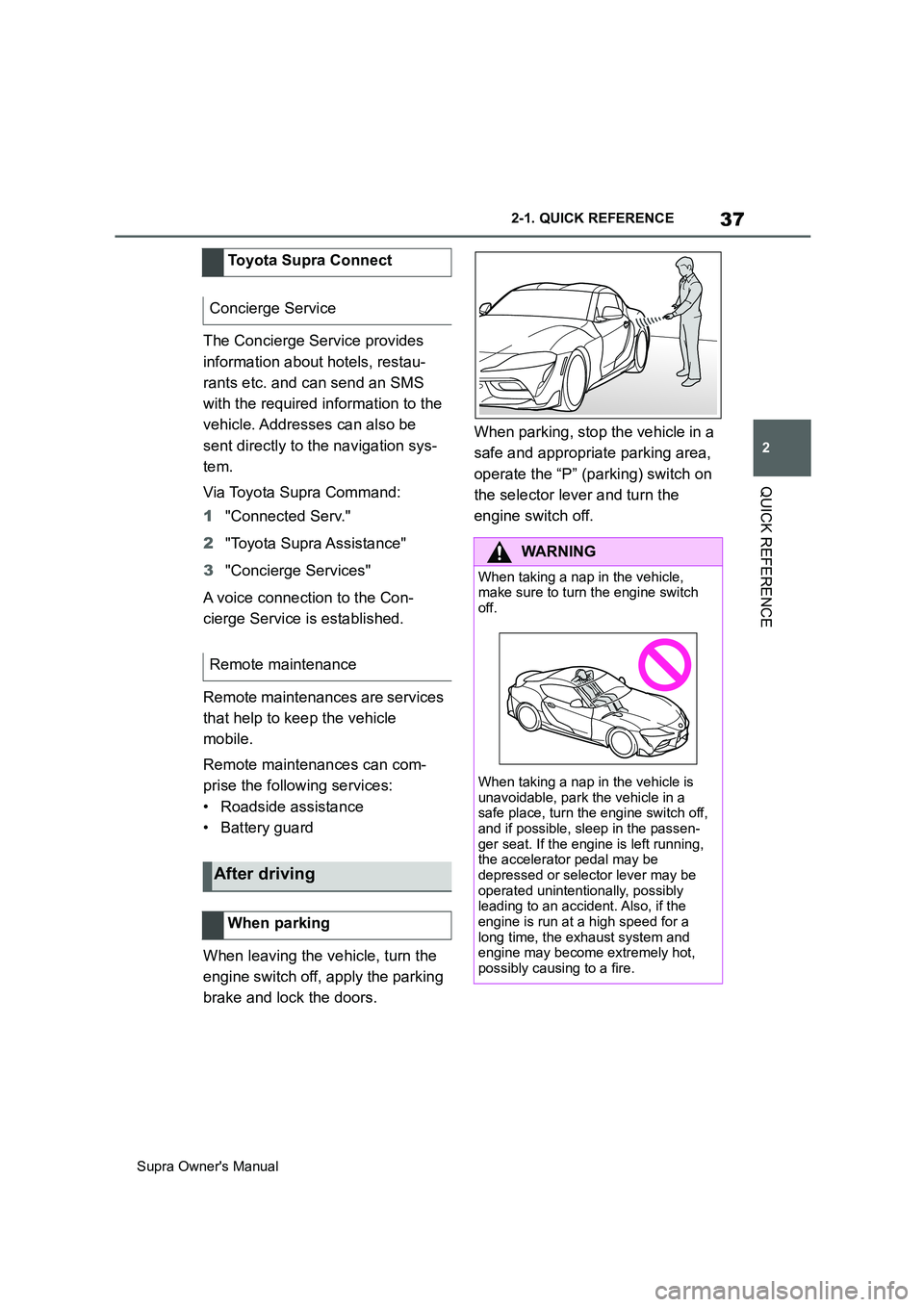
When leaving the vehicle, turn the
engine switch off, apply the parking
brake and lock the doors.When parking, stop the vehicle in a
safe and appropriate parking area,
operate the “P” (parking) switch on
the selector lever and turn the
engine switch off. Toyota Supra Connect
Concierge Service
Remote maintenance
After driving
When parking
WARNING
When taking a nap in the vehicle,
make sure to turn the engine switch
off.
When taking a nap in the vehicle is
unavoidable, park the vehicle in a
safe place, turn the engine switch off,
and if possible, sleep in the passen-
ger seat. If the engine is left running,
the accelerator pedal may be
depressed or selector lever may be
operated unintentionally, possibly
leading to an accident. Also, if the
engine is run at a high speed for a
long time, the exhaust system and
engine may become extremely hot,
possibly causing to a fire.
Page 45 of 456
45
3
Supra Owner's Manual3-1. CONTROLS
CONTROLS
The vehicle switches automatically
to idle state under the following
conditions:
• After a few minutes, if no opera-
tion is performed on the vehicle.
• When the battery state of charge
is low.
• When leaving the vehicle, if one
of the front doors is opened,
depending on the Toyota Supra
Command setting.
Idle state is not established auto-
matically during a telephone call.
Via Toyota Supra Command:
1"My Vehicle"
2"Vehicle setteing"
3"Doors/Key"
4"Switch off after door opening"
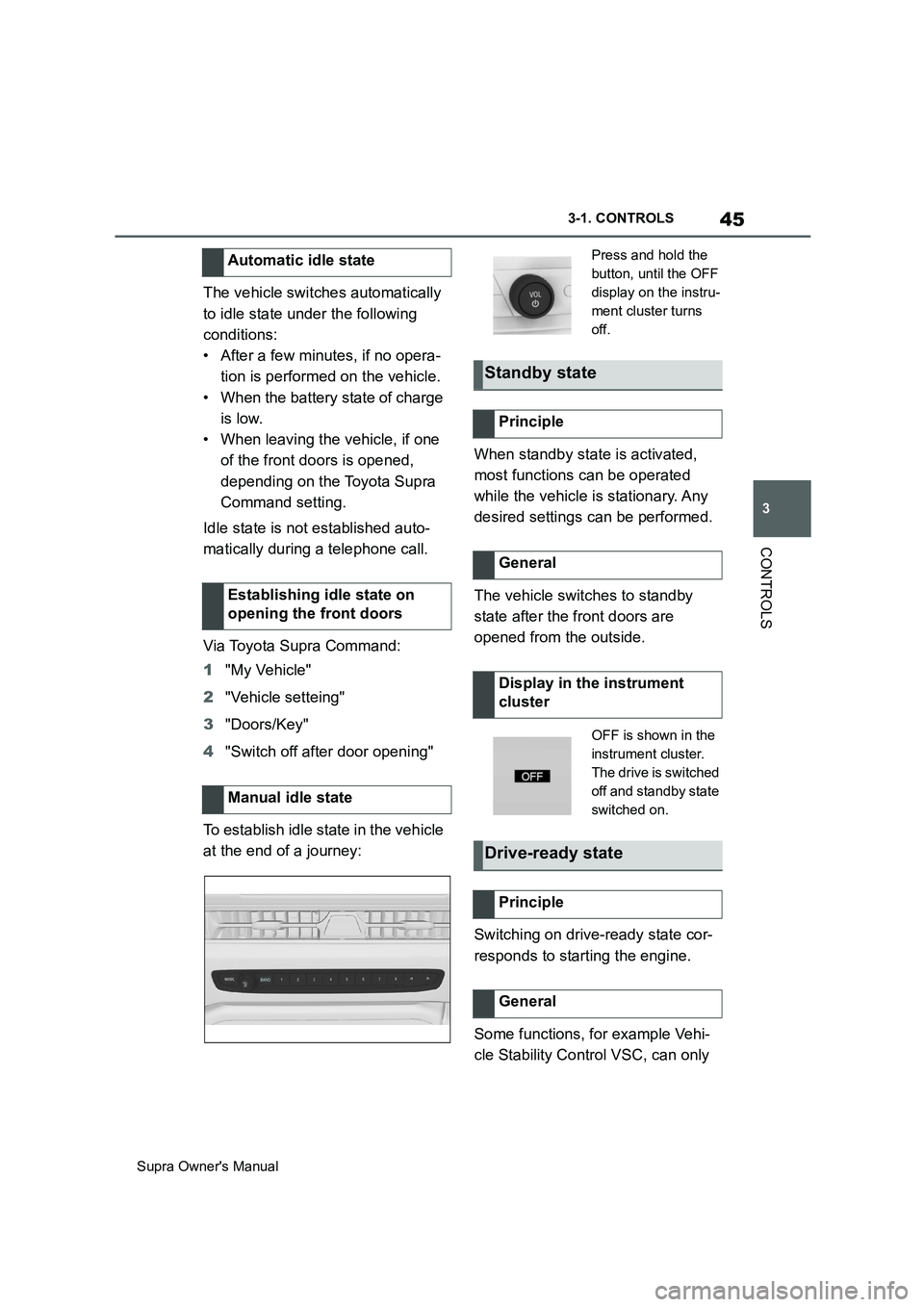
To establish idle state in the vehicle
at the end of a journey:When standby state is activated,
most functions can be operated
while the vehicle is stationary. Any
desired settings can be performed.
The vehicle switches to standby
state after the front doors are
opened from the outside.
Switching on drive-ready state cor-
responds to starting the engine.
Some functions, for example Vehi-
cle Stability Control VSC, can only Automatic idle state
Establishing idle state on
opening the front doors
Manual idle state
Press and hold the
button, until the OFF
display on the instru-
ment cluster turns
off.
Standby state
Principle
General
Display in the instrument
cluster
OFF is shown in the
instrument cluster.
The drive is switched
off and standby state
switched on.
Drive-ready state
Principle
General
Page 68 of 456
68
Supra Owner's Manual3-1. CONTROLS
4"Connect new device"
5Select functions:
• "Telephone"
• "Bluetooth audio"
• "Apps"
• "Apple CarPlay"
• "Screen Mirroring"
The Bluetooth name of the vehicle is
displayed in the Control Display.
6On the mobile device, search for
Bluetooth devices in the vicinity.
The Bluetooth name of the vehicle is
shown on the display of the mobile
device.
Select the Bluetooth name of the vehi-
cle.
7Depending on the mobile
device, either a control number
is displayed, or you will have to
enter the control number your-
self.
• Compare the control number
shown on the Control Display
with the control number in the
device display.
Confirm the control number in the
device and on the Control Display.
• Enter the same control number
on the device and via Toyota
Supra Command then confirm.
The device is connected and displayed
in the device list, see page 72.
There may be instances where the
mobile device does not function as
expected, even though all precondi-
tions have been met and all the necessary steps have been carried
out in the correct order. Neverthe-
less, the mobile device does not
function as expected.
In such cases, the following expla-
nations may provide assistance:
Why could the mobile telephone
not be paired or connected?
• Too many Bluetooth devices are
paired to the mobile telephone or
the vehicle.
In the vehicle, delete Bluetooth connec-
tions with other devices.
Delete all known Bluetooth connections
from the device list on the mobile tele-
phone and start a new device search.
• The mobile telephone is in
power-save mode or the battery
is low.
Charge the mobile telephone.
Why does the mobile telephone no
longer respond?
• The applications on the mobile
telephone are no longer function-
ing.
Switch the mobile telephone off and on
again.
• Ambient temperature too high or
too low to operate the mobile
telephone.
Do not subject the mobile telephone to
extreme ambient conditions.
Why can telephone functions not
be operated via Toyota Supra Com-
mand?
• The mobile telephone may not
be configured correctly, for
example as a Bluetooth audio Frequently Asked Questions
Page 74 of 456
74
Supra Owner's Manual3-1. CONTROLS
This chapter describes all standard,
country-specific and special equip-
ment available for the model series.
It may therefore describe equip-
ment and functions which are not
installed in your vehicle, for exam-
ple on account of the optional
equipment selected or the country
specification. This also applies to
safety-relevant functions and sys-
tems. Please comply with the rele-
vant laws and regulations when
using the corresponding functions
and systems.
The delivery specification includes
two remote controls with integrated
keys.
Each remote control contains a
replaceable battery. Replacing the
battery, see page 77.
The button functions can be
assigned, depending on the equip-
ment and the country specifica-
tions. For settings, see page 89.
A driver profile, see page 86, with
personalised settings can be
assigned to a remote control.
To prevent the remote control from
being locked in, take it with you whenever you leave the vehicle.
Opening and closing
Vehicle equipment
Remote control
General
Safety notes
WARNING
Persons remaining in the vehicle or
pets left inside can lock the doors
from the inside and lock themselves
in. In this case, the vehicle cannot be
opened from the outside. There is a
danger of injury. Carry the remote
control with you so that you can open
the vehicle from the outside.
WARNING
With some country specifications,
unlocking from the inside is only pos-
sible with special knowledge.
There is a risk of injury or danger to
life if persons remain in the vehicle for
extended periods and are exposed to
extreme temperatures as a result. Do
not lock the vehicle from the outside
when there is someone inside it.
WARNING
Unsupervised children or pets in the
vehicle can set the vehicle in motion
and endanger themselves or other
road users, for example by the follow-
ing actions:
• Pressing the start/stop button.
• Release the parking brake.
• Opening and closing doors or win-
dows.
• Engaging selector lever position N.
• Operating vehicle equipment.
There is a risk of accidents or injury.
Do not leave children or pets unsu-
pervised in the vehicle. When leaving
the vehicle, take the remote control
with you and lock the vehicle.
Page 77 of 456
77
3
Supra Owner's Manual3-1. CONTROLS
CONTROLS
The exterior mirrors are folded in.
If the hazard warning lights are
switched on, the exterior mirrors
are not folded in.
The function is not available for the
first 10 seconds after locking.
• The interior light is switched on
unless it was switched off manu-
ally. Switching the interior light
on/off manually, see page 178.
• Depending on the settings, the
exterior lights, see page 173, are
switched on.
The light functions might be
dependent on the ambient bright-
ness.
To prevent the remote control from
being locked in, do not place the
remote control in the boot.
It is possible to set whether the
doors are unlocked when the boot
lid is opened with the remote con-
trol. For settings, see page 89.On some equipment versions, the
doors are also unlocked each time.
Setting the duration, see page 173.
1Remove the integrated key from
the remote control, see page 80.
2Place integrated key under the
battery compartment cover,
arrow 1, and pry off the cover Switching on the interior
light and exterior lights
With the vehicle locked,
press the button on the
remote control.
Boot lid
General
Safety notes
WARNING
Parts of the body can become
trapped when the boot lid is operated.
There is a danger of injury. When
opening and closing, make sure that
the area of movement of the boot lid
is kept clear.
NOTICE
The boot lid swings rearwards and
upwards when opened. There is a
danger of damage to property. When
opening and closing, make sure that
the area of movement of the boot lid
is kept clear.
Unlocking
Press and hold the button on
the remote control for approx-
imately 1 second.
Switching on the headlight
courtesy delay feature
Press and hold the button on
the remote control for approx-
imately 1 second.
Replacing the battery
Page 78 of 456
78
Supra Owner's Manual3-1. CONTROLS
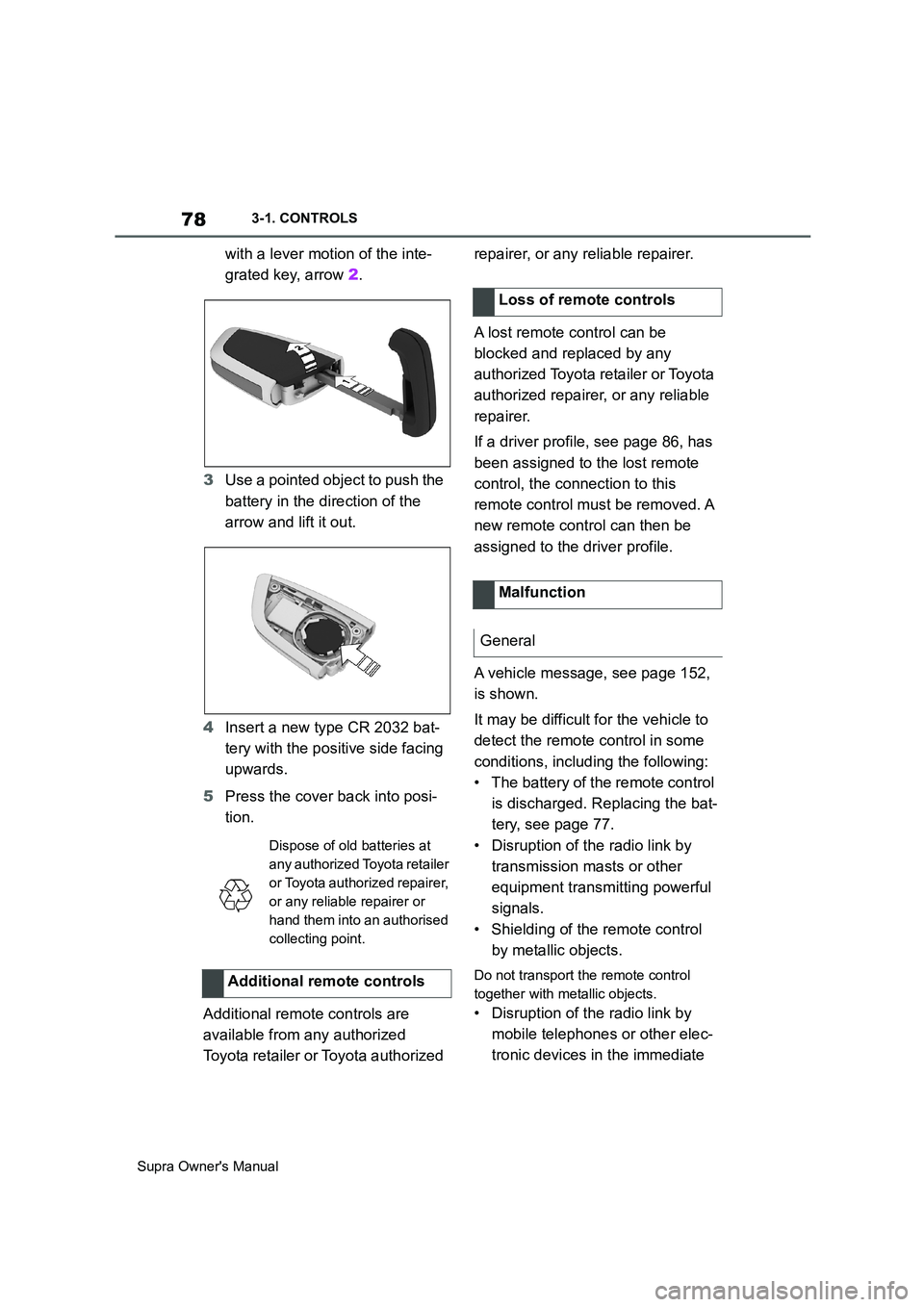
with a lever motion of the inte-
grated key, arrow 2.
3Use a pointed object to push the
battery in the direction of the
arrow and lift it out.
4Insert a new type CR 2032 bat-
tery with the positive side facing
upwards.
5Press the cover back into posi-
tion.
Additional remote controls are
available from any authorized
Toyota retailer or Toyota authorized repairer, or any reliable repairer.
A lost remote control can be
blocked and replaced by any
authorized Toyota retailer or Toyota
authorized repairer, or any reliable
repairer.
If a driver profile, see page 86, has
been assigned to the lost remote
control, the connection to this
remote control must be removed. A
new remote control can then be
assigned to the driver profile.
A vehicle message, see page 152,
is shown.
It may be difficult for the vehicle to
detect the remote control in some
conditions, including the following:
• The battery of the remote control
is discharged. Replacing the bat-
tery, see page 77.
• Disruption of the radio link by
transmission masts or other
equipment transmitting powerful
signals.
• Shielding of the remote control
by metallic objects.
Do not transport the remote control
together with metallic objects.
• Disruption of the radio link by
mobile telephones or other elec-
tronic devices in the immediate
Dispose of old batteries at
any authorized Toyota retailer
or Toyota authorized repairer,
or any reliable repairer or
hand them into an authorised
collecting point.
Additional remote controls
Loss of remote controls
Malfunction
General
Page 82 of 456
82
Supra Owner's Manual3-1. CONTROLS
This feature allows you to access
the vehicle without having to oper-
ate the remote control.
Simply having the remote control
with you, for example in your trou-
ser pocket, is sufficient.
The vehicle automatically recog-
nises the remote control when it is
in the immediate vicinity or inside
the vehicle.
Smart Key System supports the fol-
lowing functions:
• Unlocking and locking the vehi-
cle using the door handle.
• To lock, the remote control must
be located outside the vehicle in
the vicinity of the doors.
• The vehicle can only be
unlocked and locked again after
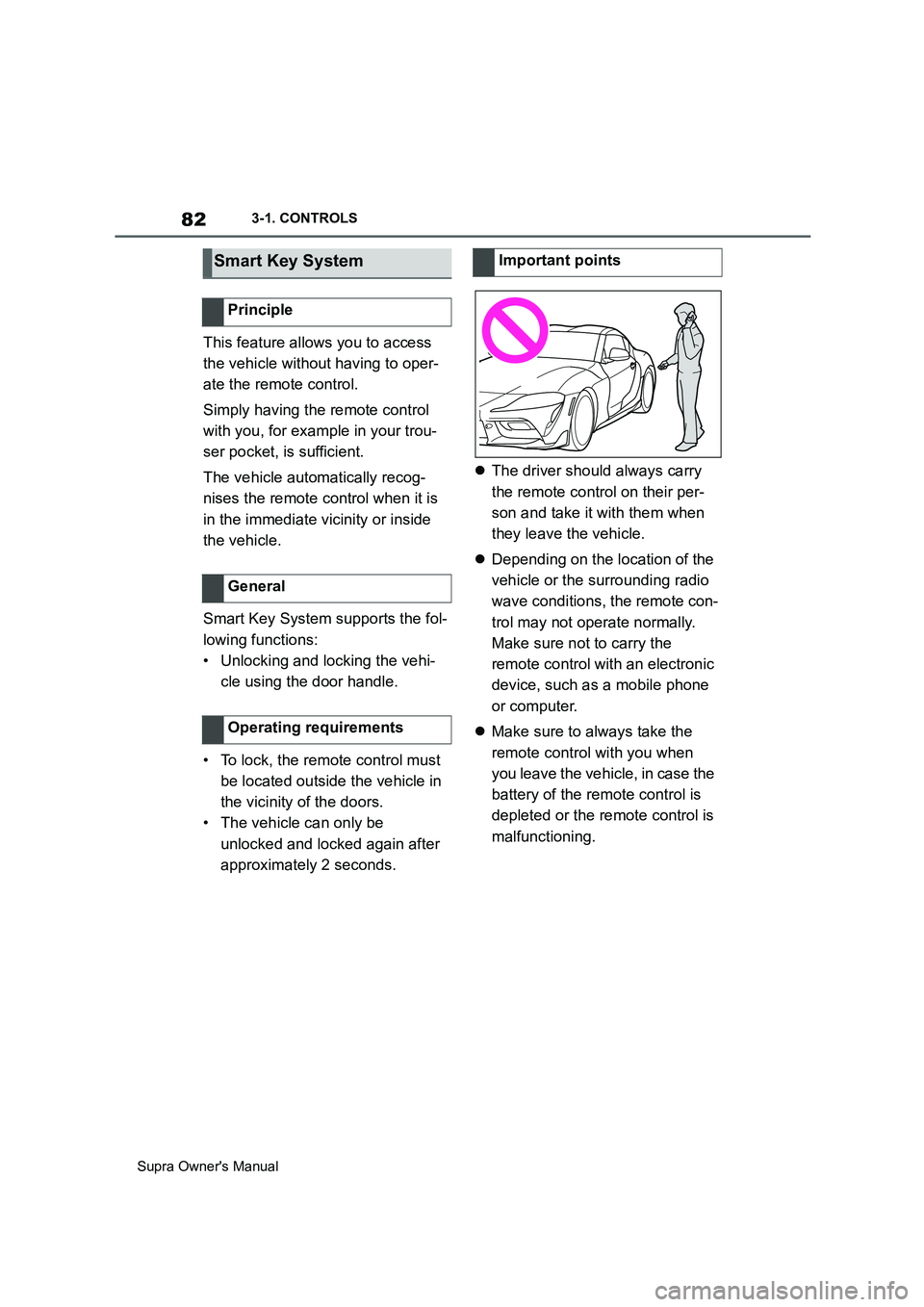
approximately 2 seconds.The driver should always carry
the remote control on their per-
son and take it with them when
they leave the vehicle.
Depending on the location of the
vehicle or the surrounding radio
wave conditions, the remote con-
trol may not operate normally.
Make sure not to carry the
remote control with an electronic
device, such as a mobile phone
or computer.
Make sure to always take the
remote control with you when
you leave the vehicle, in case the
battery of the remote control is
depleted or the remote control is
malfunctioning.
Smart Key System
Principle
General
Operating requirements
Important points