2014 SUBARU TRIBECA lock
[x] Cancel search: lockPage 156 of 426
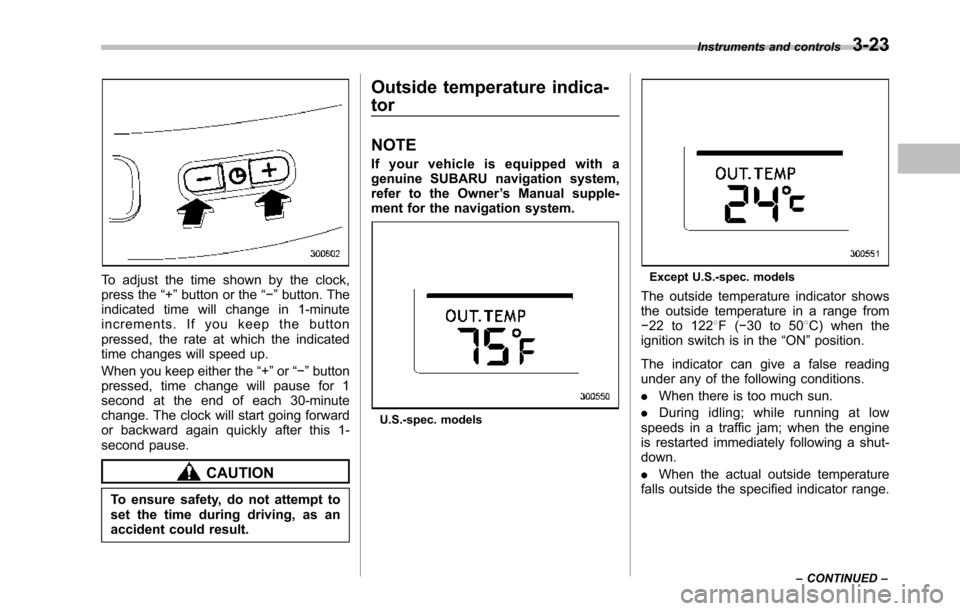
To adjust the time shown by the clock,press the“+”button or the“!”button. Theindicated time will change in 1-minuteincrements. If you keep the buttonpressed, the rate at which the indicatedtime changes will speed up.
When you keepeither the“+”or“!”buttonpressed,time change will pause for 1second at the end of each 30-minutechange. The clock will start going forwardor backward again quickly after this 1-second pause.
CAUTION
To ensure safety, do not attempt toset the time during driving, as anaccident could result.
Outside temperature indica-
tor
NOTE
If your vehicle is equipped with agenuine SUBARU navigation system,refer to the Owner’s Manual supple-ment for the navigation system.
U.S.-spec. models
Except U.S.-spec. models
Theoutside temperature indicator showsthe outside temperature in a range from!22 to 1228F(!30 to 508C) when theignition switch is in the“ON”position.
The indicator can give a false readingunder any of the following conditions.
.When there is too much sun.
.During idling; while running at lowspeeds in a traffic jam; when the engineis restarted immediately following a shut-down.
.When the actual outside temperaturefalls outside the specified indicator range.
Instruments and controls3-23
–CONTINUED–
Page 160 of 426
&Journey time
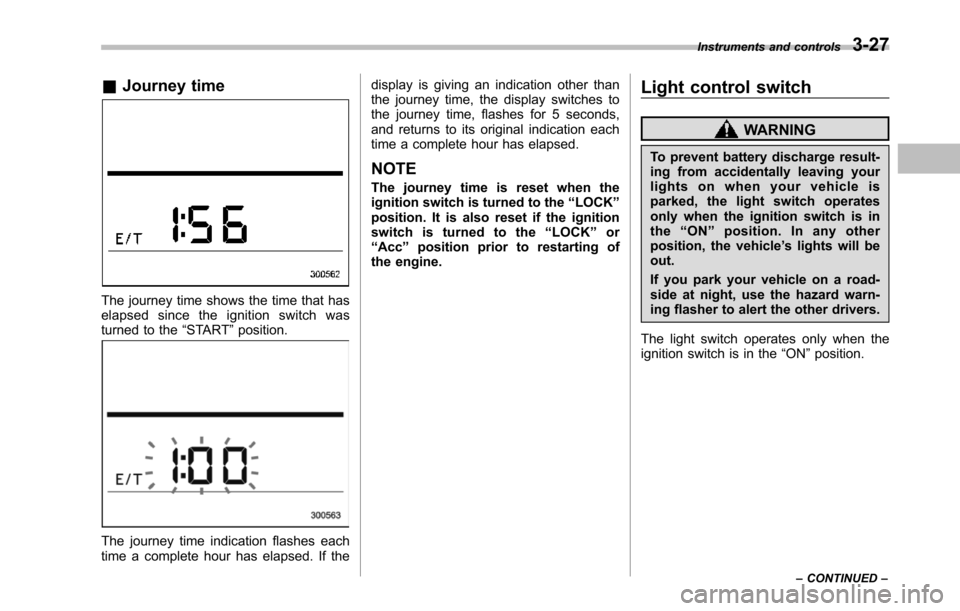
The journey time shows the time that haselapsed since the ignition switch wasturned to the“START”position.
The journey time indication flashes eachtime a complete hour has elapsed. If the
display is giving an indication other thanthe journey time, the display switches tothe journey time, flashes for 5 seconds,and returns to its original indication eachtime a complete hour has elapsed.
NOTE
The journey time is reset when theignition switch is turned to the“LOCK”position. It is also reset if the ignitionswitch is turned to the“LOCK”or“Acc”position prior to restarting ofthe engine.
Light control switch
WARNING
To prevent battery discharge result-ing from accidentally leaving yourlights on when your vehicle isparked, the light switch operatesonly when the ignition switch is inthe“ON”position. In any otherposition, the vehicle’s lights will beout.
If you park your vehicle on a road-side at night, use the hazard warn-ing flasher to alert the other drivers.
The light switch operates only when theignition switch is in the“ON”position.
Instruments and controls3-27
–CONTINUED–
Page 166 of 426
Wiper and washer
WARNING
In freezing weather, do not use thewindshield washer until the wind-shield is sufficiently warmed by thedefroster.
Otherwise the washer fluid canfreeze on the windshield, blockingyour view.
CAUTION
.Do not operate the washer con-tinuously for more than 10 sec-onds, or when the washer fluidtank is empty. This may causeoverheating of the washer motor.Check the washer fluid levelfrequently, such as at fuel stops.
.Do not operate the wipers whenthe windshieldor rear window isdry. This may scratch the glass,damage the wiper blades andcause the wiper motor to burnout. Before operating the wiperon a dry windshield or rearwindow, always use the wind-shield washer.
.In freezing weather, be sure thatthe wiper blades are not frozen tothe windshield or rear windowbefore switching on the wipers.Attempting to operate the wiperwith the blades frozen to thewindow glass could cause notonly the wiper blades to bedamagedbut also the wiper mo-tor to burn out. If the wiperblades are frozen to the windowglass, be sure to operate thedefroster, wiper deicer (ifequipped) or rear window defog-ger before turning on the wiper.
.If the wipers stop during opera-tion because of ice or some otherobstruction on the window, thewiper motor could burn out evenif the wiper switch is turned off. Ifthis occurs, promptly stop thevehicle in a safe place, turn theignition switch to the“LOCK”position and clean the windowglass to allow proper wiper op-eration.
.Use clean water if windshieldwasher fluid is unavailable. Inareas where water freezes inwinter, use SUBARU WindshieldWasher Fluid or the equivalent.Refer to“Windshield washer
fluid”F11-28.
Also, when driving the vehiclewhen there are freezing tempera-tures, use non-freezing type wi-per blades.
.Do not clean the wiper bladeswith gasoline or a solvent, suchas paint thinner or benzine. Thiswill cause deterioration of thewiper blades.
NOTE
.The front wiper motor is protectedagainst overloads by a circuit breaker.The motor operates continuously un-der an unusually heavy load, the circuitbreaker may trip to stop the motortemporarily. If this happens, park yourvehicle in a safe place, turn off thewiper switch, and wait for approxi-mately 10 minutes. The circuit breakerwill reset itself, and the wipers willagain operate normally..Clean your wiper blades and win-dow glass periodically with a washersolution to prevent streaking, and toremove accumulations of road salt orroad film. Operate the windshieldwasher for at least 1 second so thatwasher solution will be sprinkled allover the windshield or rear window.
Instruments and controls3-33
–CONTINUED–
Page 169 of 426
3-36Instruments and controls
speed is low; shorter when the vehiclespeed is high).
When you subsequently move the selectlever of the automatic transmission to the“R”position, the rear wiper will switch tocontinuous operation. When you move theselect lever from the“R”position to someother position, the rear wiper will return tointermittent operation.
!Washer
To wash the rear window while the rearwiperis operating, turn the knob on theend of the wiper control lever upward tothe“”position. The washer fluid spraysuntil you release the knob.
To wash the rear window when the rearwiper is not in use, turn the knob on theend of the wiper control lever downward tothe“”position. The washer fluid spraysand the wiper operates until you releasetheknob.
Windshield wiper deicer
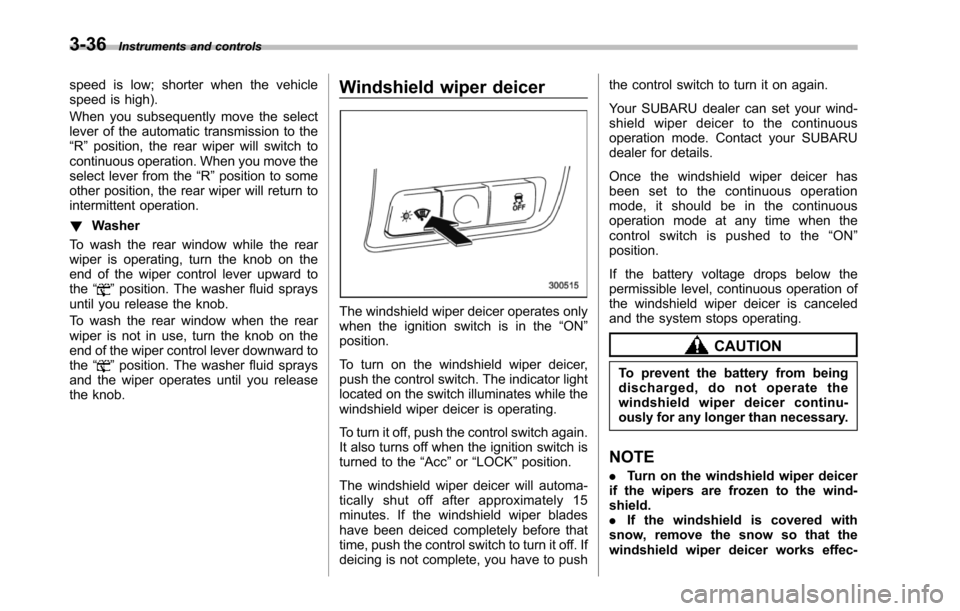
The windshield wiper deicer operates onlywhen the ignition switch is in the“ON”position.
To turn on the windshield wiper deicer,push the control switch. The indicator lightlocated on the switch illuminates while thewindshield wiper deicer is operating.
To turn it off, push the control switch again.It also turns off when the ignition switch isturned to the“Acc”or“LOCK”position.
The windshield wiper deicer will automa-tically shut off after approximately 15minutes. If the windshield wiper bladeshave been deiced completely before thattime, push the control switch to turn it off. Ifdeicing is not complete, you have to push
the control switch to turn it on again.
Your SUBARU dealer can set your wind-shield wiper deicer to the continuousoperation mode. Contact your SUBARUdealer for details.
Once the windshield wiper deicer hasbeen set to the continuous operationmode, it should be in the continuousoperation mode at any time when thecontrol switch is pushed to the“ON”position.
If the battery voltage drops below thepermissible level, continuous operation ofthe windshield wiper deicer is canceledand the system stops operating.
CAUTION
To prevent the battery from beingdischarged, do not operate thewindshield wiper deicer continu-ously for any longer than necessary.
NOTE
.Turn on the windshield wiper deicerif the wipers are frozen to the wind-shield..If the windshield is covered withsnow, remove the snow so that thewindshield wiper deicer works effec-
Page 170 of 426
tively..While the windshield wiper deicer isin the continuous operation mode, ifthe vehicle speed remains at 9 mph (15km/h) or less for 15 minutes, the wind-shield wiper deicer automatically stopsoperating.
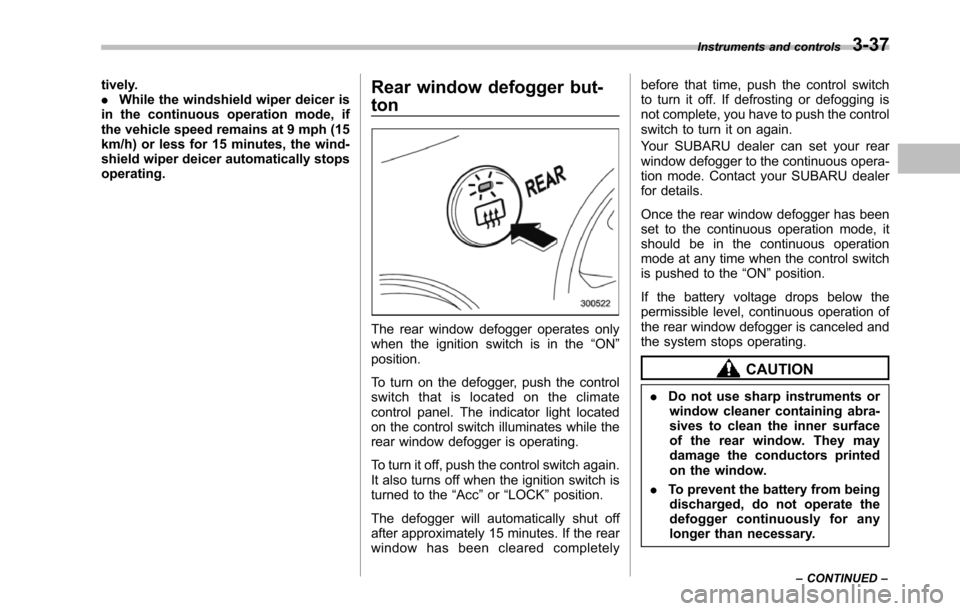
Rear window defogger but-
ton
The rear window defogger operates onlywhen the ignition switch is in the“ON”position.
To turn on the defogger, push the controlswitch that is located on the climatecontrol panel. The indicator light locatedon the control switch illuminates while therear window defogger is operating.
To turn it off, push the control switch again.It also turns off when the ignition switch isturned to the“Acc”or“LOCK”position.
The defogger will automatically shut offafter approximately 15 minutes. If the rearwindow has been cleared completely
before that time, push the control switchto turn it off. If defrosting or defogging isnot complete, you have to push the controlswitch to turn it on again.
Your SUBARU dealer can set your rearwindow defogger to the continuous opera-tion mode. Contact your SUBARU dealerfor details.
Once the rear window defogger has beenset to the continuous operation mode, itshould be in the continuous operationmode at any time when the control switchis pushed to the“ON”position.
If the battery voltage drops below thepermissible level, continuous operation oftherear window defogger is canceled andthe system stops operating.
CAUTION
.Do not use sharp instruments orwindow cleaner containing abra-sives to clean the inner surfaceof the rear window. They maydamage the conductors printedon the window.
.To prevent the battery from beingdischarged, do not operate thedefogger continuously for anylonger than necessary.
Instruments and controls3-37
–CONTINUED–
Page 177 of 426
3-44Instruments and controls
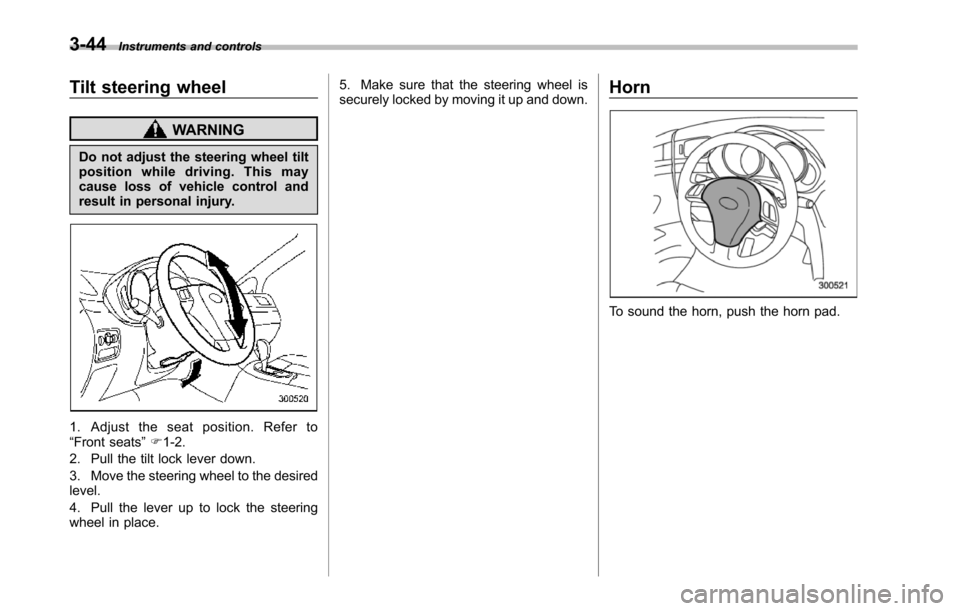
Tilt steering wheel
WARNING
Do not adjust the steering wheel tiltposition while driving. This maycause loss of vehicle control andresult in personal injury.
1. Adjust the seat position. Refer to“Front seats”F1-2.
2. Pull the tilt lock lever down.
3. Move the steering wheel to the desiredlevel.
4. Pull the lever up to lock the steeringwheel in place.
5. Make sure that the steering wheel issecurely locked by moving it up and down.Horn
To sound the horn, push the horn pad.
Page 183 of 426

4-6Climate control
!OFF button
The Automatic Climate Control systemturns off (the air conditioner compressorand fan turn off) when the“OFF”button ispressed.
When the“OFF”button is pressed, theoutside airintroduction mode (air inletselection OFF) is automatically selected.
!Temperature control dial
Driver’s side
Passenger’s side
It is possible to make separate tempera-ture settings for the driver’ssideandpassenger’sside.Eachtemperature
setting is shown on the display. With thedial set at your desired temperature, thesystem automatically adjusts the tempera-ture of air supplied from the outlets suchthat the desired temperature is achievedand maintained.
Turning the dial counterclockwise andreleasing it reduces the temperature by18F (0.58C). Turning the dial clockwiseand releasing it increases the temperatureby 18F (0.58C). Holdingthe dial in eitherturnedposition causes the temperature tochange continuously.
With the minimum temperature set, thesystemgives maximum cooling perfor-mance. With the maximum temperatureset, the system gives maximum heatingperformance.
Page 197 of 426

5-6Audio
Control mode (range of le-vels)
Turn counterclockwise Turn clockwise
Bass control (!6 to +6) For less bass sound For more bass sound
Midrange control(!6 to +6) For less midrange sound For more midrange sound
Treble control (!6 to +6) For less treble sound For more treble sound
Fader control (R9 to F9)To increase rear speaker vo-lume and decrease front speak-er volume
To increase front speaker vo-lume and decrease rear speakervolume
Balance control(L9 to R9)To increase left speaker volumeand decrease right speaker vo-lume
To increase right speaker vo-lume and decrease left speakervolume
Volume control (0 to 40) For less volume For more volume
AUX volume control* (0 to40)For less volumeFor more volume
*: Only when an AUX audio product is connected.
!FM/AM radio
!FM/AM selection button
Push the“FM AM”button (2) when theradio is off to turn on the radio.
Push the“FM AM”button when the radiois on to select FM1, FM2 or AM reception.
!Stereo indicator
The stereo indicator“ST”will illuminatewhen an FM stereo broadcast is received.
!Manual tuning
Press the“”side of the“TUNE TRACK”button(4) to increase the tuning frequencyand press the“”side of the button todecrease it.
Each time the button is pressed, thefrequencyinterval can be changed be-tween 10 kHz in the AM mode and 0.2MHz in the FM mode.
If you hold down the“”side of thebutton, the tuningfrequency will increasecontinuously, and if you hold down the“”side of the button, the tuning frequencywill decrease continuously. Release thebutton when your desired frequency isreached.