Page 215 of 284
213
04
ALERT PARAMETERS
RISK AREAS
Select:
- "Vi
sual alert"
- "A
udible alert"
-
"Alert only in guidance"
- "
Overspeed alarm only".
Th
e choice of time of notifi cation defi nes how long in advance that Risk area
warnings are given.
Select " OK
" to confi rm the screen.
Select " Guidance options
" and confi rm,
then select "Set parameters for riskareas
" and confi rm.
These
functions are only available if risk areas have been
downloaded and installed on the system.
The detailed procedure for updatin
g risk area POIs can be found at
www.citroen.com.
Press NAVto display the " Navigation - guidance" menu.
Page 217 of 284
215
04NAVIGATION - GUIDANCE
ROUTE OPTIONS
CALCULATION CRITERIA
Select " Guidance options
" and confi rm.
Select " OK
" and confi rm to save themodifi cations.
Select " Defi ne calculation criteria" andconfi rm.
Thi
s function allows modifi cation of:
- the
guidance criteria: (" Fastest
route", " Shortest route", "Distance/Time "),
- the exclusion criteria:
(" With tolls"or "With Ferry
"),
- traffi c avoidance:
(" Traffi c info
").
Press NAV
to display the"Navigation - guidance" menu.
I
f traffi c avoidance (Traffi c info) is selected, the system suggests
an alternative route if there is a delay on the guidance route.
Page 223 of 284
221
05TRAFFIC INFORMATION
CONFIGURE THE FILTERING AND DISPLAY OF TMC MESSAGES
TMC (Traffi c Message Channel) messages contain information on traffi c and weather conditions, received in real time and transmitted to the
driver in the form of audible announcements and symbols on the navigation map.
The navi
gation system can then suggest an alternative route to avoid a traffi c problem.
Pr
ess the TRAFFICbutton to display the Traffi c informationmenu.
Select the "Geographic fi lter" function rand confi rm. The s
ystem offers a choice of:
- " Retain all the messa
ges",
or
-"Retain the messa
ges"
●
"Around the vehicle ", (confi rm
the mileage to modify and select
the distance),
●
" On the rout
e".
Confi rm " OK
" to save the modifi cations.
We recommend:
-
a fi lter on the route and
-
a fi lter around the vehicle of:
- 12 miles
(20 km) in urban areas,
- 30 miles
(50 km) on motorways.
Page 224 of 284
222
05TRAFFIC INFORMATION
PRINCIPAL TMC SYMBOLS
Red and yellow triangle: traffi c information, for example:
Black and blue trian
gle: general information, for example:
RECEIVING TA MESSAGES
The TA (Traffi c Announcement) function gives priority to TA alert messages. To operate, this function needs good reception of a radio station transmitting this type of message. When a traffi c report
is transmitted, the current audio source (Radio, CD, USB, ...) isinterrupted automatically to play the TA message. Normal playbackof the audio source resumes at the end of the transmission of themessage.
Pr
ess RADIO
to display the "FM / AMband " menu.
Select " Guidance options
" then confi rm.
A
ctivate or deactivate " TA
" then confi rm.
The volume settin
g for TA messages can be adjusted only during the
transmission of this type of alert.
Activate or deactivate the function at any time by pressing the button.
Durin
g a message, press the button to interrupt it.
Page 227 of 284
225
06
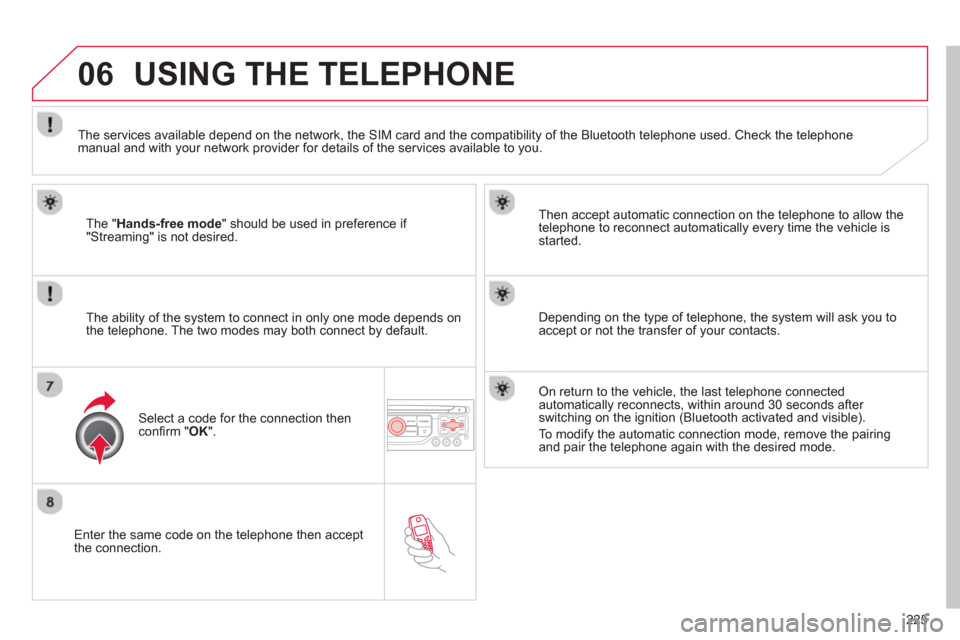
Enter the same code on the telephone then accept
the connection.
Then accept automatic connection on the telephone to allow the
te
lephone to reconnect automatically every time the vehicle is started.
The abilit
y of the system to connect in only one mode depends on
the telephone. The two modes may both connect by default.
USING THE TELEPHONE
The "Hands-free mode
" should be used in preference if "Streaming" is not desired.
The services available depend on the network, the
SIM card and the compatibility of the Bluetooth telephone used. Check the telephone manual and with your network provider for details of the services available to you.
Select a code for the connection thenconfi rm "OK".
Depending on the type of telephone, the system will ask you to
accept or not the transfer of your contacts.
On return to the vehicle, the last telephone connected
automatically reconnects, within around 30 seconds after switching on the ignition (Bluetooth activated and visible).
To modi
fy the automatic connection mode, remove the pairingand pair the telephone again with the desired mode.
Page 231 of 284
229
06USING THE TELEPHONE
CALLING A RECENTLY ENTERED NUMBER
Pr
ess TEL, select "Call list" andconfi rm,
Select the desired number and confi rm.
To erase the calls lo
g, press PHONE
twice, select " Phone functions" and confi rm then select " Delete calls log" andconfi rm.
ENDING A CALL
Press PHONEthen select "OK" to end
the call.
Or make a long press on TELat the
steering mounted controls.
Or make two short presses on TELat
the steering mounted controls.
Or press the MODE
button, as many
times as necessary, until the telephone
screen is displayed.
press PHONE
to display the calls log.
or
Press "OK" to display the contextualmenu then select " Hang up" andconfi rm.
Page 233 of 284
231
06 USING THE TELEPHONE
OPTIONS DURING A CALL *
During a call, press the MODE
button
several times to select display of the
telephone screen, then press " OK " to
open the contextual menu.
Select " Private mode
" and confi rm totake the call on the handset.
Or select " Hands-free mode" andconfi rm to take the call via the vehicle's
speakers.
Select " Put call on hold" and confi rm to put the current call on hold.
Or select " Resume the call" andconfi rm to resume the call on hold.
Select " DTMF ring tones
" to use thenumerical keypad, so as to navigate
through the menu of an interactive vocal server.
Select " Hang up " to end the call.
*
Depending on the compatibility of the phone and your service plan.
it is possible to hold a 3-wa
y conferencecall by making 2 calls in succession*. Select "Conferencemode call" in the contextual menu accessible using thisbutton.
Or make a short press on this button.
Page 239 of 284
237
08
CD, MP3 CD / USB PLAYER
The audio equipment will only play audio fi les with ".wma, .aac, .fl ac, .ogg and .mp3" fi le extensions and with a bit rate of between 32 Kbps
and 320 Kbps.
It also supports VBR
(Variable Bit Rate) mode.
No other t
ype of fi le (.mp4, .m3u...) can be played.
WMA
fi les must be of the standard wma 9 type.
The samplin
g rates supported are 11, 22, 44 and 48 KHz.
It is advisable to restrict fi le names to 20 characters, without usin
g of special characters (e.g.: " " ? ; ù) to avoid any playing and displayingproblems.
In order to be able to pla
y a recorded CDR or CDRW, when recording
it is preferable to select the ISO 9660 level 1, 2 or Joliet standard.
If the disc is recorded in another format it ma
y not be played correctly.
It is recommended that the same recordin
g standard is always used
for an individual disc, with as low a speed as possible (4x maximum)for optimum sound quality.
In the particular case o
f a multi-session CD, the Joliet standard isrecommended.
INFORMATION AND ADVICE
The s
ystem supports USB mass storage or iPod
devices via the USB port (suitable cable not supplied).
I
f a partitioned USB memory key is connected to the system, only the fi rst partition is recognised.
Control of the peripheral device is with the audiosystem controls.
The number of tracks is limited to 2000 maximum,
999 tracks per folder.
I
f the current consumption at the USB port exceeds 500 mA, the system goes into protection mode and
deactivates the port.
Other peripherals, not recognised on connection, must
be connected to the auxiliary socket using a Jack cable (not supplied).
In order to be read, a U
SB memory stick must be formatted FAT 16or 32.
The s
ystem does not support the operation of an Apple Æplayer and a USB memory stick connected at the same time.
It is recommended that o
ffi cial Apple Æ USB cables are used to ensure Æ
correct operation.


