Page 179 of 284
11
Practical information
177
Fuse table
Fuse N°RatingFunctions
F
120 AEngine control unit supply, cooling fan unit control,multifunction engine control main relay.
F
215 AHorn.
F
310 AFront / rear wash-wipe.
F4 20
ADaytime running lamps.
F
515 ADiesel heater (Diesel engine), fuel pump(petrol engine)
F
610 A ABS/ESP control unit, ABS/ESP cut-off relay,secondary stop switch.
F7
10 AElectric power steering.
F
825 AStarter motor control.
F9
10 ASwitching and protection unit (Diesel).
F10
30 ADiesel engine injection pump valve, injectors and ignition coils (petrol engine) .
F1140 A Air conditioning fan.
Page 184 of 284

Practical information
182
Energy economy mode
These functions are reactivated automaticallythe next time the vehicle is driven. )In order to resume the use of these
functions immediately, star t the engine and
let it run for a few minutes.
The time available to you will then be double
the period for which the engine is left running. However, this period will always be betweenfive and thir ty minutes.
Switching to economy mode
Once this period has elapsed, a message
appears on the multifunction screen indicating
that the vehicle has switched to economy mode
and the active functions are put on standby.
A flat battery prevents the engine from starting (refer to the corresponding paragraph).
If the telephone is being used at the same time on the eMyWay audionavigation system, it will be interrupted after 10 minutes. S
ystem which manages the period of use of certain functions to conserve a sufficient level
of charge in the battery.
After the engine has stopped, you can still use functions such as the audioequipment, windscreen wipers, dipped
beam headlamps, cour tesy lamps, etc. for a maximum combined period of thirty minutes.
This period may be greatly reduced if the
battery is not fully charged.
Page 187 of 284
11
Practical information
185
To w i ng your vehicle
)On the front bumper, passenger's side
, remove the protective access cover locatedalongside the front fog lamp, using the flat end of the towing eye.
)
On the rear bumper, unclip the cover bypressing at the bottom. )
Screw the towing eye in fully. )
Install the towing bar. )
Switch on the hazard warning lamps on the
towed vehicle.
To w i ng another vehicle
Failure to obser ve this special conditioncould result in damage to cer tainbraking components and the absenceof braking assistance the next time theengine is star ted.
When removing the protective accesscover, take care to avoid damaging thepaintwork with the towing eye.
)
Screw the towing eye in fully.)
Install the towing bar.)
Switch on the hazard warning lamps on the
towed vehicle. ) Place the gear lever in neutral.
Page 191 of 284
11
Practical information
189
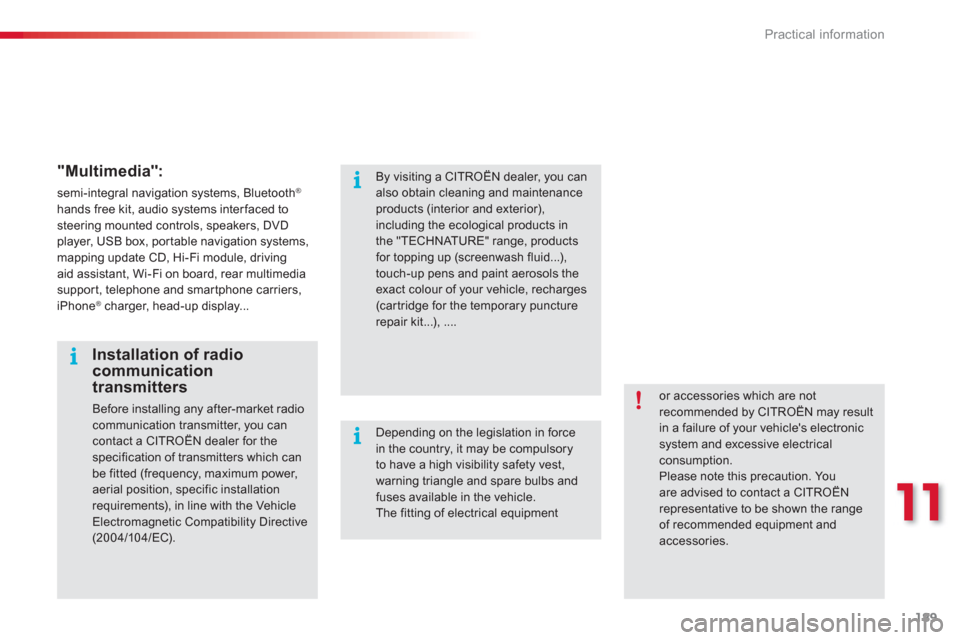
"Multimedia":
semi-integral navigation systems, Bluetooth®
hands free kit, audio systems interfaced to steering mounted controls, speakers, DVD player, USB box, por table navigation systems,mapping update CD, Hi-Fi module, drivingaid assistant, Wi-Fi on board, rear multimediasupport, telephone and smartphone carriers, iPhone ®
charger, head-up display...®
or accessories which are not recommended by CITROËN may resultin a failure of your vehicle's electronicsystem and excessive electrical consumption. Please note this precaution. Youare advised to contact a CITROËNrepresentative to be shown the range of recommended equipment and
accessories.
Installation of radio communication transmitters
Before installing any after-market radio communication transmitter, you can
contact a CITROËN dealer for the specification of transmitters which canbe fitted (frequency, maximum power, aerial position, specific installationrequirements), in line with the VehicleElectromagnetic Compatibility Directive(2004/10 4/EC).
By visiting a CITROËN dealer, you canalso obtain cleaning and maintenance products (interior and exterior), including the ecological products inthe "TECHNATURE" range, productsfor topping up (screenwash fluid...), touch-up pens and paint aerosols theexact colour of your vehicle, recharges (cartridge for the temporary puncturerepair kit...), ....
Depending on the legislation in force in the country, it may be compulsoryto have a high visibility safety vest, warning triangle and spare bulbs and fuses available in the vehicle. The fitting of electrical equipment
Page 202 of 284
200
EMERGENCY OR ASSISTANCE CALL
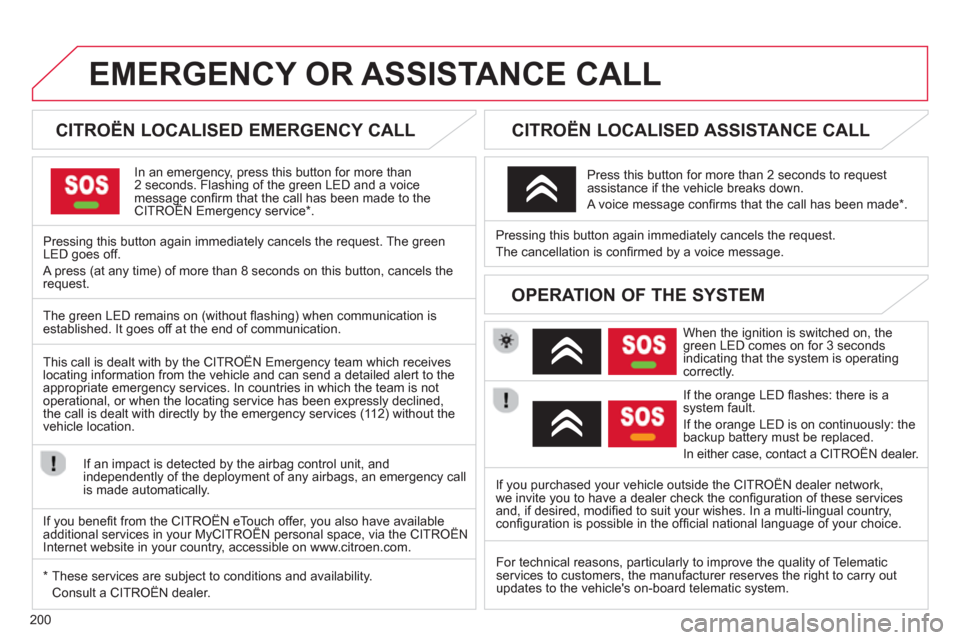
CITROËN LOCALISED EMERGENCY CALL
In an emergency, press this button for more than2 seconds. Flashing of the green LED and a voice message confi rm that the call has been made to the CITROËN Emergency service * . gg
Pressing this button again immediately cancels the request. The green LED goes off.
A press
(at any time) of more than 8 seconds on this button, cancels the
request.
CITROËN LOCALISED ASSISTANCE CALL
When the ignition is switched on, thegreen LED comes on for 3 seconds
indicating that the system is operating correctly.
If the oran
ge LED fl ashes: there is asystem fault.
If the oran
ge LED is on continuously: thebackup battery must be replaced.
In either case, contact a CITRO
ËN dealer. Pressin
g this button again immediately cancels the request.
The cancellation is confi rmed b
y a voice message.
Press this button for more than 2 seconds to request
assistance if the vehicle breaks down.
A voice message confi rms that the call has been made *
.
OPERATION OF THE SYSTEM
The green LED remains on (without fl ashing) when communication is established. It goes off at the end of communication.
This call is dealt with b
y the CITROËN Emergency team which receiveslocating information from the vehicle and can send a detailed alert to theappropriate emergency services. In countries in which the team is not
operational, or when the locating service has been expressly declined,
the call is dealt with directl
y by the emergency services (11 2) without the
vehicle location.
If an impact is detected b
y the airbag control unit, and
independently of the deployment of any airbags, an emergency callis made automatically.
*
These services are sub
ject to conditions and availability.
Consult a CITROËN dealer. If you purchased your vehicle outside the CITROËN dealer network,
we invite
you to have a dealer check the confi guration of these servicesand, if desired, modifi ed to suit your wishes. In a multi-lingual country, confi guration is possible in the offi cial national language of your choice.
For technical reasons, particularl
y to improve the quality of Telematic services to customers, the manufacturer reserves the right to carry out
updates to the vehicle's on-board telematic system.
If you benefi t from the CITROËN eTouch offer, you also have availableadditional services in your MyCITROËN personal space, via the CITROËN y,y
Internet website in your country, accessible on www.citroen.com.
Page 203 of 284
201
The system is protected in such a way that it will onlyoperate in your vehicle.
eMyWay
01 First steps - Control panel
For safety reasons, the driver must carry out operations
which require prolonged attention while the vehicle is stationary.
When the en
gine is switched off and to prevent
discharging of the battery, the system switches off following the activation of the energy economy mode.
CONTENTS
02 Steerin
g mounted controls
03 General o
peration
04 Navi
gation - Guidance
05 Traffic information
06 Usin
g the telephone
07 Radio
08 Music media pla
yers
09 Audio settin
gs
10 Confi
guration
11 Screen menu ma
p
p.
p.
p.
p.
p.
p.
p.
p.
p.
p.
p.
202
204
205
207
220
223
233
236
242
243
244
SATELLITE NAVIGATION SYSTEM
MULTIMEDIA BLUETOOTH
TELEPHONE AUDIO SYSTEM
Frequentl
y asked questions p. 248
Page 207 of 284
205
03
For a detailed global view of the menus available, refer to the
"Screen menu map" section.
For cleaning the screen, the use of a soft, non-abrasive cloth (spectacles cloth) is recommended, with no additional product. "RADIO
"
"
TELEPHONE"
(If conversation in progress)
SETUP:
PARAMETER
S
date and time, display confi guration, sound.
Changing the audio source:
RADIO:
RADIO broadcasts.
MUSIC: playing MUSIC. Pr
ess the MODE button several times in succession for access to the following displays:
GENERAL OPERATION
"FULL SCREEN MAP"
"MAP IN WINDOW"
(If navigation guidance in progress)
Page 210 of 284
208
04
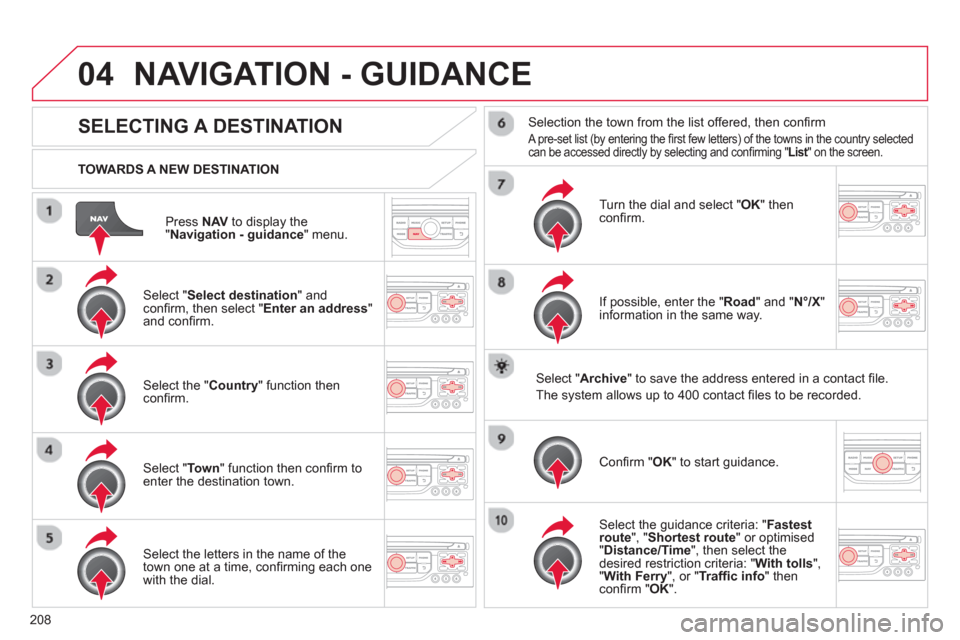
Press NAVto display the"Navigation - guidance " menu.
TOWARDS A NEW DESTINATION
NAVIGATION - GUIDANCE
SELECTING A DESTINATION
Select "Select destination
" and confi rm, then select " Enter an address"and confi rm.
Select the " Country
" function then confi rm.
Select "Town" function then confi rm to enter the destination town.
Select the letters in the name of the
town one at a time, confi rming each one
with the dial.
Selection the town from the list offered, then confi rm
A pre-set list (by entering the fi rst few letters) of the towns in the country selected can be accessed directly by selecting and confi rming " List" on the screen. t
Turn the dial and select "OK" thenconfi rm.
If possible, enter the "
Road
" and "N°/X"
information in the same way.
Select "Archive
" to save the address entered in a contact fi le.
The s
ystem allows up to 400 contact fi les to be recorded.
Confi rm " OK
" to start guidance.
Select the guidance criteria: "Fastest
route", " Shortest route" or optimised "Distance/Time ", then select thedesired restriction criteria: "With tolls","With Ferry", or "Traffi c info" thenconfi rm "OK".


