Page 326 of 722
On the FM band, you can select a
favorite station and display the
program service name provided by
the radio data system (RDS).
For inf ormation on FM/AM radio
f requencies and reception, see
page .
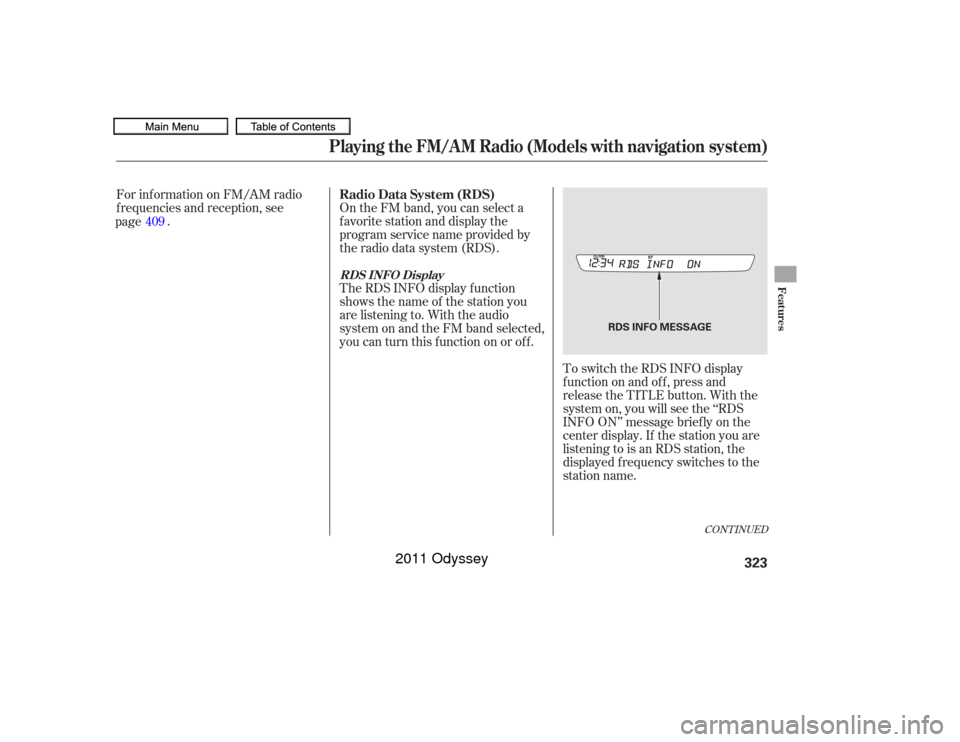
The RDS INFO display f unction
shows the name of the station you
are listening to. With the audio
system on and the FM band selected,
you can turn this f unction on or of f . To switch the RDS INFO display
f unction on and of f , press and
release the TITLE button. With the
system on, you will see the ‘‘RDS
INFO ON’’ message brief ly on the
center display. If the station you are
listening to is an RDS station, the
displayed f requency switches to the
station name.
409
CONT INUED
Radio Data System (RDS)RDS INFO DisplayPlaying the FM/A M Radio (Models with navigation system)
Features
323
RDS INFO MESSAGE
10/07/17 10:17:15 31TK8600_328
2011 Odyssey
Page 327 of 722
If the station you are listening to is
not an RDS station, the audio screen
and the center display continue to
show the f requency.INFO: News, inf ormation, sports,
talk shows, f oreign language,
personality, public, college, and
weather ALL: All RDS category stations
TRAFFIC: Traffic information
When you turn of f this f unction by
pressing the TITLE button, the
center display shows ‘‘RDS INFO
OFF.’’
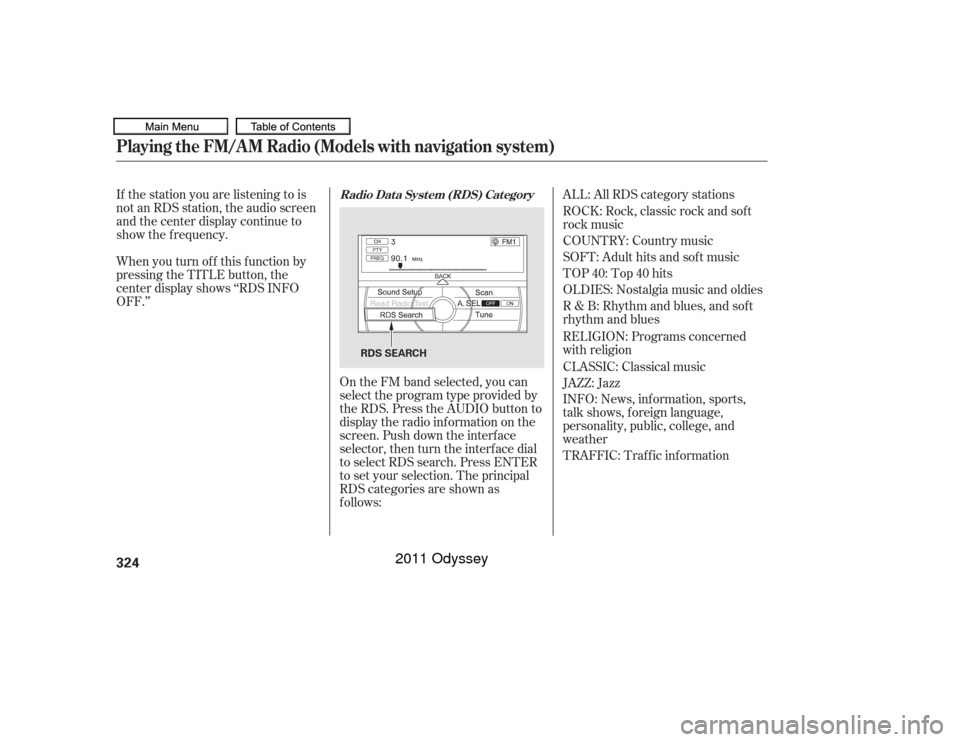
On the FM band selected, you can
select the program type provided by
the RDS. Press the AUDIO button to
display the radio inf ormation on the
screen. Push down the interf ace
selector, then turn the interf ace dial
to select RDS search. Press ENTER
to set your selection. The principal
RDS categories are shown as
f ollows: ROCK: Rock, classic rock and sof t
rock music
COUNTRY: Country music
SOFT: Adult hits and sof t music
TOP 40: Top 40 hits
OLDIES: Nostalgia music and oldies
R & B: Rhythm and blues, and sof t
rhythm and blues
RELIGION: Programs concerned
with religion
CLASSIC: Classical music
JAZZ: Jazz
Radio Data System (RDS) Category
Playing the FM/A M Radio (Models with navigation system)324
RDS SEARCH
10/07/17 10:17:26 31TK8600_329
2011 Odyssey
Page 329 of 722
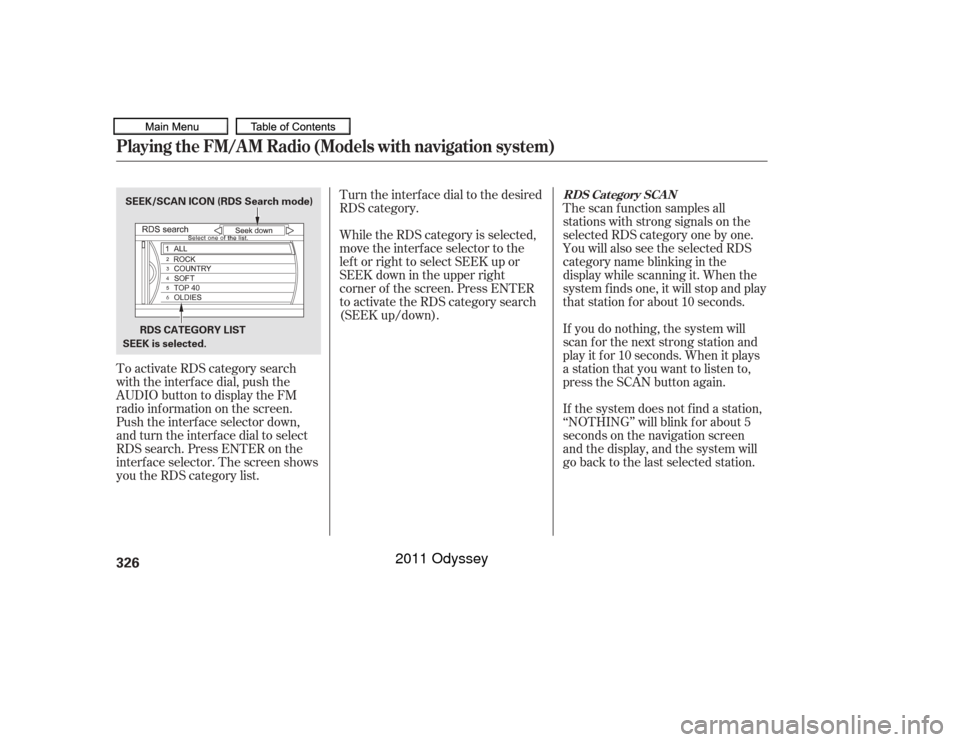
To activate RDS category search
with the interf ace dial, push the
AUDIO button to display the FM
radio inf ormation on the screen.
Push the interf ace selector down,
and turn the interf ace dial to select
RDS search. Press ENTER on the
interf ace selector. The screen shows
youtheRDScategorylist.Turn the interface dial to the desired
RDS category.
The scan f unction samples all
stations with strong signals on the
selected RDS category one by one.
You will also see the selected RDS
category name blinking in the
display while scanning it. When the
system f inds one, it will stop and play
that station for about 10 seconds.
If you do nothing, the system will
scan f or the next strong station and
play it f or 10 seconds. When it plays
a station that you want to listen to,
press the SCAN button again.
If the system does not find a station,
‘‘NOTHING’’ will blink f or about 5
seconds on the navigation screen
and the display, and the system will
go back to the last selected station.
While the RDS category is selected,
move the interface selector to the
lef t or right to select SEEK up or
SEEK down in the upper right
corner of the screen. Press ENTER
to activate the RDS category search
(SEEK up/down).
RDS Category SCAN
Playing the FM/A M Radio (Models with navigation system)326SEEK is selected.
SEEK/SCAN ICON (RDS Search mode)
RDS CATEGORY LIST
10/07/17 10:17:40 31TK8600_331
2011 Odyssey
Page 330 of 722
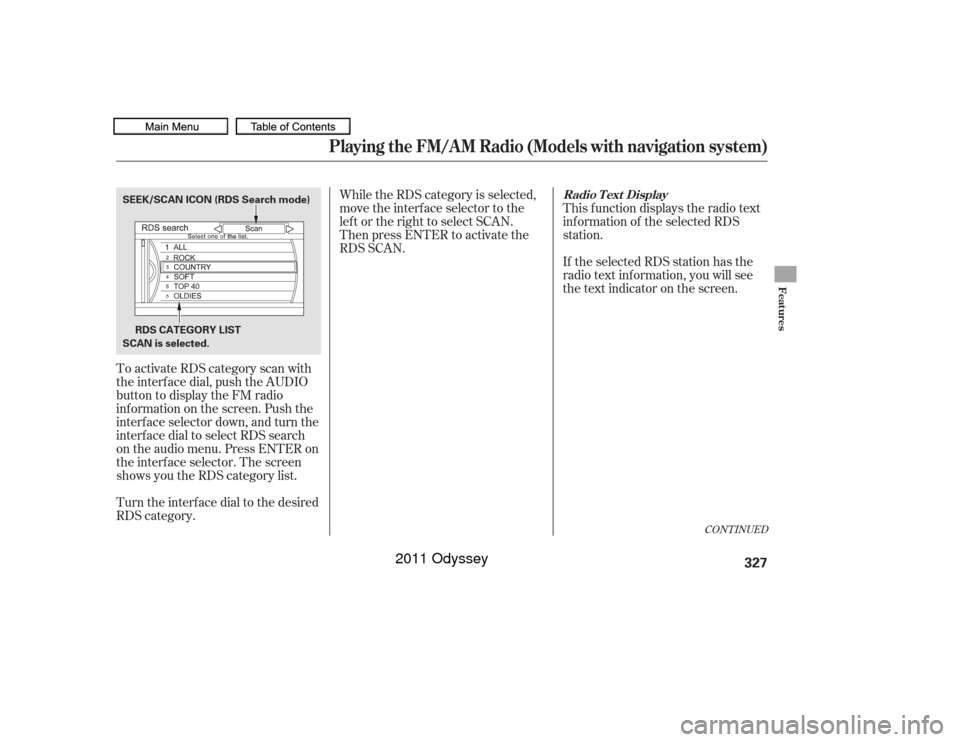
To activate RDS category scan with
the interf ace dial, push the AUDIO
button to display the FM radio
inf ormation on the screen. Push the
interf ace selector down, and turn the
interf ace dial to select RDS search
on the audio menu. Press ENTER on
the interf ace selector. The screen
shows you the RDS category list.
Turn the interface dial to the desired
RDS category.While the RDS category is selected,
move the interface selector to the
lef t or the right to select SCAN.
Then press ENTER to activate the
RDS SCAN.
This f unction displays the radio text
inf ormation of the selected RDS
station.
If the selected RDS station has the
radio text inf ormation, you will see
the text indicator on the screen.
CONT INUED
Radio T ext Display
Playing the FM/A M Radio (Models with navigation system)
Features
327
RDS CATEGORY LIST
SEEK/SCAN ICON (RDS Search mode)
SCAN is selected.
10/07/17 10:17:47 31TK8600_332
2011 Odyssey
Page 332 of 722
BASS, TREBLE, BALANCE, and
FADER are each adjustable. You can
also adjust the strength of the sound
coming from the center and
subwoof er speakers. In addition, you
can set the Dolby PL (ProLogic) II
and Speed-sensitive volume
compensation (SVC).
Theseadjustmentscanbemadewith
the TUNE/SOUND knob or the
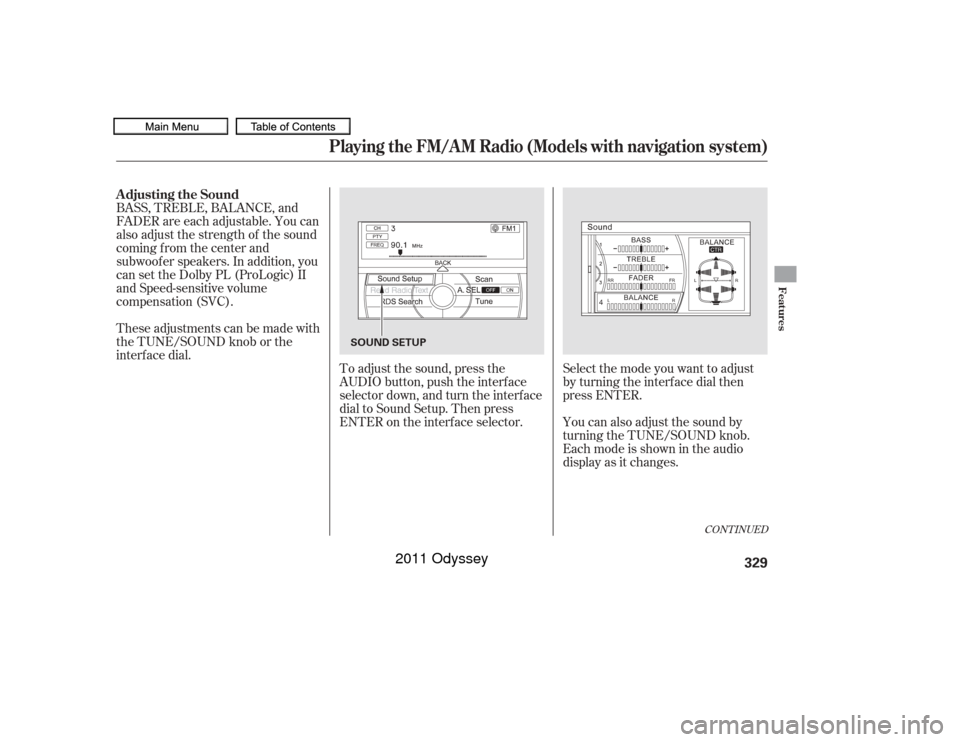
interf ace dial.To adjust the sound, press the
AUDIO button, push the interf ace
selector down, and turn the interf ace
dial to Sound Setup. Then press
ENTER on the interf ace selector. Selectthemodeyouwanttoadjust
by turning the interf ace dial then
press ENTER.
You can also adjust the sound by
turning the TUNE/SOUND knob.
Each mode is shown in the audio
display as it changes.
CONT INUED
Adjusting the Sound
Playing the FM/A M Radio (Models with navigation system)
Features
329
SOUND SETUP
10/07/17 10:18:00 31TK8600_334
2011 Odyssey
Page 333 of 722
�µ�µ�µ
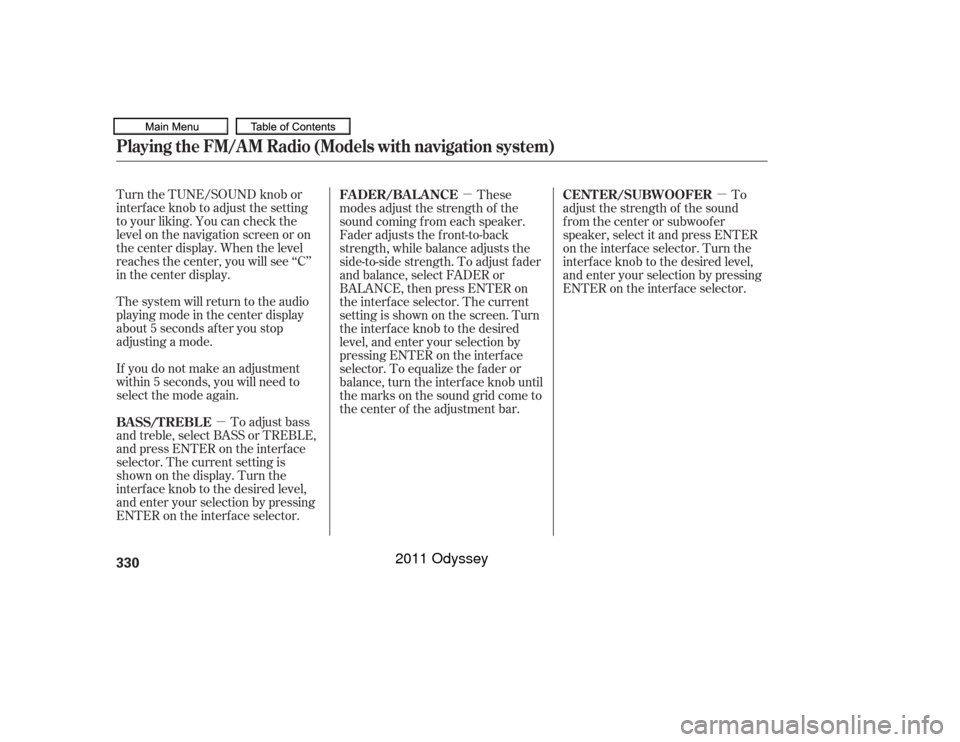
Turn the TUNE/SOUND knob or
interf ace knob to adjust the setting
to your liking. You can check the
level on the navigation screen or on
the center display. When the level
reaches the center, you will see ‘‘C’’
in the center display.
The system will return to the audio
playing mode in the center display
about 5 seconds af ter you stop
adjusting a mode.
If you do not make an adjustment
within 5 seconds, you will need to
selectthemodeagain.
To adjust bass
and treble, select BASS or TREBLE,
andpressENTERontheinterface
selector. The current setting is
shownonthedisplay.Turnthe
interf ace knob to the desired level,
and enter your selection by pressing
ENTER on the interf ace selector. These
modes adjust the strength of the
sound coming f rom each speaker.
Fader adjusts the f ront-to-back
strength, while balance adjusts the
side-to-side strength. To adjust f ader
and balance, select FADER or
BALANCE, then press ENTER on
the interf ace selector. The current
setting is shown on the screen. Turn
the interface knob to the desired
level, and enter your selection by
pressing ENTER on the interf ace
selector. To equalize the f ader or
balance, turn the interf ace knob until
the marks on the sound grid come to
the center of the adjustment bar. To
adjust the strength of the sound
f rom the center or subwoof er
speaker, select it and press ENTER
on the interf ace selector. Turn the
interf ace knob to the desired level,
and enter your selection by pressing
ENTER on the interf ace selector.
BASS/TREBL E FADER/BALANCE
CENTER/SUBWOOFER
Playing the FM/A M Radio (Models with navigation system)330
10/07/17 10:18:05 31TK8600_335
2011 Odyssey
Page 334 of 722
Features
331
10/07/17 10:18:00 31TK8600_334
�µDolby
PL (ProLogic) II signal processing
creates multi-channel surround
sound f rom 2 channel stereo audio
sources. Dolby ProLogic II can only
be activated when listening to DISC
(CD-DA, MP3/WMA), XM Radio,
andAUX.WhenProLogicIIisactive,
‘‘PL II’’ is shown in the audio display.
To set this f eature on or of f , select
Dolby PL II, and press ENTER on
the interf ace selector. Rotate the
interf ace dial to ON or OFF, and
press ENTER.
Manuf actured under license f rom
Dolby Laboratories. Dolby, Pro
Logic, a n d the double
trademarks of Dolby Dolby PL (ProL ogic) II
-D symbol are
Laboratories. The SVC mode controls the volume
based on vehicle speed. The f aster
you go, the louder the audio volume
becomes. As you slow down, the
audio volume decreases.
The SVC has f our modes: SVC OFF,
SVC LOW, SVC MID, and SVC
HIGH. To change the SVC mode,
select SVC, then press ENTER on
the interf ace selector. The current
setting is shown on the screen. Turn
the interface knob to the desired
level, and enter your selection by
pressing ENTER on the interf ace
selector. If you f eel the sound is too
loud, choose low. If you f eel the
sound is too quiet, choose high.
Speed-sensit ive Volume
Compensat ion (SVC)
In some audio playing modes
(XM,AUX),whenDPLIIison,the
music coming f rom the rear
speakers may sound distorted. This
is due to compression of the music,
and it does not indicate a problem
with the setting. NOTE:
Playing the FM/A M Radio (Models with navigation system)
2011 Odyssey
Page 335 of 722
Playing the XM
Radio (Models with navigation system)
Wit hout rear ent ert ainment syst emWit h rear ent ert ainment syst em332
INTERFACE DIAL
AUDIO
BUTTON POWER/
VOLUME
KNOB
POWER/
VOLUME
KNOB
AUDIO
BUTTONPRESET
BUTTONS
PRESET
BUTTONS
INTERFACE DIAL
XM
BUTTON
TITLE
BUTTON TUNE KNOB
CATEGORY
BARXM
BUTTON
TITLE
BUTTON
CATEGORY
BAR TUNE KNOB
SCAN
BUTTON CENTER DISPLAY
AUDIO SCREEN
SCAN
BUTTON
10/07/17 10:18:19 31TK8600_337
2011 Odyssey