Page 262 of 722
Eachmodeisshowninthedisplayas
it changes. Turn the selector knob to
adjust the setting to your liking.
When the level reaches the center,
you will see ‘‘C’’ in the display.The SVC mode controls the volume
based on vehicle speed. The f aster
you go, the louder the audio volume
becomes. As you slow down, the
audio volume decreases.
The SVC has f our modes: SVC OFF,
SVC LOW, SVC MID, and SVC
HIGH. Turn the selector knob to
adjust the setting to your liking. If
you f eel the sound is too loud,
choose low. If you f eel the sound is
too quiet, choose high. You can use the instrument panel
brightness control knob to adjust the
illumination of the audio system (see
page ). The audio system
illuminates when the parking lights
are on, even if the radio is turned of f .
To return to normal play, push the
RETURN or SETUP button af ter you
stop adjusting a mode. 140On U.S. EX models
Playing the FM/AM Radio (EX, EX-L models without navigation system)
Speed-sensit ive Volume
Compensat ion (SVC)
A udio System L ighting
Features
259
10/07/17 10:09:07 31TK8600_264
2011 Odyssey
Page 266 of 722
�µ�µ
�µ
�µ
�µ �µ
�µ
�µ
Youcanstoreupto12
preset channels using the six preset
buttons. Each button stores one
channel f rom the XM1 band and one
channel f rom the XM2 band.
To store a channel: Press the button. Either
XM1 or XM2 will show in the
display. Repeat steps 2 and 3 to store the
f irst six channels.
Once a channel is stored, simply
press and release the proper preset
button to tune to it. Press the button again.
The other XM band will show.
Store the next six channels using
steps 2 and 3.
The signal is
currently too weak. Move the vehicle
to an area away from tall buildings,
and with an unobstructed view of the
southern horizon.
The selected
channel has no artist or title
inf ormation at this time.
XM is loading the
audio or program inf ormation.
The channel
currently selected is no longer
broadcasting. The
encryption code is being updated.
Wait until the encryption code is
f ully updated. Channels 0 and 1
should still work normally.
There is
a problem with the XM antenna.
Please consult your dealer.
Use the selector knob, SKIP bar,
CATEGORYbarorSCANbutton
to tune to a desired channel.
The selected
channel number does not exist, is
not part of your subscription, or this
channel has no artist or title
inf ormation at this time.
In category mode, only channels
within that category can be selected.
In channel mode, all channels can be
selected.
Pick the preset button you want
f or that channel. Press and hold
the button until you hear a beep.
3. 4.
5.
2. 1.
CONT INUED
Preset
XM Radio Display Messages ‘‘NO SIGNA L ’’
‘‘NO INFO’’
‘‘L OA DING’’
‘‘OFF A IR’’ ‘‘UNA UT HORIZED’’
‘‘CHECK A NT ENNA ’’ ‘‘UNA VA IL A BL E’’
Playing the XM
Radio (EX-L model without navigation system)
Features
263
10/07/17 10:09:41 31TK8600_268
2011 Odyssey
Page 268 of 722
If your XM Radio service has expired
or you purchased your vehicle f rom
a previous owner, you can listen to a
sampling of the broadcastsavailable
on XM Radio. With the ignition
switch in the ACCESSORY (I) or the
ON (II) position, press the button. A variety of music
types and styles will play.
Theremaybeothergeographic
situations that could af f ect XM Radio
reception.
If you decide to purchase XM radio
service, contact XM Radio at,orat
1-800-852-9696. In Canada, contact
XM CANADA
at , or
at 1-877-209-0079. You will need to
give them your radio I.D. number
and your credit card number. To get
your radio I.D. number, press the button, then turn the
selector knob until ‘‘CH 000’’ appears
in the display. Your I.D. will appear
in the display. After you’ve registered with XM
Radio, keep your audio system in the
XM Radio mode while you wait f or
activation. This should take about 30
minutes.
While waiting f or activation, make
sure your vehicle remains in an open
area with good reception. XM Radio
will continue to send an activation
signal to your vehicle f or at least 12
hours from the activation request. If
the service has not been activated
af ter 36 hours, contact XM
Radio.
In Canada, contact XM CANADA
.
As required by the FCC:
Changes or modif ications not expresslyapproved by the party responsible f orcompliance could void the user’sauthority to operate the equipment.
www.xmradio.comwww.xmradio.ca
Receiving XM Radio Service
Playing the XM
Radio (EX-L model without navigation system)
Features
265
10/07/17 10:09:57 31TK8600_270
2011 Odyssey
Page 271 of 722
If a f ile on a WMA disc is protected
by digital rights management
(DRM), the audio unit displays
UNSUPPORTED, and then skips to
the next f ile.
Depending on the sof tware the f iles
were made with, it may not be
possible to play some f iles, or display
some text data.Each time you press the TITLE
button, the display shows you the
text, if the disc was recorded with
text data.
If you select name of f , the text
display is turned of f . With the f older name, you will see
the FOLDER indicator in the display.
The TRACK indicator is shown with
the file or track name.
When you press and release the
TITLE button while a disc without
text data is playing, you will see ‘‘NO
INFO’’ on the display.
The display shows up to 16
characters of selected text data (the
f older name, f ile name, etc.).
You can see the album, artist, and
track name in the display. If a disc is
recorded in MP3, WMA or AAC you
can see the f older and f ile name, and
the artist, album, and track tag.
On U.S. EX models
T ext Data Display Function
Playing a Disc (EX, EX-L models without navigation system)268NOTE:
10/07/17 10:10:20 31TK8600_273
2011 Odyssey
Page 272 of 722
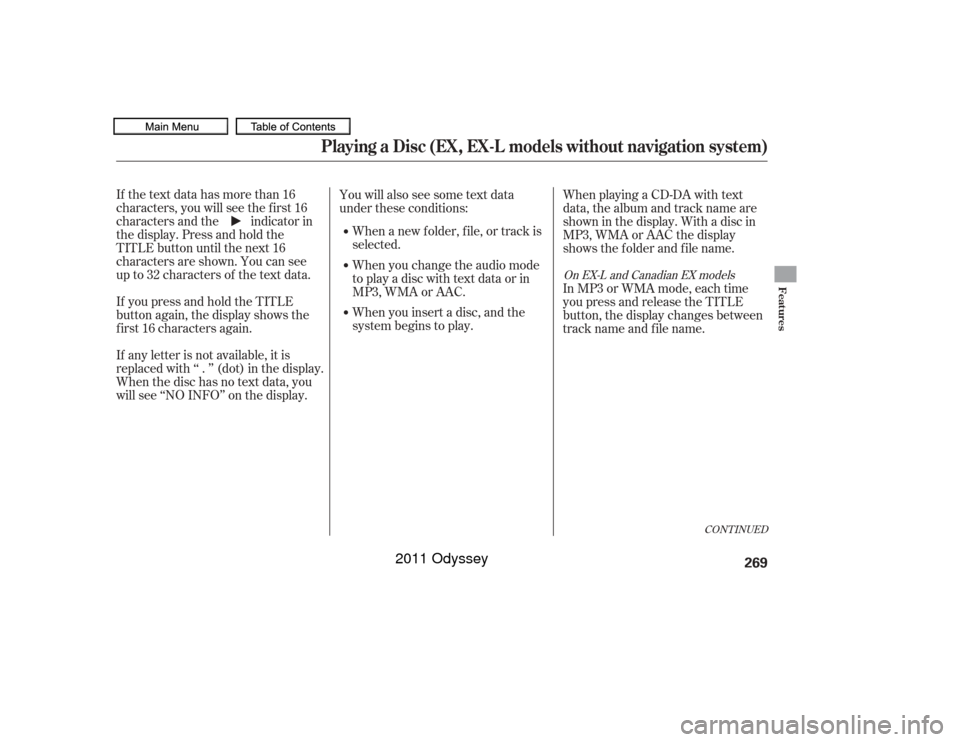
If the text data has more than 16
characters, you will see the first 16
characters and the indicator in
the display. Press and hold the
TITLE button until the next 16
characters are shown. You can see
up to 32 characters of the text data.
If youpressandholdtheTITLE
button again, the display shows the
f irst 16 characters again.
If any letter is not available, it is
replaced with ‘‘ . ’’ (dot) in the display.
When the disc has no text data, you
will see ‘‘NO INFO’’ on the display.You will also see some text data
under these conditions:
When a new f older, f ile, or track is
selected.
When you insert a disc, and the
system begins to play. In MP3 or WMA mode, each time
you press and release the TITLE
button, the display changes between
track name and file name.
When you change the audio mode
to play a disc with text data or in
MP3, WMA or AAC. When playing a CD-DA with text
data, the album and track name are
showninthedisplay.Withadiscin
MP3, WMA or AAC the display
shows the f older and f ile name.
CONT INUED
On EX-L and Canadian EX models
Playing a Disc (EX, EX-L models without navigation system)
Features
269
10/07/17 10:10:28 31TK8600_274
2011 Odyssey
Page 278 of 722
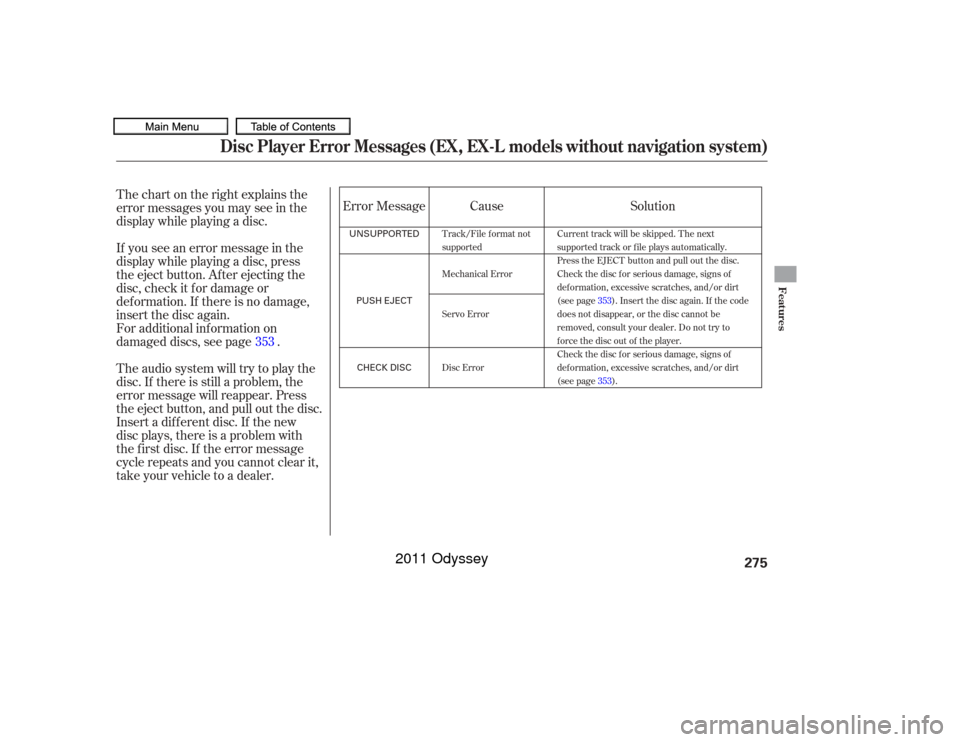
Thechartontherightexplainsthe
error messages you may see in the
display while playing a disc.
If you see an error message in the
display while playing a disc, press
the eject button. After ejecting the
disc, check it for damage or
deformation. If there is no damage,
insert the disc again.
For additional information on
damaged discs, see page .
Theaudiosystemwilltrytoplaythe
disc. If there is still a problem, the
error message will reappear. Press
the eject button, and pull out the disc.
Insert a dif f erent disc. If the new
disc plays, there is a problem with
the f irst disc. If the error message
cycle repeats and you cannot clear it,
take your vehicle to a dealer.Cause
Error Message Solution
353
Track/File format not
supported
Mechanical Error
Servo Error
Disc Error Current track will be skipped. The next
supported track or file plays automatically.
Press the EJECT button and pull out the disc.
Check the disc for serious damage, signs of
deformation, excessive scratches, and/or dirt
(see page
353). Insert the disc again. If the code
does not disappear, or the disc cannot be
removed, consult your dealer. Do not try to
force the disc out of the player.
Check the disc for serious damage, signs of
deformation, excessive scratches, and/or dirt
(see page 353).
Disc Player Error Messages (EX, EX-L models without navigation system)
Features
275
UNSUPPORTED
PUSH EJECTCHECK DISC
10/07/17 10:11:09 31TK8600_280
2011 Odyssey
Page 280 of 722
�µ
�µ
�µ
�µ
�µ
�µ
�µ
�µ
�µ
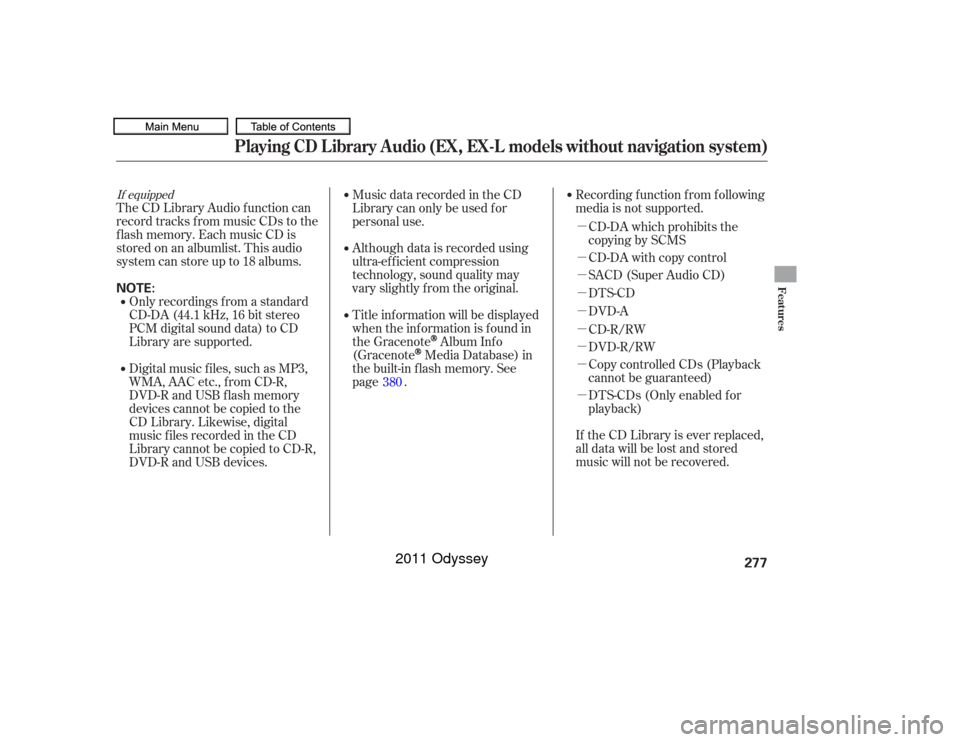
If equippedThe CD Library Audio f unction can
record tracks from music CDs to the
f lash memory. Each music CD is
stored on an albumlist. This audio
system can store up to 18 albums.Digital music f iles, such as MP3,
WMA, AAC etc., from CD-R,
DVD-R and USB f lash memory
devices cannot be copied to the
CD Library. Likewise, digital
musicfilesrecordedintheCD
Library cannot be copied to CD-R,
DVD-R and USB devices. Music data recorded in the CD
Library can only be used f or
personal use.
Title inf ormation will be displayed
when the inf ormation is f ound in
the Gracenote
Album Inf o
(Gracenote
Media Database) in
the built-in f lash memory. See
page .
If the CD Library is ever replaced,
all data will be lost and stored
music will not be recovered.
Only recordings f rom a standard
CD-DA (44.1 kHz, 16 bit stereo
PCM digital sound data) to CD
Library are supported.
Although data is recorded using
ultra-ef f icient compression
technology, sound quality may
vary slightly f rom the original.Recording f unction f rom f ollowing
media is not supported.
CD-DA which prohibits the
copying by SCMS
CD-DA with copy control
SACD (Super Audio CD)
DTS-CD
DVD-A
CD-R/RW
DVD-R/RW
Copy controlled CDs (Playback
cannot be guaranteed)
DTS-CDs (Only enabled f or
playback)
380
Playing CD L ibrary A udio (EX, EX-L models without navigation system)
Features
277
NOTE:
10/07/17 10:11:27 31TK8600_282
2011 Odyssey
Page 281 of 722
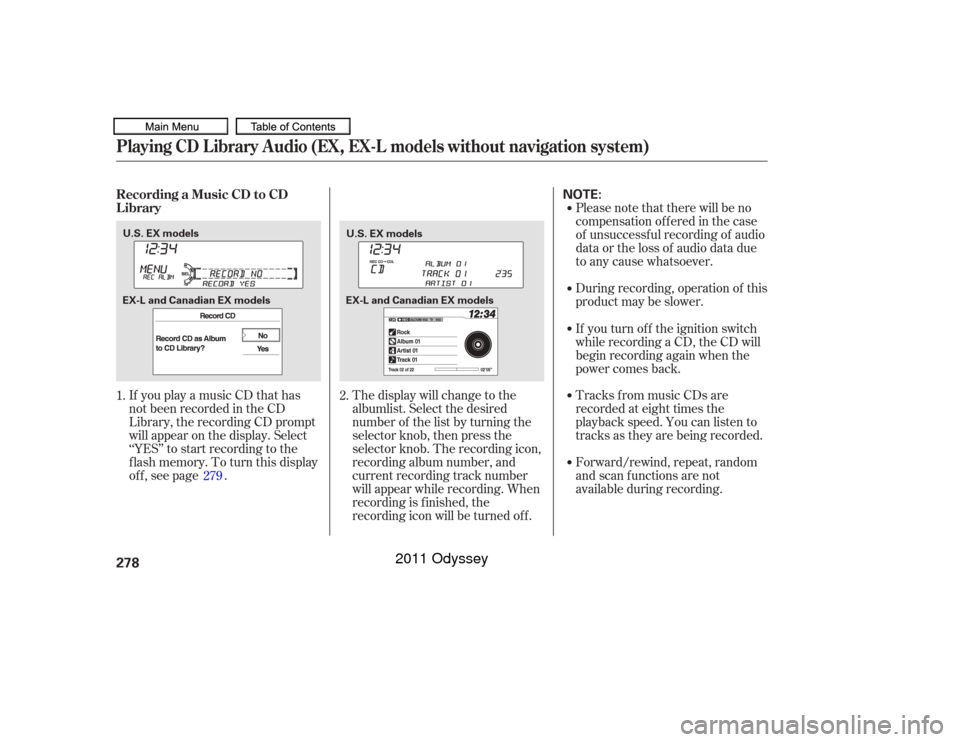
If you play a music CD that has
not been recorded in the CD
Library, the recording CD prompt
will appear on the display. Select
‘‘YES’’ to start recording to the
f lash memory. To turn this display
off, see page .Please note that there will be no
compensation of f ered in the case
of unsuccessf ul recording of audio
data or the loss of audio data due
to any cause whatsoever.
During recording, operation of this
product may be slower.
Tracks from music CDs are
recorded at eight times the
playback speed. You can listen to
tracks as they are being recorded.
Forward/rewind, repeat, random
and scan f unctions are not
available during recording.
The display will change to the
albumlist. Select the desired
number of the list by turning the
selector knob, then press the
selector knob. The recording icon,
recording album number, and
current recording track number
will appear while recording. When
recording is f inished, the
recording icon will be turned of f . If you turn of f the ignition switch
while recording a CD, the CD will
begin recording again when the
power comes back.
1. 2.
279
Playing CD L ibrary A udio (EX, EX-L models without navigation system)Recording a Music CD to CD
L ibrary278
NOTE:
U.S. EX models U.S. EX models
EX-L and Canadian EX models EX-L and Canadian EX models
10/07/17 10:11:38 31TK8600_283
2011 Odyssey