Page 282 of 722
Youcanlistentotracksfromother
albumlists that have already been
recorded while recording. Press
the CD-L button and switch over
to CD Library Audio.
Recording settings cannot be
changed during recording.Each time you press and release the
selector knob, this f eature turns on
and off.
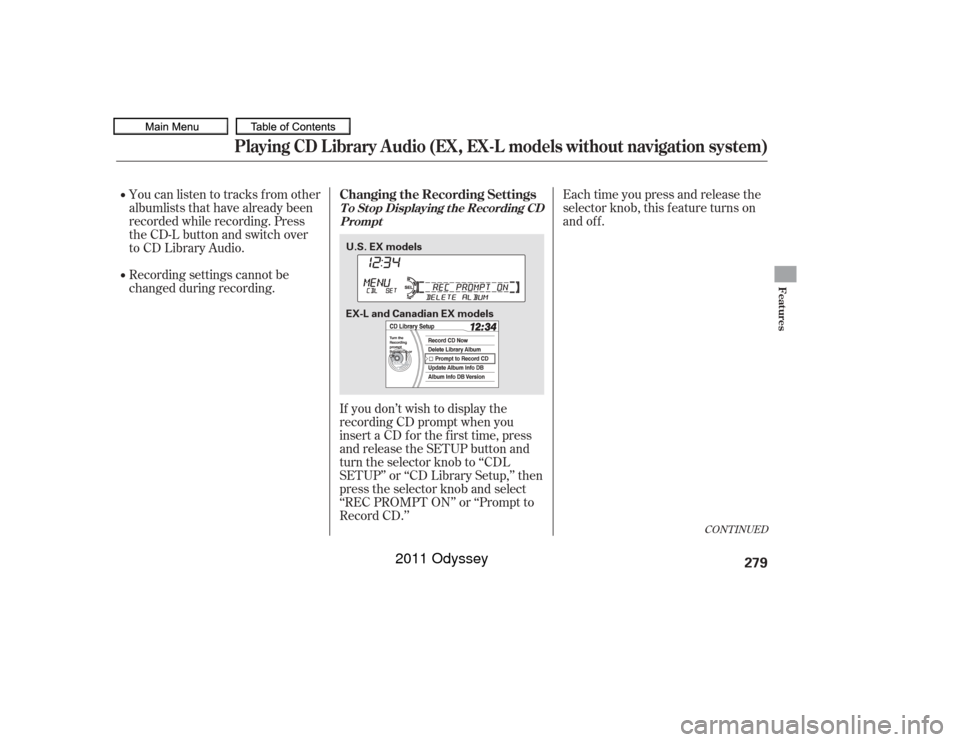
If you don’t wish to display the
recording CD prompt when you
insert a CD f or the f irst time, press
and release the SETUP button and
turn the selector knob to ‘‘CDL
SETUP’’ or ‘‘CD Library Setup,’’ then
press the selector knob and select
‘‘REC PROMPT ON’’ or ‘‘Prompt to
Record CD.’’
CONT INUED
Playing CD L ibrary A udio (EX, EX-L models without navigation system)
Changing the Recording SettingsT o St op Displaying t he Recording CD Prompt
Features
279
U.S. EX models
EX-L and Canadian EX models
10/07/17 10:11:46 31TK8600_284
2011 Odyssey
Page 284 of 722
�´
�µ
�µ �´
To fast forward, press and hold theside of the SKIP bar. To
rewind, press and hold the side
of the SKIP bar.
To play tracks in the CD Library,
push the CD-L button until the CD
Library Audio display appears.
Playback will start automatically with
the track previously selected.
You can also select an album or track
from the list by using the selector
knob. Push the selector knob while
in the CD Library mode, the display
will switch to the albumlist. Turn the
selector knob to select an album.
Press the selector knob to change
the display to the track list, then turn
the selector knob to select a track.
Press the selector knob to start
playing the track you wish to play.
Turning the selector knob to the
right or lef t also changes a f ile.
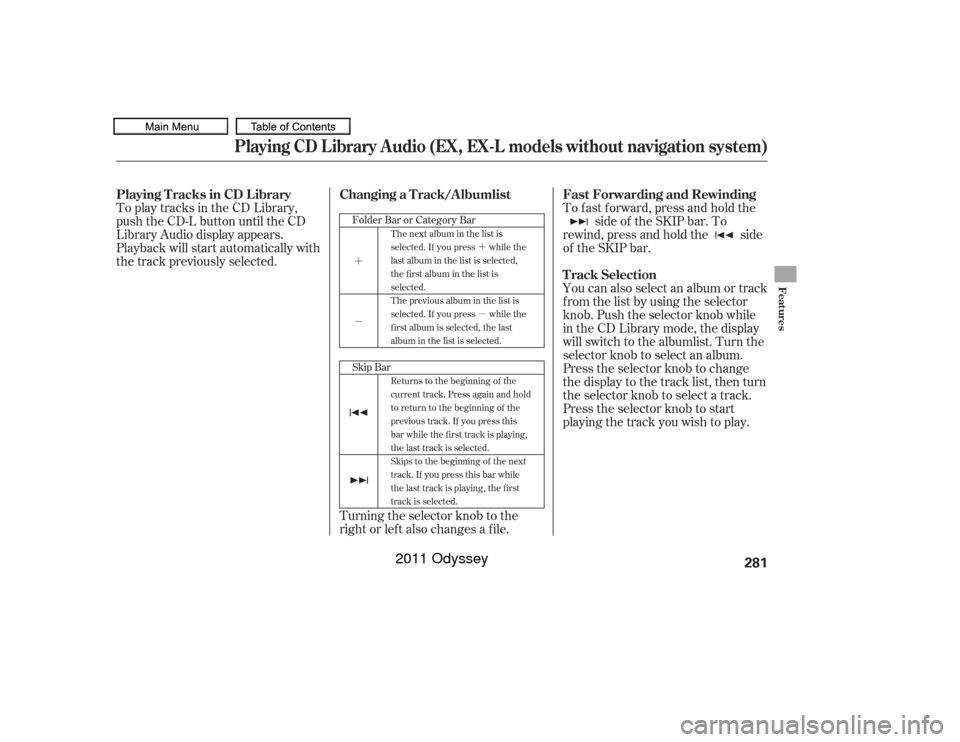
Skip Bar FolderBarorCategoryBar
The next album in the list is
selected. If you press while the
last album in the list is selected,
the first album in the list is
selected.
The previous album in the list is
selected. If you press while the
first album is selected, the last
album in the list is selected.
Returns to the beginning of the
current track. Press again and hold
to return to the beginning of the
previous track. If you press this
bar while the first track is playing,
the last track is selected.
Skips to the beginning of the next
track. If you press this bar while
the last track is playing, the first
track is selected.
Fast Forwarding and Rewinding
Playing Tracks in CD Library
T rack Selection
Changing a Track/Albumlist
Playing CD L ibrary A udio (EX, EX-L models without navigation system)
Features
281
10/07/17 10:12:05 31TK8600_286
2011 Odyssey
Page 287 of 722
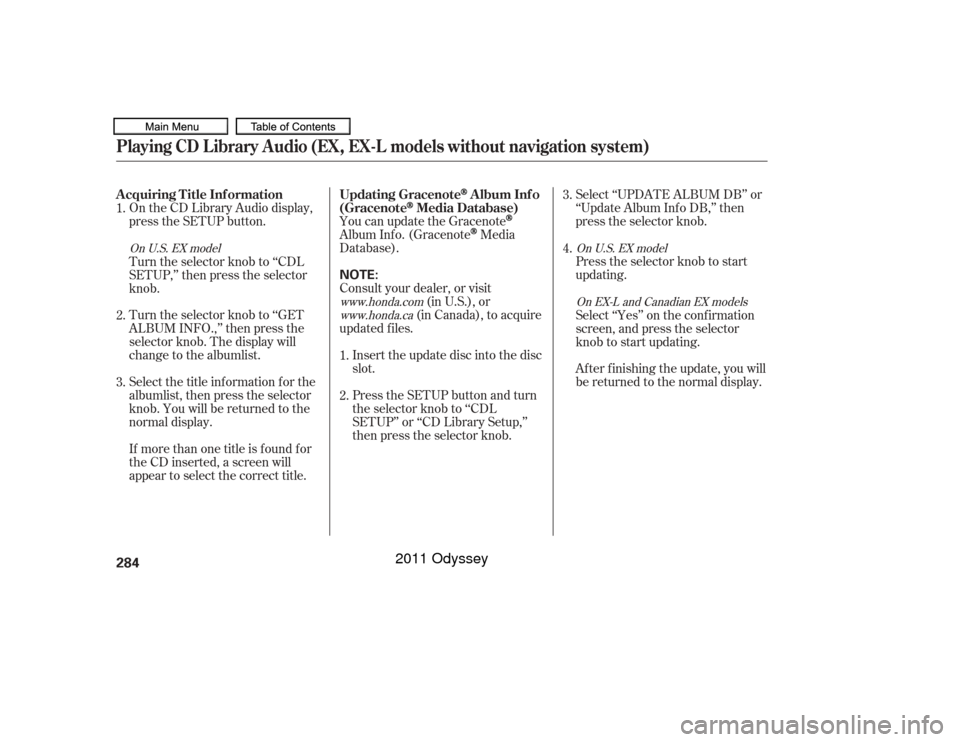
On the CD Library Audio display,
press the SETUP button.Select ‘‘UPDATE ALBUM DB’’ or
‘‘Update Album Inf o DB,’’ then
press the selector knob.
Press the selector knob to start
updating.
You can update the Gracenote
Album Inf o. (Gracenote
Media
Database).
Consult your dealer, or visit (in U.S.), or
(in Canada), to acquire
updated f iles.
Inserttheupdatediscintothedisc
slot.
Select the title inf ormation f or the
albumlist, then press the selector
knob. You will be returned to the
normal display. Turn the selector knob to ‘‘GET
ALBUM INFO.,’’ then press the
selector knob. The display will
change to the albumlist. Turn the selector knob to ‘‘CDL
SETUP,’’ then press the selector
knob.
If more than one title is f ound f or
the CD inserted, a screen will
appear to select the correct title. Select ‘‘Yes’’ on the conf irmation
screen, and press the selector
knob to start updating.
Af ter f inishing the update, you will
be returned to the normal display.
Press the SETUP button and turn
the selector knob to ‘‘CDL
SETUP’’ or ‘‘CD Library Setup,’’
then press the selector knob.
1.
2.
3.
4.
1.
2. 3.
www.honda.com
www.honda.ca On U.S. EX model
On U.S. EX model
On EX-L and Canadian EX models
Playing CD L ibrary A udio (EX, EX-L models without navigation system)A cquiring T itle Inf ormation Updating Gracenote
Album Inf o
(Gracenote
Media Database)
284
NOTE:
10/07/17 20:21:20 31TK8600_289
2011 Odyssey
Page 290 of 722
The audio system reads and plays
playable sound f iles on the iPod. The
system cannot operate an iPod as a
mass storage device. The system will
only play songs stored on the iPod
with iTunes.
iPod and iTunes are registered
trademarks owned by Apple Inc.
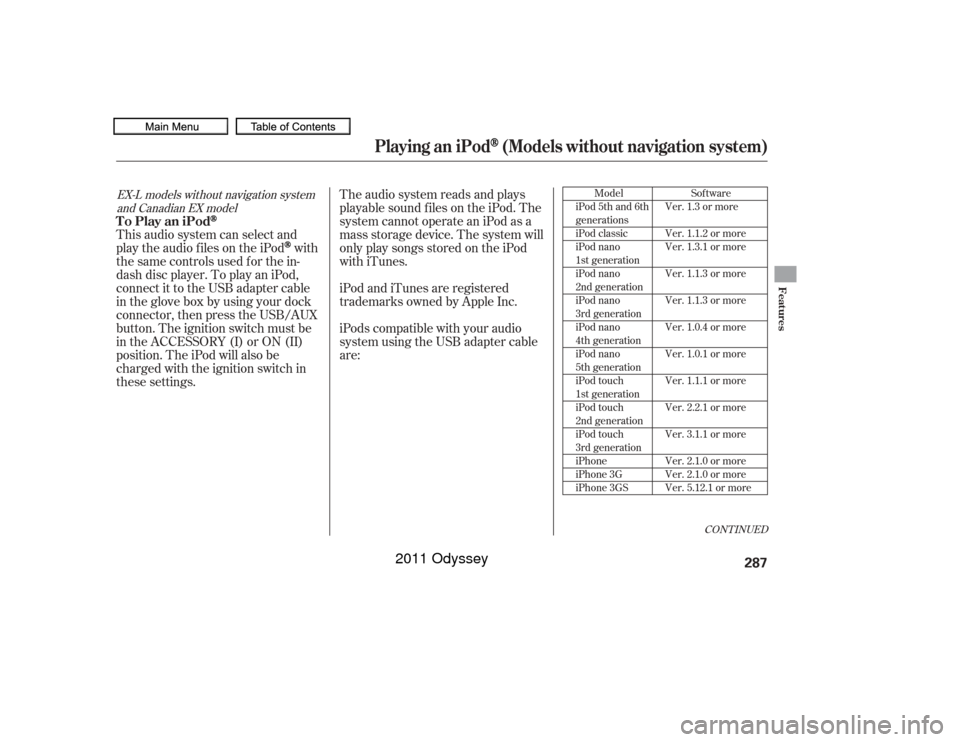
iPods compatible with your audio
system using the USB adapter cable
are:
This audio system can select and
play the audio f iles on the iPod
with
the same controls used f or the in-
dash disc player. To play an iPod,
connect it to the USB adapter cable
in the glove box by using your dock
connector, then press the USB/AUX
button. The ignition switch must be
in the ACCESSORY (I) or ON (II)
position. The iPod will also be
charged with the ignition switch in
these settings.
Model
iPod 5th and 6th
generations
iPod classic
iPod nano
1st generation
iPod nano
2nd generation
iPod nano
3rd generation
iPod nano
4th generation
iPod nano
5th generation
iPod touch
1st generation
iPod touch
2nd generation
iPod touch
3rd generation
iPhone
iPhone 3G
iPhone 3GS
CONT INUED
Sof tware
Ver. 1.3 or more
Ver. 1.1.2 or more
Ver. 1.3.1 or more
Ver. 1.1.3 or more
Ver. 1.1.3 or more
Ver. 1.0.4 or more
Ver. 1.0.1 or more
Ver. 1.1.1 or more
Ver. 2.2.1 or more
Ver. 3.1.1 or more
Ver. 2.1.0 or more
Ver. 2.1.0 or more
Ver. 5.12.1 or more
EX-L models without navigation system and Canadian EX model
Playing an iPod
(Models without navigation system)
To Play an iPod
Features
287
10/07/17 10:12:53 31TK8600_292
2011 Odyssey
Page 291 of 722
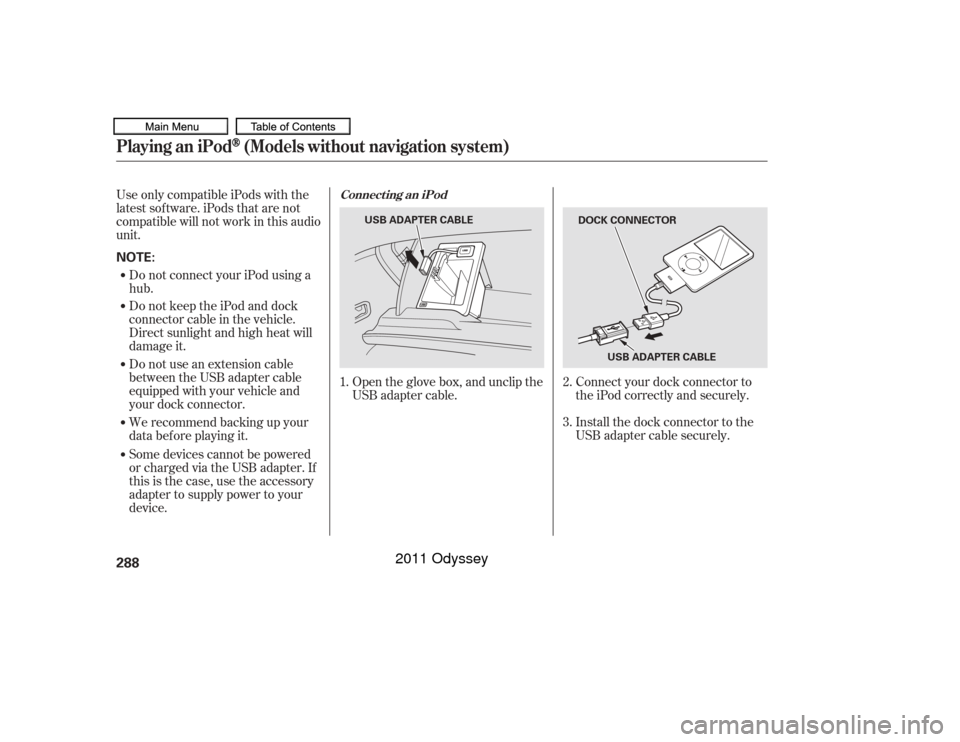
Connect your dock connector to
the iPod correctly and securely.
Install the dock connector to the
USB adapter cable securely.
Some devices cannot be powered
or charged via the USB adapter. If
this is the case, use the accessory
adapter to supply power to your
device. We recommend backing up your
data bef ore playing it. Do not use an extension cable
between the USB adapter cable
equipped with your vehicle and
your dock connector. Do not keep the iPod and dock
connector cable in the vehicle.
Direct sunlight and high heat will
damage it. Do not connect your iPod using a
hub.
UseonlycompatibleiPodswiththe
latest sof tware. iPods that are not
compatible will not work in this audio
unit.
Open the glove box, and unclip the
USB adapter cable.
1.
2.
3.
Connect ing an iPod
Playing an iPod
(Models without navigation system)
288NOTE:
DOCK CONNECTOR
USB ADAPTER CABLE
USB ADAPTER CABLE
10/07/17 10:13:03 31TK8600_293
2011 Odyssey
Page 292 of 722
�µEach time you press and
releasethe sideof theSKIPbar,
the system skips forward to the
beginning of the next track. Press
and release the side of the bar
to skip backward to the beginning of
the current track. Press it again to
skip to the beginning of the previous
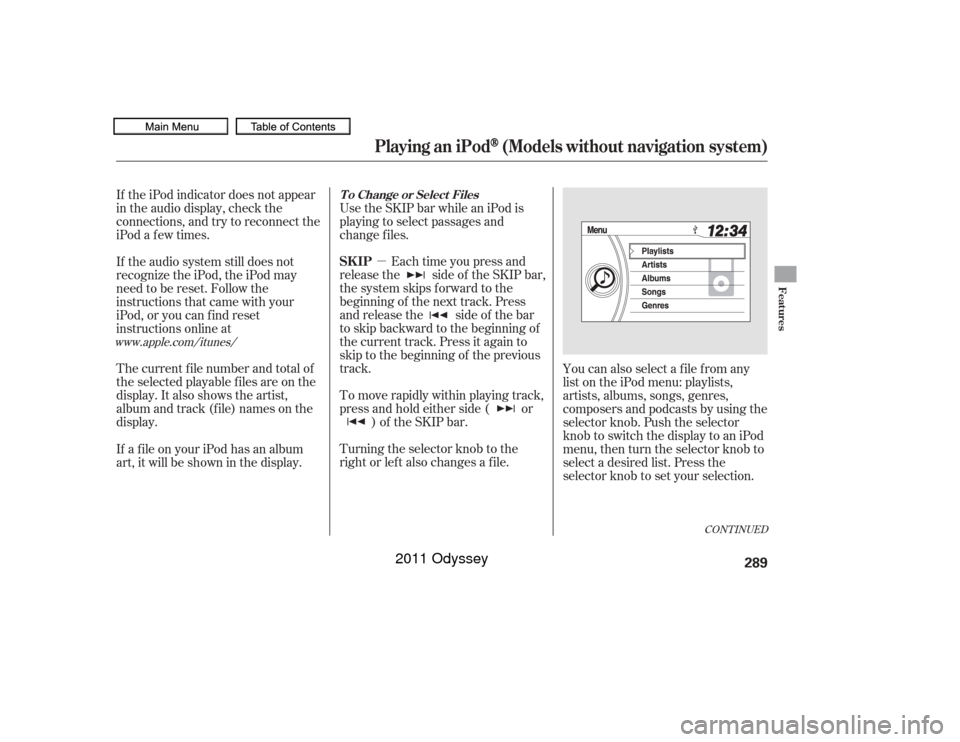
track. Use the SKIP bar while an iPod is
playing to select passages and
change f iles.
To move rapidly within playing track,
press and hold either side ( or ) of the SKIP bar.
If the iPod indicator does not appear
in the audio display, check the
connections, and try to reconnect the
iPod a f ew times.
If the audio system still does not
recognize the iPod, the iPod may
need to be reset. Follow the
instructions that came with your
iPod, or you can f ind reset
instructions online at
The current f ile number and total of
the selected playable f iles are on the
display. It also shows the artist,
album and track (file) names on the
display.
Turning the selector knob to the
right or lef t also changes a f ile.You can also select a file from any
list on the iPod menu: playlists,
artists, albums, songs, genres,
composers and podcasts by using the
selector knob. Push the selector
knob to switch the display to an iPod
menu, then turn the selector knob to
select a desired list. Press the
selector knob to set your selection.
If a f ile on your iPod has an album
art, it will be shown in the display.
www.apple.com/
itunes/
CONT INUED
T o Change or Select FilesSK IP
Playing an iPod
(Models without navigation system)
Features
289
10/07/17 10:13:12 31TK8600_294
2011 Odyssey
Page 295 of 722
�µ�µ �µ
�µ
This f eature plays all
available f iles in a selected list
(playlists, artists, albums, songs,
genres, composers and podcasts) in
random order. You will see the
shuf f le all icon in the display. Select
normal play to turn off this feature.
This feature
repeats the shuffle all feature. When
the system f inishes playing the
shuf f le all f eature, it will repeat
playing the songs in the same
shuf f led order. You will see the
shuf f le all and the repeat icon in the
display. Select normal play to turn of f
this feature. This feature
plays all available albums in a
selected list (playlists, artists, albums,
songs and genres) in random order.
The f iles in each album are played in
the recorded order. You will see the
shuf f le albums icon in the display.
Select normal play to turn of f this
feature.
This
f eature repeats the shuf f le album
f eature. When the system f inishes
playing the shuf f le album f eature, it
will repeat playing the albums in the
same shuf f led order. You will see the
shuf f le albums and the repeat icon in
the display. Select normal play to
turn off this feature. Available operating f unctions vary on
models or versions. Some f unctions
may not be available on the vehicle’s
audio system.
Shuffle All
Shuf f le Repeat Shuffle Albums
Shuf f le A lbums Repeat
Playing an iPod
(Models without navigation system)
292
NOTE:
10/07/17 10:13:30 31TK8600_297
2011 Odyssey
Page 296 of 722
�Î
�ÎThe displayed message may
vary on models or versions. On
some models, there is no
message to disconnect.
You can disconnect the iPod at any
time when you see the ‘‘OK to
disconnect’’ message in the iPod
display. Always make sure you see
‘‘OK to disconnect’’ message in the
iPod display bef ore you disconnect it.
Make sure to f ollow the iPod’s
instructions on how to disconnect
the dock connector f rom the USB
adapter cable. You can also press the MODE
buttononthesteeringwheelto
change modes. To take the system out of the iPod
mode, press one of the other source
buttons than the USB/AUX button.
When a compatible audio unit is
connected to the auxiliary input jack,
press the USB/AUX button to select When you disconnect the iPod while
it is playing, the display shows No
Data.
If you reconnect the same iPod, the
system may begin playing where it
lef t of f , depending on what mode the
iPod is in when it is reconnected.If you see an error message in the
display, see page .
:
294
iPod
Error Messages
T o Stop Playing Your iPod
Disconnect ing an iPod
Playing an iPod
(Models without navigation system)
Features
293
10/07/17 10:13:38 31TK8600_298
select it.
2011 Odyssey