Page 336 of 722
Your vehicle is capable of receiving
XM
Radio anywhere in the United
States and Canada, except Hawaii,
Alaska,andPuertoRico.XMisa
registered trademark of Sirius XM
Radio,Inc.andXMCANADA
is a
registered business name of
Canadian Satellite Radio Inc.
XM Radio receives signals f rom two
satellites to produce clear, high-
quality digital reception. It of f ers
many channels in several categories.
Along with a large selection of
dif f erent types of music, XM Radio
also allows you to view channel and
category selections in the audio
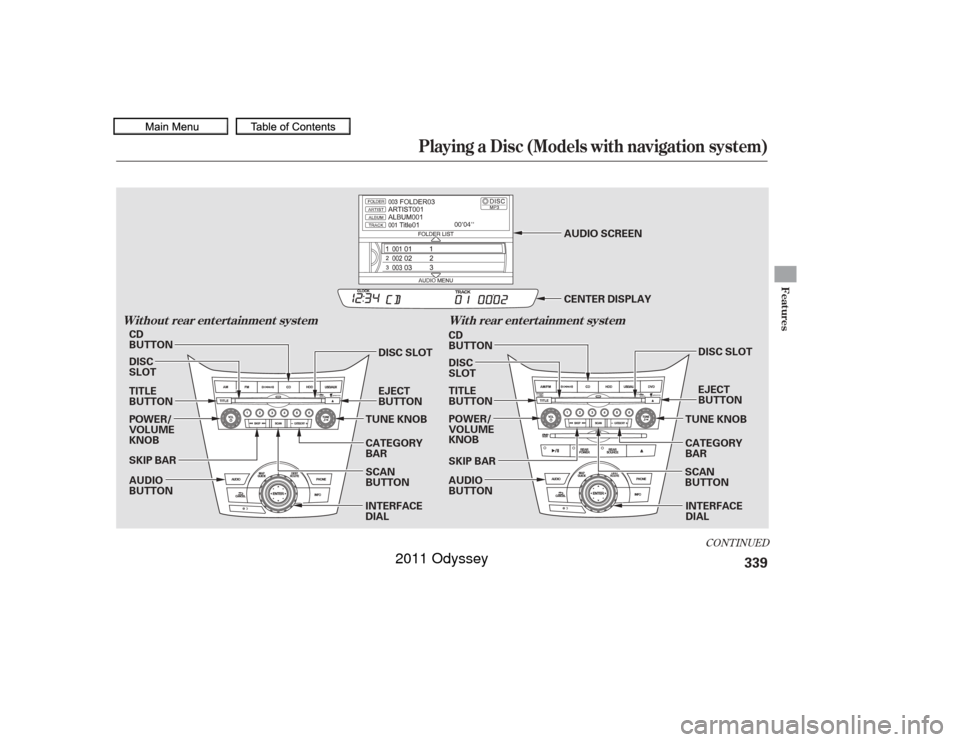
display. To listen to XM Radio, turn the
ignition switch to the ACCESSORY
(I) or ON (II) position. Push the
power/volume knob to turn on the
audio system, and press the
button. The last channel you
listened to will show in the display.
Adjust the volume by turning the
power/volume knob. Each time you push the interface
selector up, the band will change to
XM1 or XM2. Push the AUDIO
button to display XM inf ormation on
the screen. You can operate the XM
radio system with the interf ace dial.
CONT INUED
Operating the XM Radio
Playing the XM
Radio (Models with navigation system)
Features
333
10/07/17 10:18:27 31TK8600_338
2011 Odyssey
Page 337 of 722
�µ�µ �µ
�µ�´�µ
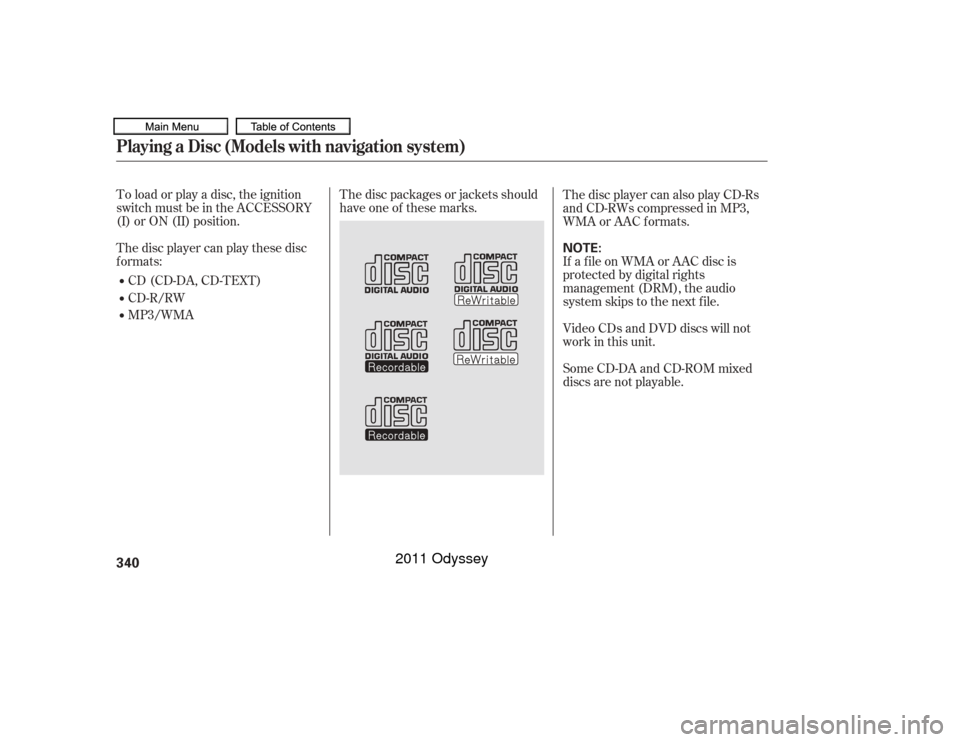
To switch between the
category mode and channel mode,
push the interf ace selector down to
display AUDIO MENU, then turn
the interf ace dial to select Mode, and
press ENTER on the interf ace
selector.
Turn the interf ace dial to select CH
or CAT, then press ENTER on the
interface selector. Move the
interfaceselectoruptogoback.
You can also switch the mode by
pressing the TITLE button for 3
seconds.
In the category mode, such as Jazz,
Rock, Classical, etc., you can
navigate through all of the channels
within that category. In the channel
mode, you can select all of the
available channels. Each time you press and release the
TITLE button, the center display
changes in the f ollowing sequence:
CATEGORY, NAME (artist name),
TITLE (music title), and CHANNEL
NAME (channel name).
You may experience periods when
XM Radio does not transmit the
artist’s name and song title
inf ormation. If this happens, there is
nothing wrong with your system.
Turn the TUNE knob to
change channel selections. Turn the
knob right f or higher numbered
channels and lef t f or lower
numbered channels. You can also
change channels with the interf ace
selector, push down the interf ace
selector to choose TUNE and press
ENTERontheselector.Turnthe
interf ace knob to the same directions.
In the category mode, you can only
select channels within that category. Push down the
interf ace selector to select AUDIO
MENU,thenturntheinterfacedial
to select Channel List and press
ENTERontheselector.Turnthe
interf ace dial to select a channel,
then press ENTER to set your
selection.
Press
either side of the bar to select
another category.
MODE
TUNECHA NNEL L IST
CAT EGORY ( or )
Playing the XM
Radio (Models with navigation system)
334
10/07/17 10:18:34 31TK8600_339
2011 Odyssey
Page 338 of 722
�µ
�µ
�µ
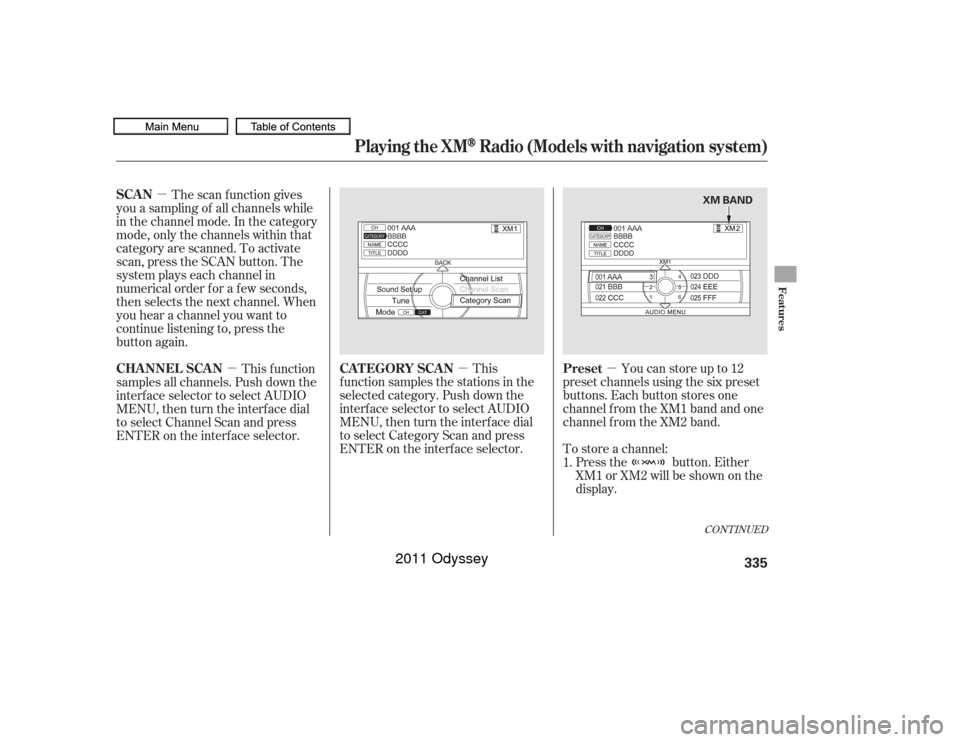
�µ Press the button. Either
XM1 or XM2 will be shown on the
display.
To store a channel: Youcanstoreupto12
preset channels using the six preset
buttons. Each button stores one
channel f rom the XM1 band and one
channel f rom the XM2 band.
This
f unction samples the stations in the
selected category. Push down the
interf ace selector to select AUDIO
MENU,thenturntheinterfacedial
to select Category Scan and press
ENTER on the interf ace selector.
The scan f unction gives
you a sampling of all channels while
in the channel mode. In the category
mode, only the channels within that
category are scanned. To activate
scan, press the SCAN button. The
system plays each channel in
numerical order f or a f ew seconds,
then selects the next channel. When
you hear a channel you want to
continue listening to, press the
button again.
This f unction
samples all channels. Push down the
interf ace selector to select AUDIO
MENU,thenturntheinterfacedial
to select Channel Scan and press
ENTER on the interf ace selector.
1.
CONT INUED
Preset
CAT EGORY SCAN
SCAN
CHA NNEL SCA N
Playing the XM
Radio (Models with navigation system)
Features
335
XM BAND
10/07/17 10:18:43 31TK8600_340
2011 Odyssey
Page 339 of 722
�µ�µ
�µ
�µ
�µ
�µ �µ
Once a channel is stored, press
and release the proper preset
button to tune to it.
Press the button or scroll
up again. The other XM band will
be shown. Store the next six
channels using steps 2 and 3. Repeat steps 2 and 3 to store the
f irst six channels. Pick the preset button you want
f or that channel. Press and hold
the preset button until you hear a
beep. You can also pick the
number with the interf ace dial.
Select your desired number and
press and hold ENTER on the
interf ace selector. In category mode, only channels
within that category can be
selected. In channel mode, all
channels can be selected. Use the tune, list, or scan f unction
to tune to a desired channel. The selected
channel has no artist or title
inf ormation at this time.
There is
a problem with the XM antenna.
Please consult your dealer.
The signal is
currently too weak. Move the vehicle
to an area away from tall buildings,
and with an unobstructed view of the
southern horizon. XM is loading the
audio or program inf ormation. The channel
currently selected is no longer
broadcasting.
The
encryption code is being updated.
Wait until the encryption code is
f ully updated. Channels 0 and 1
should still work normally. The selected
channel number does not exist, is
not part of your subscription, or this
channel has no artist or title
inf ormation at this time.
5. 3.
4. 2. XM Radio Display Messages‘‘NO INFO’’
‘‘CHECK A NT ENNA ’’
‘‘NO SIGNA L ’’ ‘‘L OA DING’’ ‘‘OFF A IR’’
‘‘UNA UT HORIZED’’ ‘‘UNA VA IL A BL E’’
Playing the XM
Radio (Models with navigation system)
336
10/07/17 10:18:53 31TK8600_341
2011 Odyssey
Page 341 of 722
Theremaybeothergeographic
situations that could af f ect XM Radio
reception.Af ter you have registered with XM
Radio, keep your audio system in the
XM Radio mode while you wait f or
activation. This should take about 30
minutes.
If you decide to purchase XM Radio
service, contact XM Radio at ,orat
1-800-852-9696. In Canada, contact
XM Canada at , or at
1-877-209-0079. You will need to give
them your radio I.D. number and
your credit card number. To get your
radio I.D. number, turn the TUNE
knob until ‘‘0’’ appears in the display.
Your I.D. will appear in the display. If your XM Radio service has expired
or you purchased your vehicle f rom
a previous owner, you can listen to a
sampling of the broadcasts available
on XM Radio. With the ignition
switch in the ACCESSORY (I) or the
ON (II) position, push the power/
volume knob to turn on the audio
system, and press the button.
A variety of music types and styles
will play. While waiting f or activation, make
sure your vehicle remains in an open
area with good reception. XM Radio
will continue to send an activation
signal to your vehicle f or at least 12
hours from the activation request. If
the service has not been activated
af ter 36 hours, contact XM
Radio.
In Canada, contact XM CANADA
.
As required by the FCC:
Changes or modif ications not expresslyapproved by the party responsible f orcompliance could void the user’sauthority to operate the equipment.
www.xmradio.comwww.xmradio.ca
Receiving XM Radio Service
Playing the XM
Radio (Models with navigation system)
338
10/07/17 10:19:08 31TK8600_343
2011 Odyssey
Page 342 of 722
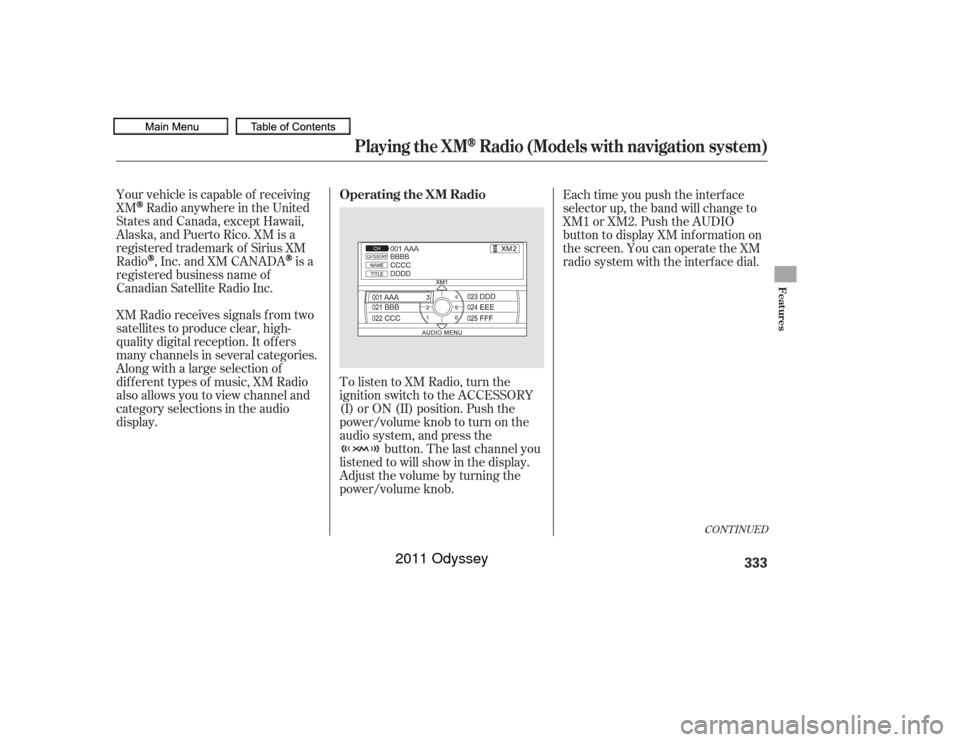
CONT INUED
Playing a Disc (Models with navigation system)
Features
Wit hout rear ent ert ainment syst emWit h rear ent ert ainment syst em
339
AUDIO
BUTTON POWER/
VOLUME
KNOB POWER/
VOLUME
KNOB
AUDIO
BUTTON
TITLE
BUTTON DISC
SLOT CD
BUTTON
SKIP BAR
TUNE KNOB
CATEGORY
BAREJECT
BUTTON CD
BUTTON
DISC
SLOT
TITLE
BUTTON
TUNE KNOBEJECT
BUTTON
CATEGORY
BAR
SCAN
BUTTON
SKIP BAR
SCAN
BUTTON AUDIO SCREEN
CENTER DISPLAY
DISC SLOT DISC SLOT
INTERFACE
DIAL INTERFACE
DIAL
10/07/17 10:19:18 31TK8600_344
2011 Odyssey
Page 343 of 722
The disc packages or jackets should
have one of these marks.
To load or play a disc, the ignition
switch must be in the ACCESSORY
(I) or ON (II) position.
The disc player can play these disc
f ormats:
If a f ile on WMA or AAC disc is
protected by digital rights
management (DRM), the audio
system skips to the next f ile.
Video CDs and DVD discs will not
work in this unit.
Some CD-DA and CD-ROM mixed
discs are not playable.
CD (CD-DA, CD-TEXT)
CD-R/RW
MP3/WMA The disc player can also play CD-Rs
andCD-RWscompressedinMP3,
WMA or AAC formats.
Playing a Disc (Models with navigation system)340
NOTE:
10/07/17 10:19:28 31TK8600_345
2011 Odyssey
Page 346 of 722
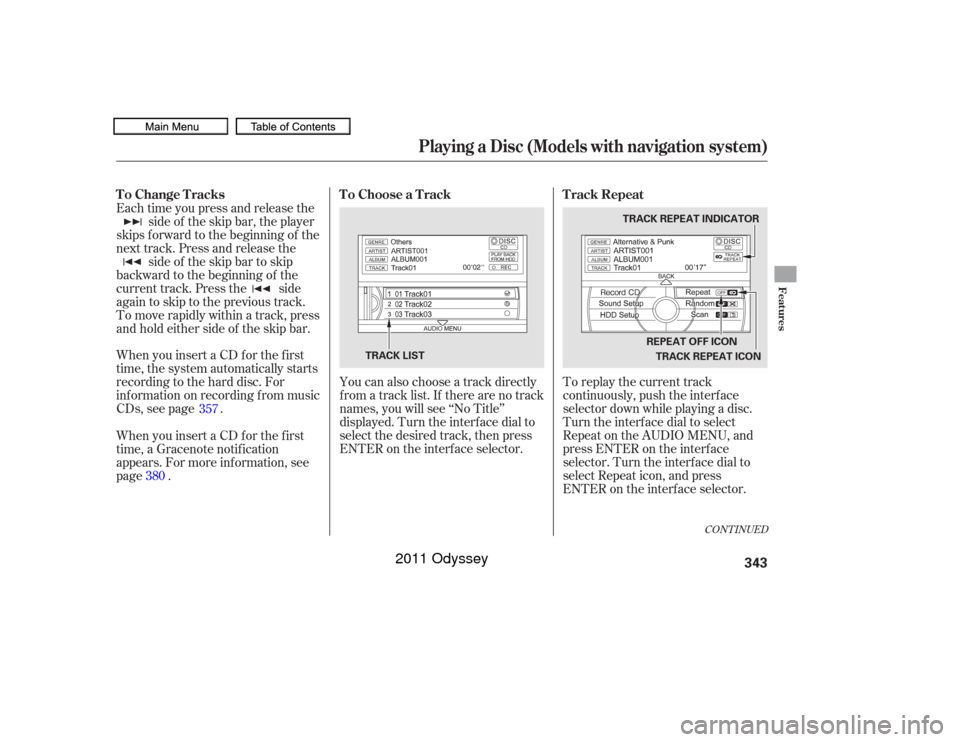
To replay the current track
continuously, push the interf ace
selector down while playing a disc.
Turn the interf ace dial to select
Repeat on the AUDIO MENU, and
press ENTER on the interf ace
selector. Turn the interf ace dial to
select Repeat icon, and press
ENTER on the interf ace selector.
You can also choose a track directly
from a track list. If there are no track
names, you will see ‘‘No Title’’
displayed. Turn the interf ace dial to
select the desired track, then press
ENTER on the interf ace selector.
When you insert a CD f or the f irst
time, the system automatically starts
recording to the hard disc. For
inf ormation on recording f rom music
CDs, see page . Each time you press and release the
side of the skip bar, the player
skips forward to the beginning of the
next track. Press and release the side of the skip bar to skip
backward to the beginning of the
current track. Press the side
againtoskiptotheprevioustrack.
To move rapidly within a track, press
and hold either side of the skip bar.
When you insert a CD f or the f irst
time, a Gracenote notif ication
appears. For more inf ormation, see
page . 357
380
CONT INUED
T rack Repeat
To Choose a Track
To Change Tracks
Playing a Disc (Models with navigation system)
Features
343
TRACK REPEAT INDICATOR
TRACK REPEAT ICON
TRACK LIST REPEAT OFF ICON
10/07/17 10:19:47 31TK8600_348
2011 Odyssey