2003 BMW 760LI SEDAN navigation
[x] Cancel search: navigationPage 107 of 229
At a glance
Controls
Driving tips
Communications
Navigation
Entertainment
Mobility
Reference
105
A congenial climate
Automatic climate control
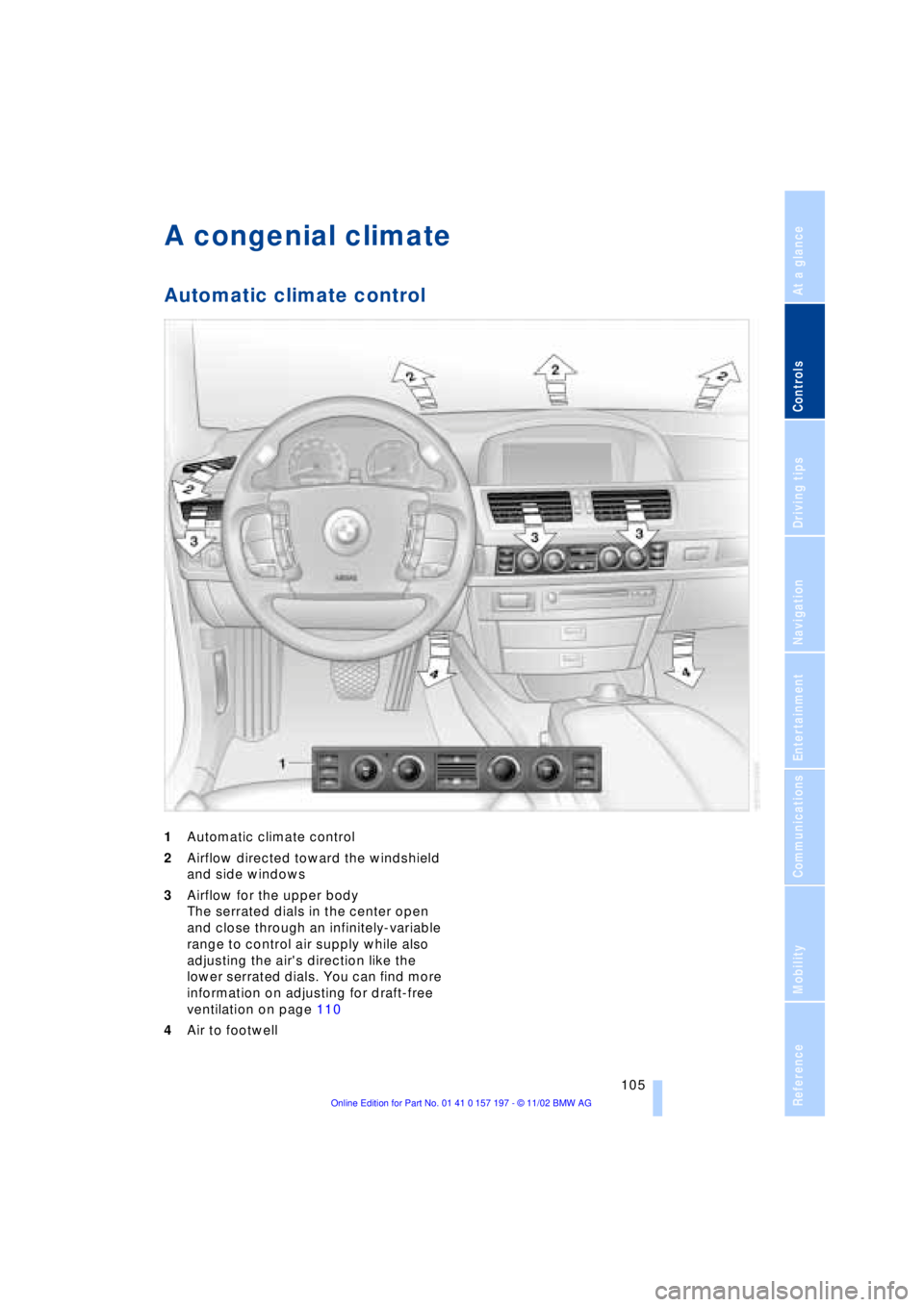
1Automatic climate control
2Airflow directed toward the windshield
and side windows
3Airflow for the upper body
The serrated dials in the center open
and close through an infinitely-variable
range to control air supply while also
adjusting the air's direction like the
lower serrated dials. You can find more
information on adjusting for draft-free
ventilation on page 110
4Air to footwell
Page 109 of 229
At a glance
Controls
Driving tips
Communications
Navigation
Entertainment
Mobility
Reference
107
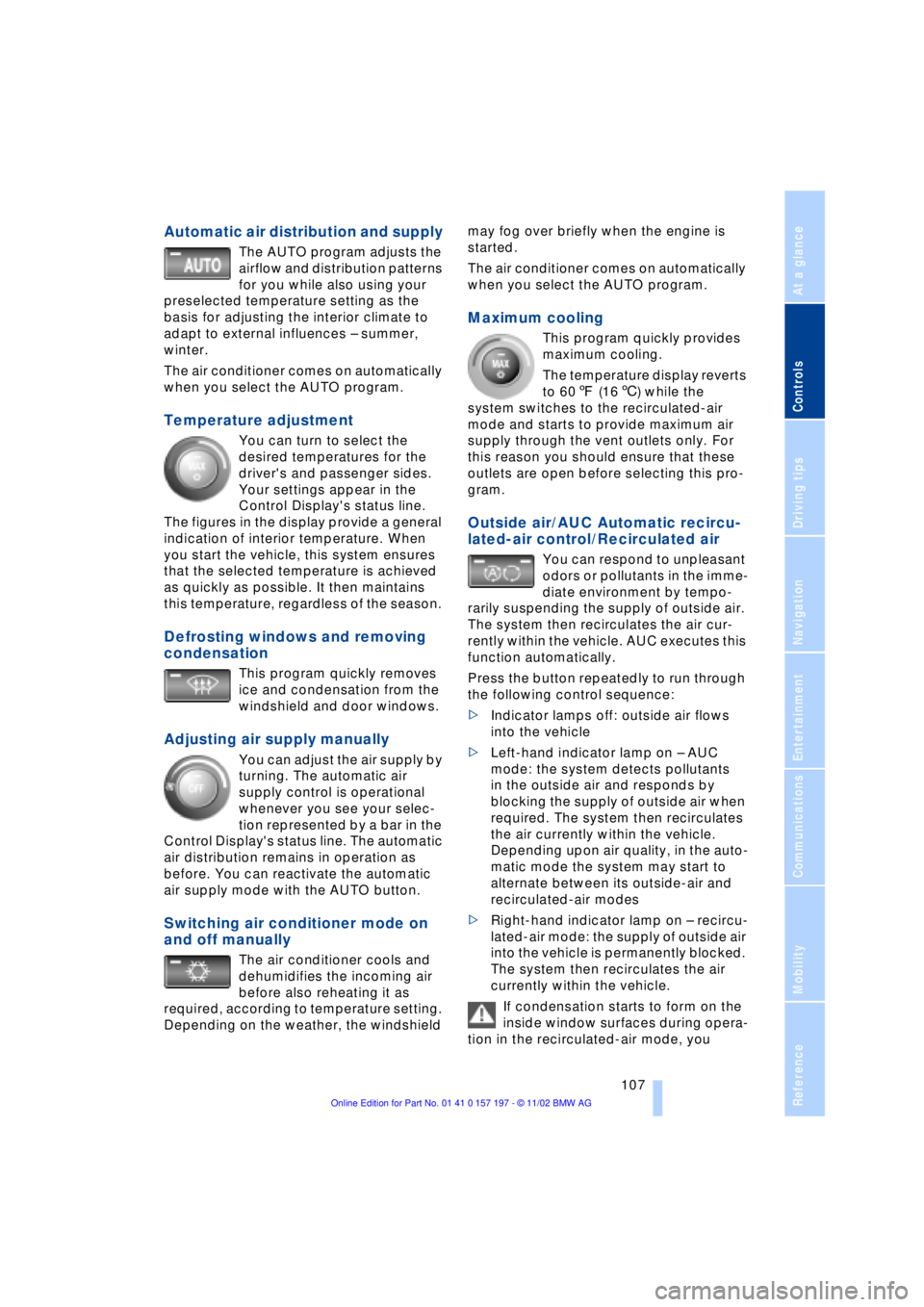
Automatic air distribution and supply
The AUTO program adjusts the
airflow and distribution patterns
for you while also using your
preselected temperature setting as the
basis for adjusting the interior climate to
adapt to external influences Ð summer,
winter.
The air conditioner comes on automatically
when you select the AUTO program.
Temperature adjustment
You can turn to select the
desired temperatures for the
driver's and passenger sides.
Your settings appear in the
Control Display's status line.
The figures in the display provide a general
indication of interior temperature. When
you start the vehicle, this system ensures
that the selected temperature is achieved
as quickly as possible. It then maintains
this temperature, regardless of the season.
Defrosting windows and removing
condensation
This program quickly removes
ice and condensation from the
windshield and door windows.
Adjusting air supply manually
You can adjust the air supply by
turning. The automatic air
supply control is operational
whenever you see your selec-
tion represented by a bar in the
Control Display's status line. The automatic
air distribution remains in operation as
before. You can reactivate the automatic
air supply mode with the AUTO button.
Switching air conditioner mode on
and off manually
The air conditioner cools and
dehumidifies the incoming air
before also reheating it as
required, according to temperature setting.
Depending on the weather, the windshield may fog over briefly when the engine is
started.
The air conditioner comes on automatically
when you select the AUTO program.
Maximum cooling
This program quickly provides
maximum cooling.
The temperature display reverts
to 607 (166) while the
system switches to the recirculated-air
mode and starts to provide maximum air
supply through the vent outlets only. For
this reason you should ensure that these
outlets are open before selecting this pro-
gram.
Outside air/AUC Automatic recircu-
lated-air control/Recirculated air
You can respond to unpleasant
odors or pollutants in the imme-
diate environment by tempo-
rarily suspending the supply of outside air.
The system then recirculates the air cur-
rently within the vehicle. AUC executes this
function automatically.
Press the button repeatedly to run through
the following control sequence:
>Indicator lamps off: outside air flows
into the vehicle
>Left-hand indicator lamp on Ð AUC
mode: the system detects pollutants
in the outside air and responds by
blocking the supply of outside air when
required. The system then recirculates
the air currently within the vehicle.
Depending upon air quality, in the auto-
matic mode the system may start to
alternate between its outside-air and
recirculated-air modes
>Right-hand indicator lamp on Ð recircu-
lated-air mode: the supply of outside air
into the vehicle is permanently blocked.
The system then recirculates the air
currently within the vehicle.
If condensation starts to form on the
inside window surfaces during opera-
tion in the recirculated-air mode, you
Page 111 of 229
At a glance
Controls
Driving tips
Communications
Navigation
Entertainment
Mobility
Reference
109
The serrated dials 3* control the amount of
cooled air in the flow from the vent outlets:
Turn toward blue sector Ð colder
Turn toward red sector Ð warmer.
This function allows you to make minor
adjustments for maximum comfort while
also letting you vary temperatures within
the storage compartment.
Switching off automatic climate
control*
The air supply, the heater and
the air conditioner are all
switched off. You can restart
the automatic climate control
by pressing any of its buttons
except the REST button.
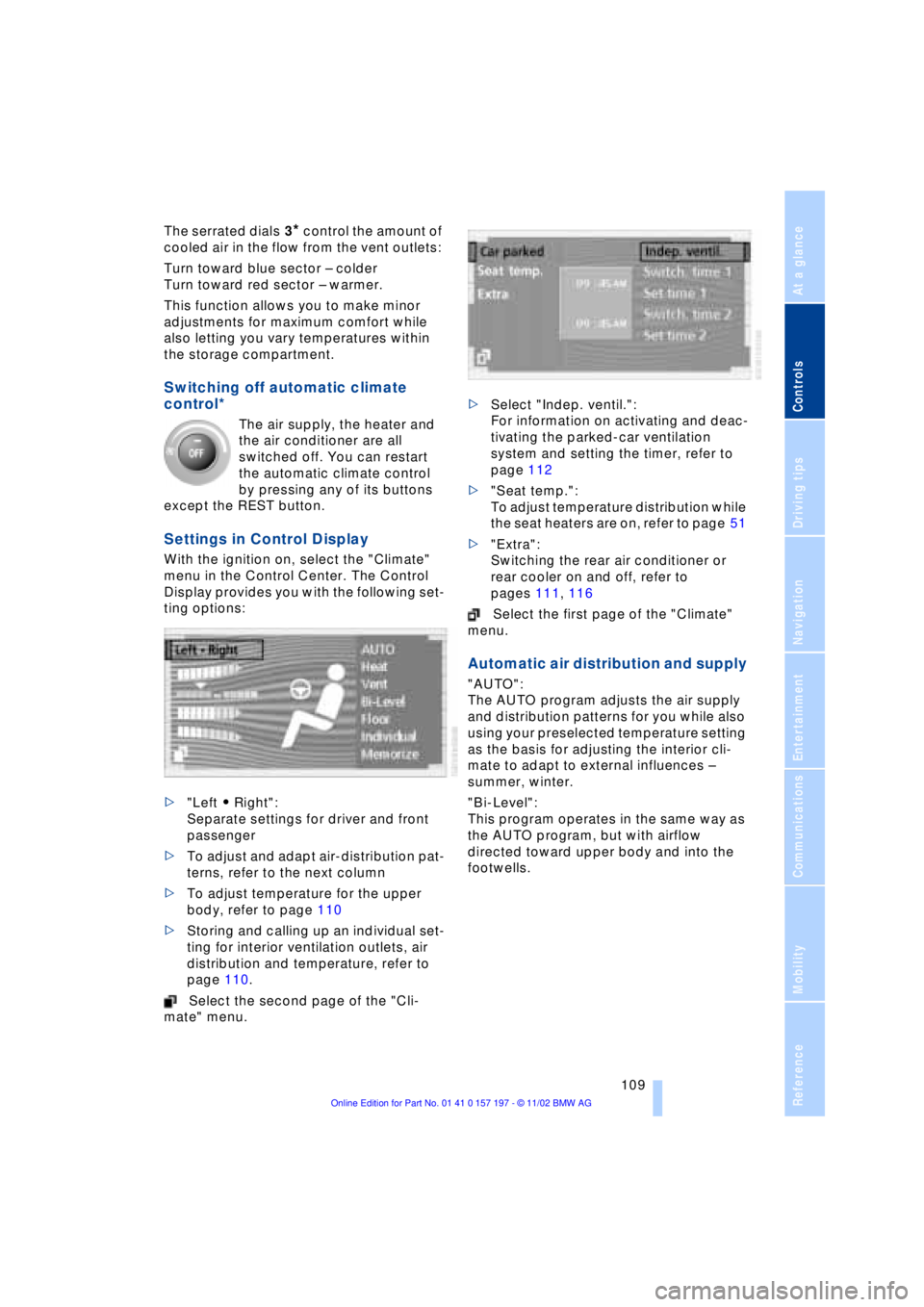
Settings in Control Display
With the ignition on, select the "Climate"
menu in the Control Center. The Control
Display provides you with the following set-
ting options:
>"Left A Right":
Separate settings for driver and front
passenger
>To adjust and adapt air-distribution pat-
terns, refer to the next column
>To adjust temperature for the upper
body, refer to page 110
>Storing and calling up an individual set-
ting for interior ventilation outlets, air
distribution and temperature, refer to
page 110.
Select the second page of the "Cli-
mate" menu. >Select "Indep. ventil.":
For information on activating and deac-
tivating the parked-car ventilation
system and setting the timer, refer to
page 112
>"Seat temp.":
To adjust temperature distribution while
the seat heaters are on, refer to page 51
>"Extra":
Switching the rear air conditioner or
rear cooler on and off, refer to
pages 111, 116
Select the first page of the "Climate"
menu.
Automatic air distribution and supply
"AUTO":
The AUTO program adjusts the air supply
and distribution patterns for you while also
using your preselected temperature setting
as the basis for adjusting the interior cli-
mate to adapt to external influences Ð
summer, winter.
"Bi-Level":
This program operates in the same way as
the AUTO program, but with airflow
directed toward upper body and into the
footwells.
Page 113 of 229
At a glance
Controls
Driving tips
Communications
Navigation
Entertainment
Mobility
Reference
111
Select "Individual" and confirm. The AUTO
program is deactivated.
Particle/activated-charcoal filter
The particle filter removes dust and pollen
from the incoming air. The activated-char-
coal filter provides additional protection by
filtering gaseous pollutants from the out-
side air. Your BMW center replaces this
combined filter as a standard part of your
scheduled maintenance.
You can select a display of more detailed
information in the Service Interval Display,
refer to page 83.
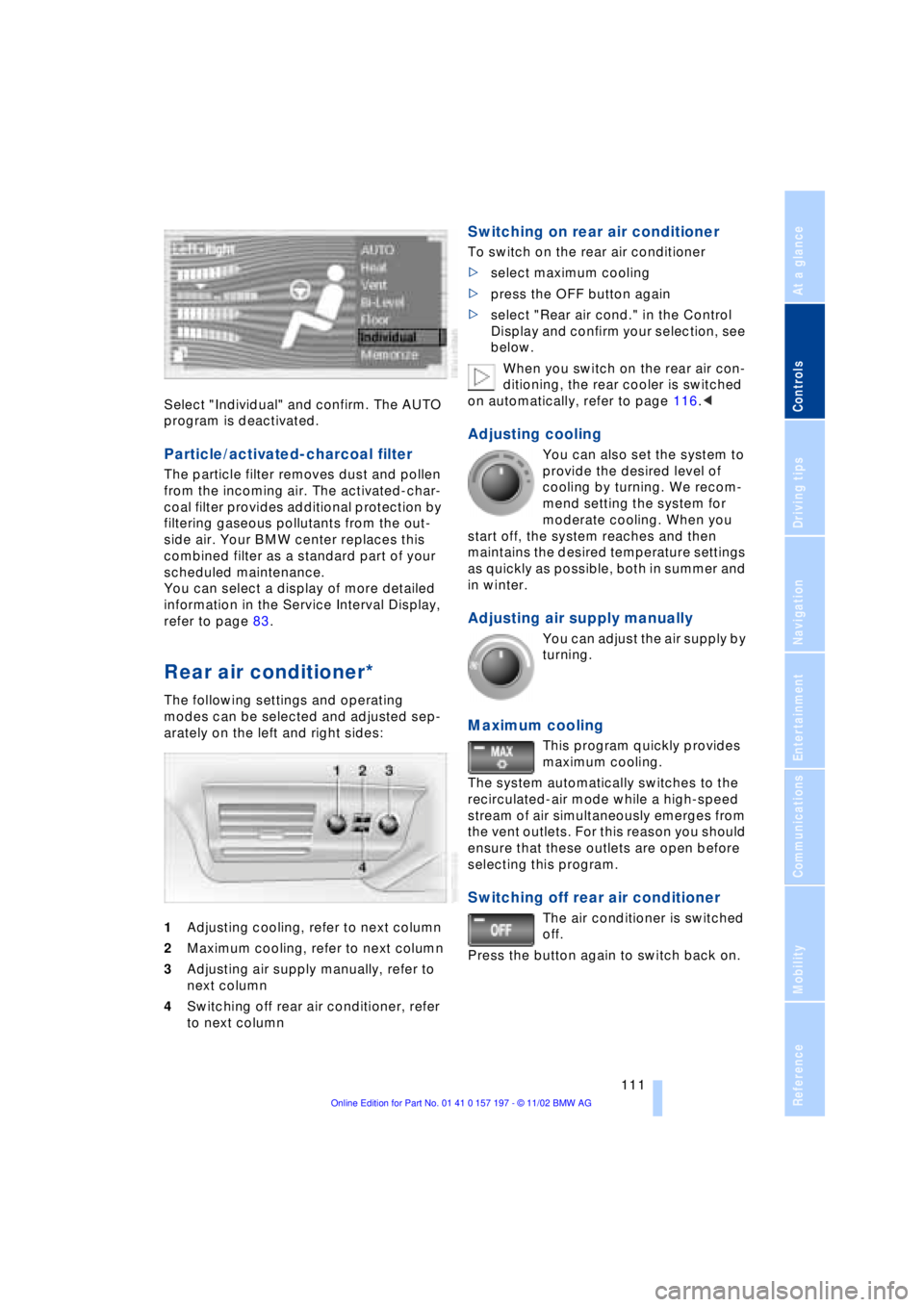
Rear air conditioner*
The following settings and operating
modes can be selected and adjusted sep-
arately on the left and right sides:
1Adjusting cooling, refer to next column
2Maximum cooling, refer to next column
3Adjusting air supply manually, refer to
next column
4Switching off rear air conditioner, refer
to next column
Switching on rear air conditioner
To switch on the rear air conditioner
>select maximum cooling
>press the OFF button again
>select "Rear air cond." in the Control
Display and confirm your selection, see
below.
When you switch on the rear air con-
ditioning, the rear cooler is switched
on automatically, refer to page 116.<
Adjusting cooling
You can also set the system to
provide the desired level of
cooling by turning. We recom-
mend setting the system for
moderate cooling. When you
start off, the system reaches and then
maintains the desired temperature settings
as quickly as possible, both in summer and
in winter.
Adjusting air supply manually
You can adjust the air supply by
turning.
Maximum cooling
This program quickly provides
maximum cooling.
The system automatically switches to the
recirculated-air mode while a high-speed
stream of air simultaneously emerges from
the vent outlets. For this reason you should
ensure that these outlets are open before
selecting this program.
Switching off rear air conditioner
The air conditioner is switched
off.
Press the button again to switch back on.
Page 115 of 229
At a glance
Controls
Driving tips
Communications
Navigation
Entertainment
Mobility
Reference
113
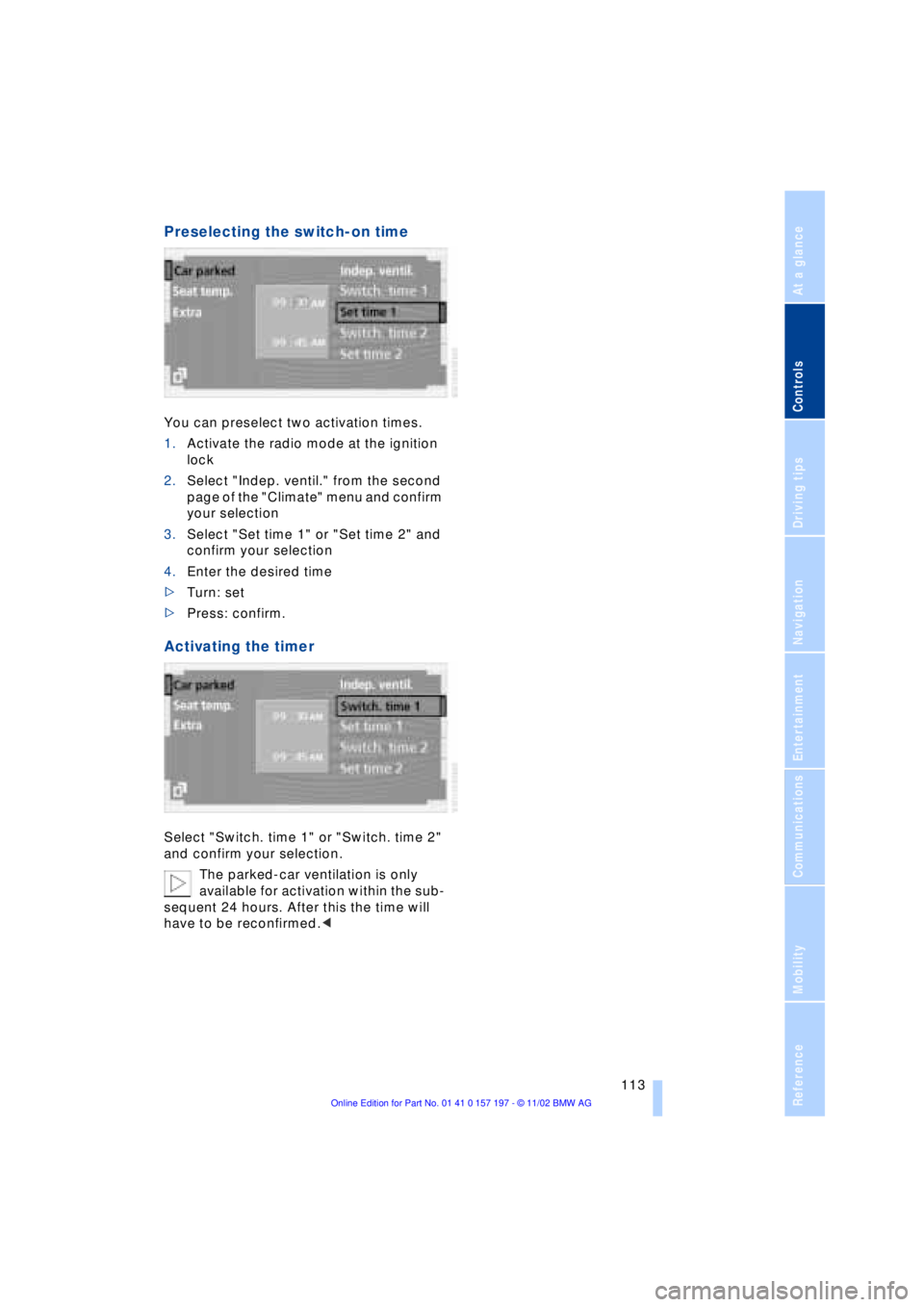
Preselecting the switch-on time
You can preselect two activation times.
1.Activate the radio mode at the ignition
lock
2.Select "Indep. ventil." from the second
page of the "Climate" menu and confirm
your selection
3.Select "Set time 1" or "Set time 2" and
confirm your selection
4.Enter the desired time
>Turn: set
>Press: confirm.
Activating the timer
Select "Switch. time 1" or "Switch. time 2"
and confirm your selection.
The parked-car ventilation is only
available for activation within the sub-
sequent 24 hours. After this the time will
have to be reconfirmed.<
Page 117 of 229
At a glance
Controls
Driving tips
Communications
Navigation
Entertainment
Mobility
Reference
115
The device can be operated as of ignition
on.
If the device can not be operated after
repeated programming, check
whether the original hand-held transmitter
uses an alternating-code system. To do so,
either read the instructions of the original
hand-held transmitter or press and hold
down the programmed memory key 1 of
the integrated universal remote control. If
the indicator lamp 2 on the integrated uni-
versal remote control flashes quickly for a
brief period and then remains lit up for
approx. two seconds, this indicates that
the original hand-held transmitter is
equipped with an alternating code. In the
case of an alternating-code system, pro-
gram the memory keys 1 as described at
the section on alternating-code transmit-
ters.<
Alternating-code transmitters
Consult the operating instructions of the
unit you wish to set when programming the
integrated universal remote control. Find
out about the possibility for synchroniza-
tion.
When programming hand-held transmitters
that employ an alternating code, please
observe the following supplementary
instructions:
Programming will be easier with the
aid of a second person.<
1.Park your vehicle within the range of the
remote-controlled device
2.Program the integrated universal
remote control as described at the sec-
tion on fixed code hand-held transmit-
ters.
3.Localize the key on the receiver of the
device you want to set up, e.g. on the
upper section of the motor
4.Press the key on the receiver of the
device you want to set up. After step 4,
approx. 30 seconds remain for step 5
5.Press the programmed memory key 1
on the integrated universal remote con-
trol three times. The corresponding memory key 1 is now
programmed with the signal of the original
hand-held transmitter.
If you have any additional questions,
please contact your BMW center.<
Clearing memory keys
Individual memory keys 1 can not be
cleared. However, you clear all three
memory keys 1 together as follows:
Press both outer keys 1 of the integrated
universal remote control for approx.
20 seconds, maintaining pressure until the
indicator lamp 2 starts to flash.
Sun blinds*
Rear window blind
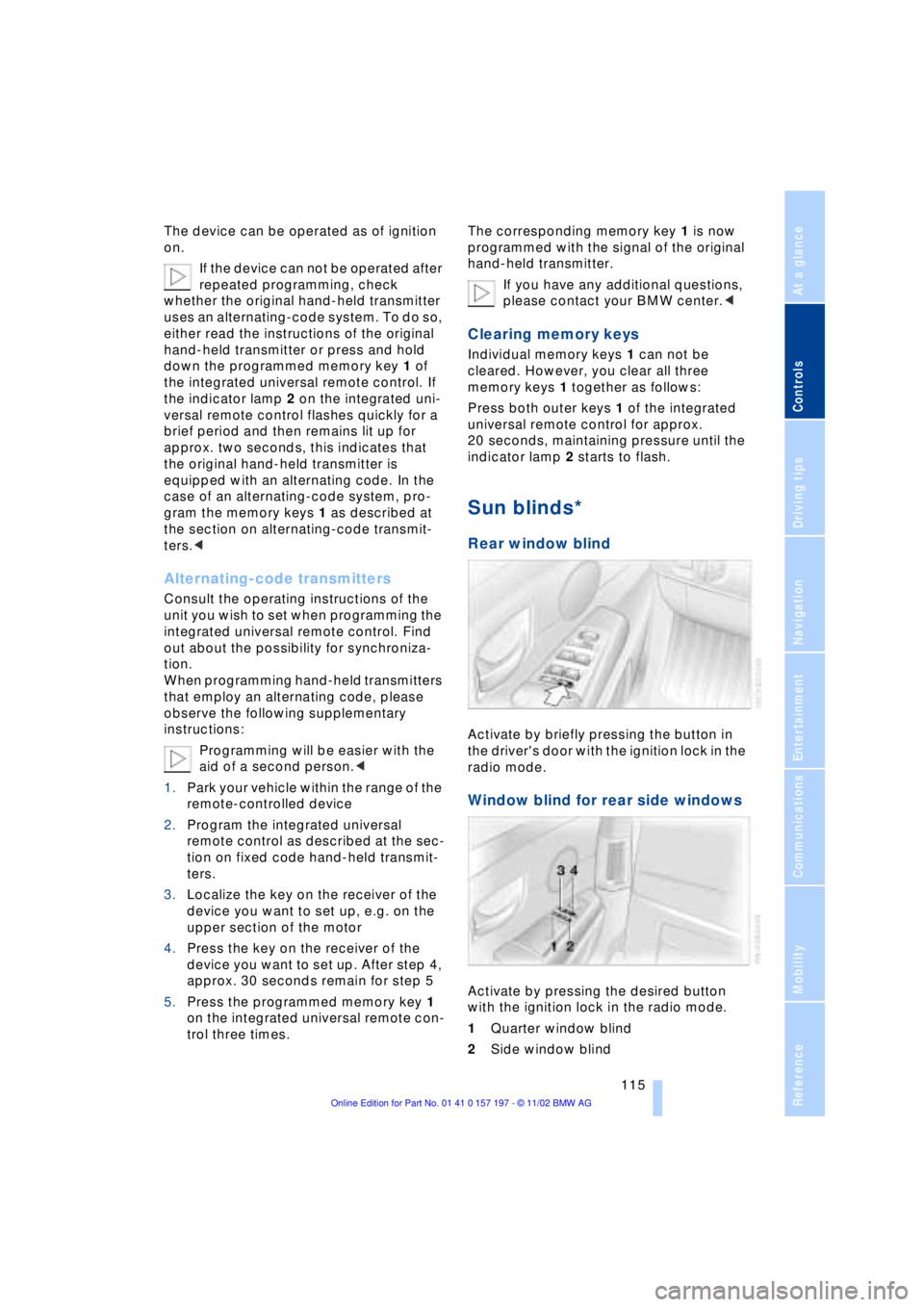
Activate by briefly pressing the button in
the driver's door with the ignition lock in the
radio mode.
Window blind for rear side windows
Activate by pressing the desired button
with the ignition lock in the radio mode.
1Quarter window blind
2Side window blind
Page 119 of 229
At a glance
Controls
Driving tips
Communications
Navigation
Entertainment
Mobility
Reference
117
Glove compartment
Opening
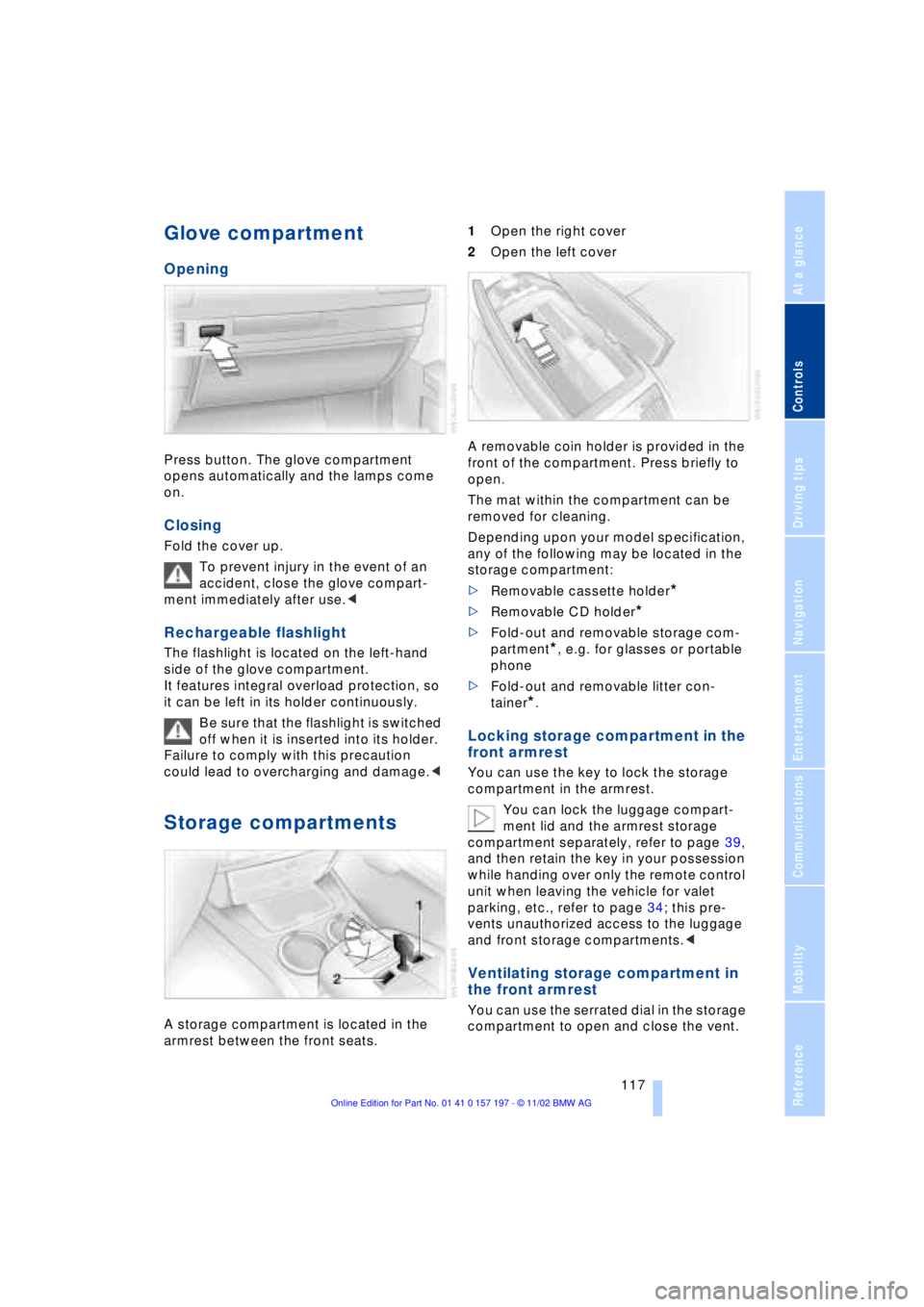
Press button. The glove compartment
opens automatically and the lamps come
on.
Closing
Fold the cover up.
To prevent injury in the event of an
accident, close the glove compart-
ment immediately after use.<
Rechargeable flashlight
The flashlight is located on the left-hand
side of the glove compartment.
It features integral overload protection, so
it can be left in its holder continuously.
Be sure that the flashlight is switched
off when it is inserted into its holder.
Failure to comply with this precaution
could lead to overcharging and damage.<
Storage compartments
A storage compartment is located in the
armrest between the front seats. 1Open the right cover
2Open the left cover
A removable coin holder is provided in the
front of the compartment. Press briefly to
open.
The mat within the compartment can be
removed for cleaning.
Depending upon your model specification,
any of the following may be located in the
storage compartment:
>Removable cassette holder
*
>Removable CD holder
*
>Fold-out and removable storage com-
partment
*, e.g. for glasses or portable
phone
>Fold-out and removable litter con-
tainer
*.
Locking storage compartment in the
front armrest
You can use the key to lock the storage
compartment in the armrest.
You can lock the luggage compart-
ment lid and the armrest storage
compartment separately, refer to page 39,
and then retain the key in your possession
while handing over only the remote control
unit when leaving the vehicle for valet
parking, etc., refer to page 34; this pre-
vents unauthorized access to the luggage
and front storage compartments.<
Ventilating storage compartment in
the front armrest
You can use the serrated dial in the storage
compartment to open and close the vent.
Page 121 of 229
At a glance
Controls
Driving tips
Communications
Navigation
Entertainment
Mobility
Reference
119
To extinguish a cigarette, tap off the ash
and gently press the tip into the funnel.
Emptying
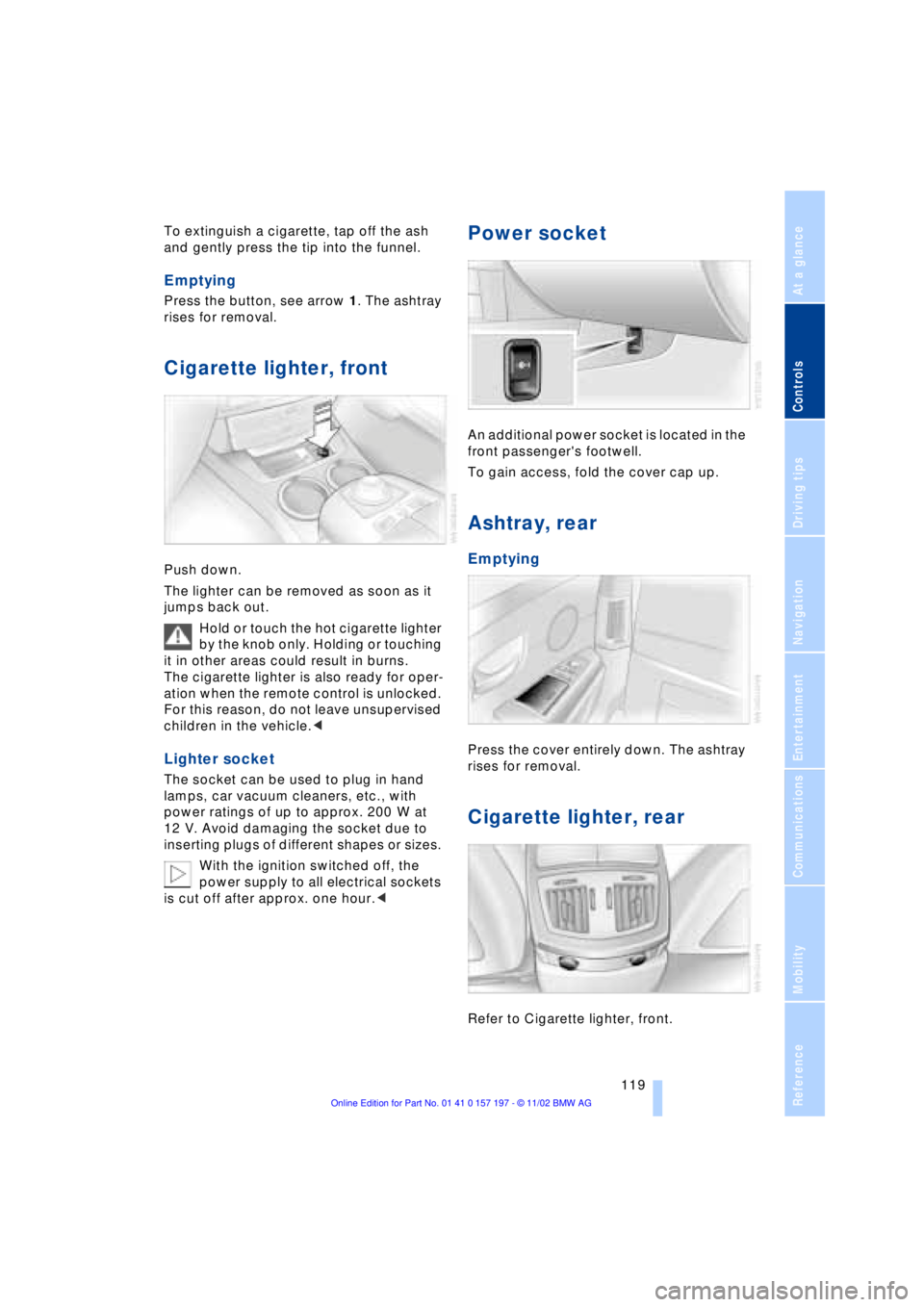
Press the button, see arrow 1. The ashtray
rises for removal.
Cigarette lighter, front
Push down.
The lighter can be removed as soon as it
jumps back out.
Hold or touch the hot cigarette lighter
by the knob only. Holding or touching
it in other areas could result in burns.
The cigarette lighter is also ready for oper-
ation when the remote control is unlocked.
For this reason, do not leave unsupervised
children in the vehicle.<
Lighter socket
The socket can be used to plug in hand
lamps, car vacuum cleaners, etc., with
power ratings of up to approx. 200 W at
12 V. Avoid damaging the socket due to
inserting plugs of different shapes or sizes.
With the ignition switched off, the
power supply to all electrical sockets
is cut off after approx. one hour.<
Power socket
An additional power socket is located in the
front passenger's footwell.
To gain access, fold the cover cap up.
Ashtray, rear
Emptying
Press the cover entirely down. The ashtray
rises for removal.
Cigarette lighter, rear
Refer to Cigarette lighter, front.