2003 BMW 760LI SEDAN change time
[x] Cancel search: change timePage 24 of 229
Control Center
22
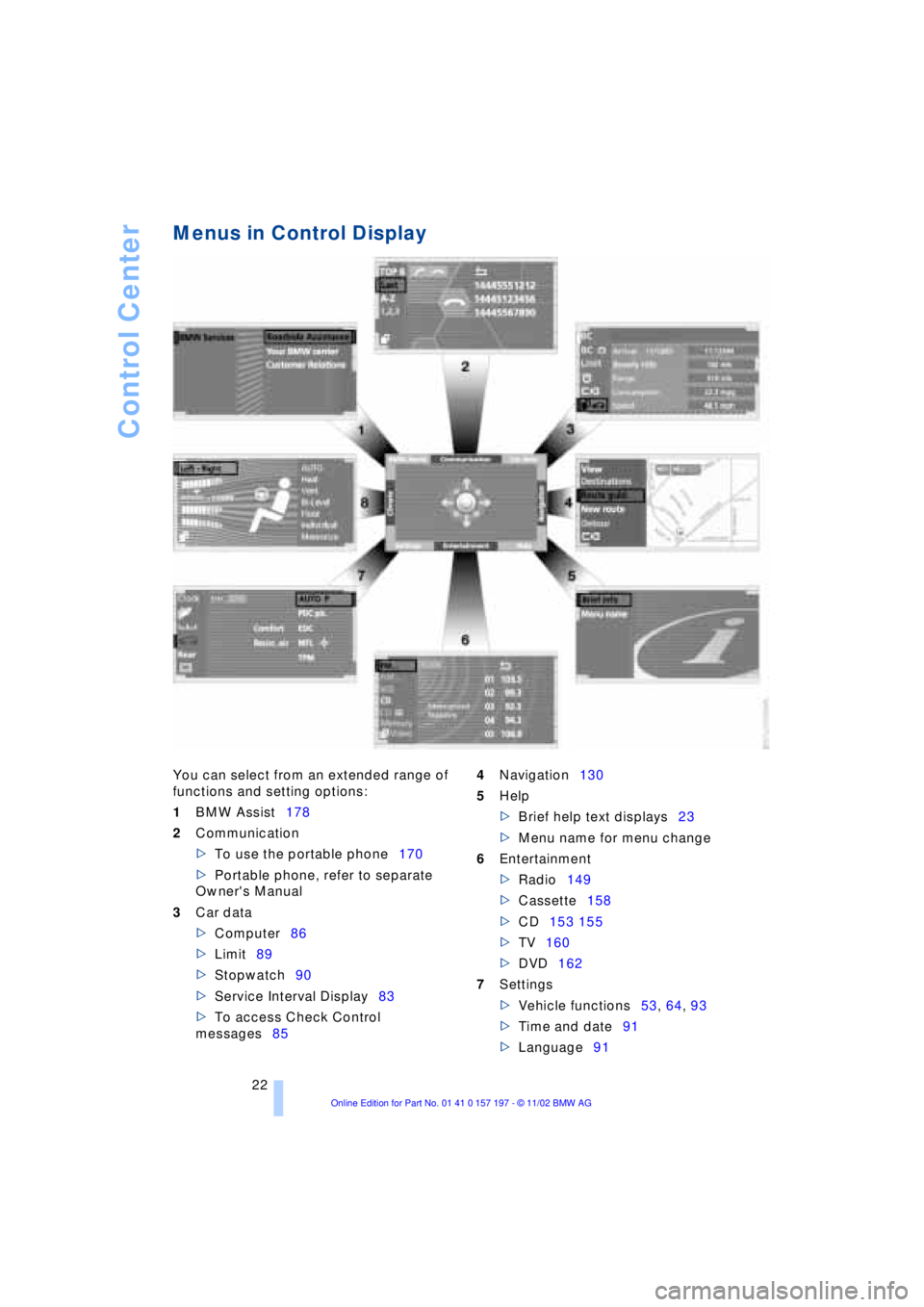
Menus in Control Display
You can select from an extended range of
functions and setting options:
1BMW Assist178
2Communication
>To use the portable phone170
>Portable phone, refer to separate
Owner's Manual
3Car data
>Computer86
>Limit89
>Stopwatch90
>Service Interval Display83
>To access Check Control
messages854Navigation130
5Help
>Brief help text displays23
>Menu name for menu change
6Entertainment
>Radio149
>Cassette158
>CD153 155
>TV160
>DVD162
7Settings
>Vehicle functions53, 64, 93
>Time and date91
>Language91
Page 28 of 229
Voice command
26
Voice command
Voice command system
The concept
The voice command system allows you to
control operation of various vehicle sys-
tems without ever removing your hands
from the steering wheel. The system oper-
ates on the basis of voice commands that
you will learn easily after using them a few
times. In many cases, the voice command
system supports you with announcements
or questions while you are making your
entries.
The voice command system transforms
your oral commands and dialog answers
into control signals for the selected sys-
tems.
Please take the time to acquaint your-
self with how a particular system
operates before proceeding to control it
using the voice command system.<
Symbols used
{...}Verbal instructions to use with the
voice command system.
{{...}} Identifies the answers generated by
the voice command system.
Systems available for use with voice
command
>{Telephone}, refer to page 170
>{Navigation}, refer to page 130
>{Radio}, refer to page 149
>{CD}, refer to page 153
>{CD changer}, refer to page 155
>{Tape}, refer to page 158
>{Notepad}, refer to page 28
>{DVD}, refer to page 162. Either the system that you are now oper-
ating or any current error messages will
appear in the Info Display, refer to page 27.
Voice commands
Activating voice command system
Briefly press the button in the steering
wheel.
A signal tone and "SVS active" in the Info
Display, refer to page 27, indicate that the
system is ready for use. You are automati-
cally in the main menu.
From here, you can call up all the equip-
ment that can be operated.
Canceling voice command entry
Briefly press the button in the steering
wheel
or
In dialogs in which any text can be spoken,
e.g. names, notes, canceling is only pos-
sible using the button.
The system automatically switches
over to its telephone mode if you
receive a call during voice input. "SVS off"
appears in the Info Display, refer to
page 27.<
Voice commands
The voice command system operates on
the basis of specific, predefined com-
mands; these commands should be
spoken precisely as indicated. You can
have the possible commands read back at
any stage. To do so, say the command
{Options}.
In addition to the commands described,
there are often other commands that run
the same function. Instead of {Options},
you can, for example, also say {What now}.
More detailed commands such as {Change
*
These sections contain information on
using the voice command system.
{Cancel}.
Page 29 of 229
At a glance
Controls
Driving tips
Communications
Navigation
Entertainment
Mobility
Reference
27
scale} instead of {Scale} are also often
possible.
Short commands
With the {Main menu} level, you can run
certain functions directly with short com-
mands, refer to page 29, without having to
open an equipment level.
For example, if you want to dial a phone
number, you do not have to say
rather you can say directly
Special commands
Special commands are available for spe-
cific systems. In this Owner's Manual you will find these commands in the sections
describing the individual systems.
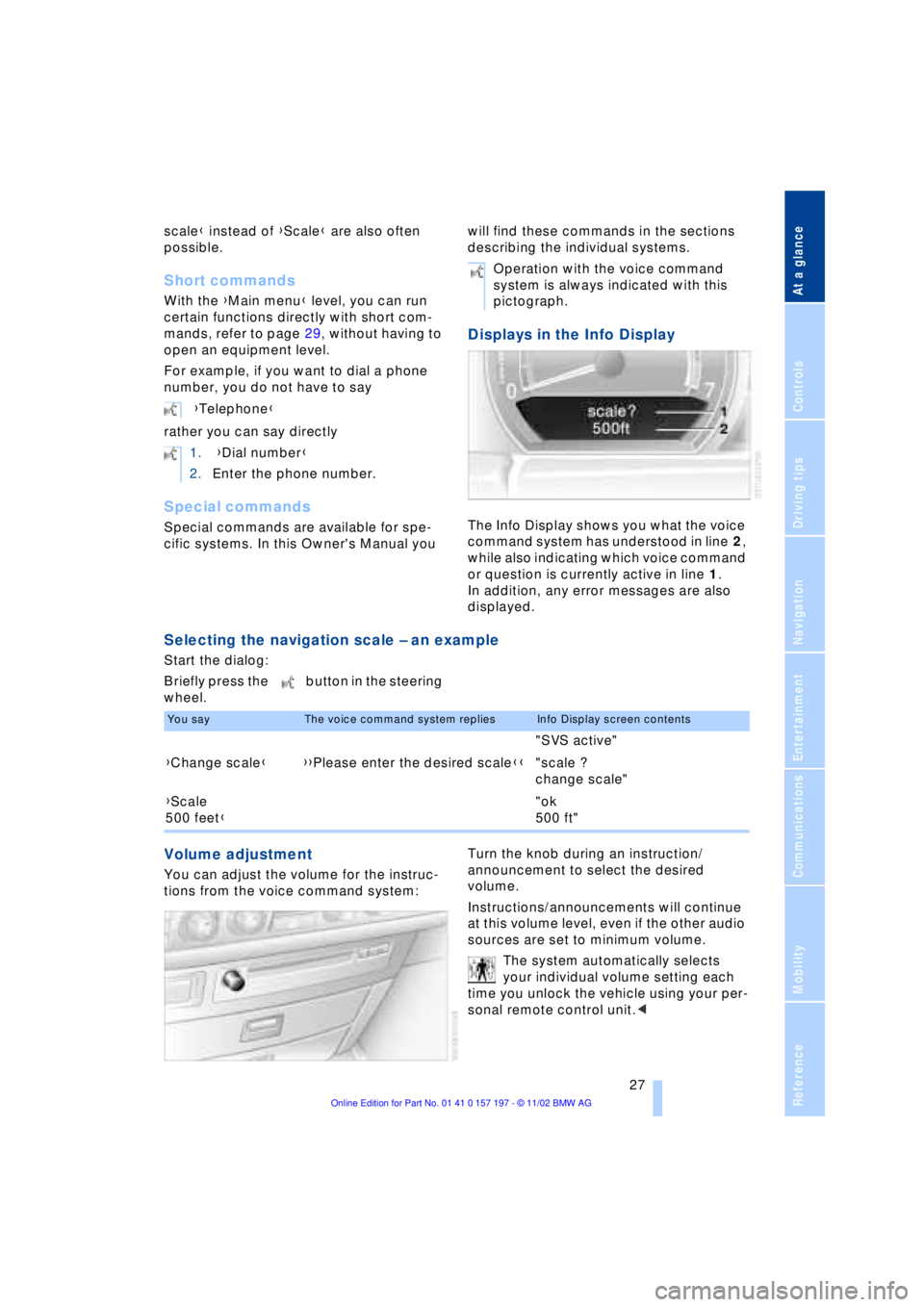
Displays in the Info Display
The Info Display shows you what the voice
command system has understood in line 2,
while also indicating which voice command
or question is currently active in line 1.
In addition, any error messages are also
displayed.
Selecting the navigation scale Ð an example
Start the dialog:
Briefly press the button in the steering
wheel.
Volume adjustment
You can adjust the volume for the instruc-
tions from the voice command system:Turn the knob during an instruction/
announcement to select the desired
volume.
Instructions/announcements will continue
at this volume level, even if the other audio
sources are set to minimum volume.
The system automatically selects
your individual volume setting each
time you unlock the vehicle using your per-
sonal remote control unit.< {Telephone}
1. {Dial number}
2.Enter the phone number.
Operation with the voice command
system is always indicated with this
pictograph.
You sayThe voice command system repliesInfo Display screen contents
"SVS active"
{Change scale}{{Please enter the desired scale}}"scale ?
change scale"
{Scale
500 feet}"ok
500 ft"
Page 39 of 229
At a glance
Controls
Driving tips
Communications
Navigation
Entertainment
Mobility
Reference
37
For US owners only
The transmitter and receiver units comply
with part 15 of the FCC/Federal Communi-
cation Commission regulations. Operation
is governed by the following:
FCC ID: LX8766S
LX8766E
LX8CAS
Compliance statement:
This device complies with part 15 of the
FCC Rules. Operation is subject to the fol-
lowing two conditions:
>This device may not cause harmful
interference, and
>this device must accept any interfer-
ence received, including interference
that may cause undesired operation.
Any unauthorized modifications or
changes to these devices could void
the user's authority to operate this equip-
ment.<
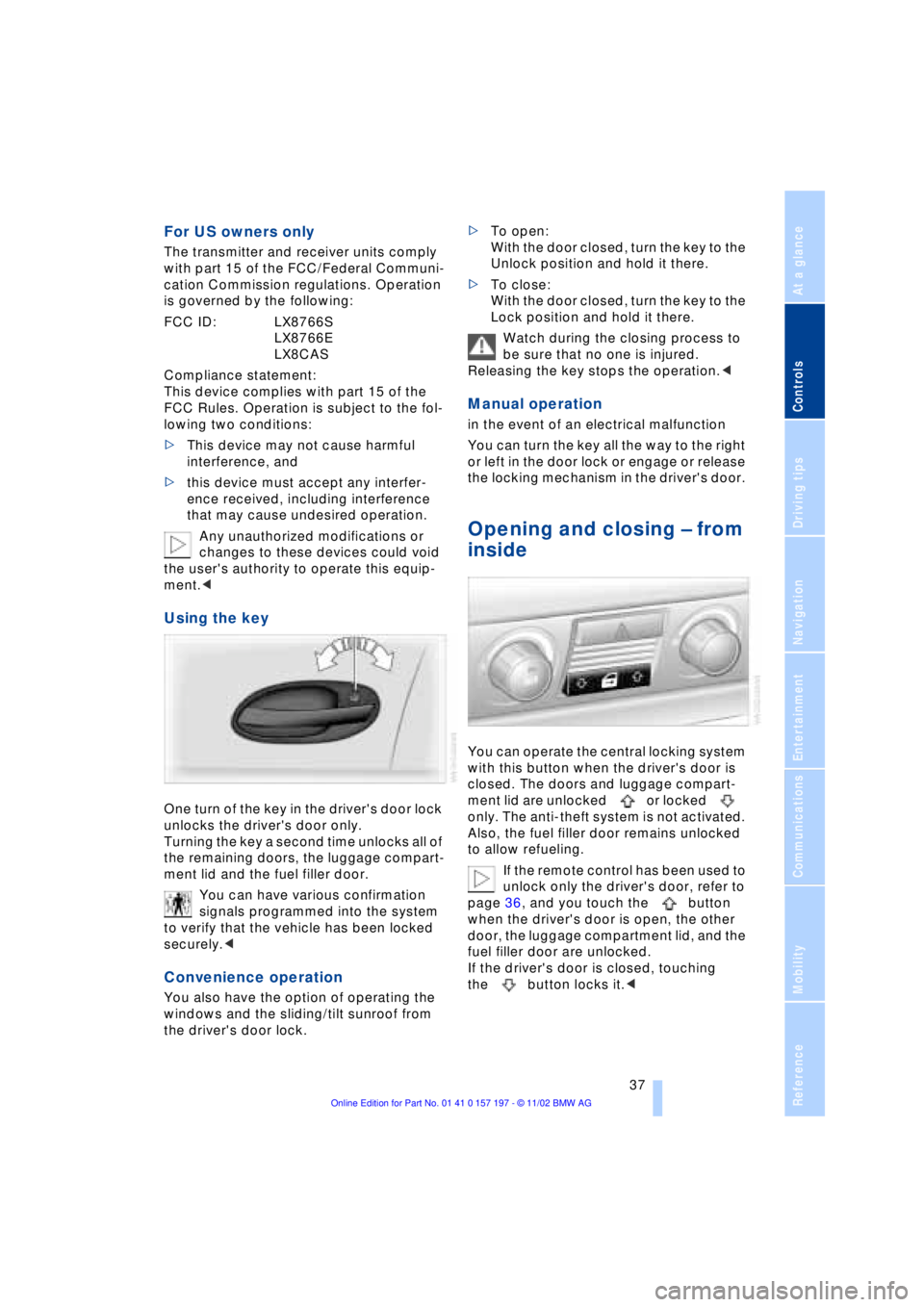
Using the key
One turn of the key in the driver's door lock
unlocks the driver's door only.
Turning the key a second time unlocks all of
the remaining doors, the luggage compart-
ment lid and the fuel filler door.
You can have various confirmation
signals programmed into the system
to verify that the vehicle has been locked
securely.<
Convenience operation
You also have the option of operating the
windows and the sliding/tilt sunroof from
the driver's door lock.>To open:
With the door closed, turn the key to the
Unlock position and hold it there.
>To close:
With the door closed, turn the key to the
Lock position and hold it there.
Watch during the closing process to
be sure that no one is injured.
Releasing the key stops the operation.<
Manual operation
in the event of an electrical malfunction
You can turn the key all the way to the right
or left in the door lock or engage or release
the locking mechanism in the driver's door.
Opening and closing Ð from
inside
You can operate the central locking system
with this button when the driver's door is
closed. The doors and luggage compart-
ment lid are unlocked or locked
only. The anti-theft system is not activated.
Also, the fuel filler door remains unlocked
to allow refueling.
If the remote control has been used to
unlock only the driver's door, refer to
page 36, and you touch the button
when the driver's door is open, the other
door, the luggage compartment lid, and the
fuel filler door are unlocked.
If the driver's door is closed, touching
the button locks it.<
Page 62 of 229
Adjustments
60
Vehicle Memory, Key
Memory
How the system functions
Doubtless you have often reflected on how
great it would be if you could configure
your vehicle's various adjustment settings
to meet your own personal requirements. In
developing your vehicle, BMW has incor-
porated a number of options for personal
adjustment which you can set in the Con-
trol Center. You can have these pro-
grammed at your BMW center.
The available configuration settings fall into
two categories, according to whether their
primary orientation is the vehicle Ð Vehicle
Memory Ð or the individual Ð Key Memory.
You can have up to four different basic set-
tings adjusted for four different persons.
The only requirement is that each person
uses his or her own remote control.
When your vehicle is unlocked with the
remote control, the vehicle recognizes the
individual user by means of a data
exchange with the key, and makes adjust-
ments accordingly.
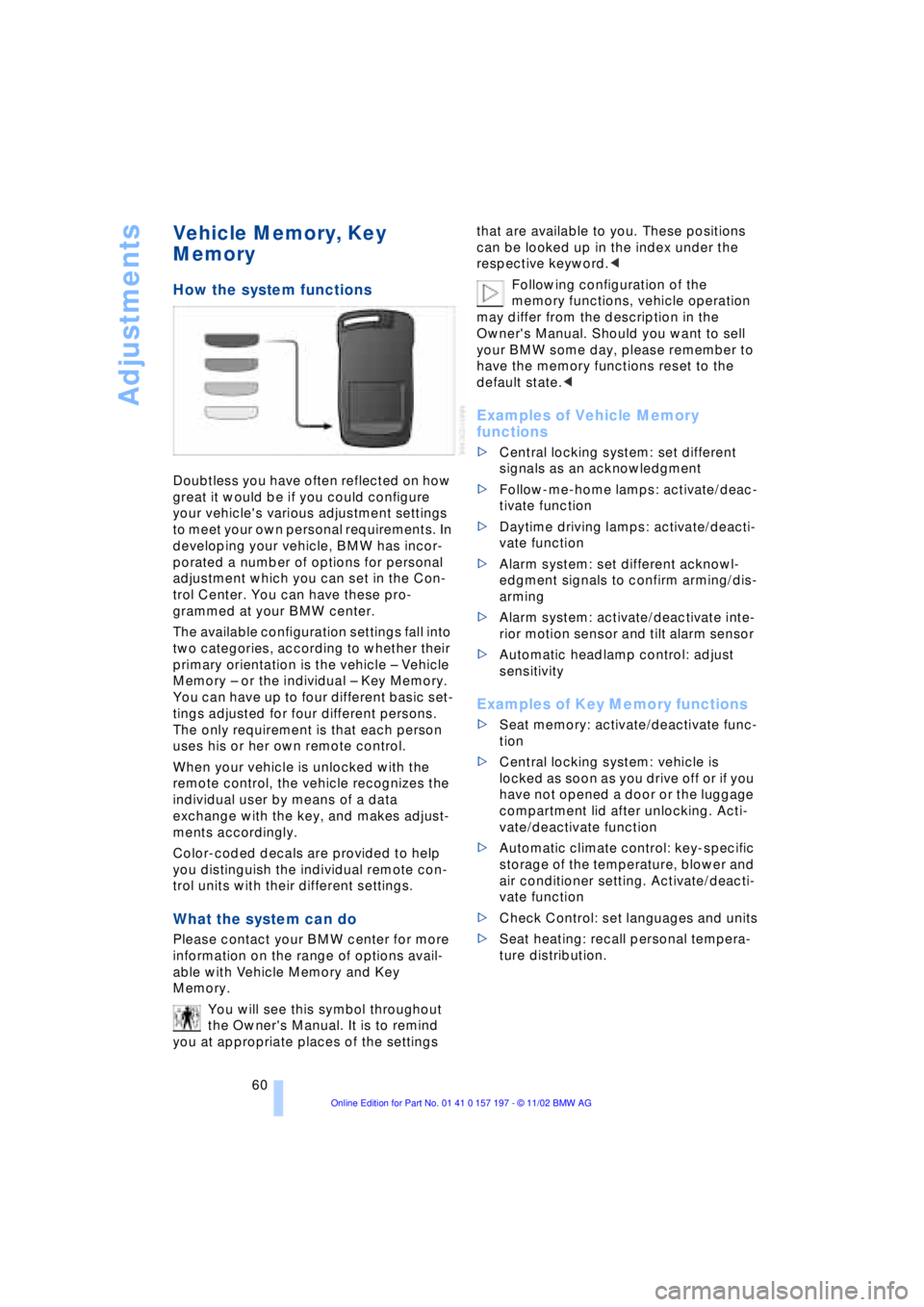
Color-coded decals are provided to help
you distinguish the individual remote con-
trol units with their different settings.
What the system can do
Please contact your BMW center for more
information on the range of options avail-
able with Vehicle Memory and Key
Memory.
You will see this symbol throughout
the Owner's Manual. It is to remind
you at appropriate places of the settings that are available to you. These positions
can be looked up in the index under the
respective keyword.<
Following configuration of the
memory functions, vehicle operation
may differ from the description in the
Owner's Manual. Should you want to sell
your BMW some day, please remember to
have the memory functions reset to the
default state.<
Examples of Vehicle Memory
functions
>Central locking system: set different
signals as an acknowledgment
>Follow-me-home lamps: activate/deac-
tivate function
>Daytime driving lamps: activate/deacti-
vate function
>Alarm system: set different acknowl-
edgment signals to confirm arming/dis-
arming
>Alarm system: activate/deactivate inte-
rior motion sensor and tilt alarm sensor
>Automatic headlamp control: adjust
sensitivity
Examples of Key Memory functions
>Seat memory: activate/deactivate func-
tion
>Central locking system: vehicle is
locked as soon as you drive off or if you
have not opened a door or the luggage
compartment lid after unlocking. Acti-
vate/deactivate function
>Automatic climate control: key-specific
storage of the temperature, blower and
air conditioner setting. Activate/deacti-
vate function
>Check Control: set languages and units
>Seat heating: recall personal tempera-
ture distribution.
Page 65 of 229
At a glance
Controls
Driving tips
Communications
Navigation
Entertainment
Mobility
Reference
63
You have two separate options for
engaging the parking brake:
>Manually, by briefly pressing the button
>Automatically, through activation of the
Automatic Hold mode, refer to page 64.
An electrohydraulic mechanism then
engages the parking brake to prevent the
rear wheels from turning whenever you
switch off the engine.
When the engine is running, parking brake
engagement is controlled by the brake
system's hydraulic circuits, which act on
the disc brakes at the front and rear
wheels.
Brake pedal feel
Because this function is activated using the
brake system's hydraulic circuits, the
response of the brake pedal may change
slightly. Engagement may also be accom-
panied by activation noise Ð this is normal.
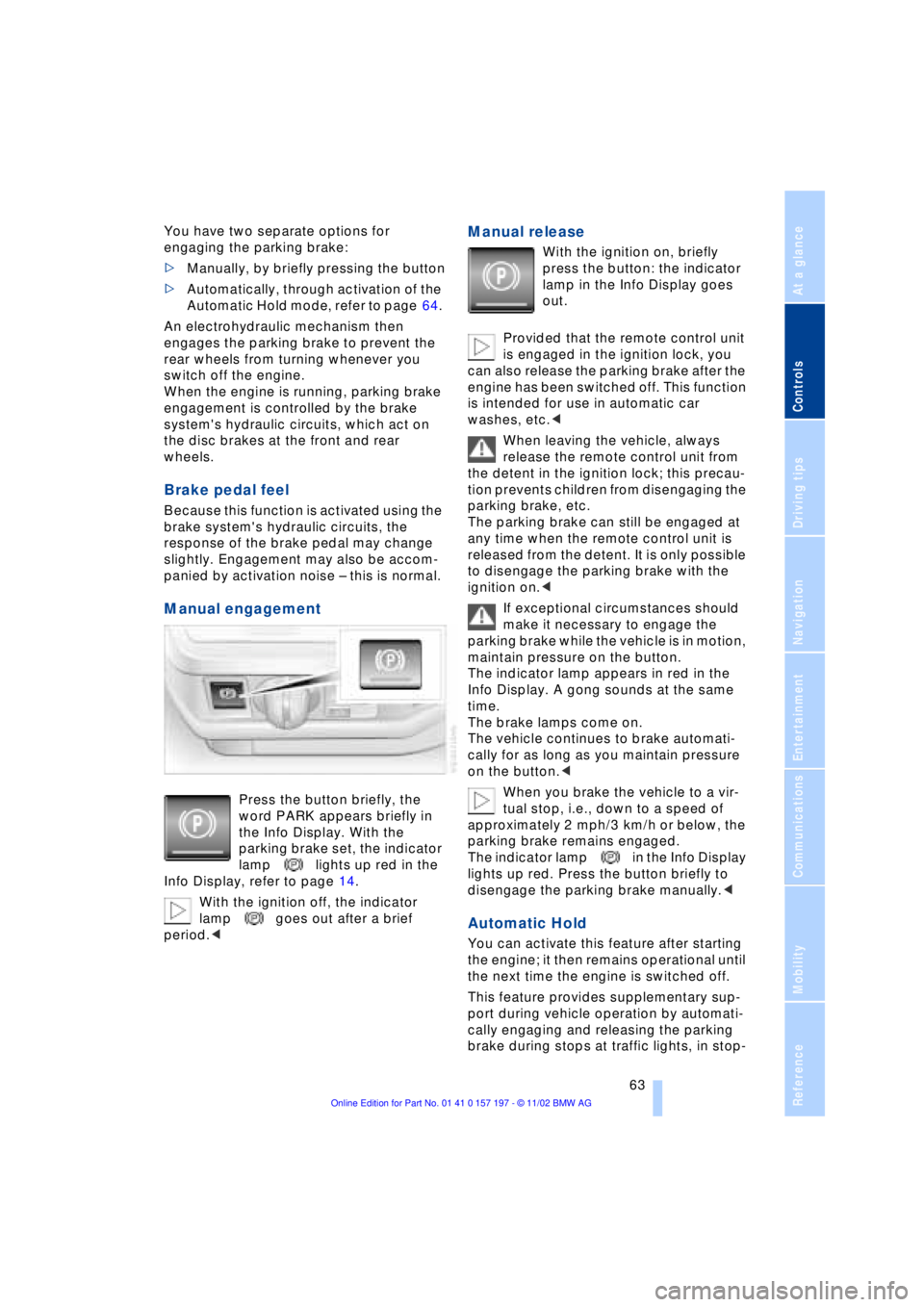
Manual engagement
Press the button briefly, the
word PARK appears briefly in
the Info Display. With the
parking brake set, the indicator
lamp lights up red in the
Info Display, refer to page 14.
With the ignition off, the indicator
lamp goes out after a brief
period.<
Manual release
With the ignition on, briefly
press the button: the indicator
lamp in the Info Display goes
out.
Provided that the remote control unit
is engaged in the ignition lock, you
can also release the parking brake after the
engine has been switched off. This function
is intended for use in automatic car
washes, etc.<
When leaving the vehicle, always
release the remote control unit from
the detent in the ignition lock; this precau-
tion prevents children from disengaging the
parking brake, etc.
The parking brake can still be engaged at
any time when the remote control unit is
released from the detent. It is only possible
to disengage the parking brake with the
ignition on.<
If exceptional circumstances should
make it necessary to engage the
parking brake while the vehicle is in motion,
maintain pressure on the button.
The indicator lamp appears in red in the
Info Display. A gong sounds at the same
time.
The brake lamps come on.
The vehicle continues to brake automati-
cally for as long as you maintain pressure
on the button.<
When you brake the vehicle to a vir-
tual stop, i.e., down to a speed of
approximately 2 mph/3 km/h or below, the
parking brake remains engaged.
The indicator lamp in the Info Display
lights up red. Press the button briefly to
disengage the parking brake manually.<
Automatic Hold
You can activate this feature after starting
the engine; it then remains operational until
the next time the engine is switched off.
This feature provides supplementary sup-
port during vehicle operation by automati-
cally engaging and releasing the parking
brake during stops at traffic lights, in stop-
Page 67 of 229
At a glance
Controls
Driving tips
Communications
Navigation
Entertainment
Mobility
Reference
65
For your safety
Automatic Hold is automatically deacti-
vated when
>the engine is switched off
>the system detects that the driver's seat
is not occupied while the engine is run-
ning
>the hood is opened while the engine is
running
>the luggage compartment is opened
with the transmission in reverse while
the engine is running, and
>when the parking brake is used to bring
the vehicle to a stop.
The indicator lamp changes from
green to red, and the AUTO P letters in the
Info Display disappear.
Before starting off again, briefly press the
button to disengage the parking brake
manually, refer to page 63, or reactivate
Automatic Hold, refer to page 64.
Before leaving the vehicle with the
engine running, always move the
automatic transmission's selector lever to
position P and ensure that the parking
brake is engaged. The vehicle could start to
roll if you fail to observe these precautions.
Never leave an unattended vehicle with the
engine running, as such a vehicle repre-
sents a potential safety hazard.<
Automatic Hold is automatically
deactivated whenever the system
detects any tendency for the wheels to spin
in response to slippery road surfaces. Note
the status reports in the Check Control.
You can find more detailed information on
Check Control on page 85.<
Malfunctions
If a malfunction occurs, the indicator
lamp lights up yellow in the Info Dis-
play and a status report will appear in the
Check Control. Please note any supple-
mentary information that appears in the
Control Display.
Releasing the parking brake
manually
You can respond to any interruptions in the
supply of electrical power, for instance, if
the battery is discharged or disconnected,
by releasing the parking brake manually.
Before proceeding to release the
parking brake manually, and each
time you park the vehicle without engaging
the parking brake, always ensure that the
automatic transmission's selector lever is
in position P, refer to page 67. Note the
range indicated in the Info Display.
If it is not possible to avoid parking on an
extremely steep slope, use some supple-
mentary means, such as a wheel chock, to
make certain that the vehicle will not roll,
refer to page 198. Otherwise the danger
exists that the vehicle could roll when
parked on a very steep hill.<
Should it also be necessary to release the
automatic transmission's lockout manually,
for instance, if the battery is discharged,
always adhere to the following sequence:
1.If necessary, start by manually releasing
the parking brake
2.Then release the automatic transmis-
sion's lockout manually, refer to
page 70.
Jump-starting and towing, refer to
pages 202 and 203.
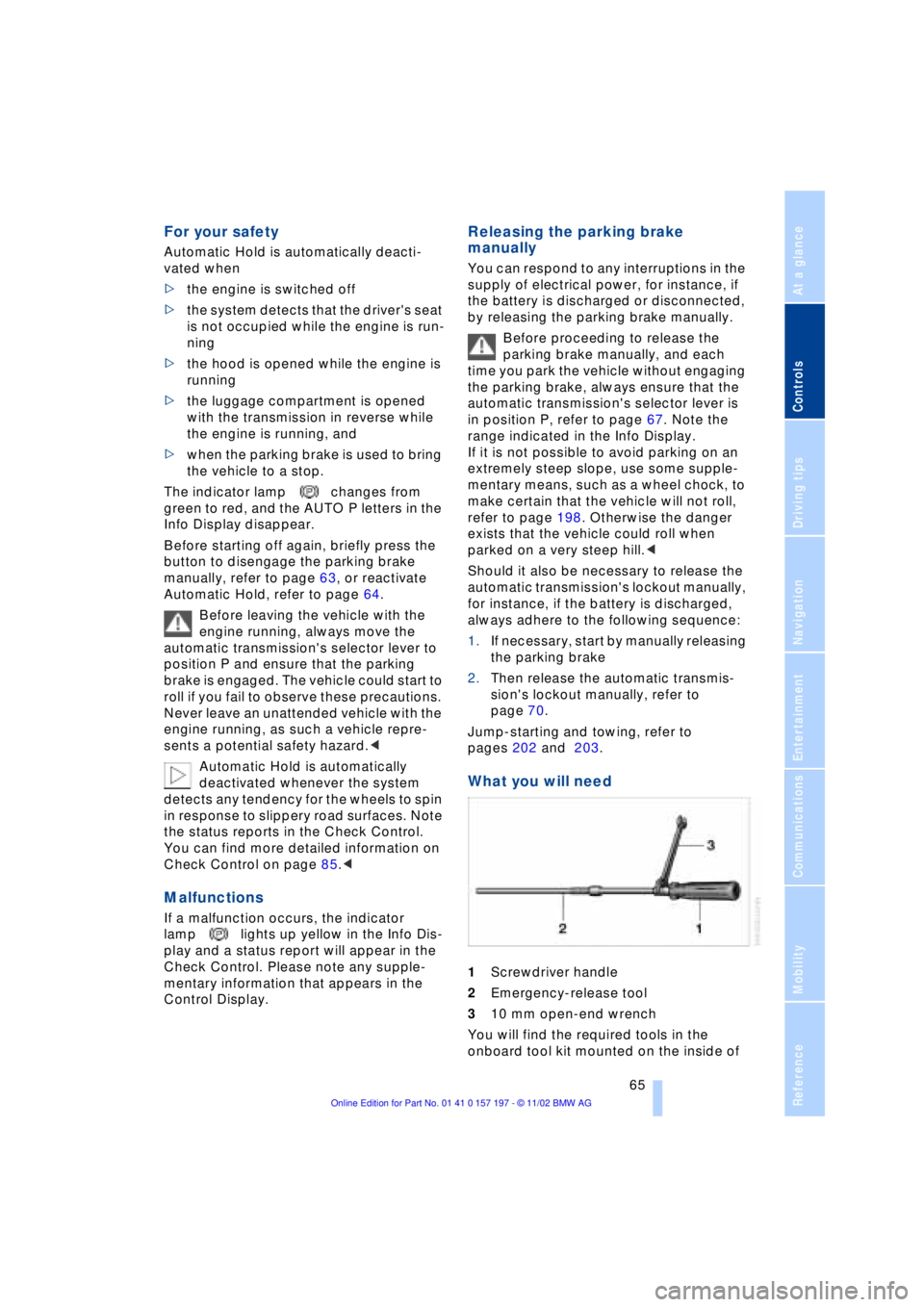
What you will need
1Screwdriver handle
2Emergency-release tool
310 mm open-end wrench
You will find the required tools in the
onboard tool kit mounted on the inside of
Page 81 of 229
At a glance
Controls
Driving tips
Communications
Navigation
Entertainment
Mobility
Reference
79
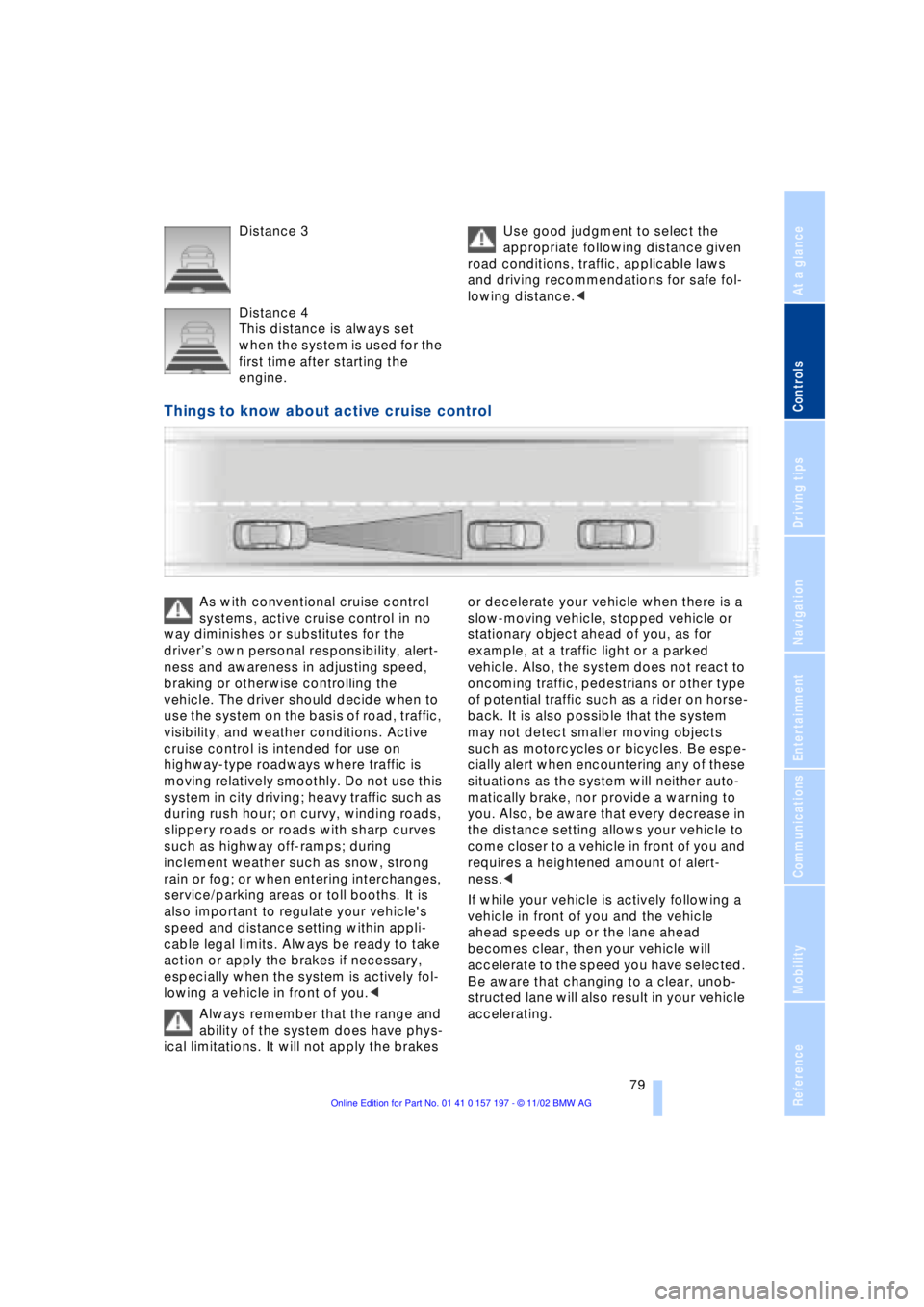
Distance 3
Distance 4
This distance is always set
when the system is used for the
first time after starting the
engine. Use good judgment to select the
appropriate following distance given
road conditions, traffic, applicable laws
and driving recommendations for safe fol-
lowing distance.<
Things to know about active cruise control
As with conventional cruise control
systems, active cruise control in no
way diminishes or substitutes for the
driverÕs own personal responsibility, alert-
ness and awareness in adjusting speed,
braking or otherwise controlling the
vehicle. The driver should decide when to
use the system on the basis of road, traffic,
visibility, and weather conditions. Active
cruise control is intended for use on
highway-type roadways where traffic is
moving relatively smoothly. Do not use this
system in city driving; heavy traffic such as
during rush hour; on curvy, winding roads,
slippery roads or roads with sharp curves
such as highway off-ramps; during
inclement weather such as snow, strong
rain or fog; or when entering interchanges,
service/parking areas or toll booths. It is
also important to regulate your vehicle's
speed and distance setting within appli-
cable legal limits. Always be ready to take
action or apply the brakes if necessary,
especially when the system is actively fol-
lowing a vehicle in front of you.<
Always remember that the range and
ability of the system does have phys-
ical limitations. It will not apply the brakes or decelerate your vehicle when there is a
slow-moving vehicle, stopped vehicle or
stationary object ahead of you, as for
example, at a traffic light or a parked
vehicle. Also, the system does not react to
oncoming traffic, pedestrians or other type
of potential traffic such as a rider on horse-
back. It is also possible that the system
may not detect smaller moving objects
such as motorcycles or bicycles. Be espe-
cially alert when encountering any of these
situations as the system will neither auto-
matically brake, nor provide a warning to
you. Also, be aware that every decrease in
the distance setting allows your vehicle to
come closer to a vehicle in front of you and
requires a heightened amount of alert-
ness.<
If while your vehicle is actively following a
vehicle in front of you and the vehicle
ahead speeds up or the lane ahead
becomes clear, then your vehicle will
accelerate to the speed you have selected.
Be aware that changing to a clear, unob-
structed lane will also result in your vehicle
accelerating.