2000 AUDI ALLROAD battery
[x] Cancel search: batteryPage 121 of 306

CONTROLS AND
EQUIPMEN T--------------------
Odometer
The odometer indicates the distance driven.
USA models:
Miles
Canada models: Kilometres
On the trip odometer, the last digit indicates
1 /,0 of a mile or 1 00 meters.
Reset knob for trip odometer
To record a distance, reset the trip odome
ter by pressing the knob until the display re
turns to zero -see illustrat ion.
12 0 When
the ignition is off, the display can be
ill umin ated by pressing the test knob for the
Auto-Check System. See page 116, posi
tion 8. The display switches off automati
cally after about 15 seconds.
Also the display will remain illuminated for
abo �t 30 seconds after you open the driv
er's door.
Defect message
If there is a defect in the instrument cluster,
"dEF" will be displayed continuously in the
trip odometer display area. Have this prob
lem corrected as soon as possible by an au
thorized Audi Dealer.
7 - Vo ltmeter
The voltmeter indicates the voltage for the
vehicle's total electrical system, which
should normally be between 12 and
14 volts. If the display drops below 12 volts
when the engine is running, have the power
supply (battery and alternator) checked by
an authorized Audi Dealer. See also
pages 127 and 143.
The voltage may fall below 8 volts while the
engine is being started. 8
- Set I Check knob
Setting the clock ...• ... .
Auto-ch eck system
Odometer lighting .
Service indicator .. 118
14 0
12 0
121
9 - Driver information system
Auto-C heck System display . . . . . ... 138
Outside air temperature display .... 137
Tr ip computer display . . . . . . . . 146
Selector lever position display ....... 1 07
Radio frequency display . . . . . . 138
Service interval display . . . . . . . . . . .
121
10 -Reset knob
Reset knob for trip odometer . .... .. 12 0
Service indicator . . . . . .. . . . . . . 121
Page 122 of 306
Service
Interval Display
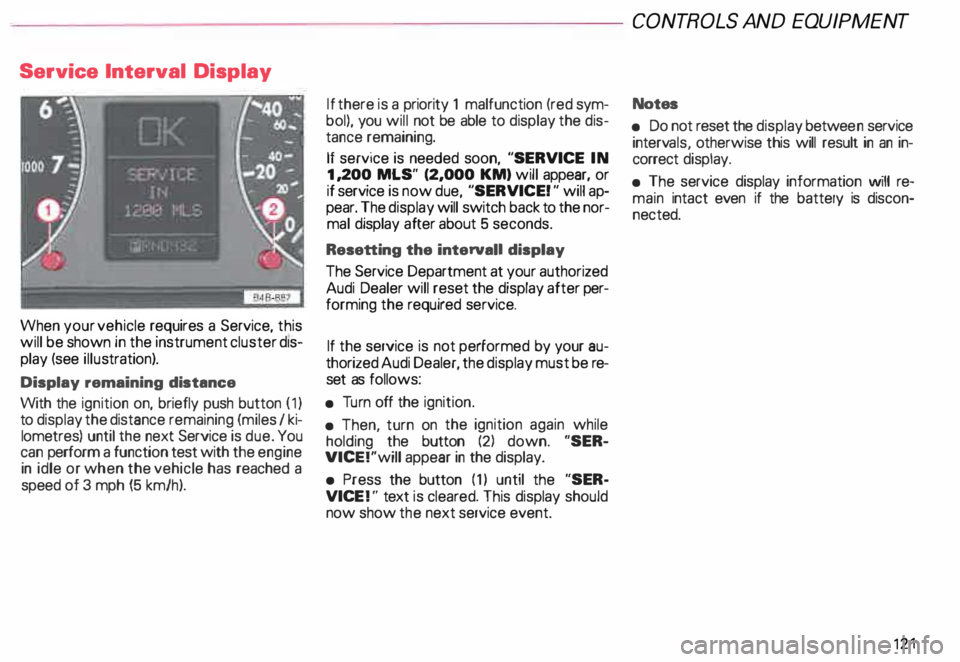
When your vehicle requires a Service, this
will be shown in the instrument cluster dis
play (see illustration).
Display remaining distance
With the ignition on, briefly push button (1)
to display the distance remaining (miles I ki
lometres) until the next Service is due. You
can perform a function test with the engine
in idle or when the vehicle has reached a
speed of 3 mph (5 km/h). If
there is a priority 1 malfunction (red sym
bol), you will not be able to display the dis
tance remaining.
If service is needed soon, "SERVICE IN
1, 200 MLS" (2,000 KM) will appear, or
if service is now due, "SERVICE! " will ap
pear. The display will switch back to the nor
mal display after about 5 seconds.
Resetting the interval! display
The Service Department at your authorized
Audi Dealer will reset the display after per
forming the required service.
If the service is not performed by your au
thorized Audi Dealer, the display must be re
set as follows:
• Turn off the ignition.
• Then, turn on the ignition again while
holding the button (2) down. "SER
VICE!"will appear in the display.
• Press the button (1) until the "SER
VICE !" text is cleared. This display should
now show the next service event. CONT
ROLS AND EQUIPMENT
Notes
• Do not reset the display betwee n service
interv als, otherwise this will result in an in
correct display.
• The service display information will re
main intact even if the battery is discon
nected. 121
Page 128 of 306
f4
WARNING continued
• If the brake warning light does
not go out with the engine running
and the parking brake released, or
lights up while you ere driving, the
fluid level in the brake fluid reser
voir is too low.
• If you believe that it Is safe to do
so, proceed immediately at low
speed to the nearest authorized
Audi Dealer or qualified workshop
and have the brake system in
spected.
• Please be very careful and be
sure to remember that after sev
eral brake applications, you will
need greater pressure on the brake
pedal to stop your vehicle. Conse
quently, you must allow for in
creased braking distances. Trying
to brake as quickly as usual could
lead to an accident.
For details see "Brakes.. on page
201. Generator
This
light comes on when the ignition is
turned on and goes out after the engine is
started. If the light does not go out after
star ting and rewing up the engine momen
tarily or lights up while driving, there may be
a malfunc tion in the electrical system, or the
V- belt driving the gener ator may be broken. A If the warning light comes on
V while driving, stop the vehicle
and turn oft the engine. Inspect the
belts.
If the V-belt is not torn, you can still continue
driving to the nearestAudi Dealer. However,
since the battery is no longer being charged,
switch off all unne cessary electrical equip
ment.
If the V- belt is tom, the power steering and
the radiator fan will also not work.
Obtain expert assistance.
g Always heed all WA RNINGS
r!!l on page 232, chapter "En
gine compartment '". CONT
ROLS AND EQ UIPMENT
Safety belts
Yo ur vehicle has a warning light to remind
you to wear your safety belt and to make
sure that others do too.
After switching on the ignition, the warning
light in the instrument cluster will come on
for about 6 seconds along with a war ning
tone. As soon as you fasten your safety belt,
the warning tone will stop.
The warning light, however, will be on for
the entire 6 seconds.
Fasten your safety belt now and ma
ke sure that your passengers also
properly put on their safety belts.
Please be sure to read the chapter
"Safety belts" page 14.
127
Page 140 of 306

--------------------CONTROLS AND
EQUIPMEN T
When the red blinking symbols appear,
three warning tones will sound at the same
time. These symbols represent Danger.
• Do not continue to operate the
vehicle. The problem muat be lo
cated and corrected immediately.
Pull off the road to a safe area, well away
from traffic, stop the engine and operate the
emergency flasher. Use other warning de
vices to alert motorists. Contact your autho
rized Audi Dealer or a qualified workshop.
In the event of multiple malfunctions, the
symbols will blink successively in two-sec
ond interva ls. The symbols will continue to
blink until the malfunction is corrected.
Note If a malfunction is detected while you are
using the Navigation System, the Naviga
tion System display will be switched off for
a few seconds and the Priority 1 Warning
symbol will appear. After that, the symbol
will change into the Priority 2 display, and
the Navigation System will be visible once
again.
As long there is a Priority 1 malfunction
present, Priority 2 malfunctions will not be
displayed. Ye
llow Symbols (priority 2)
Brake light is defective
Headlight and/or taillight is defective
B rake pads worn
Windshield wiper fluid reserv oir
level is too low (moving symbol)
Fuel level is low (@)
�
0 Battery
voltage is too low/too high 0
Check engine oil level
Engine oil sensor defective �ENSOR
Speed warning (USA Models)
Speed warning (Canada Models)
Dynamic headlight dimmer
control not functioning 9
8
When the yellow symbols appear, only one
warning tone will sound at the same time.
These symbols represent a Warn ing.
Have the malfunction displayed corrected
as soon as possible. In the event of mul tiple
malfunctions, the symbols will appear suc
cessively in two-second intervals.
139
Page 144 of 306

---------------------CONTROLS AND EQUIPMENT
Engine oil pressure
If this warning light comes on, 1t Indi cates
that the engine oil pressure is too low.
• Stop the engine immediately,
check the engine oil level and
add oil if necessary.
If engine oil level is normal but the
light comes on again, do not con
tinua to operate the vehicle. This
could damage the engine.
Tu rn the engine off and contact the nearest
Audi Dealer for assistance.
The oil pressure warning light is not
an indicator for low engine oil level.
To check the oil level, always use
dipstick (sea page 235).
Make it a habit to have the engine oil
level checked with every fuel filling.
A Always heed all WA RNINGS
� on page 232. Brake
pads worn
0
See your Audi Dealer promptly to have front
and rear brake pads checked and replaced
as necessary.
Headlights I tail lights
�
Check, repair or replace:
• Light bulbs
• Fuses
• Electrical connections.
Washer fluid
Replenish the windshield washer
fluid in the container (see page 250).
Fuel Pull into the next filling station and
fill up. Battery
voltage too high
t::::1
or too low
See your Audi Dealer promptly to locate and
correct the problem. The battery may be run
down, the generator may be overcharging,
or the V-belt tension may need adjustment.
The voltage in the electrical system is dis
played on the voltmeter. See page 120 for
additional details.
143
Page 149 of 306
CONTROLS ANDEO�PMENT-----------------------------------------
Switches
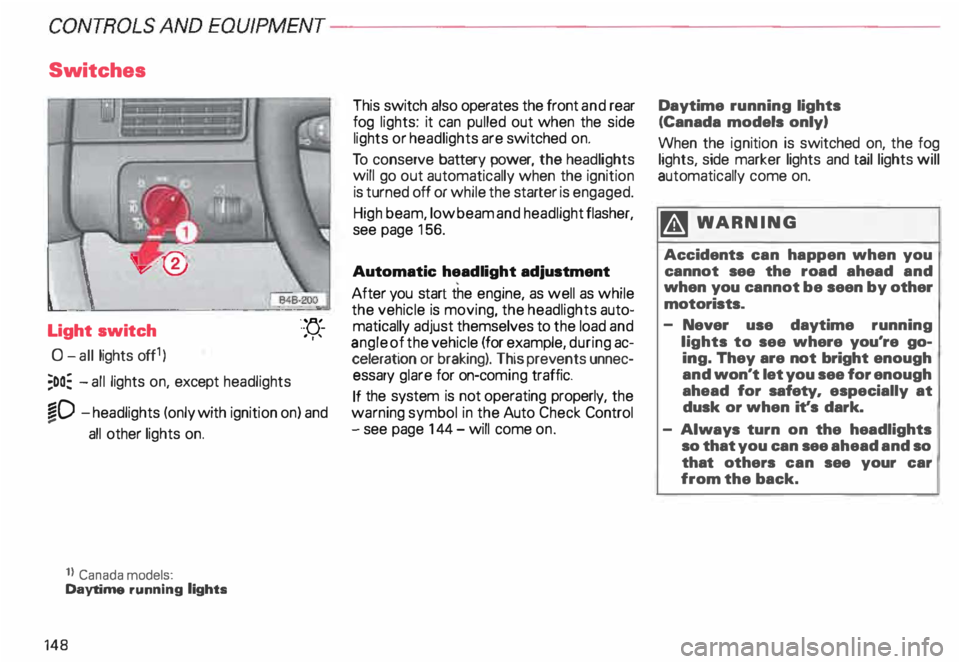
Light switch
0- all lights off1)
;oo: -all lights on, except headlights "-
YJ.-
. ''
�D -headlights (only with ignition on) and
...
all other lights on.
1} Canada models:
Daytime running lights
148 This
switch also operates the front and rear
fog lights: it can pulled out when the side
lights or headlights are switched on.
To conserve battery power, the headlights
will go out automatically when the ignition
is turned off or while the starter is engaged.
High beam, low beam and headlight flasher,
see page 156.
Automatic headlight adjustment
After you start the engine, as well as while
the vehicle is moving, the headlights auto
matically adjust themselves to the load and
angle of the vehicle (for example, during ac
celeration or braking). This prevents unnec
essary glare for on-com ing traffic.
If the system is not operating properly, the
warning symbol in the Auto Check Control
- see page 144- will come on. Daytime
running lights
(Canada models only)
When the ignition is switched on, the fog
lights, side marker lights and taillights will
automatically come on.
�W ARNING
Accidents can happen when you
cannot see the road ahead and
when you cannot be seen by other
motorists.
- Never use daytime running
lights to see where you're go
ing. They are not bright enough
and won't let you see for enough
ahead for safety, especially at
dusk or when it's dark.
- Always turn on the headlights
so that you can see ahead and so
that others can see your car
from the back.
Page 174 of 306
-------------�-------CONTROLS AND
EQUIPMEN T
Audi Homelink ® Uni versal Transm itter*
-� ....... ..
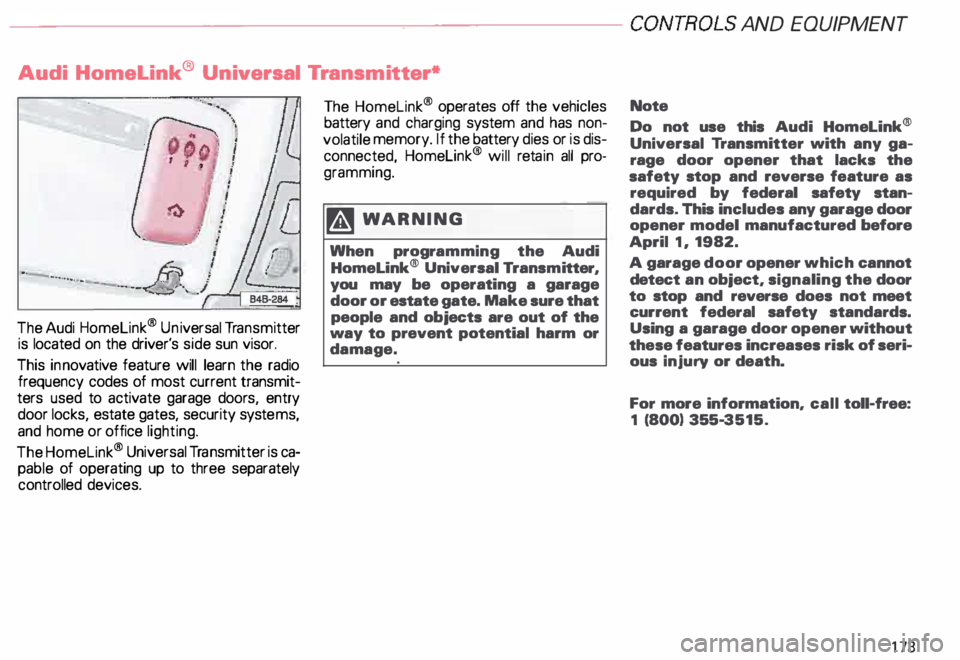
The Audi Homelink ® Un iversal Transm itter
is located on the driver's side sun visor.
This innovative feature will learn the radio
frequency codes of most current transmit
ters used to activate garage doors, entry
door locks, estate gates, security systems,
and home or office lighting.
The Homelink ® Universal Transmitter is ca
pable of operating up to three separately
controlled devices. The
Homelink ® operates off the vehicles
battery and charging system and has non
volatile memory. If the battery dies or is dis
connected, Homelink® will retain all pro
gramming.
�W ARNING
When programming the Audi
Homelink® Universal Transm itter,
you may be operating a garage
door or estate gate. Make sure that
people and objects are out of the
way to prevent potential harm or
damage. Note
Do not
use this Audi Homelink®
Universal Transmitter with any ga
rage door opener that lacks the
safety stop and reverse feature as
required by federal safety stan
dards. This includes any garage door
opener model manufactured before
April 1, 1982.
A garage door opener which cannot
detect an object, signaling the door
to stop and reverse does not meet
current federal safety standards.
Using a garage door opener without
these features increases risk of seri
ous injury or death.
For more information, call toll-free:
1 (800) 355-3515.
173
Page 182 of 306
---------------------CONTROLS
AND EQUIPMENT
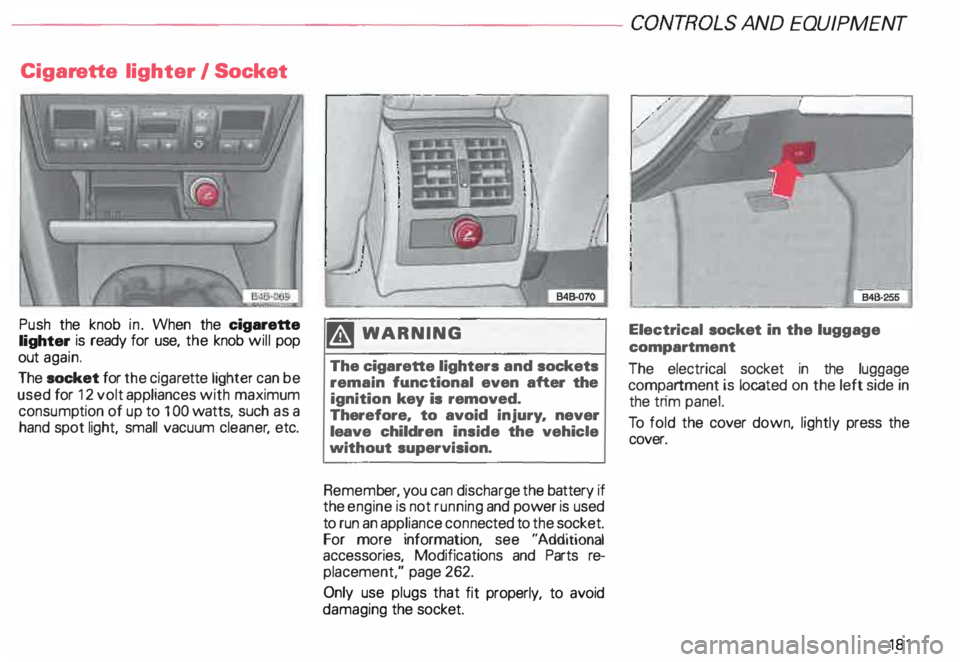
Cigar ette lighter I Socket
Push the knob in. When the cigarette
lighter is ready for use, the knob will pop
out again.
The socket for the ciga rette lighter can be
used for 12 volt appliances with maximum
consump tion of up to 1 00 watts, such as a
hand spot light, small vacuum cleaner, etc. �W
ARNING
The cigarette lighters and sockets
remain functional even after the
ignition key is removed.
Therefore. to avoid injury. never
leave children inside the vehicle
without supervision.
Remem ber, you can discharge the battery if
the engine is not running and power is used
to run an appliance connected to the socket.
For more information, see "Additional
accessories, Modifications and Parts re
placement," page 262.
Only use plugs that fit properly, to avoid
damaging the socket. Electrical
socket in the luggage
compartment
The electrical socket in the luggage
compartment is located on the left side in
the trim panel.
To fold the cover down, lightly press the
cover.
181