Page 68 of 356
Downloaded from www.Manualslib.com manuals search engine However, if you accidentally use a key that has a
damaged or missing resistor pellet, you will see no
SECURITY light. You don’t have to wait three
minutes before trying the proper key.
If the resistor pellet is damaged or missing, the starter
won’t work. Use the other ignition key, and see your
Chevrolet dealer or a locksmith who can service the
PASS-Key to have a new key made.
If the SECURITY light comes on while driving, have
your vehicle serviced as soon as possible.
If
you lose or damage a PASS-Key ignition key, see
your Chevrolet dealer or a locksmith who can service
PASS-Key. In an emergency, call the Chevrolet
Roadside Assistance Center at
1 -800-CHEV-USA
(1-800-243-8872). In Canada, call 1-800-268-6800.
New Vehicle “Break-In”
NOTICE:
Your modern Corvette doesn’t need an elaborate
“break-in.” But it will perform better in the long
run
if you follow these guidelines:
0 Keep your speed at 55 mph (88 km/h) or
less for the first
500 miles (805 km).
0 Don’t drive at any one speed -- fast or
slow
-- for the first 500 miles (805 km).
Don’t make full-throttle starts.
200 miles (322 km) or so. During this time
your new brake linings aren’t yet broken
in. Hard stops with new linings can mean
premature wear and earlier replacement.
Follow this breaking-in guideline every
time you get new brake linings.
0 Avoid making hard stops for the first
2-19
Page 104 of 356
Downloaded from www.Manualslib.com manuals search engine Center Console Security Shade (Option)
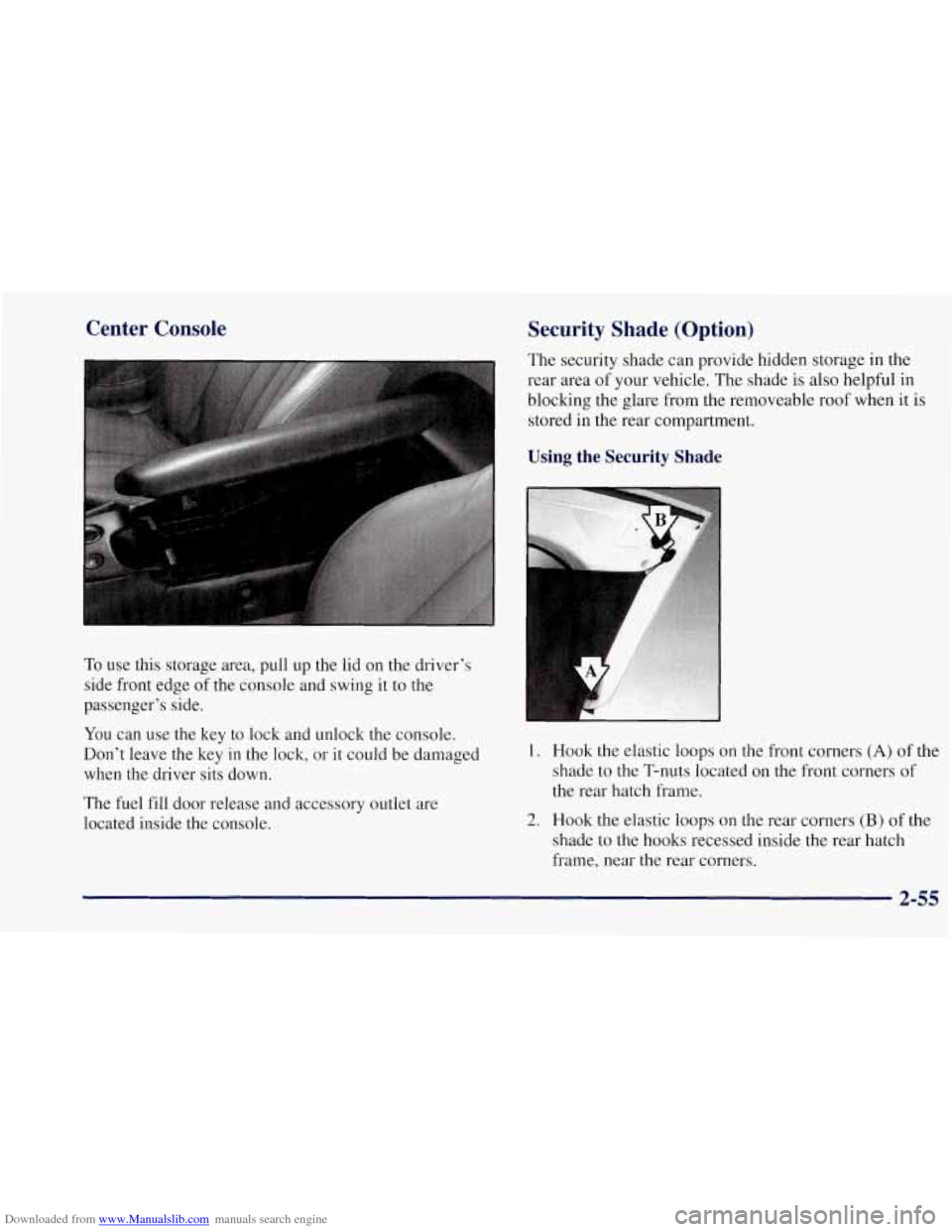
To use this storage area, pull up the lid on the driver’s
side front edge of the console and swing
it to the
passenger’s side.
You can use the key to lock and unlock the console.
Don’t leave the key
in the lock, or it could be damaged
when the driver sits down.
The fuel fill door release and accessory outlet are
located inside the console. The security shade can provide hidden
storage in the
rear area of your vehicle. The shade
is also helpful in
blocking the glare from the removeable roof when it is
stored
in the rear compartment.
Using the Security Shade
1.
2.
Hook the elastic loops on the front corners (A) of the
shade
to the T-nuts located on the front corners of
the rear hatch frame.
Hook the elastic loops on the rear corners
(B) of the
shade to the hooks recessed inside the rear hatch
frame, near the rear corners.
2-55
Page 110 of 356
Downloaded from www.Manualslib.com manuals search engine I NOTICE:
~~~
To avoid damage to the roof panel, paint and
weatherstripping do not drop or rest it on
its edges.
Place the roof panel in the egg-shaped stowage receivers after removing it from the vehicle.
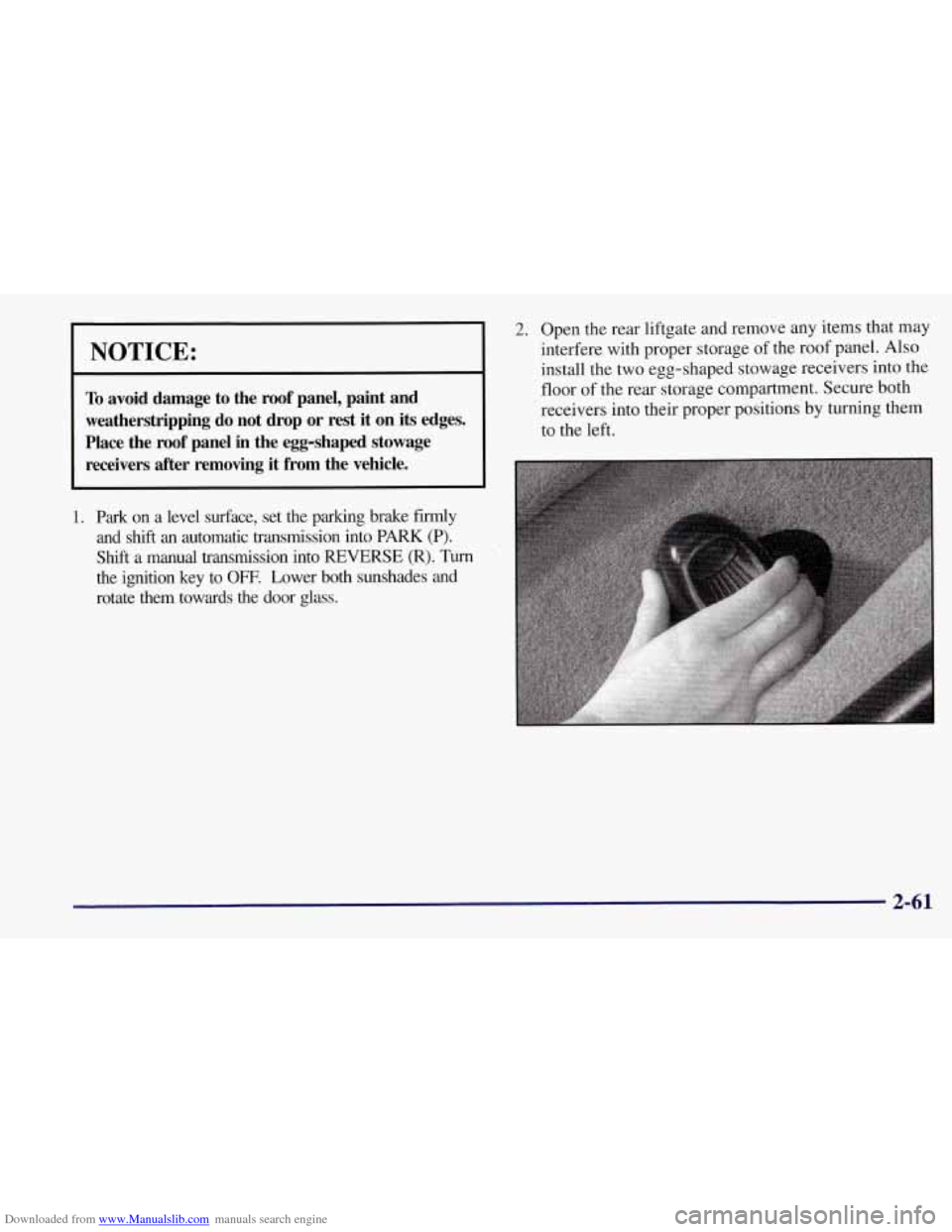
2. Open the rear liftgate and remove any items that may
interfere with proper storage of the roof panel. Also
install the two egg-shaped stowage receivers into the
floor
of the rear storage compartment. Secure both
receivers into their proper positions by turning them
to the left.
2-61
Page 113 of 356
Downloaded from www.Manualslib.com manuals search engine Storing the Roof Panel
I L!!! CAUTION:
If the roof panel is not stored properly, it could be
thrown about the vehicle in a crash or sudden
maneuver. People in the vehicle could be injured.
Whenever you store the roof panel in the vehicle,
always be sure that
it is stored securely in the
rear area using the storage pins.
NOTICE:
To avoid damage to the roof panel, paint and
weatherstripping, do not drop or rest it on its
edges. Place the roof panel in the egg-shaped
stowage receivers after removing it from
the vehicle.
1. Turn the roof panel so that the rear edge of the
panel is facing the storage area. The locating pins
(at the rear
of the panel) should point toward the
egg-shaped stowage receivers on the floor of the
center compartment.
2. Push the panel forward until the pins bottom out in
the receivers.
2-64
Page 116 of 356
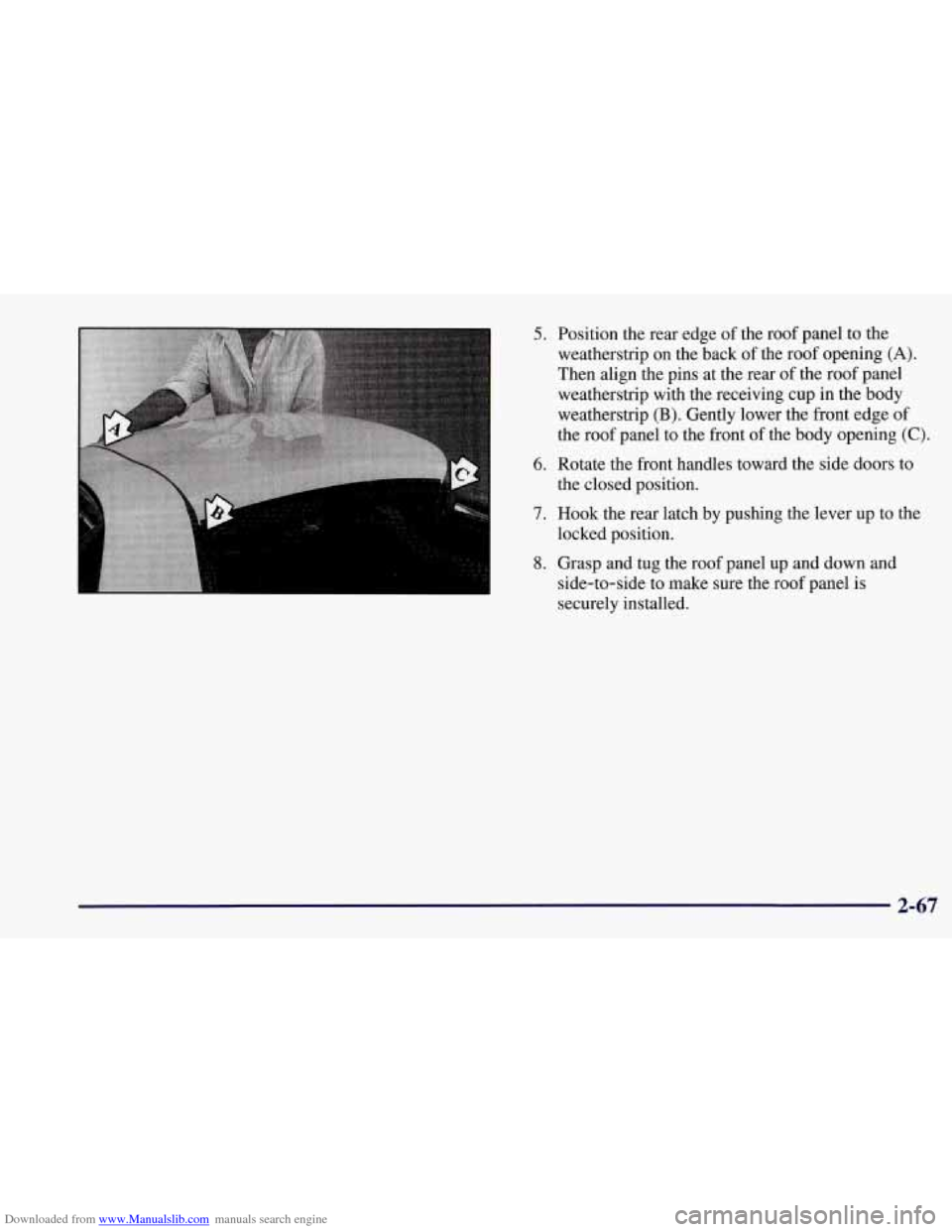
Downloaded from www.Manualslib.com manuals search engine 5. Position the rear edge of the roof panel to the
weatherstrip on the back of the roof opening
(A).
Then align the pins at the rear of the roof panel
weatherstrip with the receiving cup in the body
weatherstrip
(B). Gently lower the front edge of
the roof panel to the front of the body opening
(C).
6. Rotate the front handles toward the side doors to
the closed position.
7. Hook the rear latch by pushing the lever up to the
locked position.
8. Grasp and tug the roof panel up and down and
side-to-side to make sure the roof panel is
securely installed.
2-67
Page 128 of 356
Downloaded from www.Manualslib.com manuals search engine Security Light
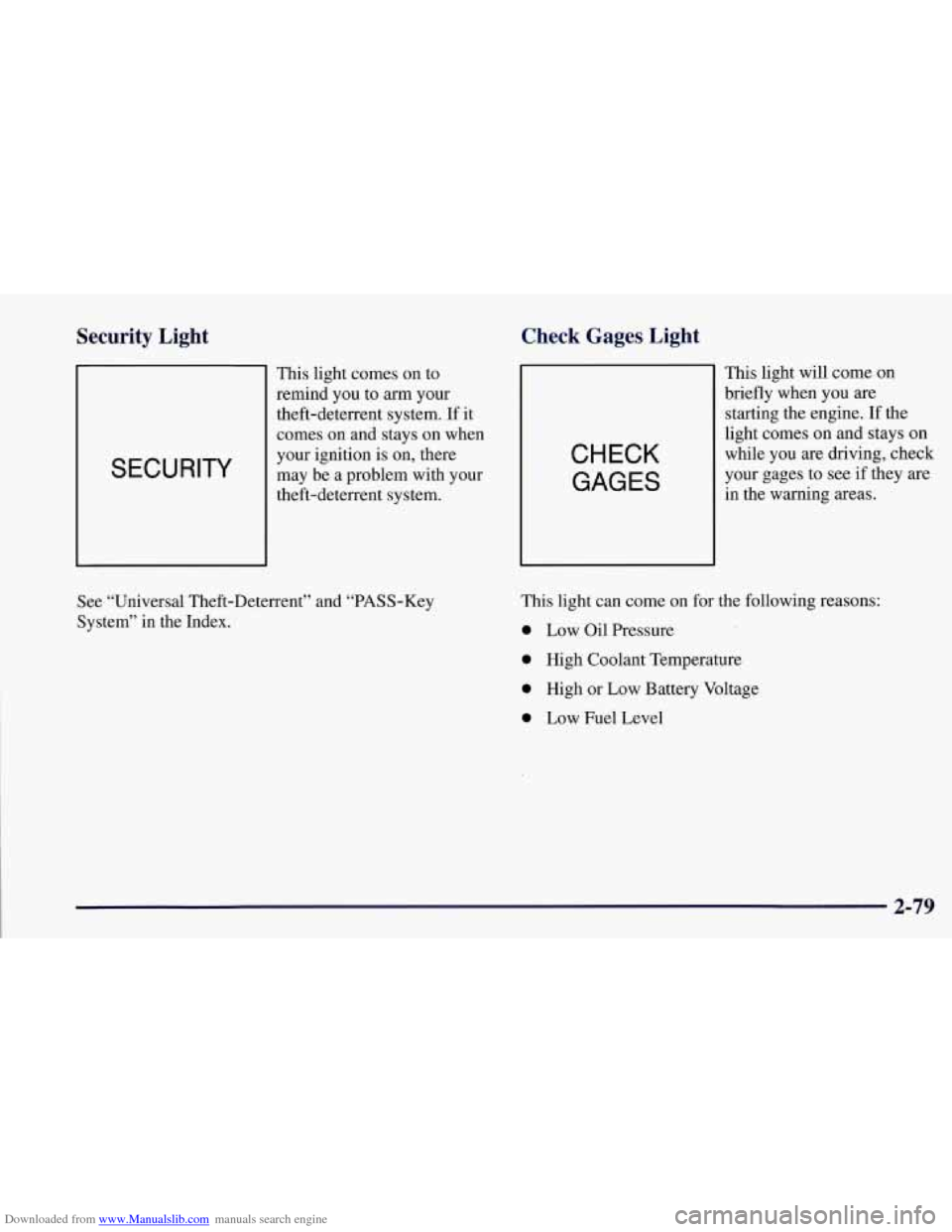
SECURITY
This light comes on to
remind you
to arm your
theft-deterrent system. If it
comes
on and stays on when
your ignition
is on, there
may be a problem with your
theft-deterrent system.
Check Gages Light
CHECK
GAGES
This light will come on
briefly when you
are
starting the engine. If the
light comes on and stays on
while you are driving, check
your gages to see if they are
in the warning areas.
See “Universal Theft-Deterrent” and “PASS-Key
System” in the Index. This light can
come
on for the following reasons:
0 Low Oil Pressure
0 High Coolant Temperature
0 High or Low Battery Voltage
0 Low Fuel Level
2-79
Page 130 of 356

Downloaded from www.Manualslib.com manuals search engine Driver Information Center (DIC)
The Driver Information Center (DIC) will display
information about how your vehicle is functioning, as
well as warning messages if a system problem is
detected. The DIC display area is located in the
instrument cluster below the speedometer and
tachometer, directly above the steering column.
The following buttons are on the DIC control panel
which is located to the right of the cluster:
1 FUEL: Press this button to display fuel information
such as fuel economy and range.
2 GAGES: Use this button to display gage information
like oil pressure and temperature, coolant temperature,
transmission fluid temperature, battery voltage and
fronurear tire pressures.
3 TRIP: Use this button to display your total and trip
miles, the elapsed time function, your average speed and
the oil life.
4 OPTIONS: This button allows you to choose personal
options available with your vehicle such as security,
door locks, easy entry seats and language.
5 EM: Use this button to change the display between
English and metric units.
RESET: This button, used along with the other buttons,
will reset system functions and turn off or acknowledge
messages on the DIC.
At the top
of the DIC control buttons is a light sensor.
Be sure not to block the sensor or your lighting
functions may be disrupted.
2-81
Page 136 of 356

Downloaded from www.Manualslib.com manuals search engine 4 OPTIONS
This button allows you to choose personal options
available with your vehicle, such as security, door
locks, easy entry seats and language. Some of these
functions work along with the key fob transmitter.
When returning to the options menu, the first item of
the options list will always be displayed, not the one
you were last in when you changed buttons.
1 PASSIVE UNLK DRIVER 1
APPROACH LIGHTS ON
AUTO LOCK
ON
I AUTO UNLOCK-DRIVER I
I SEAT EASY ENTRY ON
t LANGUAGE ENGLISH
LI
r
I FOB TRAINING I
The following are the options listed under the
OPTIONS button:
Lock and Arm
Press the OPTIONS button until LOCK & ARM
appears on the display, then use the RESET button to
page through the following selections:
0 LOCK & ARM OFF
0 LOCK & ARM HORN ONLY
0 LOCK & ARM LIGHTS ONLY
0 LOCK & ARM HORN & LTS
If you choose LOCK & ARM OFF, you will receive no
security feedback when locking or unlocking your vehicle.
If you choose LOCK
& ARM HORN ONLY, only the
horn will chirp to let you know when your alarm system
has armed when locking your vehicle.
If you choose LOCK
& ARM LIGHTS, only your
exterior lights will flash to let you know when your
alarm system has armed when locking your vehicle.
If you choose LOCK
& ARM HORN & LTS, the horn
will chirp and the exterior lights will flash briefly to
let you know the system has armed when locking
your vehicle.
2-87