1995 CHEVROLET S10 light
[x] Cancel search: lightPage 108 of 354
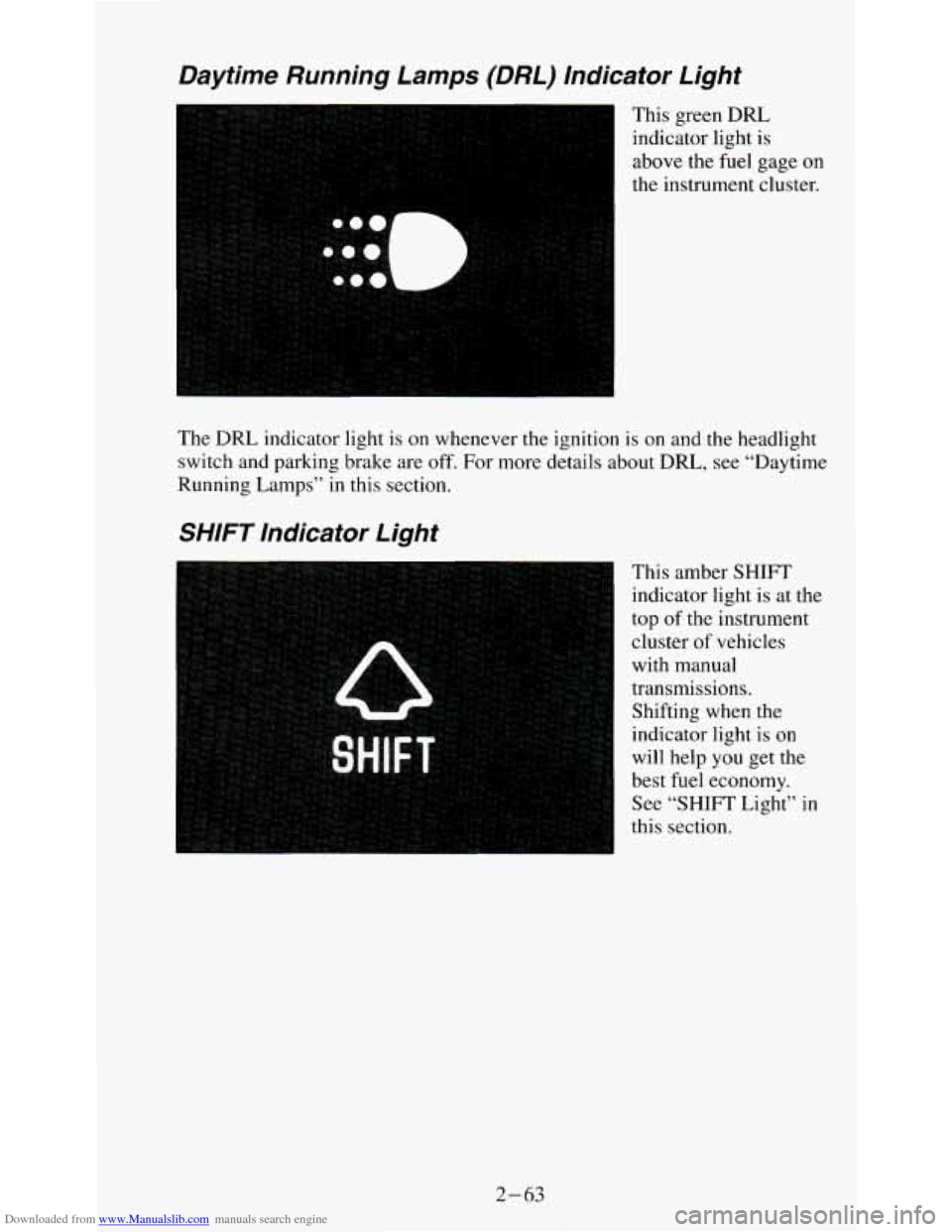
Downloaded from www.Manualslib.com manuals search engine Daytime Running Lamps (DRL) Indicator Light
This green DRL
indicator light is
above the fuel gage on
the instrument cluster.
The
DRL indicator light is on whenever the ignition is on and the headlight
switch and parking brake are off. For more details about
DRL, see “Daytime
Running
Lamps” in this section.
SHIFT Indicator Light
This amber SHIFT
indicator light is at the
top of the instrument
cluster of vehicles
with manual
transmissions.
Shifting when the
indicator light
is on
will help
you get the
best fuel economy.
See “SHIFT Light”
in
this section.
2- 63
Page 109 of 354
Downloaded from www.Manualslib.com manuals search engine Headlamp High-Beam Indicator Light
A
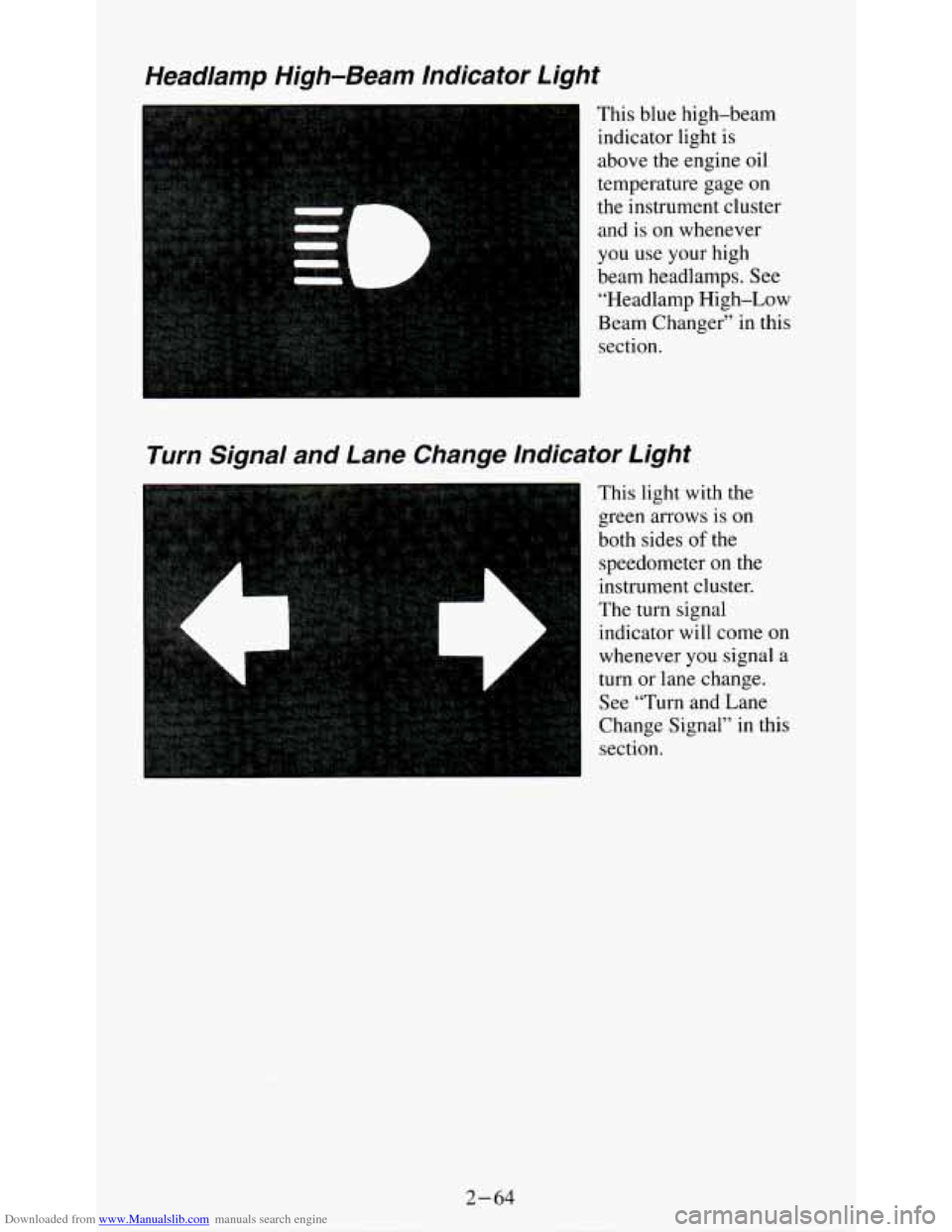
This blue high-beam
indicator light is
above the engine oil
temperature gage
on
the instrument cluster
and is on whenever
you use your high
beam headlamps. See
“Headlamp High-Low
Beam Changer” in this section.
Turn Signal and Lane Change Indicator Light
This light with the
green arrows is
on
both sides of the
speedometer on the
instrument cluster.
The turn signal
indicator will come on
whenever
you signal a
turn or lane change.
See “Turn and Lane
Change Signal” in this
section.
2-64
Page 115 of 354
Downloaded from www.Manualslib.com manuals search engine The lower knob changes the heater function and determines which outlets
the air will flow through (instrument panel, defroster, heater, etc.).
OFF - This setting turns off all heating functions. Some outside air will
still come out of the heater outlet whenever the vehicle is moving forward.
VENT - Airflow is through the instrument panel vents. Set the upper knob
to the temperature desired. This setting is useful for mild outside
temperatures, when little heating or cooling is desired.
BI-LEV - Outside air comes in through the heater floor vents and the
instrument panel vents. This setting is useful
in cool weather with bright
sunlight.
HEAT
- Heated air comes out through the heater floor vents and
windshield defroster vents. This setting is useful for cold weather.
BLEND - Airflow is divided equally between the heater floor vent and the
windshield defroster vents. This setting is useful
in cool weather when you
have fog
or ice on the windshield or side windows.
DEF - This setting directs most air through the windshield defroster vents
and some through the heater vents. This setting
is useful when you have fog
or ice on the windshield.
Heater/Air Conditioning Controls
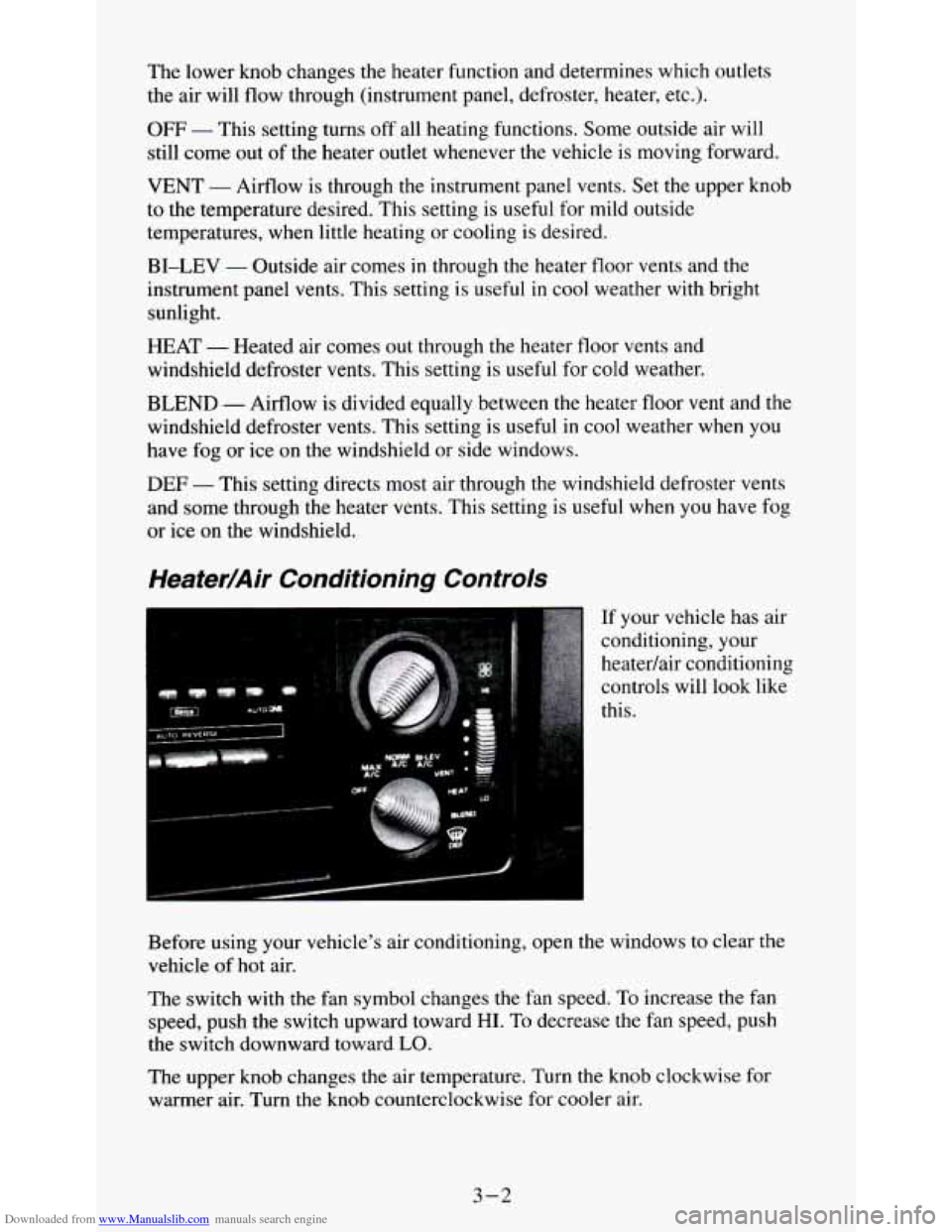
If your vehicle has air
conditioning, your
heatedair conditioning
controls will look like
this.
Before using your vehicle's air conditioning, open the windows to clear the
vehicle of
hot air.
The switch with the fan symbol changes the fan speed. To increase the fan
speed, push the switch upward toward
HI. To decrease the fan speed, push
the switch downward toward
LO.
The upper knob changes the air temperature. Turn the knob clockwise for
warmer air. Turn the knob counterclockwise for cooler air.
3-2
Page 116 of 354
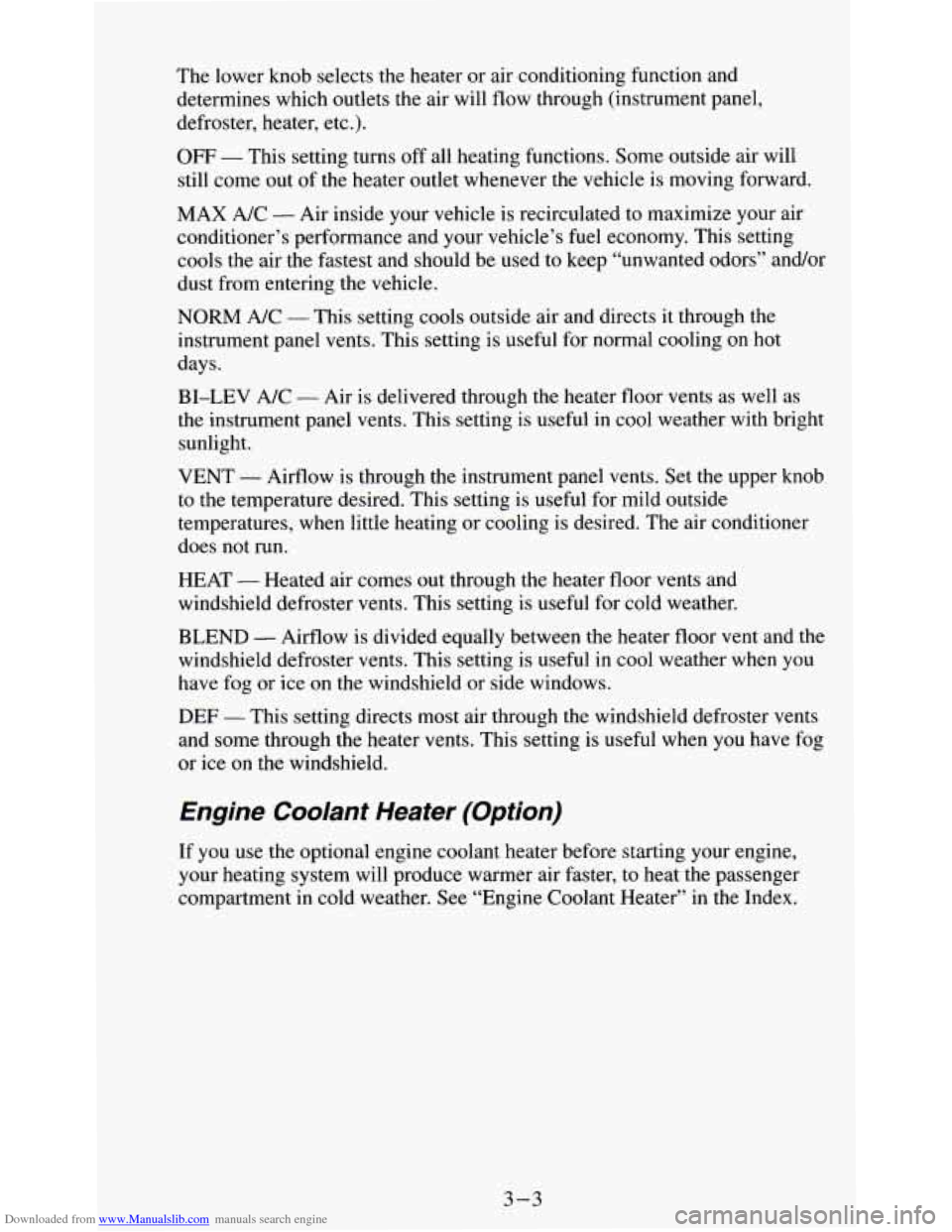
Downloaded from www.Manualslib.com manuals search engine The lower knob selects the heater or air conditioning function and
determines which outlets the air will flow through (instrument panel,
defroster, heater, etc.).
OFF - This setting turns off all heating functions. Some outside air will
still come out of the heater outlet whenever the vehicle is moving forward.
MAX A/C
- Air inside your vehicle is recirculated to maximize your air
conditioner’s performance and your vehicle’s fuel economy. This setting
cools the air the fastest and should be used to keep “unwanted odors” and/or
dust from entering the vehicle.
NORM A/C - This setting cools outside air and directs it through the
instrument panel vents. This setting is useful for normal cooling on hot
days.
BI-LEV A/C
- Air is delivered through the heater floor vents as well as
the instrument panel vents. This setting is useful in cool weather with bright
sunlight.
VENT - Airflow is through the instrument panel vents. Set the upper knob
to the temperature desired. This setting is useful for mild outside
temperatures, when little heating or cooling is desired. The air conditioner
does not run.
HEAT
- Heated air comes out through the heater floor vents and
windshield defroster vents. This setting is useful for cold weather.
BLEND
- Airflow is divided equally between the heater floor vent and the
windshield defroster vents. This setting
is useful in cool weather when you
have fog or ice on the windshield
or side windows.
DEF - This setting directs most air through the windshield defroster vents
and some through the heater vents. This setting is useful when you have fog
or ice on the windshield.
Engine Coolant Heater (Option)
If you use the optional engine coolant heater before starting your engine,
your heating system
will produce warmer air faster, to heat the passenger
compartment
in cold weather. See “Engine Coolant Heater” in the Index.
3-3
Page 122 of 354
Downloaded from www.Manualslib.com manuals search engine Repeat these steps for each pair of buttons.
TREBLE
- Slide the TREBLE lever up to increase the treble response. If
the station is weak or noisy, slide the TREBLE lever down to reduce the
noise.
BASS
- Slide the BASS lever up to increase the bass response. Adjust the
BASS lever to give a pleasing sound to your ear.
AUTO DNR
@ - This unit is equipped with an automatic Dynamic Noise
Reduction system. DNR@reduces background hiss on
AM and FM radio
broadcasts, as well as on cassette tapes. DNR@is a registered trademark of
National Semiconductor Corporation.
To PIay A Cassette
Your tape player is built to work best with tapes that are 30 to 45 minutes
long
on each side. Tapes longer than that are so thin they may not work well
in this player.
Once the tape is playing, use the upper and lower
knobs for volume, balance
and fade just as you do for the radio. A lighted arrow shows which direction
the tape is being played.
FWD
- To rapidly advance the tape, press 4 or b in the direction that the
amber arrow points and the tape will rapidly go forward until you press the
STOP-EJECT button lightly.
REV
- To rapidly reverse the tape, press 4 or b in the opposite direction
that the amber arrow points and the tape will rapidly reverse until you press
the STOP-EJECT button lightly.
PROGRAM
- To go from one side of the tape to the other, press the
PWR-VOL-PROG-RCL knob.
STOP-EJECT
- To remove the tape or stop the tape and switch to radio,
press
the STOP-EJECT button.
If “Cln” (Clean) appears
on the display when you insert your cassette tape,
your cassette player needs to be cleaned.
It will still play cassette tapes but it
should be cleaned to prevent damage to your cassette tapes and the cassette
tape player. See “Care of Your Cassette Tape Player” later in this section.
After you have cleaned the cassette tape player, press and hold EJECT for
5
seconds to reset the the “Cln” indicator. The radio will display “- - -” to
show the clean feature has been reset.
3-9
Page 124 of 354
Downloaded from www.Manualslib.com manuals search engine Pushbuttons - The four pushbuttons let you return to favorite stations. To
set the pushbuttons for up to fourteen favorite stations (7 AM and 7 FM):
1. Tune in the desired station.
2. Push the SET button. “SET” appears in the display for about
5 seconds.
3. Within the 5 seconds, push one of the four pushbuttons. Whenever you
press that button, the preset station will return.
NOTE:
In addition to the four stations set as above, up to three additional stations
may be preset on each band by pressing two adjoining pushbuttons at the
same time. Then do the following:
I. Tune in the desired station.
2. Press the SET button.
3. Within 5 seconds, press any two adjoining pushbuttons at the same
time. (The station will return when the same two buttons are pressed
again.)
Adjust the Tone
- Use the levers in the upper middle left corner to set the
bass, midrange, and treble until you get the sound you want. The
60 and 250
levers adjust the bass, 1 K is midrange, and 3.5K and 1OK control the treble.
We suggest
you start with the center lever (1 K) in the midpoint position,
then move the others up until
you get the amount of bass and treble you like.
Am-St Button
- The Am-St button is just below the SEARCH button.
Push this when
you tune to an AM station that broadcasts in stereo. Your
STEREO light will come on when you’re receiving AM stereo. If
you push
Am-St and there is
no more noise, it means the station is weak. You’ll hear
the station better if you don’t use Am-St. Just push the Am-St button again
to delete stereo.
AUTO DNR@
- This unit is equipped with an automatic Dynamic Noise
Reduction system. DNR@reduces background hiss
on AM and FM radio
broadcasts, as well as
on cassette tapes. DNR@is a registered trademark of
National Semiconductor Corporation.
To Flay A Cassette
Your tape player is built to work best with tapes that are 30 to 45 minutes
long on each side. Tapes longer than that are
so thin they may not work well
in this player.
Once the tape is playing, use the upper and lower knobs for volume, balance
and fade
just as you do for the radio. A lighted arrow shows which direction
the tape is being played,
02
- The Cr02 button lets you set the system for the type of cassette
being used. If
you are using chrome or metal tapes, push the Cr02 button in.
3-11
Page 125 of 354
Downloaded from www.Manualslib.com manuals search engine FWD - To rapidly advance the tape, press 4 or in the direction that the
amber arrow points and the tape will rapidly go forward until you press the
STOP-EJECT button lightly.
REV
- To rapidly reverse the tape, press 4 or b in the opposite direction
that the amber arrow points and the tape will rapidly reverse until you press
the STOP-EJECT button lightly.
SEARCH
- Press the SEARCH button to the recessed position.
Press
b to go to the beginning of the next selection.
Press
4 and the tape will reverse to the beginning of the current selection.
PROGRAM
- To go from one side of the tape to the other, press the
PWR-VOL-PROG-RCL knob.
STOP-EJECT
- To remove the tape or stop the tape and switch to radio,
press the STOP-EJECT button.
If “Cln” (Clean) appears on the display when you insert your cassette tape,
your cassette player needs to be cleaned. It will still play cassette tapes but
it
should be cleaned to prevent damage to your cassette tapes and the cassette
tape player. See “Care of Your Cassette Tape Player” later in
this section.
After you have cleaned the cassette tape player, press and hold EJECT for
5
seconds to reset the the “Cln” indicator. The radio will display “- - -’, to
show the clean feature has been reset.
Your Delco system may be able to receive C-QUAM@ stereo broadcasts.
Many
AM stations around the country use C-QUAM@ to produce stereo,
though some do not. C-QUAM@ is
a re istered trademark of Motorola Inc.
If your Delco system can get C-QUAM signals, your STEREO light will
come on when you are receiving stereo. %
3-12
Page 130 of 354

Downloaded from www.Manualslib.com manuals search engine Disabling The Theft System
1.
2.
3.
4.
5.
6.
Press presets 1 and 4 for 5 seconds with ignition on and radio off. The
display will show “SEC”, indicating the unit is in the secure mode.
Press the SET button. The display will show
“000”.
Enter the first three digits of the code following steps 6 and 7 of the
preceding paragraphs (To Lock the System). The display will show the
numbers as entered.
Press the BAND knob. The radio will display
“OOO”.
Enter the second three digits of the code. The display will show the
numbers as entered.
Press the BAND knob.
If the display shows “- - - ”, the disabling
sequence was successful. The numbers matched the user-selected code
or the factory back-up code, and the unit is in the UNSECURED
mode.
If the display shows “SEC”, the disabling sequence was
unsuccessful and the numbers did not match either of the codes and the
unit will remain
in the SECURED mode.
Understanding Radio Reception
FM stereo will give you the best sound. But FM signals will reach only
about 10 to
40 miles (16 to 65 km). And, tall buildings or hills can interfere
with
FM signals, causing the sound to come and go.
The range for most AM stations is greater than for
FM, especially at night.
The longer range, however, can cause stations to interfere with each other.
AM can pick up noise from things like storms and power lines. Try reducing
the treble to reduce this noise if you ever get it.
AM Stereo means the Delco@ system can receive C-QUAM@stereo
broadcasts. Many AM stations around the count use C-QUAM@ to
produce stereo, though some do not. (C-QUAM is a registered trademark
of Motorola, Inc.) If your Delco@ system can get C-QUAM@, your
“STEREO” light will come on when you’re receiving
it.
Be aware that hearing damage from loud noise is almost undetectable until
it is too late. Your hearing can adapt to higher volumes
of sound. Sound that
seems normal can be loud and harmful to your hearing. Take precautions by
adjusting the volume control on your radio to a safe sound level before your
hearing adapts to it.
3
To help avoid hearing loss or damage:
1. Adjust the volume control to the lowest setting.
2. Increase volume slowly until you hear comfortably and clearly.
3-17