2023 TOYOTA 86 display
[x] Cancel search: displayPage 213 of 449
2134-5. EyeSight
4
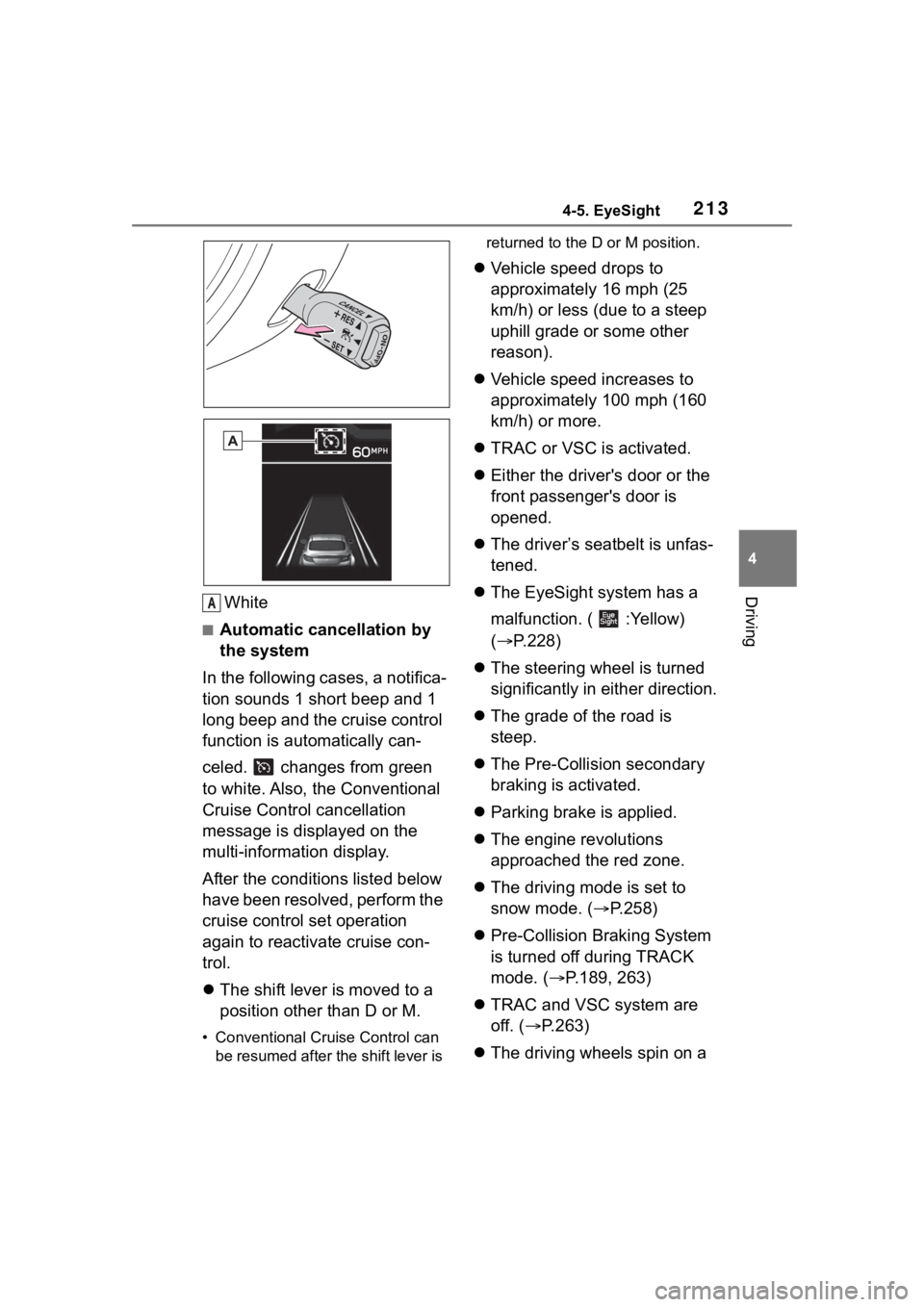
DrivingWhite
■Automatic cancellation by
the system
In the following cases, a notifica-
tion sounds 1 short beep and 1
long beep and the cruise control
function is automatically can-
celed. changes from green
to white. Also, the Conventional
Cruise Control cancellation
message is displayed on the
multi-information display.
After the conditi ons listed below
have been resolved, perform the
cruise control set operation
again to reactivate cruise con-
trol.
The shift lever is moved to a
position other than D or M.
• Conventional Cruise Control can
be resumed after the shift lever is returned to the D or M position.
Vehicle speed drops to
approximately 16 mph (25
km/h) or less (due to a steep
uphill grade or some other
reason).
Vehicle speed increases to
approximately 100 mph (160
km/h) or more.
TRAC or VSC is activated.
Either the driver's door or the
front passenger's door is
opened.
The driver’s seatbelt is unfas-
tened.
The EyeSight system has a
malfunction. ( :Yellow)
( P.228)
The steering wheel is turned
significantly in either direction.
The grade of the road is
steep.
The Pre-Collision secondary
braking is activated.
Parking brake is applied.
The engine revolutions
approached the red zone.
The driving mode is set to
snow mode. ( P.258)
Pre-Collision Braking System
is turned off during TRACK
mode. ( P.189, 263)
TRAC and VSC system are
off. ( P.263)
The driving wheels spin on a
A
Page 214 of 449
2144-5. EyeSight
slippery road.
●If EyeSight is malfunctioning,
(yellow) is displayed on the meter
display, and the Pre-Collision
Braking System OFF indicator and
Lane Departure Warning OFF
indicator will also illuminate. If this
occurs, stop the vehicle in a safe
location and then turn off the
engine and restart it. If the indica-
tors remain illuminated after
restarting the engine, Conven-
tional Cruise Control cannot be
used. This will not interfere with
ordinary driving. However, con-
tact a Toyota dealer and have the
system inspected. ( P.228)
●When operation of Conventional
Cruise Control has been automati-
cally canceled, perform the set
operation again after the condition
that caused the cancellation has
been resolved. If cruise control
cannot be activated even after the
condition has been corrected,
EyeSight may be malfunctioning.
This will not interfere with ordinary
driving. However, contact a Toyota
dealer and have the system
inspected.
■Restoring the previously
set vehicle speed
The previously set vehicle
speed is stored in memory. To
restore that vehicle speed, push
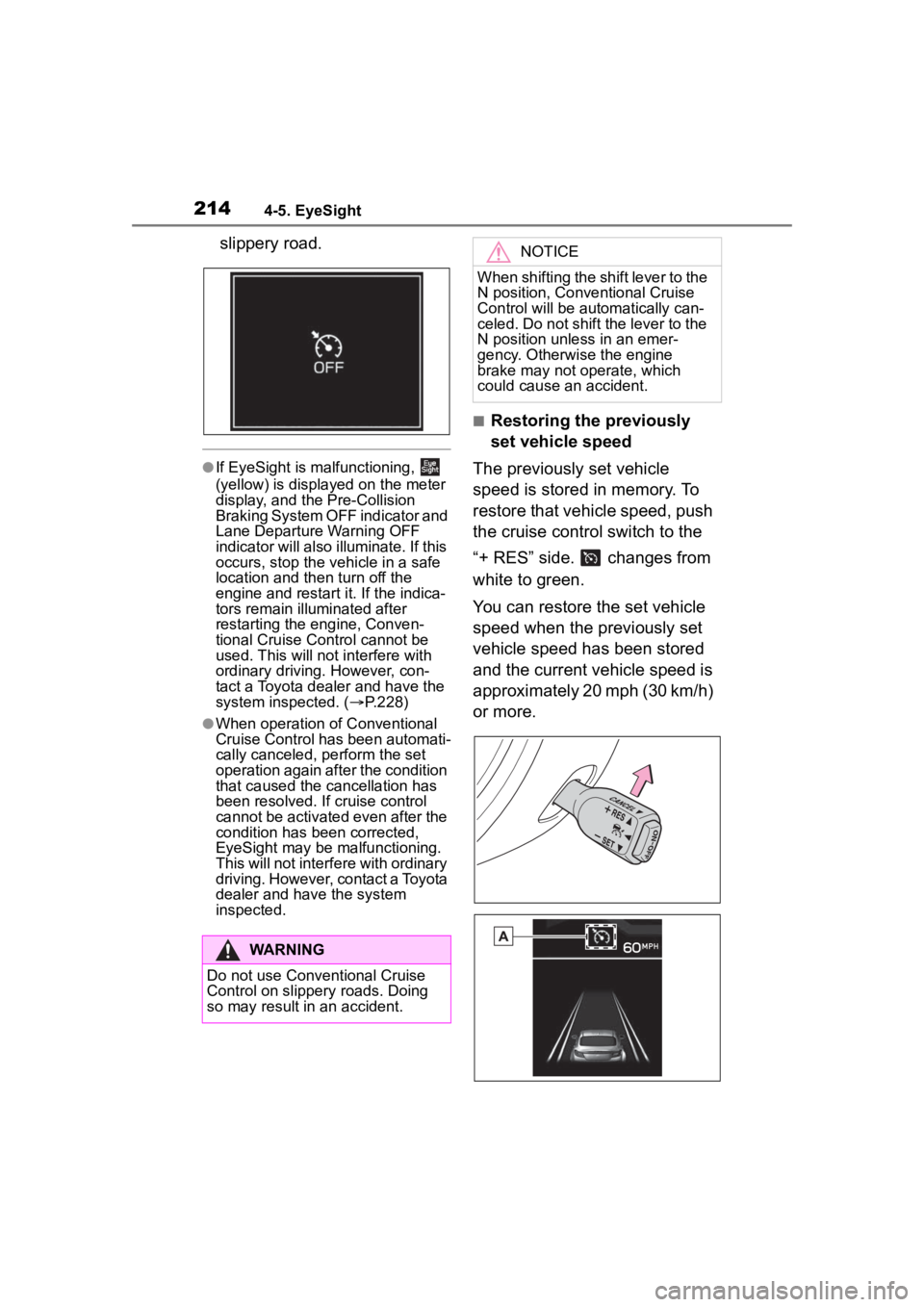
the cruise control switch to the
“+ RES” side. changes from
white to green.
You can restore the set vehicle
speed when the previously set
vehicle speed has been stored
and the current vehicle speed is
approximately 20 mph (30 km/h)
or more.
WARNING
Do not use Conventional Cruise
Control on slippery roads. Doing
so may result in an accident.
NOTICE
When shifting the shift lever to the
N position, Conventional Cruise
Control will be aut omatically can-
celed. Do not shift the lever to the
N position unless in an emer-
gency. Otherwise the engine
brake may not operate, which
could cause an accident.
Page 215 of 449
2154-5. EyeSight
4
Driving
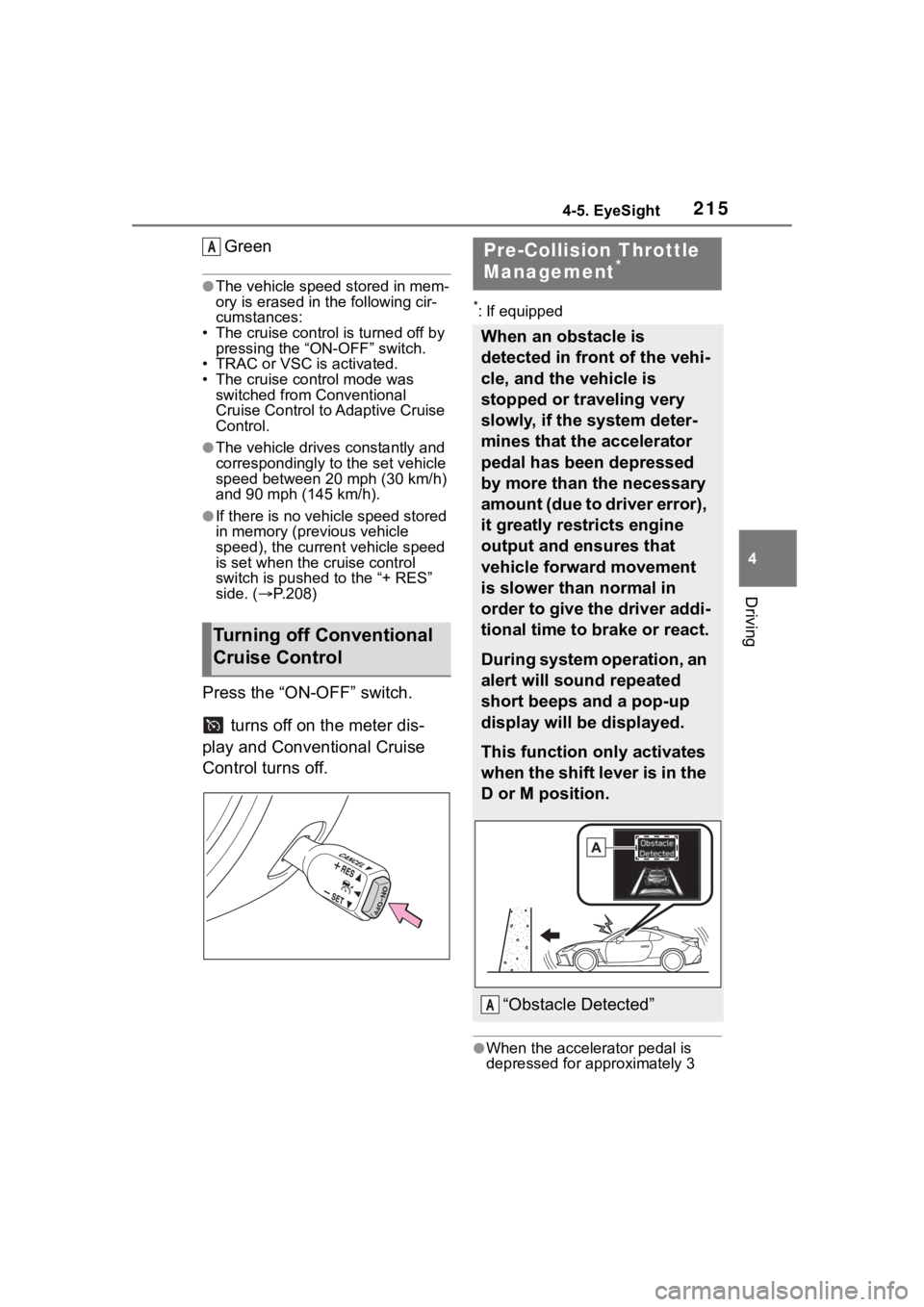
Green
●The vehicle speed stored in mem-
ory is erased in the following cir-
cumstances:
• The cruise control is turned off by pressing the “ON-OFF” switch.
• TRAC or VSC is activated.
• The cruise control mode was
switched from Conventional
Cruise Control to Adaptive Cruise
Control.
●The vehicle drives constantly and
correspondingly to the set vehicle
speed between 20 mph (30 km/h)
and 90 mph (145 km/h).
●If there is no vehicle speed stored
in memory (previous vehicle
speed), the current vehicle speed
is set when the cruise control
switch is pushed to the “+ RES”
side. ( P.208)
Press the “ON-OFF” switch.
turns off on the meter dis-
play and Conventional Cruise
Control turns off.
*: If equipped
●When the accele rator pedal is
depressed for approximately 3
Turning off Conventional
Cruise Control
APre-Collision Throttle
Management*
When an obstacle is
detected in front of the vehi-
cle, and the vehicle is
stopped or traveling very
slowly, if the system deter-
mines that the accelerator
pedal has been depressed
by more than the necessary
amount (due to driver error),
it greatly restricts engine
output and ensures that
vehicle forward movement
is slower than normal in
order to give the driver addi-
tional time to brake or react.
During system operation, an
alert will sound repeated
short beeps and a pop-up
display will be displayed.
This function only activates
when the shift lever is in the
D or M position.
“Obstacle Detected”A
Page 219 of 449
2194-5. EyeSight
4
Driving
Multimedia system screen
Operate the multimedia system
screen to turn on/off Pre-Colli-
sion Throttle Management.
( P.400)
Multi-information display
Also you can turn on/off
Pre-Collision Throttle Manage-
ment using the meter operation
switch. ( P.400)
If Pre-Collision Throttle Manage-
ment is turned off, the Pre-Colli-
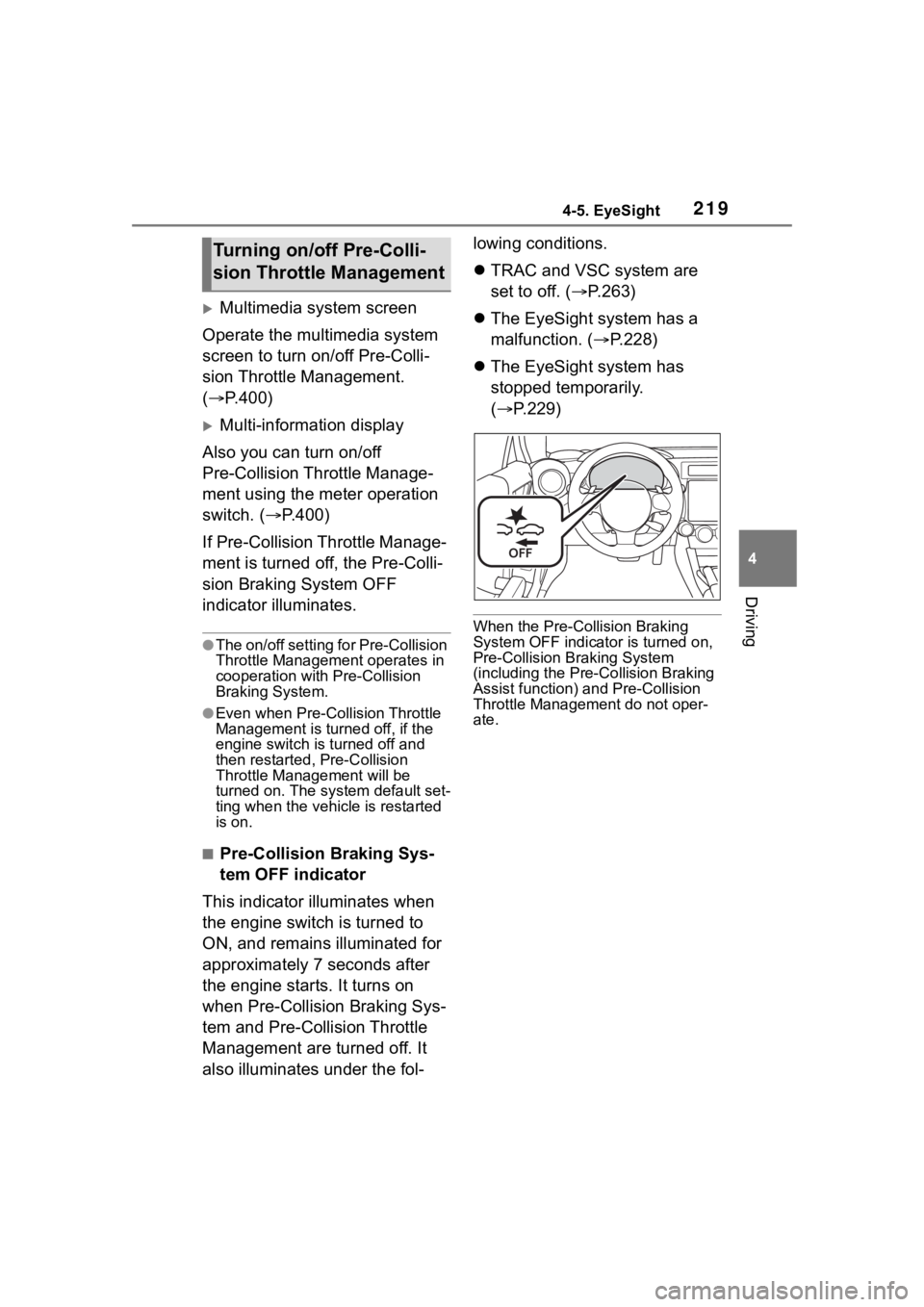
sion Braking System OFF
indicator illuminates.
●The on/off setting for Pre-Collision
Throttle Management operates in
cooperation with Pre-Collision
Braking System.
●Even when Pre-Collision Throttle
Management is turned off, if the
engine switch is turned off and
then restarted , Pre-Collision
Throttle Management will be
turned on. The system default set-
ting when the vehicle is restarted
is on.
■Pre-Collision Braking Sys-
tem OFF indicator
This indicator illuminates when
the engine switch is turned to
ON, and remains illuminated for
approximately 7 seconds after
the engine starts. It turns on
when Pre-Collision Braking Sys-
tem and Pre-Collision Throttle
Management are turned off. It
also illuminates under the fol- lowing conditions.
TRAC and VSC system are
set to off. ( P.263)
The EyeSight system has a
malfunction. ( P.228)
The EyeSight system has
stopped temporarily.
( P.229)
When the Pre-Collision Braking
System OFF indicato r is turned on,
Pre-Collision Braking System
(including the Pre -Collision Braking
Assist function) and Pre-Collision
Throttle Managemen t do not oper-
ate.
Turning on/off Pre-Colli-
sion Throttle Management
Page 220 of 449
2204-5. EyeSight
*: If equipped
●The following situations may
cause incorrect lane detection and
a faulty Lane Departure Warning
to occur.
• There are tire tracks on a wet road or snow-covered road.
• There are boundaries between
snow and asphalt, or marks from
road repair, etc.
• There are the shadows of guard-
rails.
• Lane markings are drawn in dou- ble.
• There are some lane markings left from roadwork or markings from
the previous road.
●When the Lane Departure Warn-
ing OFF indicator is illuminated,
Lane Departure Warning is inac-
tive. ( P.221)Lane Depar ture War n-
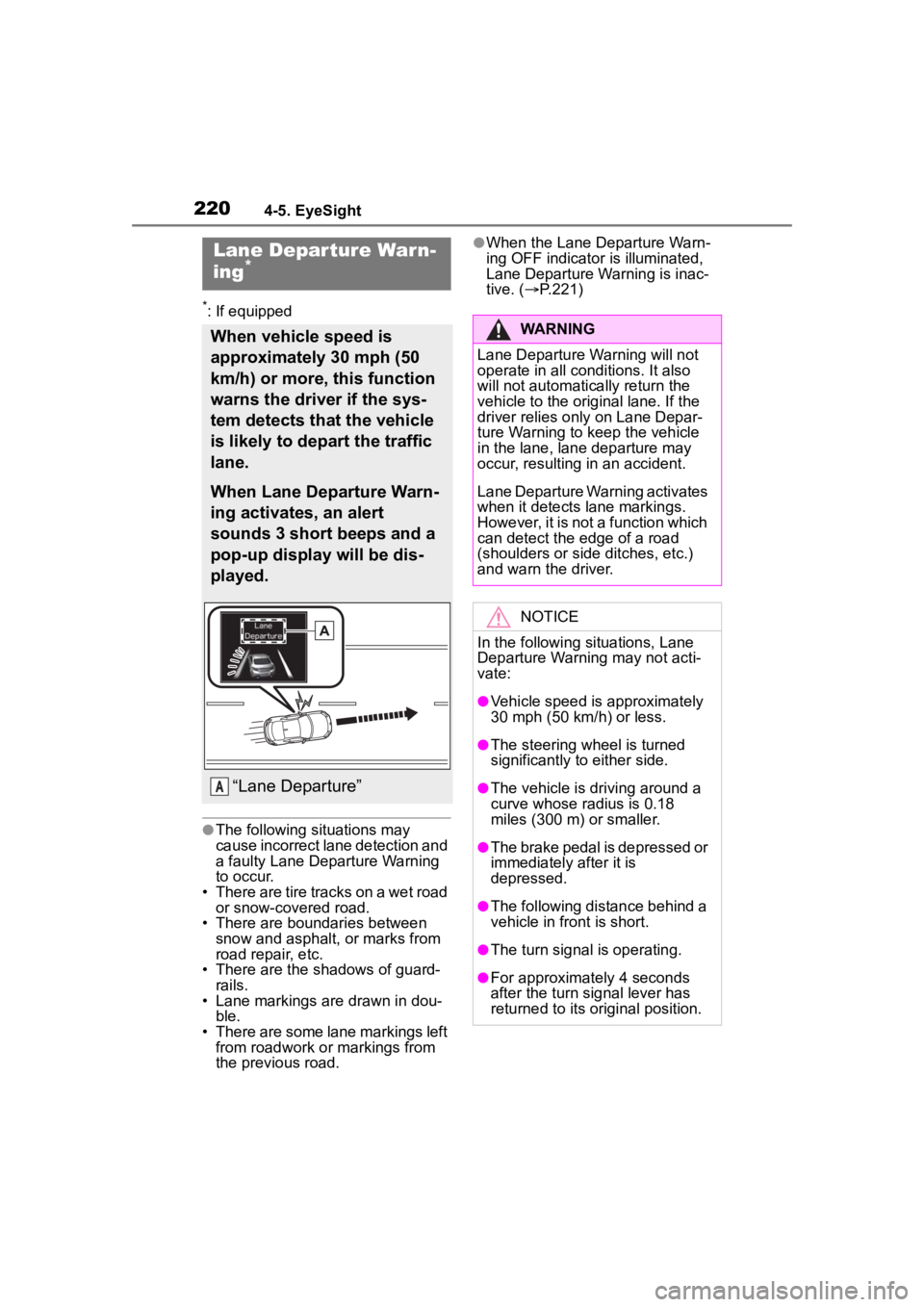
ing*
When vehicle speed is
approximately 30 mph (50
km/h) or more, this function
warns the driver if the sys-
tem detects that the vehicle
is likely to depart the traffic
lane.
When Lane Departure Warn-
ing activates, an alert
sounds 3 short beeps and a
pop-up display will be dis-
played.
“Lane Departure”A
WARNING
Lane Departure Wa rning will not
operate in all conditions. It also
will not automatically return the
vehicle to the ori ginal lane. If the
driver relies only on Lane Depar-
ture Warning to keep the vehicle
in the lane, lane departure may
occur, resulting in an accident.
Lane Departure Warning activates
when it detects lane markings.
However, it is not a function which
can detect the edge of a road
(shoulders or side ditches, etc.)
and warn the driver.
NOTICE
In the following situations, Lane
Departure Warning may not acti-
vate:
●Vehicle speed is approximately
30 mph (50 km/h) or less.
●The steering wheel is turned
significantly to either side.
●The vehicle is driving around a
curve whose radius is 0.18
miles (300 m ) or smaller.
●The brake pedal is depressed or
immediately after it is
depressed.
●The following distance behind a
vehicle in front is short.
●The turn signal is operating.
●For approximately 4 seconds
after the turn signal lever has
returned to its or iginal position.
Page 221 of 449
2214-5. EyeSight
4
Driving
Multimedia system screen
Operate the multimedia system
screen to turn on/off Lane
Departure Warning. ( P.400)
Multi-information display
Also you can turn on/off Lane
Departure Warning using the
meter operation switch.
( P.400)
If Lane Departure Warning is
turned off, the Lane Departure
Warning OFF indicator illumi-
nates.
●The on/off setting for Lane Depar-
ture Warning operates in coopera-
tion with Lane Sway Warning.
●The on/off status of Lane Depar-
ture Warning is restored when you
restart the engine.
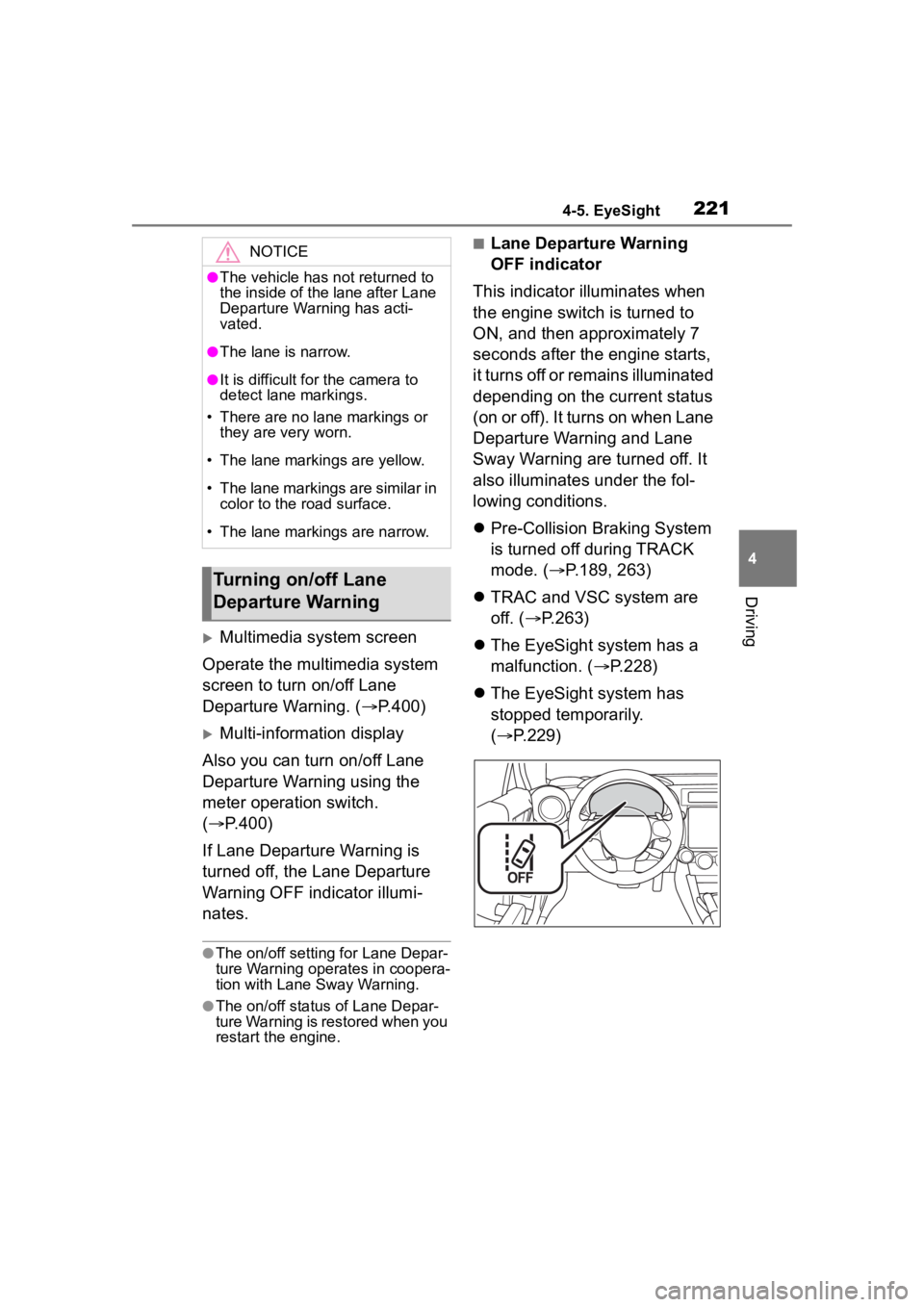
■Lane Departure Warning
OFF indicator
This indicator illuminates when
the engine switch is turned to
ON, and then approximately 7
seconds after the engine starts,
it turns off or remains illuminated
depending on the current status
(on or off). It turns on when Lane
Departure Warning and Lane
Sway Warning are turned off. It
also illuminates under the fol-
lowing conditions.
Pre-Collision Braking System
is turned off during TRACK
mode. ( P.189, 263)
TRAC and VSC system are
off. ( P.263)
The EyeSight system has a
malfunction. ( P.228)
The EyeSight system has
stopped temporarily.
( P.229)NOTICE
●The vehicle has not returned to
the inside of the lane after Lane
Departure Warning has acti-
vated.
●The lane is narrow.
●It is difficult for the camera to
detect lane markings.
• There are no lane markings or they are very worn.
• The lane markings are yellow.
• The lane markings are similar in color to the road surface.
• The lane markings are narrow.
Turning on/off Lane
Departure Warning
Page 222 of 449
2224-5. EyeSight
*: If equipped
●Swaying detection is based on
several minutes of prior driving
data. Swaying will not be detected
immediately after the vehicle
starts to sway. In addition, the
warning may continue for some
time even after swaying stops.
●Lane Sway Warning is just a func-
tion that warns the driver. When the driver is tired, not concentrat-
ing on the road or not paying ade-
quate attention to driving, be sure
to take rest breaks as often as
needed.
●When the Lane Departure Warn-
ing OFF indicator is illuminated,
Lane Sway Warning will not oper-
ate. (
P.223)
Multimedia system screen
Operate the multimedia system
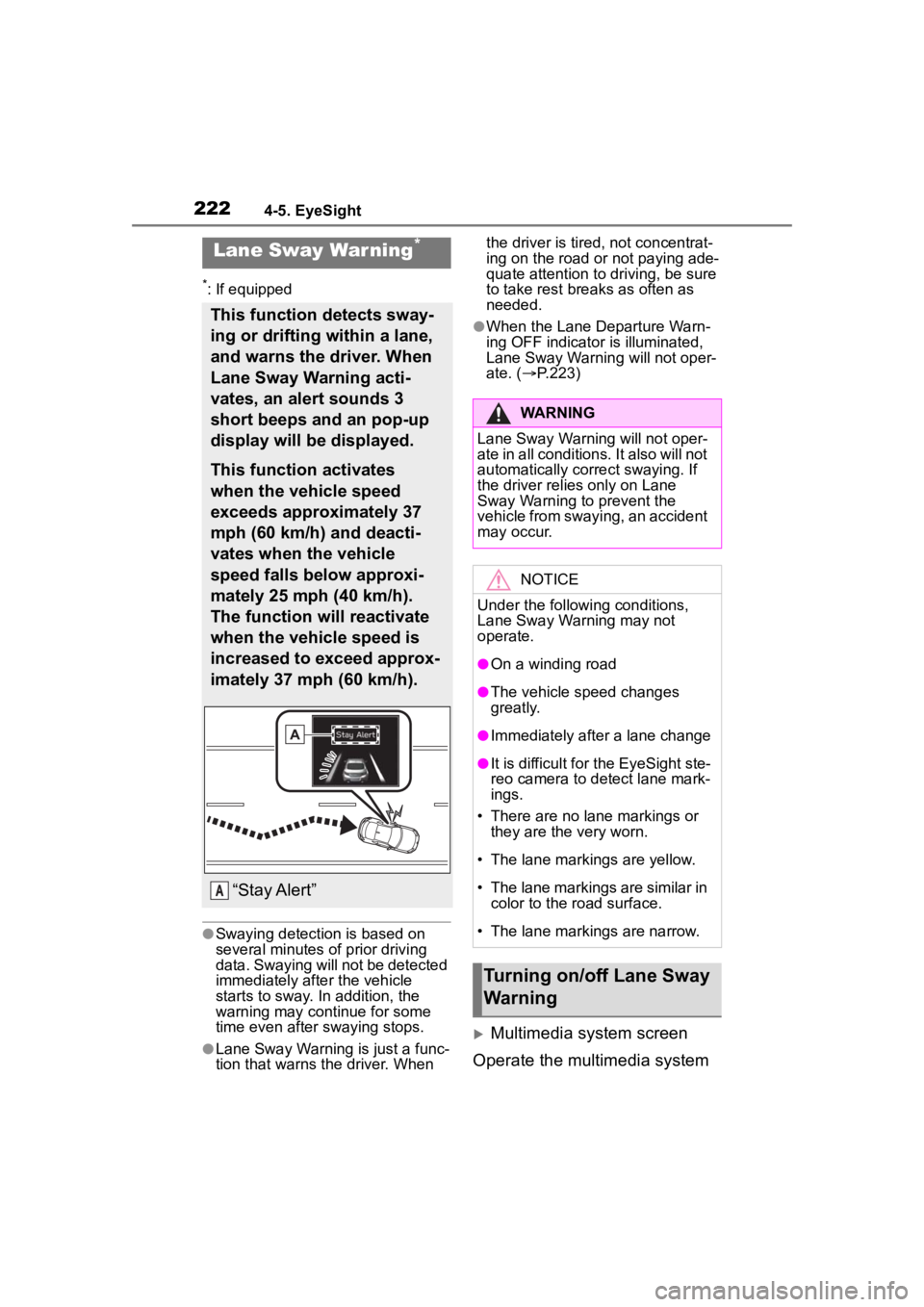
Lane Sway War ning*
This function detects sway-
ing or drifting within a lane,
and warns the driver. When
Lane Sway Warning acti-
vates, an alert sounds 3
short beeps and an pop-up
display will be displayed.
This function activates
when the vehicle speed
exceeds approximately 37
mph (60 km/h) and deacti-
vates when the vehicle
speed falls below approxi-
mately 25 mph (40 km/h).
The function will reactivate
when the vehicle speed is
increased to exceed approx-
imately 37 mph (60 km/h).
“Stay Alert”A
WARNING
Lane Sway Warning will not oper-
ate in all conditions. It also will not
automatically correct swaying. If
the driver relies only on Lane
Sway Warning to prevent the
vehicle from swaying, an accident
may occur.
NOTICE
Under the following conditions,
Lane Sway Warning may not
operate.
●On a winding road
●The vehicle s peed changes
greatly.
●Immediately after a lane change
●It is difficult for the EyeSight ste-
reo camera to detect lane mark-
ings.
• There are no lane markings or they are the very worn.
• The lane markings are yellow.
• The lane markings are similar in
color to the road surface.
• The lane markings are narrow.
Turning on/off Lane Sway
Warning
Page 223 of 449
2234-5. EyeSight
4
Driving
screen to turn on/off Lane Sway
Warning. (P.400)
Multi-information display
Also you can turn on/off Lane
Sway Warning using the meter
operation switch. ( P.400)
If Lane Sway Warning is turned
off, the Lane Departure Warning
OFF indicator illuminates.
●The on/off setting for Lane Sway
Warning operates in cooperation
with Lane Departure Warning.
●The on/off status of Lane Sway
Warning is restored when you
restart the engine.
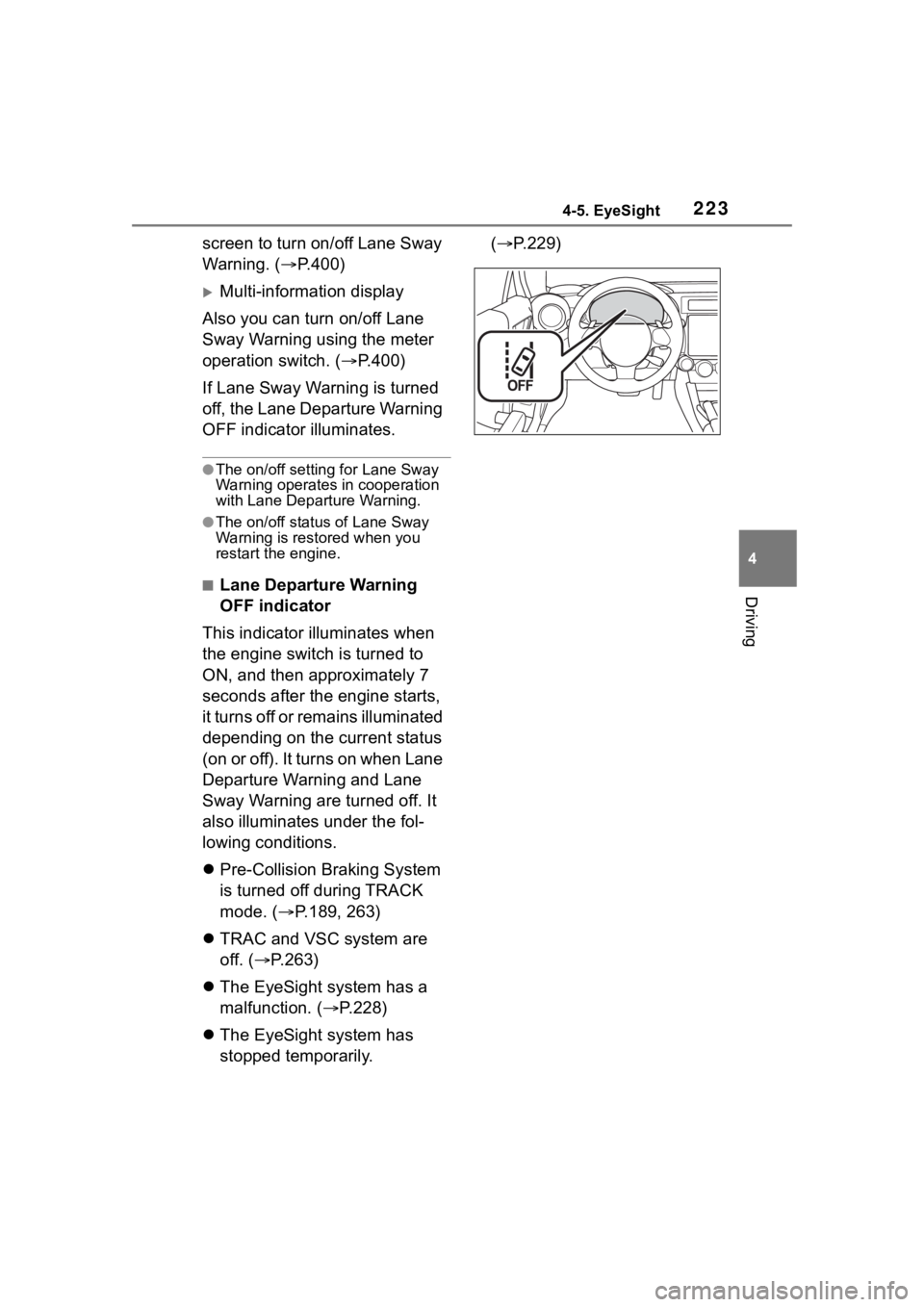
■Lane Departure Warning
OFF indicator
This indicator illuminates when
the engine switch is turned to
ON, and then approximately 7
seconds after the engine starts,
it turns off or remains illuminated
depending on the current status
(on or off). It turns on when Lane
Departure Warning and Lane
Sway Warning are turned off. It
also illuminates under the fol-
lowing conditions.
Pre-Collision Braking System
is turned off during TRACK
mode. ( P.189, 263)
TRAC and VSC system are
off. ( P.263)
The EyeSight system has a
malfunction. ( P.228)
The EyeSight system has
stopped temporarily. (
P.229)