2023 NISSAN PATHFINDER ignition
[x] Cancel search: ignitionPage 452 of 665
your desired cruising speed. Pushing the
ProPILOT Assist switch again will turn the
system completely off. When the ignition
switch is placed in the OFF position, the
system is also automatically turned off.
To use the ICC system again, quickly push
and release the ProPILOT Assist switch
(vehicle-to vehicle distance control mode)
or push and hold it (conventional cruise
control mode) again to turn it on.
CAUTION
To avoid accidentally engaging cruise
control, make sure to turn the ProPILOT
Assist switch off when not using the ICC
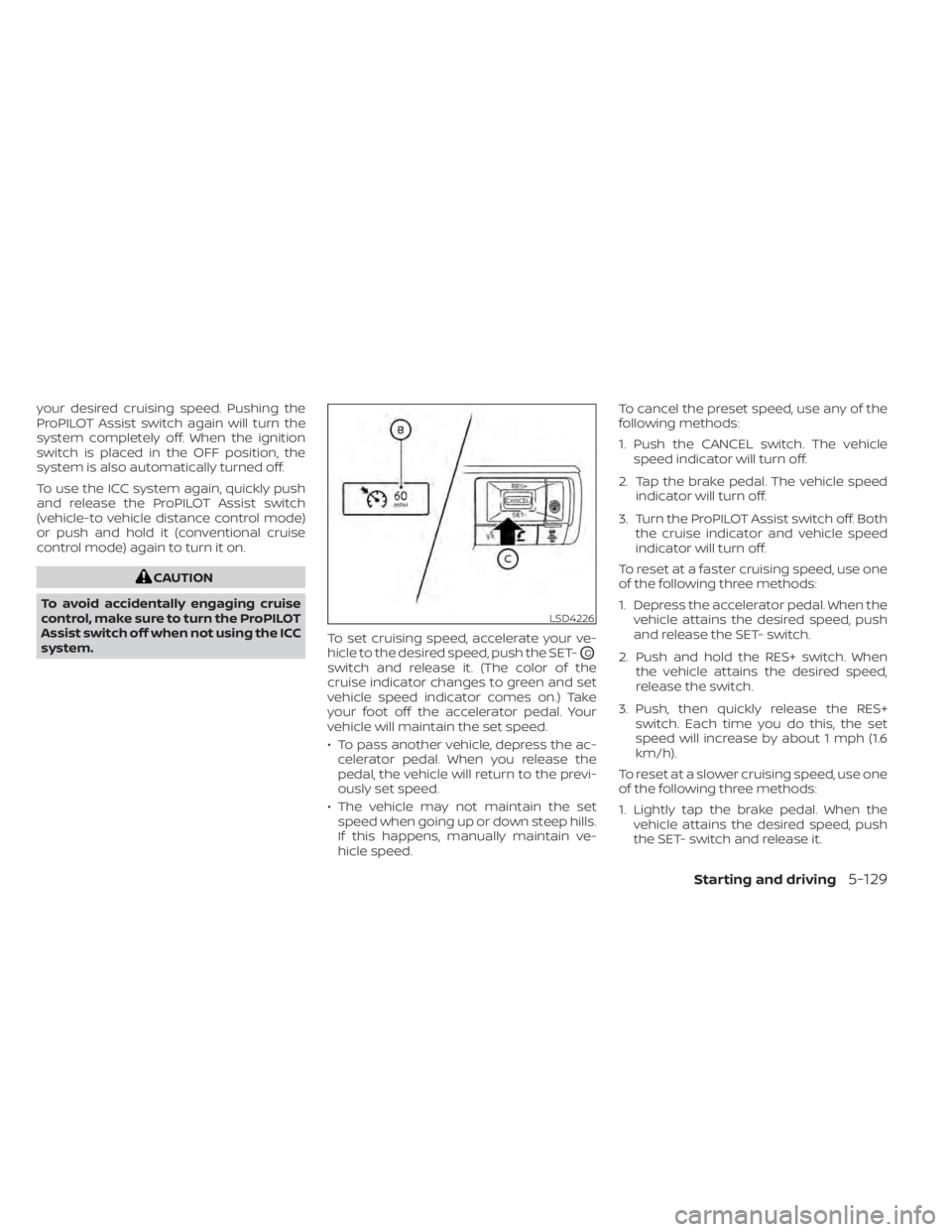
system. To set cruising speed, accelerate your ve-
hicle to the desired speed, push the SET-
OC
switch and release it. (The color of the
cruise indicator changes to green and set
vehicle speed indicator comes on.) Take
your foot off the accelerator pedal. Your
vehicle will maintain the set speed.
• To pass another vehicle, depress the ac-
celerator pedal. When you release the
pedal, the vehicle will return to the previ-
ously set speed.
• The vehicle may not maintain the set speed when going up or down steep hills.
If this happens, manually maintain ve-
hicle speed. To cancel the preset speed, use any of the
following methods:
1. Push the CANCEL switch. The vehicle
speed indicator will turn off.
2. Tap the brake pedal. The vehicle speed indicator will turn off.
3. Turn the ProPILOT Assist switch off. Both the cruise indicator and vehicle speed
indicator will turn off.
To reset at a faster cruising speed, use one
of the following three methods:
1. Depress the accelerator pedal. When the vehicle attains the desired speed, push
and release the SET- switch.
2. Push and hold the RES+ switch. When the vehicle attains the desired speed,
release the switch.
3. Push, then quickly release the RES+ switch. Each time you do this, the set
speed will increase by about 1 mph (1.6
km/h).
To reset at a slower cruising speed, use one
of the following three methods:
1. Lightly tap the brake pedal. When the vehicle attains the desired speed, push
the SET- switch and release it.
LSD4226
Starting and driving5-129
Page 489 of 665
INTELLIGENT DRIVER ALERTNESS
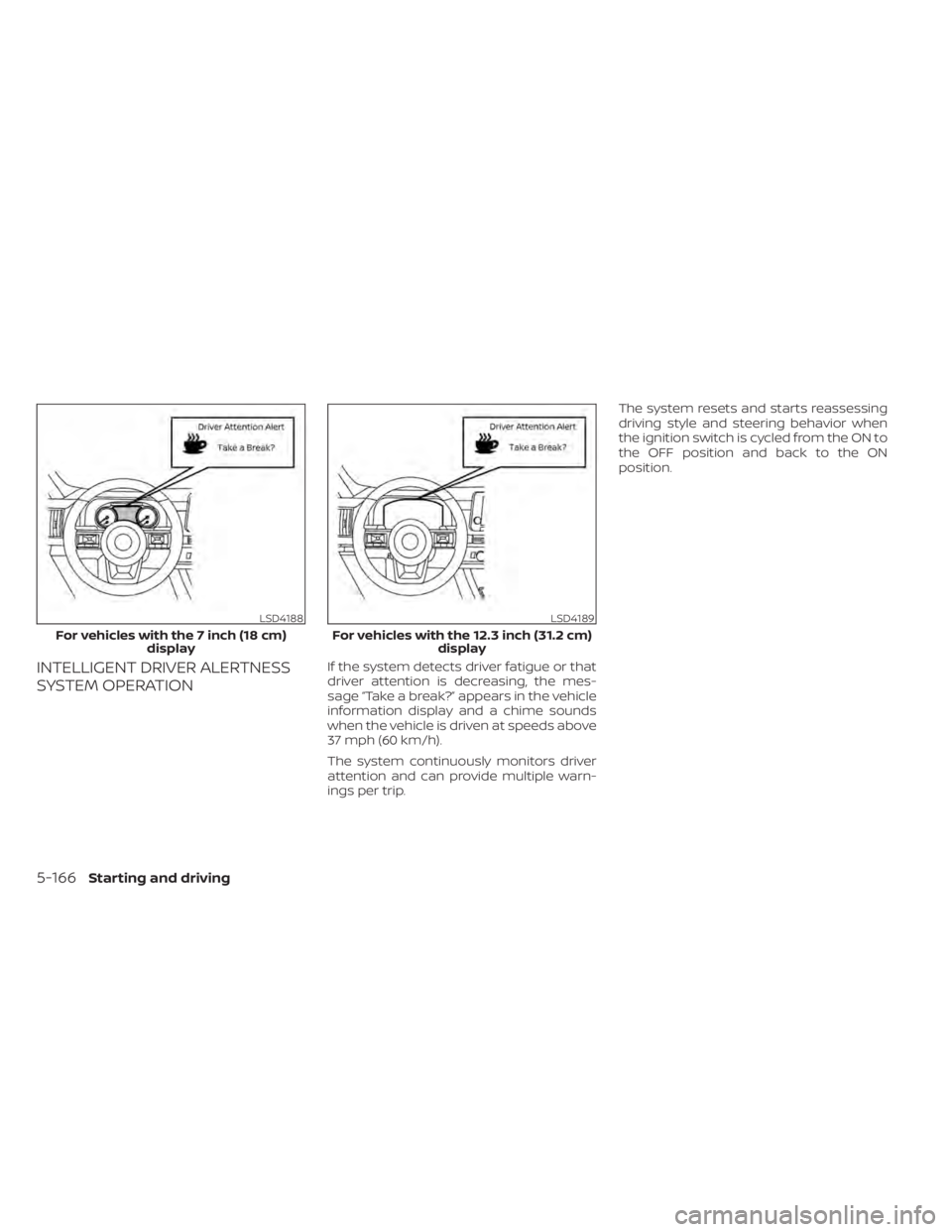
SYSTEM OPERATIONIf the system detects driver fatigue or that
driver attention is decreasing, the mes-
sage “Take a break?” appears in the vehicle
information display and a chime sounds
when the vehicle is driven at speeds above
37 mph (60 km/h).
The system continuously monitors driver
attention and can provide multiple warn-
ings per trip.The system resets and starts reassessing
driving style and steering behavior when
the ignition switch is cycled from the ON to
the OFF position and back to the ON
position.
LSD4188
For vehicles with the 7 inch (18 cm)
display
LSD4189
For vehicles with the 12.3 inch (31.2 cm) display
5-166Starting and driving
Page 497 of 665

•HEADED UPHILL OR DOWNHILL, NO
CURB
OC:
Turn the wheels toward the side of the
road so the vehicle will move away
from the center of the road if it moves.
4. Place the ignition switch in the LOCK position.
NOTE:
Use the Idling Stop System when the ve-
hicle is stopped for a period of time, for
example waiting at stop lights. Stop the
engine with the ignition switch when
parking, etc. for an extended period of
time.
WARNING
• If the engine is not running or is
turned off while driving, the power
assist for the steering will not work.
Steering will be harder to operate.
• When the electric power steering
warning light illuminates with the
engine running, there will be no
power assist for the steering. You will
still have control of the vehicle, but
the steering will be harder to operate.
Have the power steering system
checked. It is recommended that you
visit a NISSAN dealer for this service.
The power steering system is designed to
provide power assist while driving to oper-
ate the steering wheel with light force.
When the steering wheel is operated re-
peatedly or continuously while parking or
driving at a very low speed, the power as-
sist for the steering wheel will be reduced.
This is to prevent overheating of the power
steering system and protect it from getting
damaged. While the power assist is re-
duced, steering wheel operation will be-
come heavy. When the temperature of the
power steering system goes down, the
power assist level will return to normal.
Avoid repeating such steering wheel op- erations that could cause the power steer-
ing system to overheat.
You may hear a sound when the steering
wheel is operated quickly. However, this is
not a malfunction.
If the electric power steering warning light
illuminates while the engine is running, it
may indicate the power steering system is
not functioning properly and may need
servicing. Have the power steering system
checked. It is recommended that you visit a
NISSAN dealer for this service.
When the electric power steering warning
light illuminates with the engine running,
there will be no power assist for the steer-
ing, but you will still have control of the
vehicle. At this time, greater steering effort
is required to operate the steering wheel,
especially in sharp turns and at low speeds.
For additional information, see “Electric
Power steering warning light” (P. 2-17).
POWER STEERING
5-174Starting and driving
Page 501 of 665
When the vehicle information display is
used to turn off the system, the VDC sys-
tem still operates to prevent one drive
wheel from slipping by transferring power
to a non-slipping drive wheel. The
indicator light flashes if this occurs. All
other VDC functions are off and the
indicator light will not flash.
The VDC system is automatically reset to
on when the ignition switch is placed in the
OFF position then back to the ON position.
The computer has a built-in diagnostic fea-
ture that tests the system each time you
start the engine and move the vehicle for-
ward or in reverse at a slow speed. When
the self-test occurs, you may hear a clunk
noise and/or feel a pulsation in the brake
pedal. This is normal and is not an indica-
tion of a malfunction.
WARNING
• The VDC system is designed to help
the driver maintain stability but does
not prevent accidents due to abrupt
steering operation at high speeds or
by careless or dangerous driving
techniques. Reduce vehicle speed
and be especially careful when driv-
ing and cornering on slippery sur-
faces and always drive carefully.
• Do not modif y the vehicle's suspen-
sion. If suspension parts such as
shock absorbers, struts, springs, sta-
bilizer bars, bushings and wheels are
not NISSAN recommended for your
vehicle or are extremely deterio-
rated, the VDC system may not oper-
ate properly. This could adversely af-
fect vehicle handling performance,
and the
indicator light may flash
or both theandindicator
lights may illuminate.
• If brake related parts such as brake
pads, rotors and calipers are not
NISSAN recommended or are ex-
tremely deteriorated, the VDC sys-
tem may not operate properly and
both the
and theindicator
lights may illuminate. •
If engine control related parts are not
NISSAN recommended or are ex-
tremely deteriorated, both the
andindicator lights may
illuminate.
• When driving on extremely inclined
surfaces such as higher banked cor-
ners, the VDC system may not oper-
ate properly and the
indicator
light may flash or both theandindicator lights may illuminate.
Do not drive on these types of roads.
• When driving on an unstable surface
such as a turntable, ferry, elevator or
ramp, the
indicator light may
flash or both theandindi-
cator lights may illuminate. This is
not a malfunction. Restart the engine
af ter driving onto a stable surface.
• If wheels or tires other than the
NISSAN recommended ones are
used, the VDC system may not oper-
ate properly and the
indicator
light may flash or both theandindicator lights may illuminate.
• The VDC system is not a substitute
for winter tires or tire chains on a
snow covered road.
5-178Starting and driving
Page 509 of 665

HOW TO ENABLE/DISABLE THE
FRONT AND REAR SONAR SYSTEM
The system is automatically activated
when the push button ignition is placed in
the ON position and the shif t lever is in the
R (Reverse) position.
Perform the following steps to enable or
disable the sonar system:
1. Press the
button until “Settings” ap-
pears in the vehicle information display
and then press OK. Use the scroll dial to
select “Driver Assistance.” Then press the
OK button.
2. Select “Parking Aids” and press the OK button.
• Select “Auto Show Sonar” and press the OK button to turn on or off the
option to automatically display the so-
nar when activated.
• Select “Front Sonar” (if so equipped) and press the OK button to turn the
front sonar sensors only on or off.
• Select “Rear Sonar” and press the OK button to turn the rear sonar sensors
onlyonoroff.
• Select “Sonar Distance” to change the sonar system volume to “Long,” Me-
dium” or “Short.”
• Select “Sonar Volume” to change the sonar system distance to “High,” “Me-
dium” or “Low.”
LSD4275
For vehicles with the 7 inch (18 cm) display
5-186Starting and driving
Page 512 of 665

• If the sonar sensors are dirty, wipe themoff with a sof t cloth while being careful to
not damage them.
• The sonar sensors may be blocked by temporary ambient conditions such as
splashing water, mist or fog. The blocked
condition may also be caused by objects
such as ice, frost or dirt obstructing the
sonar sensors. Check for and remove ob-
jects obstructing the area around the so-
nar sensors.
• Do not subject the area around the sonar sensors to strong impact. Also, do not
remove or disassemble the sonar sen-
sors. If the sonar sensors and peripheral
areas are deformed in an accident, etc.,
have the sonar sensors checked by a
NISSAN dealer.
• Do not attach stickers (including trans- parent material), install accessories or
apply additional paint on the sonar sen-
sors and their surrounding areas. This
may cause a malfunction or improper
operation.
• When washing the vehicle using a high- pressure washer, do not apply direct
washer pressure on the sonar sensors.
This may cause a malfunction of the so-
nar sensors. The Idling Stop System activates to prevent
unnecessary fuel consumption, exhaust
emissions and noise.
• When you stop the vehicle, the engine is
turned off automatically.
• When you release the brake pedal to be- gin moving again, the engine is turned on
automatically.
WARNING
The engine restarts if the vehicle
moves at approximately 1 mph (2
km/h) or more (on a downhill grade,
etc.) while the engine is turned off by
the Idling Stop System. Depress the
brake pedal immediately to stop the
vehicle to prevent an accident.
CAUTION
At the end of the journey the engine
must be stopped and ignition switch be
pushed off. Lock the vehicle as normal.
Pushing the ignition switch off will shut
down all electrical systems. Failure to
do this may result in a discharged
battery.
NOTE:
The Idling Stop System will not activate
under the following conditions:
• When the vehicle is in TOW mode.
• When the engine is kept idling without
the vehicle being driven af ter the en-
gine is turned on.
• When the engine coolant temperature
is low.
• When the battery capacity is low.
• When the battery temperature is low.
• When the vehicle is moving.
• When a negative pressure booster
decreases.
• When the engine hood is opened with
the engine running.
• When the engine is turned on with the
engine hood open.
• When the driver’s seat belt is not
fastened.
• When the driver’s door is open.
• When the steering wheel is operated.
• When the Idling Stop System indicator
blinks at a low speed.
• When the fan speed control is in any
position other than “OFF,” (0) while the
air flow control is in the front defroster
position.
IDLING STOP SYSTEM
Starting and driving5-189
Page 514 of 665

•When the temperature inside the ve-
hicle is higher than approximately 86°F
(30°C), unless the Air Conditioning ECO
customize option is selected, and the
ECO driving mode is on. (When the air
conditioner is off, the Idling Stop Sys-
tem will operate.)
• When the front defroster is turned on.
• When more than 3 minutes have
elapsed since the Idling Stop System
was active.
• When the accelerator pedal is
depressed.
• When the steering wheel is operated.
(The steering wheel operation may be-
come heavy, but this is not a
malfunction.)
• When the battery capacity is low.
• When the power consumption is high.
• When the shif t lever is in any range
other than D (Drive).
• When the Idling Stop OFF switch is
pushed.
• When the negative pressure of the
brake system is not sufficiently applied
by depressing the brake pedal several
times.NOTE:
The Idling Stop System may not activate
when the Intelligent Key is not in the ve-
hicle and you open/close any door.
NOTE:
The following condition will prevent the
Idling Stop System from automatically
restarting the engine. Starting the en-
gine with the ignition switch operation is
then necessary:
• The hood is open.
Use this system while waiting at a stop
light, etc. When the vehicle is stopped for
long periods of time, turn off the engine.
When the engine is stopped by the Idling
Stop System, heating, cooling and dehu-
midif ying functions will be deactivated. To
avoid the air conditioning functions from
being deactivated, turn off the Idling Stop
System by pushing the Idling Stop OFF
switch.
RETROGRADE MOVEMENT
CONTROL FUNCTION
This system is designed to reduce the ret-
rograde movement that occurs while the
driver’s foot changes from depressing the
brake pedal to the accelerator pedal when
moving the vehicle while the Idling Stop
System is active on a hilly road.
IDLING STOP SYSTEM DISPLAY
The status of the Idling Stop System can be
checked in the vehicle information display.
Starting and driving5-191
Page 518 of 665

The display disappears under the following
conditions:
• The Idling Stop system is activated.
• The vehicle starts running.
IDLING STOP OFF SWITCH
The system can be temporarily deacti-
vated by pushing the Idling Stop OFF
switch. Pushing the switch again or restart-
ing the engine by using the ignition switch
will reactivate the Idling Stop System.
• When the Idling Stop System is deacti-vated while the engine is running, the en-
gine is prevented from automatically
stopping. • When the Idling Stop System is deacti-
vated af ter the engine has been auto-
matically stopped by the Idling Stop Sys-
tem, the engine will immediately restart if
suitable conditions are present. The en-
gine will then be prevented from auto-
matically stopping during the same
journey.
NOTE:
• The Idling Stop System ON or OFF mes- sage is displayed for a few seconds in
the vehicle information display when
the Idling Stop System OFF switch is
pushed. For additional information,
see “Idling Stop System Display ”
(P. 5-191).
• The Idling Stop System resets to ON every time the ignition switch is
switched from the OFF position to the
ON position.
• It is best to disable the ISS system when towing a trailer. You can do this
by either pushing the Idling Stop OFF
switch, or by selecting TOW mode with
the Drive Mode Selector.
LSD4207
Starting and driving5-195