Page 186 of 680
Instrument Cluster
4-28
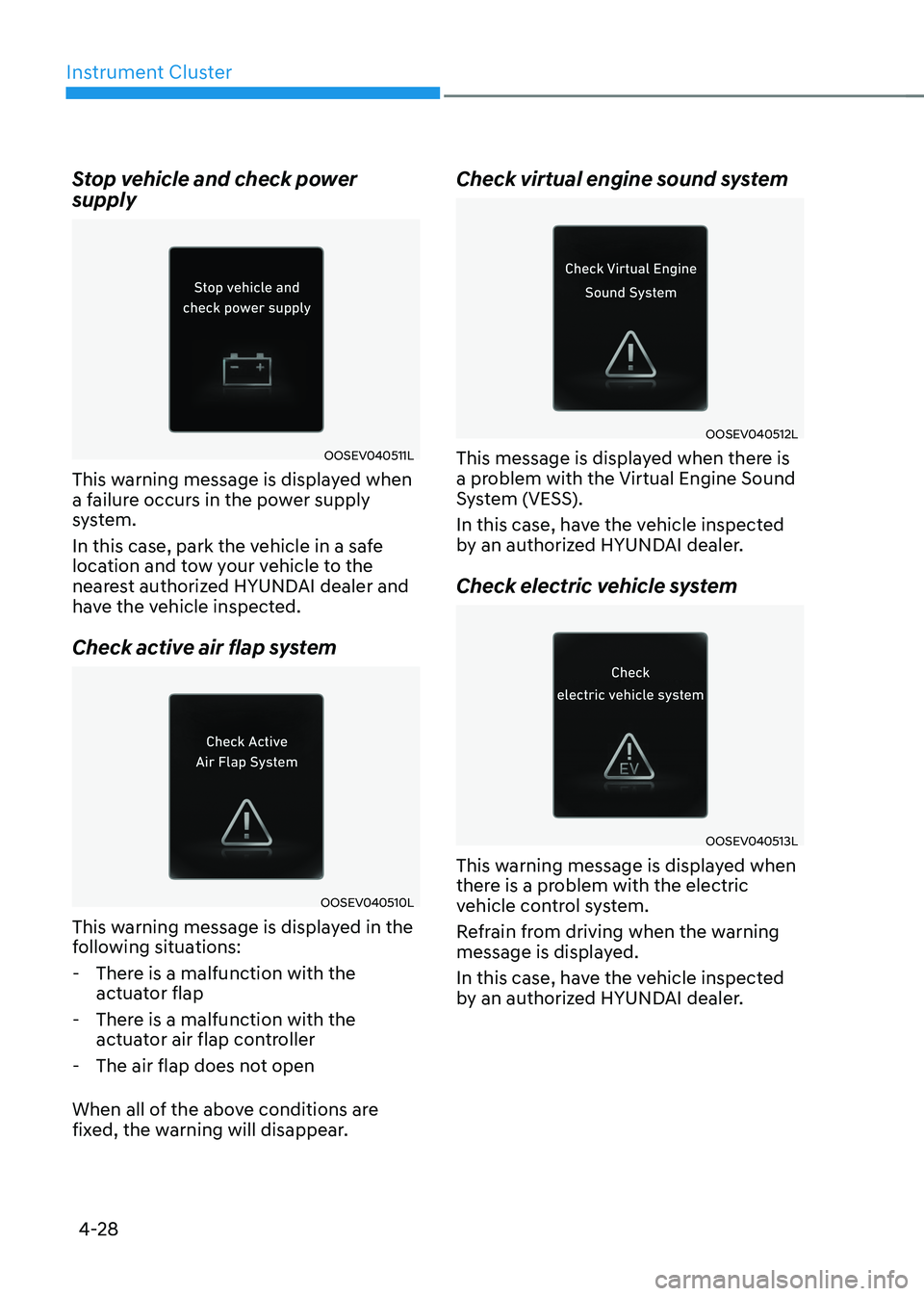
Stop vehicle and check power supply
OOSEV040511L
This warning message is displayed when
a failure occurs in the power supply
system.
In this case, park the vehicle in a safe
location and tow your vehicle to the
nearest authorized HYUNDAI dealer and
have the vehicle inspected.
Check active air flap system
OOSEV040510L
This warning message is displayed in the
following situations:
- There is a malfunction with the actuator flap
- There is a malfunction with the actuator air flap controller
- The air flap does not open
When all of the above conditions are
fixed, the warning will disappear. Check virtual engine sound system
OOSEV040512L
This message is displayed when there is
a problem with the Virtual Engine Sound
System (VESS).
In this case, have the vehicle inspected
by an authorized HYUNDAI dealer.
Check electric vehicle system
OOSEV040513L
This warning message is displayed when
there is a problem with the electric
vehicle control system.
Refrain from driving when the warning
message is displayed.
In this case, have the vehicle inspected
by an authorized HYUNDAI dealer.
Page 187 of 680
04
4-29
LCD Display Control
ONE1041018
The LCD display modes can be changed by using the control switches.
Switch Operation Function
Press MODE button for changing View modes
, Press UP, DOWN switch for changing items in Utility view and
Option menu
OK Press SELECT/RESET switch for entering Option menu
Press and hold SELECT/RESET switch for retrieving assist information or
resetting the selected item
View Modes
View modes Explanation
Driving Assist Driving Assist view displays the status of the vehicle’s Driver
Assistance systems.
Turn by Turn Turn By Turn view displays the state of the navigation. Utility Utility view displays driving information such as the trip distance,
electric energy economy and etc.
The information provided may differ depending on which features are applicable to
your vehicle.
lcD DIsplay
Page 188 of 680
Instrument Cluster
4-30
ONE1041019N
Driving Assist, Turn by Turn, Utility view
modes are displayed in the center (A) of
the instrument cluster. Driving Assist view
ONE1041006
The status of Manual Speed Limit Assist,
Smart Cruise Control, Lane Following
Assist, Highway Driving Assist, etc., is
displayed when Driving Assist view is
selected.
For more details, refer to each function
information section in chapter 7.
Turn By Turn (TBT) view
OIK040085L
Turn-by-turn navigation, distance/time
to destination information is displayed
when Turn by Turn view is selected.
Page 189 of 680

04
4-31
Utility view
In the Utility view, using the
, (UP,
DOWN) switch, you may change through
items in the following order.
ONE1041047N
Drive info
Trip distance, average electric energy
economy and total driving time are
displayed.
The driver’s door is opened after turning
off the vehicle or the vehicle is turned on
after 3 minutes have passed, the Drive
Info screen will reset. Accumulated info
ONE1041046N
This display shows the accumulated
trip distance (1), the average energy
consumption (2), and the total driving
time (3).
The information is accumulated starting
from the last reset.
To manually reset the information,
press and hold the OK button when
viewing the Accumulated driving info.
The trip distance, the average energy
consumption, and total driving time will
reset simultaneously.
The accumulated driving information
will continue to be counted while the
vehicle is in the ready (
) mode (for
example, when the vehicle is in traffic or
stopped at a stop light).
Information
The vehicle must be driven for a minimum of 0.19 miles (300 meters) since the last
ignition key cycle before the accumulated
driving information is recalculated.
Page 190 of 680
Instrument Cluster
4-32
ONE1041052L
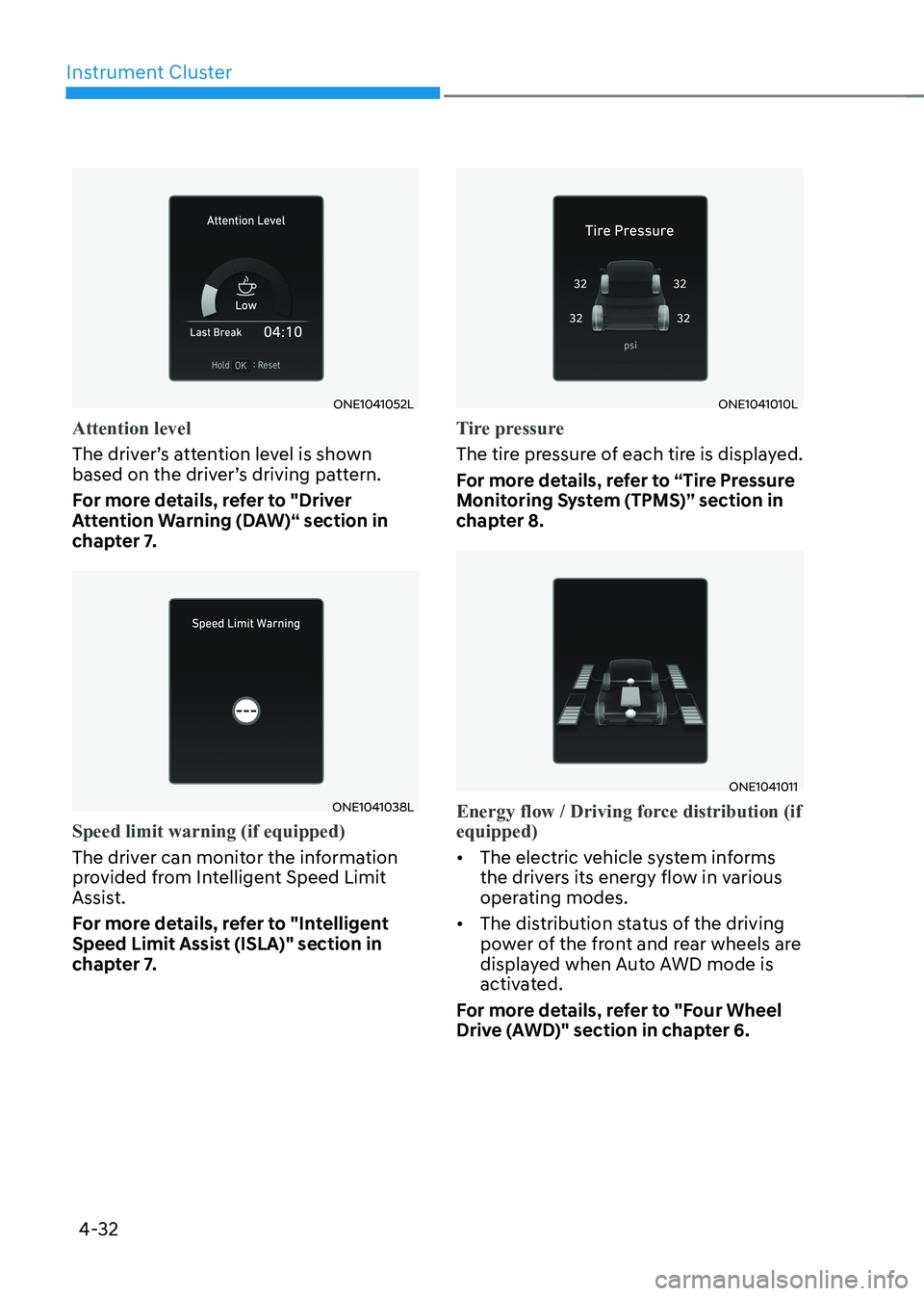
Attention level
The driver’s attention level is shown
based on the driver’s driving pattern.
For more details, refer to "Driver
Attention Warning (DAW)“ section in
chapter 7.
ONE1041038L
Speed limit warning (if equipped)
The driver can monitor the information
provided from Intelligent Speed Limit
Assist.
For more details, refer to "Intelligent
Speed Limit Assist (ISLA)" section in
chapter 7.
ONE1041010L
Tire pressure
The tire pressure of each tire is displayed.
For more details, refer to “Tire Pressure
Monitoring System (TPMS)” section in
chapter 8.
ONE1041011
Energy flow / Driving force distribution (if equipped)
• The electric vehicle system informs
the drivers its energy flow in various
operating modes.
• The distribution status of the driving
power of the front and rear wheels are
displayed when Auto AWD mode is
activated.
For more details, refer to "Four Wheel
Drive (AWD)" section in chapter 6.
Page 191 of 680
04
4-33
Additional information display
„„Type A
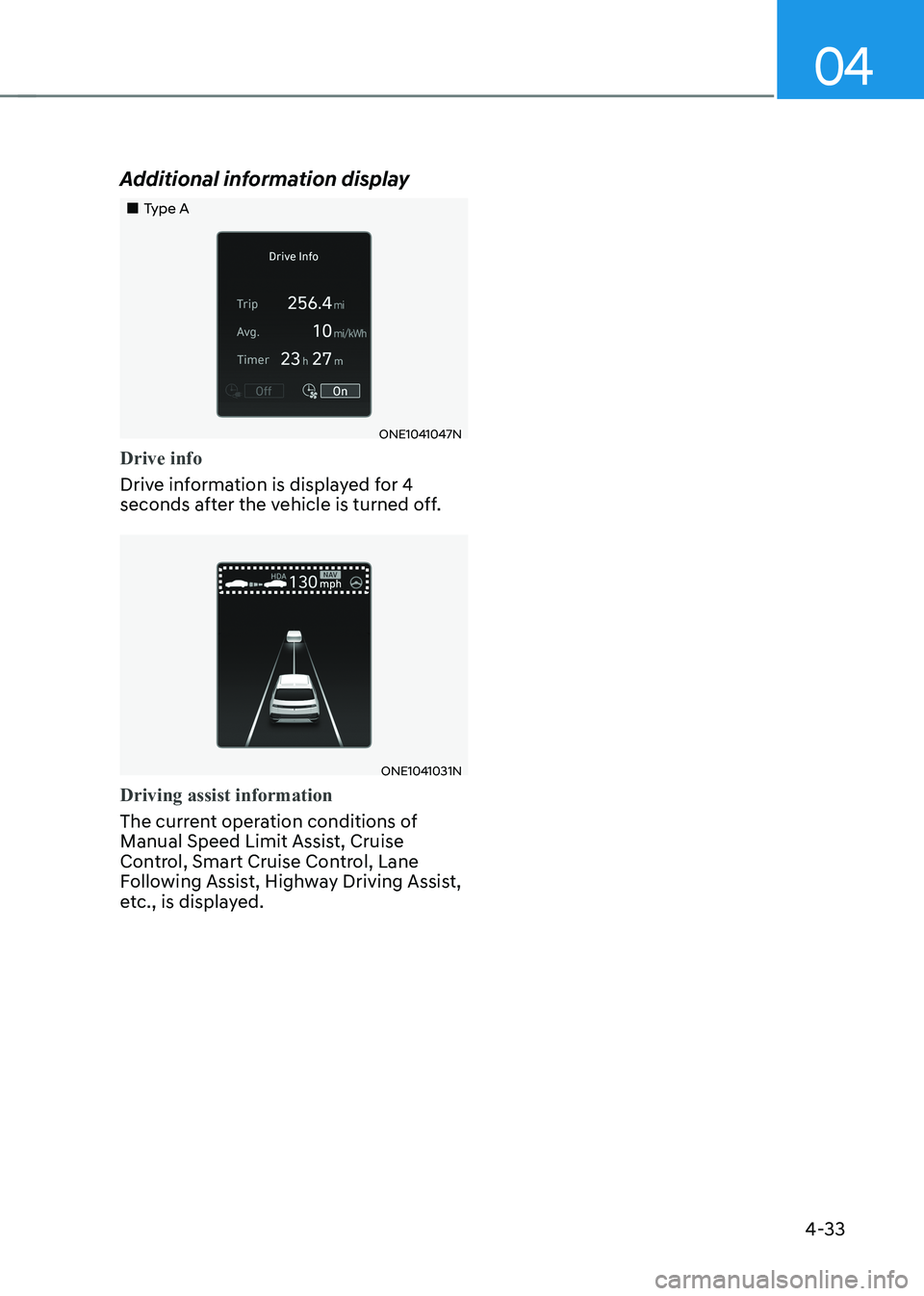
ONE1041047N
Drive info
Drive information is displayed for 4
seconds after the vehicle is turned off.
ONE1041031N
Driving assist information
The current operation conditions of
Manual Speed Limit Assist, Cruise
Control, Smart Cruise Control, Lane
Following Assist, Highway Driving Assist,
etc., is displayed.
Page 192 of 680
Instrument Cluster
4-34
Vehicle settings (infotainment system)
Vehicle Settings in the infotainment
system provides user options for a
variety of settings including door lock/
unlock features, convenience features,
driver assistance settings, etc.
Vehicle Settings menu - Driver Assistance
- Drive Mode
- EV
- Head-Up Display
- Cluster
- Climate
- Seat
- Lights
- Door
- Convenience
The information provided may differ
depending on which features are
applicable to your vehicle.
WARNING
Do not operate the Vehicle Settings
while driving. This may cause
distraction resulting in an accident.
Setting Your Vehicle
ONE1041051K
1. Press the Custom ( H) button on the
head unit of the infotainment system.
2. Select ‘Vehicle’ and change the setting of the features.
For detailed information, refer to the
separately supplied infotainment
system manual.
Page 194 of 680

5
Exterior Features ............................................................................................. 5-70
Hood ............................................................................................................................ 5-70
Front trunk ................................................................................................................... 5-71
Power Liftgate ............................................................................................................ 5-72
Smart Liftgate ............................................................................................................. 5-78
Electric Charging Door .................................................................................... 5-81
Augmented Reality HUD ................................................................................ 5-82
Head-up display Settings .......................................................................................... 5-82
Head-up display Information .................................................................................... 5-83
Precautions while Using the Head-up display ........................................................5-84
Lighting ............................................................................................................ 5-85
Exterior Lights ............................................................................................................ 5-85
Interior Lights ............................................................................................................ 5-89
High Beam Assist (HBA) ................................................................................ 5-93
High Beam Assist Settings ......................................................................................... 5-93
High Beam Assist Operation ..................................................................................... 5-94
High Beam Assist Malfunction and Limitations .......................................................5-95
Wipers and Washers ....................................................................................... 5-96
Front Windshield Wipers .......................................................................................... 5-96
Front Windshield Washers ........................................................................................ 5-98
Automatic Climate Control System ............................................................... 5-99
Climate ...................................................................................................................... 5-100
Automatic Temperature Control Mode ................................................................... 5-100
Manual Temperature Control Mode ........................................................................ 5-102
System Operation ...................................................................................................... 5-110
System Maintenance ................................................................................................. 5-111
Windshield Defrosting and Defogging ..........................................................5-113
To Defog Inside Windshield ...................................................................................... 5-113
To Defrost Outside Windshield ................................................................................. 5-114
Defogging Logic ........................................................................................................ 5-114
Rear Window Defroster............................................................................................. 5-115
Climate Control Additional Features ............................................................. 5-116
Auto Defogging System ............................................................................................ 5-116
Auto Dehumidify ....................................................................................................... 5-117
Recirculating Air When Washer Fluid Is Used .........................................................5-118
Auto. Controls That Use Climate Control Settings (for driver’s seat) ....................5-118
Smart ventilation ....................................................................................................... 5-118