Page 44 of 498
422-1. QUICK REFERENCE
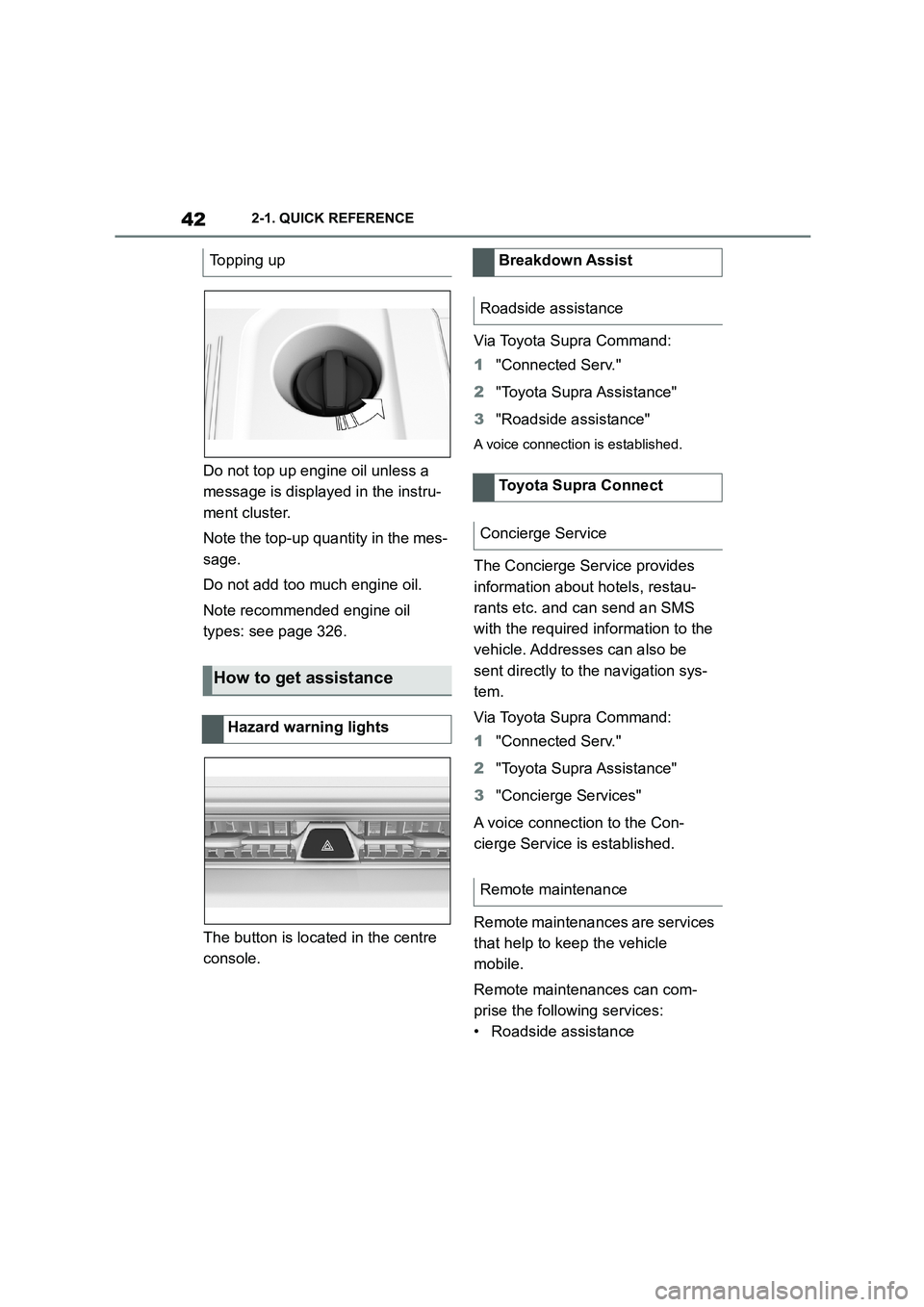
Do not top up engine oil unless a
message is displayed in the instru-
ment cluster.
Note the top-up quantity in the mes-
sage.
Do not add too much engine oil.
Note recommended engine oil
types: see page 326.
The button is located in the centre
console.
Via Toyota Supra Command:
1 "Connected Serv."
2 "Toyota Supra Assistance"
3 "Roadside assistance"
A voice connection is established.
The Concierge Service provides
information about hotels, restau-
rants etc. and can send an SMS
with the required information to the
vehicle. Addresses can also be
sent directly to the navigation sys-
tem.
Via Toyota Supra Command:
1 "Connected Serv."
2 "Toyota Supra Assistance"
3 "Concierge Services"
A voice connection to the Con-
cierge Service is established.
Remote maintenances are services
that help to keep the vehicle
mobile.
Remote maintenances can com-
prise the following services:
• Roadside assistance
Topping up
How to get assistance
Hazard warning lights
Breakdown Assist
Roadside assistance
Toyota Supra Connect
Concierge Service
Remote maintenance
Page 47 of 498
3
45
3
CONTROLS
CONTROLS
.3-1. CONTROLS
Driving area ........................ 46
Sensors of the vehicle ........ 50
Vehicle operating state ....... 53
Toyota Supra Command ..... 57
General settings ................. 71
Personal settings ................ 75
Connections........................ 80
Opening and closing ........... 88
Seats, mirrors and steering
wheel .............................. 107
Carrying children safely .... 121
Driving .............................. 144
Displays ............................ 162
Lights ................................ 184
Safety ............................... 192
Driving Stability Control Sys-
tems................................ 228
Driver Assistance Systems
....................................... 232
Driving comfort ................. 259
Air conditioning ................. 260
Interior equipment............. 269
Storage compartments ..... 273
Boot .................................. 275
Page 48 of 498
463-1. CONTROLS
3-1.CONTROLS
This chapter describes all standard, country-specific and special equipment
available for the model series. It may therefore describe equipment and
functions which are not installed in your vehicle, for example on account of
the special equipment selected or t he country specification. This also
applies to safety-relevant functions and systems. Please comply with the
relevant laws and regulations when using the corresponding functions and
systems.
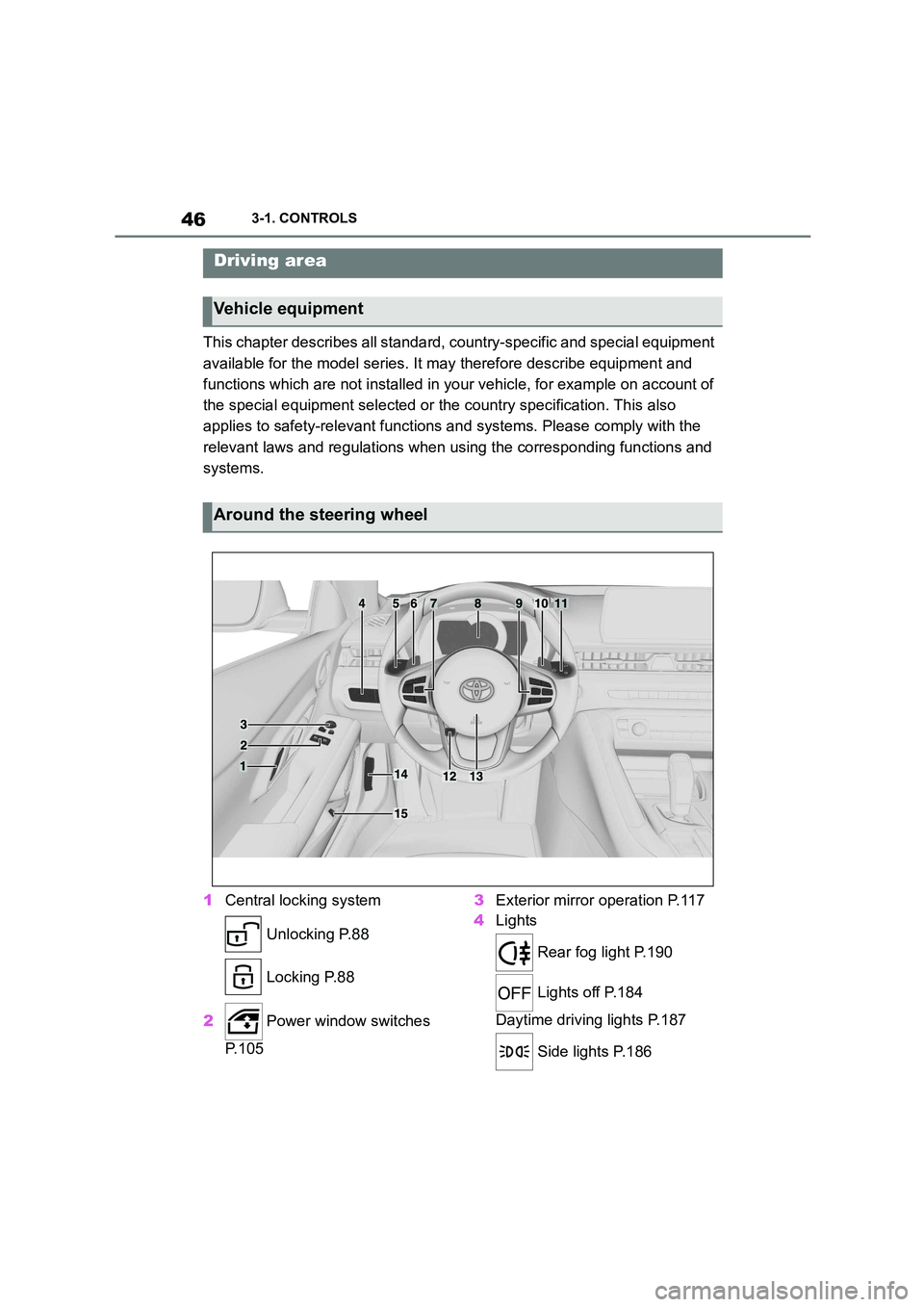
1 Central locking system
Unlocking P.88
Locking P.88
2 Power window switches
P. 1 0 5
3 Exterior mirror operation P.117
4 Lights
Rear fog light P.190
Lights off P.184
Daytime driving lights P.187
Side lights P.186
Driving area
Vehicle equipment
Around the steering wheel
Page 49 of 498

47
3
3-1. CONTROLS
CONTROLS
Automatic driving lights
control P.185
Automatic high-beamP.188
Low-beam headlights
P. 1 8 6
Instrument lighting P.191
Right parking light P.186
Left parking light P.186
5 Steering-column lever, left
Turn indicator P.150
High-beam headlights,
headlight flasher P.150
Automatic high-beam
P. 1 8 8
On-board computer P.177
6 Shift paddle P.157
7 Buttons on steering wheel, left
Manual Speed Limiter
P. 2 3 2
Cruise Control on/off
P. 2 3 4
Resuming Cruise Con-
trolP.232
Interrupting Cr uise Control
P. 2 3 2
Dynamic radar cruise con-
trol on/off P.238
Cruise Control: to store a
speed
Speed Limit Assist: accept the
suggested speed P.246
Interrupts Cruise Con-
trol/Resuming Cruise Con-
trolP.232
Dynamic radar cruise con-
trol: to increase the distance/to
reduce the distanceP.232
Rocker switch for Cruise Con-
trolP.232
8 Instrument cluster P.162
9 Buttons on steering wheel, right
Selection lists P.177
Volume, see Navigation
system Owner's manual
Voice control system P.68
Telephone, see Owner's
Manual for Navigation, Enter-
tainment, Communication
Knurled wheel for selection lists
P. 1 7 7
10 Shift paddle P.157
11 Steering-column lever, right
Wiper P.151
Rain sensor P.152
Cleaning windscreen
P. 1 5 3
12 To adjust the steering wheel
P. 1 1 9
Page 50 of 498
483-1. CONTROLS
13 Horn, entire area
14 To release the bonnet
P. 3 2 1
15 Unlocking the boot lid P.91
1 Control Display P.59
2 Hazard warning lights
P. 3 5 2
3 Ventilation P.266
4 Glove box P.274
5 Radio/multimedia, see Naviga-
tion system Owner's manual
6 Automatic air conditioning P.261
7 Controller with buttons P.60,
P. 6 1
8 Sport mode switch P.160
SPORT drive mode
Toyota Supra Safety P.205
Auto Start/Stop P.145
Parking Sensors P.50
Rear-view camera P.253
RCTA (Rear cross traffic alert)
function P.256
Park Assistant P.50
Vehicle Stability Control,
VSC P.229
9 Parking brake P.148
10 Automatic transmission selector
lever P.154
Around the centre console
1
4
23
5
6
7
89
10
11
Page 51 of 498
49
3
3-1. CONTROLS
CONTROLS
11 To switch drive-ready state on/off P.144
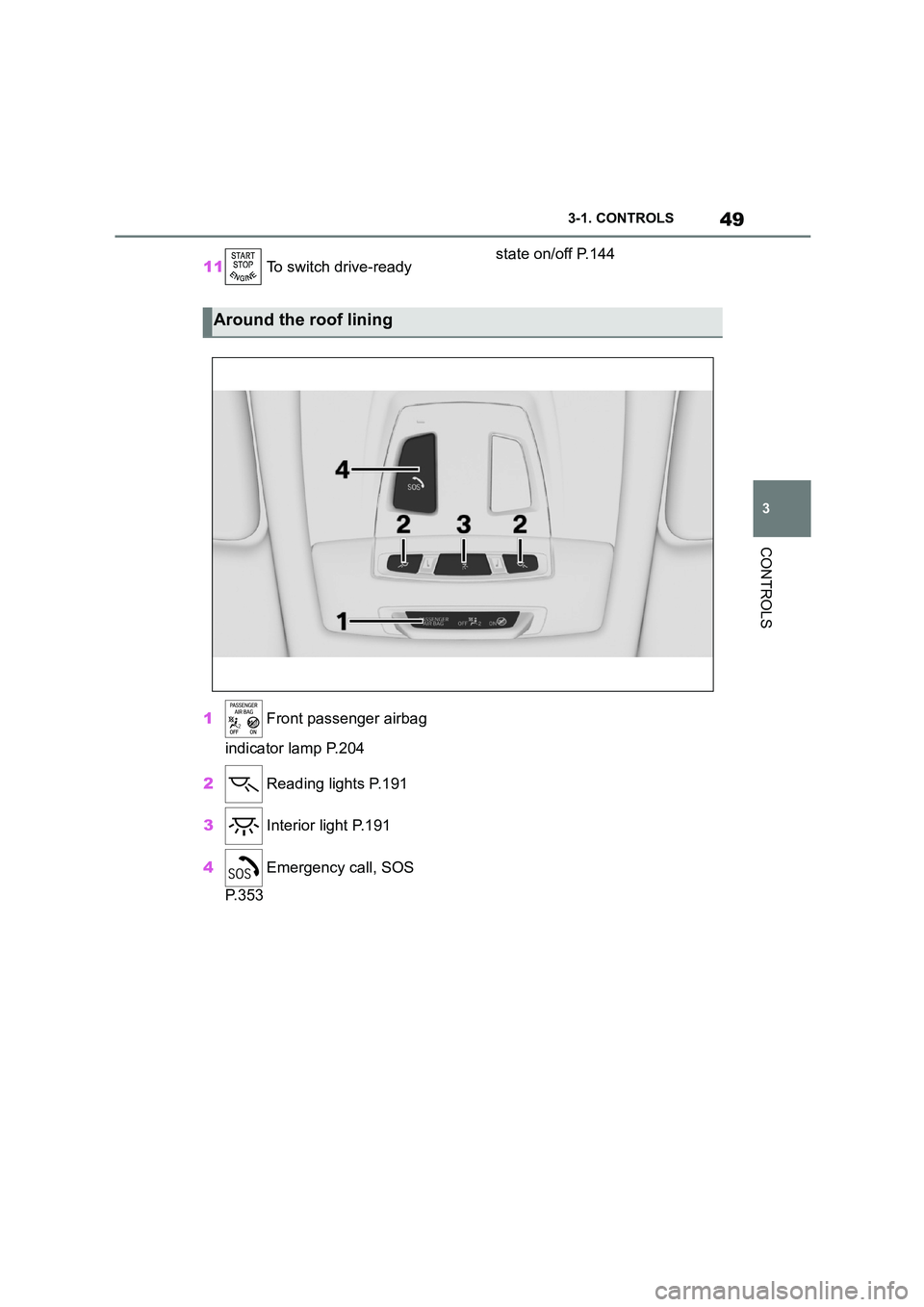
1 Front passenger airbag
indicator lamp P.204
2 Reading lights P.191
3 Interior light P.191
4 Emergency call, SOS
P. 3 5 3
Around the roof lining
Page 53 of 498

51
3
3-1. CONTROLS
CONTROLS
• On steep crests or dips or on
tight bends.
• If the camera field of view is
obscured, for example due to
windscreen fittings or stickers.
• If the camera lens is contami-
nated or damaged.
• In the case of bright oncoming
light or strong reflections, for
example if the sun is low in the
sky.
• In the dark.
• Camera behind the windscreen:
if the camera has overheated
due to excessively high tempera-
tures and has been temporarily
deactivated.
• Camera behind the windscreen:
during camera calibration imme-
diately after vehicle delivery.
A Check Control message may be
displayed if the system has failed.
*: if equipped
The radar sensor is located in the
front bumper.
*: if equipped
The radar sensors are located in
the bumper.
The radar sensors may have lim-
ited functionality or may not be
available at all in the following situ-
ations, for example:
• If the sensors are contaminated,
for example by icing.
• If the sensors are obscured, for
example by stickers, foils or a
number plate holder.
• If the sensor is not correctly
aligned, for example following
parking damage.
• If the area covered by the sen-
sors' radar beam is obscured, for
example due to a projecting load.
• If the sensors' field of view is
obscured, for example due to
garage walls, hedges or mounds
of snow.
• After work performed incorrectly
on the vehicle paintwork near to
the sensors.
Radar sensors
Front radar sensor*
Side radar sensors, rear*
System limits of the radar
sensors
Page 56 of 498
543-1. CONTROLS
The vehicle switches automatically
to idle state, for example under the
following conditions:
• After a few minutes, if no opera-
tion is performed on the vehicle.
• When the battery state of charge
is low.
• Depending on the Toyota Supra
Command setting: if one or both
of the front doors is opened
when exiting the vehicle after a
journey.
In some situations, Idle state will
not be established automatically,
for example during a telephone call
or if the low-beam headlights are
switched on.
After a trip, the rest state can be
established by opening the front
doors. For this purpose, the driver
and front passenger must exit the
vehicle.
Via Toyota Supra Command:
1 "My Vehicle"
2 "Vehicle setting"
3 "Doors/Key"
4 "Switch off after door opening"
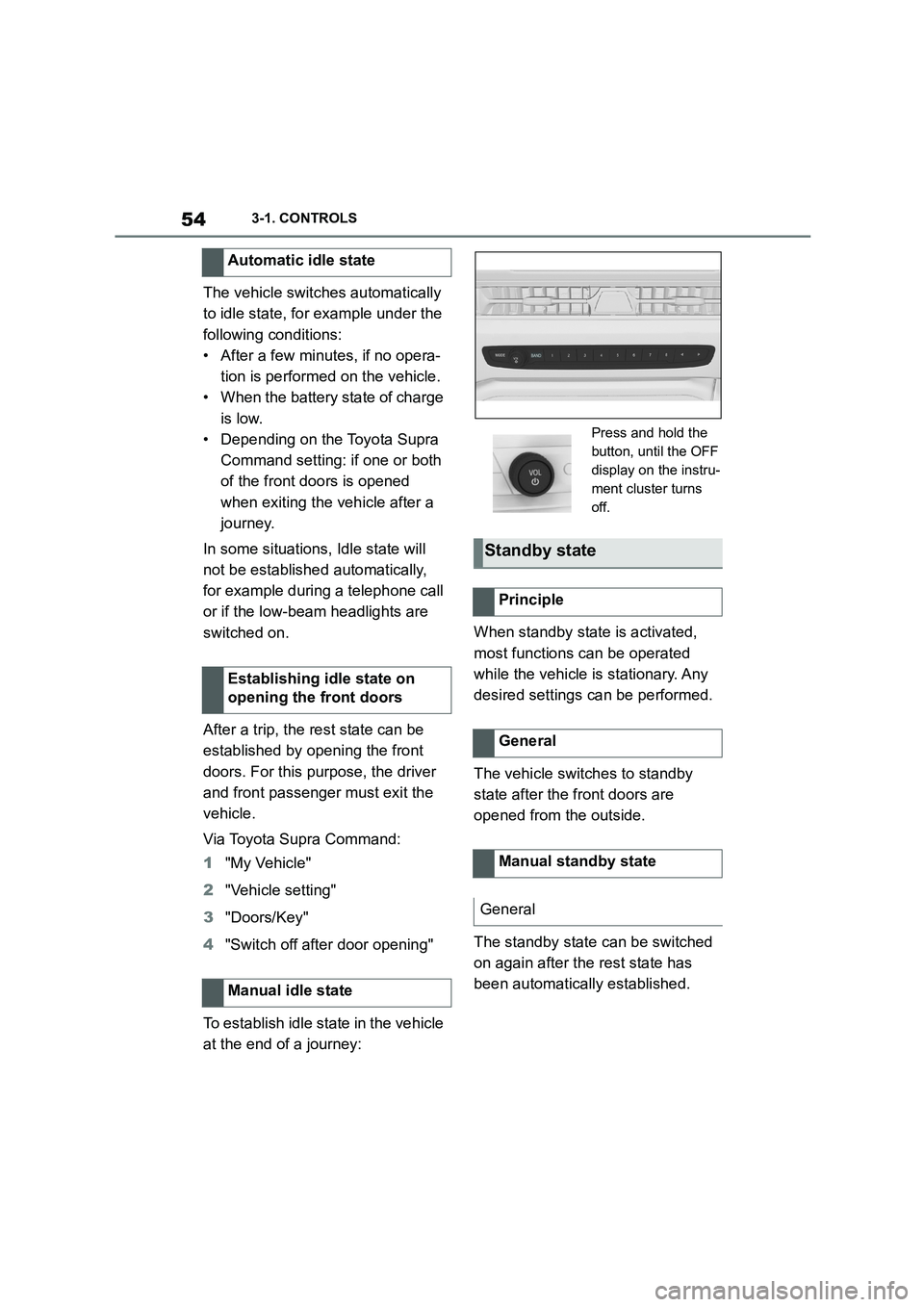
To establish idle state in the vehicle
at the end of a journey:
When standby state is activated,
most functions can be operated
while the vehicle is stationary. Any
desired settings can be performed.
The vehicle switches to standby
state after the front doors are
opened from the outside.
The standby state can be switched
on again after the rest state has
been automatically established.
Automatic idle state
Establishing idle state on
opening the front doors
Manual idle state
Press and hold the
button, until the OFF
display on the instru-
ment cluster turns
off.
Standby state
Principle
General
Manual standby state
General