Page 70 of 486

The trunk lid could be opened or closed uninten‐
tionally,in thefo llowing situations:
RIf persons' arms or legs mo veinthe sensor
de tection range, e.g. when polishing theve hi‐
cle, sitting on the edge of the trunk, or pick‐
ing up objects.
RIf objects are guided behind or placed behind
th eve hicle, e.g. charging cables, tensioning
st ra ps or luggage.
RWhen working on the trailer coupling, trailers
or rear bicycle rack s.
Deactivate KEYLESS-GO (
→page 56) or do not
car rythe SmartK eyabout your person insuch
situations.
Switch ing separate trunk locking on/off
Ifyo u centrally unlo cktheve hicle while separate
locking is activated, the trunk remains loc ked.
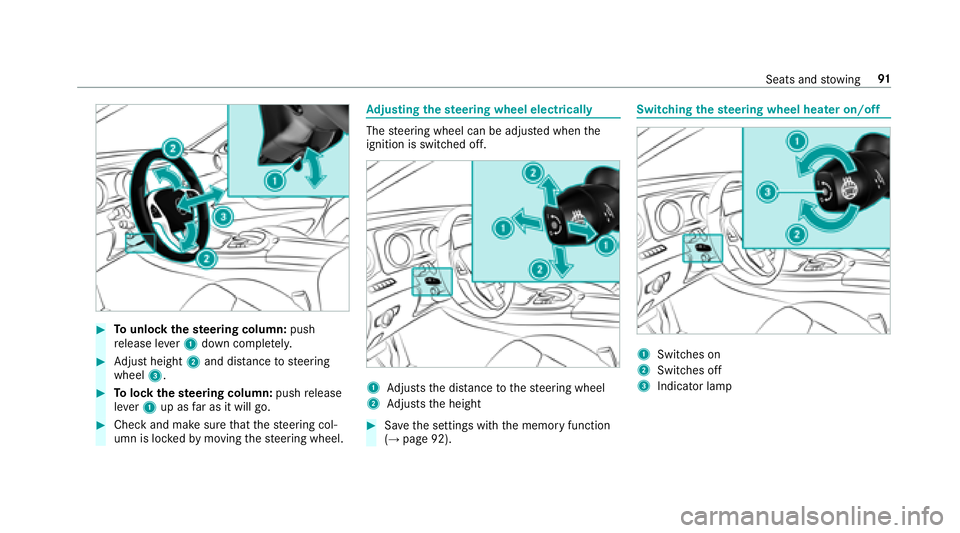
#To switch on: slidethe switch toposition
1.
#To switch off: slidethe switch toposition
2.
% If an accident has been de tected, the trunk
unloc kseve n if separate lo cking is switched
on.
Un locking the trunk with the emer gency
re lease from inside
Re quirement:RThe 12Vve hicle battery is connected and
ch arge d.
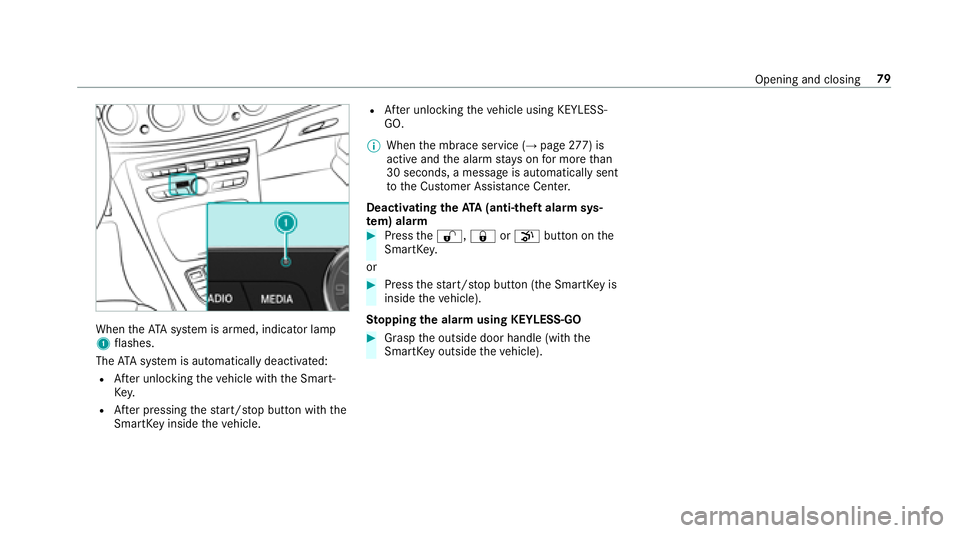
#Press emer gency release button 1brief ly.
The trunk lid unloc ksand opens.
68
Opening and closing
Page 72 of 486
Side windows
Opening/closing the side windo ws
&
WARNING Risk of entrapment when
opening a side window
When opening a side windo w,parts of the
body could be dr awn in or become trapped
between the side window and window frame.
#When opening, make sure that nobody
is touching the side windo w.
#If someone is trapped, release the but‐
to n immedia tely or pull it in order to
close the side window again.
&
WARNING Risk of becoming trapped
when closing a side window
When closing a side windo w,body parts
could be trapped in the closing area in the
process.
#When closing, make sure that no body
parts are in the closing area.
#If someone is trapped, release the but‐
to n immedia tely or pres sth e button in
order toreopen the side windo w.
&
WARNING Risk of becoming trapped
when children opera tethe side windo ws
Childr en could become trapped if they oper‐
ate the side windo ws, particularly when unat‐
te nded.
#Ac tivate thech ild saf etyloc kfo rth e
re ar side wind ows.
#When leaving theve hicle, alw aysta ke
th e SmartK eywith you and lock the
ve hicle.
#Ne ver lea vechildren unatte nded inthe
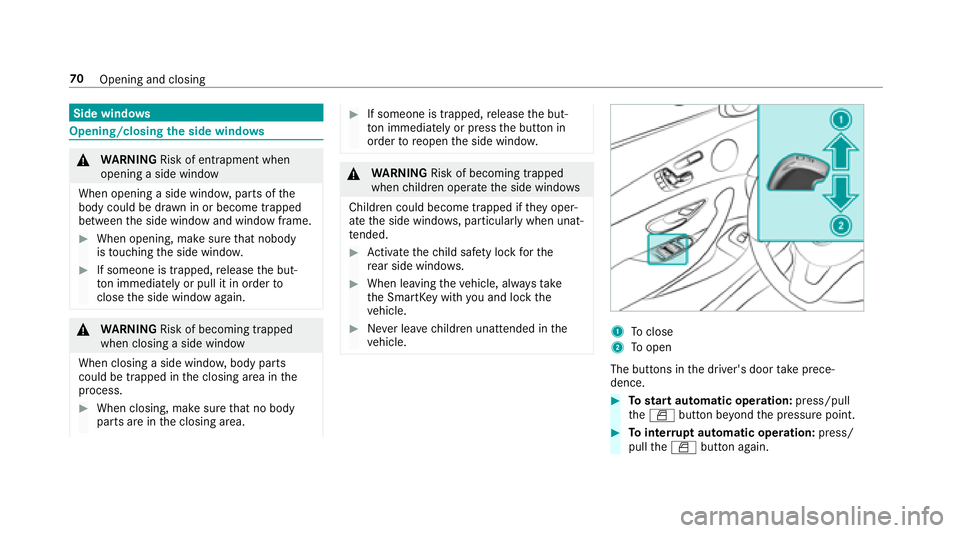
ve hicle.1To close
2Toopen
The buttons in the driver's door take prece‐
dence.
#To start automatic operation: press/pull
th eW button be yond the pressure point.
#To inter rupt automatic operation: press/
pull theW button again.
70
Opening and closing
Page 75 of 486
ProblemPossible causes/consequences and MSolutions
If a side window is obstructed during closing and reopens again slightly:
#Immediately af terth e window is obstructed, pull the cor responding button again until the side window
has closed, and hold the button for an additional second.
The side window is closed with increased forc e.
If a side window is obstructed again during closing and reopens again slightly:
#Re peat the pr evious step.
The side window is closed without the automatic reve rsing function.
Sliding sunroof
Opening/closing the sliding sunroof
%
The term "slidin g sunro of" also refers to the
panoramic sliding sunroof.
& WARNING Risk of becoming trapped
while opening and closing the sliding
sunroof
During opening and closing, parts of the
body could getcaught in the sweep of the
sliding sunroof.
#When opening or closing, make sure
th at no body parts are in the sweep.
#Re lease the button immediately if
somebody becomes trapped.
or
#Press the button in any direction during
th e automatic opening/closing process.
The opening/closing process is stop‐
ped.
& WARNING Risk of becoming trapped if
th e sliding sunroof is operated bychil‐
dren
Children operating the sliding sunroof could
get caught in the moving parts, particularly if
unattended.
#Ne ver lea vechildren unatte nded inthe
ve hicle.
#When leaving theve hicle, alw aysta ke
th eke ywit hyo u and lock theve hicle.
Opening and closing 73
Page 80 of 486

ProblemPossible causes/consequences and MSolutions
Ve hicles with a panoramic sliding
sunroof: The sliding sunroof or the
ro ller sunblind does not opera te
smoo thly.
#Pull the3 button down repeatedly tothe point of resis tance until the sliding sunroof is fully closed.
#Pull the3 button for ano ther second.
#Pull and hold the3 button down until thero ller sunblind is comple tely closed.
#Pull the3 button for ano ther second.
#Use automatic operation tofully open and then close the sliding sunroof.
Anti-theft pr otection
Immobilizer
The immobilizer pr events your vehicle from being
st ar ted without the cor rect key.
The immobilizer is automatically activated when
th e ignition is switched off and deactivated when
th e ignition is switched on.
When leaving theve hicle, alw aysta ke theke y
with you and lock theve hicle. An yone can start
th e engine if a valid keyhas been lef tinside the
ve hicle.
% Intheeve ntthat the engine cannot bestar‐
te d (y etthest ar ter battery is charge d), the
sy stem is not operational. Contact an authorized Mercedes-Benz Center or call
1-800-FO
R-MERCedes (in the USA) or
1-800-387-0 100 (in Canada).
ATA (anti-theft alarm system)
Fu nction of theATA system (anti-theft ala rm
sy stem)
If th eATA system is armed, a visual and audible
alarm is triggered in thefo llowing situations:
RA door is opened.
RThe trunk lid is opened.
RThe hood is opened. The
ATA sy stem is armed automatically af ter
appr oximately 10seconds:
RAfter locking theve hicle with the SmartK ey.
RAf ter locking theve hicle using KEYLESS-GO.
78
Opening and closing
Page 81 of 486
WhentheATA system is armed, indicator lamp
1 flashes.
The ATA sy stem is automatically deactivated:
RAf ter unlocking theve hicle with the Smart‐
Ke y.
RAfter pressing thest art/ stop button with the
SmartK eyinside theve hicle.
RAfter unlocking theve hicle using KEYLESS-
GO.
% When the mbrace service (
→page 277) is
active and the alarm stay s on for more than
30 seconds, a message is automatically sent
to the Cus tomer Assis tance Center.
Deacti vating the ATA(anti-theft alarm sys‐
te m) ala rm
#Pressthe%, &orp button on the
SmartK ey.
or
#Press thest art/ stop button (the SmartK eyis
inside theve hicle).
St opping the ala rmusing KEYLESS-GO
#Grasp the outside door handle (with the
SmartK eyoutside theve hicle).
Opening and closing 79
Page 83 of 486
Seats
Adjusting the front seat mechanically and
electrically
& WARNING Risk of becoming trapped if
th e seats are adjus tedby children
Children could become trapped if they adjust
th e seats, particularly when unattended.
#When leaving theve hicle, alw aysta ke
th e SmartK eywith you and lock the
ve hicle.
#Ne ver lea vechildren unatte nded inthe
ve hicle.
The seats can be adjus ted when the ignition is
switched off.
& WARNING Risk of becoming trapped
when adjusting the seats
When you adjust a seat, you or other vehicle
occupants could become trapped, e.g. on the
seat guide rail.
#Make sure when adjusting a seat that
no one has any body parts in the sweep
of the seat.
Obser vethe saf etyno tes on "Airbags" and "Chil‐
dren in theve hicle".
&
WARNING Risk of accident due tothe
driver's seat not being engaged
If th e driver's seat is not engaged, it could
mo veunexpectedly while theve hicle is in
motion.
This could cause youto lose control of the
ve hicle.
#Alw ays make sure that the driver's seat
is engaged before starting theve hicle.
&
WARNING Risk of becoming trapped if
th e seat height is adjus ted carelessly
If yo u adjust the seat height carelessly, you
or other vehicle occupants could be trapped
and thereby injured.
Children in particular could accidenta lly
press the electrical seat adjustment buttons
and become trapped.
#While moving the seats, make sure that
hands or other body parts do not get
under the le ver assembly of the seat
adjustment sy stem.
&
WARNING Risk of injury duetohead
re stra ints which are not ins talled or are
adjus ted incor rectly
If head restra ints are not ins talled or are
adjus ted incor rectly, the head restra ints can‐
not pr ovide pr otection as intended.
There is an increased risk of injury in the
head and neck area, e.g. in theeve nt of an
accident or when braking.
#Alw ays drive with the head restra ints
ins talled.
#Before driving off, make sure forev ery
ve hicle occupant that the center of the
head restra int supports the back of the
head at about eye le vel.
Seats and stowing 81
Page 92 of 486
Switchingthe seat ventilation on/off
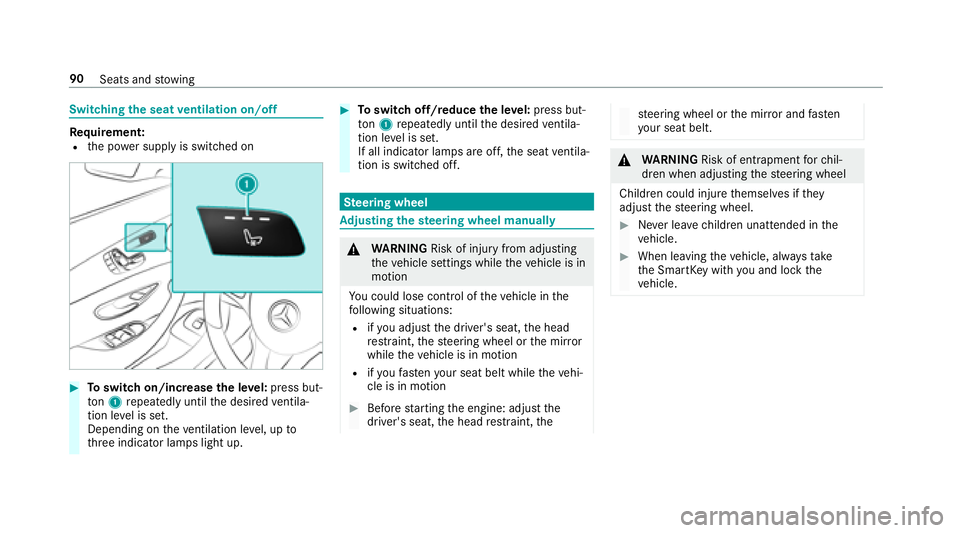
Re quirement:Rthe po wer supp lyis switched on
#To switch on/increase the le vel:press but‐
to n1 repeatedly until the desired ventila‐
tion le vel is set.
Depending on theve ntilation le vel, up to
th re e indicator lamps light up.
#To switch off/reduce the le vel:press but‐
to n1 repeatedly until the desired ventila‐
tion le vel is set.
If all indicator lamps are off, the seat ventila‐
tion is switched off.
Ste ering wheel
Adjusting the steering wheel manually
&
WARNING Risk of injury from adjusting
th eve hicle settings while theve hicle is in
motion
Yo u could lose cont rol of theve hicle in the
fo llowing situations:
Rifyo u adjust the driver's seat, the head
re stra int, thesteering wheel or the mir ror
while theve hicle is in motion
Rifyo ufa sten your seat belt while theve hi‐
cle is in motion
#Before starting the engine: adjust the
driver's seat, the head restra int, the
steering wheel or the mir ror and fasten
yo ur seat belt.
&
WARNING Risk of entrapment forch il‐
dren when adjusting thesteering wheel
Children could injure themselves if they
adjust thesteering wheel.
#Ne ver lea vechildren unatte nded inthe
ve hicle.
#When leaving theve hicle, alw aysta ke
th e SmartK eywith you and lock the
ve hicle.
90
Seats and stowing
Page 93 of 486
#Tounlock thest eering column: push
re lease le ver1 down comple tely.
#Ad just height 2and di stance tosteering
wheel 3.
#Tolock thest eering column: pushrelease
le ve r1 up as far as it will go.
#Check and make sure that thesteering col‐
umn is loc kedby moving thesteering wheel.
Ad justing the steering wheel electrically
The steering wheel can be adjus ted when the
ignition is switched off.
1Ad justs the dis tance tothesteering wheel
2Ad justs the height
#Sa ve the settings with the memory function
(→page 92).
Switching thest eering wheel heater on/off
1Swit ches on
2Switches off
3Indicator lamp
Seats and stowing 91