2016 NISSAN NOTE light
[x] Cancel search: lightPage 3186 of 3641

STC-2
Diagnosis Procedure ..............................................31
STEERING WHEEL TURNING FORCE IS
HEAVY OR LIGHT .............................................
32
Description ........................................................... ...32
Diagnosis Procedure ..............................................32
UNBALANCE STEERING WHEEL TURNING
FORCE AND RETURN BETWEEN RIGHT
AND LEFT ..........................................................
34
Description ..............................................................34
Diagnosis Procedure ..............................................34
UNBALANCE STEERING WHEEL TURNING
FORCE (TORQUE VARIATION) .......................
35
Description ........................................................... ...35
Diagnosis Procedure ...............................................35
REMOVAL AND INSTALLATION ..............37
EPS CONTROL UNIT ........................................37
Exploded View ..................................................... ...37
Removal and Installation .........................................37
Revision: August 2015 2016 Versa Note
cardiagn.com
Page 3216 of 3641
STC-32
< SYMPTOM DIAGNOSIS >
STEERING WHEEL TURNING FORCE IS HEAVY OR LIGHT
STEERING WHEEL TURNING FORCE IS HEAVY OR LIGHT
DescriptionINFOID:0000000012431977
Steering wheel turning force is heavy or light.
Diagnosis ProcedureINFOID:0000000012431978
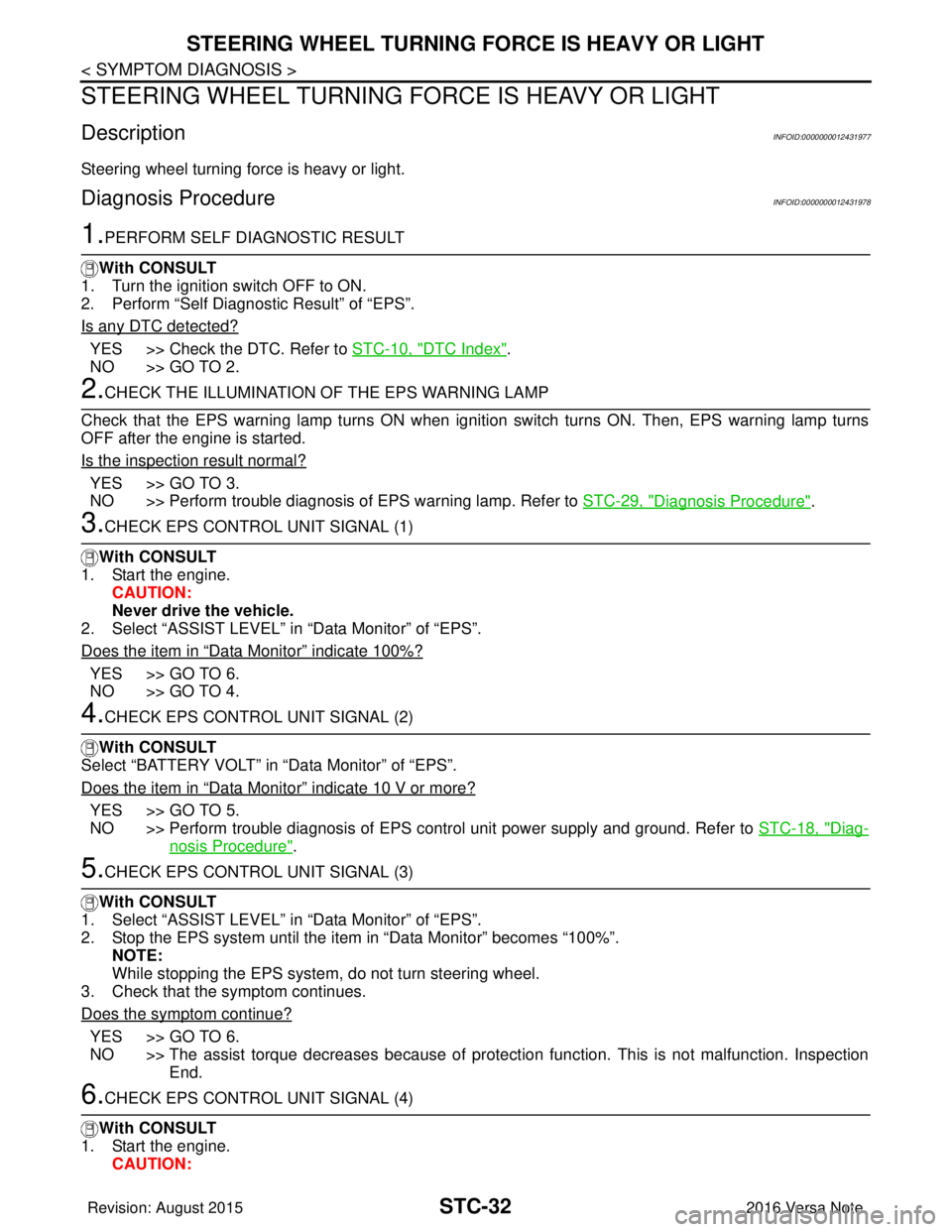
1.PERFORM SELF DIAGNOSTIC RESULT
With CONSULT
1. Turn the ignition switch OFF to ON.
2. Perform “Self Diagnostic Result” of “EPS”.
Is any DTC detected?
YES >> Check the DTC. Refer to STC-10, "DTC Index".
NO >> GO TO 2.
2.CHECK THE ILLUMINATION OF THE EPS WARNING LAMP
Check that the EPS warning lamp turns ON when igni tion switch turns ON. Then, EPS warning lamp turns
OFF after the engine is started.
Is the inspection result normal?
YES >> GO TO 3.
NO >> Perform trouble diagnosis of EPS warning lamp. Refer to STC-29, "
Diagnosis Procedure".
3.CHECK EPS CONTROL UNIT SIGNAL (1)
With CONSULT
1. Start the engine. CAUTION:
Never drive the vehicle.
2. Select “ASSIST LEVEL” in “Data Monitor” of “EPS”.
Does the item in
“Data Monitor” indicate 100%?
YES >> GO TO 6.
NO >> GO TO 4.
4.CHECK EPS CONTROL UNIT SIGNAL (2)
With CONSULT
Select “BATTERY VOLT” in “Data Monitor” of “EPS”.
Does the item in
“Data Monitor” indicate 10 V or more?
YES >> GO TO 5.
NO >> Perform trouble diagnosis of EPS control unit power supply and ground. Refer to STC-18, "
Diag-
nosis Procedure".
5.CHECK EPS CONTROL UNIT SIGNAL (3)
With CONSULT
1. Select “ASSIST LEVEL” in “Data Monitor” of “EPS”.
2. Stop the EPS system until the item in “Data Monitor” becomes “100%”.
NOTE:
While stopping the EPS system, do not turn steering wheel.
3. Check that the symptom continues.
Does the symptom continue?
YES >> GO TO 6.
NO >> The assist torque decreases because of protection function. This is not malfunction. Inspection End.
6.CHECK EPS CONTROL UNIT SIGNAL (4)
With CONSULT
1. Start the engine. CAUTION:
Revision: August 2015 2016 Versa Note
cardiagn.com
Page 3217 of 3641
STEERING WHEEL TURNING FORCE IS HEAVY OR LIGHTSTC-33
< SYMPTOM DIAGNOSIS >
C
DE
F
H I
J
K L
M A
B
STC
N
O P
Never drive the vehicle.
2. Turn steering wheel from full left stop to full right stop.
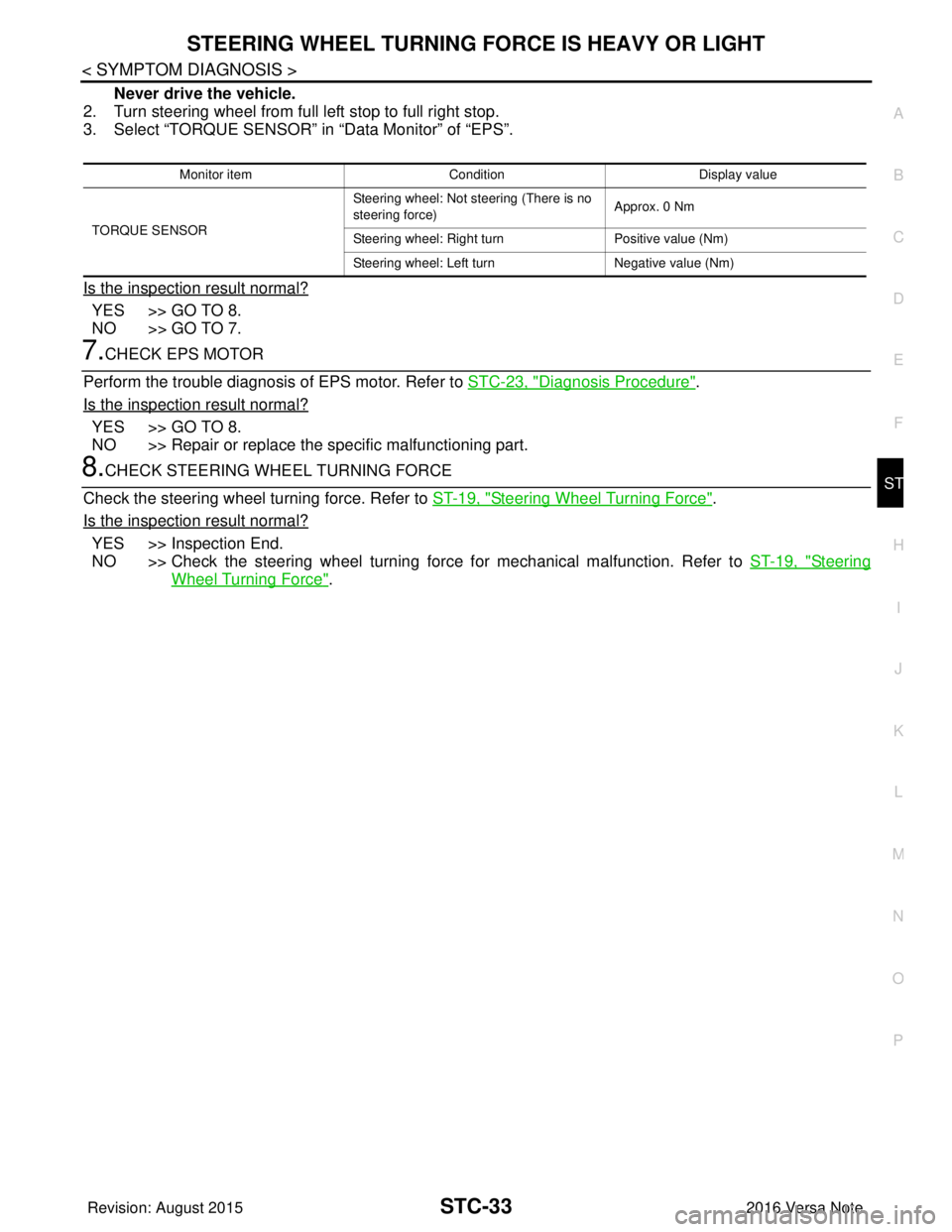
3. Select “TORQUE SENSOR” in “Data Monitor” of “EPS”.
Is the inspection result normal?
YES >> GO TO 8.
NO >> GO TO 7.
7.CHECK EPS MOTOR
Perform the trouble diagnosis of EPS motor. Refer to STC-23, "
Diagnosis Procedure".
Is the inspection result normal?
YES >> GO TO 8.
NO >> Repair or replace the specific malfunctioning part.
8.CHECK STEERING WH EEL TURNING FORCE
Check the steering wheel turning force. Refer to ST-19, "
Steering Wheel Turning Force".
Is the inspection result normal?
YES >> Inspection End.
NO >> Check the steering wheel turning forc e for mechanical malfunction. Refer to ST-19, "
Steering
Wheel Turning Force".
Monitor item ConditionDisplay value
TORQUE SENSOR Steering wheel: Not steering (There is no
steering force)
Approx. 0 Nm
Steering wheel: Right turn Positive value (Nm)
Steering wheel: Left turn Negative value (Nm)
Revision: August 2015 2016 Versa Note
cardiagn.com
Page 3226 of 3641
STEERING WHEELST-5
< BASIC INSPECTION >
C
DE
F
H I
J
K L
M A
B
ST
N
O P
BASIC INSPECTION
STEERING WHEEL
InspectionINFOID:0000000012430497
CONDITION OF INSTALLATION
• Check installation conditions of steering gear, front suspension, axle and steering column.
• Check if movement exists when steering wheel is mo ved up and down, to the left and right and to the axial
direction.
• Verify that the steering gear nuts are tightened to specification. Refer to ST-14, "
Exploded View".
STEERING WHEEL PLAY
1. Set the front wheels and tires in the straight-ahead position, start engine, then lightly turn steering wheel
to the left and right until the front wheels start to move. Measure steering wheel movement on the outer
circumference.
2. When the measurement value is outside the standard va lue, check backlash for each joint of steering col-
umn and installation condition of steering gear.
STEERING WHEEL NEUTRAL POSITION
Check steering wheel neutral position using the following procedure:
1. Confirm that front wheel alignment is correct. Refer to FSU-8, "
Adjustment".
2. Set the front wheels and tires in the straight-ahead posit ion, check if steering wheel is in the neutral posi-
tion.
3. If it is not in the neutral position, remo ve steering wheel and reinstall it correctly.
4. If the neutral position cannot be attained by repositi oning the steering wheel two teeth or less on steering
stem, loosen the steering gear outer socket lock nuts, then adjust the inner sockets by the same amount
in the opposite direction.
5. Re-check the front wheel alignment. Refer to FSU-8, "
Adjustment".
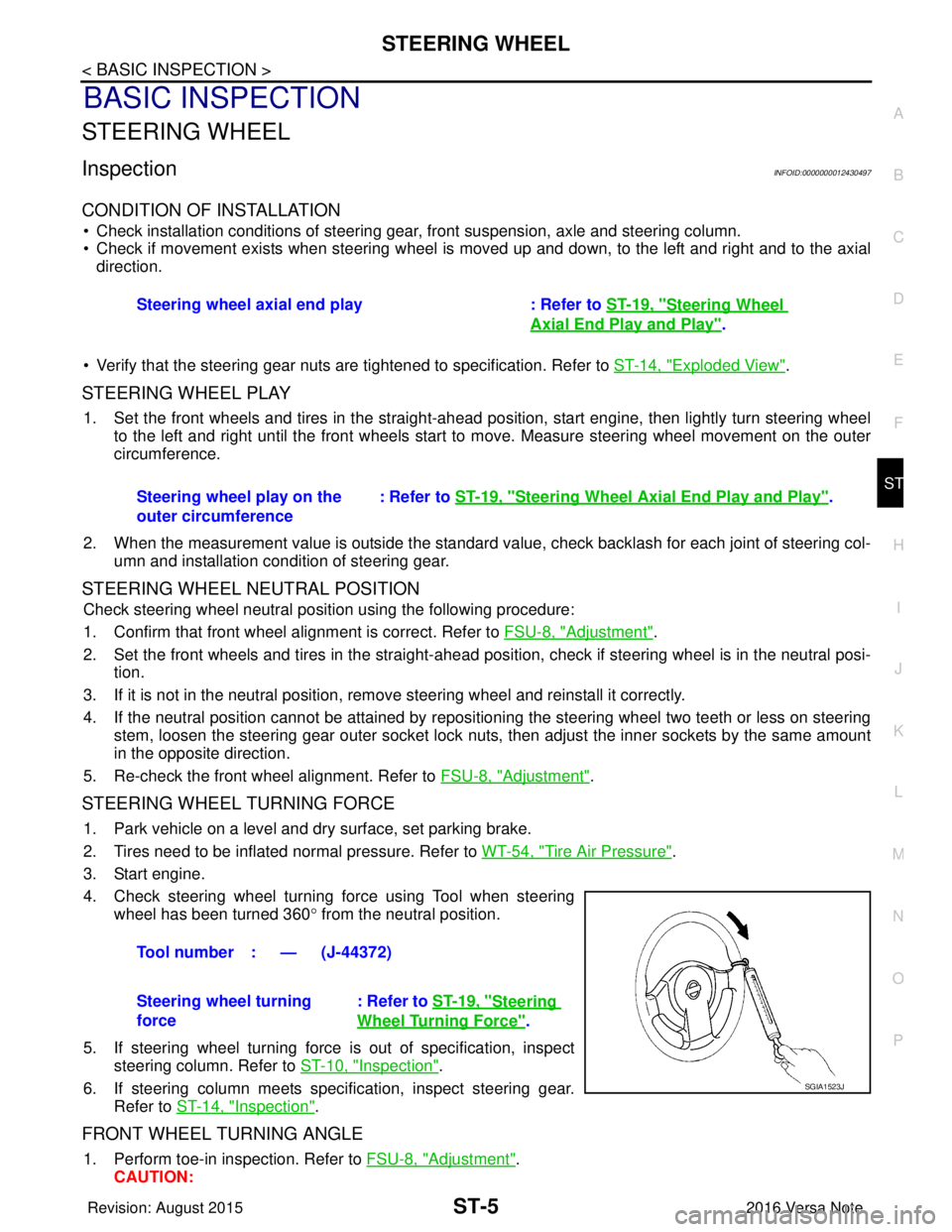
STEERING WHEEL TURNING FORCE
1. Park vehicle on a level and dry surface, set parking brake.
2. Tires need to be inflated normal pressure. Refer to WT-54, "
Tire Air Pressure".
3. Start engine.
4. Check steering wheel turning force using Tool when steering wheel has been turned 360 ° from the neutral position.
5. If steering wheel turning force is out of specification, inspect steering column. Refer to ST-10, "
Inspection".
6. If steering column meets specification, inspect steering gear. Refer to ST-14, "
Inspection".
FRONT WHEEL TURNING ANGLE
1. Perform toe-in inspection. Refer to FSU-8, "Adjustment".
CAUTION: Steering wheel axial end play : Refer to
ST-19, "
Steering Wheel
Axial End Play and Play".
Steering wheel play on the
outer circumference : Refer to
ST-19, "
Steering Wheel Axia l End Play and Play".
Tool number : — (J-44372)
Steering wheel turning
force : Refer to
ST-19, "
Steering
Wheel Turning Force".
SGIA1523J
Revision: August 2015 2016 Versa Note
cardiagn.com
Page 3249 of 3641
![NISSAN NOTE 2016 Service Repair Manual TM-8
< PRECAUTION >[5MT: RS5F91R]
PRECAUTIONS
- Oily dirt:
• Dip a soft cloth into lukewarm water with mild detergent (concentration: within 2 to 3%) and wipe the dirty
area.
• Then dip a cloth in](/manual-img/5/57363/w960_57363-3248.png "NISSAN NOTE 2016 Service Repair Manual TM-8
< PRECAUTION >[5MT: RS5F91R]
PRECAUTIONS
- Oily dirt:
• Dip a soft cloth into lukewarm water with mild detergent (concentration: within 2 to 3%) and wipe the dirty
area.
• Then dip a cloth in")
TM-8
< PRECAUTION >[5MT: RS5F91R]
PRECAUTIONS
- Oily dirt:
• Dip a soft cloth into lukewarm water with mild detergent (concentration: within 2 to 3%) and wipe the dirty
area.
• Then dip a cloth into fresh water, wring the water out of the cloth and wipe the detergent off.
• Then rub with a soft, dry cloth.
- Do not use organic solvent such as thinner, benzene, alcohol or gasoline.
- For genuine leather seats, use a genuine leather seat cleaner.
Liquid GasketINFOID:0000000012430939
REMOVAL OF LIQUID GASKET SEALING
• After removing the bolts and nuts, separate the mating surface and remove the liquid gasket using Tool (A).
CAUTION:
Be careful not to damage the mating surfaces.
• In areas where the cutter is difficult to use, use a plastic hammer to lightly tap (1) the cutter where the liquid gasket is applied. Use a
plastic hammer to slide (2) the cutter by tapping on the side.
CAUTION:
Do not damage the mating surfaces.
LIQUID GASKET APPLICATION PROCEDURE
1. Using suitable tool (A), remove old liquid gasket adhering to the liquid gasket application surface and the mating surface.
• Remove liquid gasket completely from the groove of the liquidgasket application surface, mounting bolts, and bolt holes.
2. Wipe the liquid gasket application surface and the mating sur- face with white gasoline (lighting and heating use) to remove
adhering moisture, grease and foreign materials.
3. Attach liquid gasket tube to the suitable tool. Use Genuine Silicone RTV Seal ant, or equivalent. Refer to
GI-22, "
Recommended Chemical Products and Sealants".
4. Apply liquid gasket without gaps to the specified location accord- ing to the specified dimensions.
• If there is a groove for liquid gasket application, apply liquid
gasket to the groove.
• As for bolt holes (B), normally apply liquid gasket inside the holes. Occasionally, it should be applied outside the holes.
Check to read the text of this manual.
• Within five minutes of liquid gasket application, install the mat- ing component.
• If liquid gasket protrudes, wipe it off immediately.
• Do not retighten mounting bolts or nuts after the installation. Tool Number : KV10111100 (J-37228)
AWBIA1249GB
JPBIA0053ZZ
EMA0622D
(A) : Groove
: Inside
JPBIA0010ZZ
Revision: August 2015 2016 Versa Note
cardiagn.com
Page 3282 of 3641
![NISSAN NOTE 2016 Service Repair Manual TRANSAXLE ASSEMBLYTM-41
< UNIT DISASSEMBLY AND ASSEMBLY > [5MT: RS5F91R]
C
EF
G H
I
J
K L
M A
B
TM
N
O P
30. Move the shifter lever A (1) to the 3rd gear position. NOTE:
• If it is not moved to the](/manual-img/5/57363/w960_57363-3281.png "NISSAN NOTE 2016 Service Repair Manual TRANSAXLE ASSEMBLYTM-41
< UNIT DISASSEMBLY AND ASSEMBLY > [5MT: RS5F91R]
C
EF
G H
I
J
K L
M A
B
TM
N
O P
30. Move the shifter lever A (1) to the 3rd gear position. NOTE:
• If it is not moved to the")
TRANSAXLE ASSEMBLYTM-41
< UNIT DISASSEMBLY AND ASSEMBLY > [5MT: RS5F91R]
C
EF
G H
I
J
K L
M A
B
TM
N
O P
30. Move the shifter lever A (1) to the 3rd gear position. NOTE:
• If it is not moved to the 3rd gear position, transaxle case can-not be installed to clutch housing.
• The 3rd gear position means that shifter lever A is fully rotated clockwise and it is returned approximately 10 degrees.
31. Apply recommended sealant to transaxle case mating surface of clutch housing.
CAUTION:
• Use Genuine Silicone RTV or equivalent. Refer to GI-22,
"Recommended Chemical Products and Sealants".
• Do not allow old Silicone RTV, moisture, oil, or foreign matter to remain on mating surface.
• Check that mating surface is not damaged.
• Apply a continuous bead of Si licone RTV to the mating surface.
32. Install transaxle case to clutch hous ing. If it is difficult to install,
slightly rotate shifter lever A counterclockwise, and then install.
CAUTION:
• Do not damage Silicone RTV bead with transaxle case or
other objects during installation.
• Be careful to align the lever of 5th-reverse fork rod with
reverse gear groove.
33. Rotate input shaft so that bearing and shaft fit each other, and then tighten transaxle bolts ( ) to the specified torque.
34. Apply recommended sealant to position switch thread and check ball plug thread. Install to transaxle case and tighten to specified
torque.
CAUTION:
• Use Genuine Silicone RTV or equivalent. Refer to GI-22,
"Recommended Chemical Products and Sealants".
• Do not allow old Silicone RTV, moisture, oil, or foreign matter to remain on thread.
35. Apply gear oil to mainshaft spline.
36. Install 5th main gear (1) to mainshaft, using a suitable bolt (A) [M10 x 1.0] and a suitable nut (B).
PCIB1524E
(1) : Selector
(2) : Shift fork
PCIB1553E
JPDIC0610ZZ
PCIB1554E
Revision: August 2015 2016 Versa Note
cardiagn.com
Page 3298 of 3641
![NISSAN NOTE 2016 Service Repair Manual PRECAUTIONSTM-57
< PRECAUTION > [CVT: RE0F11A]
C
EF
G H
I
J
K L
M A
B
TM
N
O P
On Board Diagnosis (OBD) System of CVT and EngineINFOID:0000000012430986
The ECM has an on board diagnostic system . It](/manual-img/5/57363/w960_57363-3297.png "NISSAN NOTE 2016 Service Repair Manual PRECAUTIONSTM-57
< PRECAUTION > [CVT: RE0F11A]
C
EF
G H
I
J
K L
M A
B
TM
N
O P
On Board Diagnosis (OBD) System of CVT and EngineINFOID:0000000012430986
The ECM has an on board diagnostic system . It")
PRECAUTIONSTM-57
< PRECAUTION > [CVT: RE0F11A]
C
EF
G H
I
J
K L
M A
B
TM
N
O P
On Board Diagnosis (OBD) System of CVT and EngineINFOID:0000000012430986
The ECM has an on board diagnostic system . It will light up the malfunction indicator lamp (MIL) to warn the
driver of a malfunction causing emission deterioration.
CAUTION:
• Be sure to turn the ignition switch OFF and di sconnect the battery cable from the negative terminal
before any repair or inspection work. The open/s hort circuit of related switches, sensors, solenoid
valves, etc. will cause the MIL to light up.
• Be sure to connect and lock the connectors secure ly after work. A loose (unlocked) connector will
cause the MIL to light up due to an open circuit. (Be sure the connector is free from water, grease,
dirt, bent terminals, etc.)
• Be sure to route and secure the harnesses properly after work. Interference of the harness with a
bracket, etc. may cause the MIL to light up due to a short circuit.
• Be sure to connect rubber tubes properly afte r work. A misconnected or disconnected rubber tube
may cause the MIL to light up due to a malfunction of the EGR system or fuel injection system, etc.
• Be sure to erase the unnecessary malfunction informa tion (repairs completed) from the TCM and
ECM before returning the vehicle to the customer.
Removal and Installation Proc edure for CVT Unit ConnectorINFOID:0000000012430987
REMOVAL
• Rotate bayonet ring (A) counterclockwise. Pull out CVT unit har-
ness connector (B) upward and remove it.
INSTALLATION
1. Align marking (A) on CVT unit harness connector terminal with
marking (B) on bayonet ring. Insert CVT unit harness connector.
2. Rotate bayonet ring clockwise.
3. Rotate bayonet ring clockwise until marking (A) on CVT unit har- ness connector terminal body is aligned with the slit (B) on bayo-
net ring as shown in the figure (correctly fitting condition).
CAUTION:
JSDIA1162ZZ
JPDIA0294ZZ
JPDIA0295ZZ
Revision: August 2015 2016 Versa Note
cardiagn.com
Page 3308 of 3641
![NISSAN NOTE 2016 Service Repair Manual COMPONENT PARTSTM-67
< SYSTEM DESCRIPTION > [CVT: RE0F11A]
C
EF
G H
I
J
K L
M A
B
TM
N
O P
The O/D OFF indicator notifies the driver that the shift control of
transmaxle is in O/D OFF.
BULB CHECK
Appr](/manual-img/5/57363/w960_57363-3307.png "NISSAN NOTE 2016 Service Repair Manual COMPONENT PARTSTM-67
< SYSTEM DESCRIPTION > [CVT: RE0F11A]
C
EF
G H
I
J
K L
M A
B
TM
N
O P
The O/D OFF indicator notifies the driver that the shift control of
transmaxle is in O/D OFF.
BULB CHECK
Appr")
COMPONENT PARTSTM-67
< SYSTEM DESCRIPTION > [CVT: RE0F11A]
C
EF
G H
I
J
K L
M A
B
TM
N
O P
The O/D OFF indicator notifies the driver that the shift control of
transmaxle is in O/D OFF.
BULB CHECK
Approximately 2 seconds after ignition switch ON.
OPERATION AT COMBNATION METER CNA COMMUNICATION CUT-OFF OR UNUSUAL SIGNAL
For actions on CAN communications blackout in the combnation meter, refer to MWI-23, "Fail-safe".
SYSTEM DIAGRAM
SIGNAL PATH
• When a overdrive control switch signal is input to the combination meter, the combination meter transmits
the overdrive control switch signal to the TCM via CAN communication.
• When all of the following conditions are satisfied, t he TCM transmits a O/D OFF indicator signal to the com-
bination meter via CAN communication. The combination meter turns ON the O/D OFF indicator lamp on the
combination meter, according to the signal.
- TCM receives overdrive control switch signal via CAN communication from combination meter.
- Selector lever: D position
LIGHTING CONDITION
When all of the following conditions are satisfied.
• Ignition switch: ON
• Selector lever: D position
• Overdrive control switch is pressed when the O/D OFF indicator lamp is OFF.
SHUTOFF CONDITION
When any of the conditions listed below is satisfied.
• Ignition switch: Other than ON
• Overdrive control switch is pressed when the O/D OFF indicator lamp is ON.
• Selector lever is shifted to other than D position when the O/D OFF indicator lamp is ON.
JPNIA1891ZZ
JSDIA3606GB
Revision: August 2015 2016 Versa Note
cardiagn.com