Page 2 of 341
StartStart
Mirror Scr een
208 Flipbook Start MyPEUGEOT 208 Start MyPEUGEOT 208
User guide to download to your smartphoneto display in the touch screen
Focus on the audio & telematic functions. Instructions for use of the driving assistance
systems.
The online user guide:
http://public.servicebox.peugeot.com/ddb/
The Start MyPEUGEOT application is available
for the whole PEUGEOT 208 range and allows
you to familiarise yourself with your new
P E U G E O T.Google Play for smartphones that support
MirrorLink
TM (the CarPlay version is being
prepared by Apple).
Find all of the information from the handbook
for your vehicle on the internet. Summary of the main systems and their
settings.
The interactivity with Start MyPEUGEOT
becomes available in landscape format in the
touch screen. The synchronisation of a personal smartphone
allows users to display applications from the
smartphone adapted for the MirrorLink
TM
technology (subject to eligibility).
From the home page presenting the range,
choose a language, click on the body style and
then the edition, by reference to the date of first
registration of the vehicle. Library of warning lamps and symbols.
The latest information included is
represented by the symbol!
Page 8 of 341
6
208_en_Chap01_vue-ensemble_ed01-2015
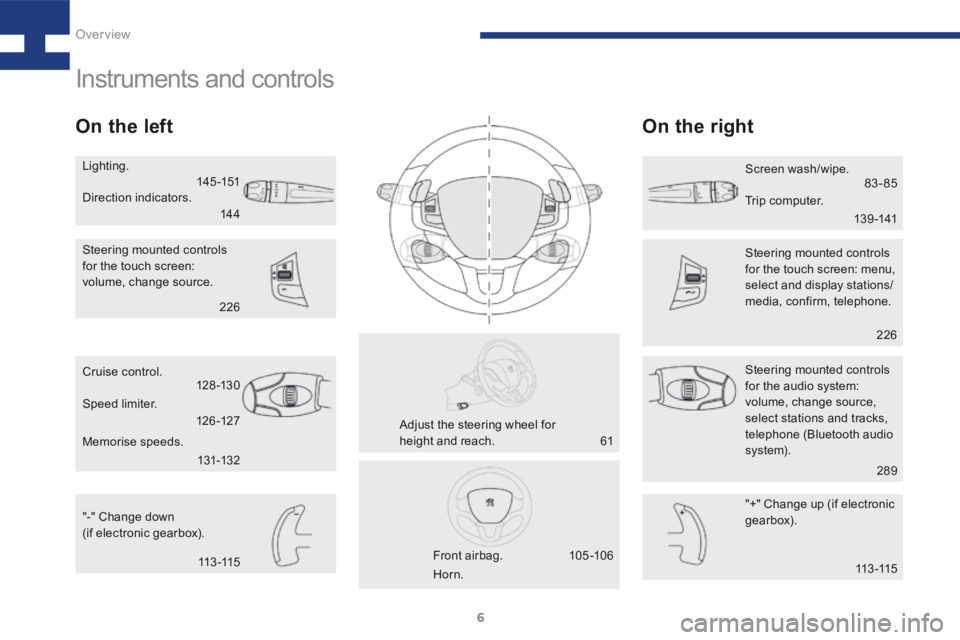
Instruments and controls
On the leftOn the right
"-" Change down
(if electronic gearbox). "+" Change up (if electronic
gearbox).
Cruise control.
Steering mounted controls
for the audio system:
volume, change source,
select stations and tracks,
telephone (Bluetooth audio
syste m).
Steering mounted controls
for the touch screen:
volume, change source.
Steering mounted controls
for the touch screen: menu,
select and display stations/
media, confirm, telephone.
Front airbag.
Adjust the steering wheel for
height and reach. Screen wash/wipe.
Lighting.
Horn.
Speed limiter.
Memorise speeds. Direction indicators.
Trip computer.
14 4
14 5 -151
13 9 -14183-85
113 -115
61
105 -10 6 226
289
226
131-132
126 -127
128 -13 0
113 -115
Over view
Page 15 of 341
13
208_en_Chap02_ Acces-Demarrage_ed01-2015
Starting
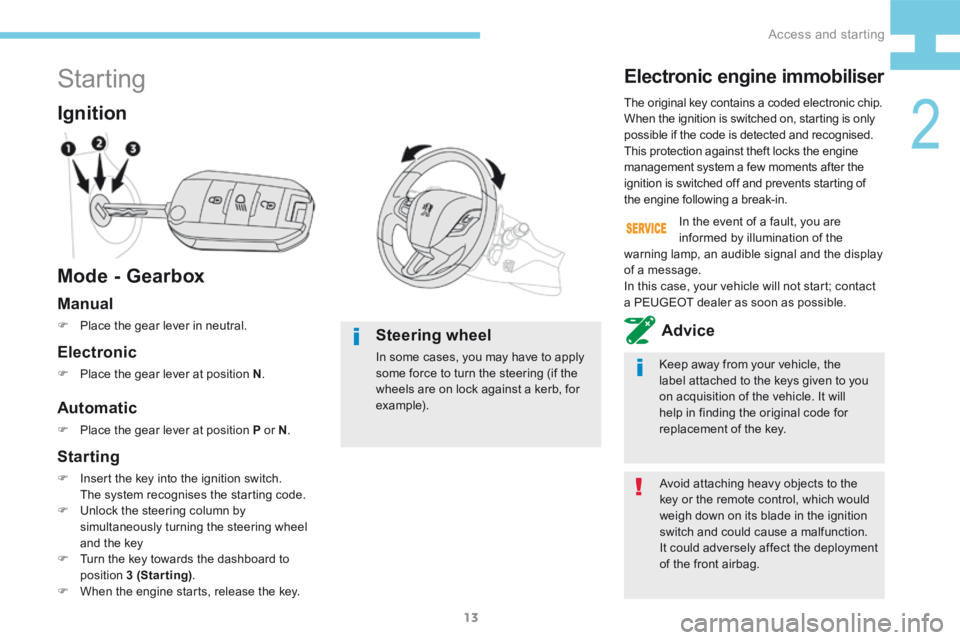
Mode - Gearbox Ignition
Avoid attaching heavy objects to the
key or the remote control, which would
weigh down on its blade in the ignition
switch and could cause a malfunction.
It could adversely affect the deployment
of the front airbag.
The original key contains a coded electronic chip.
When the ignition is switched on, starting is only
possible if the code is detected and recognised.
This protection against theft locks the engine
management system a few moments after the
ignition is switched off and prevents starting of
the engine following a break-in.
Electronic engine immobiliser
Keep away from your vehicle, the
label attached to the keys given to you
on acquisition of the vehicle. It will
help in finding the original code for
replacement of the key.
In the event of a fault, you are
informed by illumination of the
warning lamp, an audible signal and the display
of a message.
In this case, your vehicle will not start; contact
a PEUGEOT dealer as soon as possible.
Manual
F Place the gear lever in neutral.Advice
Automatic
F Place the gear lever at position P or N .
Electronic
F Place the gear lever at position N .
Steering wheel
In some cases, you may have to apply
some force to turn the steering (if the
wheels are on lock against a kerb, for
example).
Starting
F Insert the key into the ignition switch.
The system recognises the starting code.
F Unlock the steering column by
simultaneously turning the steering wheel
and the key
F Turn the key towards the dashboard to
position 3 (Starting) .
F When the engine starts, release the key.
2
Access and starting
Page 16 of 341
14
208_en_Chap02_ Acces-Demarrage_ed01-2015
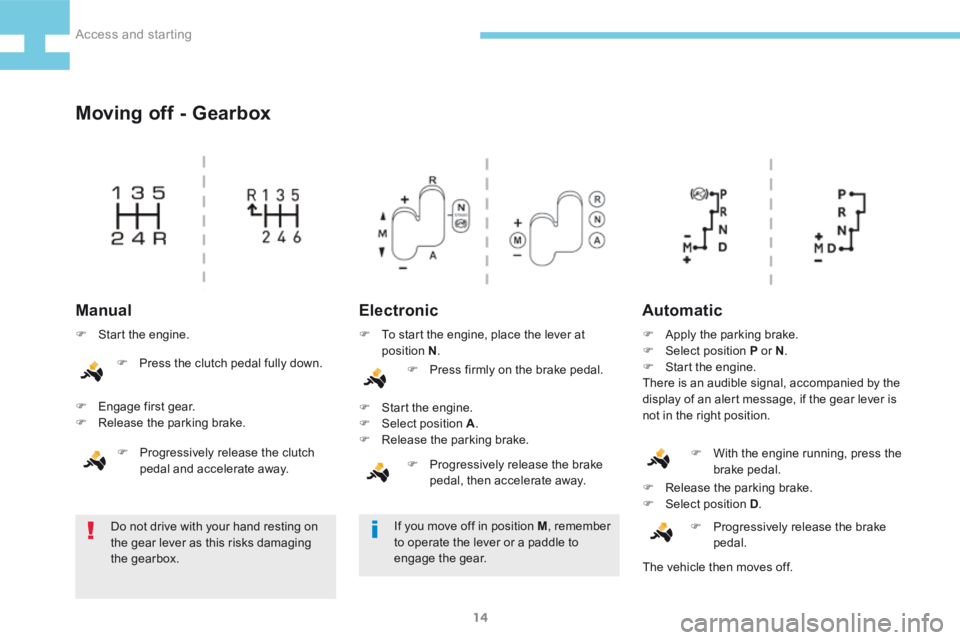
Moving off - Gearbox
ElectronicAutomatic
Do not drive with your hand resting on
the gear lever as this risks damaging
the gearbox. F
Release the parking brake.
F Select position D .
F Progressively release the brake
pedal.
Manual
F Start the engine.
F Engage first gear.
F Release the parking brake.
F Progressively release the clutch
pedal and accelerate away. F
To start the engine, place the lever at
position N .
F Press firmly on the brake pedal.
F Start the engine.
F Select position A .
F Release the parking brake.
F Progressively release the brake
pedal, then accelerate away. F
Apply the parking brake.
F Select position P or N .
F Start the engine.
There is an audible signal, accompanied by the
display of an alert message, if the gear lever is
not in the right position.
If you move off in position M , remember
to operate the lever or a paddle to
engage the gear. F
With the engine running, press the
brake pedal.
The vehicle then moves off.
F
Press the clutch pedal fully down.
Access and starting
Page 17 of 341
15
208_en_Chap02_ Acces-Demarrage_ed01-2015
Switching off
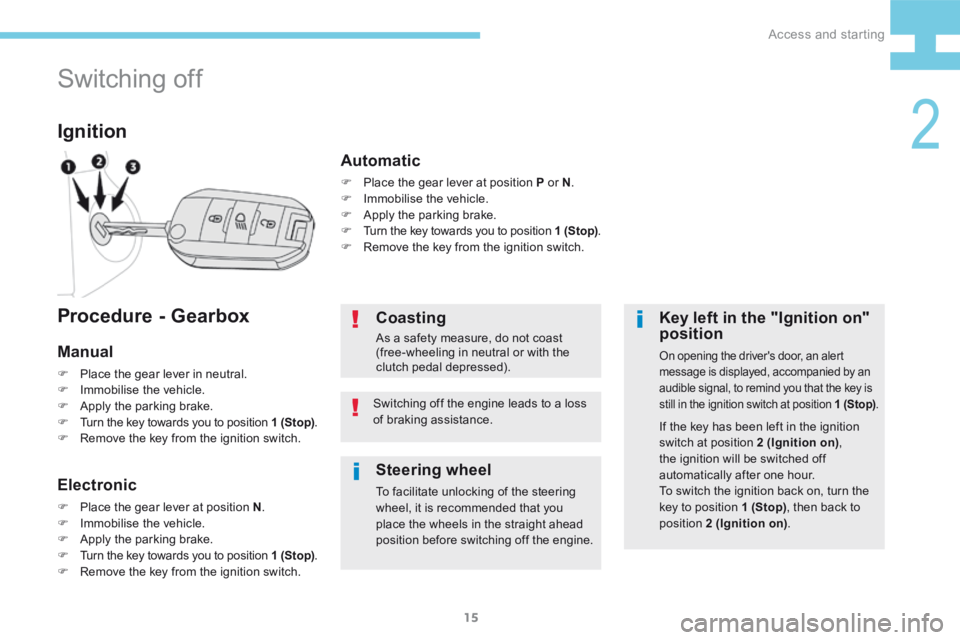
Ignition
Key left in the "Ignition on"
position
On opening the driver's door, an alert
message is displayed, accompanied by an
audible signal, to remind you that the key is
still in the ignition switch at position 1 (Stop).
If the key has been left in the ignition
switch at position 2 (Ignition on),
the ignition will be switched off
automatically after one hour.
To switch the ignition back on, turn the
key to position 1 (Stop) , then back to
position 2 (Ignition on) .
Coasting
As a safety measure, do not coast
(free-wheeling in neutral or with the
clutch pedal depressed).
Switching off the engine leads to a loss
of braking assistance.
Procedure - Gearbox
Manual
F Place the gear lever in neutral.
F Immobilise the vehicle.
F Apply the parking brake.
F Turn the key towards you to position 1 (Stop) .
F Remove the key from the ignition switch.
Electronic
F Place the gear lever at position N .
F Immobilise the vehicle.
F Apply the parking brake.
F Turn the key towards you to position 1 (Stop) .
F Remove the key from the ignition switch.
Automatic
F Place the gear lever at position P or N .
F Immobilise the vehicle.
F Apply the parking brake.
F Turn the key towards you to position 1 (Stop) .
F Remove the key from the ignition switch.
Steering wheel
To facilitate unlocking of the steering
wheel, it is recommended that you
place the wheels in the straight ahead
position before switching off the engine.
2
Access and starting
Page 24 of 341
22
208_en_Chap02_ Acces-Demarrage_ed01-2015
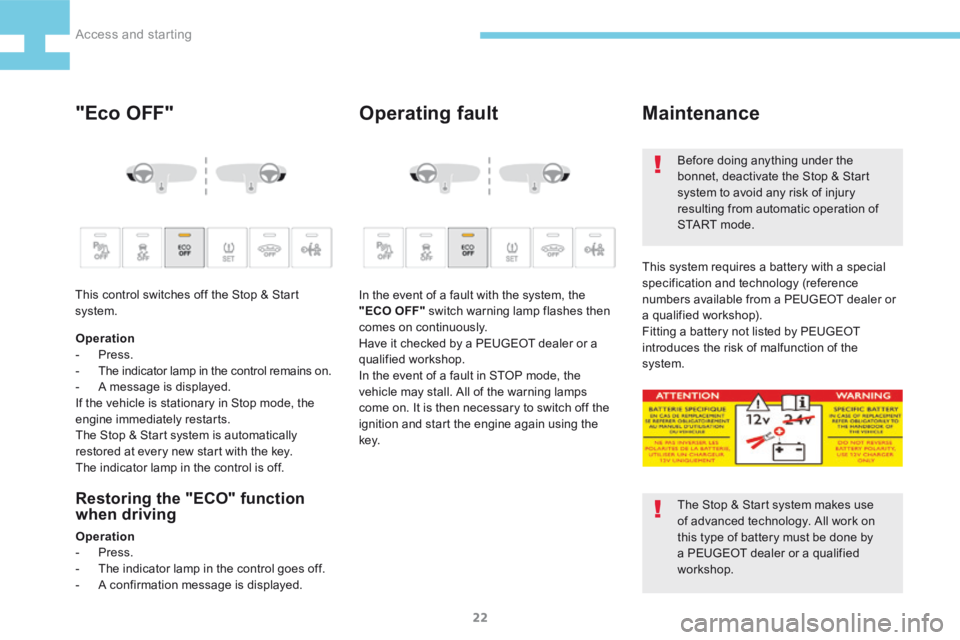
"Eco OFF"Operating fault
Restoring the "ECO" function
when driving
Operation
- Press.
- The indicator lamp in the control goes off.
- A confirmation message is displayed. In the event of a fault with the system, the
"ECO OFF" switch warning lamp flashes then
comes on continuously.
Have it checked by a PEUGEOT dealer or a
qualified workshop.
In the event of a fault in STOP mode, the
vehicle may stall. All of the warning lamps
come on. It is then necessary to switch off the
ignition and start the engine again using the
key.
Maintenance
The Stop & Start system makes use
of advanced technology. All work on
this type of battery must be done by
a PEUGEOT dealer or a qualified
workshop. Before doing anything under the
bonnet, deactivate the Stop & Start
system to avoid any risk of injury
resulting from automatic operation of
S TA R T m o d e .
This system requires a battery with a special
specification and technology (reference
numbers available from a PEUGEOT dealer or
a qualified workshop).
Fitting a battery not listed by PEUGEOT
introduces the risk of malfunction of the
system.
Operation
- Press.
-
The indicator lamp in the control remains on.
- A message is displayed.
If the vehicle is stationary in Stop mode, the
engine immediately restarts.
The Stop & Start system is automatically
restored at every new start with the key.
The indicator lamp in the control is off.
This control switches off the Stop & Start
system.
Access and starting
Page 26 of 341
24
208_en_Chap02_ Acces-Demarrage_ed01-2015
Ports and sockets - Connectivity
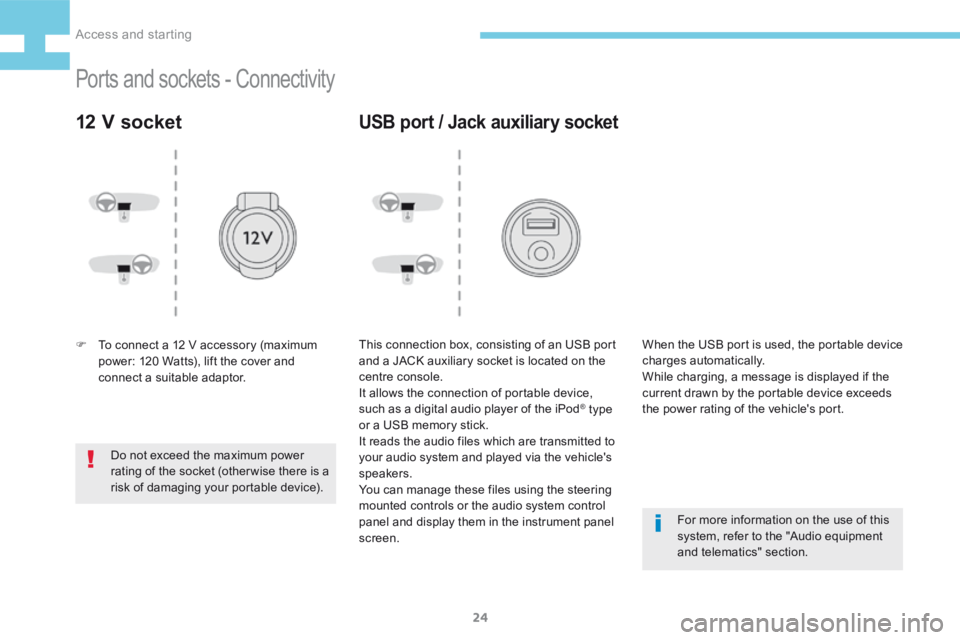
12 V socket
F To connect a 12 V accessory (maximum
power: 120 Watts), lift the cover and
connect a suitable adaptor.
Do not exceed the maximum power
rating of the socket (otherwise there is a
risk of damaging your portable device).
USB port / Jack auxiliary socket
This connection box, consisting of an USB port
and a JACK auxiliary socket is located on the
centre console.
It allows the connection of portable device,
such as a digital audio player of the iPod
® type
or a USB memory stick.
It reads the audio files which are transmitted to
your audio system and played via the vehicle's
speakers.
You can manage these files using the steering
mounted controls or the audio system control
panel and display them in the instrument panel
screen. For more information on the use of this
system, refer to the "Audio equipment
and telematics" section.
When the USB port is used, the portable device
charges automatically.
While charging, a message is displayed if the
current drawn by the portable device exceeds
the power rating of the vehicle's port.
Access and starting
Page 30 of 341
28
208_en_Chap02_ Acces-Demarrage_ed01-2015
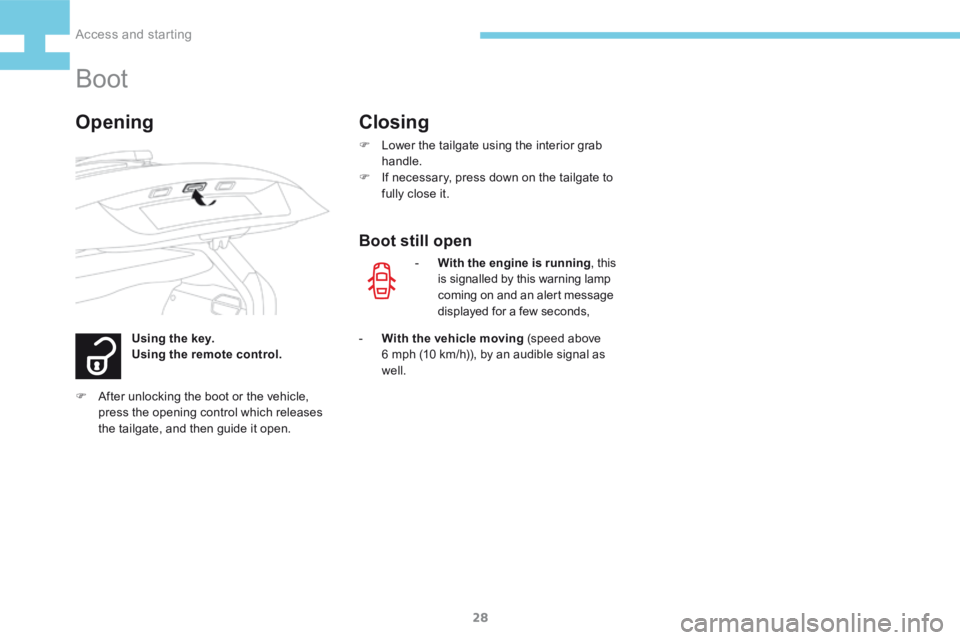
Boot
Using the key.
Using the remote control.
OpeningClosing
F Lower the tailgate using the interior grab
handle.
F If necessary, press down on the tailgate to
fully close it.
- With the engine is running , this
is signalled by this warning lamp
coming on and an alert message
displayed for a few seconds,
- With the vehicle moving (speed above
6 mph (10 km/h)), by an audible signal as
well.
Boot still open
F After unlocking the boot or the vehicle,
press the opening control which releases
the tailgate, and then guide it open.
Access and starting