2014 SUBARU TRIBECA ignition
[x] Cancel search: ignitionPage 223 of 426
6-2Interior equipment
Interior light
When leaving your vehicle, make sure thelights are turned off to avoid batterydischarge.
&Dome light
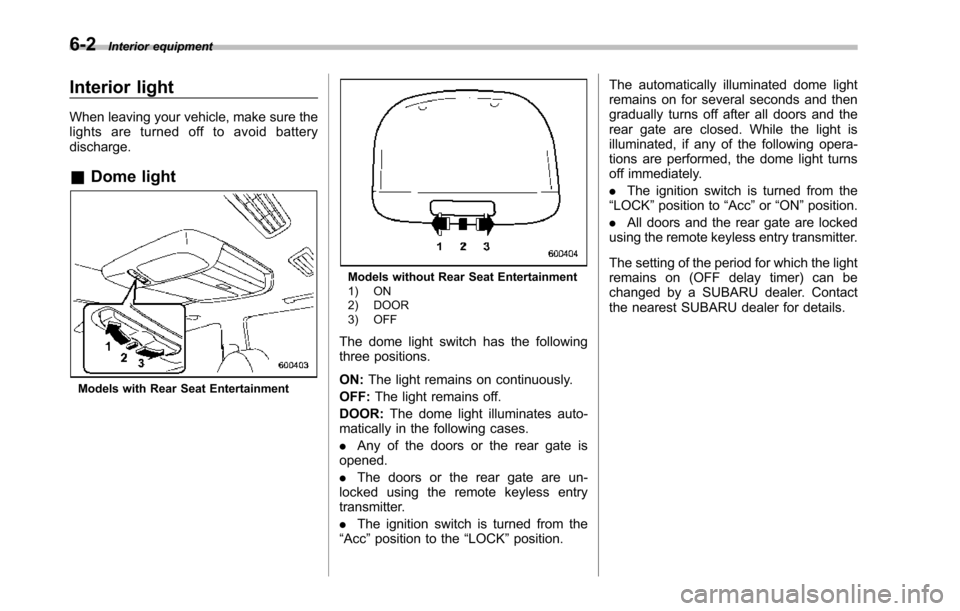
Models with Rear Seat Entertainment
Models without Rear Seat Entertainment1) ON2) DOOR3) OFF
The dome light switch has the followingthree positions.
ON:The light remains on continuously.
OFF:The light remains off.
DOOR:The dome light illuminates auto-matically in the following cases.
.Any of the doors or the rear gate isopened.
.The doors or the rear gate are un-locked using the remote keyless entrytransmitter.
.The ignition switch is turned from the“Acc”position to the“LOCK”position.
The automatically illuminated dome lightremains on for several seconds and thengradually turns off after all doors and therear gate are closed. While the light isilluminated, if any of the following opera-tions are performed, the dome light turnsoff immediately.
.The ignition switch is turned from the“LOCK”positionto“Acc”or“ON”position.
.All doors and the rear gate are lockedusing the remote keyless entry transmitter.
The setting of the period for which the lightremains on (OFF delay timer) can bechanged by a SUBARU dealer. Contactthe nearest SUBARU dealer for details.
Page 225 of 426

6-4Interior equipment
(automatic illumination - ON)..The doors are unlocked using theremote keyless entry transmitter.
.The ignition switch is turned from the“Acc”position to the“LOCK”position.
The automatically illuminated map lightsremain illuminated for several secondsand then gradually turn off after all doorsare closed.
While the lights are illuminated, if any ofthe following operations are performed,the map lights turn off immediately.
.The ignition switch is turned from the“LOCK”position to the“Acc”or“ON”position.
.All doors and the rear gate are lockedusing the remote keyless entry transmitter.
The setting of the period for which the lightremains illuminated (OFF delay timer) canbe changed by a SUBARU dealer. Con-tact your SUBARU dealer for details.
NOTE
If any of the doors or the rear gate isnot completely closed, the map lightswill remain illuminated as a result.However, the map lights are automati-cally turned off by the battery drainageprevention function to prevent thebattery from discharging. For details,
refer to“Battery drainage preventionfunction”F2-6.
&Automatic ambient light for
center console area (if
equipped)
The automatic ambient light illuminateswhen the ignition switch is in the“ON”position and the light control switch is inthe“”position or“”position. Thelight dimly illuminates the area around thecenter console. The light turns off whenthe light control switch is in the“OFF”position. Also, the brightness of the light isadjusted by the illumination brightnesscontrol dial.
Sun visors
To block out glare, swing down the visors.
To use the sun visor at a side window,swing it down and move it sideways.
Page 231 of 426
6-10Interior equipment
trim can be used to hold beverage bottlesand other items.Accessory power outlets
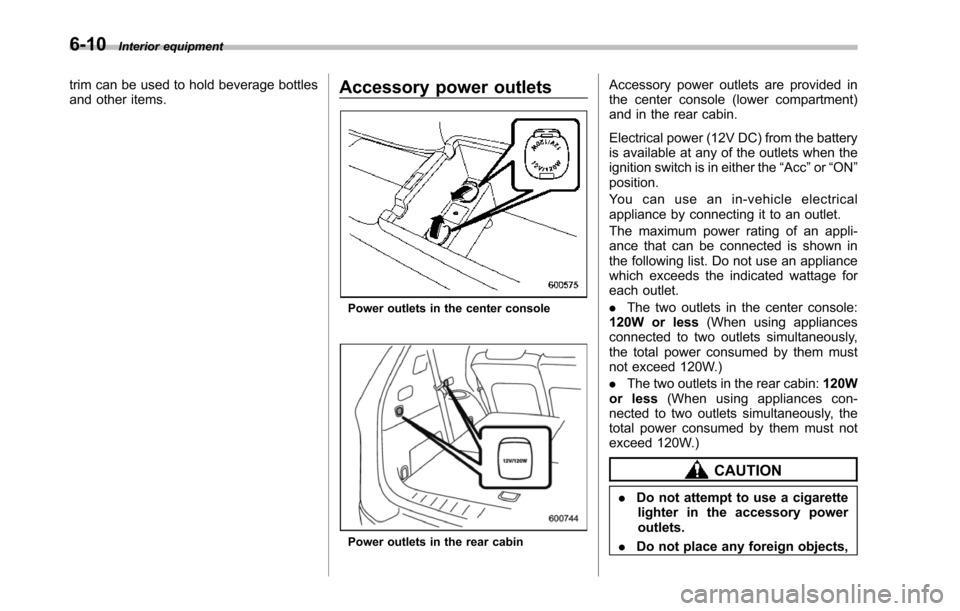
Poweroutlets in the center console
Power outlets in the rear cabin
Accessory power outlets are provided inthe center console (lower compartment)and in the rear cabin.
Electrical power (12V DC) from the batteryis available at any of the outlets when theignition switch is in either the“Acc”or“ON”position.
Yo u c a n u s e a n i n - v e h i c l e e l e c t r i c a lappliance by connecting it to an outlet.
The maximum power rating of an appli-ance that can be connected is shown inthe following list. Do not use an appliancewhich exceeds the indicated wattage foreach outlet.
.The two outlets in the center console:120W or less(When using appliancesconnected to two outlets simultaneously,the total power consumed by them mustnot exceed 120W.)
.The two outlets in the rear cabin:120Wor less(When using appliances con-nected to two outlets simultaneously, thetotal power consumed by them must notexceed 120W.)
CAUTION
.Do not attempt to use a cigarettelighter in the accessory poweroutlets.
.Do not place any foreign objects,
Page 242 of 426
opener by pressing the programmedHomeLink®button.
&Programming other devices
To program other devices such as doorlocks, home lighting and security systems,contact HomeLink at www.homelink.comor call 1-800-355-3515.
&Operating the HomeLink®
Wireless Control System
Once programmed, the HomeLink®Wire-less Control System can be used toremote-controlthe devices to which itsbuttons are programmed. To activate adevice, simply press the appropriate but-ton.The indicator light illuminates, indicat-ing that the signal is being transmitted.
&Erasing HomeLink®button
memory
NOTE
.Performing this procedure erasesthe memory of all the preprogrammedbuttons simultaneously. The memoryof individual buttons cannot be erased..It is recommended that upon thesale of the vehicle, the memory of allprogrammed HomeLink®buttons beerased for security purposes.
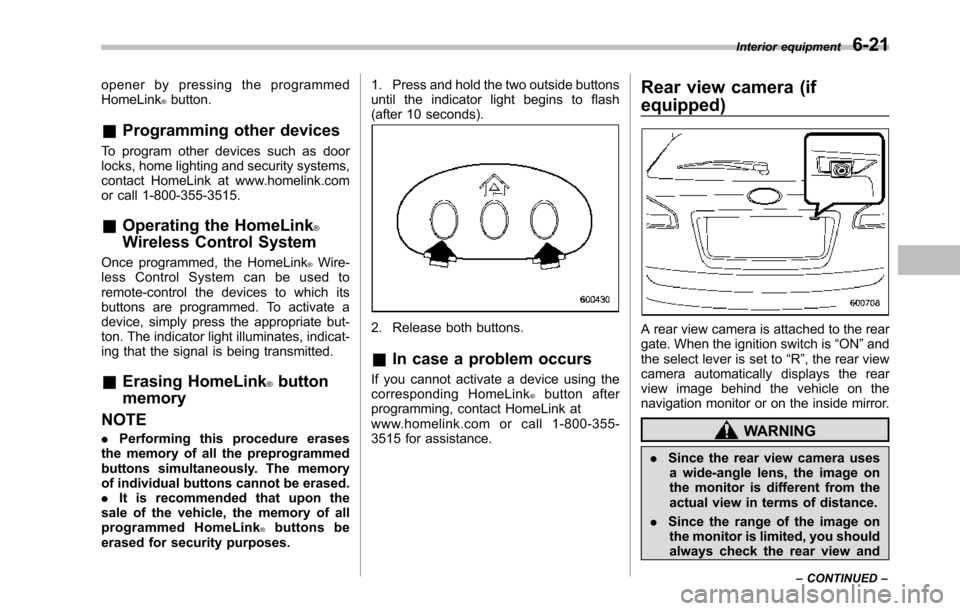
1. Press and hold the two outside buttonsuntil the indicator light begins to flash(after 10 seconds).
2. Release both buttons.
&In case a problem occurs
If you cannot activate a device using thecorresponding HomeLink®button afterprogramming, contact HomeLink atwww.homelink.com or call 1-800-355-3515 for assistance.
Rear view camera (if
equipped)
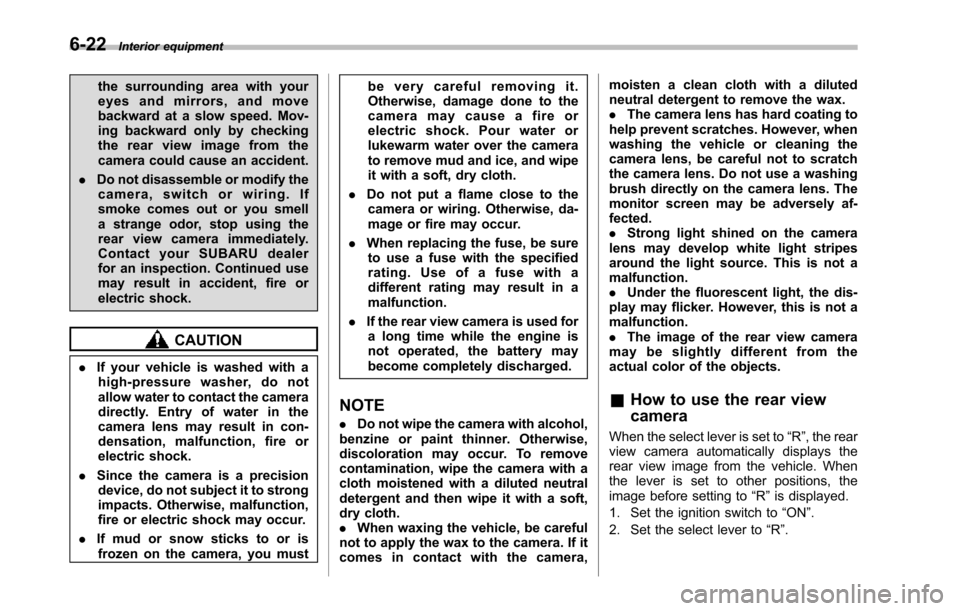
A rear view camera is attached to the reargate. When the ignition switch is“ON”andthe select lever is set to“R”, the rear viewcamera automatically displays the rearview image behind the vehicle on thenavigation monitor or on the inside mirror.
WARNING
.Since the rear view camera usesa wide-angle lens, the image onthe monitor is different from theactual view in terms of distance.
.Since the range of the image onthe monitor is limited, you shouldalways check the rear view and
Interior equipment6-21
–CONTINUED–
Page 243 of 426
6-22Interior equipment
the surrounding area with youreyes and mirrors, and movebackward at a slow speed. Mov-ing backward only by checkingthe rear view image from thecamera could cause an accident.
.Do not disassemble or modify thecamera, switch or wiring. Ifsmoke comes out or you smella strange odor, stop using therear view camera immediately.Contact your SUBARU dealerfor an inspection. Continued usemay result in accident, fire orelectric shock.
CAUTION
.If your vehicle is washed with ahigh-pressure washer, do notallow water to contact the cameradirectly. Entry of water in thecamera lens may result in con-densation, malfunction, fire orelectric shock.
.Since the camera is a precisiondevice, do not subject it to strongimpacts. Otherwise, malfunction,fire or electric shock may occur.
.If mud or snow sticks to or isfrozen on the camera, you must
be very careful removing it.Otherwise, damage done to thecamera may cause a fire orelectric shock. Pour water orlukewarm water over the camerato remove mud and ice, and wipeit with a soft, dry cloth.
.Do not put a flame close to thecamera or wiring. Otherwise, da-mage or fire may occur.
.When replacing the fuse, be sureto use a fuse with the specifiedrating. Use of a fuse with adifferent rating may result in amalfunction.
.If the rear view camera is used fora long time while the engine isnot operated, the battery maybecome completely discharged.
NOTE
.Do not wipe the camera with alcohol,benzine or paint thinner. Otherwise,discoloration may occur. To removecontamination, wipe the camera with acloth moistened with a diluted neutraldetergent and then wipe it with a soft,dry cloth..When waxing the vehicle, be carefulnot to apply the wax to the camera. If itcomes in contact with the camera,
moisten a clean cloth with a dilutedneutral detergent to remove the wax..The camera lens has hard coating tohelp prevent scratches. However, whenwashing the vehicle or cleaning thecamera lens, be careful not to scratchthe camera lens. Do not use a washingbrush directly on the camera lens. Themonitorscreen may be adversely af-fected..Strong light shined on the cameralens may develop white light stripesaround the light source. This is not amalfunction..Under the fluorescent light, the dis-play may flicker. However, this is not amalfunction..The image of the rear view cameramay be slightly different from theactual color of the objects.
&How to use the rear view
camera
When the select lever is set to“R”, the rearview camera automatically displays therear view image from the vehicle. Whenthe lever is set to other positions, theimage before setting to“R”is displayed.
1. Set the ignition switch to“ON”.
2. Set the select lever to“R”.
Page 254 of 426
Preparing to drive
You should perform the following checksand adjustments every day before youstart driving.
1. Check that all windows, mirrors, andlights are clean and unobstructed.
2. Check the appearance and conditionof the tires. Also check tires for properinflation.
3. Look under the vehicle for any sign ofleaks.
4. Check that the hood and rear gate arefully closed.
5. Check the adjustment of the seat.
6. Check the adjustment of the insideand outside mirrors.
7. Fasten your seatbelt. Check that yourpassengers have fastened their seatbelts.
8. Check the operation of the warningand indicator lights when the ignitionswitch is turned to the“ON”position.
9. Check the gauges, indicator and warn-ing lights after starting the engine.
NOTE
Engine oil, engine coolant, brake fluid,washer fluid and other fluid levelsshould be checked daily, weekly or atfuel stops.
Starting the engine
CAUTION
.Do not operate the starter motorcontinuously for more than 10seconds. If the engine fails tostart after operating the starterfor 5 to 10 seconds, wait for 10seconds or more before tryingagain.
.If you restart the engine while thevehicle is moving, shift the selectlever into the“N”position. Donot attempt to place the selectlever of a moving vehicle into the“P”position.
1. Apply the parking brake.
2. Turn off unnecessary lights and ac-cessories.
3. Shift the select lever to the“P”or“N”position (preferably“P”position). Thestarter will only operate when the selectlever is at the“P”or“N”position.
4. Turn the ignition switch to the“ON”position and check the operation of thewarning and indicator lights. Refer to“Warning and indicator lights”F3-9.
5. Turn the ignition switch to the“START”positionwithoutdepressing the accelera-
tor pedal. Release the key immediatelyafter the engine has started.
If the engine does not start, try thefollowing.(1) Turn the ignition switch to the“LOCK”position and wait for at least10 seconds. After checking that theparking brake is firmly set, turn theignition switch to the“START”positionwhile depressing the accelerator pedalslightly (approximately a quarter of thefull stroke).Release the acceleratorpedal as soon as the engine starts.(2) If this fails to start the engine, turnthe ignition switch back to the“LOCK”position and wait for at least 10seconds.Then fully depress the accel-erator pedal and turn the ignitionswitch to the“START”position. If theengine starts, quickly release theaccelerator pedal.(3) If this fails to start the engine, turnthe ignition switch again to the“LOCK”position.After waiting for 10 secondsor longer, turn the ignition switch to the“START”position without depressingthe accelerator pedal.(4) If the engine still refuses to start,contact your nearest SUBARU dealerfor assistance.
6. Confirm that all warning and indicatorlights have turned off after the engine has
Starting and operating7-7
–CONTINUED–
Page 255 of 426
7-8Starting and operating
started. The fuel injection system auto-matically lowers the idle speed as theengine warms up.
While the engine is warming up, makesure that the select lever is at the“P”or“N”position and that the parking brake isapplied.
NOTE
.The engine may be difficult to startwhen the battery has been discon-nected and reconnected (for mainte-nance or other purposes). This diffi-culty is caused by the electronicallycontrolled throttle’sself-diagnosisfunction. To overcome it, keep theignition switch in the“ON”positionfor approximately 10 seconds beforestartingthe engine..To p r o t e c t t h e e n g i n e w h i l e t h eselect lever is in the“P”or“N”position, the engine is controlled sothat the engine speed may not becometoo high even if the accelerator pedal isdepressed hard.
Stopping the engine
WARNING
Do not stop the engine when thevehicle is moving. This will causeloss of power to the power steeringand the brakebooster, making steer-ing and braking more difficult. Itcould also result in accidental acti-vation of the“LOCK”position on theignition switch, causing the steeringwheel to lock.
The ignition switch should be turned offonly whenthe vehicle is stopped and theengine is idling.
Remote engine start system
(dealer option)
WARNING
.Do not start the engine using theremote start system in an en-closed environment (e.g. closedgarage). Prolonged operation ofa motor vehicle in an enclosedenvironment can cause a harmfulbuild-up of Carbon Monoxide.Carbon Monoxide is harmful toyour health. Exposure to highlevels of Carbon Monoxide cancause headaches, dizziness or inextreme cases unconsciousnessand/or death.
.Before performing any servicingof the vehicle, temporarily placethe remote engine start system inservice mode to prevent thesystem from unexpectedly start-ing the engine.
Page 256 of 426
&Starting your vehicle
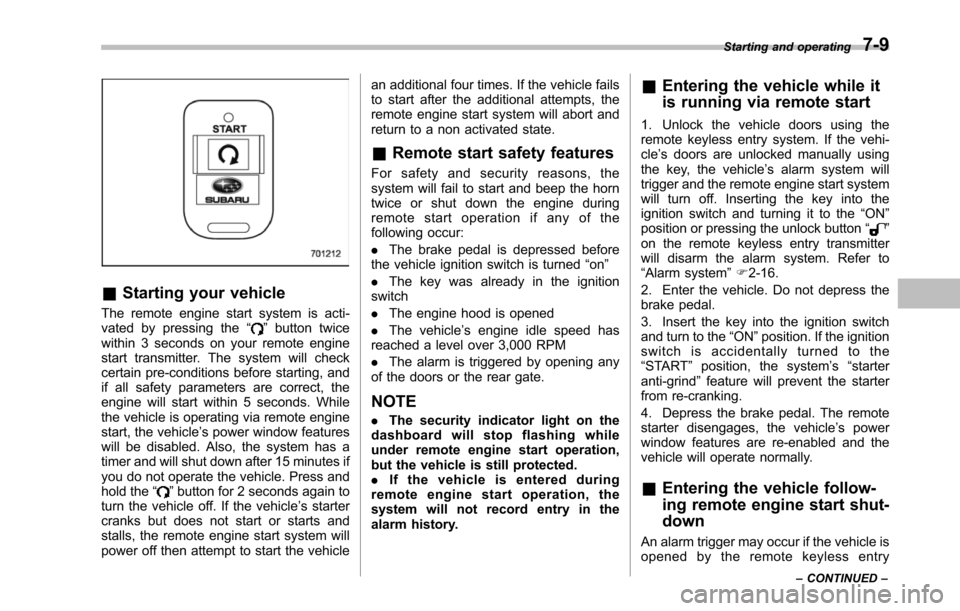
The remote engine start system is acti-vated by pressing the“”button twicewithin 3 seconds on your remote enginestart transmitter. The system will checkcertain pre-conditions before starting, andif all safety parameters are correct, theengine will start within 5 seconds. Whilethe vehicle is operating via remote enginestart, the vehicle’s power window featureswill be disabled. Also, the system has atimer and will shut down after 15 minutes ifyou do not operate the vehicle. Press andhold the“”button for 2 seconds again toturn the vehicle off. If the vehicle’s startercranks but does not start or starts andstalls, the remote engine start system willpower off then attempt to start the vehicle
an additional four times. If the vehicle failsto start after the additional attempts, theremote engine start system will abort andreturn to a non activated state.
&Remote start safety features
For safety and security reasons, thesystem will fail to start and beep the horntwice or shut down the engine duringremote start operation if any of thefollowing occur:
.The brake pedal is depressed beforethe vehicle ignition switch is turned“on”
.The key was already in the ignitionswitch
.The engine hood is opened
.The vehicle’s engine idle speed hasreached a level over 3,000 RPM
.The alarm is triggered by opening anyof the doors or the rear gate.
NOTE
.The security indicator light on thedashboard will stop flashing whileunder remote engine start operation,but the vehicle is still protected..If the vehicle is entered duringremote engine start operation, thesystem will not record entry in thealarm history.
&Entering the vehicle while it
is running via remote start
1. Unlock the vehicle doors using theremote keyless entry system. If the vehi-cle’s doors are unlocked manually usingthe key, the vehicle’s alarm system willtrigger and the remote engine start systemwill turn off. Inserting the key into theignition switch and turning it to the“ON”position or pressing the unlock button“”on the remote keyless entry transmitterwill disarm the alarm system. Refer to“Alarmsystem”F2-16.
2. Enter the vehicle. Do not depress thebrake pedal.
3. Insert the key into the ignition switchand turn to the“ON”position. If the ignitionswitch is accidentally turned to the“START”position, the system’s“starteranti-grind”feature will prevent the starterfrom re-cranking.
4. Depress the brake pedal. The remotestarter disengages, the vehicle’s powerwindow features are re-enabled and thevehicle will operate normally.
&Entering the vehicle follow-
ing remote engine start shut-
down
An alarm trigger may occur if the vehicle isopened by the remote keyless entry
Starting and operating7-9
–CONTINUED–