2014 SUBARU TRIBECA ignition
[x] Cancel search: ignitionPage 257 of 426
7-10Starting and operating
transmitter within a few seconds immedi-ately following remote engine start shut-down.
&Pre-heating or pre-cooling
the interior of the vehicle
Before exiting the vehicle, set the tem-perature controls to the desired settingand operation. After the system starts thevehicle, the heater or air-conditioning willactivate and heat or cool the interior toyour setting.
&Service mode
In service mode, the remote start functionis temporarily disabled to prevent thesystem from unexpectedly starting theengine while being serviced.
!To engage the service mode
Turn the ignition switch to the“ON”position, depress and hold the brake pedalthen, press and release the“”button onthe remote engine start transmitter threetimes. The system will pause for 1 secondand then flash the parking lights and honkthe hornthree times indicating that thesystem is in service mode. When attempt-ing to activate the remote start systemwhile in service mode, the parking lightswill flash and the horn will honk two timesand will not start.
!To disengage the service mode
Turn the ignition switch to the“ON”position, depress and hold the brakepedal, then press and release the“”button on the remote engine start trans-mitter three times. The system will pausefor 1 second and flash the parking lightsone time indicating that the system hasexited service mode.
NOTE
When taking your vehicle in for service,it is recommended that you inform theservice personnel that your vehicle isequippedwith a remote engine startsystem.
&Remote engine start trans-
mitter programming and pro-
grammable feature option
New transmitters can be programmed tothe remote engine start system in theevent that remote engine start transmittersare lost, stolen or damaged. The remoteengine start system also has one pro-grammable feature that can be adjustedfor user preference.
The remote engine start system can beprogrammed to either make an audiblehorn chirp upon remote start activation ornot. Remote engine start transmitter pro-gramming and feature programming can
be adjusted using the following procedure.
1. Open the driver’s door (the driver’sdoor must remain opened throughout theentire process).
2. Insert the key into the vehicle’s ignitionswitch and turn to the“ON”position.
3. Locate the small black programmingbutton behind the fuse box cover, on thedriver’s side left under the dashboardpanel.
4. Press and hold the black programmingbutton for 10 to 15 seconds. The horn willhonk and the parking lights will flash threetimes to indicate that the system hasentered programming mode. At this pointyou can perform either action (step 5 orstep 6).
5. To program a remote transmitter:press and release the“”button on eachtransmitter. The horn will honk and theparking lights will flash one time to indicatea successful transmitter learn each timethe“”button is pressed. You canprogram up to eight transmitters.
6. To toggle the Horn Confirmation chirpsON/OFF: press and release the brake totoggle the feature. The horn will chirp andthe parking lights will flash one time toindicate Confirmation Horn Chirps are“OFF”. The horn will honk and the parkinglights will flash 2 times to indicate Con-firmation Horn Chirps are“ON”. Depres-
Page 258 of 426
sing the brake pedal repeatedly will togglethe feature ON or OFF each time.
7. To exit the remote transmitter andfeature programming mode, turn the igni-tion switch to the“LOCK”position, removethe key from the ignition switch and testoperation of the remote transmitter(s) andhorn confirmation feature.
&System maintenance
!Changing the batteries
CAUTION
.Do not let dust, oil or water get onor in the remote engine starttransmitter when replacing thebattery.
.Be careful not to damage theprinted circuit board in the re-mote engine start transmitterwhen replacing the battery.
.Be careful not to allow children totouch the battery and any re-moved parts; children couldswallowthem.
.There is a danger of explosion ifan incorrect replacement batteryis used. Replace only with thesame or equivalent type of bat-tery.
.Batteries should not be exposedto excessive heat such as sun-shine, fire or the like.
The two 3-volt lithium batteries (modelCR-1220) supplied in your remote enginestart transmitter should last approximatelythree years, depending on usage. Whenthebatteries begin to weaken, you willnotice a decrease in range (distance fromthe vehicle that your remote engine startsystem operates). Follow the instructionsbelow to change the remote controlbatteries.1. Carefully pry the remote engine starttransmitter halves apart using a small flat-head screwdriver.
Starting and operating7-11
–CONTINUED–
Page 260 of 426
“R”position or vice versa untilthe vehicle has completelystopped. Such shifting maycause damage to the transmis-sion.
.When parking the vehicle, firstsecurely apply the parking brakeand then place the select lever inthe“P”position. Avoid parkingfor a long time with the selectlever in any other position asdoing so could result in a deadbattery.
NOTE
.When the engine coolant tempera-ture is still low, the automatic transmis-sion will upshift to higher enginespeeds than when the coolant tempera-ture is sufficiently high in order toshorten the warm-up time and improvedriveability. The gearshift timing willautomatically shift to the normal timingafter the engine has warmed up..Immediately after ATF (automatictransmission fluid) is replaced, youmay feel that the automatic transmis-sion operation is somewhat unusual.This results from invalidation of datawhich the on-board computer hascollected and stored in memory to
allow the transmission to shift at themost appropriate times for the currentcondition of your vehicle. Optimizedshifting will be restored as the vehiclecontinues to be driven for a while.
&Select lever
: With the brake pedal depressed, shiftwhile pressingthe button in.: Shift while pressing the button in.: Shift without pressing the button.
The select lever has four positions,“P”,“R”,“N”,“D”and also has manual gate forusing“SPORT”mode or manual mode.
1) Select lever button
!P (Park)
This position is for parking the vehicle andstarting the engine.
In this position, the transmission is me-chanically locked to prevent the vehiclefrom rolling freely.
When you park the vehicle, first set theparking brake fully, then shift into the“P”position. Do not hold the vehicle with onlythe transmission.
To shift the select lever from the“P”to anyother position, you have to depress thebrake pedal fully then push the selectlever button on the lever knob when theignition switch is in the“ON”position. Thisprevents the vehicle from lurching when it
Starting and operating7-13
–CONTINUED–
Page 261 of 426
7-14Starting and operating
is started.
If the select lever does not move from the“P”position with the brake pedal de-pressed, the select lever button pushedin, and the ignition switch in the ONposition, refer to“Shift lock function”F7-14.
!R (Reverse)
This position is for backing the vehicle.
To shift from the“N”to“R”position, stopthe vehicle completely then move thelever to the“R”position while pushingthe select leverbutton.
!N (Neutral)
This position is for restarting a stalledengine.
In this position the wheels and transmis-sion are not locked. In this position, thetransmission is neutral; the vehicle will rollfreely, even on the slightest incline unlessthe parking brake or foot brake is applied.
Avoid coasting with the transmissionneutral.
During coasting, there is no engine brak-ing effect.
NOTE
When the ignition switch has beenturned to the“LOCK”position, move-ment of the select lever from the“N”
position to the“R”position is possiblefor a limited time period by depressingthe brake pedal and then becomesimpossible. If the select lever becomesimpossible to be moved after a limitedtime period, turn the ignition switch tothe“ON”position. You will then be ableto move the select lever to the“P”position.
WARNING
Do not drive the vehicle with theselect lever in the“N”(Neutral)position. Engine braking has noeffect in this condition and the riskof an accident is consequently in-creased.
!D (Drive)
This position is for normal driving.
The transmission automatically shifts intoa suitable gear from 1st to 5th according tothe vehicle speed and the accelerationyou require.
When more acceleration is required in thisposition, depress the accelerator pedalfully to the floor and hold that position. Thetransmission will automatically downshiftto 4th, 3rd, 2nd or 1st gear. When yourelease the pedal, the transmission will
return to the original gear position.
To use the SPORT mode, move the leverfrom this position into the manual gate.
To use the manual mode, move the leverfrom this position into the manual gatethen move it toward the“+”end or“!”end.
!While climbing a grade
When drivingup a hill, undesired upshift to4th or 5th gear is prevented from takingplace when the accelerator is released.This minimizes the chance of subsequentdownshifting to a lower gear when accel-erating again. This prevents repeatedupshifting and downshifting resulting in asmoother operation of the vehicle.
NOTE
The transmission may downshift to 2ndor 1st gear, depending on the way theaccelerator pedal is depressed to ac-celerate the vehicle again.
&Shift lock function
The shift lock function helps prevent theimproper operationof the select lever.
.The select lever cannot be operatedunless the ignition switch is turned to the“ON”position and the brake pedal isdepressed.
.The select lever cannot be moved from
Page 262 of 426
the“P”position to any other positionbefore the brake pedal is depressed.Depress the brake pedal first, and thenoperate the select lever.
.Only the“P”position allows you to turnthe key from the“Acc”position to the“LOCK”position and remove the key fromthe ignition key cylinder.
.If the ignition switch is turned to the“LOCK”position while the select lever is inthe“N”position,the select lever may notbe moved to the“P”positionafter a periodof time. Therefore, move the select leverto the“P”position with the brake pedaldepressed soon after the ignition switch isturned to the“LOCK”position.
!Shift lock release
If the select lever cannot be operated, turnthe ignition switch back to the“ON”position then move the select lever to the“P”position with the select lever buttonpressed and brake pedal depressed.
If the select lever does not move afterperforming the above procedure, performthe following steps.
.When the select lever cannot beshifted from“P”to“N”:
Refer to“Shift lock release using the shiftlock release button”F7-15.
.When the select lever cannot beshifted from“N”to“R”or“P”:
Within 60 seconds after placing the igni-tion switch in the“Acc”position, move theselect lever to the“R”or“P”position withthe select lever button pressed and brakepedal depressed.
If you must perform the above procedure,the shift lock system (or the vehicle controlsystem) may be malfunctioning. Contact aSUBARU dealer for an inspection as soonas possible.
If the select lever does not move afterperforming the above procedure, refer to“Shift lock release using the shift lockrelease button”F7-15.
!Shift lock release using the shiftlock release button
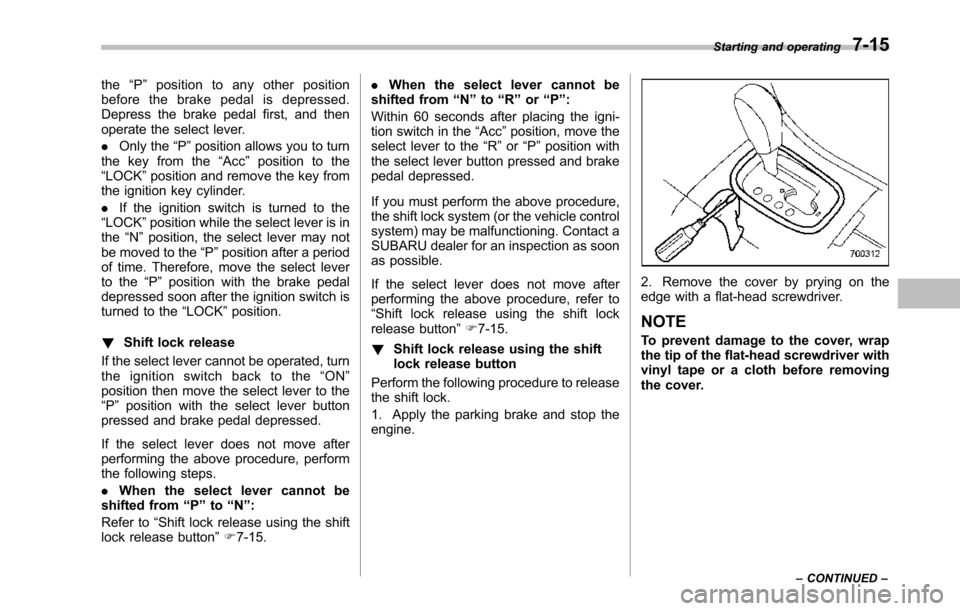
Perform the following procedure to releasethe shift lock.
1. Apply the parking brake and stop theengine.
2. Remove the cover by prying on theedge with a flat-head screwdriver.
NOTE
To prevent damage to the cover, wrapthetip of the flat-head screwdriver withvinyl tape or a cloth before removingthe cover.
Starting and operating7-15
–CONTINUED–
Page 268 of 426
constant brake pedal pressure.Do not pump the brake pedalsince doing so may defeat theoperation of the ABS system.
The ABS system prevents the lock-up ofwheels which may occur during suddenbraking or braking on slippery road sur-faces. This helps prevent the loss ofsteering control and directional stabilitycaused by wheel lock-up.
When the ABS system is operating, youmay hear a chattering noise or feel a slightvibration in the brake pedal. This is normalwhen the ABS operates.
The ABS system will not operate when thevehicle speed is below approximately 6mph (10 km/h).
&ABS system self-check
You may feel a slight shock in the brakepedal and hear the operating sound ofABS from the engine compartment justafter the vehicle is started. This is causedby an automatic functional test of the ABSsystem being carried out and does notindicate any abnormal condition.
&ABS warning light
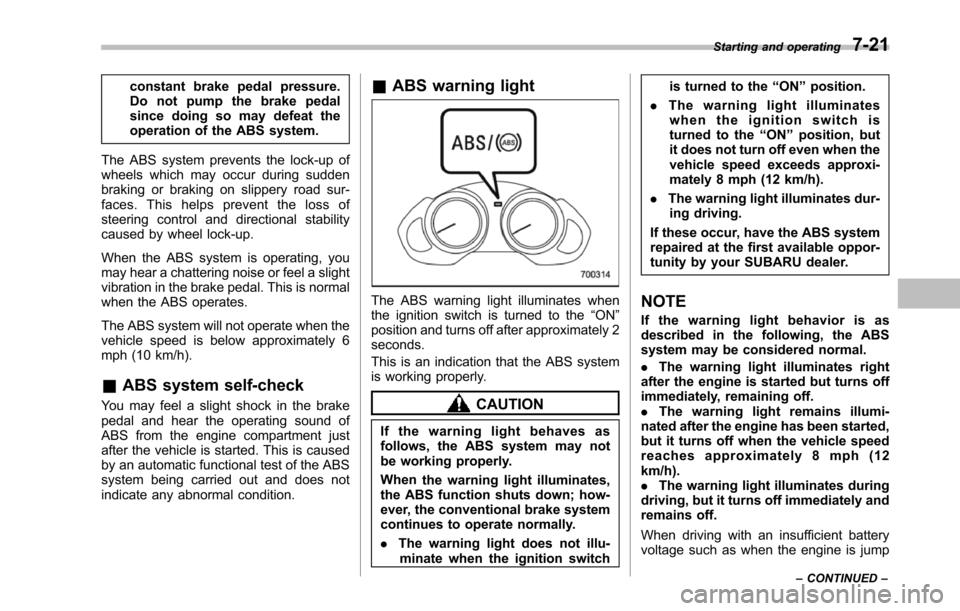
The ABS warning light illuminates whenthe ignition switch is turned to the“ON”position and turns off after approximately 2seconds.
This is an indication that the ABS systemis working properly.
CAUTION
If the warning light behaves asfollows, the ABS system may notbe working properly.
Whenthe warning light illuminates,the ABS function shuts down; how-ever, the conventional brake systemcontinues to operate normally.
.The warning light does not illu-minatewhen the ignition switch
is turned to the“ON”position.
.The warning light illuminateswhen the ignition switch isturned to the“ON”position, butit does not turn off even when thevehicle speed exceeds approxi-mately 8 mph (12 km/h).
.The warning light illuminates dur-ing driving.
If these occur, have the ABS systemrepaired at the first available oppor-tunity by your SUBARU dealer.
NOTE
If the warning light behavior is asdescribed in the following, the ABSsystem may be considered normal.
.The warning light illuminates rightafterthe engine is started but turns offimmediately, remaining off..The warning light remains illumi-nated after the engine has been started,but it turns off when the vehicle speedreaches approximately 8 mph (12km/h)..The warning light illuminates duringdriving, but it turns off immediately andremains off.
When driving with an insufficient batteryvoltage suchas when the engine is jump
Starting and operating7-21
–CONTINUED–
Page 273 of 426
7-26Starting and operating
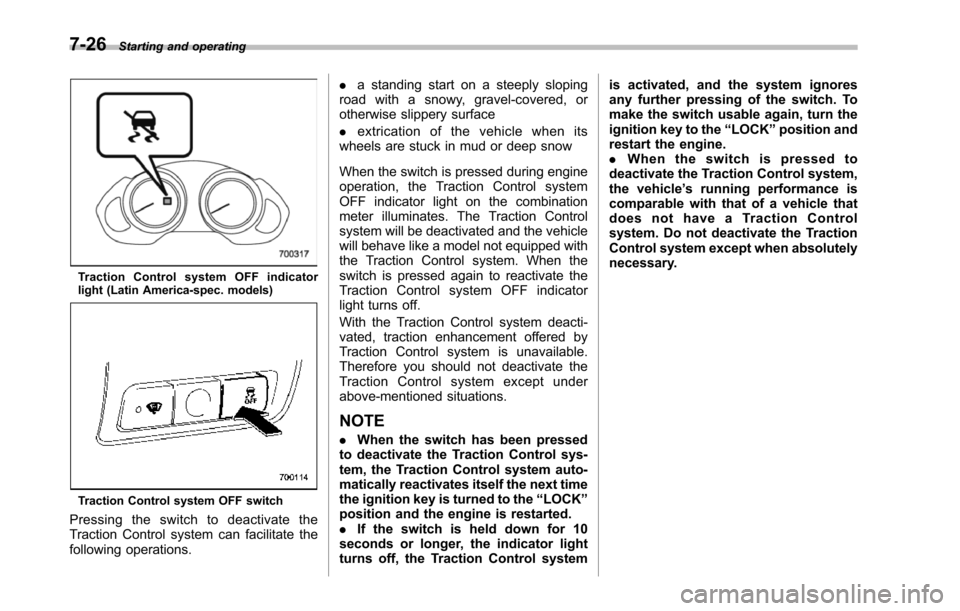
Tr a c t i o n C on t r o l s y s t e m O F F i nd i c a t o rlight (Latin America-spec. models)
Traction Control system OFF switch
Pressing the switch to deactivate theTraction Control system can facilitate thefollowing operations.
.a standing start on a steeply slopingroad with a snowy, gravel-covered, orotherwise slippery surface
.extrication of the vehicle when itswheels are stuck in mud or deep snow
When the switch is pressed during engineoperation, the Traction Control systemOFF indicator light on the combinationmeter illuminates. The Traction Controlsystem willbe deactivated and the vehiclewill behave like a model not equipped withthe Traction Control system. When theswitch is pressed again to reactivate theTraction Control system OFF indicatorlight turns off.
With the Traction Control system deacti-vated, traction enhancement offered byTraction Control system is unavailable.Therefore you should not deactivate theTraction Control system except underabove-mentioned situations.
NOTE
.When the switch has been pressedto deactivate the Traction Control sys-tem, the Traction Control system auto-matically reactivates itself the next timethe ignition key is turned to the“LOCK”position and the engine is restarted..If the switch is held down for 10seconds or longer, the indicator lightturns off,the Traction Control system
is activated, and the system ignoresany further pressing of the switch. Tomake the switch usable again, turn theignition key to the“LOCK”position andrestart the engine..When the switch is pressed todeactivate the Traction Control system,the vehicle’s running performance iscomparable with that of a vehicle thatdoes not have a Traction Controlsystem. Do not deactivate the TractionControl system except when absolutelynecessary.
Page 276 of 426
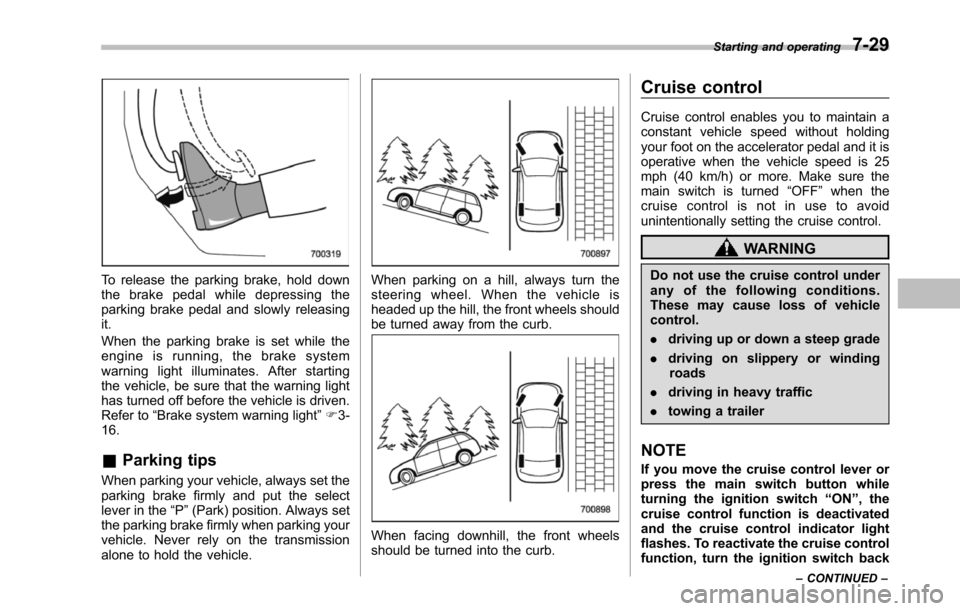
To release the parking brake, hold downthe brake pedal while depressing theparkingbrake pedal and slowly releasingit.
When the parking brake is set while theengine is running, the brake systemwarning light illuminates. After startingthe vehicle, be sure that the warning lighthas turned off before the vehicle is driven.Refer to“Brake system warning light”F3-16.
&Parking tips
When parking your vehicle, always set theparking brake firmly and put the selectlever in the“P”(Park) position. Always setthe parking brake firmly when parking yourvehicle. Never rely on the transmissionalone to hold the vehicle.
When parking on a hill, always turn thesteering wheel. When the vehicle isheadedup the hill, the front wheels shouldbe turned away from the curb.
When facing downhill, the front wheelsshould be turned into the curb.
Cruise control
Cruise control enables you to maintain aconstant vehicle speed without holdingyour foot on the accelerator pedal and it isoperative when the vehicle speed is 25mph (40 km/h) or more. Make sure themain switch is turned“OFF”whenthecruise control is not in use to avoidunintentionally setting the cruise control.
WARNING
Do not use the cruise control underany of the following conditions.These may cause loss of vehiclecontrol.
.driving up or down a steep grade
.driving on slippery or windingroads
.driving in heavy traffic
.towing a trailer
NOTE
If you move the cruise control lever orpress the main switch button whileturning the ignition switch“ON”, thecruise control function is deactivatedand the cruise control indicator lightflashes.To reactivate the cruise controlfunction, turn the ignition switch back
Starting and operating7-29
–CONTINUED–