2014 MITSUBISHI OUTLANDER Screen
[x] Cancel search: ScreenPage 160 of 451
4-wheel drive operation 5-82 Features and controls
5
When turning a sharp corner in “4WD LOCK” or “LOCK” posi
tion at low speed, a
slight difference in
steering may be experi-
enced similar to feeling as if the brakes wereapplied. This is calle
d tight corner braking
and results from each of the four tires being at a different distance from the corner. The phe-nomenon is typical of 4-
wheel drive vehicles.
If this occurs, either straighten out the steer- ing wheel or change to another mode. Set the drive mode-selector to “4WD AUTO”, “4WD LOCK” or “SNOW” inaccordance with the road conditions, and then gradually depress the accelerator pedal for a smooth start.
Set the drive mode-selector to “4WD LOCK” or “LOCK” and then gradually depress theaccelerator pedal for a
smooth start. Keep the
pressure on the accelera
tor pedal as constant
as possible, and drive at low speed.
CAUTION Setting the drive mode-selector to “4WD LOCK” or “LOCK” position to drive on drypaved road will increa
se fuel consumption,
with possible noise generation.
Turning sharp corners On snowy or icy roads
NOTE
The use of snow tires is recommended.
Maintain a safe distan
ce between vehicles,
avoid sudden braking, and use engine brak-ing (downshifting).CAUTION Avoid sudden braking,
sudden acceleration
and sharp turning. Skidding occurs and con-trol of the vehicl
e could be lost.
Driving on sandy or muddy roads
CAUTION Do not force the vehicle or drive recklessly on sandy surfaces. In comparison with nor- mal road surfaces, th
e engine and other
drive-system components are put under excessive strain when driving on such a sur- face. This could lead to accidents. If any of the follow
ing conditions occur
while the vehicle is
being driven, immedi-
ately park your vehicle
in a safe place and
follow these procedures:NOTE
• If the engine coolan
t temperature display
flashes on the information screen in the multi-information di
splay or the engine
power drops suddenly. Refer to “Engine overheating” on page 8-4.• If the “ ” warning display and “SLOW DOWN” or the “ ” warning display and “SERVICE REQUIRED” appear on the information screen in the multi-information display. Refer to “Warning disp
lay” on page 5-62,
5-70.WA R N I N G When attempting to rock your vehicle out of a stuck position, be sure that the area around the vehicle is
clear of people and
physical objects. The rocking motion maycause the vehicle to suddenly launch for- ward/backward, caus
ing injury or dam-
age to nearby people or objects.NOTE
Avoid sudden braking,
sudden ac
celeration
and sharp turning; such operations couldresult in the vehi
cle becoming stuck.
CAUTION
BK0200500US.book 82 ページ 2013年2月12日 火曜日 午前9時46分
Page 166 of 451

Anti-lock braking system 5-88 Features and controls
5
If there is a malfunction in the system, the anti-lock braking system warning light will come on and the warning display will appearon the information screen in the multi-infor- mation display. Under normal conditions, the anti-lock brak-ing system warning light only comes on when the ignition switch is turned to the “ON” position or the operation mode is put in ONand goes off a few seconds later.
N00531701614
Avoid hard braking and high-speed driv- ing. Stop the vehicl
e in a safe place.
Test the system by restarting the engine and driving at a speed of about 12 mph(20 km/h) or higher. If the warning light / display then remains off during driving, there is no abnormalcondition. However, if the warning light / display do not disappear, or if they come on againwhen the vehicle is driven, have the vehi- cle checked by an au
thorized Mitsubishi
Motors dealer or re
pair facility of your
choice as soon as possible.
Warning light
Warning display The anti-lock braking system and brake force distribution function ma
y not work, so hard
braking could make the vehicle unstable.Avoid hard braking and high-speed driving. Stop the vehicle in a safe place and contact an authorized Mitsubishi Motors dealer or repairfacility of your choice.
CAUTION Any of the following indicates that the anti- lock braking system is not functioning and only the standard brake system is working. (The standard brake system is functioningnormally.) If this happe
ns, take your vehicle
to an authorized Mits
ubishi Motors dealer or
a repair facility of your choice. • When the ignition switch is in the “ON”position or the operation
mode is put in ON,
the warning light doe
s not come on or it
remains on and does not go off• The warning light comes on while driving• The warning display
appears while driving
If the warning light / display illuminate while driving If only the anti-lock braking sys- tem warning light/display illumi- nate
If the anti-lock braking system warning light / display and brake warning light / display illuminate at the same time
BK0200500US.book 88 ページ 2013年2月12日 火曜日 午前9時46分
Page 167 of 451

Electric power steering system (EPS)
Features and controls 5-89
5
N00529201090
After driving on snow or icy roads, remove any snow and ice which may have be leftaround the wheels. On vehicles that have an anti-lock braking syst
em, be careful not to
damage the wheel spee
d sensors (A) or the
cables located at each wheel.
N00568401084
The power steering system operates while the engine is running. It helps reduce the effort needed to turn the steering wheel.The power steering sy
stem has mechanical
steering capability in case the power assist is lost. If the power assist is lost for some rea-son, you will still be able to steer your vehi- cle, but you will notice it takes much more effort to steer. If this happens, have your vehi- cle inspected at an authorized Mitsubishi Motors dealer or a repair facility of yourchoice.
Warning lamp Warning display
NOTE
The anti-lock braking
system warning light
and brake warning light illuminate at thesame time and the wa
rning displays appear
alternately on the information screen in the multi-information display.
After driving on icy roads Front Rear
Electric power steering sys- tem (EPS)
WA R N I N G Do not stop the engine while the vehicle is moving. Stopping the engine would make the steering wheel extremely hard to turn, possibly resulting
in an ac
cident.
NOTE
During repeated full-lock turning of the steering wheel (for example, while you aremanoeuvring the vehicle into a parkingspace), a protection f
unction may be acti-
vated to prevent overheating of the power steering system. This f
unction will make the
steering wheel graduall
y harder to turn. In
this event, limit your turning of the steering wheel for a while. When the system hascooled down, the steering effort will return to normal. If you turn the steering wheel while the vehi- cle is stationary with the headlights on, the headlights may become
dim. This behavior
is not abnormal. The he
adlights will return to
their original brightness after a short while.
Electric power steering system warning display
BK0200500US.book 89 ページ 2013年2月12日 火曜日 午前9時46分
Page 168 of 451

Active stability control (ASC) 5-90 Features and controls
5
If there is a malfunction in the system, the warning light will come on and the warningdisplay will appear on the information screen in the multi information display. Under normal conditions, the warning lightcome on when the ignition switch is turned to the “ON” position or the operation mode is put in ON, and goes off after the engine hasstarted.
N00559100147
The Active stability
control (ASC) takes
overall control of the
anti-lock braking sys-
tem, traction control function and skid control function to help maintain the vehicle’s controland traction. Please read
this section in con-
junction with the page on the anti-lock brak- ing system, traction control function and skidcontrol function. Anti-lock braking system
P.5-87
Traction control function
P.5-90
Skid control function
P.5-90
N00559200021
On slippery surfaces, the traction control function prevents the drive wheels from spin- ning excessive, thus helping the vehicle tostart moving from a stopp
ed condition.
It also
provides sufficient driv
ing force and steering
performance as the vehicle turns while press-ing the acceleration pedal.
N00559300019
The skid control function is designed to helpthe driver maintain control of the vehicle on slippery roads or during rapid steering
CAUTION If the warning display appears while the engine is running, have
the vehicle inspected
by an authorized Mitsubishi Motors dealer or a repair facility of
your choice as soon as
possible. It may become harder to turn thesteering wheel.
Active stability control (ASC)
CAUTION Do not over-rely on the ASC. Even the ASC cannot prevent the natural laws of physics from acting on the vehicle. This system, like any other system, has
limits and cannot help
you to maintain traction and control of the vehicle in all circumstances. Reckless driv- ing can lead to accident
s. It is the driver’s
responsibillty to drive carefully, This means taking into account the traffic, road and envi- ronmental conditions. Be sure to use the same specified type and size of tire on all four
wheels. Otherwise, the
ASC may not work properly. Do not install any aftermarket limited slip differential (LSD) on your vehicle. The ASC may stop functioning properly.NOTE
An operation noise may be emitted from the engine compartment in the following situa-tions. The sound is associated with checkingthe operations of the ASC. At this time, you may feel a shock from the brake pedal if you depress it. These do not
indicate a malfunc-
tion. • When the ignition switch is set to the “ON” position. • When the vehicle is driven for a while after the engine is turned on.
When the ASC is acti
vated, you may feel a
vibration in the vehicl
e body or hear a whin-
ing sound from the engine compartment.This indicates that th
e system is operating
normally. It does not i
ndicate a malfunction.
When the anti-lock braking system warning light is illuminated, the ASC is not active.
Traction control function
CAUTION When driving a vehicle on a snowy or icy road, be sure to install snow tires and drive the vehicle at moderate speeds.
Skid control function
NOTE
BK0200500US.book 90 ページ 2013年2月12日 火曜日 午前9時46分
Page 185 of 451

Forward Collision Mitigation System (FCM) (if so equipped)
Features and controls 5-107
5
N00577300024
The Forward Collision Mitigation System (FCM) is designed to help reduce the risk of a collision with a vehicl
e straight ahead of your
vehicle. The FCM uses a radar sensor (A) todetermine the distance to a vehicle in front and relative speed to th
at vehicle. The FCM is
not designed as an automatic driving systemor as a collision
avoidance system.
When your vehicle is approaching a vehicle straight ahead in your path and the FCM
judges that there is the ri
sk of a collision, the
system will give audibl
e and visual warnings.
When the FCM judges th
at a collision with
the vehicle straight-ahead is imminent, the system will automatically apply moderatebraking to warn you to apply the brakes immediately. When the FCM judges th
at a collision with
the vehicle straight-a
head is highly unavoid-
able, the system will apply emergency brak- ing to reduce the severity of the collision and, if possible, to avoid the collision.
N00577400025
If the system judges that there is a risk of your vehicle colliding wi
th a vehicle in front,
this function warns you of the potential haz- ard with visual and audible alarms.When this function is triggered, a buzzer sounds and, at the same time, a “BRAKE” message appears on the information screen ofthe multi-information display. The FCM will also prepare to provide quick brake response and greater brake force whenyou apply the brakes.
Forward Collision Mitiga- tion System (FCM)
(if so
equipped)
WA R N I N G Before using the FCM, read this entire section to fully understand the limitations of this system. Failure to follow instruc- tions could result in an accident.
The FCM is desi
gned to help avoid certain
frontal collisions or
reduce the crash
speed in such collisions. It is not a substi-tute for your safe and careful driving. Under certain circumstances, the system may not operate or may not detect cor-rectly a vehicle in fr
ont. When
your vehi-
cle is approaching a vehicle too closely, take all necessary actions to avoid a colli-sion, such as brakin
g and steering, regard-
less of whether the FCM is activated or not. Never rely on the FCM to prevent acollision.
Forward collision warning function
WA R N I N G
BK0200500US.book 107 ページ 2013年2月12日 火曜日 午前9時46分
Page 186 of 451
Forward Collision Mitigation System (FCM) (if so equipped) 5-108 Features and controls
5
N00577700028
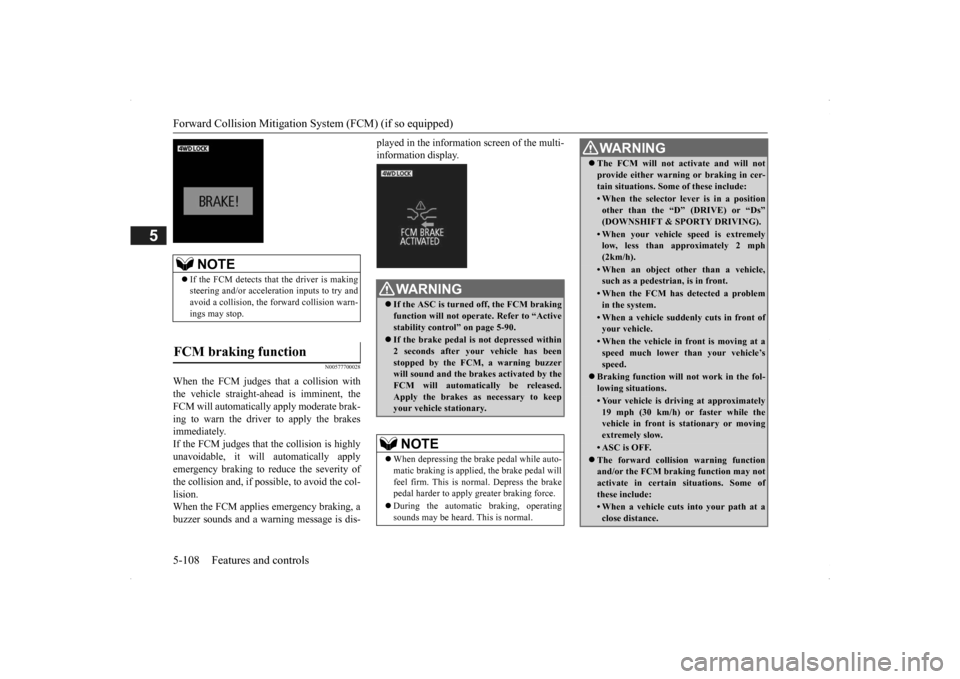
When the FCM judges that a collision with the vehicle straight-ahead is imminent, the FCM will automatically apply moderate brak- ing to warn the driver to apply the brakesimmediately. If the FCM judges that the collision is highly unavoidable, it will automatically applyemergency braking to reduce the severity of the collision and, if possible, to avoid the col- lision.When the FCM applies
emergency braking, a
buzzer sounds and a warn
ing message is dis-
played in the information screen of the multi- information display.
NOTE
If the FCM detects that the driver is making steering and/or accelera
tion inputs to try and
avoid a collision, the forward collision warn-ings may stop.
FCM braking function
WA R N I N G If the ASC is turned off, the FCM braking function will not operat
e. Refer to “Active
stability control” on page 5-90. If the brake pedal is not depressed within 2 seconds after your vehicle has been stopped by the FCM, a warning buzzer will sound and the brak
es activated by the
FCM will automatically be released. Apply the brakes as
necessary to keep
your vehicle stationary.NOTE
When depressing the brake pedal while auto- matic braking is applie
d, the brake pedal will
feel firm. This is normal. Depress the brake pedal harder to apply
greater braking force.
During the automatic
braking, operating
sounds may be heard.
This is normal.
WA R N I N GThe FCM will not activate and will not provide either warnin
g or braking in cer-
tain situations. Some of these include:• When the selector lever is in a positionother than the “D” (DRIVE) or “Ds”(DOWNSHIFT & SPORTY DRIVING).• When your vehicle speed is extremelylow, less than ap
proximately 2 mph
(2km/h).• When an object other than a vehicle,such as a pedestri
an, is in front.
• When the FCM has detected a problem in the system.• When a vehicle suddenly cuts in front ofyour vehicle.• When the vehicle in fr
ont is moving at a
speed much lower than your vehicle’s speed.
Braking function will
not work in the fol-
lowing situations.• Your vehicle is driving at approximately19 mph (30 km/h) or faster while thevehicle in front is
stationary or moving
extremely slow.•ASC is OFF. The forward collision warning function and/or the FCM brakin
g function may not
activate in certain situations. Some of these include:• When a vehicle cuts
into your path at a
close distance.
BK0200500US.book 108 ページ 2013年2月12日 火曜日 午前9時46分
Page 188 of 451

Forward Collision Mitigation System (FCM) (if so equipped) 5-110 Features and controls
5
Every time the operation mode is turned to “ON”, the FCM will automatically be turned on.To turn off the FCM, press and hold the FCM switch. A buzzer will sound and the “FCM OFF” message and
indicator will appear
in the multi-information display. To turn on the FCM again, press and hold the FCM switch. A buzzer w
ill sound, the “FCM
OFF” message and the indicator will go off, and a current distance mode for the for- ward collision warning will be shown in themulti-information display.
The distance to the vehicle ahead which trig- gers the forward collision warnings can be selected from two levels, “NEAR” or “FAR”. To change the distan
ce mode, push the FCM
ON/OFF switch. Every time the switch is pushed, the distance
mode will be switched.
The selected distance
mode is shown on the
information screen of
the multi-information
display. When “NEAR” is selected When “FAR” is selected
When the FCM system determines that its performance has been degraded, the forward collision warning function and the FCM brak-ing function will become inoperative. This can occur when Foreign objects, such as
dirt, snow or ice,
adhere to the surface of the radar sensor. A front vehicle or an oncoming vehicle is splashing water, snow or dirt. Driving on a nonbusy road with a few vehicles and obstacles in front. The brake pads are overheating.
“FCM TEMPORARILY NOT AVAILABLE” message will appear and the “FCM OFF”indicator will be lit on the information screen of the multi-information display. When the radar sensor performance returns,the FCM functions will resume operation.
To turn on/off the FCM system
To change forward collision warn- ing distance
NOTE
Actual distance which triggers the forward collision warnings w
ill vary depending on
your vehicle speed a
nd the front vehicle
speed. The distance will become longerwhen the vehicle speeds are higher.
The distance which will trigger the FCM braking function cannot be adjusted.
When a problem is detected
NOTE
BK0200500US.book 110 ページ 2013年2月12日 火曜日 午前9時46分
Page 189 of 451

Lane Departure Warning System (LDW) (if so equipped)
Features and controls 5-111
5
If the FCM detects a malfunction in the sys- tem, the “FCM!” and the “FCM SERVICEREQUIRED” message wi
ll appear, the “FCM
OFF” indicator will be lit on the information screen of the multi-in
formation display and
the FCM will automatically be turned off. If the message remains even after the opera- tion mode is tuned to “OFF” and then back to“ON”, please contact your authorized Mit- subishi Motors dealer.
N00580900024
FCC ID:OAYARS3-B (for vehicles sold in the U.S.A)IC: 4135A-ARS3B (for vehicles sold in the Canada) This device complies
with Part 15 of FCC
Rules and Industry Canada licence-exemptRSS standard(s). Operation is subject to
the following two con-
ditions. this device may not
cause harmful inter-
ference received. this device must ac
cept any interference
received including in
terference that may
cause undesired operation.
N00577900020
The Lane Departure Wa
rning system (LDW)
is a driving aid system to help prevent unin- tentional lane departure. The LDW is designed to read lane markers by using acamera (A) under certain conditions. The LDW will give you both
visual and audible
NOTE
The “FCM TEMPORARILY NOT AVAIL- ABLE” message may temporarily appear on the information screen when the radar cannotdetect a vehicle or object within range. This is not a malfunction.
When a vehicle or an
object comes within
range, the FCM func-
tion will resume and
the message will go off.
General information
CAUTIONChanges or modifica
tions not expressly
approved by the manufacturer for compli-ance could void the user
’s authority to oper-
ate the equipment.
Lane Departure Warning System (LDW)
(if so equipped)
BK0200500US.book 111 ページ 2013年2月12日 火曜日 午前9時46分