2014 MITSUBISHI OUTLANDER Screen
[x] Cancel search: ScreenPage 111 of 451
Door locks
Features and controls 5-33
5
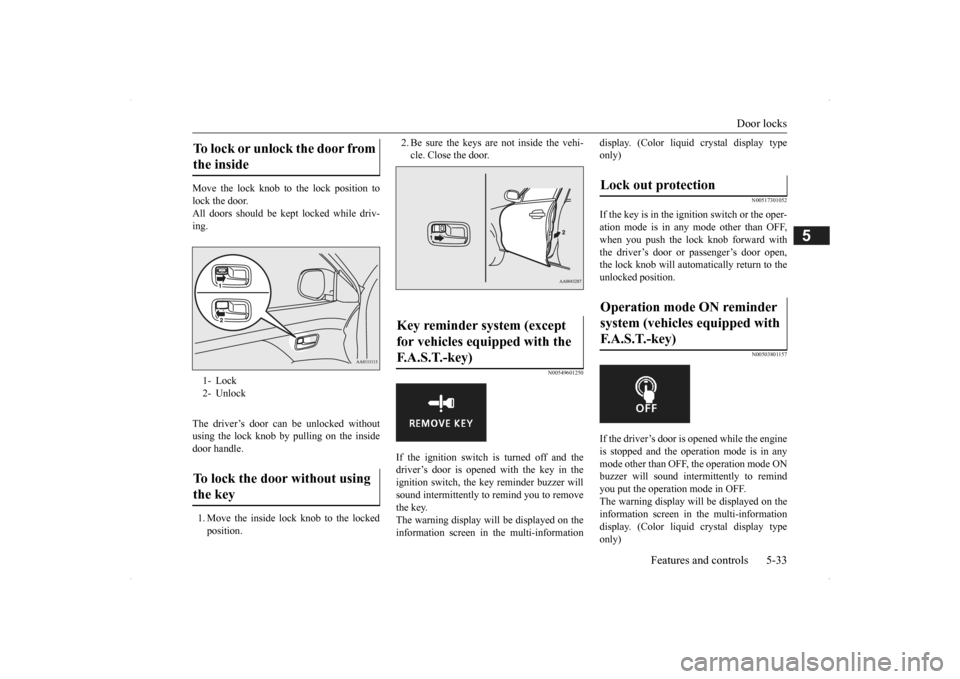
Move the lock knob to the lock position to lock the door. All doors should be kept locked while driv-ing. The driver’s door can be unlocked without using the lock knob by pulling on the insidedoor handle. 1. Move the inside lock knob to the locked position.
2. Be sure the keys are not inside the vehi- cle. Close the door.
N00549601250
If the ignition switch is turned off and thedriver’s door is opened with the key in theignition switch, the ke
y reminder buzzer will
sound intermittently to
remind you to remove
the key.The warning display will be displayed on the information screen in the multi-information
display. (Color liquid crystal display type only)
N00517301052
If the key is in the ignition switch or the oper-ation mode is in any
mode other than OFF,
when you push the lock knob forward with the driver’s door or passenger’s door open, the lock knob will automatically return to the unlocked position.
N00503801157
If the driver’s door is opened while the engineis stopped and the operation mode is in any mode other than OFF, the operation mode ONbuzzer will sound intermittently to remind you put the operation mode in OFF. The warning display will be displayed on theinformation screen in the multi-information display. (Color liquid crystal display type only)
To lock or unlock the door from the inside 1- Lock 2- UnlockTo lock the door without using the key
Key reminder system (except for vehicles equipped with the F.A.S.T.-key)
Lock out protection Operation mode ON reminder system (vehicles equipped with F. A . S . T. - k e y )
BK0200500US.book 33 ページ 2013年2月12日 火曜日 午前9時46分
Page 113 of 451
Child safety locks for rear door Features and controls 5-35
5
N00509401298
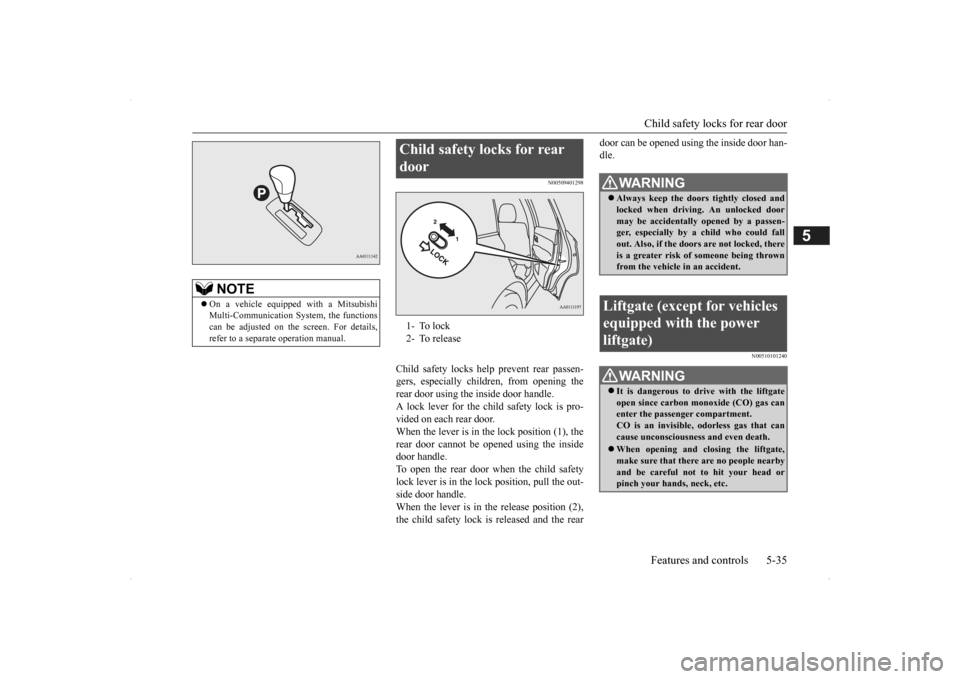
Child safety locks help prevent rear passen- gers, especially children, from opening therear door using the inside door handle. A lock lever for the child safety lock is pro- vided on each rear door.When the lever is in the lock position (1), the rear door cannot be opened using the inside door handle.To open the rear door when the child safety lock lever is in the lock position, pull the out- side door handle.When the lever is in the release position (2), the child safety lock is released and the rear
door can be opened using the inside door han- dle.
N00510101240
NOTE
On a vehicle equippe
d with a Mitsubishi
Multi-Communication System, the functionscan be adjusted on the screen. For details, refer to a separate operation manual.
Child safety locks for rear door 1- To lock 2- To release
WA R N I N G Always keep the door
s tightly closed and
locked when driving. An unlocked door may be accidentally
opened by a passen-
ger, especially by
a child who could fall
out. Also, if the doors are not locked, there is a greater risk of
someone being thrown
from the vehicle
in an accident.
Liftgate (except for vehicles equipped with the power liftgate)
WA R N I N G It is dangerous to drive with the liftgate open since carbon mo
noxide (CO) gas can
enter the passenger compartment. CO is an invisible,
odorless gas that can
cause unconsciousness and even death. When opening and closing the liftgate, make sure that there are no people nearbyand be careful not to hit your head or pinch your hands, neck, etc.
BK0200500US.book 35 ページ 2013年2月12日 火曜日 午前9時46分
Page 125 of 451
Theft-alarm system
Features and controls 5-47
5
be deactivated when pa
rking in automated car
parks or leaving pe
ts in the vehicle.
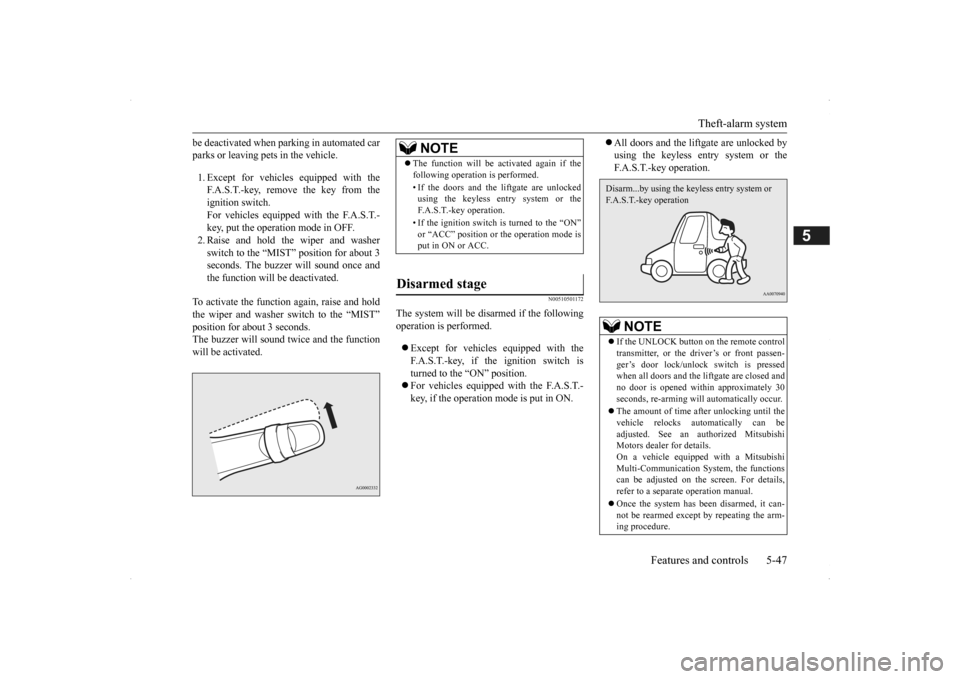
1. Except for vehicles equipped with the F.A.S.T.-key, remove the key from the ignition switch. For vehicles equipped with the F.A.S.T.-key, put the operation mode in OFF. 2. Raise and hold the wiper and washer switch to the “MIST” position for about 3seconds. The buzzer will sound once and the function will be deactivated.
To activate the function again, raise and hold the wiper and washer switch to the “MIST” position for about 3 seconds. The buzzer will sound twice and the functionwill be activated.
N00510501172
The system will be disa
rmed if the following
operation is performed. Except for vehicles
equipped with the
F.A.S.T.-key, if the ignition switch is turned to the “ON” position. For vehicles equipped with the F.A.S.T.- key, if the operation mode is put in ON.
All doors and the lift
gate are unlocked by
using the keyless entry system or theF.A.S.T.-key operation.
NOTE
The function will be activated again if the following operation is performed. • If the doors and the liftgate are unlocked using the keyless entry system or the F.A.S.T.-key operation. • If the ignition switch is turned to the “ON” or “ACC” position or the operation mode isput in ON or ACC.
Disarmed stage
NOTE
If the UNLOCK button on the remote control transmitter, or the dr
iver’s or front passen-
ger’s door lock/unloc
k switch is pressed
when all doors and the liftgate are closed and no door is opened within approximately 30seconds, re-arming will
automatically occur.
The amount of time after unlocking until the vehicle relocks automatically can be adjusted. See an authorized Mitsubishi Motors dealer for details.On a vehicle equipped with a Mitsubishi Multi-Communication System, the functions can be adjusted on the screen. For details,refer to a separate operation manual. Once the system has been disarmed, it can- not be rearmed except
by repeating the arm-
ing procedure.Disarm...by using the keyless entry system or F.A.S.T.-key operation
BK0200500US.book 47 ページ 2013年2月12日 火曜日 午前9時46分
Page 131 of 451

Steering wheel height
and reach adjustment
Features and controls 5-53
5
When parking on a hill, set the parking brake, and turn the front wheels toward the curb on a downhill, or away from
the curb on an uphill.
N00511501241
To adjust the steering wheel to the desired position, move the lever upward or down- ward while moving the steering wheel to the desired position.
To apply 1- Pull the lever up without pushing the
button at the end of hand grip. When the parking brake is set and theignition switch is in the “ON” position, the brake warning light in the instru- ment cluster will come on. Before driving, be sure to release the parking brake.
To deactivate 1- Pull the lever up slightly. 2- Press and hold the button at the end of
the hand grip.
3- Push the lever downward.
CAUTION Before driving, be sure that the parking brake is fully released and brake warninglight is off.If you drive without the parking brake fully released, the warning di
splay will appear on
the information screen in the multi-informa-tion display. If a vehicle is driven without releasing the parking brake, the brak
es will be overheated,
resulting in ineffectiv
e braking and possible
brake failure. Warning light Warning display
Steering wheel height and reach adjustment
BK0200500US.book 53 ページ 2013年2月12日 火曜日 午前9時46分
Page 135 of 451
Ignition switch
Features and controls 5-57
5
All accessories can be used. Engages the starter. Release the key when the engine starts.It will automatically return to the “ON” position.
N00539601071
After about 30 minutes has elapsed with the ignition switch in the “ACC” position, thefunction automatically cuts out the power for the audio system and ot
her electric devices
that can be operated with that position.When the ignition switch is turned from the “ACC” position, the pow
er is supplied again
to those devices.
N00550901211
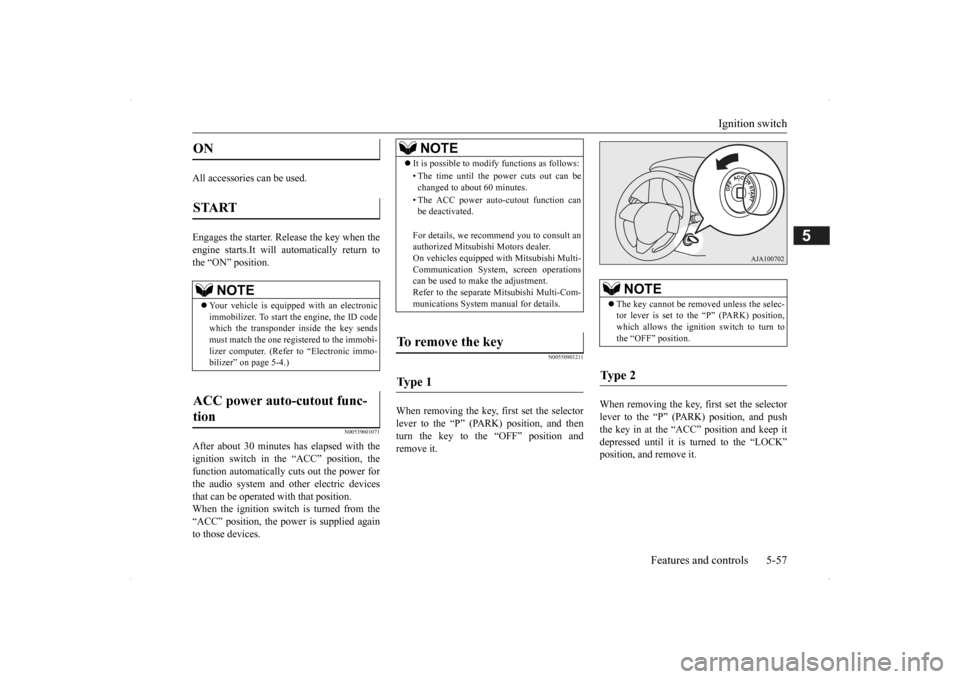
When removing the key,
first set the selector
lever to the “P” (PARK) position, and then turn the key to the “OFF” position and remove it.
When removing the key, first set the selector lever to the “P” (PARK) position, and push the key in at the “ACC” position and keep it depressed until it is turned to the “LOCK”position, and remove it.
ON START
NOTE
Your vehicle is equippe
d with an electronic
immobilizer. To start
the engine, the ID code
which the transponder inside the key sendsmust match the one registered to the immobi- lizer computer. (Refer to “Electronic immo- bilizer” on page 5-4.)
ACC power auto-cutout func- tion
NOTE
It is possible to modify functions as follows: • The time until the power cuts out can be changed to about 60 minutes. • The ACC power auto
-cutout function can
be deactivated. For details, we reco
mmend you to consult an
authorized Mitsubishi Motors dealer. On vehicles equipped
with Mitsubishi Multi-
Communication System, screen operations can be used to ma
ke the adjustment.
Refer to the separate Mitsubishi Multi-Com-munications System manual for details.
To remove the key Ty p e 1
NOTE
The key cannot be rem
oved unless the selec-
tor lever is set to the “P” (PARK) position,which allows the ignition switch to turn to the “OFF” position.
Ty p e 2
BK0200500US.book 57 ページ 2013年2月12日 火曜日 午前9時46分
Page 141 of 451
![MITSUBISHI OUTLANDER 2014 3.G Owners Manual Automatic transaxle (if so equipped)
Features and controls 5-63
5
system or A/T fluid temperature becomes abnormally high.
[For vehicles equipped with color liquid crystal display meter]
or
When](/manual-img/19/7531/w960_7531-140.png "MITSUBISHI OUTLANDER 2014 3.G Owners Manual Automatic transaxle (if so equipped)
Features and controls 5-63
5
system or A/T fluid temperature becomes abnormally high.
[For vehicles equipped with color liquid crystal display meter]
or
When")
Automatic transaxle (if so equipped)
Features and controls 5-63
5
system or A/T fluid temperature becomes abnormally high.
[For vehicles equipped with color liquid crystal display meter]
or
When the warning display or the warn- ing display appears on the information screen
in the multi-information display while you are driving, there could be a malfunction inthe automatic transaxle.
NOTE
“A” indicator does br
ink only the condition
that the A/T positional switch is broken. It does not indicate
in normal driving condi-
tion.
CAUTION If a malfunction occurs in the A/T while driving, the indicator will brink.In this case, immediat
ely park your vehicle
in a safe place and fo
llow these procedures:
[If the indicator blinks
rapidly (once per sec-
ond), the A/T fluid is overheating.]Park your vehicle in a safe place but do not turn off the engine. M
ove the selector lever
to the “P” (PARK) position and open thebonnet. Keep the engine, idling. After a while, move the selector lever into any position other than “P” (PARK) positionand confirm that the i
ndicator stops blinking.
It is safe to continue driving if the indicator no longer blinks.If the indicator conti
nues blinking or blinks
intermittently, have
your vehicle inspected
by an authorised Mits
ubishi Motors dealer.
[If the indicator blinks slowly (once per 2 seconds), the A/T safety
device may be oper-
ating due to a malfunction.]Have the vehicle insp
ected by an authorised
Mitsubishi Motors deal
er as soon as possi-
ble.
BK0200500US.book 63 ページ 2013年2月12日 火曜日 午前9時46分
Page 142 of 451
Automatic transaxle (if so equipped) 5-64 Features and controls
5
N00514201395
This position locks the transaxle to prevent the vehicle from moving.
The engine can be
started from the “P” (PARK) position. Move the lever to this position only after the vehicle has come to a complete stop. At this position, the tr
ansaxle is disengaged.
It is the same as th
e neutral position on a
manual transaxle and should be used when the vehicle is not moving for an extended length of time during driving, such as in atraffic jam.
This position is used for most city and high- way driving. The transaxle will automatically change its gear depe
nding on road and driv-
ing conditions.
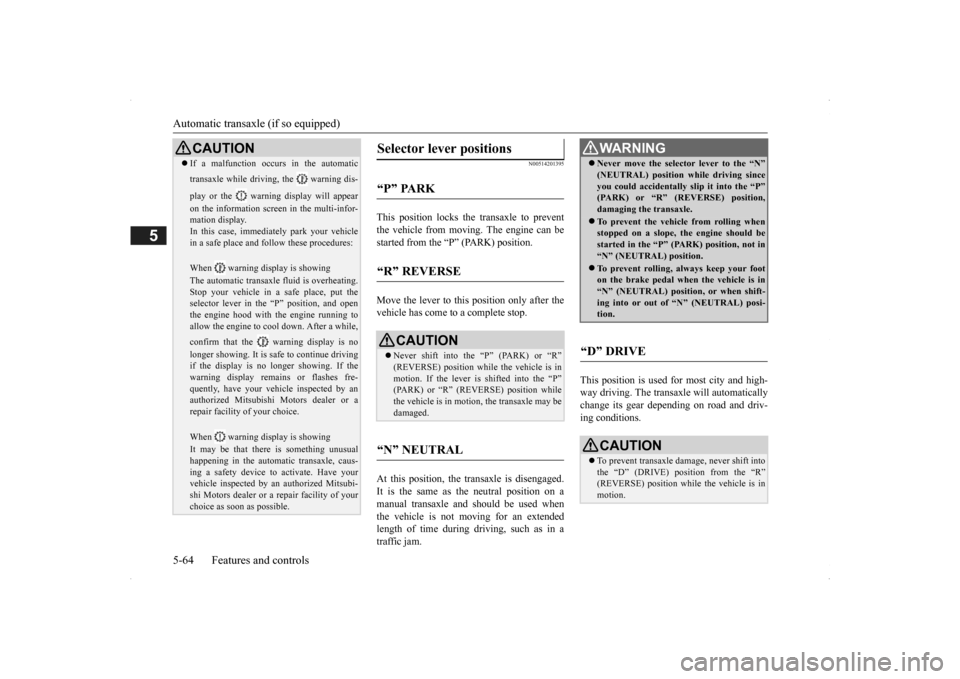
CAUTION If a malfunction occurs in the automatic transaxle while driving, the warning dis- play or the warni
ng display will appear
on the information screen in the multi-infor- mation display. In this case, immediat
ely park your vehicle
in a safe place and fo
llow these procedures:
When warning display is showing The automatic transaxle
fluid is overheating.
Stop your vehicle in a
safe place, put the
selector lever in the
“P” position, and open
the engine hood with the engine running to allow the engine to c
ool down. After a while,
confirm that the warning display is no longer showing. It is sa
fe to continue driving
if the display is no longer showing. If thewarning display remains or flashes fre- quently, have your vehicle inspected by an authorized Mitsubishi Motors dealer or arepair facility of your choice. When warning display is showing It may be that there is something unusual happening in the automa
tic transaxle, caus-
ing a safety device to
activate. Have your
vehicle inspected by an
authorized Mitsubi-
shi Motors dealer or a repair facility of yourchoice as soon as possible.
Selector lever positions
“P” PARK
“R” REVERSE
CAUTION Never shift into the “P” (PARK) or “R” (REVERSE) position while the vehicle is in motion. If the lever is shifted into the “P” (PARK) or “R” (REVERSE) position whilethe vehicle is in moti
on, the transaxle may be
damaged.
“N” NEUTRAL
WA R N I N G Never move the selector lever to the “N” (NEUTRAL) position while driving sinceyou could accidentally
slip it into the “P”
(PARK) or “R” (REVERSE) position, damaging the transaxle. To prevent the vehicle from rolling when stopped on a slope,
the engine should be
started in the “P” (P
ARK) position, not in
“N” (NEUTRAL) position. To prevent rolling, always keep your foot on the brake pedal when the vehicle is in “N” (NEUTRAL) positi
on, or when shift-
ing into or out of
“N” (NEUTRAL) posi-
tion.
“D” DRIVE
CAUTION To prevent transaxle damage, never shift into the “D” (DRIVE) position from the “R” (REVERSE) position while the vehicle is in motion.
BK0200500US.book 64 ページ 2013年2月12日 火曜日 午前9時46分
Page 144 of 451
Automatic transaxle (if so equipped) 5-66 Features and controls
5
N00538801180
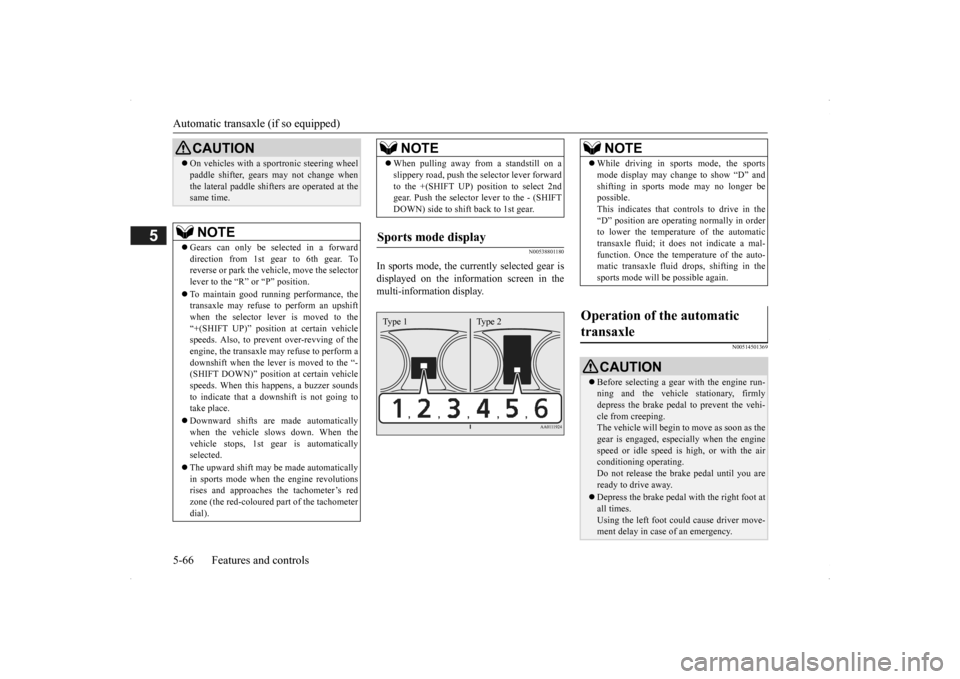
In sports mode, the curre
ntly selected gear is
displayed on the information screen in the multi-information display.
N00514501369
On vehicles with a s
portronic steering wheel
paddle shifter, gears
may not change when
the lateral paddle shifters are operated at thesame time. NOTE
Gears can only be selected in a forward direction from 1st gear to 6th gear. To reverse or park the vehi
cle, move the selector
lever to the “R” or “P” position. To maintain good running performance, the transaxle may refuse to perform an upshiftwhen the selector lever is moved to the “+(SHIFT UP)” positi
on at certain vehicle
speeds. Also, to prevent over-revving of theengine, the transaxle may refuse to perform a downshift when the lever is moved to the “- (SHIFT DOWN)” position
at certain vehicle
speeds. When this happens, a buzzer sounds to indicate that a dow
nshift is not going to
take place. Downward shifts are made automatically when the vehicle slows down. When thevehicle stops, 1st ge
ar is automatically
selected. The upward shift may be
made automatically
in sports mode when the engine revolutions rises and approaches
the tachometer’s red
zone (the red-coloured
part of the tachometer
dial).CAUTION
When pulling away from a standstill on a slippery road, push the
selector lever forward
to the +(SHIFT UP) pos
ition to select 2nd
gear. Push the selector lever to the - (SHIFT DOWN) side to shift back to 1st gear.
Sports mode display
NOTE
Type 1 Type 2
NOTE
While driving in sports mode, the sports mode display may change to show “D” andshifting in sports
mode may no longer be
possible. This indicates that controls to drive in the “D” position are operati
ng normally in order
to lower the temperature of the automatic transaxle fluid; it doe
s not indicate a mal-
function. Once the temperature of the auto-matic transaxle fluid drops, shifting in the sports mode will be possible again.
Operation of the automatic transaxle
CAUTION Before selecting a gear
with the engine run-
ning and the vehicle
stationary, firmly
depress the brake pedal to prevent the vehi-cle from creeping. The vehicle will begin to
move as soon as the
gear is engaged, espe
cially when the engine
speed or idle speed is
high, or with the air
conditioning operating. Do not release the br
ake pedal until you are
ready to drive away. Depress the brake pedal with the right foot at all times.Using the left foot c
ould cause driver move-
ment delay in case of an emergency.
BK0200500US.book 66 ページ 2013年2月12日 火曜日 午前9時46分