2014 MERCEDES-BENZ B-CLASS SPORTS sat nav
[x] Cancel search: sat navPage 210 of 360
Safety systems
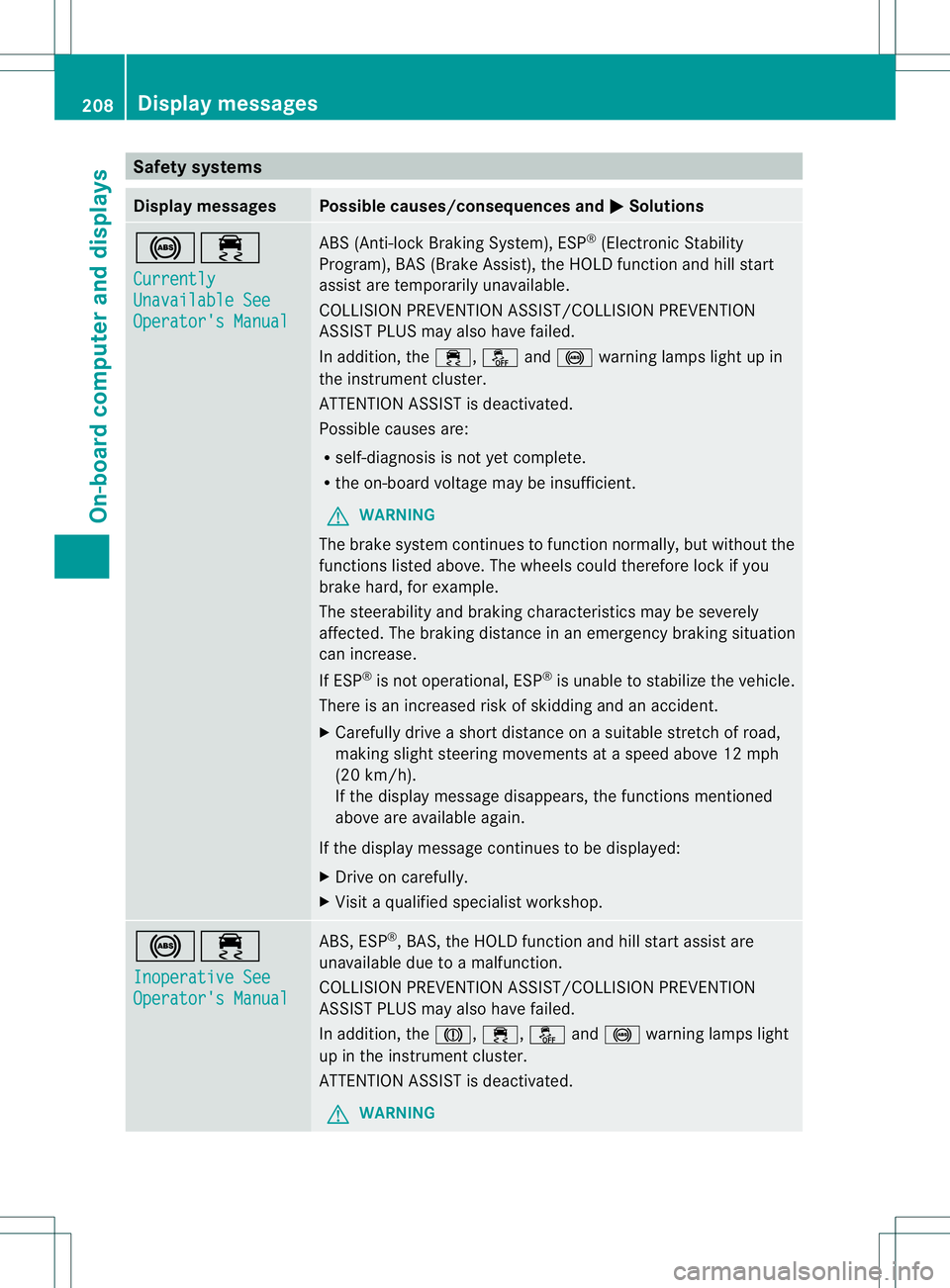
Display messages Possible causes/consequences and
000B Solutions
001C000A
Currently
Unavailable See
Operator's Manual ABS (Anti-lock Braking System), ESP
®
(Electronic Stability
Program), BAS (Brake Assist), the HOLD function and hill start
assist are temporarily unavailable.
COLLISION PREVENTION ASSIST/COLLISION PREVENTION
ASSIST PLUS may also have failed.
In addition, the 000A,0004and001C warning lamps light up in
the instrumen tcluster.
ATTENTION ASSIST is deactivated.
Possible causes are:
R self-diagnosis is not yet complete.
R the on-board voltage may be insufficient.
G WARNING
The brake system continues to function normally, but without the
functions listed above. The wheels could therefore lock if you
brake hard, for example.
The steerability and braking characteristics may be severely
affected. The braking distance in an emergency braking situation
can increase.
If ESP ®
is not operational, ESP ®
is unable to stabilize the vehicle.
There is an increased risk of skidding and an accident.
X Carefullyd riveashort distance on asuitable stretch of road,
making slight steering movement sataspeed above 12 mph
(20 km/h).
If the display message disappears, the functions mentioned
above are available again.
If the display message continues to be displayed:
X Drive on carefully.
X Visit aqualified specialist workshop. 001C000A
Inoperative See
Operator's Manual ABS,E
SP®
,B AS ,the HOLD function and hill start assist are
unavailable due to amalfunction.
COLLISION PREVENTION ASSIST/COLLISION PREVENTION
ASSIST PLUS may also have failed.
In addition, the 0001,000A,0004and001C warning lamps light
up in the instrumen tcluster.
ATTENTION ASSIST is deactivated.
G WARNING 208
Display messagesOn-board computer and displays
Page 242 of 360
Problem Possible causes/consequences and
000B Solutions
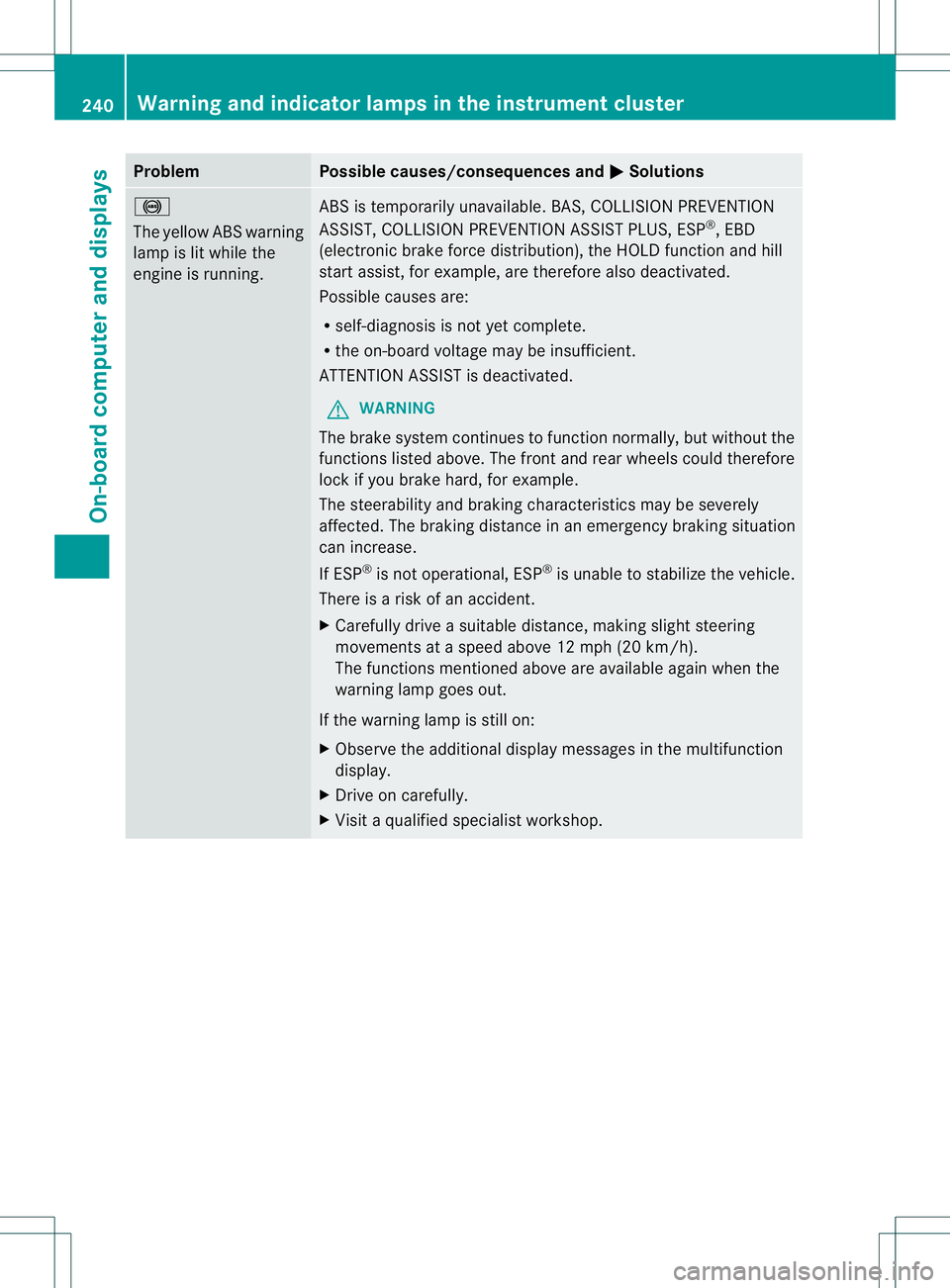
001C
The yellowA
BS warning
lamp is lit while the
engine is running. ABS is temporarily unavailable. BAS,C
OLLISION PREVENTION
ASSIST, COLLISION PREVENTION ASSIST PLUS, ESP ®
,E BD
(electronic brake force distribution), the HOLD function and hill
start assist, for example, are therefore also deactivated.
Possible causes are:
R self-diagnosis is not yet complete.
R the on-board voltage may be insufficient.
ATTENTION ASSIST is deactivated.
G WARNING
The brake system continues to function normally, but without the
functions listed above. The front and rear wheels could therefore
lock if you brake hard, for example.
The steerability and braking characteristics may be severely
affected. The braking distance in an emergency braking situation
can increase.
If ESP ®
is not operational, ESP ®
is unable to stabilize the vehicle.
There is arisk of an accident.
X Carefullyd riveasuitable distance, making slight steering
movementsatas peed above 12 mph (20 km/h).
The functions mentioned above are available again when the
warning lamp goes out.
If the warning lamp is still on:
X Observe the additional display messages in the multifunction
display.
X Drive on carefully.
X Visit aqualified specialist workshop. 240
Warning and indicator lampsint
he instrument clusterOn-board computer and displays
Page 245 of 360
Problem Possible causes/consequences and
000B Solutions
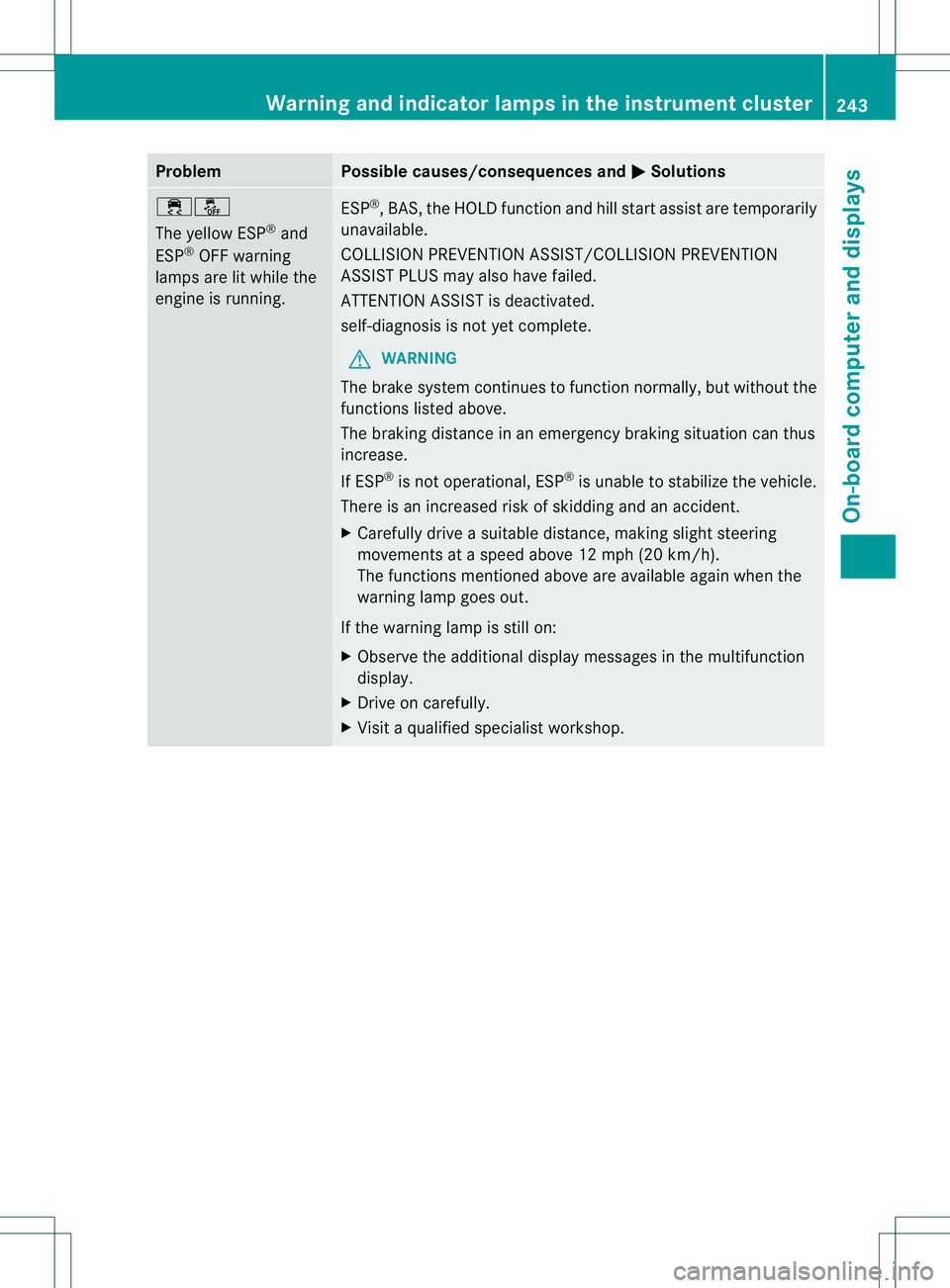
000A0004
The yellowE
SP®
and
ESP ®
OFF warning
lamps are lit while the
engine is running. ESP
®
,B AS,t he HOLD function and hill start assist are temporarily
unavailable.
COLLISION PREVENTION ASSIST/COLLISION PREVENTION
ASSIST PLUS may also have failed.
ATTENTION ASSIST is deactivated.
self-diagnosis is not yet complete.
G WARNING
The brake system continues to function normally, but without the
functions listed above.
The braking distance in an emergency braking situation can thus
increase.
If ESP ®
is not operational, ESP ®
is unable to stabilize the vehicle.
There is an increased risk of skidding and an accident.
X Carefullyd riveasuitable distance, making slight steering
movementsatas peed above 12 mph (20 km/h).
The functions mentioned above are available again when the
warning lamp goes out.
If the warning lamp is still on:
X Observe the additional display messages in the multifunction
display.
X Drive on carefully.
X Visit aqualified specialist workshop. Warning and indicator lampsint
he instrument cluster
243On-board computer and displays Z
Page 274 of 360
malfunction diagnosis can be started, the
Request for vehicle diagnosis received
.Start vehicle diagnosis? message appears in the display.
X
Confirm the message with Yes .
X When the Vehicle Diagnosi sPlease start ignition message appears, turn
the SmartKey to position 2in the ignition
lock (Y page137).
X When the Please follow the instructions received by phone and
move your vehicle to
asafe position. message appears, follow the
customer service representative's
instructions.
The message in the display disappears.
If you select Cancel ,t
he vehicl eremote
malfunction diagnosis is canceled
completely.
The vehicl eoperating state check begins.
You wills ee theVehicle diagnosis activated. message.
When the diagnosis is completed, the Sendvehicle diagnostics data//(Voice
connection may be//interrupted
during data transfer) message appears.
The vehicl edata can now be sent to the
Customer Assistance center.
X Press OK to confirm the message.
The voice connection with the Customer
Assistance center is terminated.
You wills ee theVehicle Diagnosis: Transferring data... message.
The vehicl edata is sent to the Customer
Assistance center.
Depending on whatt he customer service
representative agreed with you, the voice
connection is re-established after the transfer
is complete. If necessary, you will be
contacted at alater time by another means,
e.g. by e-mail or phone.
Further functions of the vehicle remote
malfunction diagnosis include, for example:
R transfer of service data to the Customer
Assistancec enter. Ifaservice is overdue, the COMAND display shows
amessage
about various special offer satyour
workshop.
R monthly status information e-mail on oil
level, air pressure, maintenance, brakes,
etc.Ifa pplicable, you will receive
information on special offer sinthe e-mail.
Information on the data stored in the vehicle
(Y page 26).
Information on Roadside Assistance
(Y page 23).
Downloading routes Downloading routes allows you to transfer
and save predefined routes in the navigation
system. To do this, an SD memor
ycard must
be inserted int othe COMAND system. If no
SD memor ycard is inserted, you must insert
the card int othe card slot on the COMAND
system before saving.
Ar oute can be prepared and sent either by a
customer service representative or via the
mbrace portal on the Internet.
Each route can include up to 20 way points.
Once aroute has been received by the
navigation system, you will see the
Do you want to start route
guidance? message in the COMAND display.
The route is saved to the SD memory card.
X To startr outeguidance: selectYes .
An overview of the route is shown in the
display.
i If you select No ,t
he saved route can be
called up later via the navigation menu.
X Select Start .
Route guidance is started.
i Downloaded and saved data can be called
up again in COMAND.
You can find further information in the
separate COMAND Operating Instructions. 272
FeaturesStowage and features