Page 513 of 860
513
3-4. Using the rear audio system
3
Interior features
SIENNA_U (OM45477U)
Using the DVD player (audio CD/CD text)
■Canceling random, repeat and scan play
Select , or again.
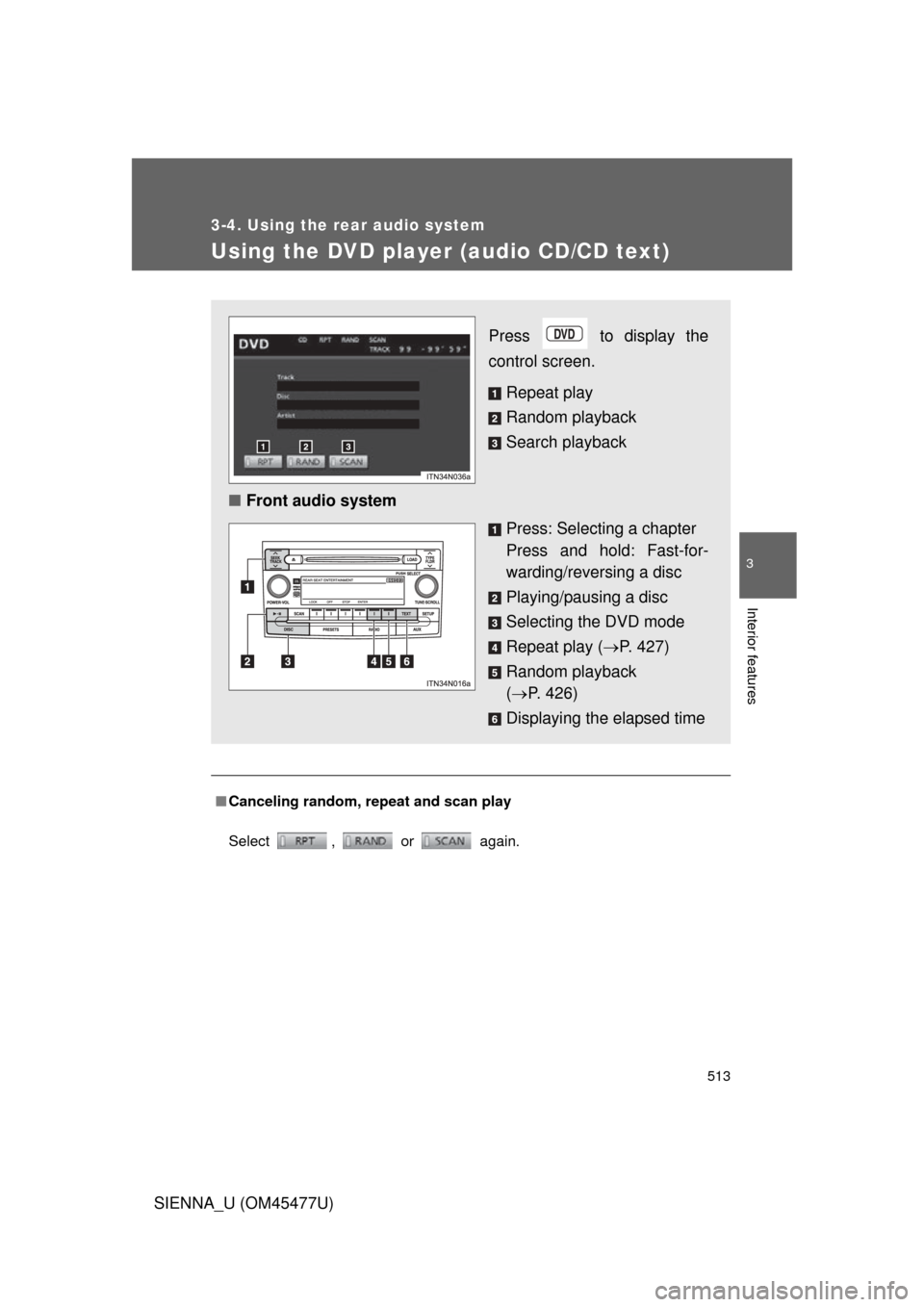
Press to display the
control screen.
Repeat play
Random playback
Search playback
■ Front audio system
Press: Selecting a chapter
Press and hold: Fast-for-
warding/reversing a disc
Playing/pausing a disc
Selecting the DVD mode
Repeat play (P. 427)
Random playback
( P. 426)
Displaying the elapsed time
Page 514 of 860
514
3-4. Using the rear audio system
SIENNA_U (OM45477U)
Using the DVD player (WMA/MP3 discs)
Repeat play■ Repeating a file
Select .
■ Repeating all of the files in a folder
Select , and press and hold .
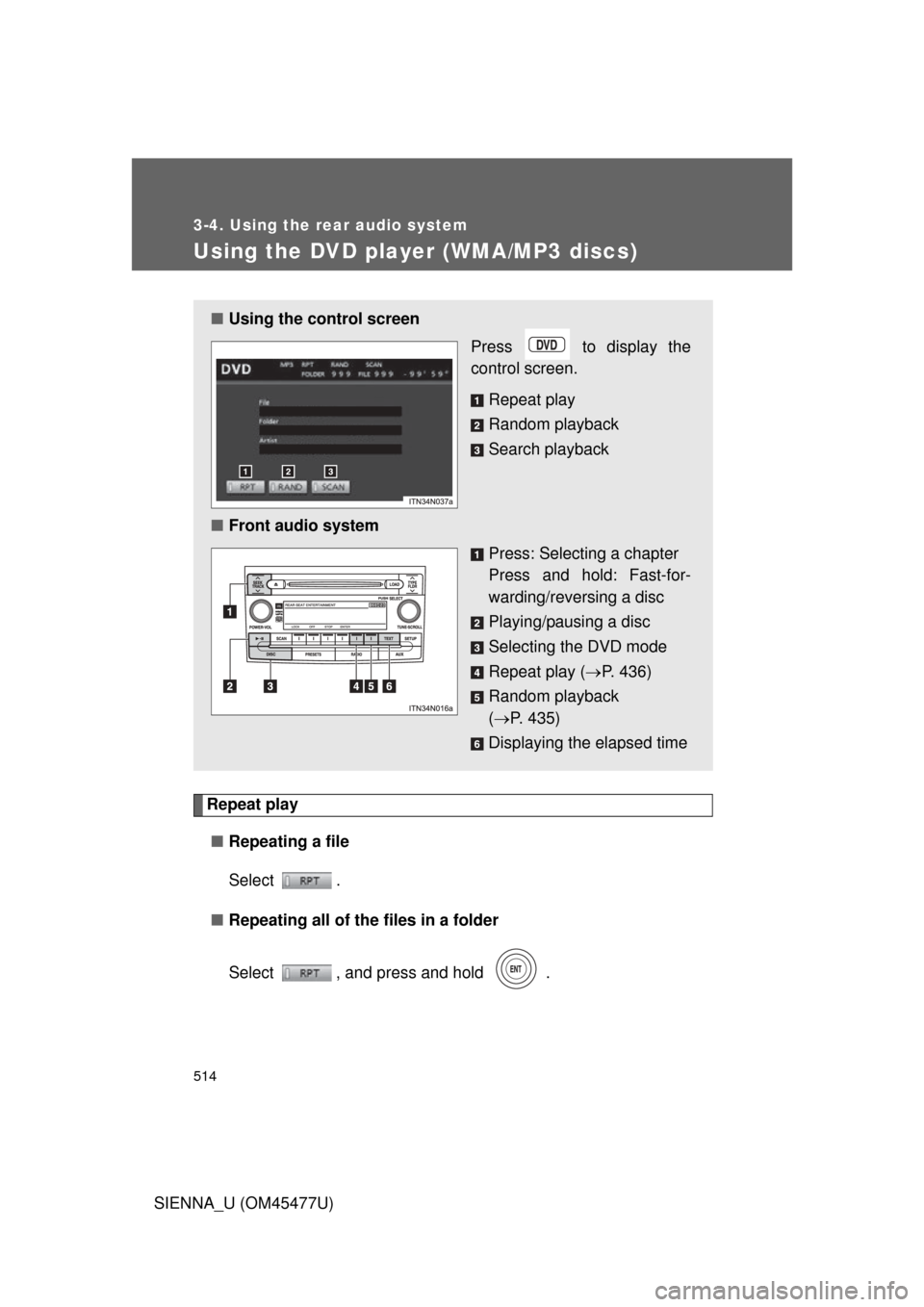
■Using the control screen
Press to display the
control screen.
Repeat play
Random playback
Search playback
■ Front audio system
Press: Selecting a chapter
Press and hold: Fast-for-
warding/reversing a disc
Playing/pausing a disc
Selecting the DVD mode
Repeat play (P. 436)
Random playback
( P. 435)
Displaying the elapsed time
Page 518 of 860
518
3-4. Using the rear audio system
SIENNA_U (OM45477U)
Changing the DVD initial setting
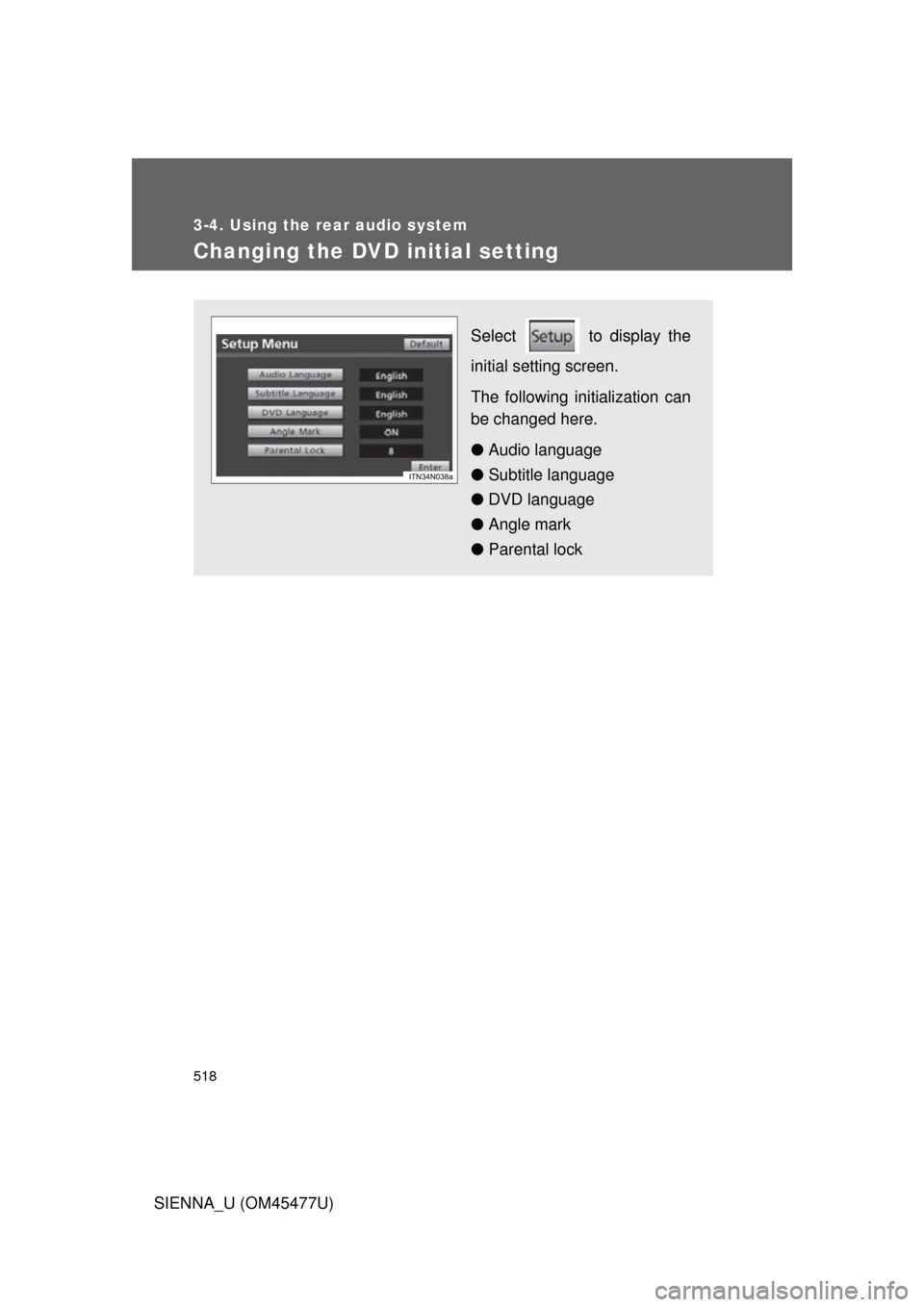
Select to display the
initial setting screen.
The following initialization can
be changed here.
● Audio language
● Subtitle language
● DVD language
● Angle mark
● Parental lock
Page 524 of 860
524 3-4. Using the rear audio system
SIENNA_U (OM45477U)
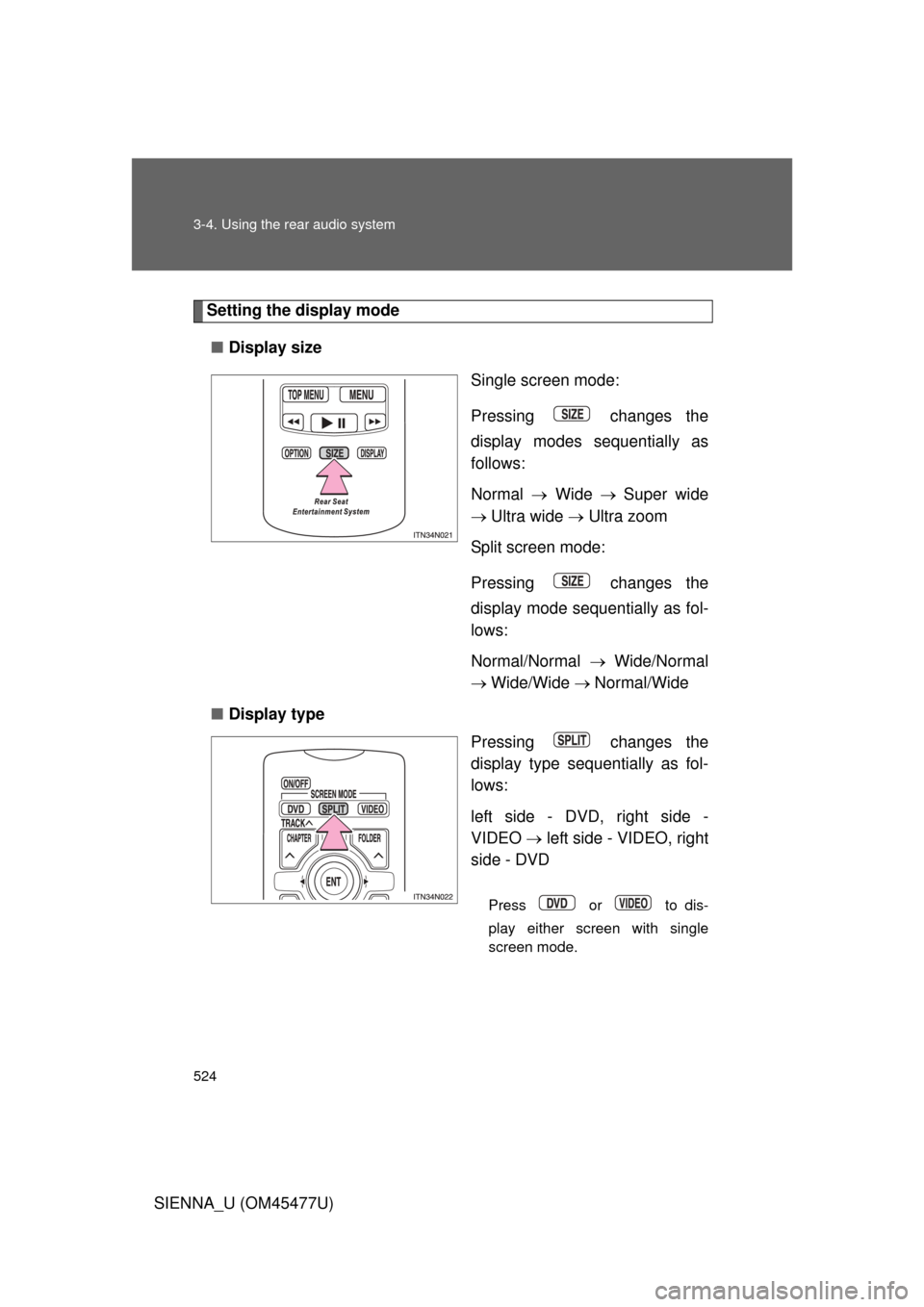
Setting the display mode■ Display size
Single screen mode:
Pressing changes the
display modes sequentially as
follows:
Normal Wide Super wide
Ultra wide Ultra zoom
Split screen mode:
Pressing changes the
display mode sequentially as fol-
lows:
Normal/Normal Wide/Normal
Wide/Wide Normal/Wide
■ Display type
Pressing changes the
display type sequentially as fol-
lows:
left side - DVD, right side -
VIDEO left side - VIDEO, right
side - DVD
Press or to dis-
play either screen with single
screen mode.
Page 525 of 860
525
3-4. Using the rear audio system
3
Interior features
SIENNA_U (OM45477U)
■
Returning to the previous screen
Select and press .
■ To initialize the password
Press on the remote controller or unit ten times when the screen to enter
the personal code is displayed.
■ When changing the display size
● When using this product, you can select from various display modes. The
picture quality can be affected if you select any mode different from the
original. (Example: viewing original normal picture [4:3] on a wide display
mode [16:9] may distort the picture image)
● Video may appear grainy when viewed in Superwide, Ultrawide and
Ultrazoom mode.
● Please note that using this system for the purpose of commercial or pub-
lic viewing may result in infringement of rights of the copyright owner and/
or author of that program/picture/software under copyright protection
laws.
Page 534 of 860
534
3-5. Using the hands-free phone system (for cellular phone)
SIENNA_U (OM45477U)
Using the hands-free phone system (for cellular phone)
: If equipped
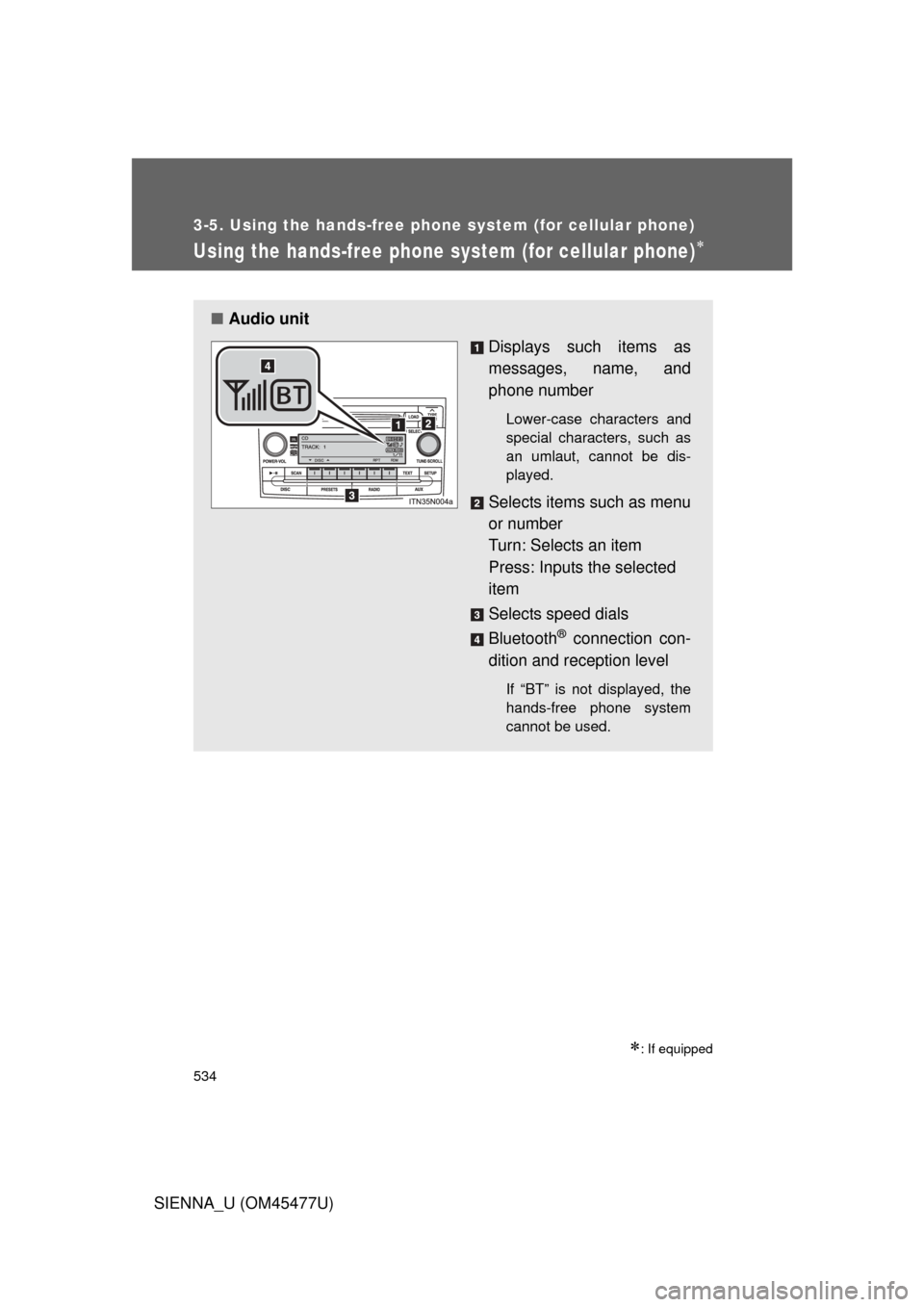
■Audio unit
Displays such items as
messages, name, and
phone number
Lower-case characters and
special characters, such as
an umlaut, cannot be dis-
played.
Selects items such as menu
or number
Turn: Selects an item
Press: Inputs the selected
item
Selects speed dials
Bluetooth
® connection con-
dition and reception level
If “BT” is not displayed, the
hands-free phone system
cannot be used.
Page 536 of 860
536 3-5. Using the hands-free phone system (for cellular phone)
SIENNA_U (OM45477U)
Operating the system using a voice command
By following voice gui dance instructions output from the speaker,
voice commands can be given to allow for operation of the hands-
free phone system without checking the display or operating .
■ Operation procedure when using a voice command
Press the talk switch and follo w voice guidance instructions.
■ Auxiliary commands when using a voice command
The following auxiliary commands can be used when operating the
system using a voice command:
Cancel: Exits the hands-free phone system
Repeat: Repeats the previous voice guidance instruction
Go back: Returns to the previous procedure
Help: Reads aloud the function summary if a help comment is
registered for the selected function
Page 538 of 860
538 3-5. Using the hands-free phone system (for cellular phone)
SIENNA_U (OM45477U)Registration to the hands-free phone system only
Select “Phone Only” using a voice command or .
Registration to the hands-free phone system and Bluetooth®
audio system at the same time
Select “Internal Audio (Int, Audio)” using a voice command or
.
Select “Confirm” by using a voice command or .
A passkey is displayed and heard, and a voice guidance instruction
for inputting the passkey into the cellular phone is heard.
Input the passkey into the cellular phone.
Refer to the manual that comes with the cellular phone for the oper-
ation of the phone.
Guidance for registration completion is heard.
STEP5
STEP5
STEP6
STEP7