Page 540 of 860
540 3-5. Using the hands-free phone system (for cellular phone)
SIENNA_U (OM45477U)
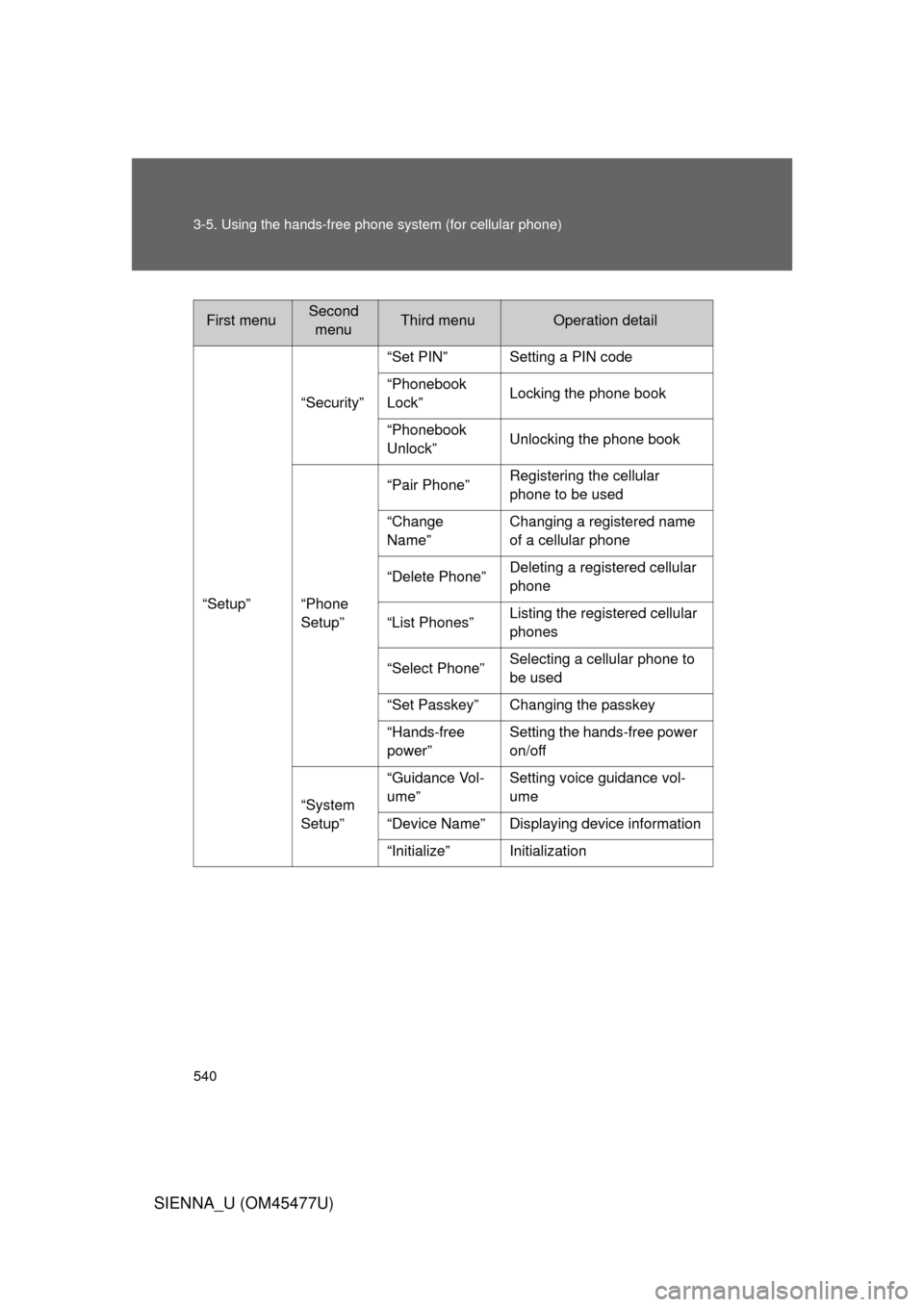
First menuSecond
menuThird menuOperation detail
“Setup” “Security”
“Set PIN” Setting a PIN code
“Phonebook
Lock”
Locking the phone book
“Phonebook
Unlock” Unlocking the phone book
“Phone
Setup” “Pair Phone”
Registering the cellular
phone to be used
“Change
Name” Changing a registered name
of a cellular phone
“Delete Phone” Deleting a registered cellular
phone
“List Phones” Listing the registered cellular
phones
“Select Phone” Selecting a cellular phone to
be used
“Set Passkey” Changing the passkey
“Hands-free
power” Setting the hands-free power
on/off
“System
Setup” “Guidance Vol-
ume”
Setting voice guidance vol-
ume
“Device Name” Displaying device information
“Initialize” Initialization
Page 553 of 860
553
3-5. Using the hands-free phone system (for cellular phone)
3
Interior features
SIENNA_U (OM45477U)
Security and system setup
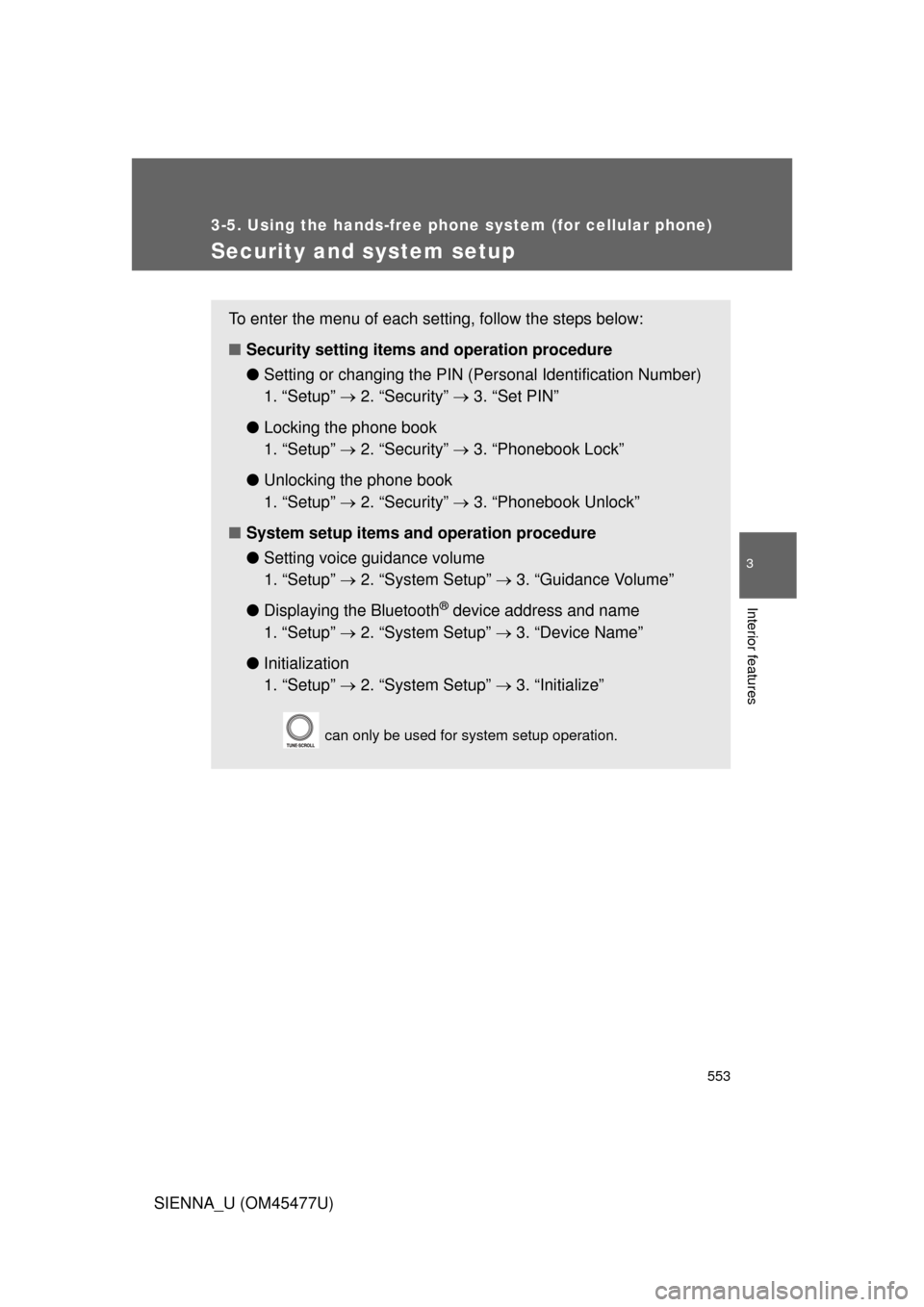
To enter the menu of each setting, follow the steps below:
■Security setting items and operation procedure
● Setting or changing t he PIN (Personal Identification Number)
1. “Setup” 2. “Security” 3. “Set PIN”
● Locking the phone book
1. “Setup” 2. “Security” 3. “Phonebook Lock”
● Unlocking the phone book
1. “Setup” 2. “Security” 3. “Phonebook Unlock”
■ System setup items and operation procedure
●Setting voice guidance volume
1. “Setup” 2. “System Setup” 3. “Guidance Volume”
● Displaying the Bluetooth
® device address and name
1. “Setup” 2. “System Setup” 3. “Device Name”
● Initialization
1. “Setup” 2. “System Setup” 3. “Initialize”
can only be used for system setup operation.
Page 556 of 860
556 3-5. Using the hands-free phone system (for cellular phone)
SIENNA_U (OM45477U)
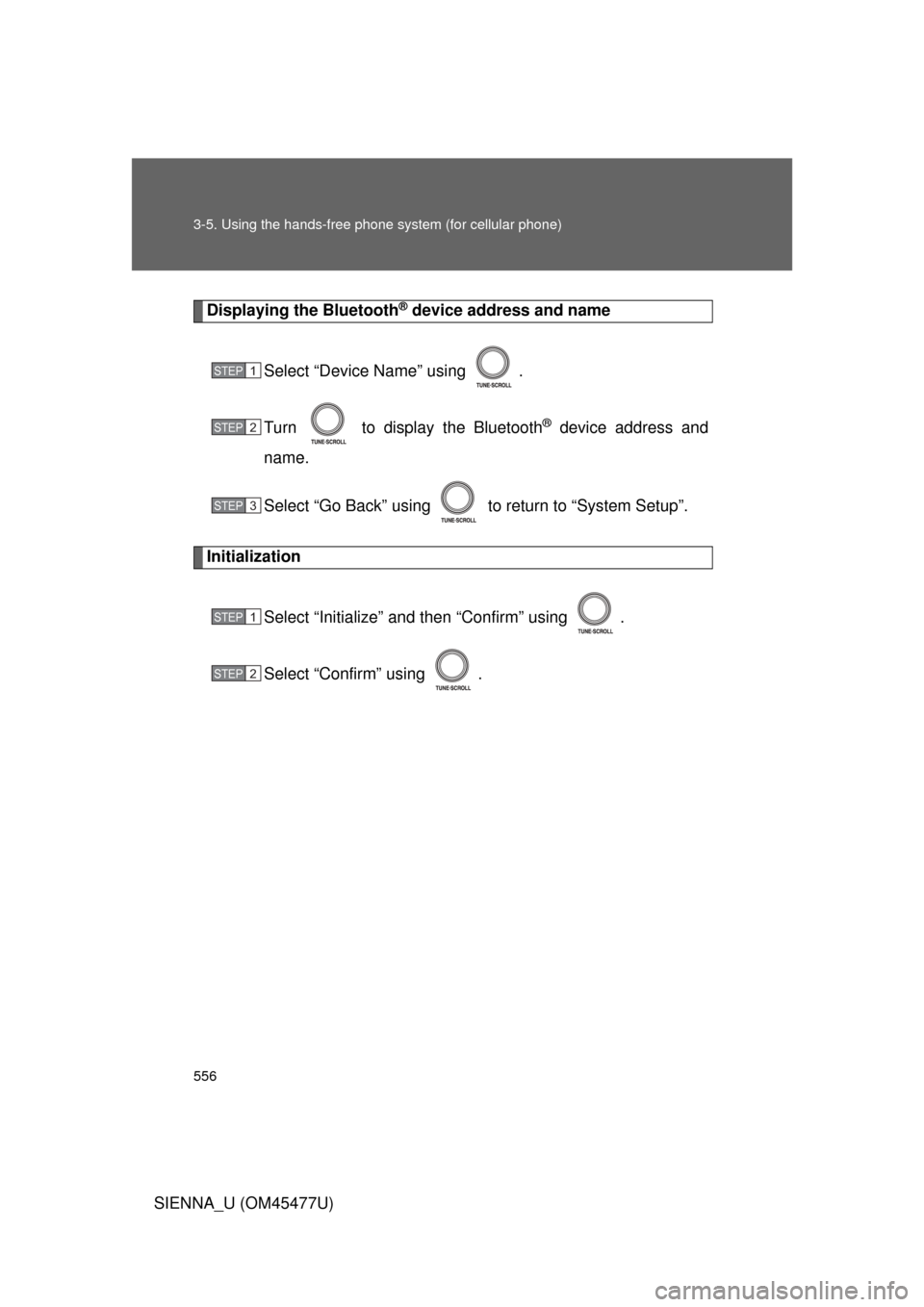
Displaying the Bluetooth® device address and name
Select “Device Name” using .
Turn to display the Bluetooth
® device address and
name.
Select “Go Back” using to return to “System Setup”.
Initialization
Select “Initialize” and then “Confirm” using .
Select “Confirm” using .
STEP1
STEP2
STEP3
STEP1
STEP2
Page 559 of 860
559
3-5. Using the hand
s-free phone system (for cellular phone)
3
Interior features
SIENNA_U (OM45477U)■
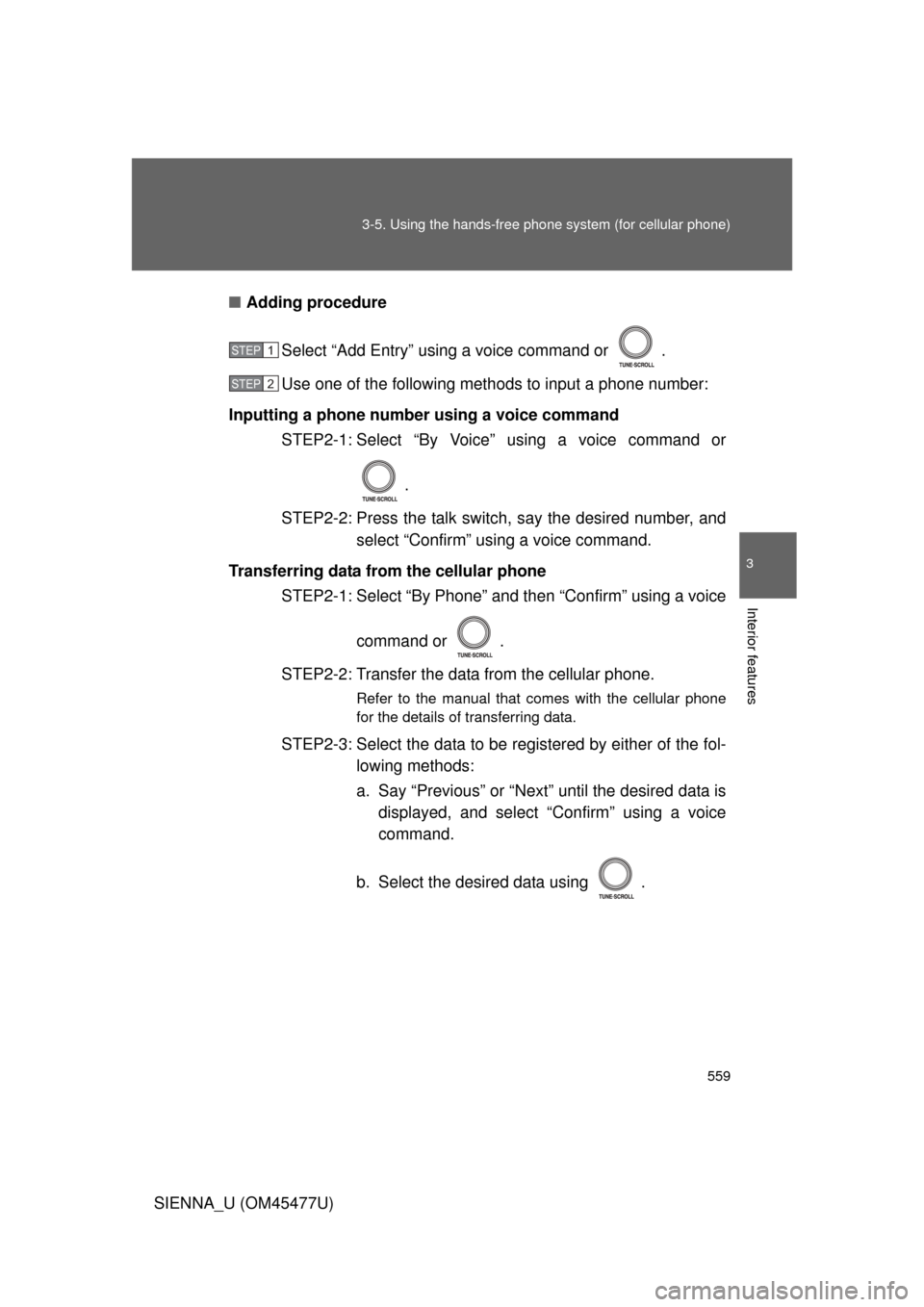
Adding procedure
Select “Add Entry” using a voice command or .
Use one of the following methods to input a phone number:
Inputting a phone number using a voice command STEP2-1: Select “By Voice” using a voice command or
.
STEP2-2: Press the talk switch, say the desired number, and select “Confirm” using a voice command.
Transferring data from the cellular phone STEP2-1: Select “By Phone” and then “Confirm” using a voice
command or .
STEP2-2: Transfer the data from the cellular phone.
Refer to the manual that comes with the cellular phone
for the details of transferring data.
STEP2-3: Select the data to be re gistered by either of the fol-
lowing methods:
a. Say “Previous” or “Next” until the desired data is displayed, and select “Confirm” using a voice
command.
b. Select the desired data using .
STEP1
STEP2
Page 560 of 860
560 3-5. Using the hands-free phone system (for cellular phone)
SIENNA_U (OM45477U)Inputting a phone number using
STEP2-1: Select “Manual Input” using .
STEP2-2: Input a phone number using , and press once again.
Input the phone number 1 digit at a time.
Selecting a phone number from outgoing or incoming call his-
torySTEP2-1: Select “Call History” using a voice command or
.
STEP2-2: Select “Outgoing” or “Incoming” using a voice com-
mand or .
STEP2-3: Select the data to be re gistered by either of the fol-
lowing methods:
a. Say “Previous” or “Go back” until the desired data is displayed, and select “Confirm” using a
voice command.
b. Select the desired data using .
Page 592 of 860
592
3-8. Other interior features
SIENNA_U (OM45477U)
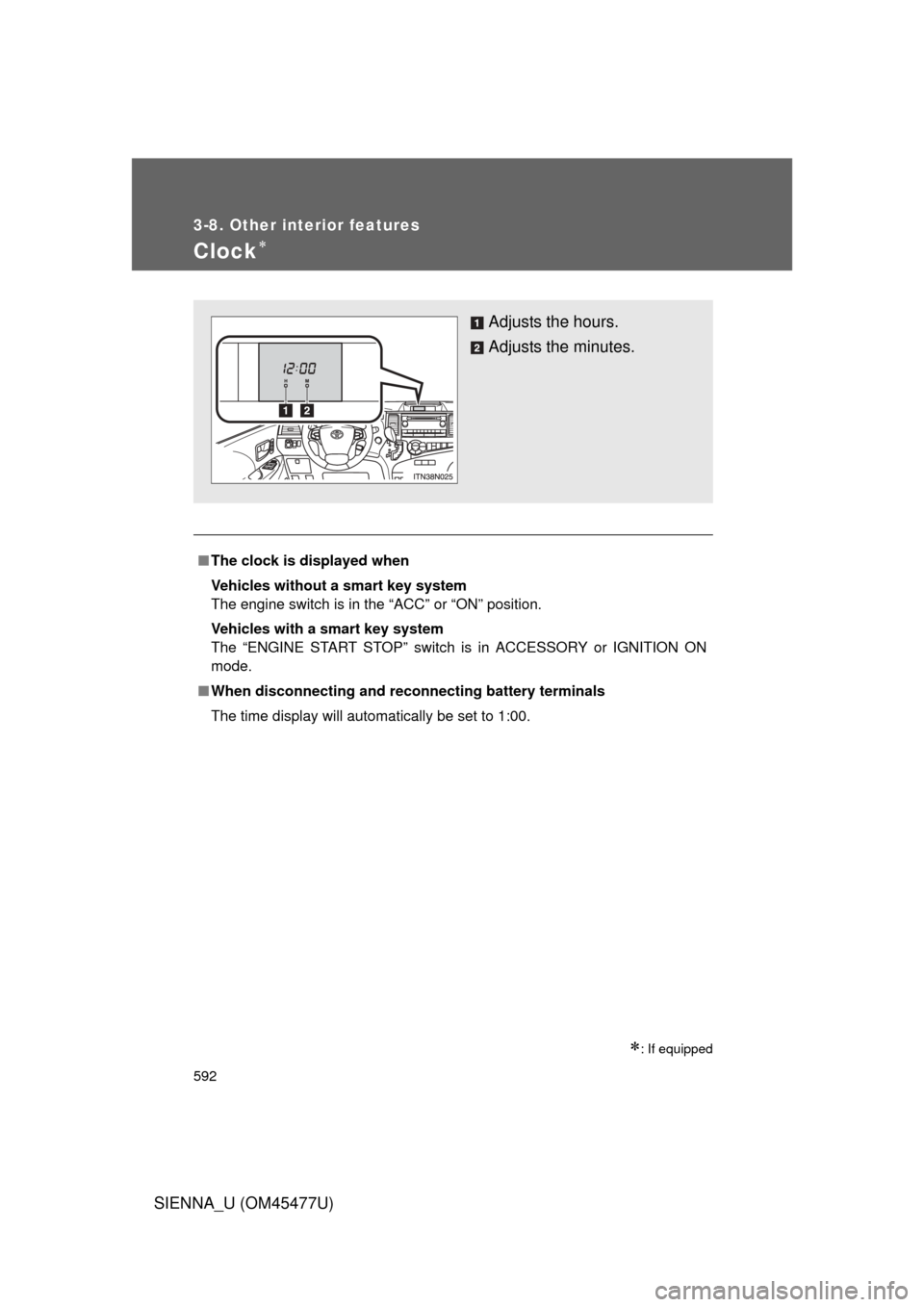
Clock
: If equipped
■The clock is displayed when
Vehicles without a smart key system
The engine switch is in the “ACC” or “ON” position.
Vehicles with a smart key system
The “ENGINE START STOP” switch is in ACCESSORY or IGNITION ON
mode.
■ When disconnecting and reco nnecting battery terminals
The time display will automatically be set to 1:00.
Adjusts the hours.
Adjusts the minutes.
Page 617 of 860
617
3-8. Other interior features
3
Interior features
SIENNA_U (OM45477U)
Compass
: If equipped
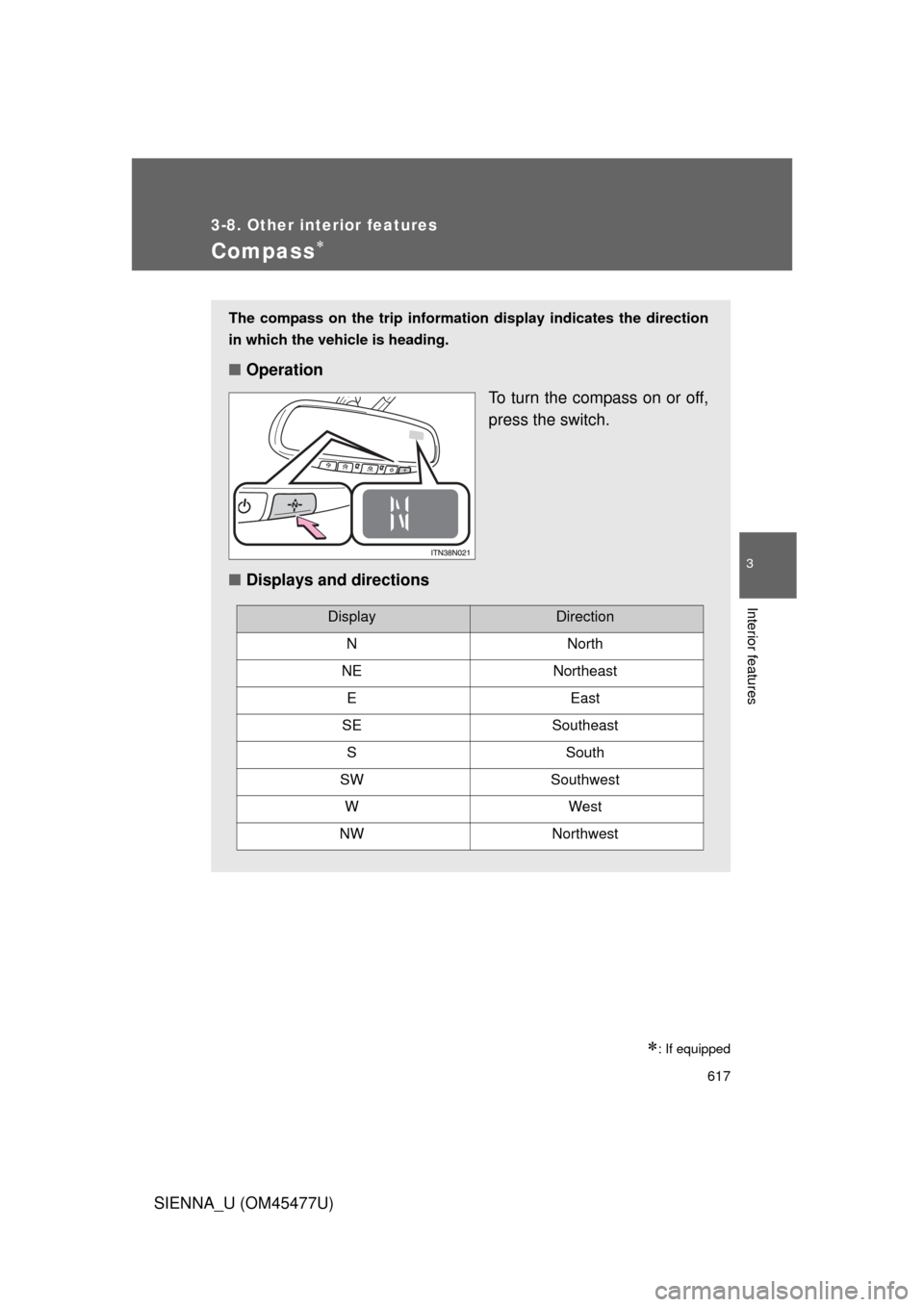
The compass on the trip information display indicates the direction
in which the vehicle is heading.
■Operation
To turn the compass on or off,
press the switch.
■ Displays and directions
DisplayDirection
NNorth
NENortheast
EEast
SESoutheast
SSouth
SWSouthwest
WWest
NWNorthwest
Page 618 of 860
618 3-8. Other interior features
SIENNA_U (OM45477U)
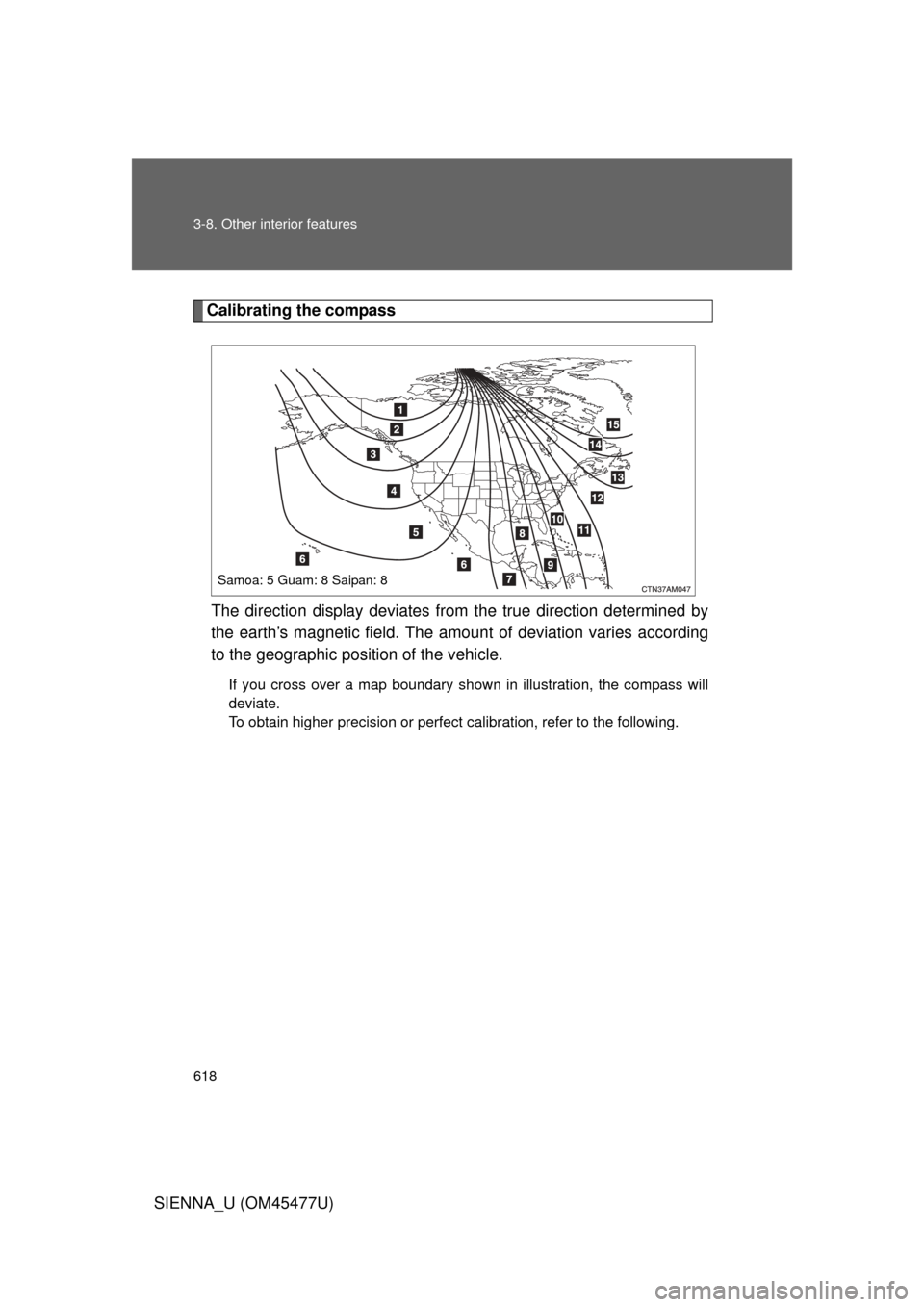
Calibrating the compassThe direction display deviates fr om the true direction determined by
the earth’s magnetic field. The amoun t of deviation varies according
to the geographic position of the vehicle.
If you cross over a map boundary shown in illustration, the compass will
deviate.
To obtain higher precision or perfect calibration, refer to the following.
Samoa: 5 Guam: 8 Saipan: 8