Page 44 of 860

44 1-2. Opening, closing and locking the doors
SIENNA_U (OM45477U)
■Switching the door unlock function
It is possible to set which doors the entry function unlocks using the wireless
remote control.
Turn the “ENGINE START STOP” switch off.
When the indicator on the key surface is not on, press and hold
, , (if equipped), (if equipped) or (if
equipped) for about 5 seconds while pressing and holding .
The setting changes each time an operation is performed, as shown below.
(When changing the setting continuously, release the buttons, wait for at least
5 seconds, and repeat .)
For vehicles equipped with an alarm, to prevent unintended triggering of the\
alarm, unlock the doors using the wireless remote control and open and
close a door once after the settings have been changed. (If a door is not
opened within 60 seconds after is pressed, the doors will be locked
again and the alarm will automatically be set.)
In case that the alarm is triggered, immediately stop the alarm. ( P. 162)
STEP1
STEP2
STEP2
Multi-information
display Unlocking functionBeep
Holding the driver’s door
handle unlocks only the
driver’s door and driver
side power sliding door. Exterior: Beeps three
times
Interior: Pings once
Holding the front passen-
ger’s door handle or pull-
ing either power sliding
door handle unlocks all
doors.
Holding either front door
handle or pulling either
power sliding door handle
unlocks all doors. Exterior: Beeps twice
Interior: Pings once
Page 62 of 860
62 1-2. Opening, closing and locking the doors
SIENNA_U (OM45477U)
Locking the front doors from the outside without a keyMove the inside lock button to the lock position.
Close the door.
Vehicles without a smart key system
The doors cannot be locked if either of the front doors is open and the
key is in the engine switch.
Vehicles with a smart key system
The door cannot be locked if the “ENGINE START STOP” switch is in
ACCESSORY or IGNITION ON mode, or the electronic key is left
inside the vehicle.
The key may not be detected correctly and the door may be locked.
STEP1
STEP2
Page 120 of 860
120
1-3. Adjustable components (seats, mirrors, steering wheel)
SIENNA_U (OM45477U)
Driving position memor y
: If equipped
Your preferred driving position (the position of the driver’s seat and
outside rear view mirrors) can be memorized and recalled with the
touch of a button. It is also possi ble to set this function to activate
automatically when th e doors are unlocked.
Two different driving positions can be entered into memory.
■ Entering a position to memory
Vehicles without a smart key system
Turn the engine switch to the “ON” position.
Vehicles with a smart key system
Turn the “ENGINE START STOP” switch to IGNITION ON
mode.
Adjust the driver’s seat and outside rear view mirrors to the
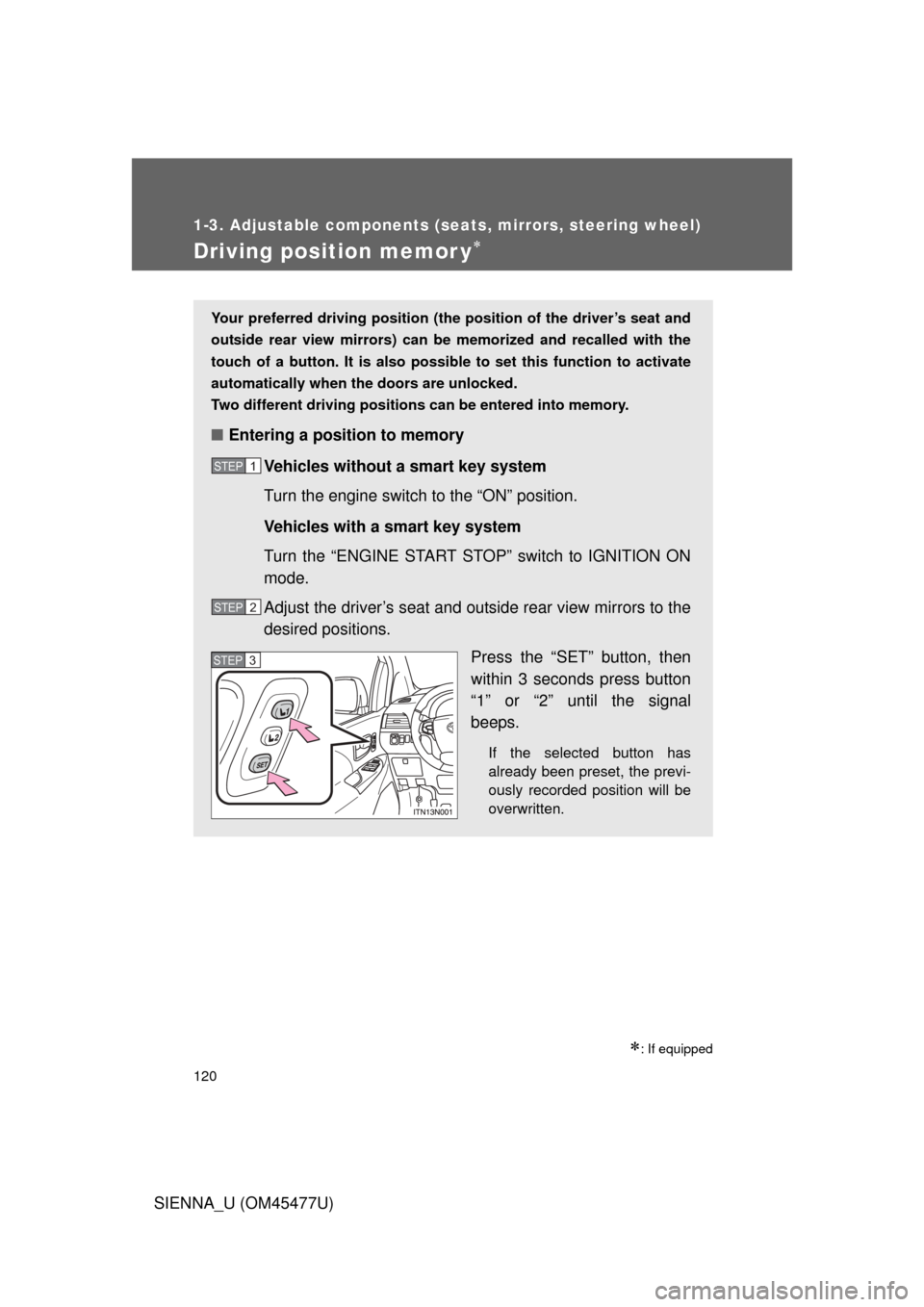
desired positions. Press the “SET” button, then
within 3 seconds press button
“1” or “2” until the signal
beeps.
If the selected button has
already been preset, the previ-
ously recorded position will be
overwritten.
STEP1
STEP2
STEP3
Page 121 of 860
121
1-3. Adjustable components (s
eats, mirrors, steering wheel)
1
Before driving
SIENNA_U (OM45477U)
■Recalling the memorized position
Check that the shift lever is in P.
Vehicles without a smart key system
Turn the engine switch to the “ON” position.
Vehicles with a smart key system
Turn the “ENGINE START STOP” switch to IGNITION ON
mode.
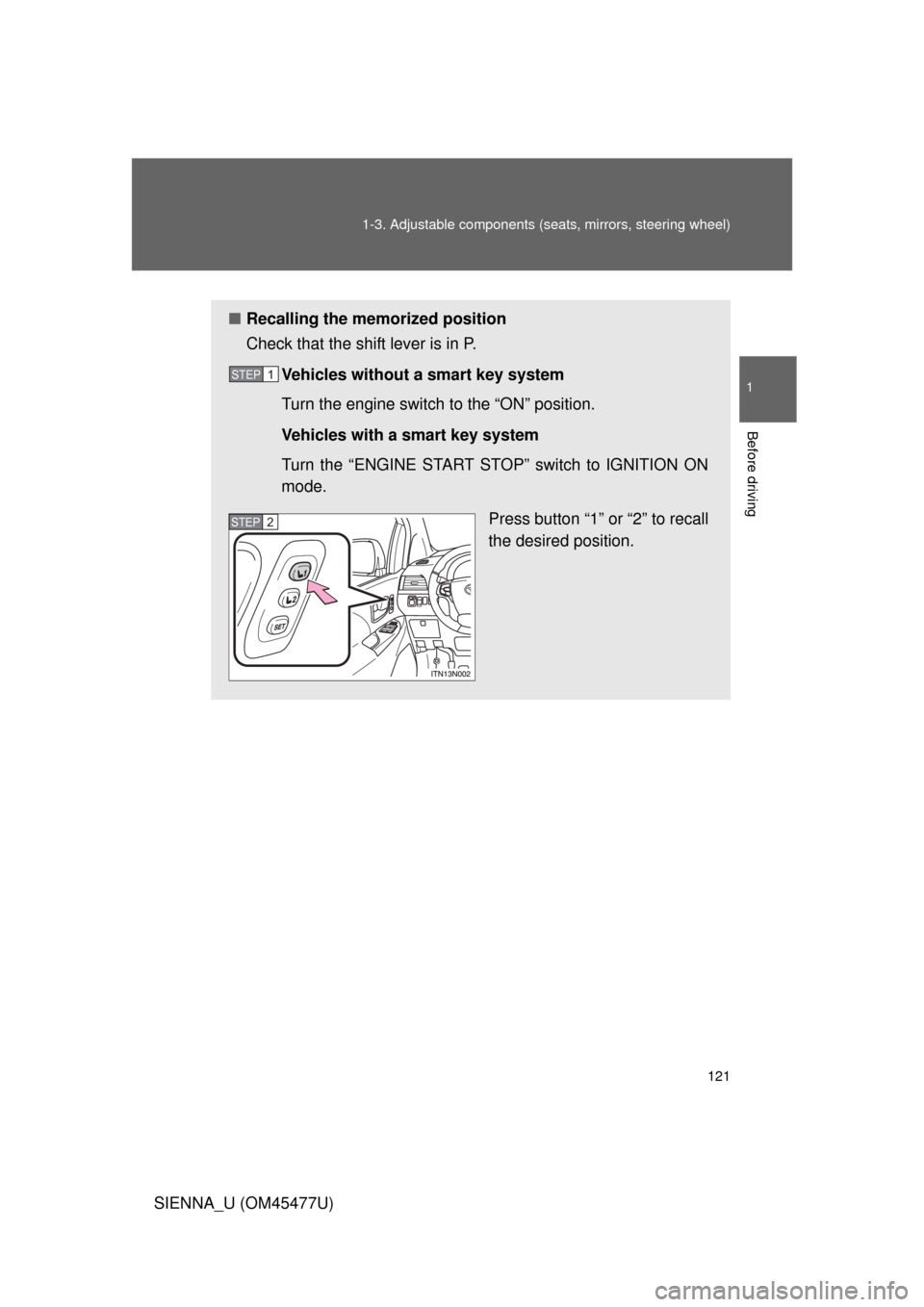
Press button “1” or “2” to recall
the desired position.
STEP1
STEP2
Page 123 of 860
123
1-3. Adjustable components (s
eats, mirrors, steering wheel)
1
Before driving
SIENNA_U (OM45477U)Vehicles with a smart key system
Carry only the electronic key to wh
ich you want to link the driving
position. If 2 or more keys are in the vehicle, the driving position can-
not be linked properly.
Shift the shift lever to P and close the driver’s door. Turn the
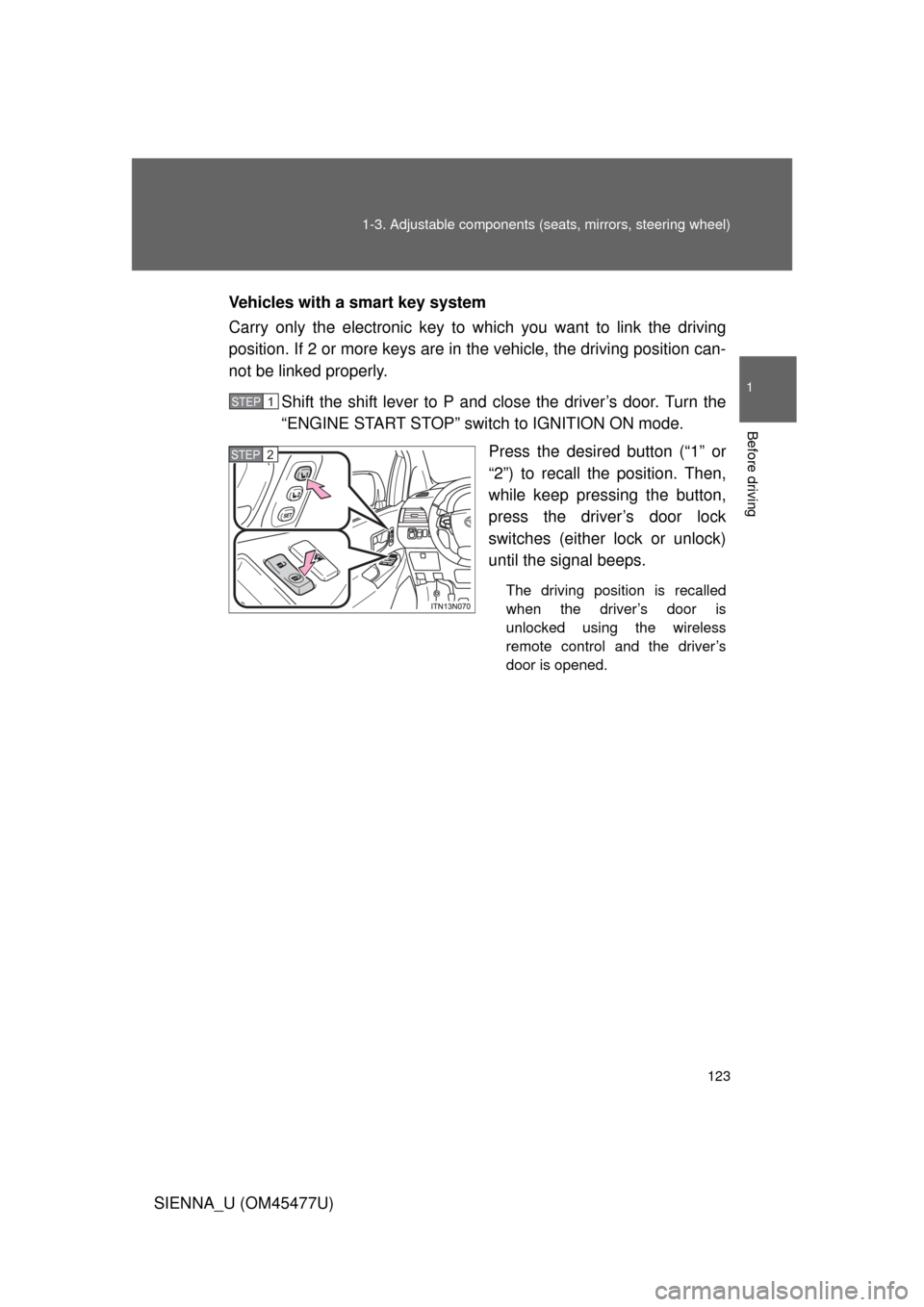
“ENGINE START STOP” switch to IGNITION ON mode. Press the desired button (“1” or
“2”) to recall the position. Then,
while keep pressing the button,
press the driver’s door lock
switches (either lock or unlock)
until the signal beeps.
The driving position is recalled
when the driver’s door is
unlocked using the wireless
remote control and the driver’s
door is opened.
STEP1
STEP2
Page 124 of 860
124 1-3. Adjustable components (seats, mirrors, steering wheel)
SIENNA_U (OM45477U)
■Operating the driving position memo ry after turning the engine off
Vehicles without a smart key system
Memorized positions can be activated up to 180 seconds after the driver’s
door is opened and another 60 seconds after it is closed again, even after
turning the engine switch to the “LOCK” position.
Vehicles with a smart key system
Memorized positions can be activated up to 180 seconds after the driver’s
door is opened and another 60 seconds after it is closed again, even after
turning the “ENGINE START STOP” switch off.
■ Stopping seat position ope ration part-way through
Perform any of the following operations.
● Press the “SET” button.
● Press button “1” or “2”.
● Adjust the seat using the switches (only cancels seat position recall).
CAUTION
■Seat adjustment caution
Take care during seat adjustment so that the seat does not strike the rear
passenger or squeeze your body against the steering wheel.
Page 153 of 860
153
1-4. Opening and closing the windows and moon roof
1
Before driving
SIENNA_U (OM45477U)
■
Sunshade
The sunshade can be opened and closed manually. However, both front and
rear sunshades open automatically when the moon roof is opened.
■ When the moon roof does not close normally
Stop the vehicle.
Press and hold the close switch.
*
The moon roof will start moving after pausing for about 10 seconds.
Continue to hold the switch.
Release the button when the moon roof stops moving.
Within 4 seconds, press and hold the close switch again. Continue
to hold the switch as the moon roof opens and closes.
Release the close switch when the moon roof completely stops.
*: If the switch is released at the incorrect time, the procedure will have to be performed again from the beginning.
STEP1
STEP2
STEP3
STEP4
Page 254 of 860
254 2-2. Instrument cluster and information display
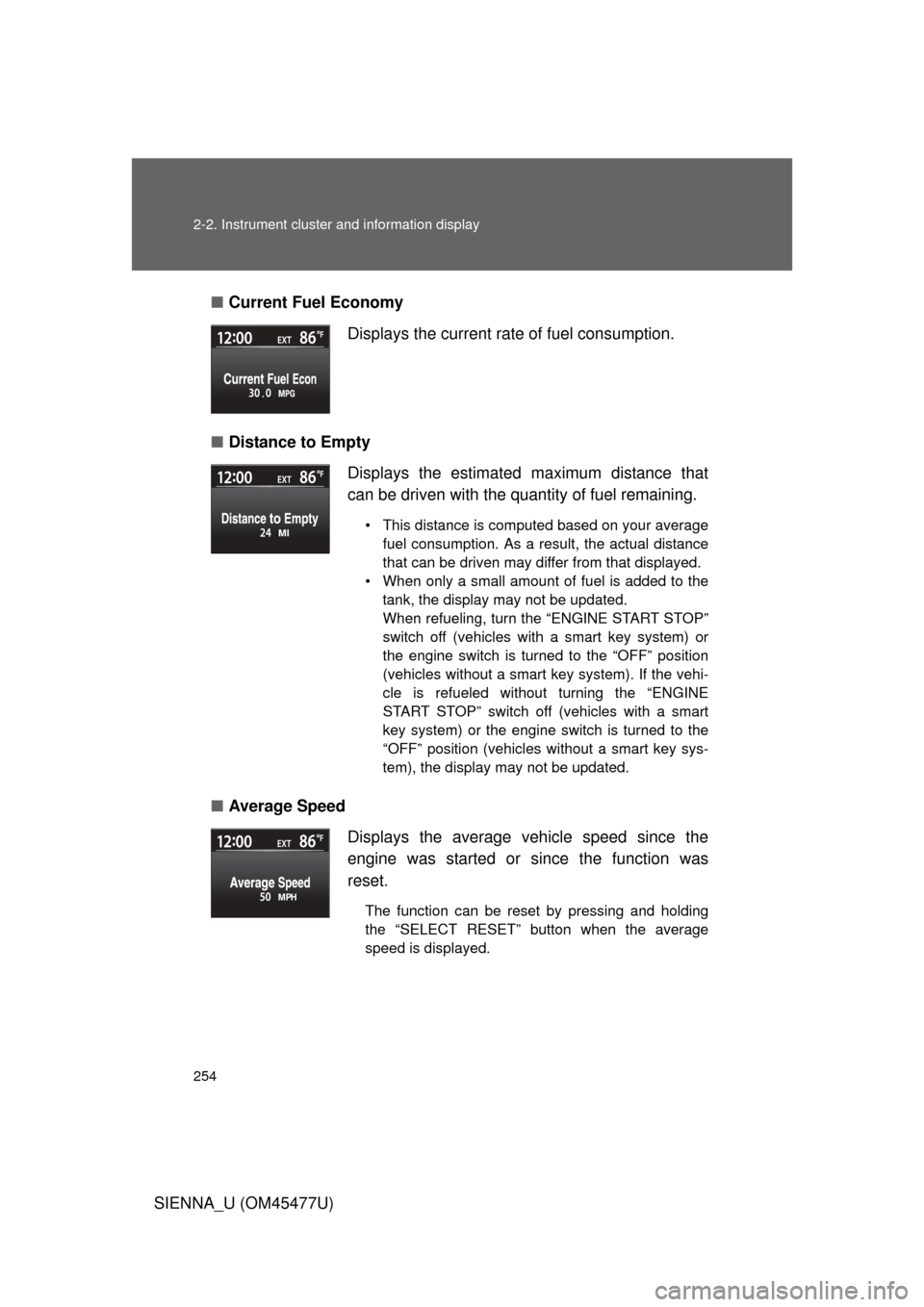
SIENNA_U (OM45477U)■
Current Fuel Economy
■ Distance to Empty
■ Average Speed Displays the current rate of fuel consumption.
Displays the estimated maximum distance that
can be driven with the quantity of fuel remaining.
• This distance is computed based on your average
fuel consumption. As a result, the actual distance
that can be driven may differ from that displayed.
• When only a small amount of fuel is added to the tank, the display may not be updated.
When refueling, turn the “ENGINE START STOP”
switch off (vehicles with a smart key system) or
the engine switch is turned to the “OFF” position
(vehicles without a smart key system). If the vehi-
cle is refueled without turning the “ENGINE
START STOP” switch off (vehicles with a smart
key system) or the engine switch is turned to the
“OFF” position (vehicles without a smart key sys-
tem), the display may not be updated.
Displays the average vehicle speed since the
engine was started or since the function was
reset.
The function can be reset by pressing and holding
the “SELECT RESET” button when the average
speed is displayed.