Page 255 of 860
255
2-2. Instrument cluster and information display
2
When driving
SIENNA_U (OM45477U)
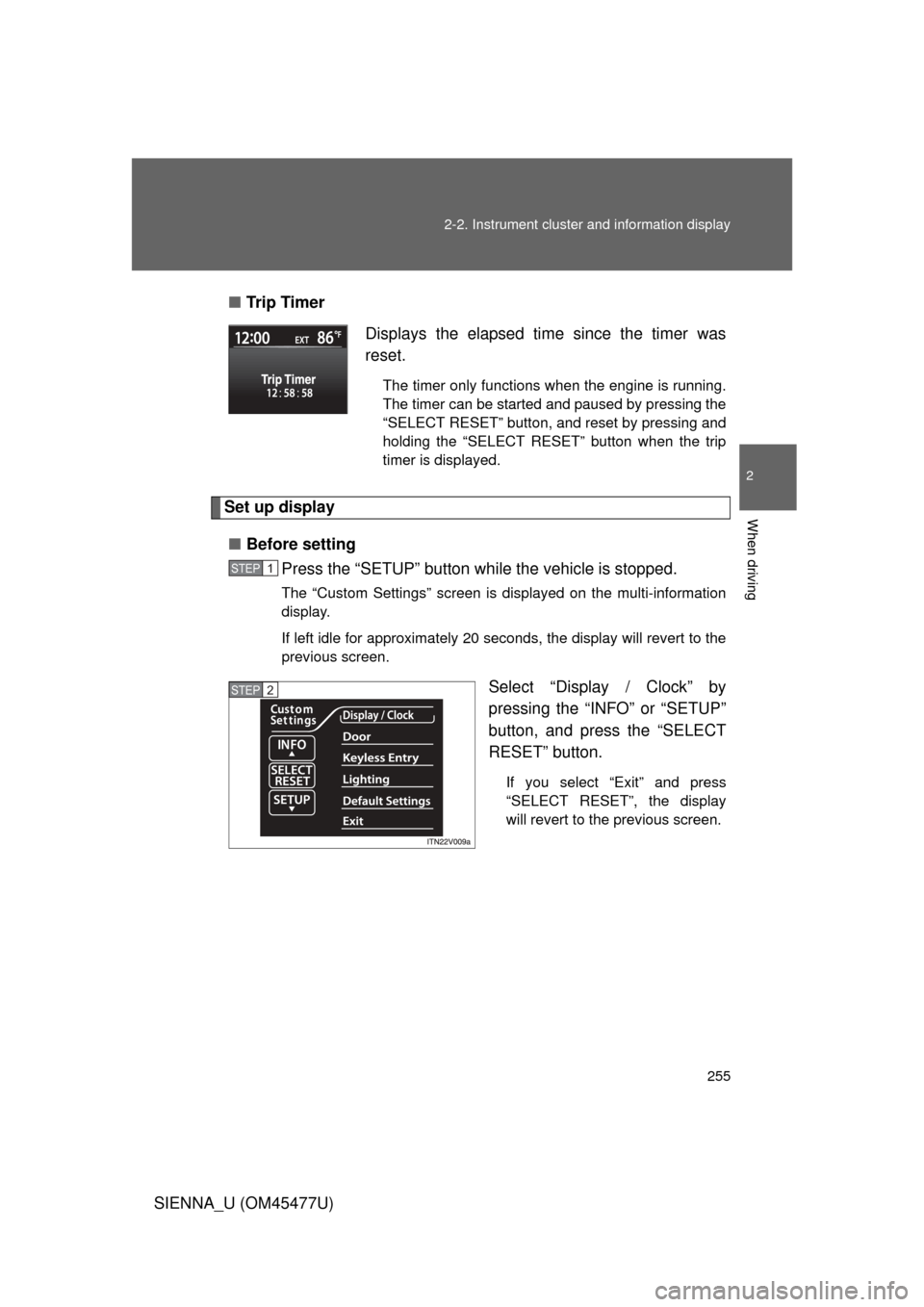
■
Tr i p Ti m e r
Set up display
■ Before setting
Press the “SETUP” button wh ile the vehicle is stopped.
The “Custom Settings” screen is displayed on the multi-information
display.
If left idle for approximately 20 seconds, the display will revert to the
previous screen.
Select “Display / Clock” by
pressing the “INFO” or “SETUP”
button, and press the “SELECT
RESET” button.
If you select “Exit” and press
“SELECT RESET”, the display
will revert to the previous screen.
Displays the elapsed time since the timer was
reset.
The timer only functions when the engine is running.
The timer can be started and paused by pressing the
“SELECT RESET” button, and reset by pressing and
holding the “SELECT RESET” button when the trip
timer is displayed.
STEP1
STEP2
Page 301 of 860
301
2-4. Using other
driving systems
2
When driving
SIENNA_U (OM45477U)
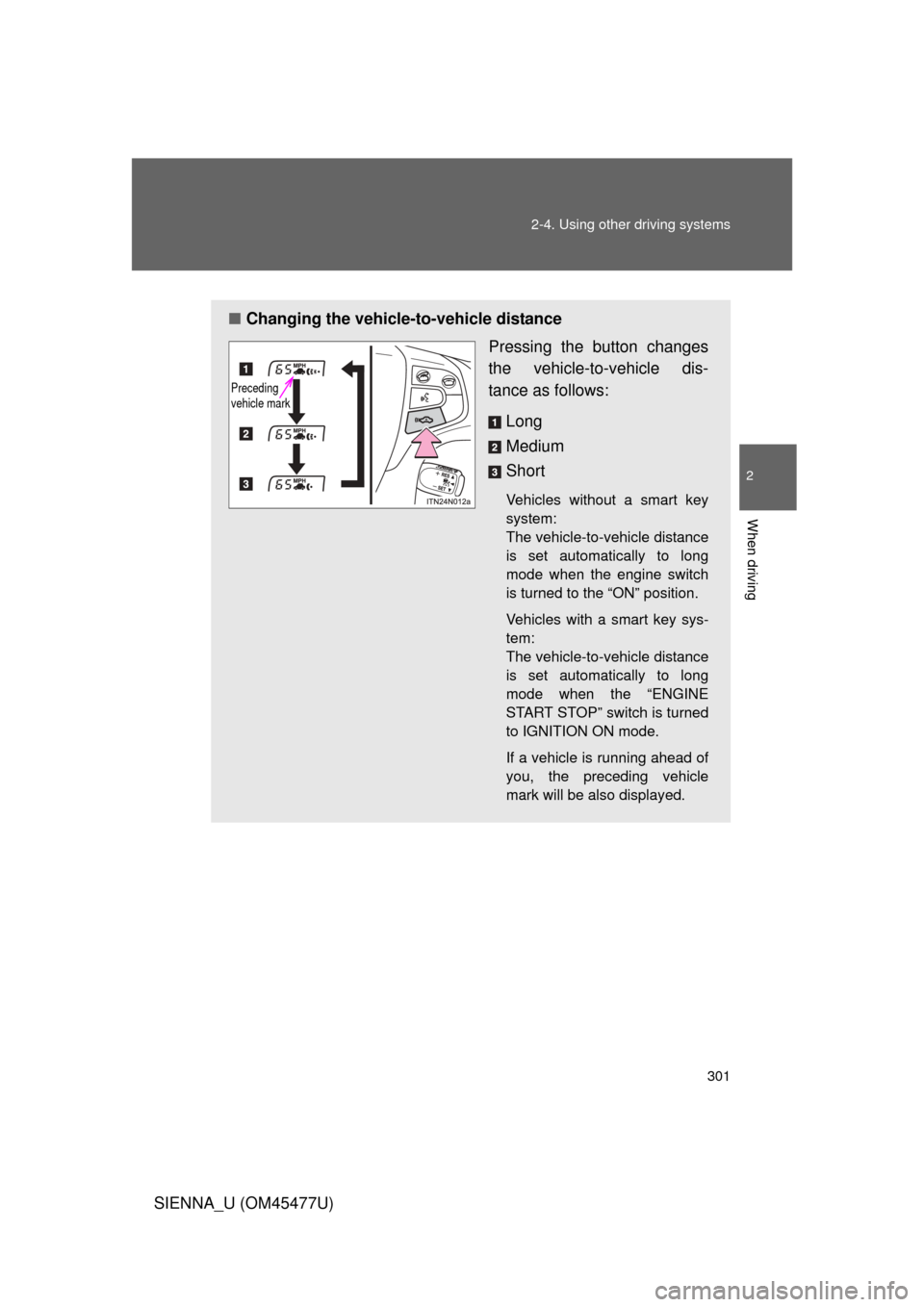
■Changing the vehicle -to-vehicle distance
Pressing the button changes
the vehicle-to-vehicle dis-
tance as follows:
Long
Medium
Short
Vehicles without a smart key
system:
The vehicle-to-vehicle distance
is set automatically to long
mode when the engine switch
is turned to the “ON” position.
Vehicles with a smart key sys-
tem:
The vehicle-to-vehicle distance
is set automatically to long
mode when the “ENGINE
START STOP” switch is turned
to IGNITION ON mode.
If a vehicle is running ahead of
you, the preceding vehicle
mark will be also displayed.
Preceding
vehicle mark
Page 640 of 860

640 4-2. Maintenance
SIENNA_U (OM45477U)
■Allow inspection and repairs to be performed by a Toyota dealer
● Toyota technicians are well-trained specialists and are kept up to date
with the latest service information. They are well informed about the
operations of all systems on your vehicle.
● Keep a copy of the repair order. It proves that the maintenance that has
been performed is under warranty coverage. If any problem should arise
while your vehicle is under warranty, your Toyota dealer will promptly
take care of it.
■ Reset the maintenance data (U.S.A. only)
After the required maintenance is preformed according to the maintenance
schedule, please reset the maintenance data.
To reset the data, follow the procedures described below:
Vehicles without a smart key system
Switch the display to the trip meter A ( P. 244) and then turn the
engine switch off.
Vehicles with a smart key system
Switch the display to the trip meter A ( P. 244) and then turn the
“ENGINE START STOP” switch off.
Vehicles without a smart key system
While pressing the trip meter reset button ( P. 244), turn the
engine switch to the “ON” position.
Vehicles with a smart key system
While pressing the trip meter reset button ( P. 244), turn the
“ENGINE START STOP” switch to IGNITION ON mode.
Vehicles without a multi-information display
Continue to press and hold the button until the trip meter A displays
“000000”.
Vehicles with a multi-information display
Continue to press and hold the button until “COMPLETE” appears
on the multi-information display.
STEP1
STEP2
STEP3
Page 764 of 860
764
5-2. Steps to take in an emergency
SIENNA_U (OM45477U)
If the shift lever cannot be shifted from P
If the shift lever cannot be shifted with your foot on the brake pedal,
there may be a problem with the shift lock system (a system to pre-
vent accidental operation of the shift lever). Have the vehicle
inspected by your Toyo ta dealer immediately.
The following steps may be used as an emergency measure to
ensure that the shift lever can be shifted:
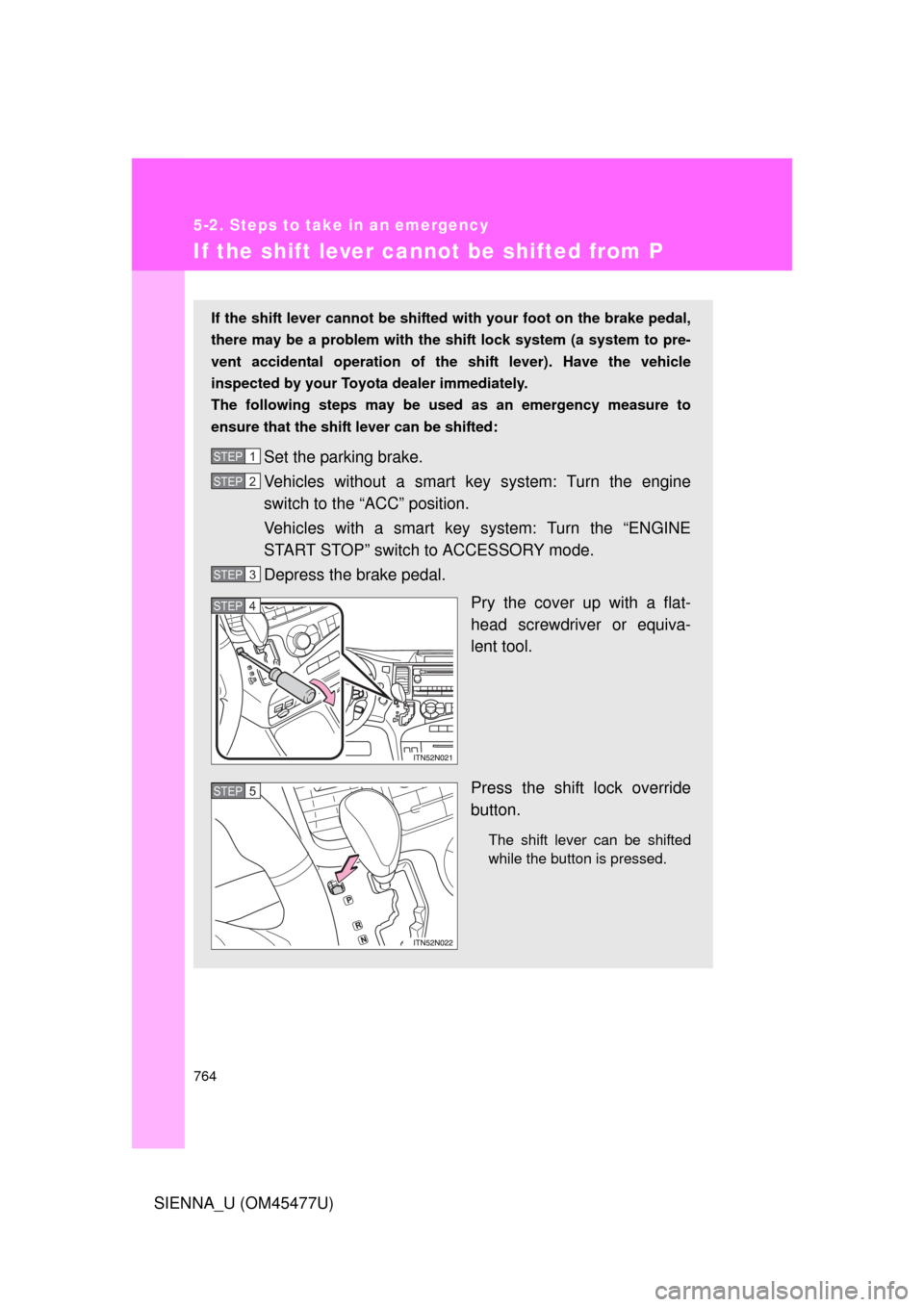
Set the parking brake.
Vehicles without a smart ke y system: Turn the engine
switch to the “ACC” position.
Vehicles with a smart key system: Turn the “ENGINE
START STOP” switch to ACCESSORY mode.
Depress the brake pedal.
Pry the cover up with a flat-
head screwdriver or equiva-
lent tool.
Press the shift lock override
button.
The shift lever can be shifted
while the button is pressed.
STEP1
STEP2
STEP3
STEP4
STEP5