Page 289 of 592
289
3-2. Using the audio system
3
Interior features
■
Adjusting the Automatic Sound Levelizer (ASL)
ASL automatically adjusts the volume and tone quality to compen-
sate for varying noise levels while driving.
Type A and B
When “ASL” is selected, turning to the right changes the
“ASL” level in the order of “LOW”, “MID” and “HIGH”.
Turning to the left turns “ASL” off.
Type C
When “ASL” is selected, turning to the right turns “ASL” on,
and turning to the left turns “ASL” off.
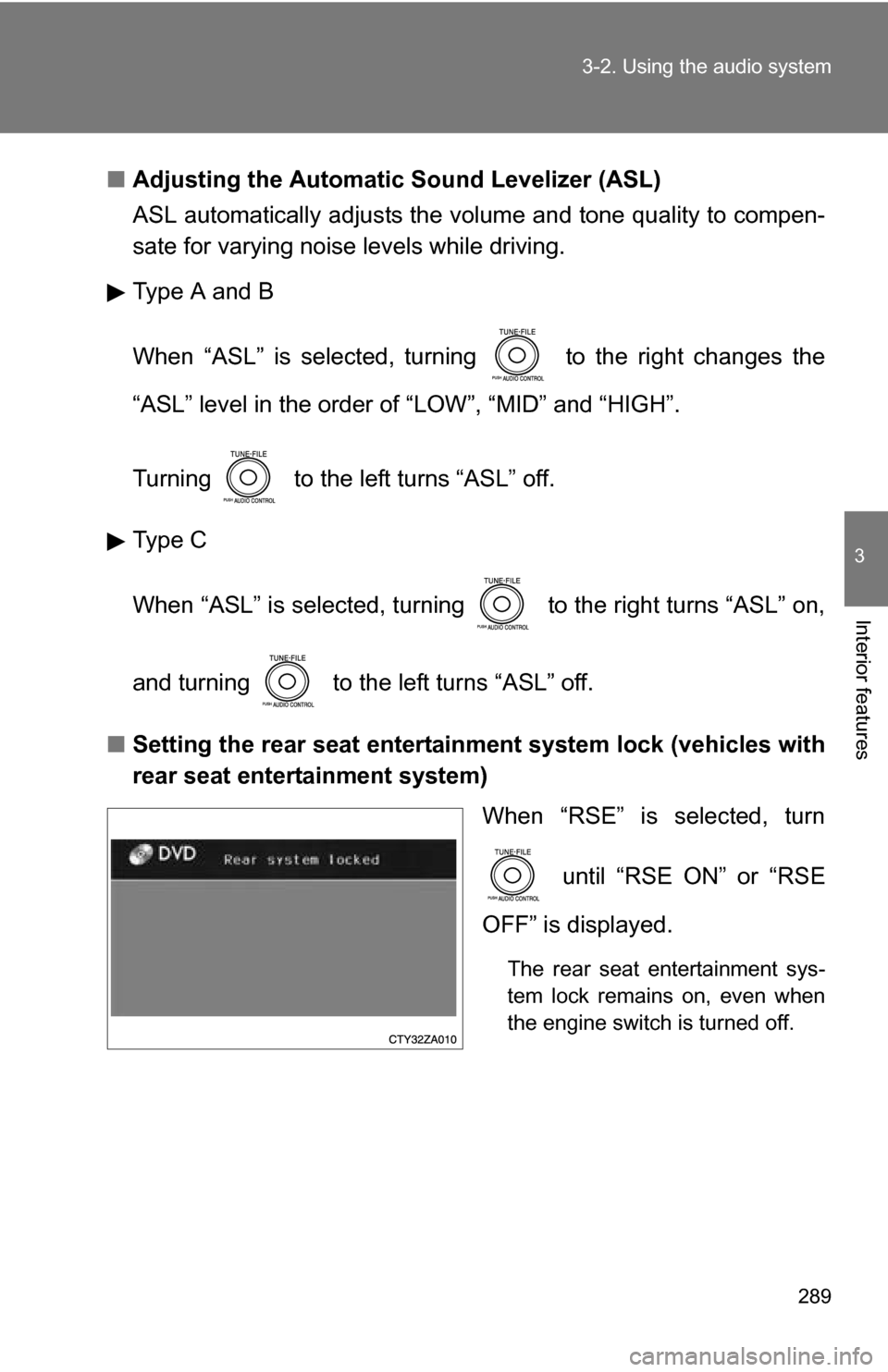
■ Setting the rear seat entertainment system lock (vehicles with
rear seat entertainment system)
When “RSE” is selected, turn
until “RSE ON” or “RSE
OFF” is displayed.
The rear seat entertainment sys-
tem lock remains on, even when
the engine switch is turned off.
Page 296 of 592
296
3-3. Using the rear audio system
Rear seat enter tainment system features (if equipped)
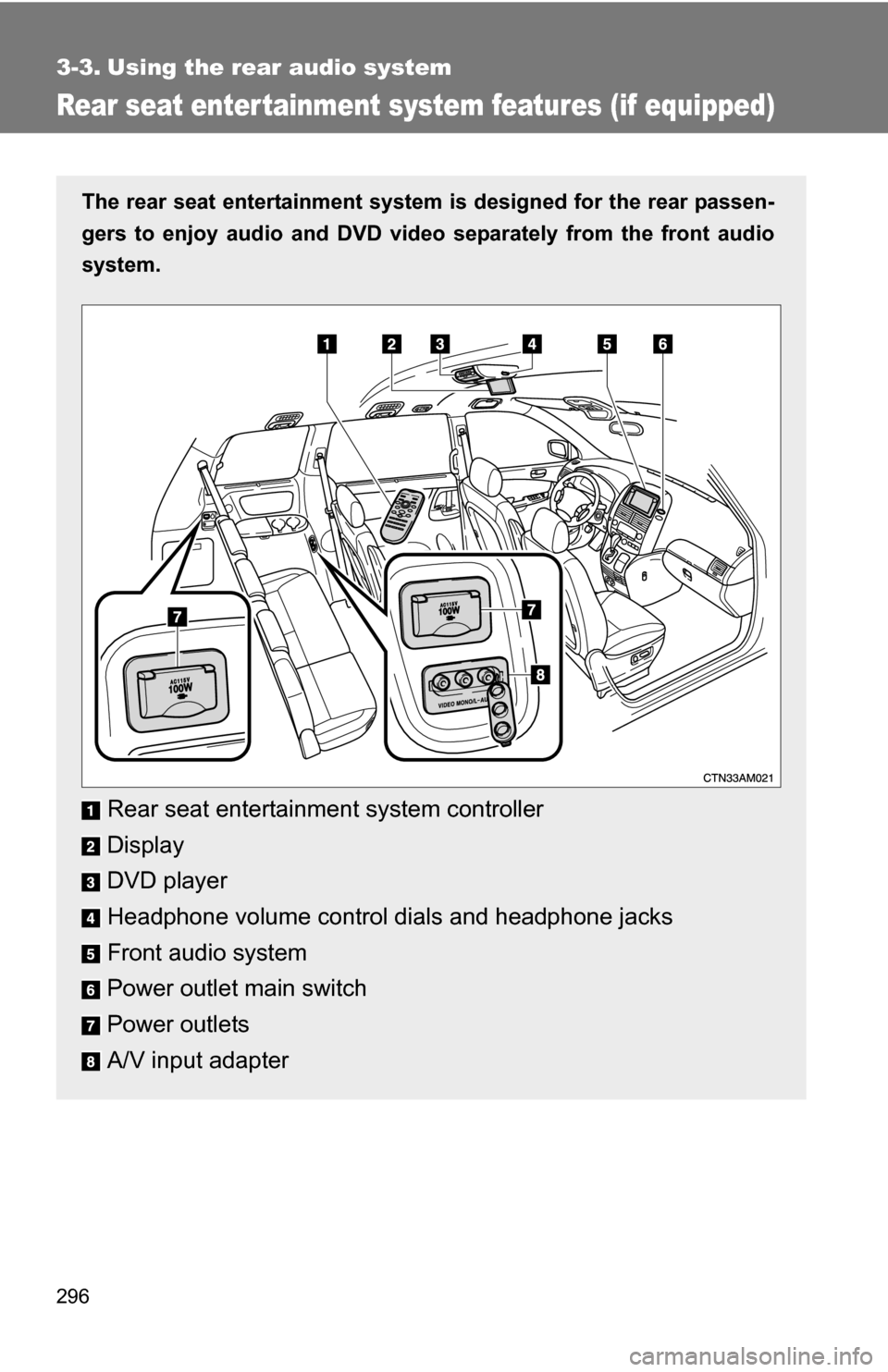
The rear seat entertainment system is designed for the rear passen-
gers to enjoy audio and DVD vide o separately from the front audio
system.
Rear seat entertainment system controller
Display
DVD player
Headphone volume control dials and headphone jacks
Front audio system
Power outlet main switch
Power outlets
A/V input adapter
Page 297 of 592
297
3-3. Using the rear audio system
3
Interior features
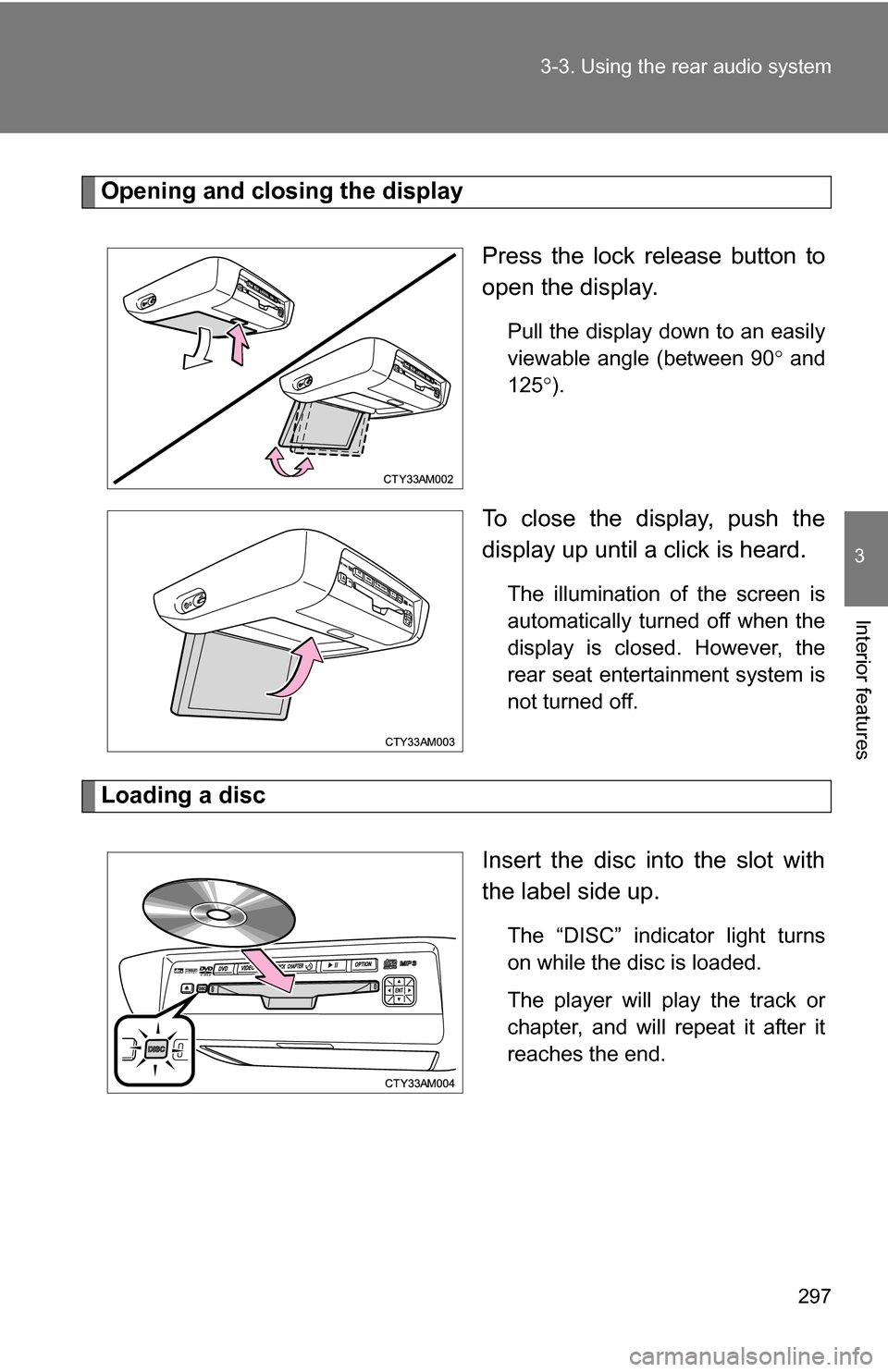
Opening and closing the display
Press the lock release button to
open the display.
Pull the display down to an easily
viewable angle (between 90 and
125 ).
To close the display, push the
display up until a click is heard.
The illumination of the screen is
automatically turned off when the
display is closed. However, the
rear seat entertainment system is
not turned off.
Loading a disc
Insert the disc into the slot with
the label side up.
The “DISC” indicator light turns
on while the disc is loaded.
The player will play the track or
chapter, and will repeat it after it
reaches the end.
Page 301 of 592
301
3-3. Using the rear audio system
3
Interior features
■
Headphones
With some headphones generally available in the market, it may be difficult
to catch signals properly. Toyota recommends the use of Toyota genuine
wireless headphones.
Please contact your Toyota dealer for further details.
■ Vo l u m e
●Adjust the volume when you connect the headphones to the jack. Loud
sounds may have a significant impact on the human body.
● Conversational speech on some DVDs is recorded at a low volume to
emphasize the impact of sound effects. If you adjust the volume assum-
ing that the conversations represent the maximum volume level that the
DVD will play, you may be startled by louder sound effects or when you
change to a different audio source. Be sure to adjust the volume with this
in mind.
CAUTION
■While driving
Do not use headphones.
Doing so may cause an accident, resulting in death or serious injury.
■ When the rear seat entert ainment system is not used
Keep the display closed.
In the event of an accident or sudden braking, the opened display may hit an
occupant's body, resulting in injury.
■ To prevent accidents and electric shock
Do not disassemble or modify the remote controller.
■ When the remote controller is not used
Stow the remote controller.
Injuries may result in the event of an accident or sudden braking.
■ Removed battery and other parts
Keep away from children.
These parts are small and if swallowed by a child they can cause choking.
Page 303 of 592
303
3-3. Using the rear audio system
3
Interior features
Using the DVD player (DVD video)
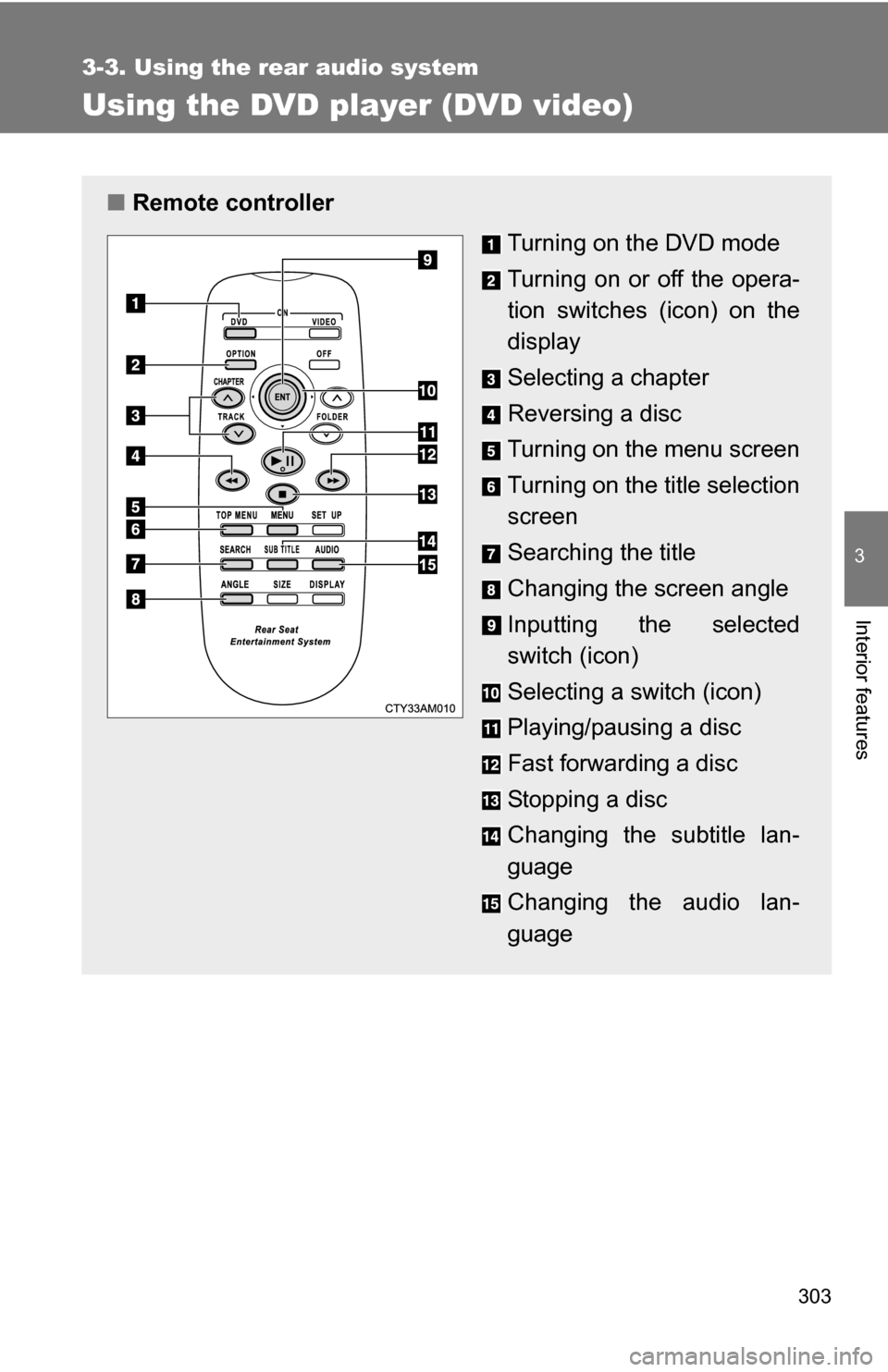
■Remote controller
Turning on the DVD mode
Turning on or off the opera-
tion switches (icon) on the
display
Selecting a chapter
Reversing a disc
Turning on the menu screen
Turning on the title selection
screen
Searching the title
Changing the screen angle
Inputting the selected
switch (icon)
Selecting a switch (icon)
Playing/pausing a disc
Fast forwarding a disc
Stopping a disc
Changing the subtitle lan-
guage
Changing the audio lan-
guage
Page 304 of 592
304 3-3. Using the rear audio system
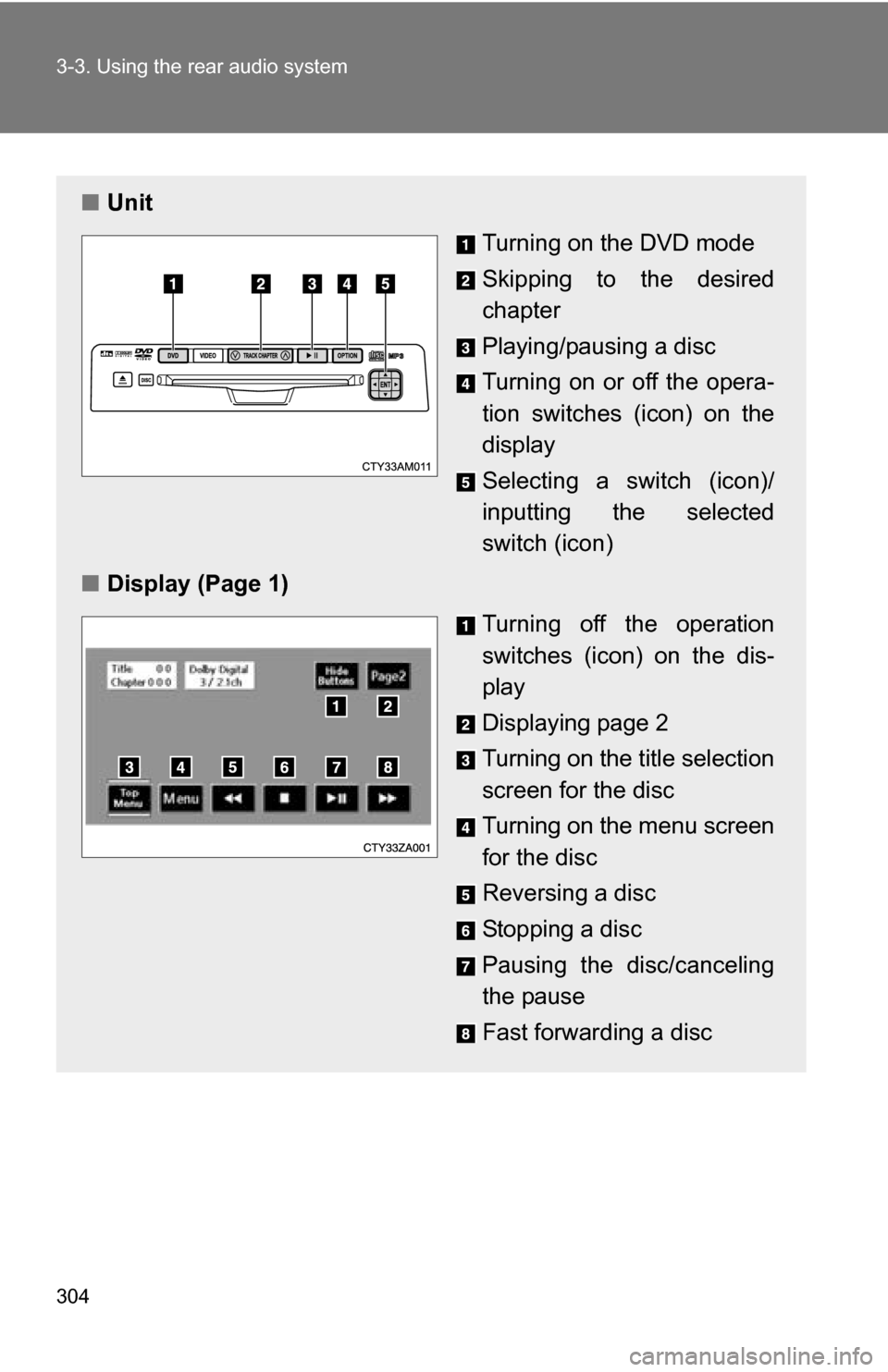
■Unit
Turning on the DVD mode
Skipping to the desired
chapter
Playing/pausing a disc
Turning on or off the opera-
tion switches (icon) on the
display
Selecting a switch (icon)/
inputting the selected
switch (icon)
■ Display (Page 1)
Turning off the operation
switches (icon) on the dis-
play
Displaying page 2
Turning on the title selection
screen for the disc
Turning on the menu screen
for the disc
Reversing a disc
Stopping a disc
Pausing the disc/canceling
the pause
Fast forwarding a disc
Page 305 of 592
305
3-3. Using the rear audio system
3
Interior features
NOTICE
■
Cleaning the display
Wipe the display with a dry soft cloth.
If the screen is wiped with a rough cloth, the surface of the screen may be
scratched.
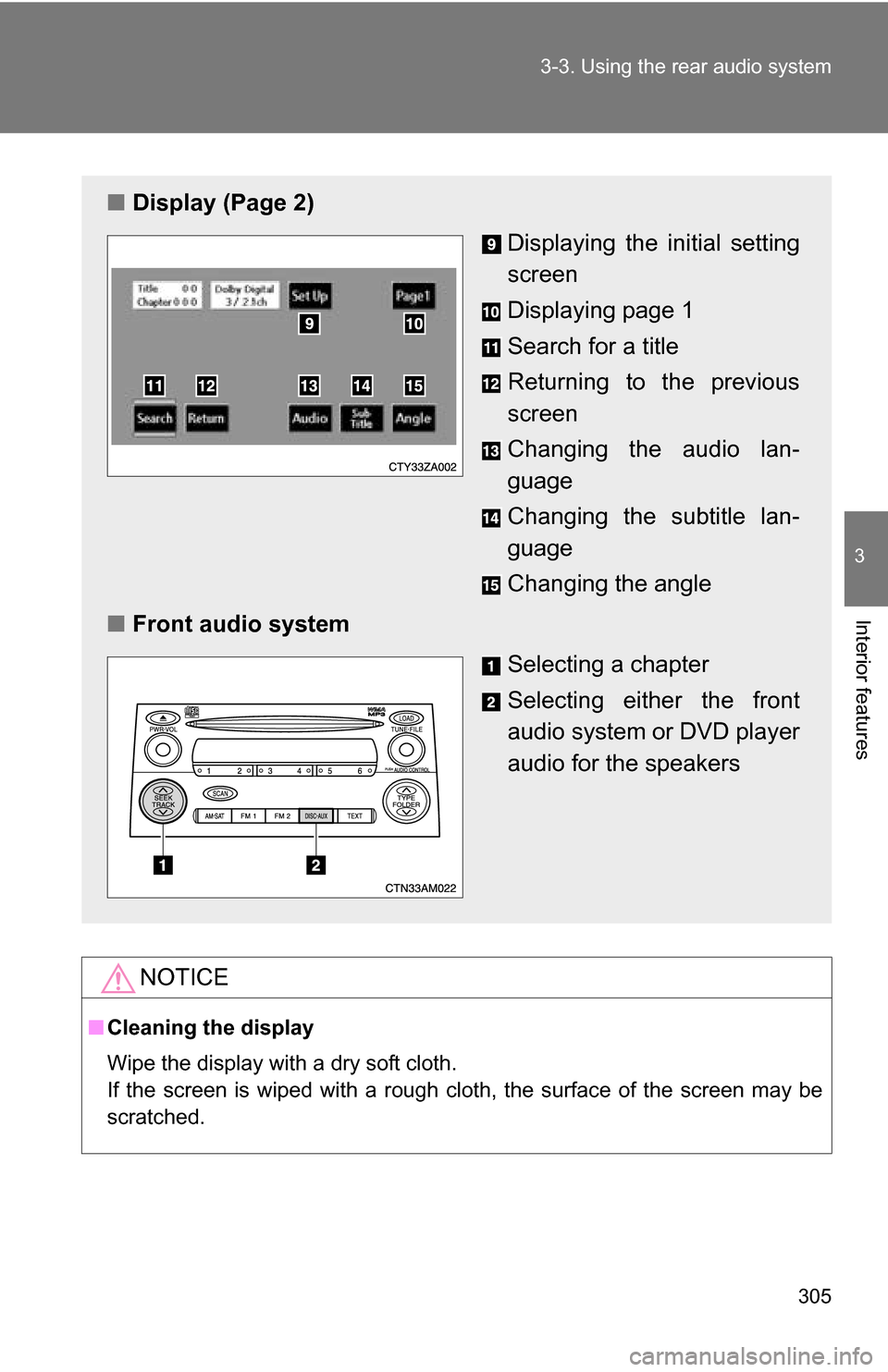
■ Display (Page 2)
Displaying the initial setting
screen
Displaying page 1
Search for a title
Returning to the previous
screen
Changing the audio lan-
guage
Changing the subtitle lan-
guage
Changing the angle
■ Front audio system
Selecting a chapter
Selecting either the front
audio system or DVD player
audio for the speakers
Page 307 of 592
307
3-3. Using the rear audio system
3
Interior features
Slow playback
Press or select and then press or select . Video
is played slowly when you press or select by pressing and
holding or .
Returning to the previous screenSelect to return to the previous screen. For the operation of the
menu screen, see the separate manual for the DVD disc.
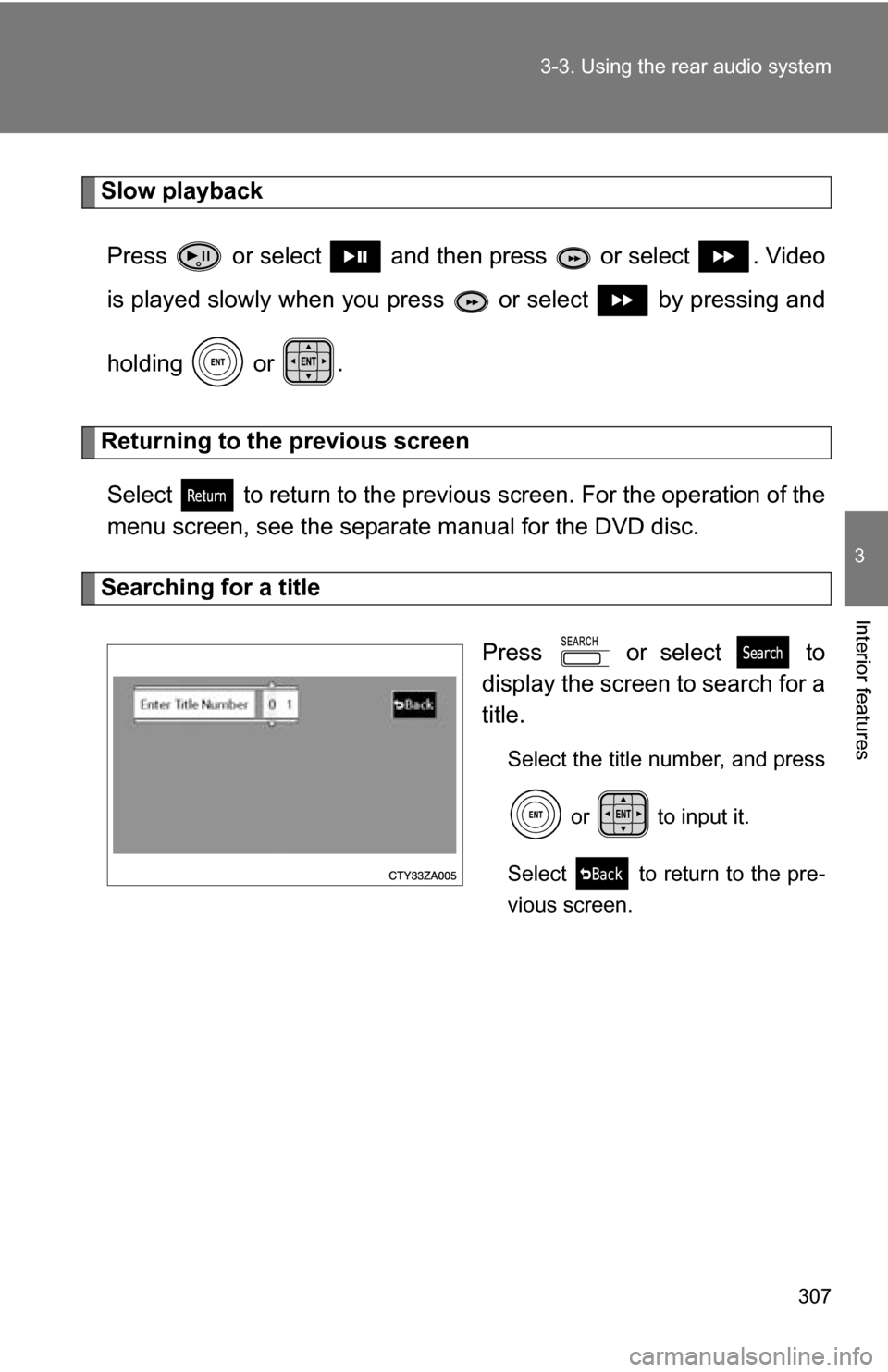
Searching for a title
Press or select to
display the screen to search for a
title.
Select the title number, and press or to input it.
Select to return to the pre-
vious screen.