Page 197 of 592
197
2-4. Using other driving systems
2
When driving
Dynamic laser cruise control (if equipped)
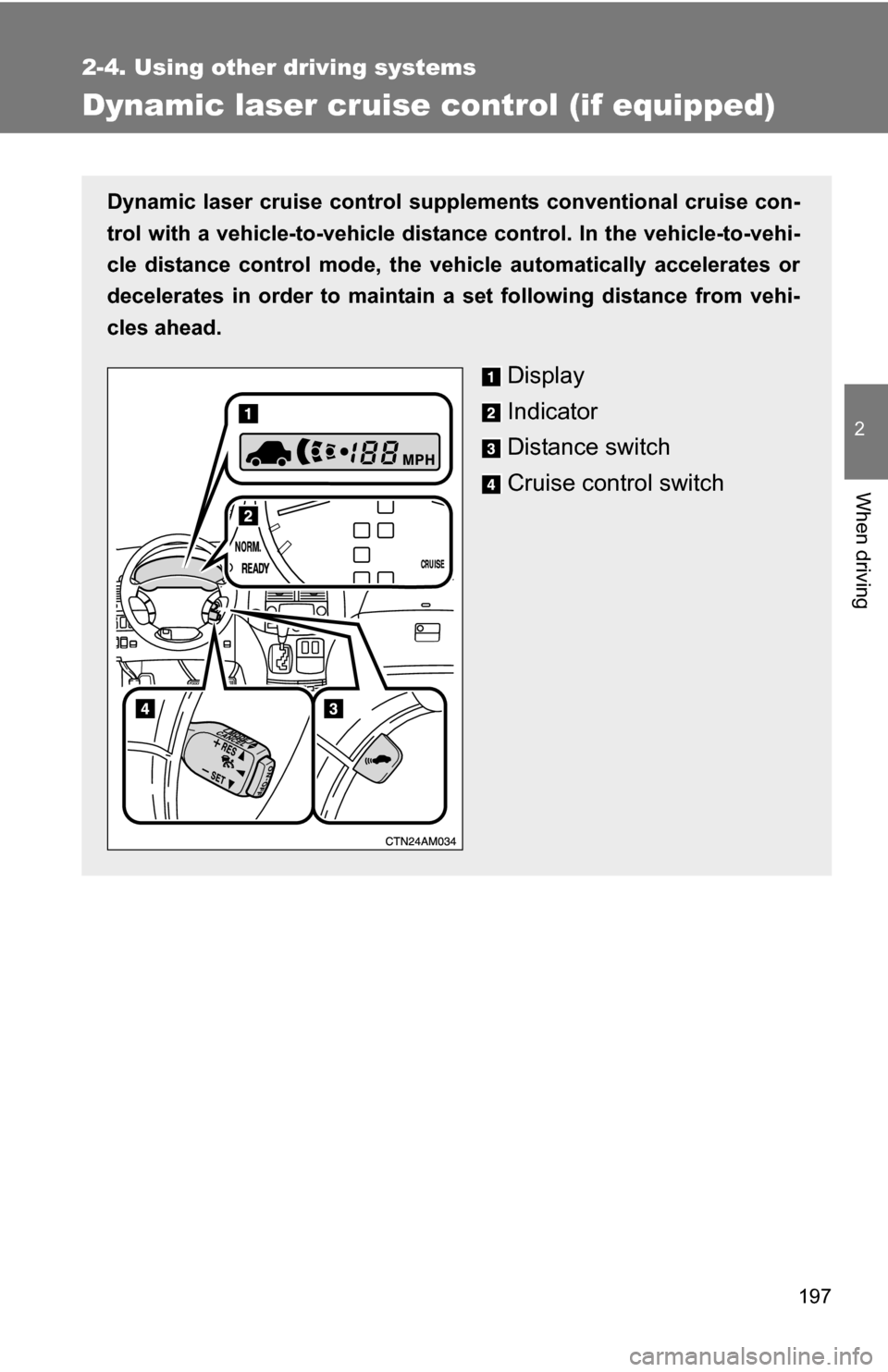
Dynamic laser cruise control supple ments conventional cruise con-
trol with a vehicle-to-vehicle distan ce control. In the vehicle-to-vehi-
cle distance control mode, the vehicle automatically accelerates or
decelerates in order to maintain a set following distance from vehi-
cles ahead.
Display
Indicator
Distance switch
Cruise control switch
Page 200 of 592
200 2-4. Using other driving systems
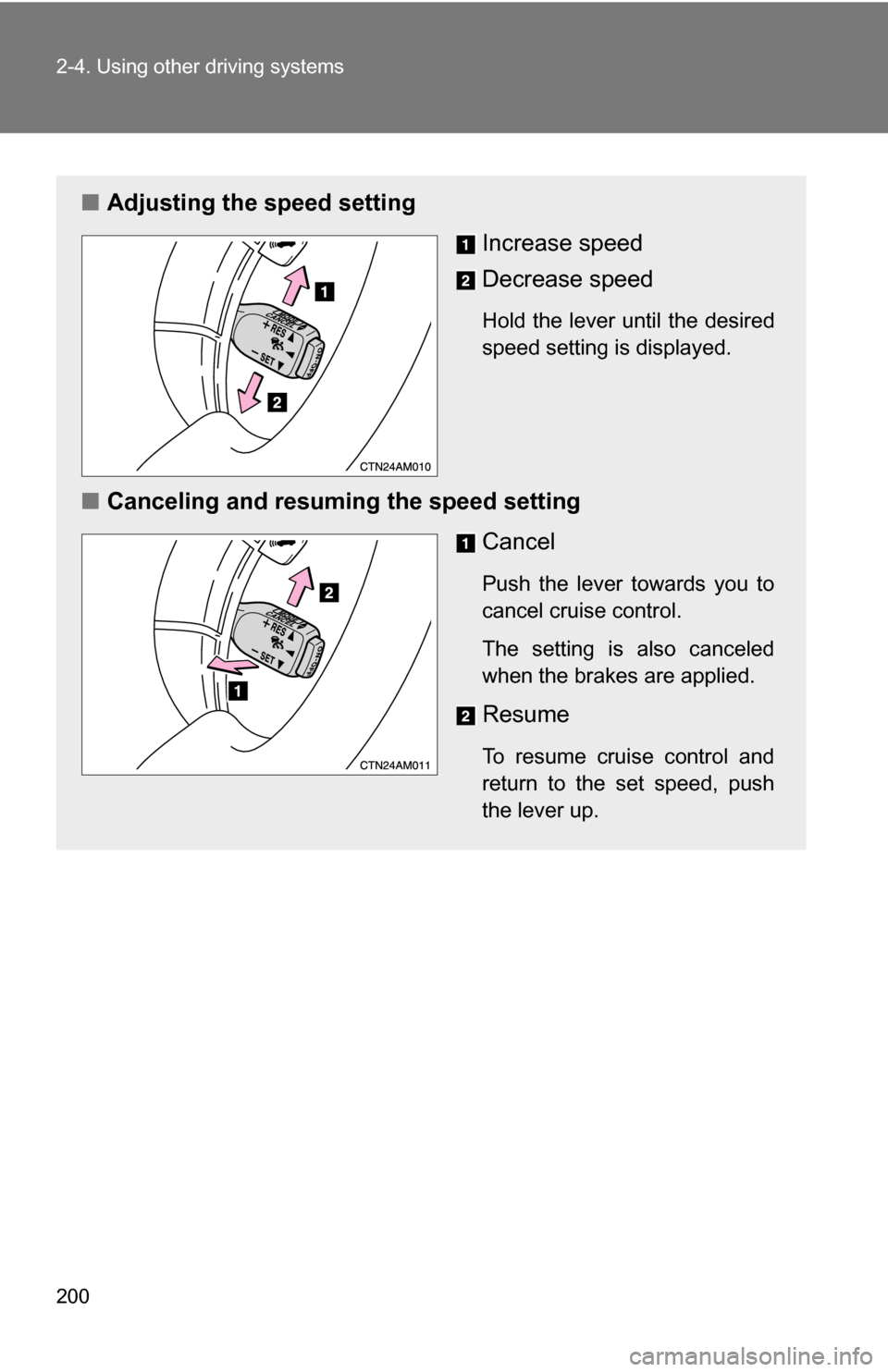
■Adjusting the speed setting
Increase speed
Decrease speed
Hold the lever until the desired
speed setting is displayed.
■Canceling and resuming the speed setting
Cancel
Push the lever towards you to
cancel cruise control.
The setting is also canceled
when the brakes are applied.
Resume
To resume cruise control and
return to the set speed, push
the lever up.
Page 201 of 592
201
2-4. Using other
driving systems
2
When driving
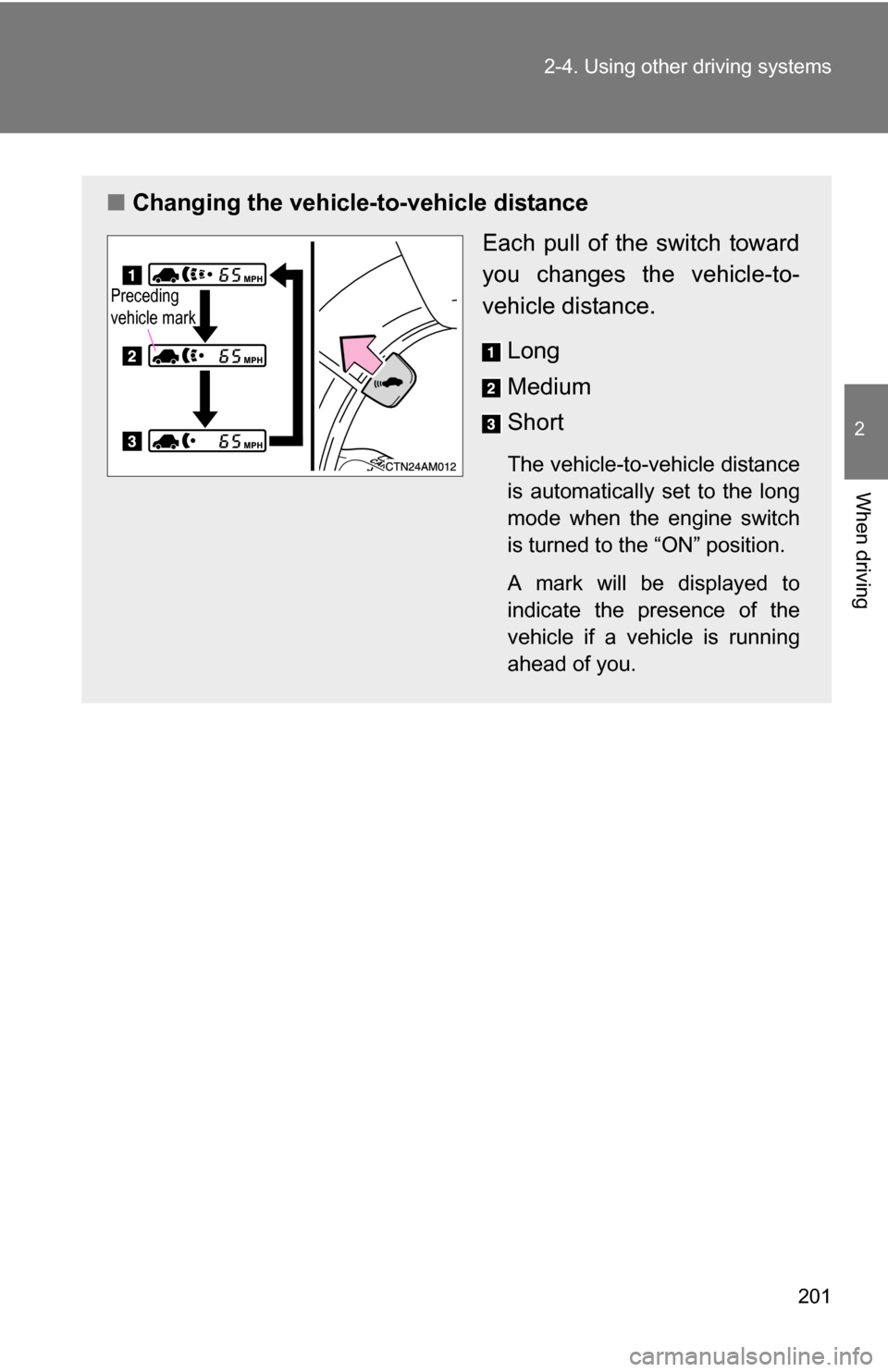
■Changing the vehicle -to-vehicle distance
Each pull of the switch toward
you changes the vehicle-to-
vehicle distance.
Long
Medium
Short
The vehicle-to-vehicle distance
is automatically set to the long
mode when the engine switch
is turned to the “ON” position.
A mark will be displayed to
indicate the presence of the
vehicle if a vehicle is running
ahead of you.
Preceding
vehicle mark
Page 204 of 592
204 2-4. Using other driving systems
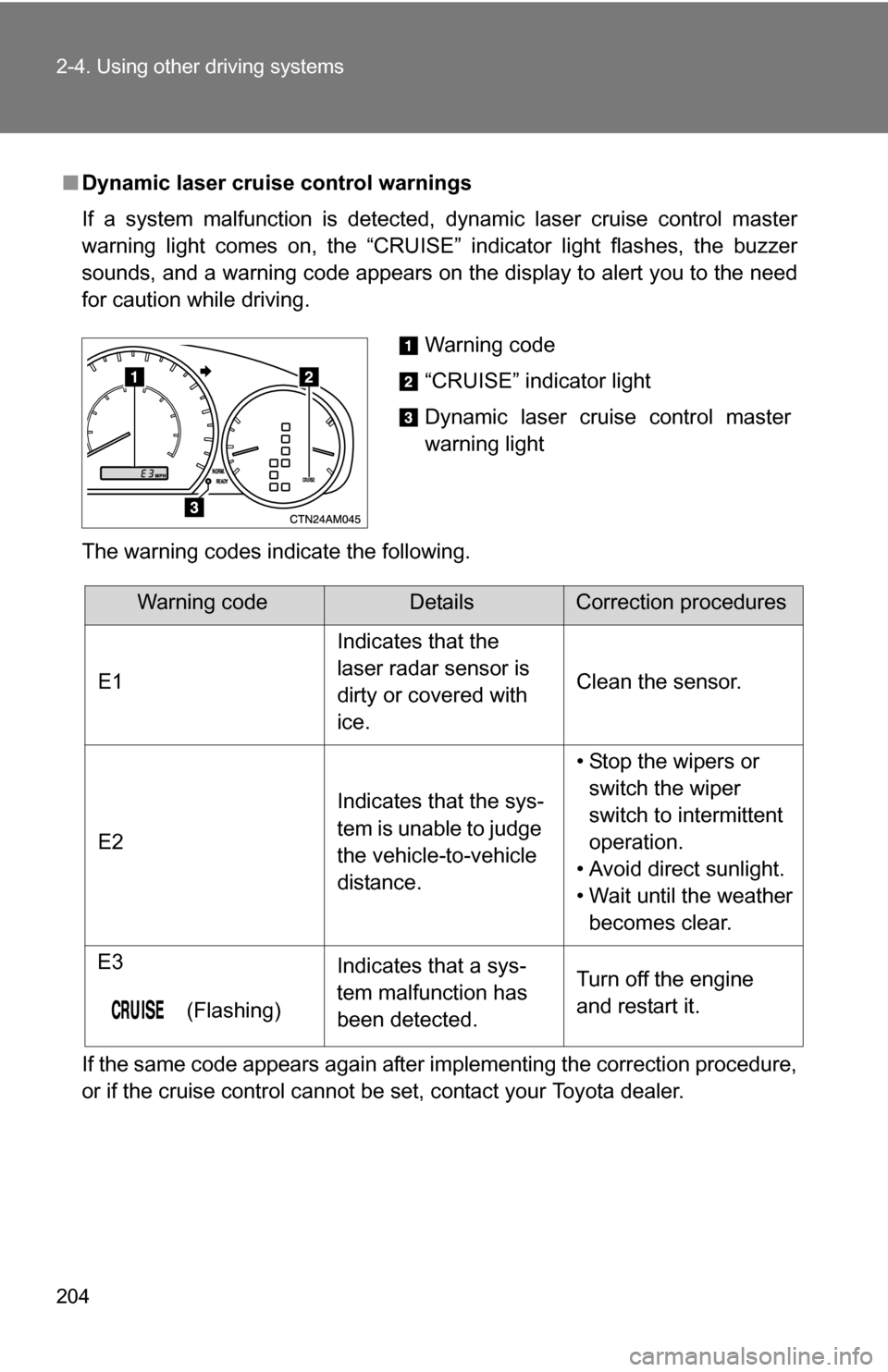
■Dynamic laser cruise control warnings
If a system malfunction is detected, dynamic laser cruise control master
warning light comes on, the “CRUISE” indicator light flashes, the buzzer
sounds, and a warning code appears on the display to alert you to the need
for caution while driving.
The warning codes indicate the following.
If the same code appears again after implementing the correction procedure,
or if the cruise control cannot be set, contact your Toyota dealer.
Warning code
“CRUISE” indicator light
Dynamic laser cruise control master
warning light
Warning codeDetailsCorrection procedures
E1 Indicates that the
laser radar sensor is
dirty or covered with
ice.Clean the sensor.
E2 Indicates that the sys-
tem is unable to judge
the vehicle-to-vehicle
distance.• Stop the wipers or
switch the wiper
switch to intermittent
operation.
• Avoid direct sunlight.
• Wait until the weather becomes clear.
E3
(Flashing) Indicates that a sys-
tem malfunction has
been detected.
Turn off the engine
and restart it.
Page 209 of 592
209
2-4. Using other driving systems
2
When driving
Intuitive parking assist (if equipped)
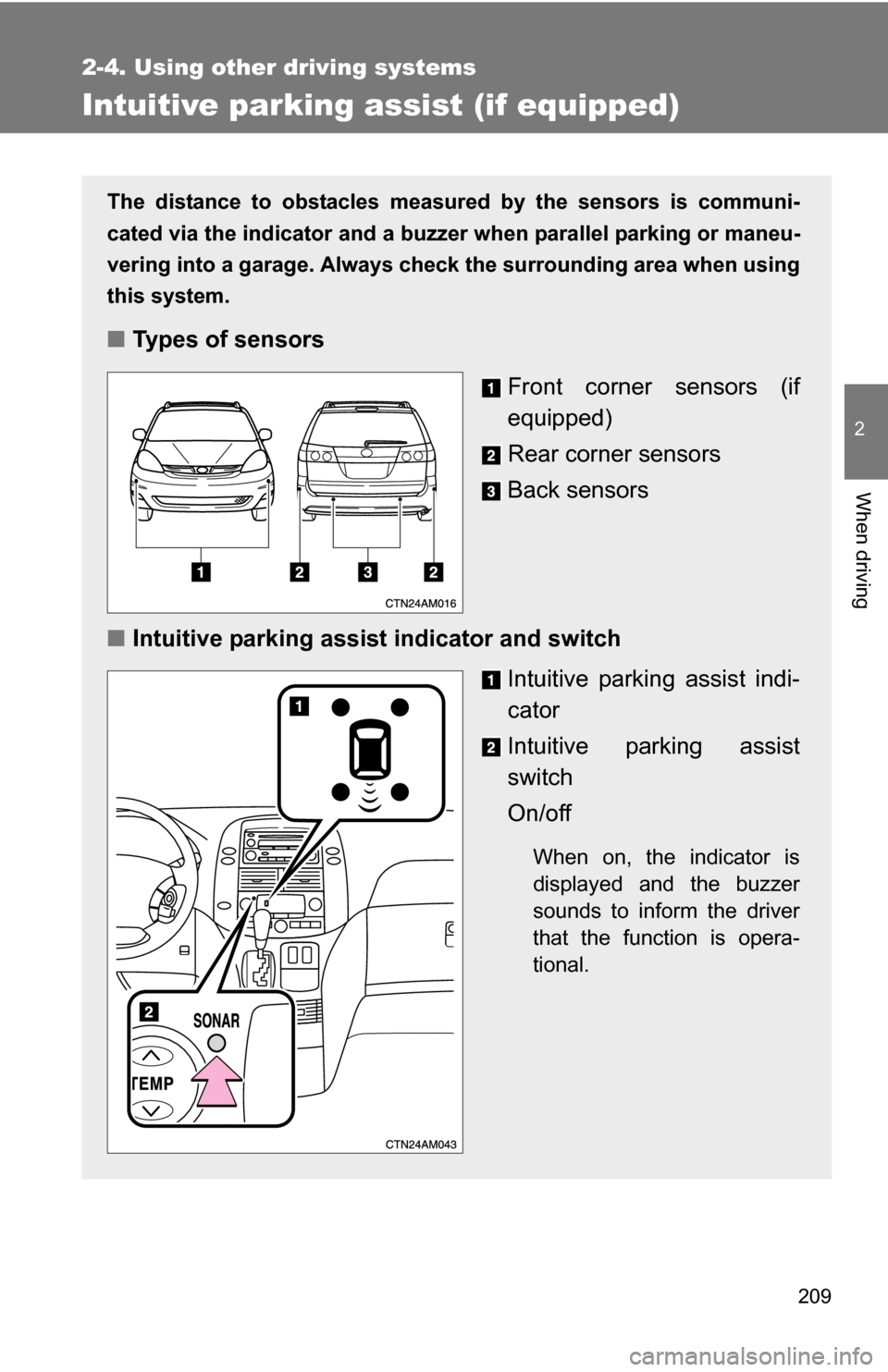
The distance to obstacles measured by the sensors is communi-
cated via the indicator and a buzzer when parallel parking or maneu-
vering into a garage. Always check the surrounding area when using
this system.
■ Types of sensors
Front corner sensors (if
equipped)
Rear corner sensors
Back sensors
■ Intuitive parking assist indicator and switch
Intuitive parking assist indi-
cator
Intuitive parking assist
switch
On/off
When on, the indicator is
displayed and the buzzer
sounds to inform the driver
that the function is opera-
tional.
Page 246 of 592
246
3-1. Using the air conditioning system and defogger
Front automatic air conditioning system (if equipped)
Using the automatic modePress .
The air conditioning system begins to operate. Air outlets and fan
speed are automatically adjusted according to the temperature set-
ting.
Press “” on to increase the temperature and “ ” to
decrease the temperature.
Air outlets and fan speed for the driver and passenger seats may be
set separately depending on the temperature setting.
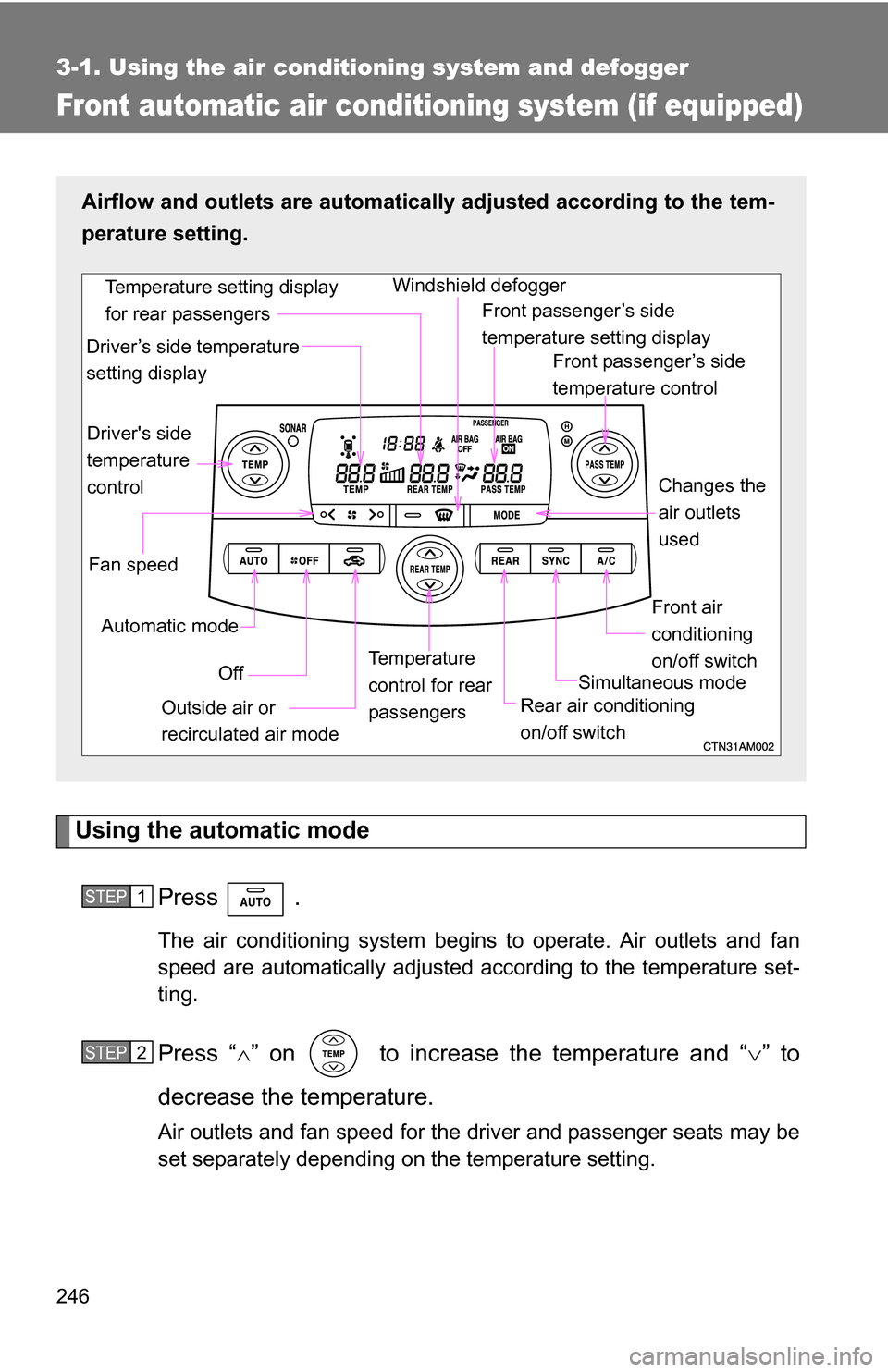
Airflow and outlets are automatica lly adjusted according to the tem-
perature setting.
Fan speed Front passenger’s side
temperature control
Front air
conditioning
on/off switch
Simultaneous mode
Rear air conditioning
on/off switch
Temperature
control for rear
passengers Changes the
air outlets
used
Off
Driver's side
temperature
control
Automatic mode Windshield defogger
Outside air or
recirculated air mode
Driver’s side temperature
setting display
Temperature setting display
for rear passengers
Front passenger’s side
temperature setting display
STEP1
STEP2
Page 247 of 592
247
3-1. Using the air conditioning system
and defogger
3
Interior features
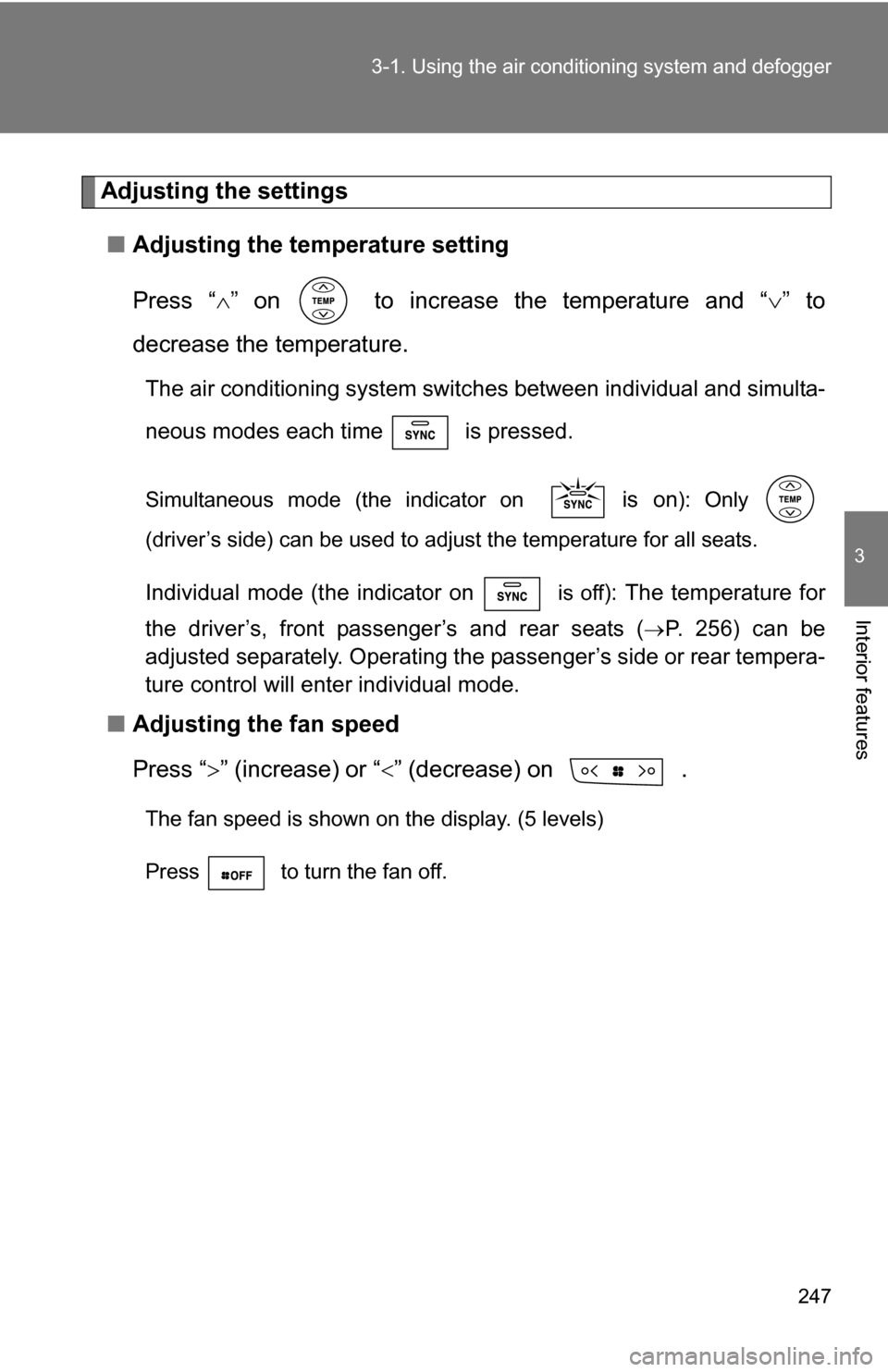
Adjusting the settings
■ Adjusting the temperature setting
Press “ ” on to increase the temperature and “ ” to
decrease the temperature.
The air conditioning system switch es between individual and simulta-
neous modes each time is pressed.
Simultaneous mode (the indicator on is on): Only
(driver’s side) can be used to adjust the temperature for all seats.
Individual mode (the indicator on is off): The temperature for
the driver’s, front passenger’s and rear seats (
P. 256) can be
adjusted separately. Operating the passenger’s side or rear tempera-
ture control will enter individual mode.
■ Adjusting the fan speed
Press “ ” (increase) or “” (decrease) on .
The fan speed is shown on the display. (5 levels)
Press to turn the fan off.
Page 248 of 592
248 3-1. Using the air conditioning system and defogger
■Changing the air outlets
Press .
The air outlets switch each time is pressed. The air flow
shown on the display indicates the following.
Upper body
Upper body and feet
Feet