Page 61 of 82
60
Problem Probable cause Possible solution
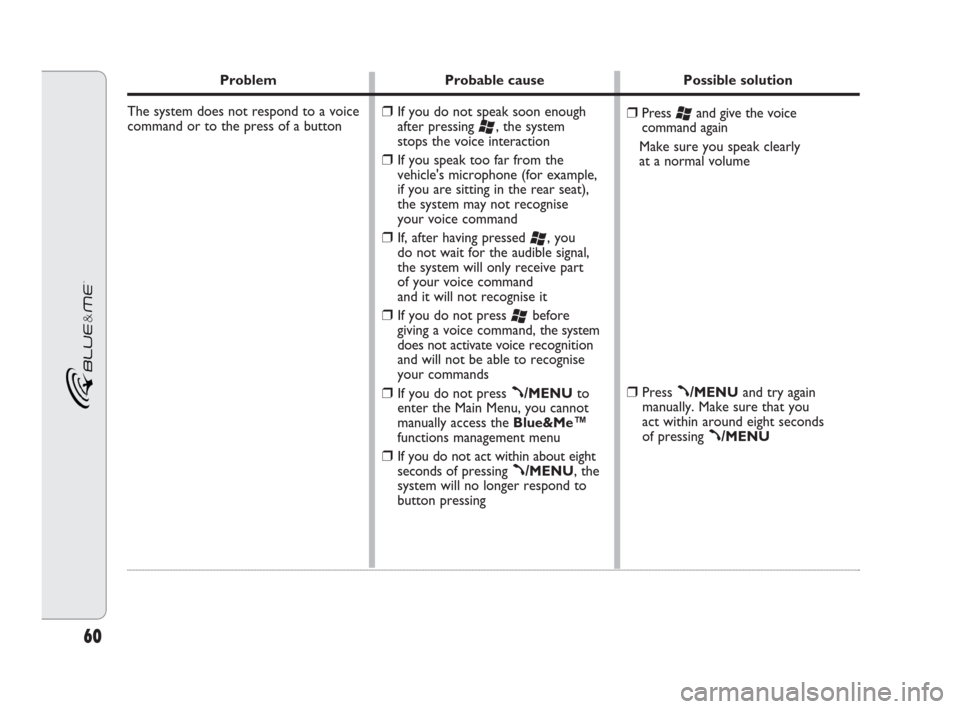
The system does not respond to a voice
command or to the press of a button
❒Press ‘and give the voice
command again
Make sure you speak clearly
at a normal volume
❒Press ß/MENUand try again
manually. Make sure that you
act within around eight seconds
of pressing
ß/MENU
❒If you do not speak soon enough
after pressing
‘, the system
stops the voice interaction
❒If you speak too far from the
vehicle's microphone (for example,
if you are sitting in the rear seat),
the system may not recognise
your voice command
❒If, after having pressed ‘, you
do not wait for the audible signal,
the system will only receive part
of your voice command
and it will not recognise it
❒If you do not press ‘before
giving a voice command, the system
does not activate voice recognition
and will not be able to recognise
your commands
❒If you do not press ß/MENUto
enter the Main Menu, you cannot
manually access the Blue&Me™
functions management menu
❒If you do not act within about eight
seconds of pressing
ß/MENU, the
system will no longer respond to
button pressing
604_39_206 DOBLO BLUE GB 1ed 17-09-2009 16:56 Pagina 60
Page 62 of 82

61
Problem Probable cause Possible solution
The system prompts you to enter
a PIN code, but you are not registering
a phone
When you are very near the vehicle and
you take a call with the answer button
on your mobile phone, the vehicle's
hands-free function is automatically
activated (the speaker's voice is played
over the speakers in the passenger
compartment)Select DELETE USERSon the
system and delete all the registrations,
then register the mobile phone again
�SETTINGS – MANAGING DATA
AND CONTACTS
�SETTINGS – MOBILE PHONE
REGISTRATION
Refer to your mobile phone's manual
to find out how to configure the call
management mode After you have deleted the user infor-
mation relating to the registration of
your mobile phone, the Bluetooth
®
connection between the phone and
Blue&Me™is no longer active
For some types of mobile phone,
you need to set the incoming call
management mode to automatic
transfer to the hands-free system
or transfer on request (by means of
specific controls on the mobile phone)
604_39_206 DOBLO BLUE GB 1ed 17-09-2009 16:56 Pagina 61
Page 63 of 82

62
Problem Probable cause Possible solution
If you try and register a phone that
has already been registered, the display
shows: Registration unsuccessful
or, the system says “Registration
unsuccessful. Please try again”
After having copied the mobile's
phonebook to the hands-free system,
the titles, qualifications or middle initials
(Mr, Dr, BA, QC, etc.) in the name
have not been recognised by the voice
recognition system
You need to register your phone only once;
after that, Blue&Me™will automatically
connect to it every time you get in the
vehicle and turn the ignition key to MAR.
If you need to repeat the registration of
a mobile phone that has already been
registered, select DELETE USERSon
the system and then repeat registration
�SETTINGS – MANAGING DATA
AND CONTACTS
�SETTINGS – MOBILE PHONE
REGISTRATION
When you call a contact in your
mobile's phonebook using voice
recognition, say the name without using
titles, qualifications or middle initials
If you have two contacts with similar
names and/or surnames in your mobile
phonebook, change one of the names to
make it unique and copy the phonebook
onto the hands-free system again Before repeating the registration
of a mobile phone that has already
been registered, you need to delete
the information relating to the previous
registrations on Blue&Me™
When you call a contact in your
mobile phonebook using voice
commands, the voice recognition
system does not support the use
of titles, qualifications or middle initials
604_39_206 DOBLO BLUE GB 1ed 17-09-2009 16:56 Pagina 62
Page 64 of 82
63
Problem Probable cause Possible solution
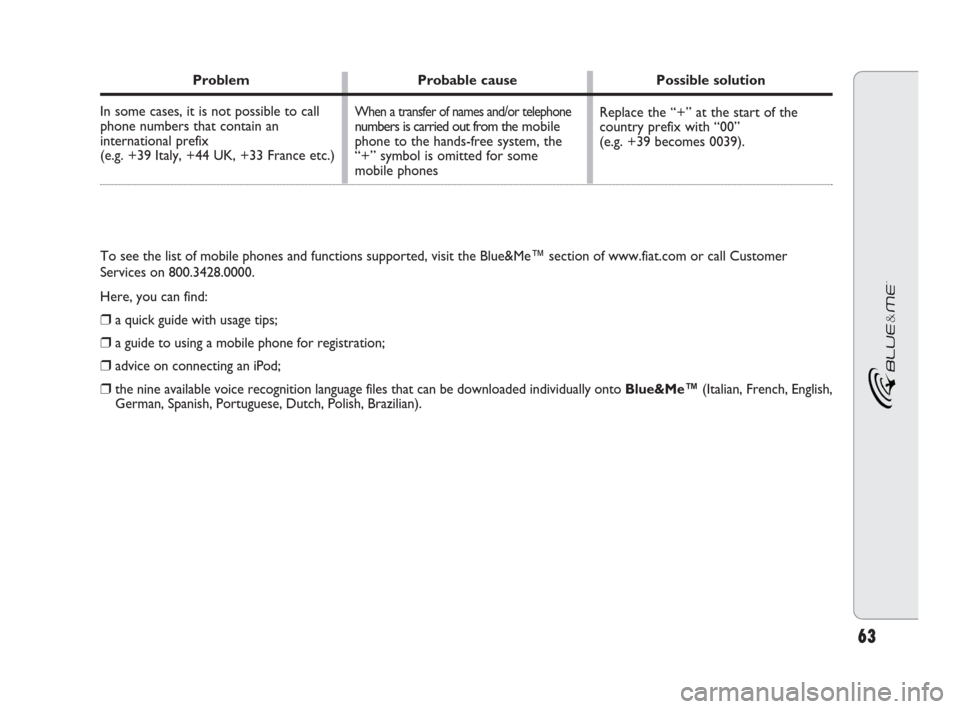
In some cases, it is not possible to call
phone numbers that contain an
international prefix
(e.g. +39 Italy, +44 UK, +33 France etc.)
Replace the “+” at the start of the
country prefix with “00”
(e.g. +39 becomes 0039).When a transfer of names and/or telephonenumbers is carried out from themobile
phone to the hands-free system, the
“+” symbol is omitted for some
mobile phones
To see the list of mobile phones and functions supported, visit the Blue&Me™ section of www.fiat.com or call Customer
Services on 800.3428.0000.
Here, you can find:
❒a quick guide with usage tips;
❒a guide to using a mobile phone for registration;
❒advice on connecting an iPod;
❒the nine available voice recognition language files that can be downloaded individually onto Blue&Me™(Italian, French, English,
German, Spanish, Portuguese, Dutch, Polish, Brazilian).
604_39_206 DOBLO BLUE GB 1ed 17-09-2009 16:56 Pagina 63
Page 65 of 82

64
SMS MESSAGE READER
Problem Probable cause Possible solution
I can receive SMS messages on my
mobile phone but not on Blue&Me™
The SMS messages received from the
phone operator's service centre
incorrectly display the sender's name
or number
Blue&Me™has stopped receiving
messages from your mobile phone
Some SMS messages on your mobile
phone are not displayed in the SMS
message inbox of Blue&Me™
Check that your mobile phone supports
the function of transferring SMS messages
via Bluetooth
®or, for more information,
refer to the LIST OF PHONES SUPPORTED
BY BLUE&ME™section or the
Blue&Me™section of www.fiat.com.
–
On the notification settings menu,
set VISUAL+AUDIBLE
or the VISUAL NOTIFICATION
�SMS MESSAGE READER
FUNCTIONS – NOTIFICATION
SETTINGS
IT IS possible to delete SMS messages
saved by Blue&Me™.
�SMS MESSAGE READER
FUNCTIONS, paragraphs on
MANAGING SMS MESSAGES and
DELETING ALL SMS TEXT MESSAGES Not all mobile phones support the
transfer of an SMS message to
Blue&Me™
Not all mobile phones support the correct
transfer to Blue&Me™of the name of the
service provider that has sent the SMS
message
You may have accidentally chosen
NOT ACTIVE in the menu
Notification settings
Blue&Me™is capable of reading
and saving the last 20 SMS messages
received while the mobile phone is connected
to the system.Messages received in other
contexts are not transferred to
Blue&Me™
604_39_206 DOBLO BLUE GB 1ed 17-09-2009 16:56 Pagina 64
Page 66 of 82

65
Problem Probable cause Possible solution
Some SMS messages, or part of them,
are not read or are notread correctly
by the Blue&Me™hands-free system
The Blue&Me™SMS message reader
displays the telephone number of the
sender rather than the contact name
Sometimes it is not possible to call
the sender of the SMS message received
Some special characters in the received
SMS message cannot be interpreted
by Blue&Me™
Probably, when registering the phone,
it was decided not to download the
phonebook, or if your mobile phone
supports only the management
of individual contacts, it was decided
to download only some contacts
Some SMS messages, for example those
sent from a service provider, do not
have the sender's number associated
with them, therefore the CALL option
cannot be used–
To download your mobile
phonebook, refer to the appropriate
item in the settings menu
�SETTINGS, paragraphs on
REGISTERING YOUR MOBILE
PHONE and MANAGING
USER DATA
–
604_39_206 DOBLO BLUE GB 1ed 17-09-2009 16:56 Pagina 65
Page 71 of 82
70
Problem Probable cause Possible solution
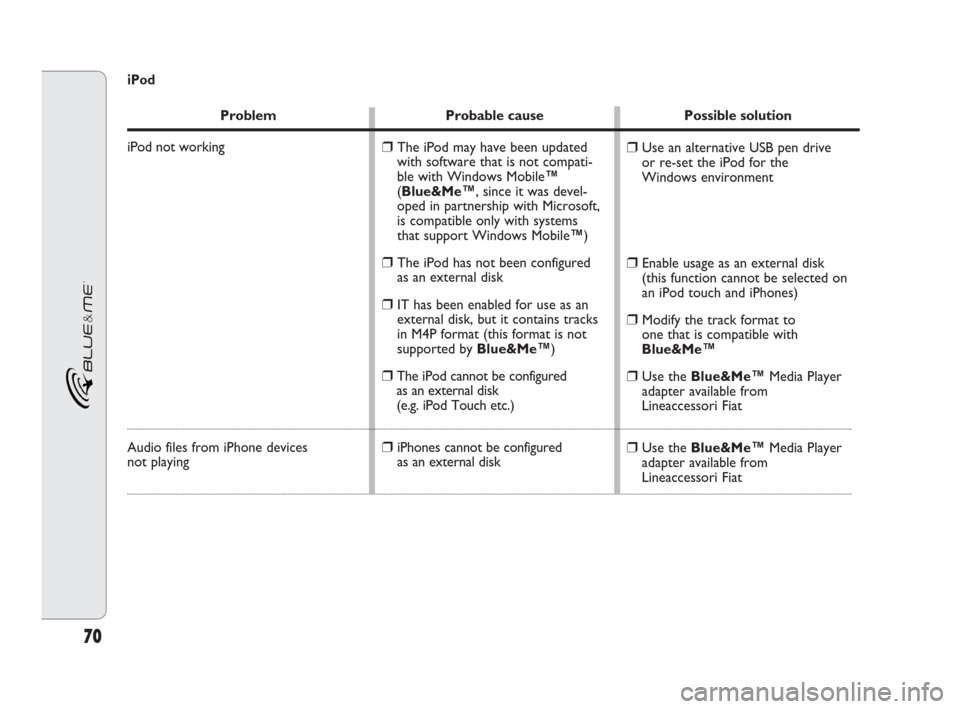
iPod not working
Audio files from iPhone devices
not playing
❒Use an alternative USB pen drive
or re-set the iPod for the
Windows environment
❒Enable usage as an external disk
(this function cannot be selected on
an iPod touch and iPhones)
❒Modify the track format to
one that is compatible with
Blue&Me™
❒Use the Blue&Me™ Media Player
adapter available from
Lineaccessori Fiat
❒Use the Blue&Me™ Media Player
adapter available from
Lineaccessori Fiat
❒The iPod may have been updated
with software that is not compati-
ble with Windows Mobile™
(Blue&Me™, since it was devel-
oped in partnership with Microsoft,
is compatible only with systems
that support Windows Mobile™)
❒The iPod has not been configured
as an external disk
❒IT has been enabled for use as an
external disk, but it contains tracks
in M4P format (this format is not
supported by Blue&Me™)
❒The iPod cannot be configured
as an external disk
(e.g. iPod Touch etc.)
❒iPhones cannot be configured
as an external disk
iPod
604_39_206 DOBLO BLUE GB 1ed 17-09-2009 16:56 Pagina 70
Page 73 of 82
72
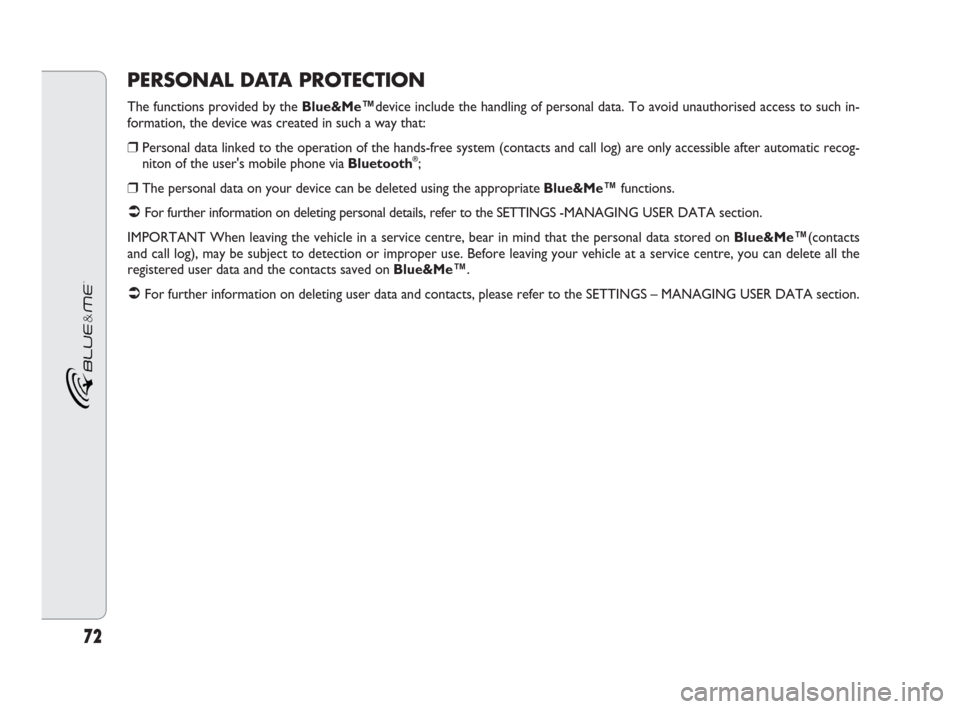
PERSONAL DATA PROTECTION
The functions provided by the Blue&Me™device include the handling of personal data. To avoid unauthorised access to such in-
formation, the device was created in such a way that:
❒Personal data linked to the operation of the hands-free system (contacts and call log) are only accessible after automatic recog-
niton of the user's mobile phone via Bluetooth®;
❒The personal data on your device can be deleted using the appropriate Blue&Me™functions.
�For further information on deleting personal details, refer to the SETTINGS -MANAGING USER DATA section.
IMPORTANT When leaving the vehicle in a service centre, bear in mind that the personal data stored on Blue&Me™(contacts
and call log), may be subject to detection or improper use. Before leaving your vehicle at a service centre, you can delete all the
registered user data and the contacts saved on Blue&Me™.
�For further information on deleting user data and contacts, please refer to the SETTINGS – MANAGING USER DATA section.
604_39_206 DOBLO BLUE GB 1ed 17-09-2009 16:56 Pagina 72