2008 SUBARU TRIBECA ECO mode
[x] Cancel search: ECO modePage 202 of 409
5-26
Audio
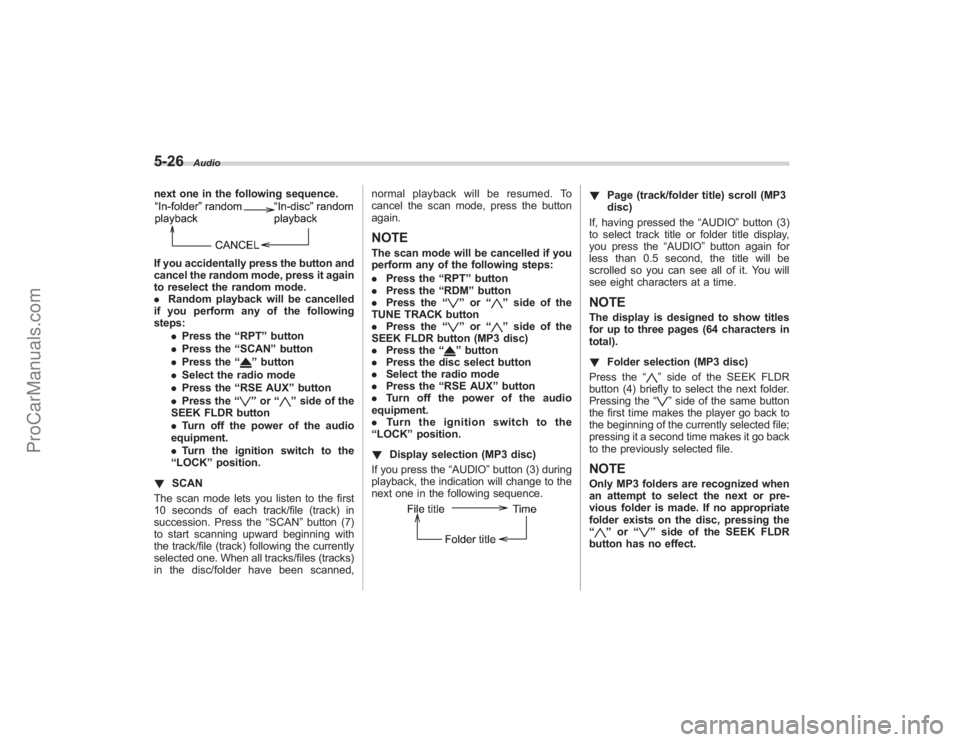
next one in the following sequence.If you accidentally press the button and
cancel the random mode, press it again
to reselect the random mode.
.Random playback will be cancelled
if you perform any of the following
steps:
.Press the “RPT ”button
. Press the “SCAN” button
. Press the “
”button
. Select the radio mode
. Press the “RSE AUX ”button
. Press the “”or “
”side of the
SEEK FLDR button
. Turn off the power of the audio
equipment.
. Turn the ignition switch to the
“ LOCK ”position.
! SCAN
The scan mode lets you listen to the first
10 seconds of each track/file (track) in
succession. Press the “SCAN”button (7)
to start scanning upward beginning with
the track/file (track) following the currently
selected one. When all tracks/files (tracks)
in the disc/folder have been scanned, normal playback will be resumed. To
cancel the scan mode, press the button
again.
NOTEThe scan mode will be cancelled if you
perform any of the following steps:
.
Press the “RPT ”button
. Press the “RDM ”button
. Press the “
”or “
”side of the
TUNE TRACK button
. Press the “
”or “
”side of the
SEEK FLDR button (MP3 disc)
. Press the “
”button
. Press the disc select button
. Select the radio mode
. Press the “RSE AUX ”button
. Turn off the power of the audio
equipment.
. Turn the ignition switch to the
“ LOCK ”position.
! Display selection (MP3 disc)
If you press the “AUDIO”button (3) during
playback, the indication will change to the
next one in the following sequence.
! Page (track/folder title) scroll (MP3
disc)
If, having pressed the “AUDIO”button (3)
to select track title or folder title display,
you press the “AUDIO”button again for
less than 0.5 second, the title will be
scrolled so you can see all of it. You will
see eight characters at a time.NOTEThe display is designed to show titles
for up to three pages (64 characters in
total).
! Folder selection (MP3 disc)
Press the “
”side of the SEEK FLDR
button (4) briefly to select the next folder.
Pressing the “”side of the same button
the first time makes the player go back to
the beginning of the currently selected file;
pressing it a second time makes it go back
to the previously selected file.
NOTEOnly MP3 folders are recognized when
an attempt to select the next or pre-
vious folder is made. If no appropriate
folder exists on the disc, pressing the
“
” or “
”side of the SEEK FLDR
button has no effect.
ProCarManuals.com
Page 204 of 409
5-28
Audio
waveband will be displayed.
*2: Only when a CD is in the player.
*3: Only vehicle equipped with RSE (Rear Seat Entertainment)
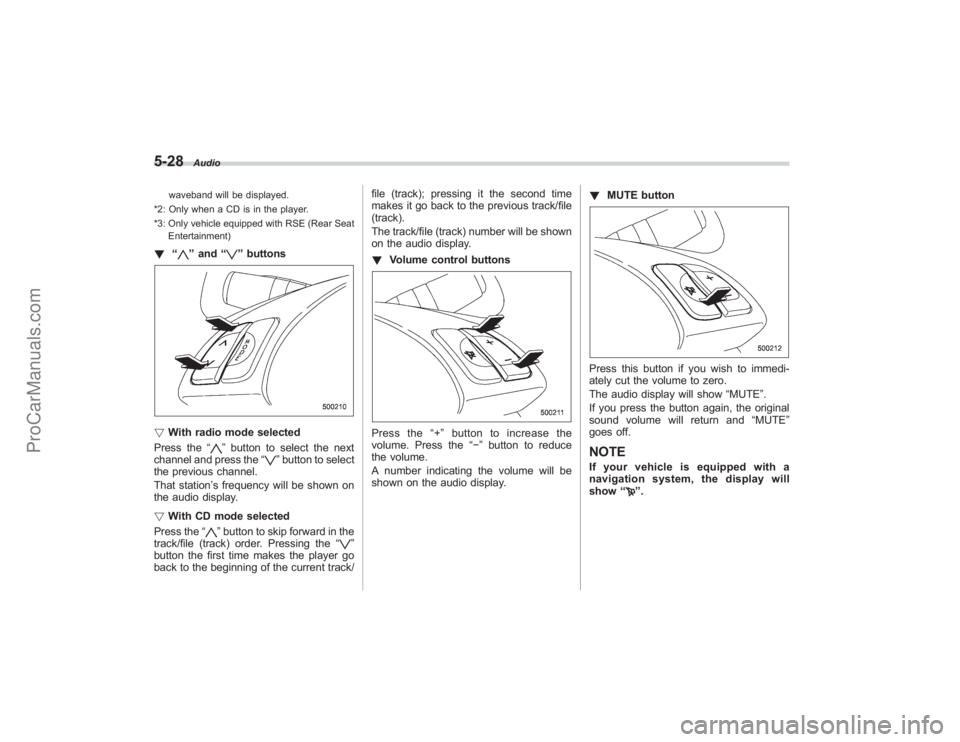
! “
”and “
”buttons
! With radio mode selected
Press the “
”button to select the next
channel and press the “
”button to select
the previous channel.
That station ’s frequency will be shown on
the audio display.
! With CD mode selected
Press the “
”button to skip forward in the
track/file (track) order. Pressing the “
”
button the first time makes the player go
back to the beginning of the current track/ file (track); pressing it the second time
makes it go back to the previous track/file
(track).
The track/file (track) number will be shown
on the audio display.
!
Volume control buttons
Press the “+ ” button to increase the
volume. Press the “−”button to reduce
the volume.
A number indicating the volume will be
shown on the audio display. !
MUTE button
Press this button if you wish to immedi-
ately cut the volume to zero.
The audio display will show “MUTE”.
If you press the button again, the original
sound volume will return and “MUTE ”
goes off.NOTEIf your vehicle is equipped with a
navigation system, the display will
show “
”.
ProCarManuals.com
Page 205 of 409
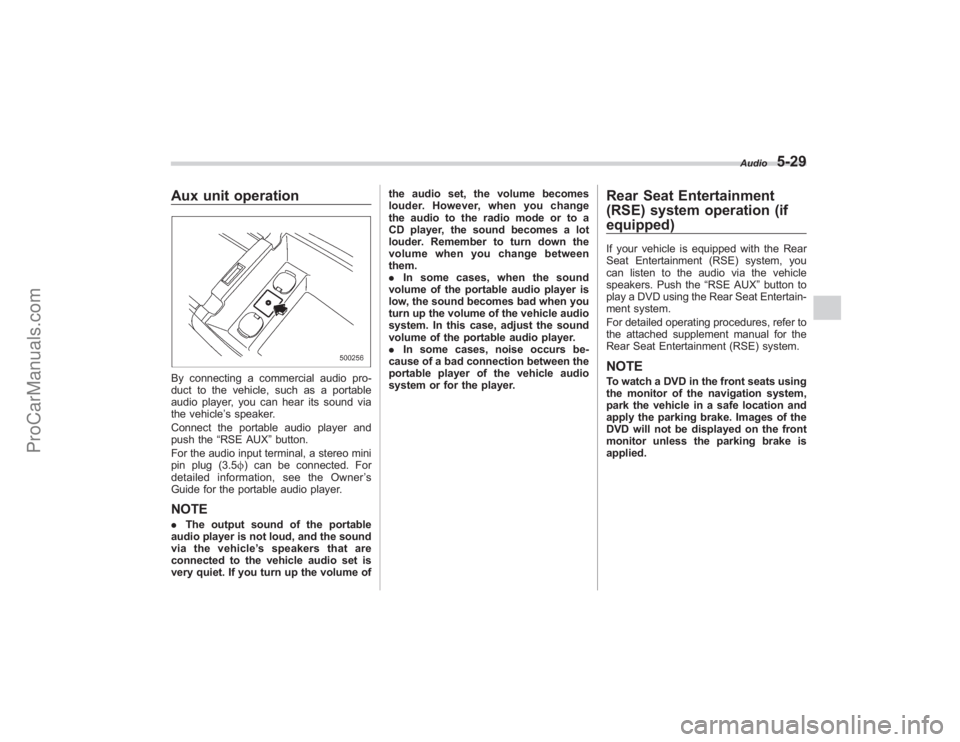
Aux unit operationBy connecting a commercial audio pro-
duct to the vehicle, such as a portable
audio player, you can hear its sound via
the vehicle’s speaker.
Connect the portable audio player and
push the “RSE AUX ”button.
For the audio input terminal, a stereo mini
pin plug (3.5 f) can be connected. For
detailed information, see the Owner ’s
Guide for the portable audio player.NOTE. The output sound of the portable
audio player is not loud, and the sound
via the vehicle ’s speakers that are
connected to the vehicle audio set is
very quiet. If you turn up the volume of the audio set, the volume becomes
louder. However, when you change
the audio to the radio mode or to a
CD player, the sound becomes a lot
louder. Remember to turn down the
volume when you change between
them.
.
In some cases, when the sound
volume of the portable audio player is
low, the sound becomes bad when you
turn up the volume of the vehicle audio
system. In this case, adjust the sound
volume of the portable audio player.
. In some cases, noise occurs be-
cause of a bad connection between the
portable player of the vehicle audio
system or for the player.
Rear Seat Entertainment
(RSE) system operation (if
equipped)If your vehicle is equipped with the Rear
Seat Entertainment (RSE) system, you
can listen to the audio via the vehicle
speakers. Push the “RSE AUX”button to
play a DVD using the Rear Seat Entertain-
ment system.
For detailed operating procedures, refer to
the attached supplement manual for the
Rear Seat Entertainment (RSE) system.NOTETo watch a DVD in the front seats using
the monitor of the navigation system,
park the vehicle in a safe location and
apply the parking brake. Images of the
DVD will not be displayed on the front
monitor unless the parking brake is
applied.
Audio
5-29
ProCarManuals.com
Page 209 of 409
Interior light...................................................... 6-2
Dome light....................................................... 6-2
Cargo area light ............................................... 6-2
Rear gate light ................................................. 6-3
Automatic ambient light for center console area (if equipped) .................................................. 6-3
Map light........................................................... 6-3
Sun visors ........................................................ 6-4
Sun visor extension plate ................................. 6-4
Vanity mirror with light ..................................... 6-4
Storage compartment...................................... 6-5
Glove box........................................................ 6-5
Center console box .......................................... 6-6
Rear console .................................................... 6-7
Overhead console ............................................ 6-7
Cup holder........................................................ 6-7
Front passenger ’s cup holder ........................... 6-8
Rear seat (5-seater models)/Second-row seat (7-seater models) passenger ’s cup holder ....... 6-8
Third-row seat cup holders (7-seater models) ........................................... 6-9
Accessory power outlets ................................. 6-9
Coat hook ....................................................... 6-11
Rear (5-seater models)/Second-row
(7-seater models) passenger area .................. 6-11
Shopping bag hook........................................ 6-12
Floor mat ........................................................ 6-12 Cargo area cover (if equipped)
..................... 6-13
Using the cover.............................................. 6-13
To remove the cover ....................................... 6-14
To install the cover housing ............................ 6-14
Convenient tie-down hooks.......................... 6-15
Under-floor storage compartment ................ 6-15
5-seater models.............................................. 6-15
7-seater models .............................................. 6-16
HomeLink®Wireless Control System
(if equipped) ................................................ 6-16
Garage door opener programming in the
U.S.A. ........................................................... 6-17
Programming rolling-code-protected garage door openers in the U.S.A. .................................... 6-18
Programming for entrance gates and garage door openers in Canada ........................................ 6-19
Programming other devices ............................ 6-20
Operating the HomeLink ®Wireless Control
System ......................................................... 6-20
Reprogramming a single HomeLink ®
button .......................................................... 6-20
Erasing HomeLink ®button memory ................ 6-20
In case a problem occurs ................................ 6-20
Rear view camera (if equipped) .................... 6-21
Position of rear view camera........................... 6-22
How to use the rear view camera .................... 6-22
Viewing range on the screen ........................... 6-22
Distance marker (help line) ............................. 6-24
Interior equipment
6
ProCarManuals.com
Page 216 of 409
6-8
Interior equipment
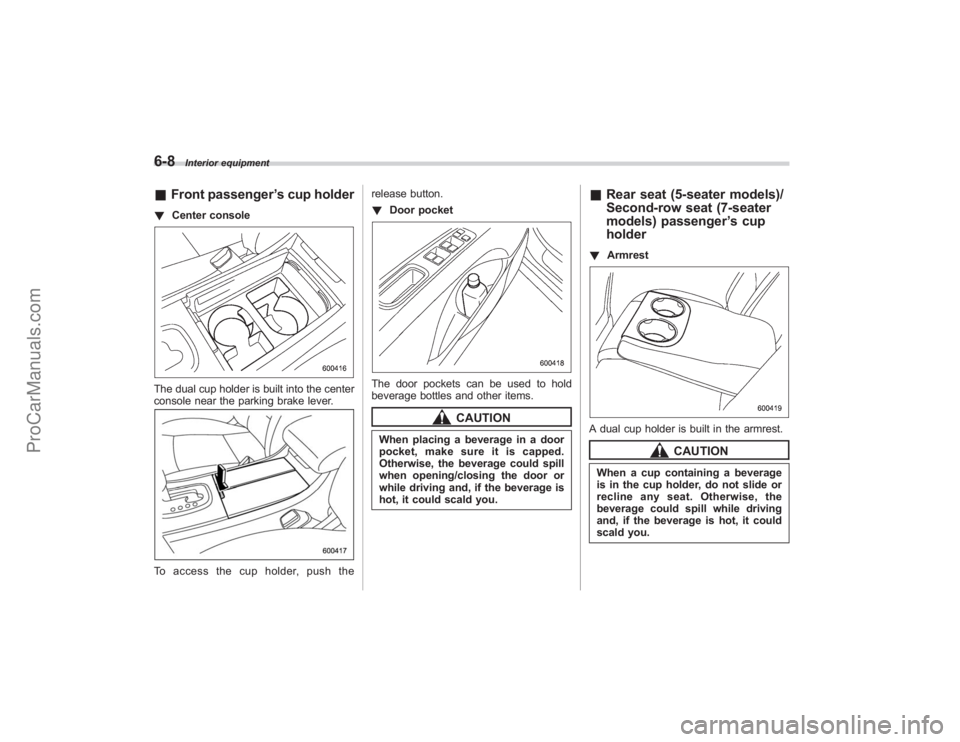
&Front passenger ’s cup holder! Center consoleThe dual cup holder is built into the center
console near the parking brake lever.To access the cup holder, push the release button.
!
Door pocket
The door pockets can be used to hold
beverage bottles and other items.
CAUTION
When placing a beverage in a door
pocket, make sure it is capped.
Otherwise, the beverage could spill
when opening/closing the door or
while driving and, if the beverage is
hot, it could scald you.
&Rear seat (5-seater models)/
Second-row seat (7-seater
models) passenger ’s cup
holder! ArmrestA dual cup holder is built in the armrest.
CAUTION
When a cup containing a beverage
is in the cup holder, do not slide or
recline any seat. Otherwise, the
beverage could spill while driving
and, if the beverage is hot, it could
scald you.
ProCarManuals.com
Page 219 of 409
compartment) and the lid. It is also
possible to pass the cord through a
groove in the lid and up to the center
console (upper compartment).
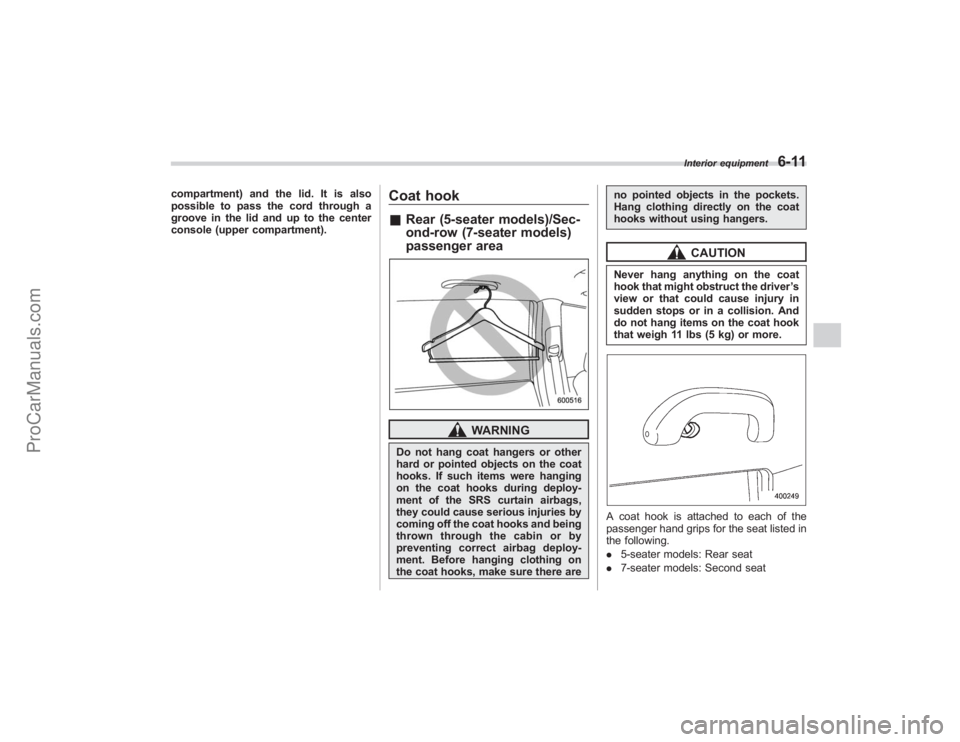
Coat hook&Rear (5-seater models)/Sec-
ond-row (7-seater models)
passenger area
WARNING
Do not hang coat hangers or other
hard or pointed objects on the coat
hooks. If such items were hanging
on the coat hooks during deploy-
ment of the SRS curtain airbags,
they could cause serious injuries by
coming off the coat hooks and being
thrown through the cabin or by
preventing correct airbag deploy-
ment. Before hanging clothing on
the coat hooks, make sure there are no pointed objects in the pockets.
Hang clothing directly on the coat
hooks without using hangers.
CAUTION
Never hang anything on the coat
hook that might obstruct the driver
’s
view or that could cause injury in
sudden stops or in a collision. And
do not hang items on the coat hook
that weigh 11 lbs (5 kg) or more.A coat hook is attached to each of the
passenger hand grips for the seat listed in
the following.
. 5-seater models: Rear seat
. 7-seater models: Second seat
Interior equipment
6-11
ProCarManuals.com
Page 244 of 409

7-10
Starting and operating
transmitter within a few seconds immedi-
ately following remote engine start shut-
down.&Pre-heating or pre-cooling
the interior of the vehicleBefore exiting the vehicle, set the tem-
perature controls to the desired setting
and operation. After the system starts the
vehicle, the heater or air-conditioning will
activate and heat or cool the interior to
your setting.&Service modeIn service mode, the remote start function
is temporarily disabled to prevent the
system from unexpectedly starting the
engine while being serviced.
! To engage the service mode
Turn the ignition switch to the “ON ”
position, depress and hold the brake pedal
then, press and release the “
”button on
the remote control transmitter three times.
The system will pause for 1 second and
then flash the parking lights and honk the
horn three times indicating that the system
is in service mode. When attempting to
activate the remote start system while in
service mode, the parking lights will flash
and the horn will honk two times and will
not start. !
To disengage the service mode
Turn the ignition switch to the “ON ”
position, depress and hold the brake
pedal, then press and release the “
”
button on the remote control transmitter
three times. The system will pause for 1
second and flash the parking lights one
time indicating that the system has exited
service mode.
NOTEWhen taking your vehicle in for service,
it is recommended that you inform the
service personnel that your vehicle is
equipped with a remote control start
system.& Remote transmitter program-
ming and programmable fea-
ture optionNew transmitters can be programmed to
the engine starter system in the event that
remote transmitters are lost, stolen or
damaged. The remote engine start system
also has one programmable feature that
can be adjusted for user preference.
The remote engine starter system can be
programmed to either make an audible
horn chirp upon remote start activation or
not. Remote transmitter programming and
feature programming can be adjusted
using the following procedure. 1. Open the driver
’s door (the driver ’s
door must remain opened throughout the
entire process).
2. Insert the key into the vehicle’ s ignition
switch and turn to the “ON”position.
3. Locate the small black programming
button behind the fuse box cover, on the
driver ’s side left under the dashboard
panel.
4. Press and hold the black programming
button for 10 to 15 seconds. The horn will
honk and the parking lights will flash three
times to indicate that the system has
entered programming mode. At this point
you can perform either action (Step 5 or
Step 6).
5. To program a remote transmitter:
press and release the “
”button on each
transmitter. The horn will honk and the
parking lights will flash one time to indicate
a successful transmitter learn each time
the “
”button is pressed. You can
program up to eight transmitters.
6. To toggle the Horn Confirmation chirps
ON/OFF: press and release the brake to
toggle the feature. The horn will chirp and
the parking lights will flash one time to
indicate Confirmation Horn Chirps are
“OFF ”. The horn will honk and the parking
lights will flash 2 times to indicate Con-
firmation Horn Chirps are “ON”. Pressing
the brake pedal repeatedly will toggle the
ProCarManuals.com
Page 246 of 409

7-12
Starting and operating
on the old batteries before removing them
to ensure that the new batteries are
inserted properly (battery“+”should be
pointed away from the transmitter circuit
board on both batteries).
3. Carefully snap the case halves back
together, then test the remote control.NOTEThis device complies with Part 15 of
the FCC Rules and with RSS-210 of
Industry Canada. Operation is subject
to the following two conditions: (1) This
device may not cause harmful inter-
ference, and (2) this device must
accept any interference received, in-
cluding interference that may cause
undesired operation.
Changes or modifications not ex-
pressly approved by the party respon-
sible for compliance could void the
user ’s authority to operate the equip-
ment.
Automatic transmissionThe automatic transmission is electroni-
cally controlled and provides 5 forward
speeds and 1 reverse speed. Also, it has a
manual mode and a SPORT mode.
WARNING
Do not shift from the “P ” or “N ”
position into the “D ” or “R ” position
while depressing the accelerator
pedal. This may cause the vehicle
to jump forward or backward.
CAUTION
. Shift into the “P ” or “R ” position
only after the vehicle is comple-
tely stopped. Shifting while the
vehicle is moving may cause
damage to the transmission.
. Do not race the engine for more
than 5 seconds in any position
except the “N ” or “P ” position
when the brake is set or when
chocks are used in the wheels.
This may cause the automatic
transmission fluid to overheat.
. Avoid shifting from one of the
forward driving positions into the “
R ” position or vice versa until
the vehicle has completely
stopped. Such shifting may
cause damage to the transmis-
sion.
. When parking the vehicle, first
securely apply the parking brake
and then place the selector lever
in the “P ” position. Avoid parking
for a long time with the selector
lever in any other position as
doing so could result in a dead
battery.
NOTE. When the engine coolant tempera-
ture is still low, your vehicle ’s auto-
matic transmission will up-shift at high-
er engine speeds than when the cool-
ant temperature is sufficiently high in
order to shorten the warm-up time and
improve driveability. The gearshift tim-
ing will automatically shift to the nor-
mal timing after the engine has warmed
up.
. Immediately after ATF (automatic
transmission fluid) is replaced, you
may feel that the automatic transmis-
sion operation is somewhat unusual.
This results from invalidation of data
which the on-board computer has
ProCarManuals.com