2008 SUBARU TRIBECA set clock
[x] Cancel search: set clockPage 121 of 409
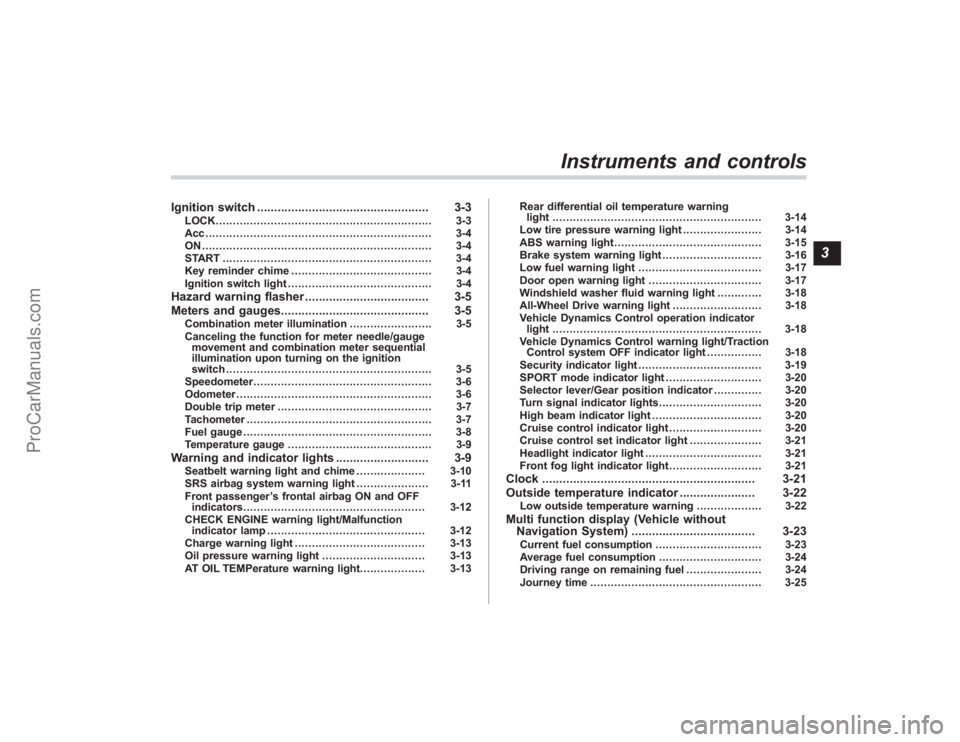
Ignition switch.................................................. 3-3
LOCK............................................................... 3-3
Acc.................................................................. 3-4
ON................................................................... 3-4
START ............................................................. 3-4
Key reminder chime ......................................... 3-4
Ignition switch light .......................................... 3-4
Hazard warning flasher .................................... 3-5
Meters and gauges. .......................................... 3-5
Combination meter illumination ........................ 3-5
Canceling the function for meter needle/gauge movement and combination meter sequential
illumination upon turning on the ignition
switch ............................................................ 3-5
Speedometer .................................................... 3-6
Odometer ......................................................... 3-6
Double trip meter ............................................. 3-7
Tachometer ...................................................... 3-7
Fuel gauge ....................................................... 3-8
Temperature gauge .......................................... 3-9
Warning and indicator lights ........................... 3-9
Seatbelt warning light and chime .................... 3-10
SRS airbag system warning light ..................... 3-11
Front passenger ’s frontal airbag ON and OFF
indicators ..................................................... 3-12
CHECK ENGINE warning light/Malfunction indicator lamp .............................................. 3-12
Charge warning light ...................................... 3-13
Oil pressure warning light .............................. 3-13
AT OIL TEMPerature warning light. .................. 3-13Rear differential oil temperature warning
light ............................................................. 3-14
Low tire pressure warning light ....................... 3-14
ABS warning light ........................................... 3-15
Brake system warning light ............................. 3-16
Low fuel warning light .................................... 3-17
Door open warning light ................................. 3-17
Windshield washer fluid warning light ............. 3-18
All-Wheel Drive warning light .......................... 3-18
Vehicle Dynamics Control operation indicator light ............................................................. 3-18
Vehicle Dynamics Control warning light/Traction Control system OFF indicator light ................ 3-18
Security indicator light .................................... 3-19
SPORT mode indicator light ............................ 3-20
Selector lever/Gear position indicator .............. 3-20
Turn signal indicator lights .............................. 3-20
High beam indicator light ................................ 3-20
Cruise control indicator light ........................... 3-20
Cruise control set indicator light ..................... 3-21
Headlight indicator light .................................. 3-21
Front fog light indicator light ........................... 3-21
Clock.............................................................. 3-21
Outside temperature indicator ...................... 3-22
Low outside temperature warning ................... 3-22
Multi function display (Vehicle without
Navigation System) .................................... 3-23
Current fuel consumption ............................... 3-23
Average fuel consumption .............................. 3-24
Driving range on remaining fuel ...................... 3-24
Journey time .................................................. 3-25
Instruments and controls
3
ProCarManuals.com
Page 141 of 409
ing driving, have the vehicle checked
by your nearest SUBARU dealer.&
Cruise control set in-
dicator light
The cruise control set indicator light
comes on when the ignition switch is
turned to the“ON”position and goes out
after approximately 3 seconds.
This light comes on when vehicle speed
has been set.&
Headlight indicator
light
This indicator light comes on when the
light switch is turned to the “
”position
(to turn on the parking lights) or to the
“
” position (to turn on the headlights).
&
Front fog light indicator
light
This indicator light is on while the front fog
lights are on.
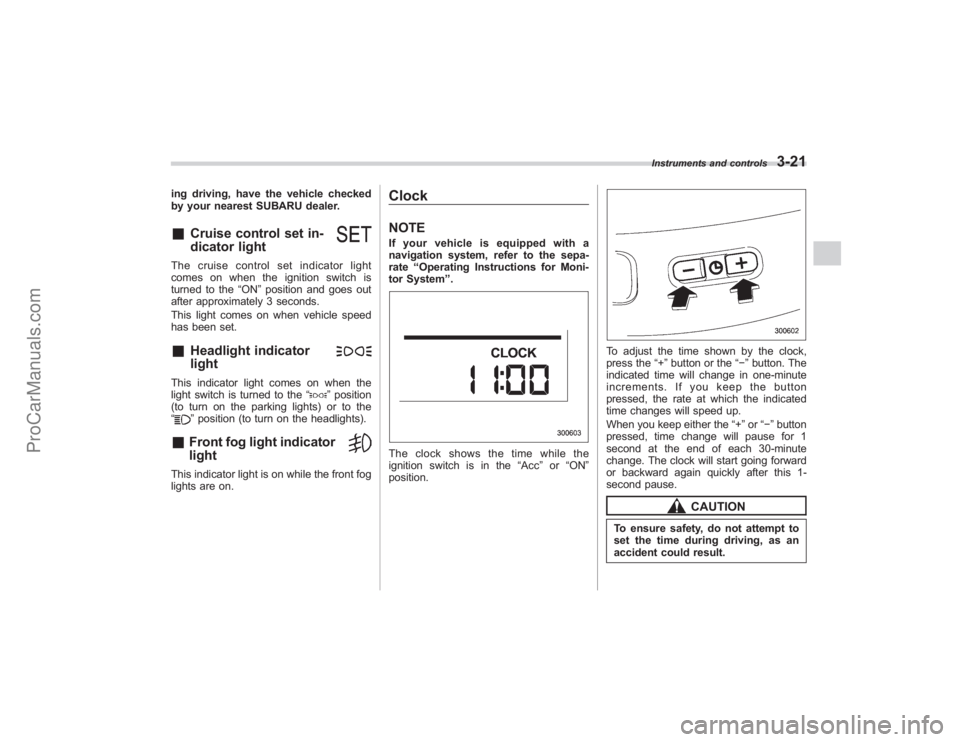
ClockNOTEIf your vehicle is equipped with a
navigation system, refer to the sepa-
rate “Operating Instructions for Moni-
tor System ”.The clock shows the time while the
ignition switch is in the “Acc”or “ON ”
position.
To adjust the time shown by the clock,
press the “+”button or the “−”button. The
indicated time will change in one-minute
increments. If you keep the button
pressed, the rate at which the indicated
time changes will speed up.
When you keep either the “+”or “− ” button
pressed, time change will pause for 1
second at the end of each 30-minute
change. The clock will start going forward
or backward again quickly after this 1-
second pause.
CAUTION
To ensure safety, do not attempt to
set the time during driving, as an
accident could result.
Instruments and controls
3-21
ProCarManuals.com
Page 168 of 409
4-6
Climate control
To change the system back to the AUTO
mode, press the“AUTO”button.
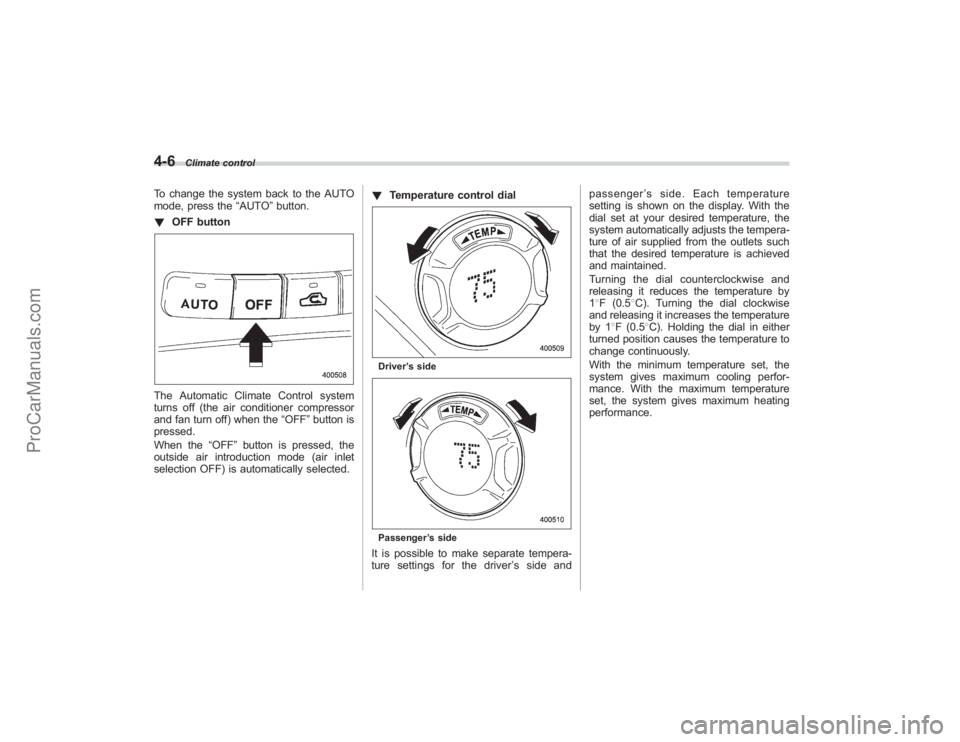
! OFF buttonThe Automatic Climate Control system
turns off (the air conditioner compressor
and fan turn off) when the “OFF”button is
pressed.
When the “OFF”button is pressed, the
outside air introduction mode (air inlet
selection OFF) is automatically selected. !
Temperature control dial
Driver ’s sidePassenger ’s sideIt is possible to make separate tempera-
ture settings for the driver ’ssideand passenger
’s side. Each temperature
setting is shown on the display. With the
dial set at your desired temperature, the
system automatically adjusts the tempera-
ture of air supplied from the outlets such
that the desired temperature is achieved
and maintained.
Turning the dial counterclockwise and
releasing it reduces the temperature by
1 8F (0.5 8C). Turning the dial clockwise
and releasing it increases the temperature
by 1 8F (0.5 8C). Holding the dial in either
turned position causes the temperature to
change continuously.
With the minimum temperature set, the
system gives maximum cooling perfor-
mance. With the maximum temperature
set, the system gives maximum heating
performance.
ProCarManuals.com
Page 183 of 409
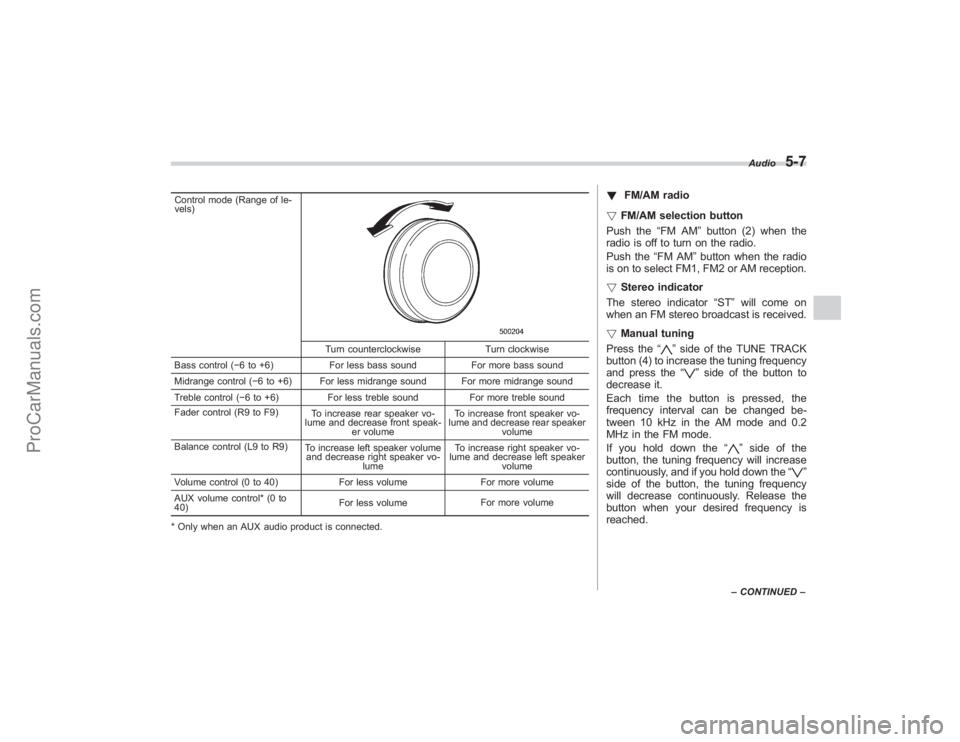
Control mode (Range of le-
vels)
Turn counterclockwiseTurn clockwise
Bass control ( −6 to +6) For less bass sound For more bass sound
Midrange control ( −6 to +6) For less midrange sound For more midrange sound
Treble control ( −6 to +6) For less treble sound For more treble sound
Fader control (R9 to F9) To increase rear speaker vo-
lume and decrease front speak- er volume To increase front speaker vo-
lume and decrease rear speaker volume
Balance control (L9 to R9) To increase left speaker volume
and decrease right speaker vo-
lume To increase right speaker vo-
lume and decrease left speaker
volume
Volume control (0 to 40) For less volumeFor more volume
AUX volume control* (0 to
40) For less volume
For more volume
* Only when an AUX audio product is connected.
! FM/AM radio
! FM/AM selection button
Push the “FM AM”button (2) when the
radio is off to turn on the radio.
Push the “FM AM”button when the radio
is on to select FM1, FM2 or AM reception.
! Stereo indicator
The stereo indicator “ST”will come on
when an FM stereo broadcast is received.
! Manual tuning
Press the “
”side of the TUNE TRACK
button (4) to increase the tuning frequency
and press the “
”side of the button to
decrease it.
Each time the button is pressed, the
frequency interval can be changed be-
tween 10 kHz in the AM mode and 0.2
MHz in the FM mode.
If you hold down the “
”side of the
button, the tuning frequency will increase
continuously, and if you hold down the “
”
side of the button, the tuning frequency
will decrease continuously. Release the
button when your desired frequency is
reached.
Audio
5-7
– CONTINUED –
ProCarManuals.com
Page 194 of 409
5-18
Audio
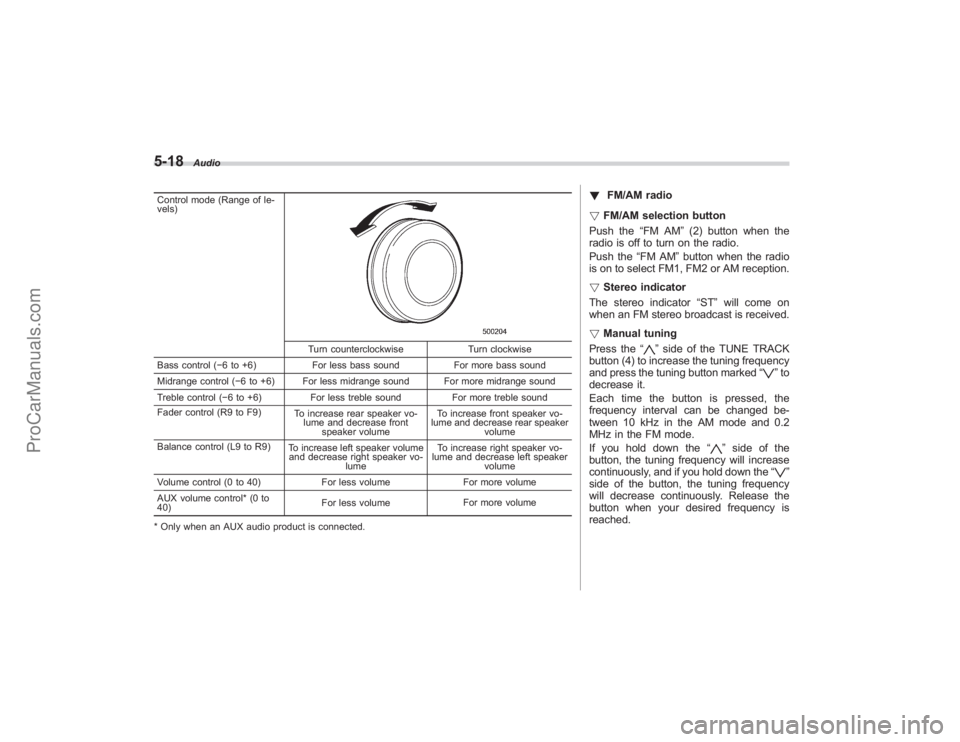
Control mode (Range of le-
vels)
Turn counterclockwiseTurn clockwise
Bass control ( −6 to +6) For less bass sound For more bass sound
Midrange control ( −6 to +6) For less midrange sound For more midrange sound
Treble control ( −6 to +6) For less treble sound For more treble sound
Fader control (R9 to F9) To increase rear speaker vo-
lume and decrease front speaker volume To increase front speaker vo-
lume and decrease rear speaker volume
Balance control (L9 to R9) To increase left speaker volume
and decrease right speaker vo-
lume To increase right speaker vo-
lume and decrease left speaker
volume
Volume control (0 to 40) For less volumeFor more volume
AUX volume control* (0 to
40) For less volume
For more volume
* Only when an AUX audio product is connected.
! FM/AM radio
! FM/AM selection button
Push the “FM AM”(2) button when the
radio is off to turn on the radio.
Push the “FM AM”button when the radio
is on to select FM1, FM2 or AM reception.
! Stereo indicator
The stereo indicator “ST”will come on
when an FM stereo broadcast is received.
! Manual tuning
Press the “
”side of the TUNE TRACK
button (4) to increase the tuning frequency
and press the tuning button marked “
”to
decrease it.
Each time the button is pressed, the
frequency interval can be changed be-
tween 10 kHz in the AM mode and 0.2
MHz in the FM mode.
If you hold down the “
”side of the
button, the tuning frequency will increase
continuously, and if you hold down the “
”
side of the button, the tuning frequency
will decrease continuously. Release the
button when your desired frequency is
reached.
ProCarManuals.com
Page 366 of 409
11-44
Maintenance and service
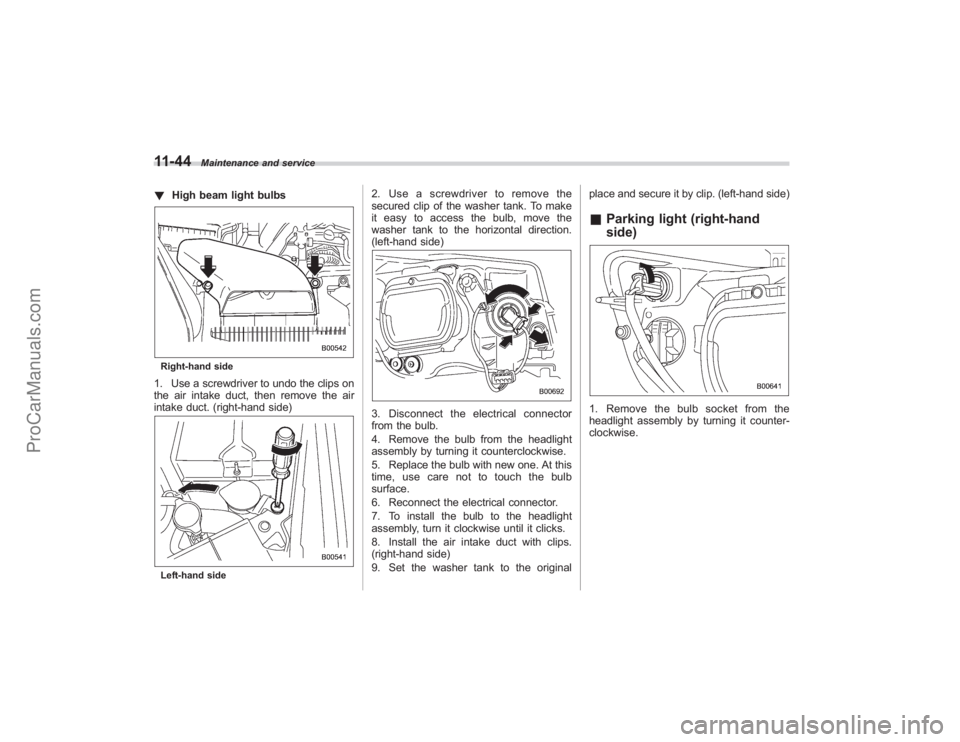
!High beam light bulbsRight-hand side1. Use a screwdriver to undo the clips on
the air intake duct, then remove the air
intake duct. (right-hand side)Left-hand side
2. Use a screwdriver to remove the
secured clip of the washer tank. To make
it easy to access the bulb, move the
washer tank to the horizontal direction.
(left-hand side)3. Disconnect the electrical connector
from the bulb.
4. Remove the bulb from the headlight
assembly by turning it counterclockwise.
5. Replace the bulb with new one. At this
time, use care not to touch the bulb
surface.
6. Reconnect the electrical connector.
7. To install the bulb to the headlight
assembly, turn it clockwise until it clicks.
8. Install the air intake duct with clips.
(right-hand side)
9. Set the washer tank to the original place and secure it by clip. (left-hand side)
&
Parking light (right-hand
side)1. Remove the bulb socket from the
headlight assembly by turning it counter-
clockwise.
ProCarManuals.com
Page 367 of 409
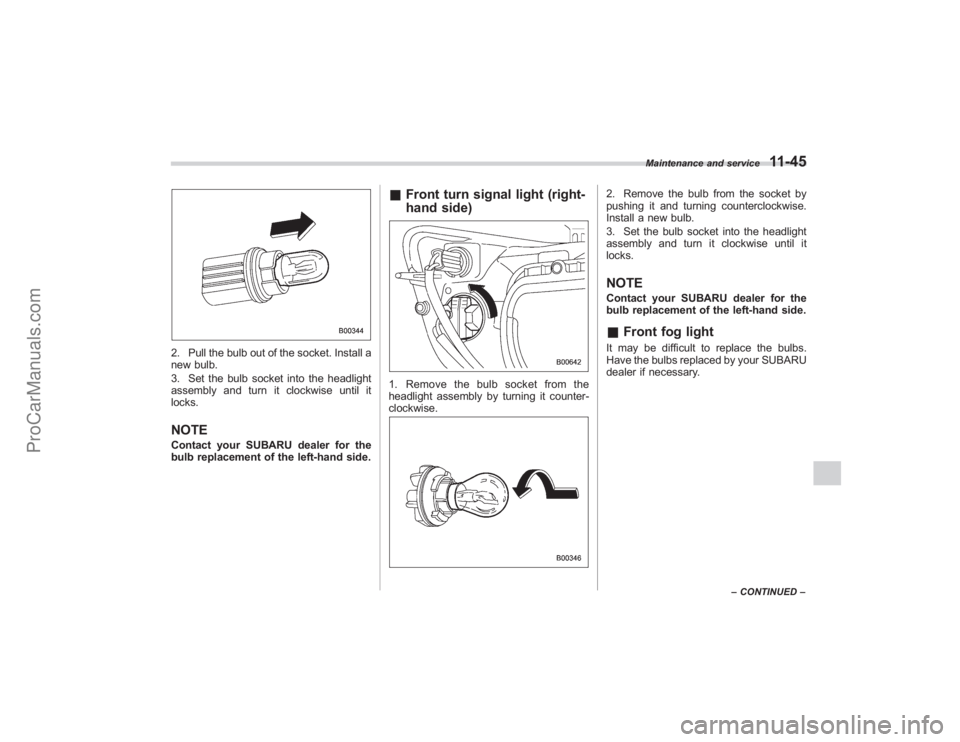
2. Pull the bulb out of the socket. Install a
new bulb.
3. Set the bulb socket into the headlight
assembly and turn it clockwise until it
locks.NOTEContact your SUBARU dealer for the
bulb replacement of the left-hand side.
&Front turn signal light (right-
hand side)1. Remove the bulb socket from the
headlight assembly by turning it counter-
clockwise.
2. Remove the bulb from the socket by
pushing it and turning counterclockwise.
Install a new bulb.
3. Set the bulb socket into the headlight
assembly and turn it clockwise until it
locks.NOTEContact your SUBARU dealer for the
bulb replacement of the left-hand side.&Front fog lightIt may be difficult to replace the bulbs.
Have the bulbs replaced by your SUBARU
dealer if necessary.
Maintenance and service
11-45
–CONTINUED –
ProCarManuals.com
Page 368 of 409
11-46
Maintenance and service
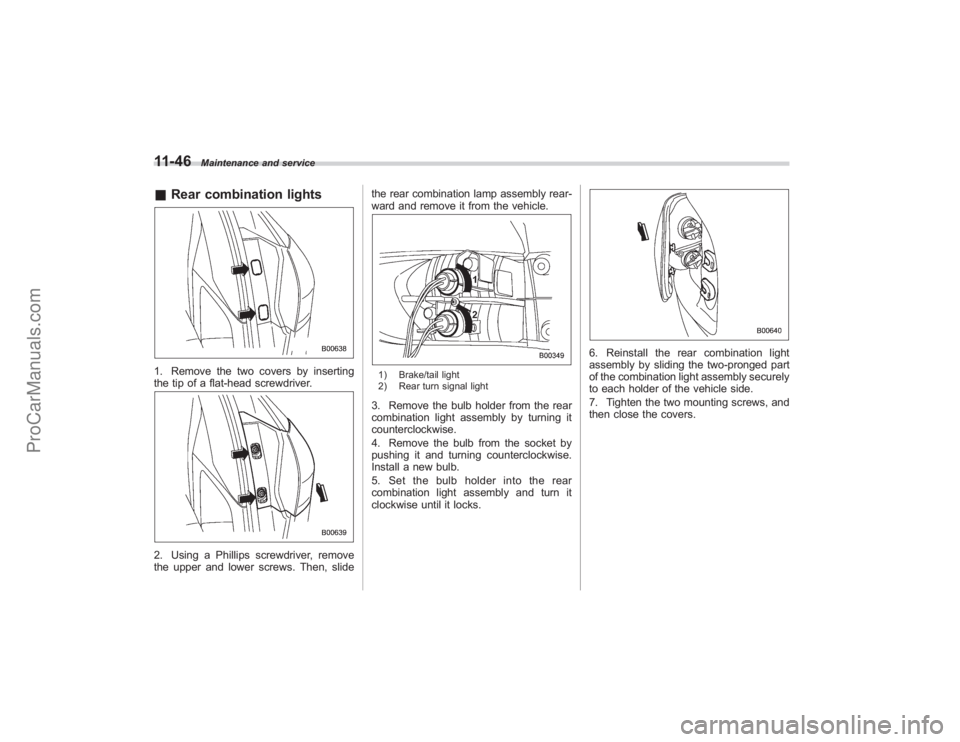
&Rear combination lights1. Remove the two covers by inserting
the tip of a flat-head screwdriver.2. Using a Phillips screwdriver, remove
the upper and lower screws. Then, slide the rear combination lamp assembly rear-
ward and remove it from the vehicle.
1) Brake/tail light
2) Rear turn signal light3. Remove the bulb holder from the rear
combination light assembly by turning it
counterclockwise.
4. Remove the bulb from the socket by
pushing it and turning counterclockwise.
Install a new bulb.
5. Set the bulb holder into the rear
combination light assembly and turn it
clockwise until it locks.
6. Reinstall the rear combination light
assembly by sliding the two-pronged part
of the combination light assembly securely
to each holder of the vehicle side.
7. Tighten the two mounting screws, and
then close the covers.
ProCarManuals.com